The 5 Reports Every Shop Owner Should Check Weekly

Running a successful shop requires more than making daily sales and serving customers. Business owners need to understand how their shops are performing, which products are selling, how much money is coming in, and where improvements are needed. One of the easiest ways to achieve this is by reviewing business reports every week. Whether you operate a minimart, supermarket, pharmacy, boutique, hardware shop, wholesale store, or restaurant, checking the right reports helps you make informed decisions and avoid unnecessary losses. A modern POS SYSTEM makes this process easier by recording transactions, tracking inventory, and generating useful business reports. With reliable POS software, shop owners can access important information without depending entirely on manual calculations or handwritten records. At Digee Technologies Limited Company, we understand the importance of using technology to simplify business management and help Kenyan businesses operate more efficiently.

1. Sales Report: Understand How Much Your Shop Is Selling

The first report every shop owner should check weekly is the sales report. This report provides an overview of the money generated through business transactions during a specific period. It helps you understand whether your shop is growing, maintaining consistent performance, or experiencing a decline in sales.

A sales report generated by a POS SYSTEM can provide useful information such as:

  • Total sales for the week.
  • Number of transactions completed.
  • Best-selling products.
  • Daily sales performance.
  • Sales by product category.
  • Sales trends over time.
  • Sales made by individual employees, where supported.

For example, if your minimart records KSh 150,000 in sales during one week and KSh 120,000 the following week, you can investigate the reason for the decline. It could be related to reduced customer traffic, stock shortages, pricing changes, or seasonal demand.

A reliable Point Of Sale solution makes it easier to review sales information because transactions are recorded as customers make purchases. Instead of calculating everything manually, shop owners can generate reports and understand their performance more quickly.

With modern POS software, you can also compare weekly sales figures to identify patterns and determine which business strategies are working.

Why this report matters: It helps you understand your shop’s revenue performance, identify sales trends, and make better decisions about pricing, promotions, and business growth.

2. Stock and Inventory Report: Know What Is Available in Your Shop

The second important report is the stock or inventory report. Managing inventory is one of the biggest challenges for retail businesses, especially shops that sell many different products.

Without proper stock monitoring, you may run out of fast-moving products, purchase unnecessary inventory, or lose money through expired, damaged, or missing goods.

A modern POS SYSTEM helps shop owners monitor stock movement and understand the quantity of products available in their stores.

Your weekly stock report should help you identify:

  • Products currently available.
  • Items running low on stock.
  • Fast-moving products.
  • Slow-moving products.
  • Products that need restocking.
  • Stock adjustments.
  • Expired or damaged items, where tracked.

For example, a supermarket may discover that cooking oil, sugar, rice, and milk are selling quickly. This information helps the owner plan purchases before these products run out.

A pharmacy can use inventory information to monitor medicine availability and identify products approaching their expiry dates. Similarly, a boutique can monitor clothing sizes and colours to understand which items need replenishment.

A reliable point of sale system connects sales activity with inventory records, helping reduce the manual work involved in stock management.

With effective POS software, shop owners can make better purchasing decisions based on actual stock movement instead of guessing which products customers need.

Why this report matters: It helps prevent stock shortages, reduce overstocking, improve inventory control, and minimise losses associated with poor stock management.

3. Profit and Expense Report: Understand Whether Your Shop Is Making Money

High sales do not always mean high profits. A shop can generate significant revenue and still struggle financially if its expenses are too high or its product costs are not properly managed.

This is why every shop owner should check a profit and expense report weekly.

The report helps you understand how much money your business is generating compared with the costs involved in running it.

Important information to review includes:

  • Cost of goods sold.
  • Sales revenue.
  • Gross profit.
  • Operating expenses.
  • Discounts given.
  • Other recorded business costs.
  • Net profit, where all relevant income and expenses are captured.

For example, imagine your shop records KSh 100,000 in sales during one week. The cost of the products sold is KSh 65,000, while recorded operating expenses are KSh 15,000.

Your estimated profit before other applicable costs and adjustments would be:

Sales: KSh 100,000

Cost of goods sold: KSh 65,000

Operating expenses: KSh 15,000

Estimated remaining amount: KSh 20,000

This example shows why business owners should look beyond total sales when evaluating performance.

A modern POS SYSTEM can help record sales and calculate gross profit using accurate product costs. When combined with appropriate expense management and accounting records, POS software can provide a clearer picture of business performance.

A good Point Of Sale solution also helps identify products with strong sales but low profit margins, allowing you to review pricing and purchasing decisions.

Why this report matters: It helps you understand profitability, control expenses, identify unnecessary costs, and make better financial decisions.

4. Payment Report: Track How Customers Pay

The fourth report every shop owner should review weekly is the payment report. Modern Kenyan businesses receive payments through different methods, including cash, M-Pesa, bank transfers, and card payments.

Although receiving payments is part of everyday business, failing to monitor how money comes into your business can create financial management problems.

A payment report helps you understand how customers settle their purchases and whether recorded transactions match the actual payments received.

Your weekly payment report should include:

  • Total cash sales.
  • Total M-Pesa payments.
  • Card payment transactions.
  • Bank transfer payments.
  • Outstanding balances, where applicable.
  • Refunds and reversals.
  • Payment differences requiring investigation.

For example, if your shop records KSh 80,000 in M-Pesa sales during the week, you should compare the recorded transactions with the corresponding payment statements.

This helps identify missing payments, incorrect transaction entries, duplicate records, or reconciliation differences.

A reliable POS SYSTEM makes it easier to organise transactions according to payment methods. With the right POS software, you can review payment information and identify how much business revenue comes through each channel.

A modern point of sale system can also improve accountability by helping cashiers record transactions correctly and reducing confusion when handling multiple payment methods.

For Kenyan shops that accept M-Pesa payments, reviewing payment reports regularly is particularly important because it helps maintain accurate financial records.

Why this report matters: It improves payment accountability, supports reconciliation, helps identify transaction errors, and gives you a clearer understanding of your business cash flow.

5. Staff and Cashier Performance Report: Monitor Daily Operations

Your employees play an important role in the success of your shop. Cashiers, sales attendants, supervisors, and storekeepers all contribute to daily business operations.

However, without proper monitoring, it can be difficult to understand employee performance, identify operational challenges, or maintain accountability.

A weekly staff performance report helps shop owners review how different employees are contributing to the business.

Depending on the features available in your POS SYSTEM, this report may include:

  • Sales recorded by each cashier.
  • Number of transactions handled.
  • Discounts issued by employees.
  • Refunds processed.
  • Voided transactions.
  • Cashier shift activity.
  • User activity and transaction history.

For example, if one cashier consistently records more transactions than another, you can investigate whether the difference is caused by shift hours, customer traffic, or differences in service delivery.

You can also review unusual discounts, refunds, and cancelled transactions to ensure that business procedures are being followed.

A good Point Of Sale system provides transaction records that improve transparency and make it easier for managers to monitor activities.

With reliable POS software, business owners can assign appropriate user permissions and review staff activities based on their responsibilities.

Remember that performance reports should be interpreted fairly. Sales figures alone do not always reflect an employee’s overall contribution because employees may work different shifts or serve different numbers of customers.

Why this report matters: It improves accountability, supports better staff management, helps identify operational problems, and encourages responsible handling of business transactions.

How Often Should Shop Owners Review POS Reports?

Although daily monitoring is important, reviewing business reports weekly gives shop owners an opportunity to understand overall performance and identify patterns.

A simple weekly reporting routine can make business management easier.

Here is an example of how to organise your weekly review:

Day Activity
Monday Review the previous week’s sales report
Tuesday Check stock levels and restocking requirements
Wednesday Review expenses and profit performance
Thursday Compare payment records and reconcile transactions
Friday Evaluate cashier and staff performance
Saturday Review promotions and fast-moving products
Sunday Prepare a summary of the week’s business performance

You do not have to follow this exact schedule. The important thing is to establish a consistent routine.

A modern POS SYSTEM makes weekly reporting more convenient because the necessary information is recorded during daily business activities.

Instead of spending hours reviewing notebooks and calculating figures, shop owners can use POS software to access organised business information and focus on making improvements.

Benefits of Checking Your Shop Reports Every Week

Checking business reports regularly can make a significant difference in how you manage your shop. It allows you to identify problems early and make decisions based on actual business information.

Here are some important benefits:

1. Better Business Decisions

Reports provide useful information about sales, stock, payments, and expenses. This helps you make decisions based on real figures instead of assumptions.

2. Improved Stock Management

Inventory reports help you understand which products need restocking and which items are not selling as expected.

3. Reduced Business Losses

Monitoring refunds, discounts, expenses, and stock adjustments can help identify unusual activities and potential losses.

4. Improved Financial Control

Sales, profit, and payment reports help you understand your financial position and manage business resources more effectively.

5. Increased Accountability

Staff activity reports provide transaction records that help managers monitor daily operations and assign responsibilities.

6. Easier Business Planning

Weekly reports help you identify trends, plan future purchases, prepare promotions, and set realistic sales targets.

With an effective Point Of Sale solution, these activities become easier to manage because important business information is available in organised reports.

Why Every Shop Needs a Reliable POS System

Managing a modern shop using notebooks, calculators, and spreadsheets alone can become difficult as the business grows. More customers, additional products, multiple employees, and different payment methods create more information to manage.

This is where a modern POS SYSTEM becomes an important business tool.

A reliable point of sale system helps automate important business activities and provides access to information that shop owners need to manage their operations.

Some of the key functions of modern POS software include:

  • Recording daily sales transactions.
  • Tracking product inventory.
  • Monitoring stock movement.
  • Generating sales reports.
  • Managing different payment methods.
  • Calculating product profits using recorded costs.
  • Monitoring cashier activities.
  • Maintaining organised transaction records.

For example, when a cashier sells a product, the POS records the transaction and, where inventory tracking is enabled, updates the available stock quantity.

At the end of the week, the shop owner can review the sales report, check stock levels, analyse payment records, and understand business performance.

This saves time and reduces the possibility of errors associated with manual recordkeeping.

Choosing the right Point Of Sale technology can therefore help businesses improve efficiency, strengthen accountability, and make better management decisions.

Common Mistakes to Avoid When Reviewing Weekly Reports

Even with a modern POS SYSTEM, shop owners need to understand how to interpret business reports correctly.

Avoid these common mistakes:

Ignoring Reports Until the End of the Month: Waiting too long to review business performance can make it difficult to identify problems early.

Focusing Only on Sales: High sales do not necessarily mean your shop is profitable. Always consider expenses and product costs.

Failing to Check Stock Differences: Compare recorded inventory with physical stock counts to identify discrepancies.

Ignoring Payment Reconciliation: Always compare payment records with actual money received through cash, M-Pesa, banks, and other payment channels.

Not Reviewing Staff Activities: Monitoring discounts, refunds, and cancelled transactions helps improve accountability.

Using Inaccurate Product Costs: Profit reports are only useful when product purchase costs and other relevant figures are correctly recorded.

Failing to Take Action: Reports are valuable only when you use the information to improve business operations.

A reliable POS software solution provides useful information, but shop owners must review the figures regularly and take appropriate action.

Conclusion

Checking business reports every week is one of the most important habits every shop owner should develop. The five essential reports include the sales report, stock and inventory report, profit and expense report, payment report, and staff performance report.

These reports help you understand how much your shop is selling, which products need restocking, whether the business is profitable, how customers are paying, and how employees are handling daily transactions.

Using a modern POS SYSTEM makes weekly reporting easier by organising important business information in one place. With reliable POS software, shop owners can reduce manual work, improve stock management, monitor sales, and make more informed decisions.

Digee Technologies Limited Company provides DGPOS, a modern point-of-sale solution designed to help Kenyan businesses manage their daily operations more efficiently.

Whether you run a minimart, supermarket, pharmacy, restaurant, boutique, hardware shop, or wholesale business, DGPOS can help you manage sales, monitor inventory, and access useful business information.

Stop relying entirely on guesswork when managing your shop. Adopt a reliable Point Of Sale solution and make weekly business reporting part of your management routine.

Choose DGPOS by Digee Technologies Limited Company and take a step towards smarter business management.
How to Use SMS Marketing for Your Shop

SMS marketing is one of the simplest and most effective ways for small businesses to communicate directly with customers. Whether you operate a minimart, supermarket, pharmacy, boutique, hardware store, restaurant, or wholesale shop, sending text messages can help you promote products, announce discounts, share business updates, and encourage repeat purchases. Unlike some digital marketing methods that depend on customers having internet access, SMS marketing allows your business to reach customers directly through their mobile phones. When combined with a reliable POS SYSTEM, SMS marketing becomes even more effective because you can use sales records and customer information to create relevant marketing campaigns. With the right POS tools, your shop can understand buying patterns, identify regular customers, and communicate with them more effectively. At Digee Technologies Limited Company, we understand how technology can help businesses improve customer relationships, manage daily operations, and increase sales.

1. Understand What SMS Marketing Means

SMS marketing involves sending promotional or informational text messages to customers who have agreed to receive communication from your business. These messages can include special offers, new product announcements, seasonal discounts, loyalty rewards, and reminders.

For example, a minimart can send customers a message announcing discounts on household products, while a pharmacy can notify customers about product availability or collection reminders where appropriate. A boutique can announce new clothing arrivals, and a restaurant can share special meal offers.

Using POS software alongside SMS marketing helps businesses organise customer information and understand which products are popular. Instead of sending random messages, your business can create campaigns based on customer interests and purchasing behaviour. A modern Point Of Sale solution can also help maintain accurate sales records that support better marketing decisions.

2. Collect Customer Phone Numbers Responsibly

The first step in starting SMS marketing is building a customer contact list. Your business can invite customers to subscribe to promotional messages when they make purchases, register for a loyalty programme, or interact with your shop.

Consider the following methods:

  • Ask customers whether they would like to receive special offers through SMS.
  • Provide a simple subscription form at the checkout counter.
  • Allow customers to register for loyalty rewards using their phone numbers.
  • Explain what types of messages they will receive.
  • Give customers an easy way to unsubscribe.

Always obtain permission before sending promotional messages. Respect customer privacy and follow applicable data protection and marketing requirements in Kenya.

A well-organised POS SYSTEM can help your shop maintain customer records, making it easier to manage customer relationships. A good point of sale system should support accurate business records and help you organise information responsibly.

3. Send Welcome Messages to New Customers

A welcome message is a good way to introduce your business to new customers. When someone subscribes to your SMS marketing list, send a short message thanking them for joining.

For example:

“Welcome to our shop! Thank you for joining our customer updates. Stay connected for exciting offers, new arrivals, and exclusive discounts.”

Welcome messages help establish communication and make customers feel appreciated. You can also explain how customers can access special promotions and loyalty benefits.

When your business uses POS technology, customer registration and purchase records can support a more organised customer experience. Integrating customer management with POS software can make it easier to maintain useful records and improve communication.

4. Promote Discounts and Special Offers

One of the main reasons businesses use SMS marketing is to announce discounts and special promotions. A short message can remind customers about an offer and encourage them to visit your shop.

For example:

  • A supermarket can advertise weekend grocery discounts.
  • A boutique can announce seasonal clothing offers.
  • A pharmacy can communicate approved product promotions.
  • A hardware shop can advertise selected building materials.
  • A restaurant can promote lunch offers and special menus.

Keep promotional messages simple and include the most important information. Mention the offer, its validity period, and where customers can find the products.

A reliable Point Of Sale system helps you monitor product sales and identify items that may benefit from promotional campaigns. By reviewing sales information from your POS SYSTEM, you can make more informed decisions about which products to promote.

5. Use Customer Purchase History to Personalise Messages

Customers are more likely to respond to messages that match their interests. Sending the same promotion to every customer may not always produce the best results.

For example, customers who regularly purchase baby products may appreciate updates about related offers. Customers who frequently buy groceries may respond better to supermarket discounts, while clothing shoppers may be interested in new arrivals.

Your business can use customer purchase information to understand shopping patterns and create more relevant campaigns.

A modern point of sales system can help organise transaction records and provide useful sales information. When customer management features are available, POS software can support more informed marketing activities.

Personalised marketing should always respect customer consent and privacy. Avoid collecting or using unnecessary personal information.

6. Send Messages About New Product Arrivals

SMS marketing is also useful when your shop receives new stock. Instead of waiting for customers to visit and discover the products, you can notify interested customers about new arrivals.

For example:

“New arrivals are here! Visit our shop today and explore our latest collection. Thank you for shopping with us.”

A clothing store can announce new designs, a supermarket can highlight newly stocked products, and an electronics shop can inform customers about new accessories.

Using a POS SYSTEM to record incoming stock and monitor product availability helps prevent misleading promotions. Before sending a campaign, confirm that the advertised products are actually available.

With effective Point Of Sale management, your business can connect stock information with sales performance and make better decisions about product promotions.

7. Remind Customers About Loyalty Rewards

Customer loyalty programmes encourage shoppers to return to your business. SMS messages can help customers remember their rewards, available points, special benefits, or upcoming loyalty promotions.

For example:

“Thank you for shopping with us! You are eligible for our latest customer rewards. Visit our shop to learn more.”

You can also send birthday offers or exclusive promotions to customers who have agreed to receive them.

A well-managed POS solution can help track customer purchases and support loyalty programme activities. Depending on the available features, POS software can make it easier to identify regular customers and understand their shopping frequency.

Combining loyalty activities with a point of sale system helps create a more organised approach to customer retention.

8. Send Payment and Order Notifications

SMS marketing does not have to focus entirely on promotions. Your business can also use text messages to improve customer communication through useful notifications.

Examples include:

  • Order confirmation messages.
  • Collection reminders.
  • Delivery updates.
  • Payment confirmations.
  • Service notifications.

These messages help customers stay informed about their transactions and orders.

A modern POS SYSTEM can help manage sales transactions, payments, and order records. When connected notification features are available, your business can provide timely updates without relying entirely on manual communication.

A reliable Point Of Sale solution also helps maintain organised transaction information, making it easier for staff to follow up on customer orders.

9. Choose the Right Time to Send SMS Messages

Timing can influence whether customers read and respond to your messages. Sending promotional messages too early, too late, or too frequently may annoy customers.

Consider these guidelines:

  • Send promotional messages during reasonable daytime hours.
  • Announce weekend offers before the weekend begins.
  • Send holiday promotions early enough for customers to plan.
  • Avoid sending unnecessary messages every day.
  • Consider customer preferences when planning campaigns.

Your business should also monitor campaign responses to understand which days and times generate better engagement.

Sales information from your POS software can help you identify busy shopping periods and plan promotions accordingly. By connecting marketing decisions with information from your POS SYSTEM, you can make your campaigns more organised and relevant.

10. Keep Your SMS Messages Short and Clear

Customers receive many messages every day, so your promotional SMS should communicate its purpose quickly. Avoid long explanations, complicated language, and unnecessary details.

A good marketing message should include:

  1. Your business name.
  2. The main offer or announcement.
  3. The benefit to the customer.
  4. The promotion deadline, where applicable.
  5. A clear call to action.

For example:

“Weekend Offer at ABC Shop! Enjoy special discounts on selected household products this Saturday and Sunday. Visit us today!”

Remember to identify your business clearly so customers know who is contacting them.

A POS SYSTEM helps your business organise sales and customer information, while effective SMS marketing helps communicate relevant offers. Together, these tools can support a better customer experience.

11. Measure the Performance of Your SMS Campaigns

Sending messages is only one part of SMS marketing. You should also evaluate whether your campaigns are helping your business achieve its goals.

Important measurements include:

  • Number of messages successfully delivered.
  • Number of customers responding to offers.
  • Number of customers visiting after receiving messages.
  • Sales generated during promotional campaigns.
  • Number of customers returning to purchase.
  • Number of customers unsubscribing.

For example, if you send 200 promotional messages and 30 customers make purchases after receiving the offer, you can evaluate whether the campaign delivered useful results.

Your point of sale system can help compare sales performance before, during, and after a promotion. This information can help you understand which campaigns are worth repeating.

With accurate reports from POS software, your shop can make better marketing decisions instead of relying on guesswork.

12. Avoid Sending Too Many Promotional Messages

Although SMS marketing is effective, sending too many messages can have the opposite effect. Customers may become frustrated, ignore your communication, or unsubscribe.

Create a reasonable communication schedule that balances promotions with useful updates.

For example, you could send a weekly promotional message, occasional new-product announcements, and important customer notifications when necessary.

Always prioritise message quality over quantity. Your goal should be to provide information customers find useful rather than constantly asking them to purchase something.

A good POS solution supports organised business operations, while a thoughtful SMS strategy helps maintain positive customer relationships. Combining both can make your shop more professional and customer-focused.

13. Combine SMS Marketing with a Modern POS System

SMS marketing becomes more useful when supported by technology that helps your business manage customers, products, and sales. This is where a modern POS SYSTEM plays an important role.

A reliable Point Of Sale solution can help your shop manage daily transactions, monitor stock, generate sales reports, and organise business information. These functions provide useful insights that can guide your marketing activities.

For example, your business can:

  • Identify fast-moving products using sales reports.
  • Monitor stock before announcing promotions.
  • Understand customer purchasing patterns where customer records are available.
  • Track sales performance during promotional campaigns.
  • Identify products that may require additional marketing.
  • Improve the checkout experience.

With the right point of sale system, your shop can reduce manual work and improve the accuracy of daily business records.

Modern POS software can also help businesses bring different operational activities together. Instead of managing sales information in notebooks and marketing contacts in separate records, businesses can use technology to create a more organised working environment.

However, SMS campaign automation and direct messaging integrations depend on the features and services supported by the selected POS solution.

14. Common SMS Marketing Mistakes to Avoid

Even a well-planned SMS campaign can produce poor results if your business makes avoidable mistakes.

Here are some common mistakes to watch out for:

Sending messages without permission: Always obtain customer consent before sending promotional messages.

Using unclear messages: Make sure customers understand the offer without needing additional explanations.

Promoting unavailable products: Check your stock records before advertising products.

Ignoring customer preferences: Give customers control over the marketing messages they receive.

Sending too frequently: Maintain a reasonable messaging schedule.

Failing to measure results: Track responses and compare promotional sales performance.

Using outdated customer information: Regularly review customer records and maintain accurate information.

A combination of responsible SMS marketing practices and a reliable POS SYSTEM can help your shop avoid these challenges and build stronger customer relationships.

15. Why Kenyan Shops Should Adopt SMS Marketing

In Kenya, mobile phones are an important part of everyday communication. Shops can use SMS marketing to reach customers with product updates, discounts, announcements, and useful reminders.

Whether you operate a small retail shop in Nakuru, a supermarket in Nairobi, a pharmacy in Eldoret, or a boutique in Mombasa, SMS marketing provides an additional way to connect with customers.

It is particularly useful for businesses that want to:

  • Increase awareness of available products.
  • Encourage repeat purchases.
  • Announce special discounts.
  • Improve customer engagement.
  • Promote seasonal offers.
  • Communicate important business updates.

When supported by a modern Point Of Sale solution, SMS marketing can become part of a wider business management strategy. Your POS software can help organise sales information, while SMS campaigns help turn customer engagement into potential business growth.

Conclusion

SMS marketing is a practical strategy for shops that want to communicate directly with customers, promote products, increase awareness, and encourage repeat purchases. By building a permission-based contact list, sending relevant offers, announcing new arrivals, and measuring campaign performance, your business can create a more effective marketing strategy.

However, successful SMS marketing requires more than sending promotional messages. Your shop also needs accurate sales records, organised stock management, and reliable customer information. This is why combining SMS marketing with a modern POS, POS SYSTEM, and point of sale system can make a significant difference in managing daily business activities.

Digee Technologies Limited Company provides technology solutions designed to help Kenyan businesses improve their operations through modern business management tools. With DGPOS, businesses can take advantage of digital POS software to manage sales, monitor inventory, and access useful business information.

Whether you operate a minimart, supermarket, pharmacy, restaurant, boutique, or hardware shop, choosing the right Point Of Sale technology can help you work more efficiently and make informed business decisions.

Looking to improve how your shop manages sales and daily operations? Discover DGPOS from Digee Technologies Limited Company and take a step towards smarter business management.

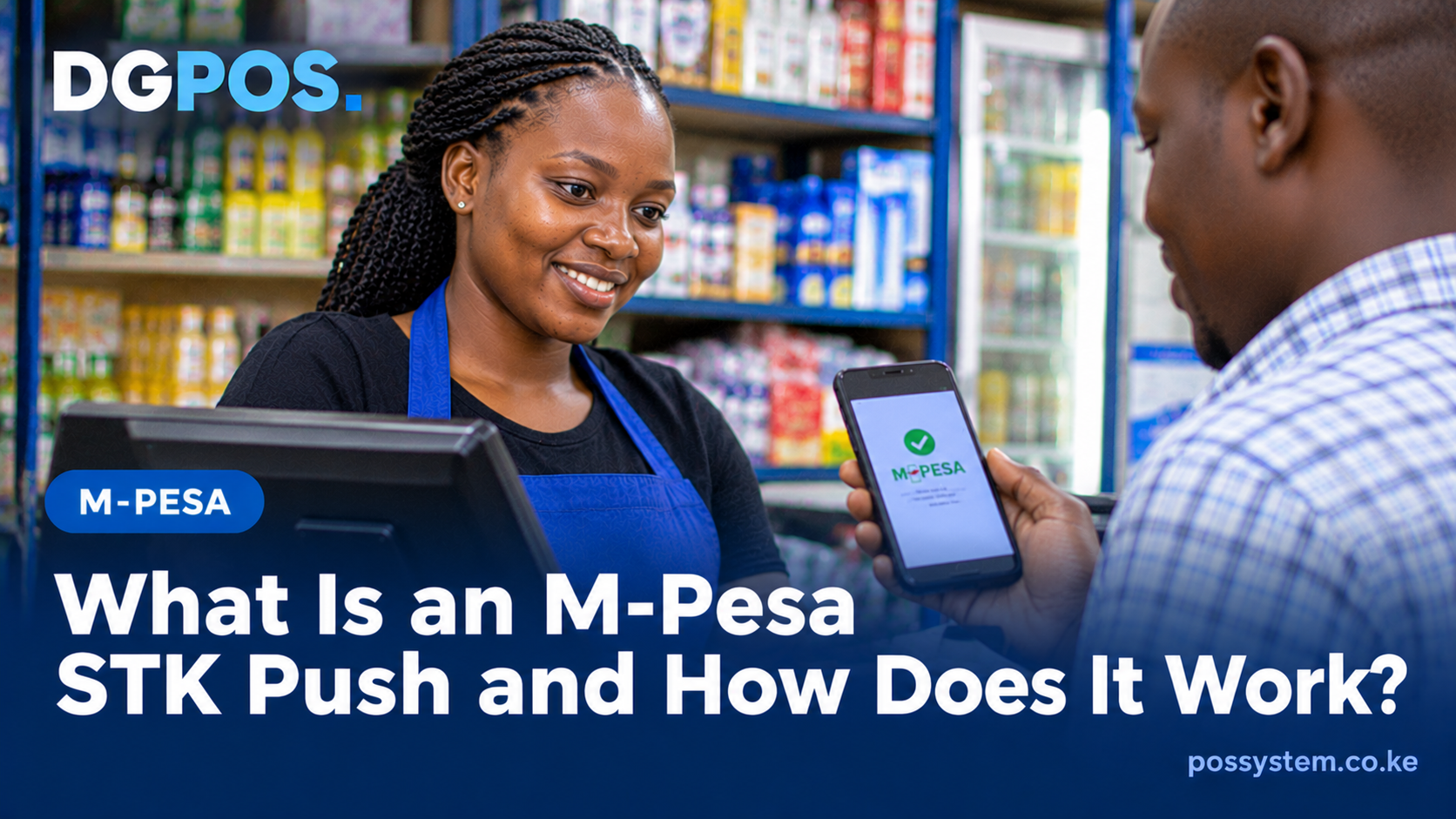
What Is an M-Pesa STK Push and How Does It Work?

M-Pesa has become one of the most widely used payment methods for businesses in Kenya. From small retail shops and supermarkets to restaurants, pharmacies, hotels, and online stores, many businesses accept M-Pesa payments because they are convenient for customers and easy to use.

One of the features that makes mobile payments easier is M-Pesa STK Push. Instead of asking customers to manually enter a PayBill number, account number, and payment amount, a business can initiate a payment request that appears directly on the customer’s phone. The customer then enters their M-Pesa PIN to authorise the transaction.

For businesses that process many daily transactions, understanding how STK Push works can improve the payment experience and reduce manual errors. When connected to a suitable POS SYSTEM, M-Pesa payments can also become part of a more organised sales process.

This guide explains what M-Pesa STK Push is, how it works in Kenya, how businesses can use it, its benefits, common challenges, and how pos software can help manage mobile payments.

1. What Is M-Pesa STK Push?

M-Pesa STK Push is a payment request feature that allows a business or payment platform to send a payment prompt directly to a customer’s mobile phone.

STK stands for SIM Application Toolkit. In everyday business use, an STK Push allows a customer to receive a prompt on their phone asking them to enter their M-Pesa PIN to complete a payment.

For example, imagine a customer buys groceries worth KSh 2,500 from a minimart. Instead of manually opening M-Pesa and entering payment details, the cashier enters the customer’s phone number and the amount into the payment system.

The customer receives an M-Pesa prompt showing the payment request. They review the details and enter their PIN to authorise the payment.

Once the transaction is successfully processed, the payment platform receives a transaction response that can be used to update the business’s payment records.

A Point Of Sale solution with supported M-Pesa integration can make this process easier by connecting the customer’s order, payment request, and sales transaction.

2. How Does M-Pesa STK Push Work?

The STK Push process involves communication between the business’s payment system, Safaricom’s M-Pesa platform, and the customer’s phone.

Although the technical setup may differ between providers, the general process follows these steps.

Step 1: The Customer Makes a Purchase

A customer visits a shop, restaurant, supermarket, pharmacy, or other business and selects the products or services they want to pay for.

The cashier calculates the total amount due and prepares the transaction.

For example:

  • Products purchased: KSh 1,800
  • Delivery charge: KSh 200
  • Total payment: KSh 2,000

The business needs to collect KSh 2,000 from the customer.

Step 2: The Cashier Initiates the Payment Request

The cashier selects the M-Pesa payment option in the business’s payment platform or integrated POS SYSTEM.

The cashier enters the customer’s M-Pesa phone number and confirms the amount.

The payment platform then sends an STK Push request through the configured M-Pesa integration.

Step 3: The Customer Receives the STK Push Prompt

The customer’s phone displays an M-Pesa payment prompt.

The prompt normally provides transaction information, such as the business or payment details and the amount requested.

The customer should review the details carefully before proceeding.

Step 4: The Customer Enters Their M-Pesa PIN

If the payment information is correct, the customer enters their M-Pesa PIN to authorise the transaction.

The PIN should only be entered into the official M-Pesa prompt on the customer’s device. Customers should never share their PIN with cashiers, business owners, or other people.

Step 5: M-Pesa Processes the Payment

After the customer authorises the payment, the M-Pesa platform processes the transaction.

If successful, the transaction generates a confirmation response and an M-Pesa transaction reference.

If the customer cancels the request, enters an incorrect PIN, has insufficient funds, or experiences a network problem, the payment may fail or remain incomplete.

Step 6: The Business Receives the Payment Response

A properly configured payment integration can receive a transaction response from the M-Pesa platform.

The business system can use this response to identify whether the payment succeeded or failed.

Depending on the integration, the system may automatically update the payment status and associate the transaction with the customer’s order.

A point of sale system with automatic payment confirmation can help reduce the need for cashiers to manually check every payment message.

3. Example of How STK Push Works in a Kenyan Shop

Consider a customer shopping at a minimart in Nairobi.

The customer buys:

  • Cooking oil: KSh 500
  • Sugar: KSh 300
  • Rice: KSh 700
  • Milk: KSh 200

<text weight=”semibold” color=”default”>Total amount: KSh 1,700</text>

The cashier records the products in the shop’s POS system and selects M-Pesa as the payment method.

The customer provides their M-Pesa phone number. The cashier initiates an STK Push request for KSh 1,700.

The customer receives the prompt, checks the amount, and enters their PIN.

After the payment is successfully processed, the integrated system receives the transaction confirmation and updates the sale as paid.

This process helps the minimart connect the sale with the correct payment record.

4. What Is Needed to Use M-Pesa STK Push?

Businesses need a suitable payment setup before they can start accepting STK Push payments.

The exact requirements depend on the type of business and the integration provider.

Common requirements include:

A Registered Business or Payment Account

The business needs an appropriate M-Pesa business payment arrangement, such as a supported PayBill or Till setup, depending on the payment solution being used.

Safaricom Daraja API Integration

Businesses or developers building their own STK Push integration commonly use Safaricom’s Daraja API platform.

Daraja provides APIs that allow supported applications and business systems to communicate with M-Pesa services.

API Credentials

For a technical integration, the developer generally needs the relevant application credentials and configuration details from the Daraja platform.

These credentials must be handled securely and should not be shared publicly.

Callback URL

An STK Push integration normally uses a callback URL to receive the transaction response from M-Pesa.

The callback allows the business application to process the payment result and update the relevant transaction record.

Compatible Business Software

A business may use a payment application, custom system, or POS SYSTEM that supports M-Pesa STK Push integration.

Before choosing a solution, confirm whether it supports the required M-Pesa payment workflow and automatic transaction confirmation.

5. What Is Safaricom Daraja API?

<text weight=”semibold”>Safaricom Daraja API</text> is a platform that allows developers and businesses to integrate supported Safaricom services into applications and business systems.

It provides access to APIs for services such as M-Pesa payments.

For example, developers can use the supported STK Push API to initiate payment requests from a website, mobile application, or integrated business platform.

The general STK Push integration process involves:

  1. Creating or accessing a Daraja developer account.
  2. Setting up an application.
  3. Obtaining the required API credentials.
  4. Configuring the business payment details.
  5. Setting up the callback endpoint.
  6. Sending an STK Push request.
  7. Receiving and processing the transaction response.
  8. Updating the payment record in the business application.

Developers should follow the current Safaricom Daraja documentation for the correct API requirements, authentication process, request format, and callback handling.

A business using pos software does not necessarily need to build this integration itself. It can choose a compatible payment provider or business system that already supports the required functionality.

6. Benefits of M-Pesa STK Push for Businesses

STK Push offers several advantages for businesses that receive frequent M-Pesa payments.

1. Easier Customer Payments

Customers do not have to manually enter a PayBill number, account number, and amount for every transaction.

They receive a payment prompt and authorise the payment directly from their phones.

2. Reduced Manual Payment Errors

Manual payments can involve incorrect account numbers, wrong amounts, or payments sent to the wrong business.

STK Push helps reduce these errors by allowing the business system to initiate the request with the required payment details.

Customers should still confirm the amount and business details before entering their PIN.

3. Faster Payment Processing

The payment request is sent directly to the customer’s phone, making it convenient to complete the transaction.

This can help businesses serve customers more efficiently, particularly during busy periods.

4. Better Payment Confirmation

With a properly configured integration, the business system can receive payment responses automatically.

This reduces dependence on manually checking customer SMS messages.

5. Improved Sales Records

When STK Push is connected to a point of sale system, the payment can be linked to a specific sale or order.

This helps business owners maintain more organised sales and payment records.

6. Convenient for Different Types of Businesses

STK Push can be useful for:

  • Minimarts and retail shops.
  • Supermarkets.
  • Restaurants and cafés.
  • Pharmacies.
  • Hardware stores.
  • Online businesses.
  • Service providers.
  • Hotels and accommodation businesses.
  • Delivery businesses.

Any business that accepts supported M-Pesa payments may benefit from a convenient payment request process.

7. Difference Between M-Pesa STK Push, PayBill, and Buy Goods

These payment methods are related to M-Pesa but work differently.

Payment method How it works
STK Push The business initiates a payment request that appears on the customer’s phone
PayBill The customer uses the PayBill option and enters the business number and required account details
Buy Goods (Till) The customer pays using the business’s Till number through the M-Pesa menu or supported payment interface

STK Push

STK Push is useful when a business wants to initiate a payment request from its application or integrated POS SYSTEM.

The customer receives the prompt and authorises the payment.

PayBill

PayBill allows customers to send money to a business using its PayBill number. Depending on the setup, customers may also need to enter an account number.

Buy Goods

Buy Goods allows customers to pay a merchant using a Till number.

Customers can complete the transaction through the available M-Pesa payment options.

The best option depends on the business’s payment arrangement, customer preferences, and operational requirements.

8. Common M-Pesa STK Push Problems and How to Solve Them

Although STK Push makes payments easier, businesses may occasionally experience payment problems.

Understanding common issues can help employees respond correctly.

1. Customer Does Not Receive the STK Push Prompt

A customer may fail to receive the payment request because of network issues, an incorrect phone number, or a temporary problem with the payment service.

What to do:

  • Confirm the customer’s phone number.
  • Check network availability.
  • Confirm that the payment request was successfully initiated.
  • Try again if appropriate.
  • Avoid creating duplicate payment requests without checking the first request’s status.

2. Customer Enters an Incorrect M-Pesa PIN

The payment may fail if the customer enters the wrong PIN.

What to do:

Ask the customer to follow the official M-Pesa instructions on their phone. The customer should enter their own PIN privately. Cashiers must never ask customers to disclose it.

3. Customer Has Insufficient M-Pesa Balance

If the customer’s available balance is insufficient, the transaction may not be completed.

What to do:

Inform the customer that the payment was unsuccessful and allow them to choose another payment method or add funds before trying again.

4. Payment Is Pending

Sometimes the payment request may take longer than expected to receive a final response.

What to do:

  • Check the transaction status through the integration.
  • Wait for the final response where appropriate.
  • Avoid marking the sale as paid before confirmation.
  • Do not immediately initiate another payment request for the same amount without checking the first one.

5. Payment Succeeds but the POS Does Not Update

This may happen because of a callback failure, network interruption, or an issue in the integration.

What to do:

  • Check the transaction using the payment provider’s records.
  • Confirm the M-Pesa transaction reference.
  • Check whether the callback was received and processed.
  • Reconcile the payment with the relevant sale.
  • Contact the system provider if the problem continues.

A reliable POS SYSTEM should have a clear process for handling delayed payment responses and reconciling transactions.

6. Duplicate Payment Requests

A cashier may accidentally send more than one payment request for the same purchase.

What to do:

Check the payment status of each request and confirm whether more than one transaction was completed. If a duplicate payment occurred, follow the appropriate business and M-Pesa reversal or refund procedure.

9. How to Keep M-Pesa STK Push Payments Secure

Security is important whenever a business accepts electronic payments.

Both customers and business owners should follow safe payment practices.

  • Never ask customers to reveal their M-Pesa PIN.
  • Keep Daraja API credentials confidential.
  • Use secure connections when communicating with payment services.
  • Validate incoming payment callbacks.
  • Confirm transaction amounts before updating sales records.
  • Use transaction references to identify payments.
  • Restrict access to payment settings.
  • Review payment reports regularly.
  • Investigate unusual or duplicate transactions.
  • Never treat a screenshot or customer SMS alone as proof of payment when the system can verify the transaction independently.

A properly configured point of sale system can help businesses maintain payment records and control access to important transaction information.

10. How POS Software Supports M-Pesa STK Push Payments

For businesses that process many sales every day, managing M-Pesa payments separately from sales records can become difficult.

A cashier may need to record the sale, initiate the payment, confirm the transaction, and then update the business records. Performing these tasks manually can create delays and errors.

A POS SYSTEM with supported M-Pesa integration can help connect these activities.

Automatic Payment Requests

Where supported, the cashier can initiate an M-Pesa payment request directly from the sales interface.

This reduces the need to switch between separate applications.

Payment Confirmation

A compatible integration can receive payment responses and update the payment status.

This helps employees distinguish successful transactions from pending or failed payments.

Linking Payments to Sales

A point of sale system can connect payment references with the corresponding customer sale.

This makes it easier to review which purchases have been paid for.

Daily Payment Reports

Suitable pos software can provide reports that help business owners review M-Pesa sales alongside other payment methods.

This can support daily reconciliation and financial monitoring.

Reduced Manual Work

Integrating payments into the sales process can reduce repetitive data entry and make checkout more organised.

However, businesses should confirm the exact STK Push integration, payment confirmation, and reporting capabilities offered by their chosen provider.

11. How to Reconcile M-Pesa STK Push Payments

Payment reconciliation means comparing the payments recorded by your business with the transactions confirmed by the payment provider.

This is important because a payment may be successful even when the business system has not updated correctly.

A simple reconciliation routine should include:

  1. Review the day’s sales records.
  2. Filter transactions paid through M-Pesa.
  3. Check the corresponding M-Pesa transaction references.
  4. Compare payment amounts with the sales amounts.
  5. Identify failed, pending, or duplicate payments.
  6. Investigate payments that do not match.
  7. Record any necessary corrections.
  8. Prepare a daily payment summary.

For example, a restaurant may record 80 M-Pesa payments during the day. The manager should compare the payment records with the confirmed M-Pesa transactions to identify missing confirmations or discrepancies.

A POS solution with payment reports can make this process easier when it captures the necessary transaction information.

12. Is M-Pesa STK Push Suitable for Small Businesses?

Yes. STK Push can be useful for small businesses that want to make M-Pesa payments easier for customers.

A small minimart, salon, pharmacy, boutique, restaurant, or hardware shop can use a supported STK Push solution to initiate payment requests.

The suitability depends on the business’s payment arrangement, transaction volume, integration costs, and the technology it already uses.

Small businesses should consider:

  • Whether customers regularly pay through M-Pesa.
  • Whether the payment solution supports their business account.
  • Whether there are setup or transaction charges.
  • Whether the system provides reliable payment confirmation.
  • Whether it integrates with existing sales software.
  • Whether employees can use it easily.

A suitable Point Of Sale solution can help small businesses organise payments and sales without relying entirely on handwritten records.

13. How DGPOS Can Support Business Payment Management

Digee Technologies Limited Company provides DGPOS, a POS SYSTEM designed to help businesses manage their sales operations.

For businesses that accept M-Pesa payments, organised payment and sales records are important for tracking transactions and reviewing daily performance.

A suitable point of sale system can support payment management by helping businesses:

  • Record customer purchases.
  • Organise sales transactions.
  • Track payment methods where supported.
  • Review daily sales information.
  • Maintain transaction records.
  • Monitor business performance.
  • Support payment reconciliation using available reports.

When selecting pos software, business owners should confirm whether the system supports M-Pesa STK Push directly, whether the integration is automatic, and how successful, failed, and pending payments are handled.

DGPOS is designed to help businesses organise their everyday sales activities. Businesses interested in M-Pesa integration should confirm the specific payment features and configuration available for their setup.

14. Best Practices When Using M-Pesa STK Push in Your Business

To get the most from STK Push, establish clear payment procedures for your employees.

Verify the Customer’s Phone Number: Confirm the number before initiating the payment request.

Confirm the Amount: Make sure the amount displayed in the payment request matches the customer’s purchase.

Wait for Payment Confirmation: Do not release goods or mark a transaction as paid until the payment is confirmed according to your system’s procedure.

Avoid Duplicate Requests: Check the status of an existing request before sending another one.

Keep Transaction References: Retain M-Pesa references for reconciliation and customer enquiries.

Train Employees: Ensure cashiers understand how to initiate payments and respond to failed or pending transactions.

Use Reliable Business Software: A suitable POS SYSTEM can help organise sales and payment records.

Review Payments Daily: Compare business records with confirmed payment transactions to identify discrepancies early.

Frequently Asked Questions About M-Pesa STK Push

1. What does STK Push mean in M-Pesa?

STK Push is a feature that allows a business or payment application to send an M-Pesa payment prompt directly to a customer’s phone. The customer enters their PIN to authorise the payment.

2. Does a customer need to enter a PayBill number when using STK Push?

Usually, the customer does not need to manually enter the business’s PayBill number or account details. The payment request is initiated by the business’s integrated system, and the customer authorises it through the prompt.

3. Is M-Pesa STK Push safe?

STK Push can be used securely when the payment integration is properly configured and customers follow safe payment practices. Customers should check the amount and business details and never share their M-Pesa PIN.

4. Does STK Push deduct money automatically?

No. Receiving the payment prompt does not automatically mean the customer has paid. The customer must authorise the transaction by entering their M-Pesa PIN, and the payment must be successfully processed.

5. What happens if a customer cancels an STK Push request?

If the customer cancels the request, the payment will not be completed through that request. The business should check the transaction status before initiating another payment request.

6. Can a business use STK Push without a POS system?

Yes. A business can use a supported payment application or custom integration without necessarily having a separate POS SYSTEM. However, a point of sale system can help connect payments with sales records.

7. Can STK Push be integrated with POS software?

Yes. A point of sale system or other business application can integrate with STK Push through a supported payment integration. The exact features depend on the software and payment provider.

8. What is the difference between STK Push and M-Pesa PayBill?

STK Push sends a payment prompt to the customer’s phone for authorisation. PayBill generally requires the customer to initiate the payment and enter the business PayBill number and any required account details.

9. Why is my STK Push payment pending?

A payment may remain pending because of network delays, processing issues, or a delayed response from the payment platform. The business should verify the transaction status before marking the sale as paid or sending another request.

10. Can restaurants use M-Pesa STK Push?

Yes. Restaurants can use supported STK Push integrations to collect payments for dine-in orders, takeaway purchases, and other services. A restaurant POS SYSTEM can help link payments to customer orders where integration is available.

Conclusion

M-Pesa STK Push makes it easier for Kenyan businesses to request mobile payments directly from customers’ phones. Instead of requiring customers to manually enter payment details, the business initiates a request, the customer receives a prompt, and the payment is authorised using their M-Pesa PIN.

The feature can improve checkout convenience, reduce manual payment errors, and support better transaction tracking. However, businesses should use reliable integrations, verify payment responses, protect customer information, and reconcile transactions regularly.

Combining M-Pesa STK Push with suitable POS, Point Of Sale, and pos software tools can make daily sales and payment management more organised. Digee Technologies Limited Company provides DGPOS to help businesses manage their sales operations through a POS SYSTEM designed for business use.

Whether you operate a minimart, supermarket, pharmacy, restaurant, boutique, or hardware shop, choosing the right point of sale system can help you manage customer transactions more efficiently. A properly configured point of sales system with supported M-Pesa payment integration can connect sales and payment records, helping your business maintain better control over everyday operations.

How to Reduce Food Waste in Your Restaurant

Food waste is one of the common challenges facing restaurants in Kenya. Every day, restaurants purchase ingredients, prepare meals, serve customers, and manage leftover food. When ingredients spoil, meals are prepared in excess, or food portions are not controlled, businesses lose money and valuable resources.

Whether you operate a small hotel, café, takeaway, fast-food outlet, or large restaurant, reducing food waste can improve profitability and make daily operations more efficient. It requires proper stock management, accurate meal planning, portion control, staff training, and regular monitoring of food consumption.

Technology can also make a difference. A reliable POS SYSTEM helps restaurants record sales, monitor popular meals, and understand customer ordering patterns. When combined with good kitchen practices, pos software can help restaurant owners make better purchasing and preparation decisions.

This guide explains practical ways to reduce food waste in your restaurant, control ingredient costs, improve inventory management, and use a Point Of Sale solution to support better business operations.

1. Understand Where Food Waste Comes From

Before reducing food waste, identify the main reasons food is being thrown away. Restaurants experience different types of waste depending on their menu, kitchen operations, customer numbers, and stock management practices.

Common sources include:

Spoiled Ingredients

Fresh vegetables, fruits, meat, fish, dairy products, and other perishable ingredients can spoil when they are not stored properly or used before their expiry dates.

Buying more ingredients than the restaurant can use increases the risk of spoilage.

Overproduction in the Kitchen

Preparing too much food can lead to leftovers that cannot be safely stored or reused. This often happens when restaurants estimate customer demand incorrectly.

For example, a restaurant may prepare 50 servings of a particular meal when only 30 customers order it.

Incorrect Food Portions

Serving portions that are larger than customers need can increase plate waste. Customers may leave food uneaten, especially when meals contain too much rice, ugali, chips, vegetables, or meat.

Poor Stock Rotation

When newly purchased ingredients are used before older stock, older products may remain in storage until they expire.

Restaurants need a clear stock rotation process to ensure ingredients are used in the correct order.

Incorrect Orders

Kitchen mistakes, wrong customer orders, and duplicated meal preparations can also result in wasted food.

A point of sale system can help reduce some of these problems by improving order recording and communication between the service counter and kitchen.

2. Plan Your Restaurant Menu Carefully

Your menu has a direct impact on the amount of food your restaurant purchases and prepares.

A menu with too many dishes may require a wide range of ingredients, some of which may be used infrequently. Ingredients that remain unused for long periods can spoil and increase operating costs.

Consider the following menu-planning practices:

  • Review which meals customers order most frequently.
  • Reduce dishes that rarely sell.
  • Use common ingredients across several menu items.
  • Avoid purchasing special ingredients for meals with very low demand.
  • Introduce seasonal dishes when suitable ingredients are readily available.
  • Review menu performance regularly.

For example, a restaurant that sells chicken stew, chicken biryani, and grilled chicken may be able to use some of the same ingredients across these meals.

This can simplify purchasing and reduce the number of ingredients that remain unused.

A POS SYSTEM can help restaurant owners review sales by menu item and identify meals that sell frequently. With accurate sales information, you can make more informed menu decisions instead of relying entirely on guesswork.

3. Monitor Food Stock Regularly

Effective inventory management is one of the most important ways to reduce food waste.

Restaurants should know what ingredients they have, how much is available, and when additional supplies are needed.

Create a stock monitoring routine that covers:

  • Fresh vegetables and fruits.
  • Meat, poultry, and fish.
  • Dairy products.
  • Cooking oil.
  • Flour, rice, and other dry foods.
  • Beverages.
  • Sauces, spices, and other kitchen supplies.

Record stock received, stock used, damaged ingredients, and items discarded.

A Point Of Sale solution with inventory management features can help track stock movements and provide a clearer picture of ingredient consumption. The level of tracking depends on the software’s available inventory features and configuration.

4. Apply the FIFO and FEFO Stock Rotation Methods

Proper stock rotation helps prevent ingredients from expiring before they are used.

Two useful methods are FIFO and FEFO.

First In, First Out (FIFO)

FIFO means First In, First Out. It involves using older stock before newer stock.

For example, if your restaurant purchases cooking oil on Monday and receives another delivery on Thursday, the older stock should generally be used first, provided it remains suitable for use.

First Expired, First Out (FEFO)

FEFO means First Expired, First Out. It involves using products with the earliest expiry dates first.

This method is especially useful for dairy products, packaged ingredients, sauces, and other items with different expiry dates.

To improve stock rotation:

  1. Label incoming ingredients with delivery dates.
  2. Check expiry dates when receiving supplies.
  3. Arrange storage areas so older or earlier-expiring products are accessible.
  4. Inspect stock regularly.
  5. Remove expired or unsafe ingredients from use.
  6. Train kitchen staff to follow the rotation process.

A point of sale system connected to suitable inventory management tools may help monitor stock levels and product movement. For ingredient-level tracking, confirm that the software supports recipes, units of measurement, and stock deductions.

5. Forecast Customer Demand Before Preparing Food

Preparing the right amount of food can significantly reduce kitchen waste.

Restaurants should use past sales information, reservations, expected customer numbers, and seasonal trends to estimate demand.

For example:

  • A restaurant near offices may receive more customers during weekday lunch hours.
  • A family restaurant may experience higher demand during weekends.
  • A hotel may prepare more breakfast ingredients during holiday periods.
  • A takeaway business may experience different order volumes on rainy days or during public events.

Avoid preparing the same quantities every day without considering customer demand.

Review sales records to understand how many portions of each meal are usually sold.

A POS SYSTEM makes it easier to review historical sales data, identify busy periods, and monitor popular menu items. This information can support more accurate food preparation planning.

6. Control Food Portions

Portion control helps restaurants serve consistent meals while reducing the amount of food customers leave behind.

Without standard portions, different chefs may use different quantities of ingredients when preparing the same dish. This makes food costs difficult to manage.

Introduce standard recipes and serving measurements.

For example:

Food item Portion control method
Rice Use a standard measuring scoop
Meat Use a consistent weight
Chips Use a standard serving container
Vegetables Use a fixed serving spoon
Sauces Use measured quantities
Beverages Use standard glass sizes

Train kitchen staff to follow the same portion guidelines.

Also, consider offering different meal sizes where appropriate. Customers who want smaller meals should not be forced to order portions they cannot finish.

A Point Of Sale solution can help organise menu options and record different portion sizes when these are configured in the system.

7. Improve Food Storage Practices

Incorrect storage can cause ingredients to spoil even when they were purchased recently.

Restaurants should maintain suitable storage conditions for different food categories.

Refrigerated Foods

Meat, dairy products, prepared ingredients, and other temperature-sensitive foods should be stored at appropriate temperatures.

Monitor refrigerator and freezer temperatures regularly.

Dry Foods

Rice, flour, beans, cereals, spices, and other dry ingredients should be kept in clean, dry, properly sealed containers.

Protect them from moisture, pests, and contamination.

Fruits and Vegetables

Store different fruits and vegetables according to their individual storage requirements. Some produce may need refrigeration, while other items are better stored in cool, ventilated areas.

Cooked Food

Follow food safety requirements when cooling, storing, reheating, and serving prepared meals. Do not keep food beyond safe storage periods or reuse food that may have become unsafe.

Good storage practices help protect customers and reduce unnecessary ingredient losses.

8. Train Your Kitchen Staff to Reduce Waste

Employees play an important role in controlling food waste.

Even when a restaurant has good stock management procedures, poor kitchen practices can result in unnecessary losses.

Train staff to:

  • Measure ingredients before preparation.
  • Follow standard recipes.
  • Check ingredient quality before use.
  • Rotate stock correctly.
  • Avoid preparing excessive quantities.
  • Store ingredients properly after opening.
  • Report damaged or spoiled products.
  • Record food discarded during operations.
  • Communicate order changes quickly.

Restaurant managers should also encourage employees to report recurring waste problems instead of hiding them.

For example, if a particular ingredient is regularly left unused, the kitchen team may help identify whether the purchasing quantity or menu design needs to change.

A POS solution can support staff accountability by maintaining transaction records and helping managers compare sales with stock movement.

9. Track Kitchen Waste Every Day

You cannot manage food waste effectively if you do not know how much is being discarded.

Introduce a simple waste tracking sheet or digital record.

Record:

  • The ingredient or prepared meal discarded.
  • The quantity wasted.
  • The estimated cost.
  • The reason for the waste.
  • The date and time.
  • The department responsible.

Common reasons include spoilage, overproduction, preparation mistakes, customer plate waste, and incorrect deliveries.

At the end of each week, review the records and identify recurring problems.

For example, if your restaurant regularly discards large quantities of cooked rice, you may need to adjust the amount prepared during quieter periods.

If vegetables frequently spoil, review purchasing quantities and storage practices.

Some pos software solutions support stock adjustments and wastage records. If you want to manage food waste digitally, confirm that your chosen POS SYSTEM can record the relevant wastage information.

10. Use Customer Sales Data to Improve Food Preparation

Customer ordering patterns provide useful information about which meals sell well and which ones generate little demand.

A restaurant should regularly review:

  • Best-selling meals.
  • Slow-moving menu items.
  • Sales during breakfast, lunch, and dinner.
  • Weekend and weekday demand.
  • Seasonal changes in customer orders.
  • Popular meal combinations.
  • Average order quantities.

For example, if a restaurant sells 40 portions of chicken during lunch but only 10 portions during dinner, it may need to prepare different quantities for each service period.

A point of sale system can organise this information through sales reports, depending on its reporting capabilities.

Using actual sales data is more reliable than preparing food based only on assumptions.

11. Manage Food Purchasing and Supplier Deliveries

Buying ingredients in large quantities may sometimes reduce the purchase price, but it can also increase waste when products spoil before they are used.

Restaurants should balance purchase quantities with actual consumption.

Consider these purchasing practices:

  1. Prepare a shopping list based on current stock.
  2. Review expected customer demand.
  3. Check the quality of ingredients during delivery.
  4. Confirm that quantities match the supplier’s invoice.
  5. Avoid buying excessive perishable products.
  6. Compare supplier prices and product quality.
  7. Schedule deliveries according to storage capacity and usage.

For example, a small restaurant may benefit from purchasing fresh vegetables several times a week instead of buying a large quantity that may spoil before the next delivery.

A Point Of Sale solution with stock reports can help business owners understand how quickly ingredients and products move, making purchasing decisions easier.

12. Reduce Waste During Food Preparation

Food waste does not only happen after meals are prepared. A significant amount can occur during cleaning, peeling, cutting, and cooking.

Train kitchen staff to prepare ingredients carefully and follow food safety procedures.

Useful practices include:

  • Using suitable knives and preparation equipment.
  • Measuring ingredients before cooking.
  • Avoiding unnecessary trimming.
  • Following standard preparation instructions.
  • Preparing ingredients in manageable batches.
  • Keeping preparation areas organised.
  • Separating edible ingredients from genuine waste.

Some food parts may be suitable for other recipes, depending on the ingredient, food safety requirements, and restaurant procedures. However, never reuse food that is spoiled, contaminated, or unsafe.

13. Use Kitchen Order Management to Prevent Mistakes

Incorrect food orders can lead to meals being prepared unnecessarily.

For example, a waiter may enter the wrong meal, send a duplicated order, or fail to communicate a customer’s request to the kitchen.

These mistakes can result in wasted ingredients and additional preparation costs.

A restaurant POS SYSTEM with kitchen order management features can help staff transmit customer orders more accurately.

Depending on the available features, the system may support:

  • Recording customer orders at the counter or table.
  • Sending orders to the kitchen.
  • Separating food and beverage orders.
  • Recording order modifications.
  • Tracking cancelled items.
  • Reducing confusion between waiters and kitchen staff.

A properly configured point of sales system can help improve communication between the front-of-house team and kitchen employees.

Staff should still verify order changes and cancellations before preparing meals.

14. Review Your Restaurant’s Food Costs

Food waste affects profitability because the restaurant spends money on ingredients that do not generate sales.

Monitor food costs regularly to understand whether purchasing and preparation practices are working.

A simple food cost calculation is:

Food Cost Percentage = (Cost of Food Used ÷ Food Sales) × 100

For example, if a restaurant uses ingredients costing KSh 30,000 to generate food sales of KSh 100,000:

Food Cost Percentage = (30,000 ÷ 100,000) × 100

Food Cost Percentage = 30%

This figure should be reviewed alongside menu pricing, portion sizes, wastage, and other operating expenses. It is not a complete measure of profitability on its own.

A POS system can help organise sales information, while inventory and purchasing records provide information about ingredient usage and costs.

15. Introduce a Daily Food Waste Management Routine

Food waste reduction becomes easier when employees follow consistent daily procedures.

A restaurant can introduce a routine such as the following:

Before Opening

  • Inspect ingredients and check expiry dates.
  • Review stock levels.
  • Check expected customer demand.
  • Prepare only the quantities required for the opening period.

During Service

  • Follow standard portion sizes.
  • Record orders accurately.
  • Monitor food preparation.
  • Communicate cancellations and changes quickly.
  • Record discarded ingredients or meals.

After Service

  • Record remaining food and unused ingredients.
  • Store suitable food safely according to food safety requirements.
  • Dispose of unsafe food correctly.
  • Review wastage records.
  • Prepare purchasing requirements for the next day.

A Point Of Sale solution can help managers review daily sales and compare them with kitchen activity.

16. How DGPOS Can Help Restaurants Manage Food Waste

Reducing food waste requires accurate information about sales, stock, and customer demand. Digee Technologies Limited Company provides DGPOS, a POS SYSTEM designed to help businesses organise their daily operations.

For restaurants, a suitable point of sale system can support better management by keeping important sales information organised.

Depending on the system’s features and configuration, a restaurant may use pos software to:

Monitor Menu Sales

Review which meals sell most frequently and which items have low demand. This information can help managers adjust menu planning and food preparation quantities.

Manage Customer Orders

Record orders accurately and reduce confusion between cashiers, waiters, and kitchen staff when the relevant order management features are available.

Review Sales Reports

Use sales information to understand customer ordering patterns and identify busy periods.

Support Stock Management

Track stock movement and review available ingredients where inventory management features are configured.

Improve Business Records

Keep transaction information organised and make it easier to review daily business performance.

DGPOS can help restaurants improve the organisation of their sales operations. Restaurant owners should confirm the specific inventory, recipe, kitchen order, and wastage management features available for their chosen setup.

17. Benefits of Reducing Food Waste in Your Restaurant

A good food waste management strategy offers several benefits.

Lower Operating Costs: Purchasing and preparing only what the restaurant needs can reduce unnecessary ingredient expenses.

Better Stock Management: Regular stock monitoring helps identify slow-moving ingredients and products that are approaching their expiry dates.

Improved Food Safety: Proper storage, stock rotation, and handling practices help reduce the risk of serving unsafe food.

More Consistent Meals: Standard recipes and portion sizes help maintain consistent meal quality.

Better Customer Experience: Accurate order management and appropriate portions can improve customer satisfaction.

Improved Profitability: Reducing avoidable waste means the restaurant can make better use of the ingredients it purchases.

More Responsible Operations: Reducing food waste can help restaurants use resources more efficiently and minimise unnecessary disposal.

Frequently Asked Questions About Reducing Food Waste in Restaurants

1. What causes the most food waste in restaurants?

Common causes include overproduction, expired ingredients, poor storage, incorrect portions, preparation mistakes, and customer plate waste. Each restaurant should track its own waste to identify the biggest problems.

2. How can a small restaurant reduce food waste?

A small restaurant can start by monitoring daily sales, purchasing ingredients in suitable quantities, following FIFO and FEFO stock rotation, controlling portions, and preparing meals according to expected demand.

3. How does menu planning help reduce food waste?

Menu planning helps restaurants avoid purchasing too many different ingredients. Using common ingredients across several dishes and reviewing slow-selling meals can reduce unused stock.

4. What is the difference between FIFO and FEFO?

FIFO means First In, First Out. It prioritises using older stock first. FEFO means First Expired, First Out. It prioritises products with the earliest expiry dates.

5. How can restaurants monitor food waste?

Restaurants can use daily waste records to track discarded ingredients, prepared meals, quantities, estimated costs, and reasons for disposal. Reviewing these records helps managers identify recurring problems.

6. Can a POS system help reduce food waste?

Yes. A POS SYSTEM can help restaurants review sales patterns, record orders, and monitor stock where the relevant features are available. This information can support better purchasing and food preparation decisions.

7. How does POS software help with restaurant inventory?

Suitable pos software can help track stock received, sold, used, or adjusted. Some systems also support ingredient-level inventory and recipe-based stock deductions. Restaurants should confirm which capabilities are included.

8. Why is portion control important in restaurants?

Portion control helps maintain consistent meal sizes, manage ingredient costs, and reduce the amount of food left uneaten by customers.

9. Should restaurants reuse leftover food?

Only food that has been handled, stored, and maintained safely may be used again where permitted by food safety procedures. Food that is spoiled, contaminated, or has been held outside safe conditions should be discarded.

10. What should restaurant owners look for in a POS system?

Restaurant owners should consider order management, menu reporting, stock tracking, ease of use, sales reports, staff access controls, and compatibility with their business requirements. A point of sale system should support the restaurant’s daily workflow without creating unnecessary complexity.

Conclusion

Reducing food waste in your restaurant requires proper planning, accurate stock management, portion control, good storage practices, and regular monitoring of kitchen operations. Restaurants that understand their customer demand and ingredient usage can make better purchasing and preparation decisions.

Start by identifying where waste occurs, recording discarded ingredients, following FIFO and FEFO methods, and training employees to handle food responsibly. Review sales reports regularly to understand which meals customers prefer and how much food should be prepared.

Technology can also support these efforts. A reliable POS, Point Of Sale, and pos software solution can help restaurants organise orders, monitor sales, and manage stock information. Digee Technologies Limited Company provides DGPOS to help businesses manage their daily operations through a POS SYSTEM designed for business sales management.

Whether you run a café, hotel, takeaway, fast-food outlet, or full-service restaurant, choosing the right point of sale system can help you make informed decisions, improve daily operations, and manage resources more effectively. With consistent food waste monitoring and a well-managed point of sales system, your restaurant can reduce avoidable losses and build a more efficient business.

How to Issue a Credit Note on eTIMS in Kenya

Issuing a credit note is an important part of managing business transactions, especially when a customer returns goods, receives a price adjustment, or is charged incorrectly. In Kenya, businesses using the Kenya Revenue Authority’s electronic invoicing system need to understand how to issue credit notes correctly through the Electronic Tax Invoice Management System (eTIMS). Knowing how to create a credit note helps businesses maintain accurate sales records, correct invoice errors, and keep their tax information organised.

For shops, supermarkets, pharmacies, restaurants, hardware stores, wholesalers, and other businesses, proper credit note management is essential. Combining accurate eTIMS invoicing with a reliable POS SYSTEM can make it easier to track original sales, customer returns, and adjustments. A well-organised Point Of Sale process also helps business owners keep their financial records consistent.

This guide explains what a credit note is, when to issue one, how to issue a credit note on eTIMS in Kenya, and how POS technology and pos software can support the process.

What Is a Credit Note?

A credit note is a document issued by a seller to reduce or cancel all or part of the amount previously charged to a customer. It is usually linked to an original invoice and records an adjustment to that transaction.

For example, a customer may purchase goods worth KSh 10,000 from a shop. After the purchase, the customer returns goods worth KSh 2,000 because they were damaged. The business may need to issue a credit note for the returned goods, subject to the applicable tax and invoicing requirements.

A credit note does not simply replace an original invoice without a record. It provides an official record of the adjustment and helps the business maintain a clear transaction history.

A point of sale system can help businesses identify the original transaction, record returned items, and maintain supporting sales information for the credit note process.

When Should a Business Issue a Credit Note?

Businesses may need to issue credit notes for different reasons. The adjustment should be genuine, properly documented, and supported by the relevant transaction records.

Common situations include:

1. When a Customer Returns Goods

A customer may return goods because they are defective, damaged, incorrect, or unsuitable. If the return qualifies for a sales adjustment, the business should follow the appropriate credit note procedure.

For example:

  • A customer buys a television and discovers it is faulty.
  • A supermarket customer returns an item that was incorrectly supplied.
  • A hardware customer returns unused materials under the seller’s return policy.

A POS SYSTEM helps record the returned items and link the return to the original sale, where the relevant functionality is available.

2. When a Business Charges the Wrong Amount

Sometimes a business may issue an invoice with an incorrect price or quantity. If the invoice needs to be reduced, a credit note may be required to document the correction.

For example, a customer may be invoiced for 20 items when they only received 18. The business should review the original transaction and make the appropriate adjustment.

3. When a Customer Receives a Price Reduction

A business may agree to reduce the amount charged after issuing an invoice. This could happen because of a negotiated discount, a pricing error, or another valid commercial adjustment.

The business should ensure the credit note accurately reflects the adjustment and follows the applicable tax requirements.

4. When an Invoice Needs to Be Cancelled or Adjusted

A transaction may need correction because it was entered incorrectly or should not have been invoiced as originally recorded. The correct procedure depends on the circumstances and current KRA requirements.

Businesses should not delete or alter records simply to hide an incorrect transaction. Proper documentation is important for maintaining a reliable audit trail.

5. When Goods or Services Were Not Fully Supplied

If a customer was invoiced for goods or services that were only partially supplied, the business may need to issue a credit note for the amount that should not have been charged.

Accurate records from a Point Of Sale solution can help the business compare what was invoiced with what was actually supplied.

What You Should Check Before Issuing a Credit Note on eTIMS

Before creating a credit note, make sure you have the correct transaction details. This reduces errors and helps ensure that the adjustment is properly recorded.

Prepare the following information:

  • Original invoice: Identify the invoice being corrected.
  • Invoice number: Confirm the original invoice reference.
  • Customer details: Check the customer’s information recorded on the transaction.
  • Reason for adjustment: Clearly establish why the credit note is being issued.
  • Items or services affected: Identify the specific goods or services being adjusted.
  • Quantities: Confirm the number of items returned or adjusted.
  • Amounts: Calculate the correct value of the adjustment.
  • Tax details: Ensure the applicable tax treatment is correct.
  • Supporting documents: Keep relevant return records, correspondence, or other evidence.

Businesses using pos software should also review their sales records before proceeding. The original sale, return, and any adjustment should be consistent across the business’s records and eTIMS.

How to Issue a Credit Note on eTIMS in Kenya

The exact steps may vary depending on the eTIMS solution or approved invoicing system your business uses. However, the general process involves identifying the original invoice, selecting the credit note function, entering the adjustment details, and submitting the document through the applicable eTIMS process.

Step 1: Log In to Your eTIMS Solution

Open the eTIMS application or approved invoicing solution used by your business.

Log in using your authorised account details. Make sure you are working under the correct business taxpayer profile before making any adjustments.

If your business uses an integrated point of sale system, check whether the credit note process is available directly within the system or whether it must be completed through a separate eTIMS interface.

Step 2: Locate the Original Tax Invoice

Find the original invoice that needs to be adjusted.

Check the invoice number, date, customer information, items sold, quantities, and amounts. The credit note should refer to the correct original transaction.

This is an important step because an incorrect invoice reference can create confusion when reviewing sales and tax records.

A reliable POS solution can make it easier to search for previous transactions using available invoice numbers, dates, or customer details.

Step 3: Select the Credit Note Option

Within the relevant eTIMS interface, look for the credit note or credit note issuance function.

Select the appropriate option for creating a credit note against the original invoice. The wording and menu arrangement may differ depending on the eTIMS solution you are using.

If you cannot find the option, consult your system provider or the relevant KRA eTIMS guidance instead of attempting to create an ordinary invoice as a substitute.

Step 4: Enter the Original Invoice Details

Provide or confirm the reference to the original tax invoice.

Check that the invoice selected is the one you intend to adjust. Review the customer and transaction details before moving to the next stage.

The original invoice reference is essential because it connects the credit note to the transaction being corrected.

Step 5: Enter the Reason for the Credit Note

Provide an accurate explanation of why the credit note is being issued.

Possible reasons include:

  • Returned goods.
  • Incorrect quantity invoiced.
  • Incorrect selling price.
  • Agreed price adjustment.
  • Partial cancellation of a transaction.
  • Correction of an invoicing error.

The reason should reflect what actually happened. Avoid using vague explanations that make it difficult to understand the adjustment later.

Step 6: Select the Items or Services Being Adjusted

Identify the specific items or services affected by the adjustment.

If a customer returns only part of an order, the credit note should reflect the relevant items and quantities rather than automatically reversing the entire invoice.

For example:

A customer purchases:

Item Original quantity Returned quantity
Cooking oil 5 2
Sugar 3 0
Rice 4 1

The credit note should reflect the qualifying returned quantities and the correct corresponding values.

A POS SYSTEM with return management features can help capture these details and reduce mistakes when processing customer returns.

Step 7: Confirm the Amount and Tax Details

Review the value of the adjustment and confirm that the tax treatment is correct.

The credit note should reflect the relevant portion of the original transaction. Check the applicable VAT treatment and any other relevant tax details before submission.

Do not assume that every credit note should have the same tax treatment. The correct treatment depends on the original supply and the reason for the adjustment.

Where you are unsure, consult a qualified tax professional or KRA guidance.

Step 8: Submit the Credit Note

After checking all the information, follow the submission process provided by your eTIMS solution.

Depending on the system, you may need to transmit the credit note for validation or approval through the applicable electronic invoicing process.

Wait for the system response and check whether the document has been successfully processed. Do not assume that a credit note has been accepted simply because you clicked the submit button.

Step 9: Save the Credit Note Records

Keep the resulting credit note details and any available acknowledgement or confirmation information.

Store the document together with the original invoice and supporting records. This helps your business maintain a clear history of the adjustment.

Your Point Of Sale records should also reflect the return or adjustment accurately, so that sales reports and stock records remain consistent.

Example of a Credit Note in a Kenyan Shop

Consider a minimart that sells goods to a customer for KSh 5,000. After the purchase, the customer returns selected goods valued at KSh 1,000.

The business reviews the original invoice and confirms that the return qualifies for a credit note.

The business then:

  1. Locates the original invoice.
  2. Confirms the returned items and quantities.
  3. Calculates the correct adjustment.
  4. Creates the credit note through its eTIMS solution.
  5. Submits the credit note following the system’s process.
  6. Saves the credit note and supporting records.
  7. Updates the stock and sales records.

The business should ensure that the credit note reflects the correct tax treatment and that the remaining transaction value is properly recorded.

Using pos software alongside eTIMS can help the minimart keep its original sale, returned stock, and adjusted sales value organised.

Common Mistakes to Avoid When Issuing Credit Notes

Issuing a credit note incorrectly can create problems when reconciling sales, reviewing tax records, or preparing financial reports.

Here are common mistakes businesses should avoid.

1. Selecting the Wrong Original Invoice

Always confirm the original invoice number before issuing a credit note. Linking an adjustment to the wrong invoice can make the transaction difficult to trace.

2. Issuing a Credit Note Without a Valid Reason

A credit note should reflect a genuine adjustment. Businesses should maintain supporting information explaining why the amount was reduced or reversed.

3. Entering Incorrect Quantities

When a customer returns only part of an order, make sure the credit note reflects the actual quantity being adjusted.

4. Using Incorrect Tax Information

Review the applicable tax details carefully. Incorrect tax treatment can affect the accuracy of your electronic invoices and tax records.

5. Failing to Update Stock Records

When goods are returned, the business should assess their condition and update stock records appropriately. Not every returned item should automatically be treated as available stock.

A point of sales system with inventory management capabilities can help track returned items, but staff should still confirm whether the goods are suitable for resale.

6. Failing to Keep Supporting Documents

Keep the original invoice, credit note, return details, and other relevant evidence together. This makes it easier to explain the adjustment during an internal review or tax assessment.

7. Issuing Duplicate Credit Notes

Before creating a new credit note, check whether the adjustment has already been processed. Duplicate credit notes can cause inconsistencies in sales and tax records.

How a POS System Helps Manage Credit Notes

A business that processes many transactions may find it difficult to manage returns, invoice corrections, and stock adjustments manually.

A POS SYSTEM can help organise these activities by keeping sales information in one place. Depending on its features and eTIMS integration, it may also support parts of the electronic invoicing and credit note workflow.

Here are some ways pos software can support credit note management.

1. Easy Access to Previous Sales

A Point Of Sale solution can help staff search for previous transactions and identify the original sale when a customer requests a return.

This reduces the time spent searching through handwritten receipts or separate sales records.

2. Better Return Management

A system with return functionality can help record returned products, quantities, and transaction references.

This is useful for supermarkets, minimarts, pharmacies, boutiques, and hardware stores that handle customer returns regularly.

3. Improved Stock Tracking

When a product is returned, the business needs to know whether it should be added back to available stock, placed aside for inspection, or recorded as damaged.

A point of sale system with inventory management can help staff maintain more accurate stock information.

4. More Organised Sales Reports

Credit notes affect the value of sales recorded by a business. Organised transaction records help business owners review original sales, adjustments, and final sales figures.

A good POS process makes it easier to compare sales activity with the relevant credit note documents.

5. Better Transaction History

Keeping original invoices and adjustment records connected makes it easier to trace what happened during a transaction.

This is particularly useful for businesses with several cashiers or employees handling customer returns.

6. Support for eTIMS Processes

Some business systems offer eTIMS integration or support electronic invoicing workflows. However, the availability and operation of credit note features depend on the specific software and its approved configuration.

Before choosing a POS SYSTEM, confirm whether it supports the eTIMS functions your business needs, including the handling of credit notes.

Why Kenyan Businesses Should Combine eTIMS and POS Software

eTIMS supports electronic tax invoicing, while a point of sales system helps businesses manage day-to-day sales operations. When the two processes are properly coordinated, businesses can maintain more consistent transaction records.

For example, a pharmacy may need to reverse a sale after a customer returns an eligible product. A boutique may need to adjust a transaction after a customer exchanges clothing. A hardware shop may need to correct an invoice after discovering that fewer items were supplied than originally recorded.

In each case, the business needs to maintain accurate sales, stock, and tax records.

Using suitable pos software can help with:

  • Recording customer purchases.
  • Searching for original transactions.
  • Tracking returns and exchanges.
  • Monitoring stock movements.
  • Reviewing sales reports.
  • Organising transaction records.
  • Supporting eTIMS invoicing workflows where available.

Digee Technologies Limited Company provides DGPOS, a Point Of Sale solution designed for businesses that want to organise their sales and stock operations. Businesses considering a POS SYSTEM should evaluate the available features and confirm how the system supports their eTIMS requirements.

Best Practices for Managing Credit Notes in Your Business

To make credit note management easier, establish clear procedures that all employees can follow.

Consider these practices:

  • Verify every return: Confirm that the goods or services qualify for the proposed adjustment.
  • Check the original invoice: Always use the correct transaction reference.
  • Record the reason: Document why the credit note is necessary.
  • Confirm quantities and values: Make sure the adjustment is accurate.
  • Review tax details: Apply the correct tax treatment.
  • Keep supporting documents: Store the original invoice and credit note together.
  • Train employees: Ensure staff understand who is authorised to process adjustments.
  • Review reports regularly: Compare sales records, returns, and credit notes.
  • Use suitable technology: Consider a point of sale system that helps organise sales and return information.

These practices can help reduce errors and make it easier to maintain reliable business records.

Frequently Asked Questions About eTIMS Credit Notes

1. What is a credit note on eTIMS?

A credit note on eTIMS is an electronic document used to record a valid reduction or adjustment to a previously issued tax invoice. It provides a record connecting the adjustment to the original transaction.

2. Can I issue a credit note after sending an eTIMS invoice?

A credit note may be issued when a valid adjustment is required after an invoice has been issued. The business should follow the applicable eTIMS procedure and ensure that the credit note refers to the correct original invoice.

3. Can I issue a credit note for only one item?

Yes, where the transaction qualifies for a partial adjustment. The credit note should accurately identify the affected item, quantity, value, and applicable tax details.

4. Does a credit note cancel the original invoice?

A credit note records an adjustment to an original invoice. It does not mean the original transaction should simply be erased. The original invoice and the credit note should remain part of the transaction history.

5. What happens after submitting a credit note on eTIMS?

The eTIMS solution processes the submitted document according to its workflow. Check the system response and retain the resulting credit note details and any available confirmation.

6. Can I issue a credit note without the original invoice number?

A credit note should be properly linked to the original invoice. If you cannot locate the invoice reference, first retrieve the original transaction or seek guidance from your eTIMS solution provider or KRA.

7. Can a POS system help with credit notes?

Yes. A POS SYSTEM can help businesses retrieve previous sales, record returns, and maintain stock and sales information. Whether it can generate or transmit an eTIMS credit note depends on its available features and integration.

8. Is POS software necessary for issuing eTIMS credit notes?

No. Businesses can use the applicable eTIMS solution without necessarily having a separate pos software product. However, businesses with frequent sales and returns may benefit from a point of sale system that helps organise their transaction records.

9. Should returned goods always be added back to stock?

No. The business should inspect returned goods and determine whether they are suitable for resale. Damaged, expired, or otherwise unsuitable products should be recorded appropriately rather than automatically added to available stock.

10. Where can I get help with eTIMS credit notes?

You can consult the official KRA eTIMS guidance, contact KRA through its official support channels, or seek assistance from your approved eTIMS solution provider. For tax treatment questions, consult a qualified tax professional.

Conclusion

Knowing how to issue a credit note on eTIMS is important for Kenyan businesses that want to maintain accurate electronic invoices, correct genuine transaction errors, and manage customer returns properly. The process starts with identifying the original invoice, confirming the reason for the adjustment, entering the correct details, submitting the credit note through the relevant eTIMS solution, and keeping the supporting records.

Businesses should also ensure that their stock and sales records reflect every adjustment. Using reliable POS, Point Of Sale, and pos software tools can make it easier to manage transactions, retrieve previous sales, and monitor returned products.

Digee Technologies Limited Company offers DGPOS to help businesses organise everyday sales and stock operations. If you are looking for a suitable POS SYSTEM or point of sale system for your shop, pharmacy, supermarket, restaurant, boutique, or other business, consider a solution that supports accurate record-keeping and fits your eTIMS invoicing workflow. A well-managed point of sales system can help your business work more efficiently while keeping important transaction information organised.

How to Manage Shop Staff When You’re Not There

Running a shop requires time, attention, and proper management. However, as a business owner, you cannot always be physically present at your business premises. You may need to attend meetings, visit suppliers, manage other business branches, travel, or handle personal responsibilities. Despite your absence, your shop must continue operating smoothly, serving customers, recording sales, and managing stock.

One of the biggest challenges for shop owners is ensuring that employees remain productive and responsible when the owner is away. Without proper management procedures, businesses may experience inaccurate sales records, stock losses, poor customer service, cash handling problems, and unexplained expenses.

Whether you operate a minimart, supermarket, pharmacy, boutique, hardware shop, restaurant, or wholesale business, you need systems that allow you to monitor daily operations even when you are not physically present.

Modern technology makes this easier. A reliable POS SYSTEM and efficient pos software can help you monitor sales, track inventory, manage employee activities, and review business reports remotely, depending on the system’s features.

At Digee Technologies Limited Company, we understand the importance of giving business owners better control over their operations. This guide explains how to manage shop staff when you are not there and how a modern Point Of Sale system can help you run your business more effectively.

1. Hire Trustworthy and Responsible Employees

The first step towards managing your shop when you are away is hiring the right people.

Your employees are responsible for handling customers, receiving payments, arranging products, and maintaining daily operations. Choosing reliable staff reduces the challenges associated with managing a business remotely.

When recruiting employees, consider:

  • Previous work experience.
  • Honesty and personal responsibility.
  • Communication skills.
  • Customer service abilities.
  • Basic computer skills.
  • Ability to follow instructions.
  • Attention to detail.
  • Willingness to learn.

Do not hire employees based only on availability. Look for people who understand their responsibilities and can work independently.

Even trustworthy employees need proper supervision and clear procedures. Combining responsible staff with a reliable POS SYSTEM helps establish accountability and improve daily business management.

2. Assign Clear Roles and Responsibilities

Every employee should understand what they are expected to do.

Confusion about responsibilities can lead to mistakes, delays, and disagreements among workers.

For example, in a minimart, you may assign responsibilities as follows:

Cashier

  • Processing customer payments.
  • Recording sales.
  • Issuing receipts.
  • Handling approved payment methods.
  • Balancing assigned cash at the end of a shift.

Storekeeper

  • Receiving deliveries.
  • Arranging products.
  • Monitoring stock quantities.
  • Reporting damaged goods.
  • Identifying products that need restocking.

Shop Supervisor

  • Monitoring employee performance.
  • Checking daily activities.
  • Handling customer complaints.
  • Reviewing sales reports.
  • Reporting problems to the owner.

Branch Manager

  • Supervising general shop operations.
  • Coordinating employees.
  • Monitoring inventory.
  • Reviewing daily performance.
  • Communicating important business updates.

When responsibilities are clearly assigned, employees understand what they need to accomplish without waiting for the owner to provide constant instructions.

A good Point Of Sale system can support these responsibilities by allowing employees to work with designated accounts and access the functions required for their roles.

3. Use a POS SYSTEM to Monitor Daily Sales

One of the most important things to monitor when you are away is your shop’s sales performance.

Without proper records, it can be difficult to establish how much money the business has generated during the day.

A modern POS SYSTEM helps record customer purchases and maintain organised transaction information.

Depending on the system’s capabilities, you can review:

  • Total daily sales.
  • Number of transactions.
  • Products sold.
  • Cash sales.
  • M-Pesa sales.
  • Other recorded payment methods.
  • Discounts and refunds.
  • Sales by individual cashier.

With suitable pos software, business owners can review sales information without depending entirely on handwritten reports.

For example, if your shop normally records KSh 30,000 in daily sales but suddenly records KSh 12,000, you can investigate the change.

There may be a legitimate explanation, such as reduced customer traffic or stock shortages. However, the information gives you a reason to ask questions and understand what happened.

A reliable point of sale system makes it easier to maintain sales visibility even when you are not physically present.

4. Give Employees Individual POS Accounts

One common mistake in shop management is allowing several employees to use the same system login.

When everyone uses one account, it becomes difficult to establish who completed a transaction, changed a product price, processed a refund, or adjusted stock.

Instead, give each employee an individual account where supported by your POS SYSTEM.

This helps you:

  • Identify employees responsible for transactions.
  • Monitor cashier activities.
  • Review sales performance.
  • Improve accountability.
  • Investigate suspicious activities.
  • Control access to important functions.

For example, a cashier should not necessarily have permission to change product prices or delete inventory records.

A manager may need additional permissions to approve certain transactions.

Using pos software with user roles and permissions helps business owners establish better control over sensitive business operations.

5. Set Daily Targets for Your Employees

Employees perform better when they understand what the business expects from them.

Instead of simply telling staff to work hard, establish clear daily and weekly targets.

Your targets may include:

  • Daily sales targets.
  • Customer service standards.
  • Product arrangement requirements.
  • Stock replenishment targets.
  • Cleanliness standards.
  • Customer enquiry response times.
  • Accurate transaction recording.

For example, a supermarket may set daily sales targets based on previous performance and expected customer demand.

A boutique may focus on sales performance, customer assistance, and proper arrangement of clothing.

Use your POS SYSTEM reports to compare actual performance with the targets you have established.

However, avoid setting unrealistic targets that encourage employees to pressure customers or compromise service quality.

A good Point Of Sale solution provides useful information that helps managers evaluate performance using actual sales records.

6. Monitor Stock to Prevent Losses

Stock management is one of the biggest challenges when running a shop without being physically present.

Products can disappear, become damaged, expire, or be recorded incorrectly.

Without proper controls, these problems may remain unnoticed for long periods.

To improve stock management:

  • Record every stock delivery.
  • Ensure all sales are entered into the system.
  • Monitor stock transfers.
  • Record damaged products.
  • Investigate unexplained stock adjustments.
  • Conduct regular physical stock counts.
  • Monitor fast-moving products.
  • Review low-stock reports.

A reliable POS SYSTEM helps update inventory when products are sold and provides information about available stock.

With modern pos software, business owners can review inventory reports and identify unusual stock movements.

For example, if the system indicates that 50 units of a product should be available but the physical count shows only 35, you should investigate the difference.

Do not immediately assume that an employee has stolen stock. Check for recording errors, unentered sales, damaged goods, and incorrect deliveries before reaching a conclusion.

7. Establish Clear Cash Handling Procedures

Cash handling requires strict procedures, especially when the owner is away.

Employees should understand how to receive payments, record transactions, handle change, and balance cash at the end of their shifts.

Create clear rules such as:

  • Every sale must be recorded.
  • All customers should receive receipts.
  • Cash should be kept in a secure location.
  • Personal money should never be mixed with business cash.
  • Refunds must follow an approval process.
  • Cash shortages must be reported.
  • Daily cash balances must be reconciled.

Your POS SYSTEM can help record transactions and provide reports showing the sales recorded through the system.

You should compare the recorded sales with actual cash, M-Pesa transactions, and other payment records.

This process helps identify discrepancies early and improves financial accountability.

8. Use CCTV Cameras for Additional Supervision

CCTV cameras can provide additional visibility into what happens inside your shop.

They can help business owners review activities in areas such as:

  • Cashier counters.
  • Shop entrances.
  • Storage areas.
  • Product display sections.
  • Delivery and receiving areas.

When properly installed, CCTV can help investigate incidents, review customer service, and discourage unauthorised activities.

However, cameras should complement proper management procedures rather than replace them.

Employees should be informed about workplace monitoring, and camera placement should respect privacy and applicable laws.

Combining CCTV with a POS SYSTEM can provide a more complete picture of business operations.

For example, if a transaction appears unusual in your sales records, you may review relevant CCTV footage where legally and appropriately available.

Your pos software provides transaction information, while CCTV can provide additional visual context.

9. Create a Daily Staff Reporting Routine

Even with technology, communication between employees and the business owner remains important.

Establish a routine that requires staff to submit reports at specific times.

For example:

Morning Report

  • Employees present.
  • Shop opening confirmation.
  • Opening cash balance.
  • Stock shortages.
  • Equipment problems.

Midday Report

  • Sales progress.
  • Important customer issues.
  • Products requiring restocking.
  • Unexpected operational challenges.

End-of-Day Report

  • Total recorded sales.
  • Cash balance.
  • M-Pesa collections.
  • Expenses.
  • Stock issues.
  • Employee attendance.
  • General shop performance.

You can use WhatsApp, email, or another suitable communication channel to receive these updates.

However, do not depend entirely on manually submitted figures. Compare employee reports with your POS SYSTEM records.

A good Point Of Sale solution helps establish a reliable source of transaction information for daily reporting.

10. Train Employees to Handle Problems Without You

If employees contact you every time a small problem occurs, managing your shop remotely becomes difficult.

Train staff to handle routine situations independently while understanding when they need your approval.

For example, employees should know how to:

  • Assist customers with ordinary enquiries.
  • Process normal sales.
  • Arrange products.
  • Receive approved deliveries.
  • Handle basic payment questions.
  • Report damaged goods.
  • Follow established cleaning procedures.

However, more sensitive activities should require approval.

These may include:

  • Large refunds.
  • Unusual discounts.
  • Changing product prices.
  • Writing off expensive stock.
  • Supplier payment commitments.
  • Major purchasing decisions.

A suitable POS SYSTEM can help enforce some of these controls through employee permissions and approval procedures.

This reduces unnecessary interruptions while ensuring important decisions remain under proper supervision.

11. Monitor Employee Attendance and Timekeeping

Your shop cannot operate effectively if employees arrive late, leave early, or fail to report for scheduled shifts without proper arrangements.

Create a clear attendance policy.

Employees should understand:

  • Official reporting times.
  • Break schedules.
  • Shift arrangements.
  • Absence reporting procedures.
  • Late arrival policies.
  • Shift handover requirements.

You can use attendance registers or suitable digital attendance tools to maintain records.

For shops operating multiple shifts, ensure that employees formally hand over responsibilities to the next team.

Although a POS SYSTEM is primarily designed for sales and business operations, some systems also offer employee activity or shift-related reporting features.

Check the available features of your chosen pos software before relying on it for attendance management.

12. Establish a Proper Shift Handover Process

When one employee finishes a shift and another takes over, important information should be communicated clearly.

Poor shift handovers can lead to missing cash, incorrect stock records, unresolved customer complaints, and confusion.

A proper handover should cover:

  • Opening or closing cash balance.
  • Pending customer orders.
  • Unresolved complaints.
  • Stock shortages.
  • Products awaiting delivery.
  • Damaged items.
  • Equipment problems.
  • Important business instructions.

The outgoing employee and incoming employee should confirm the handover according to your business procedures.

Using a POS SYSTEM helps maintain transaction records across different shifts, making it easier to review sales activity.

With reliable pos software, business owners can also review available transaction information when investigating issues between shifts.

13. Check Business Performance Regularly

Managing your shop remotely does not mean ignoring it for several days.

You should establish a routine for reviewing business performance.

Depending on your operations, you may review:

  • Daily sales.
  • Weekly revenue.
  • Monthly performance.
  • Stock movement.
  • Business expenses.
  • Best-selling products.
  • Slow-moving inventory.
  • Cash and digital payment records.
  • Employee activities.

A POS SYSTEM helps organise much of this information into reports.

For example, you may notice that sales have declined consistently over several days.

You can then investigate possible reasons, such as reduced customer traffic, stock shortages, pricing problems, or poor customer service.

A modern Point Of Sale solution makes it easier to identify operational issues before they become bigger problems.

14. Build Trust but Maintain Accountability

Managing employees when you are away requires a balance between trust and supervision.

Constantly accusing employees or checking every small activity can create an uncomfortable working environment.

On the other hand, giving employees unlimited freedom without proper controls can expose your business to unnecessary risks.

To maintain a healthy working relationship:

  • Communicate expectations clearly.
  • Treat employees fairly.
  • Recognise good performance.
  • Provide regular feedback.
  • Investigate problems objectively.
  • Apply business rules consistently.
  • Reward responsible behaviour.
  • Provide opportunities for training.

Technology should support good management rather than create fear among employees.

A reliable POS SYSTEM provides objective business records that help managers make informed decisions.

With accurate information from pos software, you can discuss performance based on recorded transactions, inventory reports, and actual business results.

15. How POS Software Helps You Manage Your Shop Remotely

Modern retail management requires more than occasional phone calls to employees.

You need reliable information about what is happening in your shop, even when you are not physically present.

A suitable POS SYSTEM can help you manage several important activities.

Sales Monitoring

Review recorded sales and understand daily business performance.

Inventory Tracking

Monitor stock quantities and identify products requiring replenishment.

Employee Accountability

Use individual accounts and available activity records to understand who performs particular transactions.

Expense Management

Record business expenses and monitor operational costs.

Payment Records

Review transactions recorded through available payment methods.

Business Reporting

Generate reports that help you evaluate sales, inventory, and business performance.

Product Management

Organise products, prices, and categories for easier business administration.

A modern Point Of Sale solution reduces dependence on handwritten records and makes business information easier to review.

However, remote monitoring capabilities vary between systems. If you want to manage your shop from another location, confirm that your chosen pos software supports the required internet access, cloud reporting, user permissions, and remote management features.

16. Why Choose Digee Technologies Limited Company for Your POS System?

Running a shop without being physically present requires reliable employees, clear procedures, and proper business management tools.

Digee Technologies Limited Company provides DGPOS, a POS SYSTEM designed to help Kenyan businesses improve their daily operations.

Whether you operate a minimart, supermarket, pharmacy, boutique, restaurant, hardware shop, or wholesale business, having suitable pos software can make it easier to manage sales and inventory.

DGPOS supports important business management activities such as:

  • Sales recording and tracking.
  • Product and inventory management.
  • Stock monitoring.
  • Business expense management.
  • Sales reporting.
  • Employee activity management.
  • Transaction record management.

These features help business owners maintain organised records and improve accountability.

With a suitable Point Of Sale solution, you can monitor important business information without depending entirely on employees to prepare manual reports.

For business owners who need remote supervision, it is important to confirm the availability of the required remote access and reporting features during system setup.

By using DGPOS, you can take an important step towards improving how your business handles sales, stock, and daily operations.

Digee Technologies Limited Company is committed to helping Kenyan businesses adopt smarter technology through DGPOS.

17. Frequently Asked Questions About Managing Shop Staff When You’re Not There

1. How can I manage my shop when I am not physically present?

Hire responsible employees, assign clear roles, establish daily reporting procedures, monitor stock, and use a reliable POS SYSTEM to maintain accurate business records.

2. How do I know if my employees are recording all sales?

Review transaction reports regularly and compare recorded sales with actual cash, M-Pesa, and other payment records. Individual employee accounts can also improve accountability.

3. Can I monitor my shop from my phone?

Yes, if your chosen POS SYSTEM provides remote access through a supported web or mobile platform. Confirm the available remote monitoring features before subscribing.

4. How can I prevent employees from stealing stock?

Use proper inventory records, restrict unauthorised stock adjustments, conduct regular stock takes, monitor deliveries, and investigate unexplained stock differences.

5. Should every cashier have a separate POS account?

Yes. Individual accounts help identify who processed transactions and improve accountability. Access permissions should be assigned according to employee responsibilities.

6. How often should I check my shop’s sales reports?

Daily reviews are useful for monitoring operations, while weekly and monthly reports help you understand broader business performance.

7. Can a POS SYSTEM help me manage employees?

A suitable POS SYSTEM can support employee management through individual user accounts, role-based permissions, transaction records, and available activity reports.

8. Is CCTV enough to manage shop staff?

No. CCTV provides visual monitoring, but it does not replace proper sales records, stock management, employee training, and clear operating procedures.

9. How can I reduce cash shortages when I am away?

Require every sale to be recorded, establish clear cash-handling procedures, reconcile daily payments, and investigate differences promptly.

10. Why does my shop need pos software?

Reliable pos software helps manage sales, inventory, transactions, expenses, and reports. It gives business owners better visibility into daily operations.

Conclusion

Managing shop staff when you are not physically present requires proper planning, responsible employees, clear responsibilities, and consistent supervision. You need to establish procedures that allow your shop to operate smoothly while ensuring that sales, stock, payments, and employee activities remain properly managed.

Start by hiring trustworthy employees, assigning specific duties, setting performance targets, monitoring inventory, and establishing daily reporting routines. Most importantly, use reliable business technology to maintain accurate records and improve accountability.

A modern POS SYSTEM, efficient Point Of Sale solution, and reliable pos software can make it easier to monitor business performance and manage daily operations even when you are away.

Digee Technologies Limited Company provides DGPOS to help Kenyan businesses simplify sales management, inventory tracking, and everyday business operations.

Whether you operate one shop or multiple branches, adopting a suitable point of sale system can help you maintain better control, make informed decisions, and build a business that operates more efficiently.

Digee Technologies Limited Company – Smart POS Solutions for Kenyan Businesses.

How to Get More Customers to Your Shop With WhatsApp

Getting customers to visit your shop regularly is one of the biggest challenges for many businesses in Kenya. Whether you operate a minimart, supermarket, pharmacy, boutique, hardware shop, cosmetics store, restaurant, or wholesale business, attracting new customers and maintaining relationships with existing ones is essential for business growth.

Today, many customers use WhatsApp to communicate with friends, compare products, ask questions, and discover businesses. This makes WhatsApp an important marketing tool for businesses that want to reach more people without spending large amounts of money on traditional advertising.

With the right strategy, you can use WhatsApp to showcase your products, announce new arrivals, share promotions, answer customer enquiries, and encourage people to visit your shop.

However, attracting customers is only one part of running a successful business. You also need to manage sales, monitor inventory, and understand which products customers purchase most frequently. Combining WhatsApp marketing with a reliable POS SYSTEM and modern pos software can help you manage both customer engagement and daily business operations.

At Digee Technologies Limited Company, we understand the importance of combining digital marketing with effective business management. This guide explains how to get more customers to your shop using WhatsApp and how a modern Point Of Sale solution can support your business growth.

1. Create a Professional WhatsApp Business Account

The first step is setting up a professional WhatsApp Business account for your shop.

WhatsApp Business provides features designed to help businesses communicate with customers and showcase their products.

Instead of using a personal account for all business communication, create a dedicated business profile.

Your profile should include:

  • Your official business name.
  • A professional business logo.
  • A short business description.
  • Your shop location.
  • Opening and closing hours.
  • Business contact information.
  • Your website or social media links, where applicable.

A complete profile makes your business look more professional and helps potential customers understand what you offer.

For example, a minimart can describe its services, product categories, operating hours, and delivery arrangements.

A professional WhatsApp Business profile also makes it easier for customers to contact your shop when they need products or services.

As your customer base grows, consider using a POS SYSTEM to organise your sales and maintain accurate business records.

2. Create a WhatsApp Product Catalogue

One of the best ways to attract customers through WhatsApp is by displaying your products in a catalogue.

WhatsApp Business allows eligible businesses to showcase products with images, descriptions, and prices.

This makes it easier for customers to browse what your shop offers without visiting physically first.

For example:

A Boutique Can Display:

  • Dresses.
  • Shirts.
  • Trousers.
  • Shoes.
  • Handbags.
  • Accessories.

A Minimart Can Display:

  • Cooking oil.
  • Sugar.
  • Rice.
  • Beverages.
  • Household products.
  • Personal care products.

A Cosmetics Shop Can Display:

  • Perfumes.
  • Lotions.
  • Skincare products.
  • Hair products.
  • Beauty accessories.

When creating your catalogue, use clear product photographs, accurate descriptions, and updated prices.

You should also remove unavailable products or update their availability to avoid disappointing customers.

A well-organised catalogue helps customers discover your products and makes purchasing enquiries easier.

Using pos software alongside your WhatsApp marketing activities can also help you maintain better inventory records and avoid advertising products that are no longer available.

3. Share Your WhatsApp Business Number Everywhere

People cannot contact your shop on WhatsApp if they do not know your business number.

Make your WhatsApp Business contact information visible across your marketing platforms.

You can share your WhatsApp number through:

  • Facebook business pages.
  • Instagram profiles.
  • TikTok accounts.
  • Google Business Profile.
  • Business posters.
  • Product packaging.
  • Receipts.
  • Shop signage.
  • Your business website.

You can also create a WhatsApp click-to-chat link so customers can start conversations without saving your number first.

For example:

https://wa.me/2547XXXXXXXX

Replace the Xs with your business number in the correct international format.

You can also generate a QR code linked to your WhatsApp account and display it at your checkout counter.

This allows customers to scan the code and contact your business quickly.

A POS SYSTEM can complement this process by helping you record customer purchases and monitor which products are generating sales.

4. Use WhatsApp Status to Advertise Your Products Daily

WhatsApp Status is one of the easiest ways to promote your shop to people who have saved your business number.

You can use Status updates to share product photographs, videos, new arrivals, promotions, and important business announcements.

For example, a boutique can post pictures of new clothing collections, while a minimart can advertise discounted household products.

Ideas for WhatsApp Status updates include:

  • New products available today.
  • Special discounts.
  • Weekend offers.
  • Customer favourites.
  • Limited-time promotions.
  • Product demonstrations.
  • Restocked items.
  • Business opening hours.
  • Customer testimonials.

Avoid posting too many unrelated updates in a short period.

Instead, create attractive, informative content that gives customers a reason to visit your shop.

You can also monitor which products attract more enquiries and compare that information with your sales reports from your POS SYSTEM.

This helps you understand the relationship between your marketing activities and actual purchases.

5. Offer Special Discounts to WhatsApp Customers

Promotions can encourage people to visit your shop, especially when the offers provide genuine value.

You can create special promotions for customers who follow your WhatsApp Status or subscribe to your business updates.

Some promotional ideas include:

Weekend Offers: Offer selected products at reduced prices during weekends.

Buy More, Save More: Encourage customers to purchase larger quantities by offering suitable discounts.

New Arrival Promotions: Introduce new products with special launch prices.

Seasonal Offers: Promote relevant products during school opening periods, holidays, and festive seasons.

Bundle Offers: Combine complementary products into one attractive package.

For example, a cosmetics shop can create a skincare bundle, while a minimart can offer a combination of household essentials.

Before launching a promotion, calculate your costs and profit margins to ensure that the offer remains profitable.

A reliable POS SYSTEM can help you monitor promotional sales and compare the performance of discounted products with normal sales.

6. Create WhatsApp Broadcast Lists

WhatsApp broadcast lists allow businesses to send messages to multiple recipients individually rather than creating a group conversation.

This can be useful when announcing new products, special offers, and important business updates.

For example, a pharmacy may share information about available products, while a boutique may announce new clothing arrivals.

You can organise your contacts according to customer interests.

Possible categories include:

  • Regular customers.
  • Wholesale customers.
  • New customers.
  • Boutique customers.
  • Returning customers.
  • Customers interested in promotions.

However, use broadcast messaging responsibly.

Only send marketing messages to customers who have agreed to receive them, respect their preferences, and provide a simple way to stop receiving updates.

Avoid sending excessive messages because customers may become irritated and block your business number.

Good communication helps build trust and encourages repeat purchases.

You can use a Point Of Sale system to maintain accurate transaction records and better understand your business’s regular customers, where supported by its customer management features.

7. Respond to Customer Messages Quickly

When customers contact your business, they usually expect helpful and timely responses.

A delayed response may cause potential customers to purchase from another shop.

Make sure someone is responsible for responding to WhatsApp enquiries during business hours.

Customers may ask questions about:

  • Product availability.
  • Prices.
  • Product sizes and colours.
  • Delivery services.
  • Payment methods.
  • Shop location.
  • Opening hours.
  • Special offers.

Provide clear and accurate answers.

You can also use WhatsApp Business features such as greeting messages, away messages, and quick replies to improve communication.

For example, you can create a quick reply explaining your business location or delivery arrangements.

However, always verify product availability before confirming an order.

This is where a reliable POS SYSTEM becomes useful. Accurate inventory records help employees check whether products are available before promising them to customers.

8. Share Customer Reviews and Testimonials

Customers are more likely to trust a business when they see positive experiences from other buyers.

Encourage satisfied customers to share feedback about your products and services.

With their permission, you can share genuine testimonials through WhatsApp Status.

Examples include:

  • Customer feedback about product quality.
  • Reviews of your customer service.
  • Pictures of purchased products.
  • Positive delivery experiences.
  • Feedback about product value.

Always obtain permission before sharing customer photographs, messages, or personal information.

Do not create fake testimonials or exaggerate customer experiences.

Authentic feedback helps build credibility and encourages potential customers to consider shopping with you.

A good Point Of Sale solution also helps you maintain organised sales records, making it easier to understand repeat purchases and business performance.

9. Use WhatsApp Groups Carefully to Build a Customer Community

WhatsApp groups can help businesses communicate with customers who genuinely want regular updates.

For example, a boutique may create a group for customers interested in fashion collections, while a wholesale business may use a group to communicate with interested retailers.

You can share:

  • New product announcements.
  • Special promotions.
  • Seasonal offers.
  • Product information.
  • Business announcements.

However, avoid adding people to groups without their permission.

Some customers may prefer private messages or broadcast updates rather than participating in a group.

Keep group discussions relevant and establish clear communication guidelines.

Remember that building a customer community should focus on providing value rather than constantly advertising products.

10. Use Attractive Product Photos and Videos

Visual content is important when promoting products through WhatsApp.

Customers want to see what they are purchasing before making a decision.

Use clear photographs and short videos that show products accurately.

For better product presentation:

  • Use good lighting.
  • Choose clean backgrounds.
  • Capture products from useful angles.
  • Avoid blurry photographs.
  • Show important product details.
  • Include accurate prices.
  • Use short and clear descriptions.

For clothing businesses, show different product colours and available sizes.

For hardware shops, display product specifications where relevant.

For restaurants, use appetising photographs of actual meals.

For supermarkets, highlight popular products and current promotions.

Good visual content makes your WhatsApp updates more appealing and helps customers understand what your business offers.

You can also use your POS SYSTEM sales reports to identify which products deserve more promotional attention.

11. Use WhatsApp to Bring Customers Back to Your Shop

Getting a new customer is important, but encouraging existing customers to return is equally valuable.

WhatsApp can help you maintain relationships with people who have already purchased from your business.

You can use it to:

  • Announce product restocking.
  • Share new arrivals.
  • Inform customers about special offers.
  • Send relevant product updates.
  • Respond to customer questions.
  • Provide information about new services.
  • Follow up on customer enquiries.

For example, if a customer regularly purchases a particular product, you can share relevant updates when that product is restocked, provided the customer has agreed to receive such communication.

Avoid sending unnecessary messages or using customer information in ways they have not agreed to.

When combined with suitable customer management features, a point of sale system can help businesses understand purchasing patterns and improve customer service.

12. Combine WhatsApp Marketing With Good Customer Service

Advertising may attract people to your shop, but the experience they receive determines whether they will return.

Make sure your employees treat customers professionally and provide helpful assistance.

Important customer service practices include:

  • Greeting customers politely.
  • Answering questions accurately.
  • Helping customers locate products.
  • Displaying clear prices.
  • Processing payments efficiently.
  • Handling complaints professionally.
  • Maintaining a clean shop environment.
  • Providing accurate information about promotions.

Customers who receive good service are more likely to recommend your business to friends and family.

A reliable POS SYSTEM also improves the checkout experience by helping employees record transactions accurately and manage available payment methods.

With effective pos software, you can support smoother daily operations while concentrating on customer satisfaction.

13. Track Your WhatsApp Marketing Results

Marketing without measuring results makes it difficult to know which strategies are working.

You should monitor how WhatsApp promotions influence customer enquiries, shop visits, and actual sales.

Important things to track include:

  • Number of customer enquiries.
  • Products receiving the most attention.
  • Promotions generating the most interest.
  • Orders resulting from WhatsApp conversations.
  • Repeat customer purchases.
  • Sales generated during promotional periods.

You can also ask customers how they discovered your business.

For example, ask whether they found your shop through WhatsApp Status, a broadcast message, Facebook, or a personal recommendation.

A POS SYSTEM helps you review actual sales performance and compare results during different marketing campaigns.

Although WhatsApp provides communication and engagement information, your Point Of Sale records help you understand the transactions taking place in your shop.

Combining both sources gives you a clearer picture of your marketing performance.

14. Common WhatsApp Marketing Mistakes to Avoid

Although WhatsApp is a useful business marketing tool, using it incorrectly can damage customer relationships.

Here are common mistakes to avoid:

1. Sending Too Many Messages

Frequent promotional messages can annoy customers. Share useful updates at reasonable intervals.

2. Posting Poor-Quality Product Photos

Blurry or unattractive photographs may reduce customer interest. Use clear and accurate product images.

3. Ignoring Customer Enquiries

Customers may lose interest when their questions remain unanswered for too long.

4. Advertising Unavailable Products

Always confirm stock availability before advertising products.

5. Sending Messages Without Permission

Respect customer privacy and obtain permission before sending promotional messages.

6. Using Inaccurate Prices

Ensure that advertised prices match your current selling prices.

7. Failing to Include Business Information

Promotional updates should make it clear how customers can contact or visit your shop.

8. Ignoring Sales Performance

Do not measure marketing success only through views and replies. Monitor actual purchases and revenue.

Using WhatsApp alongside reliable pos software can help you organise your marketing activities and business records more effectively.

15. How a POS SYSTEM Helps Your Shop Grow After WhatsApp Marketing

WhatsApp helps you attract customers and communicate with them, but your business also needs a reliable way to manage the sales that follow.

Imagine advertising a special offer through WhatsApp Status. Several customers respond, visit your shop, and purchase the advertised products.

You now need to record those sales, update stock quantities, monitor payments, and understand how the promotion performed.

A modern POS SYSTEM helps manage these activities.

A suitable Point Of Sale solution can help your business with:

Sales Management: Record customer purchases and monitor daily transactions.

Inventory Management: Track available products and update stock after sales.

Product Management: Organise product names, prices, and categories.

Sales Reports: Review daily, weekly, and monthly business performance.

Payment Tracking: Maintain organised records of transactions according to the available payment methods.

Expense Management: Record business expenses and improve financial monitoring.

Employee Management: Monitor staff activities and manage access according to assigned responsibilities.

With reliable pos software, you can understand which products are selling well and which ones need more attention.

For example, if your WhatsApp campaign generates strong interest in a particular product, your inventory records can help you plan replenishment before stock runs out.

This makes your point of sale system an important part of managing the business growth generated through digital marketing.

16. Why Choose Digee Technologies Limited Company for Your POS System?

Attracting customers through WhatsApp is a great way to grow your business, but managing those additional sales requires proper business tools.

Digee Technologies Limited Company provides DGPOS, a POS SYSTEM designed to help Kenyan businesses manage their daily operations more effectively.

Whether you operate a minimart, supermarket, pharmacy, boutique, restaurant, hardware shop, or wholesale business, reliable pos software can help simplify your business activities.

DGPOS supports important business management activities such as:

  • Sales recording and tracking.
  • Product and inventory management.
  • Stock monitoring.
  • Business expense management.
  • Sales reporting.
  • Employee activity management.
  • Transaction record management.

By combining WhatsApp marketing with a suitable Point Of Sale solution, you can attract customers while maintaining better control over your shop operations.

For example, WhatsApp can help you advertise new arrivals, while DGPOS helps you record sales and monitor inventory.

You can also use sales reports to identify popular products and make better decisions about future promotions.

A modern point of sale system helps you move beyond simply attracting customers to building a more organised and manageable business.

Digee Technologies Limited Company is committed to helping Kenyan businesses adopt smarter technology through DGPOS.

17. Frequently Asked Questions About Getting More Customers Through WhatsApp

1. How can I get more customers for my shop using WhatsApp?

Create a professional WhatsApp Business profile, display products in your catalogue, share regular Status updates, offer attractive promotions, and respond to customer enquiries quickly.

2. Is WhatsApp Business free for small businesses?

The WhatsApp Business app is generally free to download and use, although some optional services and advanced business solutions may involve charges.

3. How often should I post on WhatsApp Status?

Post consistently without overwhelming your audience. Focus on useful updates such as new arrivals, product information, and genuine promotions.

4. How can I advertise my products on WhatsApp?

Use product photographs, short videos, catalogues, broadcast messages to opted-in customers, and relevant promotional updates.

5. Can WhatsApp help increase shop sales?

Yes. WhatsApp can help businesses reach potential customers, answer enquiries, promote products, and encourage repeat purchases.

6. How do I encourage customers to save my business number?

Display your WhatsApp number on receipts, posters, shop signage, social media pages, and product packaging. You can also display a WhatsApp QR code at your checkout counter.

7. Can I use WhatsApp to receive customer orders?

Yes. Customers can enquire about products and place orders through WhatsApp. You should confirm availability, pricing, payment arrangements, and delivery details before completing each order.

8. Why should I use a POS SYSTEM in my shop?

A POS SYSTEM helps manage sales, inventory, payments, and business reports. It makes it easier to organise daily operations as your customer base grows.

9. Can pos software help me know which products sell most?

Yes. Suitable pos software provides sales reports that help identify best-selling products, slow-moving stock, and customer purchasing patterns.

10. What is the relationship between WhatsApp marketing and a Point Of Sale system?

WhatsApp helps attract and communicate with customers, while a Point Of Sale system helps record and manage the purchases that follow. Both can support better business management when used together.

Conclusion

WhatsApp provides Kenyan businesses with an accessible way to attract new customers, advertise products, communicate with buyers, and encourage repeat purchases.

By creating a professional WhatsApp Business profile, using product catalogues, sharing attractive Status updates, offering relevant promotions, and providing excellent customer service, you can make your shop more visible and attract more potential buyers.

However, successful marketing should go hand in hand with effective business management. As more customers visit your shop, you need to maintain accurate sales records, monitor inventory, and understand your business performance.

Combining WhatsApp marketing with a reliable POS SYSTEM, modern Point Of Sale solution, and efficient pos software can help you manage customer demand and daily operations more effectively.

Digee Technologies Limited Company provides DGPOS to help Kenyan businesses simplify sales management, inventory tracking, and business operations.

Whether you run a minimart, supermarket, pharmacy, boutique, restaurant, or hardware shop, adopting a suitable point of sale system can help you manage your growing business with greater confidence.

Digee Technologies Limited Company – Smart POS Solutions for Kenyan Businesses.

How to Lay Out Your Shop to Sell More

The way you arrange your shop can have a significant impact on how customers shop, what products they notice, and how much they spend. Whether you operate a minimart, supermarket, boutique, pharmacy, hardware shop, cosmetics store, or wholesale business, having a well-organised shop layout can help attract customers, improve product visibility, and increase sales.

Many business owners concentrate on stocking quality products, setting competitive prices, and advertising their businesses. However, shop arrangement is equally important. A poorly organised shop can make it difficult for customers to find products, create congestion, and reduce the chances of additional purchases.

A good shop layout makes shopping easier, encourages customers to explore different sections, and creates a comfortable shopping experience. When combined with a reliable POS SYSTEM, businesses can also monitor product performance and understand which shop arrangements support better sales.

At Digee Technologies Limited Company, we understand that successful retail management involves more than selling products. It also requires proper stock organisation, accurate sales tracking, and effective business management. This guide explains how to lay out your shop to sell more and how modern pos software can help you improve your retail operations.

1. Understand Your Customers Before Arranging Your Shop

Before moving shelves or displaying products, understand the people who visit your business.

Different customers have different shopping habits. A minimart customer may want to find household essentials quickly, while someone visiting a boutique may prefer browsing through different clothing collections.

Consider the following questions:

  • What products do your customers buy most frequently?
  • Which products do customers usually purchase together?
  • Do customers prefer quick shopping or browsing?
  • Which products attract the most attention?
  • Are there products customers struggle to locate?
  • Which sections experience the most congestion?

Understanding customer behaviour helps you design a layout that supports convenient shopping.

You can also use a Point Of Sale system to review sales information and identify your best-selling products.

For example, if your sales reports show that customers frequently purchase bread, milk, and eggs together, you can consider arranging related products in convenient sections.

A good point of sale system provides useful sales information that can support better shop arrangement decisions.

2. Create a Clear and Comfortable Entrance

Your shop entrance creates the first impression customers have of your business.

A crowded entrance can discourage customers from entering, while a clean and welcoming entrance makes the shop look more attractive.

To improve your entrance:

  • Keep the doorway free from unnecessary items.
  • Ensure customers can enter and exit comfortably.
  • Display attractive products where they are visible.
  • Use clear signage to introduce your shop sections.
  • Maintain proper lighting.
  • Avoid blocking the entrance with stock cartons.

The entrance should make customers feel comfortable and encourage them to explore the shop.

For businesses using a POS SYSTEM, the entrance and checkout arrangement should also allow customers to move naturally towards the payment counter without unnecessary congestion.

3. Place Popular Products in Strategic Locations

Product placement can influence what customers notice and purchase.

Your best-selling products should be easy to find, but you should also create opportunities for customers to discover other items.

Consider placing frequently purchased products in accessible locations while displaying complementary products nearby.

For example:

  • Place bread near spreads and jam.
  • Display tea near sugar and coffee.
  • Arrange toothpaste near toothbrushes.
  • Place phone accessories near mobile devices.
  • Display pasta near cooking sauces.
  • Arrange shoes near matching accessories.

This encourages customers to consider purchasing related products.

However, avoid making essential products difficult to find simply to force customers to walk through the entire shop.

A comfortable shopping experience builds customer satisfaction and encourages repeat visits.

Using pos software helps you identify products that sell frequently and those that may benefit from better visibility.

4. Organise Your Shop Into Clear Sections

A well-organised shop allows customers to locate products without asking employees for assistance every time.

Divide your shop into logical sections according to product categories.

For example, a minimart may have:

  • Food and groceries.
  • Beverages.
  • Household cleaning products.
  • Personal care products.
  • Baby products.
  • Snacks and confectionery.
  • Fresh produce.

A boutique may organise products into:

  • Men’s clothing.
  • Women’s clothing.
  • Children’s clothing.
  • Shoes.
  • Bags.
  • Accessories.
  • New arrivals.

A pharmacy can organise products according to appropriate product categories while maintaining the required storage, safety, and dispensing controls.

Use clear labels and signage so customers can identify different sections easily.

A well-organised layout also makes stock counting and inventory management easier.

With a suitable POS SYSTEM, you can organise products into categories within your digital inventory records, making it easier to compare sales performance across different product groups.

5. Use Shelves Effectively

Shelves play an important role in how customers interact with products.

Poor shelf arrangement can hide products, waste valuable space, and make the shop appear disorganised.

To use shelves effectively:

  • Place products where customers can see them clearly.
  • Keep similar products together.
  • Arrange products neatly.
  • Avoid overcrowding shelves.
  • Display product labels and prices clearly.
  • Refill empty spaces regularly.
  • Place heavier products on suitable lower shelves.
  • Keep frequently purchased items accessible.

The eye-level shelf area is often valuable for product visibility, although the best position depends on your customers and product category.

You can experiment with different arrangements and monitor the results using your sales reports.

A Point Of Sale solution can help you identify whether products placed in more visible positions experience changes in sales.

6. Improve Your Checkout Counter Arrangement

The checkout area is one of the most important sections of any retail business.

Customers should be able to pay conveniently without experiencing unnecessary delays or confusion.

A good checkout arrangement should include:

  • Enough space for customers to queue.
  • A properly positioned payment counter.
  • A visible pricing and payment process.
  • Organised shopping bags.
  • Accessible receipt printing.
  • Proper cable and equipment management.
  • A suitable area for packaging purchased products.

You can also display small, relevant products near the checkout counter, such as sweets, batteries, chewing gum, or other inexpensive accessories.

These products may encourage additional purchases while customers wait to pay.

However, avoid overcrowding the checkout area.

A modern POS SYSTEM helps organise checkout operations by recording sales, calculating totals, and supporting the available payment methods.

Using reliable pos software can also make it easier for cashiers to process transactions and maintain accurate sales records.

7. Use Cross-Merchandising to Increase Sales

Cross-merchandising involves displaying complementary products together to encourage customers to purchase related items.

Instead of arranging every product strictly within its category, consider creating useful product combinations.

Examples include:

Main Product Related Products
Bread Butter, jam, margarine
Tea Sugar, milk, biscuits
Pasta Pasta sauce, spices
Shoes Socks, shoe polish
Smartphones Chargers, phone cases
Laundry detergent Fabric softener
Baby products Baby wipes, diapers

Cross-merchandising helps customers discover products they may need but had not planned to purchase.

It also provides opportunities to increase the average value of each transaction.

A reliable POS SYSTEM can help you review which products are frequently purchased together through available sales reporting features.

With this information, you can make more informed decisions about product placement and shop organisation.

8. Maintain Proper Aisle Spacing

Customers should be able to move comfortably around your shop.

Narrow or overcrowded aisles make shopping difficult, especially when several customers visit at the same time.

To improve movement:

  • Leave enough space between shelves.
  • Avoid placing cartons in walkways.
  • Keep emergency exits accessible.
  • Position shelves without blocking visibility.
  • Make frequently used sections easy to access.
  • Consider customers using shopping baskets or trolleys.
  • Keep the checkout queue away from major walkways.

Good aisle spacing improves customer comfort and helps employees restock shelves without disrupting shoppers.

It also improves general shop safety.

When designing your layout, consider the size of your premises and the number of customers you normally serve.

9. Use Lighting and Product Displays to Attract Attention

Lighting influences how customers see your products and how attractive your shop appears.

A poorly lit shop may make products difficult to identify, while suitable lighting can improve visibility and create a welcoming environment.

Consider the following:

  • Use sufficient lighting throughout the shop.
  • Highlight important product displays.
  • Keep display areas clean.
  • Avoid excessive decorative lighting.
  • Ensure product labels are readable.
  • Replace damaged or non-functional lights.

You can also create small promotional display areas for seasonal products, new arrivals, or special offers.

For example, a supermarket may create a display for holiday shopping essentials, while a boutique may highlight new clothing collections.

Your POS SYSTEM can help you monitor the sales performance of promoted products and determine whether your displays are producing the expected results.

10. Keep Frequently Purchased Products Accessible

Customers appreciate convenience.

Products that people buy regularly should be easy to locate and reach.

For example, a minimart should consider the shopping habits of its customers when arranging essentials such as bread, milk, cooking oil, sugar, and other common household items.

Similarly, a hardware shop should organise commonly requested tools and materials in clearly marked sections.

When frequently purchased products are difficult to locate, customers may become frustrated and spend less time shopping.

A good shop layout should balance convenience with product discovery.

Using a point of sale system allows you to review which products are selling most frequently and use that information when deciding where to place them.

11. Keep Your Shop Clean and Well Organised

Cleanliness is an important part of creating a positive shopping experience.

Customers are more comfortable shopping in an environment where products are arranged neatly and shelves are clean.

Make cleanliness part of your daily shop management routine.

Important activities include:

  • Dusting shelves regularly.
  • Cleaning floors.
  • Removing empty cartons.
  • Arranging products properly.
  • Checking damaged packaging.
  • Removing expired products.
  • Keeping storage areas organised.
  • Ensuring waste is disposed of properly.

For food businesses, maintaining appropriate hygiene and storage conditions is especially important.

A clean and organised shop also makes it easier for employees to identify missing products and monitor inventory.

Combining good physical organisation with reliable pos software helps you maintain better control over your products and daily operations.

12. Use Your Sales Reports to Improve Your Shop Layout

One of the biggest mistakes retailers make is arranging their shops based entirely on personal preference rather than actual customer behaviour.

A layout that looks attractive may not necessarily produce better sales.

You need to understand which products customers buy, which sections perform well, and which items are not attracting enough attention.

This is where a POS SYSTEM becomes particularly useful.

A modern Point Of Sale solution can help you review:

Best-Selling Products: Identify products that generate the highest sales quantities.

Slow-Moving Products: Find products that may need improved visibility or different promotional strategies.

Daily Sales Reports: Understand how much your shop sells each day.

Product Category Reports: Compare the performance of different product sections.

Transaction Reports: Monitor customer purchases and sales activity.

Inventory Reports: Identify products that need replenishment.

Using these reports, you can test different shelf arrangements and observe how product performance changes.

For example, if a product consistently records low sales despite having sufficient stock, you may consider improving its visibility or reviewing its pricing.

Reliable pos software makes it easier to base these decisions on actual sales information.

13. Avoid Common Shop Layout Mistakes

Even well-stocked businesses can lose sales because of poor shop organisation.

Here are common mistakes to avoid:

1. Overcrowding the Shop

Too many shelves and products can make movement difficult and create an uncomfortable shopping environment.

2. Poor Product Arrangement

Mixing unrelated products makes it harder for customers to find what they need.

3. Blocking the Entrance

Displaying too much stock near the entrance can discourage customers from entering.

4. Poor Checkout Positioning

A checkout counter that blocks important walkways can create unnecessary congestion.

5. Ignoring Product Visibility

Products hidden behind other items may receive less customer attention.

6. Failing to Display Prices

Customers should be able to understand product prices before reaching the checkout counter.

7. Ignoring Sales Information

Continuing to use an ineffective layout without reviewing sales performance can limit business improvement.

8. Poor Inventory Organisation

A shop may look attractive but still experience stock shortages if inventory is not monitored properly.

A combination of good shop arrangement and a reliable POS SYSTEM can help address many of these challenges.

14. How POS Software Helps You Sell More

A good shop layout helps customers interact with products, but effective business management helps you understand whether your arrangement is working.

A modern POS SYSTEM provides useful information that can guide your retail decisions.

With suitable pos software, you can:

  • Track daily sales.
  • Identify best-selling products.
  • Monitor slow-moving inventory.
  • Manage product categories.
  • Track stock quantities.
  • Review transaction history.
  • Generate business reports.
  • Monitor employee sales activities.
  • Manage different payment methods.

For example, after rearranging your shelves, you can compare product sales before and after the changes.

This helps you understand whether the new arrangement is improving product performance.

A Point Of Sale solution also helps reduce manual record-keeping and makes it easier to manage everyday shop operations.

Rather than guessing which products customers prefer, you can use recorded sales information to make better decisions.

15. Why Choose Digee Technologies Limited Company for Your POS System?

Creating a shop layout that encourages customers to buy more is an important part of retail success. However, you also need an effective way to manage sales, stock, and business performance.

Digee Technologies Limited Company provides DGPOS, a POS SYSTEM designed to help Kenyan businesses improve their daily operations.

Whether you operate a minimart, supermarket, pharmacy, boutique, hardware shop, restaurant, or wholesale business, having reliable pos software can simplify business management.

DGPOS supports important business activities such as:

  • Sales recording and tracking.
  • Product and inventory management.
  • Stock monitoring.
  • Business expense management.
  • Sales reporting.
  • Employee activity management.
  • Transaction record management.

By using a suitable Point Of Sale solution, business owners can understand which products are performing well and which areas need attention.

For example, sales reports can help you identify popular products, monitor inventory movement, and make informed decisions about product arrangement.

A modern point of sale system is not just a checkout tool. It can also support better stock management, sales analysis, and everyday business organisation.

Digee Technologies Limited Company helps businesses adopt smarter retail management practices through DGPOS.

16. Frequently Asked Questions About Shop Layout and Sales

1. How should I arrange my shop to attract more customers?

Keep the entrance welcoming, organise products into clear sections, use attractive displays, maintain comfortable aisles, and ensure customers can find products easily.

2. Which products should I place near the checkout counter?

You can display small, affordable, and relevant products such as sweets, batteries, chewing gum, and accessories. Avoid overcrowding the checkout area.

3. Does shop layout affect sales?

Yes. Shop layout influences product visibility, customer movement, shopping convenience, and opportunities for additional purchases.

4. How can I identify my best-selling products?

Use your sales records or a POS SYSTEM to generate reports showing the products customers purchase most frequently.

5. Why should I organise products into categories?

Product categories make shopping easier, improve product identification, and help employees manage stock more efficiently.

6. How often should I change my shop layout?

You do not need to change your entire layout frequently. Review customer behaviour and sales reports regularly, then make adjustments when there is a clear reason.

7. Can POS software help improve shop sales?

Yes. Suitable pos software provides sales and inventory information that helps business owners identify popular products, slow-moving stock, and opportunities to improve product placement.

8. Is a Point Of Sale system necessary for a small shop?

A Point Of Sale system can benefit small shops by helping them record sales, monitor stock, manage transactions, and generate business reports.

9. How can I increase the average amount customers spend?

You can use complementary product displays, relevant promotions, attractive product arrangements, and convenient shopping experiences to encourage additional purchases.

10. What is the importance of a point of sale system in retail management?

A point of sale system helps businesses manage sales, inventory, transactions, and reports. It provides useful information that supports better business decisions.

Conclusion

A well-planned shop layout can help improve customer experience, increase product visibility, and create more opportunities for sales. By understanding your customers, organising products into clear sections, improving shelf arrangements, maintaining comfortable aisles, and creating an efficient checkout area, you can make your shop more attractive and convenient.

However, successful retail management also requires proper sales monitoring and inventory control.

Combining an effective shop layout with a reliable POS SYSTEM, modern Point Of Sale solution, and efficient pos software allows you to understand customer purchasing patterns and make informed business decisions.

Digee Technologies Limited Company provides DGPOS to help Kenyan businesses manage sales, inventory, and daily operations more effectively.

Whether you are starting a new shop or improving an existing retail business, adopting a suitable point of sale system can help you organise your operations, monitor performance, and build a stronger foundation for business growth.

Digee Technologies Limited Company – Smart POS Solutions for Kenyan Businesses.

How to Manage Stock Across Two or More Shops

Managing stock in one shop can be challenging, but running two or more business locations requires even better organisation. Whether you operate several minimarts, supermarkets, pharmacies, boutiques, hardware shops, or wholesale outlets, keeping track of inventory across different locations is essential for smooth business operations.

When a business expands to multiple branches, stock management becomes more complicated. Products may be available in one shop but out of stock in another. Employees may transfer goods without proper records, sales information may be delayed, and business owners may struggle to understand the total inventory available across all locations.

Without a proper stock management process, these challenges can lead to stock shortages, overstocking, misplaced products, inaccurate records, and unnecessary business expenses.

This is where technology becomes important. Using a reliable POS SYSTEM and modern pos software can help businesses monitor inventory across multiple shops, record sales, manage stock transfers, and maintain accurate inventory records.

At Digee Technologies Limited Company, we understand the importance of organised inventory management. This guide explains how to manage stock across two or more shops, the common challenges businesses face, and how a modern Point Of Sale system can simplify multi-branch stock management.

1. Understand Your Stock Across All Business Locations

The first step in managing multiple shops is understanding how much stock is available at each location.

Every branch should have accurate inventory records showing the products available, quantities sold, and remaining stock.

For example, if you operate three minimarts, you should know:

  • How many products are available in Shop A.
  • How many products are available in Shop B.
  • How many products are available in Shop C.
  • Which products are selling quickly.
  • Which products need restocking.
  • Which products are moving slowly.
  • How much stock is available across all branches.

A centralised POS SYSTEM makes it easier to monitor inventory without depending on separate handwritten records.

With reliable pos software, business owners can review stock information for individual branches and make better purchasing decisions.

2. Use a Centralised POS System

One of the most effective ways to manage stock across multiple shops is to use a centralised POS SYSTEM.

Instead of maintaining completely separate inventory records for every branch, a centralised Point Of Sale solution allows business owners to manage important business information from one system.

A suitable multi-branch point of sale system can help you:

  • Monitor stock levels at different branches.
  • Track sales from each shop.
  • View available inventory.
  • Identify products requiring restocking.
  • Record stock received from suppliers.
  • Monitor stock transfers between branches.
  • Generate branch-specific reports.
  • Compare sales performance across locations.

For example, if a product is selling quickly at Shop A but slowly at Shop B, you can use your inventory and sales information to decide whether some stock should be transferred between the two locations.

A good POS SYSTEM helps reduce confusion and makes multi-location inventory management more organised.

3. Assign Separate Stock Records to Each Branch

Even when using one centralised system, every shop should have its own inventory records.

This is important because stock levels are not always the same across different locations.

For example:

Product Shop A Shop B Shop C
Cooking Oil 40 25 15
Sugar 30 50 20
Rice 60 35 45
Maize Flour 20 40 25
Soap 50 30 35

The table helps illustrate how the same products can have different quantities across branches.

Using reliable pos software makes it easier to maintain separate branch stock records while monitoring the overall inventory.

A modern Point Of Sale system should make it possible to identify where each product is located and how much stock is available.

This prevents business owners from assuming that products available in one branch are automatically available in another.

4. Create a Proper Stock Transfer Process

Stock transfers are common when operating multiple shops.

For example, Shop A may have excess cooking oil while Shop B is running low. Instead of purchasing more stock immediately, you may transfer some products from Shop A to Shop B.

However, every stock transfer should be properly recorded.

A good stock transfer process should include:

  1. Identify the products that need transferring.
  2. Confirm the available quantity at the sending branch.
  3. Record the quantity being transferred.
  4. Identify the receiving branch.
  5. Prepare a transfer record or document.
  6. Confirm that the receiving branch has received the goods.
  7. Update the inventory records.

A reliable POS SYSTEM can help businesses organise stock transfers and maintain accurate branch inventory information.

Without proper records, stock may disappear between locations, and employees may struggle to explain differences in inventory quantities.

Using pos software to monitor stock movements improves accountability and makes it easier to investigate inventory discrepancies.

5. Set Minimum and Maximum Stock Levels for Each Shop

Different branches may have different customer demands.

A shop located in a busy residential area may sell more household products than a smaller branch in a less populated location.

For this reason, every branch should have suitable minimum and maximum stock levels.

Minimum stock level: This is the quantity at which a product should be reordered or replenished.

Maximum stock level: This is the highest quantity of a product that a business wants to maintain at a particular branch.

For example:

Product Minimum Stock Maximum Stock
Sugar 10 80
Cooking Oil 15 100
Rice 20 120
Soap 10 60

These are illustrative quantities and should be adjusted according to actual sales and storage capacity.

A modern point of sale system helps you monitor stock quantities and identify products that are approaching their minimum levels.

With a properly configured POS SYSTEM, business owners can make timely restocking decisions and reduce unnecessary stock shortages.

6. Track Sales Separately for Every Branch

Sales information is important when managing stock across multiple shops.

You need to understand which products sell quickly at each location and which products remain on the shelves for long periods.

For example, one branch may sell more soft drinks, while another may have higher demand for household cleaning products.

Tracking sales separately helps you understand these differences.

Your Point Of Sale system should help you review:

  • Daily sales per branch.
  • Weekly sales performance.
  • Monthly sales reports.
  • Best-selling products.
  • Slow-moving products.
  • Sales quantities.
  • Payment methods.
  • Product demand by location.

Using pos software makes it easier to identify sales patterns and plan stock purchases based on actual business performance.

Instead of distributing equal quantities to every shop, you can allocate stock according to customer demand.

7. Standardise Product Names and Barcodes

When managing multiple shops, it is important to use consistent product information.

For example, if one branch records a product as Cooking Oil 1L while another records it as Oil One Litre, the business may end up with duplicate inventory entries.

This creates confusion when comparing stock reports.

To avoid this problem:

  • Use standard product names.
  • Assign unique product codes.
  • Use barcodes where applicable.
  • Maintain consistent product categories.
  • Record the same measurement units across branches.
  • Update product details whenever necessary.

A good POS SYSTEM helps maintain organised product information across business locations.

With reliable pos software, employees can search for products, record sales, and update inventory using consistent product details.

This is especially useful for supermarkets, pharmacies, boutiques, and hardware shops that manage hundreds or thousands of products.

8. Conduct Regular Stock Takes at Every Branch

Even when using a digital inventory system, physical stock counting remains important.

A stock take involves counting the actual products available in a shop and comparing them with the quantities recorded in your POS SYSTEM.

This helps identify missing products, damaged goods, incorrect entries, and other inventory differences.

For businesses operating multiple branches, stock takes should be conducted regularly at every location.

A practical stock-taking process includes:

  1. Select a date for stock counting.
  2. Organise products by category.
  3. Count the actual available quantities.
  4. Compare physical quantities with system records.
  5. Investigate any differences.
  6. Record approved stock adjustments.
  7. Review the causes of inventory discrepancies.

Using a point of sale system makes it easier to review recorded stock quantities and compare them with physical inventory.

Regular stock takes also help business owners maintain accountability across different branches.

9. Control Employee Access to Stock Information

When operating two or more shops, several employees may be responsible for handling inventory.

Cashiers, storekeepers, supervisors, and branch managers may all need different levels of system access.

However, giving every employee unrestricted access can create unnecessary risks.

For better stock management:

  • Assign individual employee accounts.
  • Give employees access according to their responsibilities.
  • Restrict sensitive inventory adjustments.
  • Monitor stock transfers.
  • Review voided sales and refunds.
  • Keep records of important stock changes.
  • Ensure branch managers review inventory reports.

A suitable POS SYSTEM should support user roles and permissions that help business owners control access to important business operations.

With pos software, you can establish clearer responsibilities and improve accountability across your branches.

10. Monitor Stock Expiry Dates and Damaged Products

Businesses dealing with perishable or expiry-sensitive products need additional inventory controls.

This is particularly important for pharmacies, supermarkets, food shops, cosmetics businesses, and agrovet outlets.

When operating several branches, products may expire at different times depending on their storage conditions and sales rates.

To manage this effectively:

  • Record product expiry dates.
  • Monitor products approaching expiry.
  • Use the First In, First Out (FIFO) method where appropriate.
  • Check damaged products regularly.
  • Separate expired products from saleable inventory.
  • Transfer suitable products between branches when necessary.
  • Maintain records of damaged and expired stock.

A reliable Point Of Sale system with appropriate inventory features can help organise product information and improve stock monitoring.

Using modern pos software also helps businesses make better decisions about purchasing and product distribution.

11. Plan Stock Purchases for All Branches

Purchasing inventory for multiple shops requires careful planning.

If every branch orders products independently without coordination, your business may purchase more stock than necessary.

You may also miss opportunities to negotiate better prices with suppliers by consolidating orders.

A better purchasing process involves:

  • Reviewing stock levels across all branches.
  • Checking recent sales reports.
  • Identifying products that require replenishment.
  • Comparing supplier prices.
  • Preparing consolidated purchase orders where practical.
  • Allocating incoming stock according to branch demand.
  • Recording received quantities.

A centralised POS SYSTEM helps business owners review inventory information before making purchasing decisions.

With a suitable point of sale system, you can identify which branches need stock and avoid unnecessary purchases.

12. Use Stock Reports to Make Better Business Decisions

Stock reports provide useful information about how your inventory is performing.

When managing multiple shops, reports help you identify opportunities to improve product distribution and reduce unnecessary expenses.

Important reports to monitor include:

Branch Stock Report

Shows the quantity of products available at each shop.

Stock Movement Report

Shows products received, sold, transferred, and adjusted.

Low Stock Report

Identifies products approaching their minimum stock levels.

Sales Report

Shows how products are performing at different locations.

Slow-Moving Stock Report

Identifies products that are not selling quickly.

Stock Valuation Report

Helps establish the value of available inventory based on the system’s costing method.

A modern POS SYSTEM can simplify access to these reports and help business owners understand their inventory position.

With reliable pos software, you can use actual business information instead of relying on estimates.

13. Common Stock Management Mistakes to Avoid When Running Multiple Shops

Some inventory problems occur because businesses do not have consistent stock management procedures.

Here are common mistakes to avoid:

1. Failing to Record Stock Transfers

Moving products between branches without documentation creates inventory differences.

2. Using Separate Manual Records

Maintaining different spreadsheets and notebooks can make it difficult to establish accurate stock quantities.

3. Ignoring Branch Sales Differences

Every shop has different customer demands. Distributing equal stock quantities without reviewing sales can result in shortages and overstocking.

4. Allowing Unauthorised Stock Adjustments

Employees should not make unexplained changes to inventory records.

5. Conducting Irregular Stock Takes

Failing to count physical inventory regularly makes it difficult to identify discrepancies.

6. Purchasing Without Reviewing Stock Levels

Ordering products without checking existing inventory can tie up business capital unnecessarily.

7. Using Outdated Inventory Information

Delayed updates can cause business owners to make decisions based on incorrect stock quantities.

A reliable POS SYSTEM helps address many of these challenges by improving inventory visibility and record-keeping.

14. Why Digee Technologies Limited Company Recommends DGPOS for Multi-Branch Businesses

Managing one shop is different from managing several business locations. As your business expands, you need better ways to control stock, monitor sales, and maintain accurate records.

Digee Technologies Limited Company provides DGPOS, a POS SYSTEM designed to help Kenyan businesses improve their daily operations.

Whether you operate minimarts, supermarkets, pharmacies, restaurants, boutiques, hardware shops, or wholesale businesses, having reliable pos software can make business management easier.

DGPOS supports important business management activities such as:

  • Sales recording and tracking.
  • Product and inventory management.
  • Stock monitoring.
  • Business expense management.
  • Sales reporting.
  • Employee activity management.
  • Transaction record management.

For businesses operating multiple locations, it is important to establish a suitable system configuration and confirm the availability of the multi-branch features required for your operations.

A properly configured Point Of Sale solution can help bring important business information together and reduce dependence on manual stock records.

By adopting a modern point of sale system, business owners can improve visibility, make informed purchasing decisions, and establish better control over daily business activities.

15. Frequently Asked Questions About Managing Stock Across Multiple Shops

1. How can I manage stock in two different shops?

You can manage stock by maintaining separate inventory records for each branch, recording all stock movements, conducting regular stock takes, and using a centralised POS SYSTEM where supported.

2. Can one POS SYSTEM manage multiple shops?

Yes. A multi-branch POS SYSTEM can manage inventory and sales information across different locations, depending on the software’s supported features and configuration.

3. How do I transfer stock from one shop to another?

Record the products and quantities being transferred, identify the sending and receiving branches, and confirm receipt before updating the inventory records.

4. Why should each shop have separate stock records?

Separate records help you identify the exact products and quantities available at every branch. They also make it easier to investigate stock shortages and plan replenishment.

5. How often should I conduct stock takes?

Stock-taking frequency depends on the type and size of your business. Some businesses count selected products daily or weekly, while conducting more comprehensive stock takes monthly or quarterly.

6. Can POS software show which branch has more stock?

A suitable multi-branch pos software solution can display inventory quantities by location, allowing business owners to compare stock levels across branches.

7. How can I avoid overstocking in multiple shops?

Monitor sales performance, establish minimum and maximum stock levels, review existing inventory before purchasing, and distribute products according to customer demand.

8. Is a Point Of Sale system useful for a small business with two branches?

Yes. A Point Of Sale system can help even small businesses maintain organised stock records, monitor sales, and improve accountability across locations.

9. What happens when stock records do not match physical stock?

Investigate possible causes such as unrecorded sales, damaged goods, incorrect stock transfers, data entry mistakes, and unauthorised adjustments. Make corrections only after proper verification.

10. Can I monitor all my shops from one location?

This depends on the capabilities of your point of sale system. Suitable centralised multi-branch solutions allow authorised business owners to review information from different locations through a shared management system.

Conclusion

Managing stock across two or more shops requires proper planning, accurate inventory records, and consistent procedures. As your business expands, relying on handwritten records and disconnected spreadsheets can make it increasingly difficult to monitor products across different locations.

By maintaining separate branch inventory records, recording stock transfers, monitoring sales, conducting regular stock takes, and planning purchases carefully, you can improve inventory control.

A reliable POS SYSTEM, modern Point Of Sale solution, and effective pos software can simplify these processes and help you maintain better visibility across your business locations.

Digee Technologies Limited Company provides DGPOS to help Kenyan businesses manage sales, inventory, and daily operations more efficiently.

Whether you are running two shops or planning to expand to more branches, investing in a suitable point of sale system is an important step towards organised business management and sustainable growth.

Digee Technologies Limited Company – Helping Kenyan Businesses Manage Sales and Stock Smarter with DGPOS.

How to Apply for an M-Pesa Till Number in Kenya

Running a business in Kenya today requires convenient and reliable payment methods. Many customers prefer paying for goods and services using M-Pesa instead of carrying cash. Whether you operate a minimart, supermarket, pharmacy, restaurant, boutique, hardware shop, salon, or wholesale business, having an M-Pesa Till Number can make receiving payments easier and improve your daily operations.

An M-Pesa Till Number allows businesses to receive customer payments directly through Safaricom’s Lipa Na M-Pesa service. It provides a convenient way to collect money, monitor transactions, and manage business payments. When combined with a reliable POS SYSTEM, businesses can also improve sales tracking, stock management, and financial reporting.

At Digee Technologies Limited Company, we understand the importance of integrating modern payment solutions with effective business management tools. This guide explains how to apply for an M-Pesa Till Number in Kenya, the requirements, the application process, and how a Point Of Sale system can help you manage payments more efficiently.

1. What Is an M-Pesa Till Number?

An M-Pesa Till Number is a business payment number provided through Safaricom’s Lipa Na M-Pesa service. It allows customers to pay for products and services directly from their M-Pesa accounts.

Unlike ordinary person-to-person M-Pesa transfers, a business Till Number is designed for collecting payments from customers.

Businesses can use an M-Pesa Till Number to:

  • Receive payments from customers.
  • Reduce the need to handle physical cash.
  • Keep track of incoming payments.
  • Improve payment convenience.
  • Simplify daily business transactions.
  • Support better financial record management.

When connected to suitable pos software, an M-Pesa Till Number can become part of a more organised business payment process.

2. Requirements for Applying for an M-Pesa Till Number in Kenya

Before starting your application, prepare the necessary business and identification documents. Requirements may vary depending on your business registration and the type of M-Pesa service you are applying for.

Common requirements include:

  • National ID: A valid identification document for the business owner or authorised representative.
  • Business registration certificate: Relevant registration documents for registered businesses.
  • KRA PIN: The applicable KRA PIN certificate.
  • Business details: Your business name, physical location, and contact information.
  • Bank details: Where required for settlement arrangements.
  • Authorisation documents: For companies, partnerships, or applications made by an authorised representative.
  • Business contact information: A working phone number and email address.

Safaricom may request additional documents depending on the business structure and application category.

Having these documents ready can make the application process easier and reduce unnecessary delays.

3. How to Apply for an M-Pesa Till Number in Kenya

Applying for an M-Pesa Till Number involves providing your business information and completing Safaricom’s registration process.

Here are the general steps to follow.

Step 1: Prepare Your Business Documents

Start by collecting your identification documents, business registration certificate, KRA PIN, and other relevant information.

Ensure that the details on your documents are accurate and consistent. This helps prevent verification problems during the application process.

Step 2: Visit an Authorised Safaricom Shop or Business Channel

Visit a Safaricom shop or use an official Safaricom business registration channel to enquire about the appropriate Lipa Na M-Pesa product.

Explain that you want to register a business Till Number.

You can also check the official Safaricom website for current application guidance and available business payment services.

Step 3: Complete the Application

You will be required to provide information about your business and the person responsible for managing the Till Number.

Depending on the application channel, you may complete a registration form or submit your details digitally.

Double-check all the information before submitting your application.

Step 4: Submit the Required Documents

Provide the requested identification and business documents for verification.

Safaricom will review the information to establish whether the application meets its registration requirements.

Step 5: Wait for Verification and Approval

After submitting your application, wait for Safaricom to complete its verification process.

If additional information is required, follow the instructions provided by the registration team.

Step 6: Receive and Activate Your Till Number

Once approved, you will receive your business Till Number and instructions on how to use it.

Follow the activation instructions and confirm that the account is working correctly before accepting customer payments.

Step 7: Test Your First Transaction

Make an appropriate test transaction and confirm that the payment notification and transaction details are received correctly.

You can then begin displaying your Till Number at your business premises.

4. Where Can You Apply for an M-Pesa Till Number?

There are different official channels through which businesses can enquire about Lipa Na M-Pesa registration.

These include:

  • Safaricom retail shops.
  • Authorised Safaricom business representatives.
  • Official Safaricom business registration channels.
  • Safaricom’s business website.

For accurate and updated information, visit Safaricom’s official website:

https://www.safaricom.co.ke

Always use official Safaricom channels when submitting business documents or providing personal information.

5. What Is the Difference Between an M-Pesa Till Number and a Paybill Number?

Although both services allow businesses to receive M-Pesa payments, they serve different purposes.

An M-Pesa Till Number is commonly used by businesses that receive payments directly from customers when selling products or providing services.

A Paybill Number is generally suitable for collecting payments that require an account reference, such as customer account numbers, invoice numbers, or subscription references.

For example:

  • A minimart selling groceries can use a Till Number to collect payments.
  • A restaurant can receive customer payments through a Till Number.
  • A school collecting fees may use a Paybill Number.
  • A utility company collecting monthly bills may use a Paybill Number.

Choosing the appropriate payment option depends on your business model and payment collection requirements.

6. How Much Does It Cost to Apply for an M-Pesa Till Number?

The costs and transaction charges associated with Lipa Na M-Pesa services depend on Safaricom’s current terms and the specific business payment product.

Before applying, ask Safaricom about:

  • Till Number registration charges, if applicable.
  • Customer transaction charges.
  • Merchant transaction charges.
  • Withdrawal fees.
  • Settlement arrangements.
  • Applicable transaction limits.

Do not rely on outdated online pricing information. Confirm the latest charges directly through Safaricom’s official channels before registering.

7. Benefits of Having an M-Pesa Till Number for Your Business

An M-Pesa Till Number offers several advantages for businesses operating in Kenya.

Convenient Customer Payments

Customers can pay for products and services directly from their mobile phones without carrying physical cash.

Improved Payment Tracking

Businesses can access transaction information and monitor incoming payments.

Reduced Cash Handling

Receiving digital payments reduces the need to keep large amounts of cash at the business premises.

Better Customer Experience

Customers can complete purchases quickly using a familiar payment method.

Easier Business Management

When combined with a POS SYSTEM, digital payments can support organised sales records and more efficient business operations.

8. Why Your Business Needs a POS System Alongside an M-Pesa Till Number

Getting an M-Pesa Till Number is an important step towards accepting digital payments. However, receiving payments is only one part of running a successful business.

You also need to monitor sales, manage stock, track expenses, and understand your business performance.

This is where a POS SYSTEM becomes useful.

A modern Point Of Sale solution helps businesses manage daily transactions while maintaining organised records.

For example, when a customer purchases products and pays through M-Pesa, your business needs to record the items sold, quantities, selling prices, and payment method.

Using reliable pos software makes it easier to manage these activities from one system.

A good point of sale system can help your business with:

  • Recording daily sales.
  • Tracking M-Pesa and cash payments.
  • Managing inventory and stock quantities.
  • Generating sales reports.
  • Monitoring business expenses.
  • Tracking products that sell quickly.
  • Managing employees and cashier activities.
  • Reviewing business performance.

With an integrated Point Of Sale solution, you can reduce manual record-keeping and improve the accuracy of your business information.

9. How to Manage M-Pesa Payments Using POS Software

Once your business has an M-Pesa Till Number, the next step is ensuring that payments are properly recorded.

A business receiving numerous M-Pesa payments every day can struggle to reconcile transactions manually.

A reliable pos software solution helps organise payment information and connect sales records with the correct payment methods.

Here are some ways a POS SYSTEM can improve M-Pesa payment management.

Record Every Sale

Every completed transaction should have a corresponding sales record.

A point of sale system helps capture the products sold, quantities, prices, and payment methods.

Separate Cash and M-Pesa Payments

Your business may receive payments through cash, M-Pesa, and other available payment methods.

A good POS SYSTEM helps organise sales according to payment type, making it easier to review transactions.

Simplify Daily Reconciliation

At the end of the day, compare your business sales records with the actual M-Pesa transactions received.

This helps identify missing payments, incorrect entries, and differences between recorded sales and received money.

Generate Sales Reports

Using pos software, you can review daily sales, payment methods, and business performance.

These reports help you make better decisions about stock purchases, pricing, and business operations.

10. Common Mistakes to Avoid When Applying for an M-Pesa Till Number

Although the registration process is straightforward, some businesses experience delays because of avoidable mistakes.

Watch out for the following:

  • Submitting incomplete application documents.
  • Providing incorrect identification details.
  • Using inconsistent business registration information.
  • Failing to provide the required authorisation documents.
  • Applying through unofficial registration agents.
  • Ignoring Safaricom’s verification instructions.
  • Failing to understand the transaction charges.
  • Not testing the Till Number after activation.

Take time to confirm the application requirements before submitting your documents.

You should also establish a proper payment recording process using a reliable POS SYSTEM to ensure that customer transactions are properly accounted for.

11. Which Businesses Should Apply for an M-Pesa Till Number?

An M-Pesa Till Number can benefit different types of businesses in Kenya.

Some examples include:

Minimarts and Supermarkets: These businesses receive frequent customer payments and benefit from faster checkout processes.

Restaurants and Cafes: Customers can conveniently pay for meals, drinks, and other services.

Pharmacies: Digital payments make it easier for customers to purchase medicines and healthcare products.

Boutiques and Clothing Shops: Customers can pay for clothing, shoes, accessories, and other fashion products.

Hardware Shops: Businesses can receive payments for construction materials, tools, and equipment.

Salons and Barbershops: Service providers can collect payments conveniently without relying entirely on cash.

Wholesale Businesses: Businesses handling large customer orders can benefit from organised digital payment records.

For these businesses, combining an M-Pesa Till Number with a point of sale system provides better control over sales and payment information.

12. Why Choose Digee Technologies Limited Company for Your POS System?

Receiving M-Pesa payments is important, but managing your entire business efficiently is equally essential.

Digee Technologies Limited Company provides DGPOS, a POS SYSTEM designed to help Kenyan businesses manage their daily operations more effectively.

Whether you operate a minimart, supermarket, pharmacy, restaurant, boutique, hardware shop, or another retail business, having the right pos software can simplify your operations.

With DGPOS, businesses can improve how they manage:

  • Sales and transaction records.
  • Product and inventory management.
  • Stock monitoring.
  • Cash and digital payment records.
  • Business expenses.
  • Employee activities.
  • Daily and monthly sales reports.

A reliable Point Of Sale solution helps business owners understand what is happening in their businesses without depending entirely on handwritten records and manual calculations.

Instead of managing sales and stock separately, a modern point of sale system brings important business information together.

If you already have an M-Pesa Till Number, using DGPOS can help you organise your sales records and monitor your business transactions more effectively.

13. Frequently Asked Questions About Applying for an M-Pesa Till Number in Kenya

1. Can a small business apply for an M-Pesa Till Number?

Yes. Small businesses can apply for an appropriate Lipa Na M-Pesa business payment solution, subject to Safaricom’s registration requirements.

2. Can I apply for an M-Pesa Till Number without registering my business?

Requirements depend on the type of Till Number and business arrangement. Contact Safaricom to confirm which registration documents are accepted for your situation.

3. How long does it take to get an M-Pesa Till Number?

Processing times can vary depending on the application channel, document verification, and whether additional information is required.

4. Can customers pay using their personal M-Pesa accounts?

Yes. Customers can use their personal M-Pesa accounts to pay businesses through the appropriate Lipa Na M-Pesa service.

5. Can I use an M-Pesa Till Number for my supermarket?

Yes. Supermarkets and minimarts can use Till Numbers to receive customer payments for purchases.

6. Can I manage M-Pesa payments using a POS SYSTEM?

Yes. A POS SYSTEM can help record sales paid through M-Pesa and organise payment information. The availability of automatic payment integration depends on the system’s supported integrations and configuration.

7. Why should I use POS software after getting a Till Number?

An M-Pesa Till Number helps you receive payments, while pos software helps you manage sales, inventory, expenses, and business reports. Using both can improve overall business management.

8. Is a Point Of Sale system necessary for a small shop?

A Point Of Sale system is useful even for small shops because it helps maintain accurate sales records, monitor stock, and understand business performance.

Conclusion

Applying for an M-Pesa Till Number in Kenya is an important step for businesses looking to accept convenient digital payments. By preparing the necessary documents, using official Safaricom registration channels, and following the application process, you can get started with Lipa Na M-Pesa for your business.

However, accepting payments is only one part of business management. You also need to monitor sales, manage inventory, record expenses, and reconcile daily transactions.

Combining your M-Pesa Till Number with a reliable POS SYSTEM, Point Of Sale solution, and modern pos software can help you achieve better business organisation and control.

Digee Technologies Limited Company provides DGPOS to help Kenyan businesses simplify sales management, inventory tracking, and daily operations.

If you want to improve how your business operates, consider adopting a modern point of sale system that supports your business growth and makes everyday management easier.

Digee Technologies Limited Company – Smart POS Solutions for Kenyan Businesses.