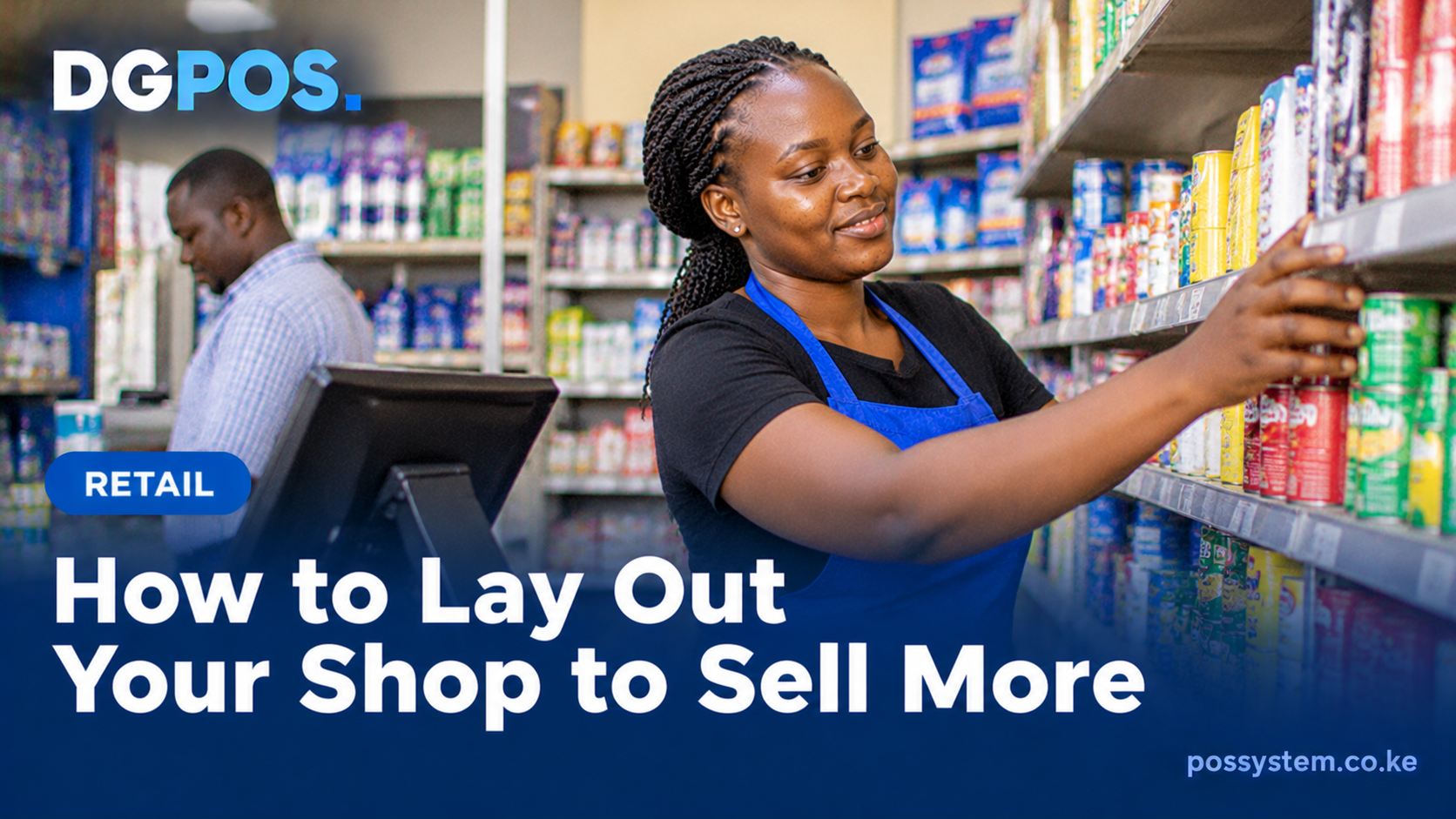
The way you arrange your shop can have a significant impact on how customers shop, what products they notice, and how much they spend. Whether you operate a minimart, supermarket, boutique, pharmacy, hardware shop, cosmetics store, or wholesale business, having a well-organised shop layout can help attract customers, improve product visibility, and increase sales.
Many business owners concentrate on stocking quality products, setting competitive prices, and advertising their businesses. However, shop arrangement is equally important. A poorly organised shop can make it difficult for customers to find products, create congestion, and reduce the chances of additional purchases.
A good shop layout makes shopping easier, encourages customers to explore different sections, and creates a comfortable shopping experience. When combined with a reliable POS SYSTEM, businesses can also monitor product performance and understand which shop arrangements support better sales.
At Digee Technologies Limited Company, we understand that successful retail management involves more than selling products. It also requires proper stock organisation, accurate sales tracking, and effective business management. This guide explains how to lay out your shop to sell more and how modern pos software can help you improve your retail operations.
1. Understand Your Customers Before Arranging Your Shop
Before moving shelves or displaying products, understand the people who visit your business.
Different customers have different shopping habits. A minimart customer may want to find household essentials quickly, while someone visiting a boutique may prefer browsing through different clothing collections.
Consider the following questions:
- What products do your customers buy most frequently?
- Which products do customers usually purchase together?
- Do customers prefer quick shopping or browsing?
- Which products attract the most attention?
- Are there products customers struggle to locate?
- Which sections experience the most congestion?
Understanding customer behaviour helps you design a layout that supports convenient shopping.
You can also use a Point Of Sale system to review sales information and identify your best-selling products.
For example, if your sales reports show that customers frequently purchase bread, milk, and eggs together, you can consider arranging related products in convenient sections.
A good point of sale system provides useful sales information that can support better shop arrangement decisions.
2. Create a Clear and Comfortable Entrance
Your shop entrance creates the first impression customers have of your business.
A crowded entrance can discourage customers from entering, while a clean and welcoming entrance makes the shop look more attractive.
To improve your entrance:
- Keep the doorway free from unnecessary items.
- Ensure customers can enter and exit comfortably.
- Display attractive products where they are visible.
- Use clear signage to introduce your shop sections.
- Maintain proper lighting.
- Avoid blocking the entrance with stock cartons.
The entrance should make customers feel comfortable and encourage them to explore the shop.
For businesses using a POS SYSTEM, the entrance and checkout arrangement should also allow customers to move naturally towards the payment counter without unnecessary congestion.
3. Place Popular Products in Strategic Locations
Product placement can influence what customers notice and purchase.
Your best-selling products should be easy to find, but you should also create opportunities for customers to discover other items.
Consider placing frequently purchased products in accessible locations while displaying complementary products nearby.
For example:
- Place bread near spreads and jam.
- Display tea near sugar and coffee.
- Arrange toothpaste near toothbrushes.
- Place phone accessories near mobile devices.
- Display pasta near cooking sauces.
- Arrange shoes near matching accessories.
This encourages customers to consider purchasing related products.
However, avoid making essential products difficult to find simply to force customers to walk through the entire shop.
A comfortable shopping experience builds customer satisfaction and encourages repeat visits.
Using pos software helps you identify products that sell frequently and those that may benefit from better visibility.
4. Organise Your Shop Into Clear Sections
A well-organised shop allows customers to locate products without asking employees for assistance every time.
Divide your shop into logical sections according to product categories.
For example, a minimart may have:
- Food and groceries.
- Beverages.
- Household cleaning products.
- Personal care products.
- Baby products.
- Snacks and confectionery.
- Fresh produce.
A boutique may organise products into:
- Men’s clothing.
- Women’s clothing.
- Children’s clothing.
- Shoes.
- Bags.
- Accessories.
- New arrivals.
A pharmacy can organise products according to appropriate product categories while maintaining the required storage, safety, and dispensing controls.
Use clear labels and signage so customers can identify different sections easily.
A well-organised layout also makes stock counting and inventory management easier.
With a suitable POS SYSTEM, you can organise products into categories within your digital inventory records, making it easier to compare sales performance across different product groups.
5. Use Shelves Effectively
Shelves play an important role in how customers interact with products.
Poor shelf arrangement can hide products, waste valuable space, and make the shop appear disorganised.
To use shelves effectively:
- Place products where customers can see them clearly.
- Keep similar products together.
- Arrange products neatly.
- Avoid overcrowding shelves.
- Display product labels and prices clearly.
- Refill empty spaces regularly.
- Place heavier products on suitable lower shelves.
- Keep frequently purchased items accessible.
The eye-level shelf area is often valuable for product visibility, although the best position depends on your customers and product category.
You can experiment with different arrangements and monitor the results using your sales reports.
A Point Of Sale solution can help you identify whether products placed in more visible positions experience changes in sales.
6. Improve Your Checkout Counter Arrangement
The checkout area is one of the most important sections of any retail business.
Customers should be able to pay conveniently without experiencing unnecessary delays or confusion.
A good checkout arrangement should include:
- Enough space for customers to queue.
- A properly positioned payment counter.
- A visible pricing and payment process.
- Organised shopping bags.
- Accessible receipt printing.
- Proper cable and equipment management.
- A suitable area for packaging purchased products.
You can also display small, relevant products near the checkout counter, such as sweets, batteries, chewing gum, or other inexpensive accessories.
These products may encourage additional purchases while customers wait to pay.
However, avoid overcrowding the checkout area.
A modern POS SYSTEM helps organise checkout operations by recording sales, calculating totals, and supporting the available payment methods.
Using reliable pos software can also make it easier for cashiers to process transactions and maintain accurate sales records.
7. Use Cross-Merchandising to Increase Sales
Cross-merchandising involves displaying complementary products together to encourage customers to purchase related items.
Instead of arranging every product strictly within its category, consider creating useful product combinations.
Examples include:
| Main Product | Related Products |
|---|---|
| Bread | Butter, jam, margarine |
| Tea | Sugar, milk, biscuits |
| Pasta | Pasta sauce, spices |
| Shoes | Socks, shoe polish |
| Smartphones | Chargers, phone cases |
| Laundry detergent | Fabric softener |
| Baby products | Baby wipes, diapers |
Cross-merchandising helps customers discover products they may need but had not planned to purchase.
It also provides opportunities to increase the average value of each transaction.
A reliable POS SYSTEM can help you review which products are frequently purchased together through available sales reporting features.
With this information, you can make more informed decisions about product placement and shop organisation.
8. Maintain Proper Aisle Spacing
Customers should be able to move comfortably around your shop.
Narrow or overcrowded aisles make shopping difficult, especially when several customers visit at the same time.
To improve movement:
- Leave enough space between shelves.
- Avoid placing cartons in walkways.
- Keep emergency exits accessible.
- Position shelves without blocking visibility.
- Make frequently used sections easy to access.
- Consider customers using shopping baskets or trolleys.
- Keep the checkout queue away from major walkways.
Good aisle spacing improves customer comfort and helps employees restock shelves without disrupting shoppers.
It also improves general shop safety.
When designing your layout, consider the size of your premises and the number of customers you normally serve.
9. Use Lighting and Product Displays to Attract Attention
Lighting influences how customers see your products and how attractive your shop appears.
A poorly lit shop may make products difficult to identify, while suitable lighting can improve visibility and create a welcoming environment.
Consider the following:
- Use sufficient lighting throughout the shop.
- Highlight important product displays.
- Keep display areas clean.
- Avoid excessive decorative lighting.
- Ensure product labels are readable.
- Replace damaged or non-functional lights.
You can also create small promotional display areas for seasonal products, new arrivals, or special offers.
For example, a supermarket may create a display for holiday shopping essentials, while a boutique may highlight new clothing collections.
Your POS SYSTEM can help you monitor the sales performance of promoted products and determine whether your displays are producing the expected results.
10. Keep Frequently Purchased Products Accessible
Customers appreciate convenience.
Products that people buy regularly should be easy to locate and reach.
For example, a minimart should consider the shopping habits of its customers when arranging essentials such as bread, milk, cooking oil, sugar, and other common household items.
Similarly, a hardware shop should organise commonly requested tools and materials in clearly marked sections.
When frequently purchased products are difficult to locate, customers may become frustrated and spend less time shopping.
A good shop layout should balance convenience with product discovery.
Using a point of sale system allows you to review which products are selling most frequently and use that information when deciding where to place them.
11. Keep Your Shop Clean and Well Organised
Cleanliness is an important part of creating a positive shopping experience.
Customers are more comfortable shopping in an environment where products are arranged neatly and shelves are clean.
Make cleanliness part of your daily shop management routine.
Important activities include:
- Dusting shelves regularly.
- Cleaning floors.
- Removing empty cartons.
- Arranging products properly.
- Checking damaged packaging.
- Removing expired products.
- Keeping storage areas organised.
- Ensuring waste is disposed of properly.
For food businesses, maintaining appropriate hygiene and storage conditions is especially important.
A clean and organised shop also makes it easier for employees to identify missing products and monitor inventory.
Combining good physical organisation with reliable pos software helps you maintain better control over your products and daily operations.
12. Use Your Sales Reports to Improve Your Shop Layout
One of the biggest mistakes retailers make is arranging their shops based entirely on personal preference rather than actual customer behaviour.
A layout that looks attractive may not necessarily produce better sales.
You need to understand which products customers buy, which sections perform well, and which items are not attracting enough attention.
This is where a POS SYSTEM becomes particularly useful.
A modern Point Of Sale solution can help you review:
Best-Selling Products: Identify products that generate the highest sales quantities.
Slow-Moving Products: Find products that may need improved visibility or different promotional strategies.
Daily Sales Reports: Understand how much your shop sells each day.
Product Category Reports: Compare the performance of different product sections.
Transaction Reports: Monitor customer purchases and sales activity.
Inventory Reports: Identify products that need replenishment.
Using these reports, you can test different shelf arrangements and observe how product performance changes.
For example, if a product consistently records low sales despite having sufficient stock, you may consider improving its visibility or reviewing its pricing.
Reliable pos software makes it easier to base these decisions on actual sales information.
13. Avoid Common Shop Layout Mistakes
Even well-stocked businesses can lose sales because of poor shop organisation.
Here are common mistakes to avoid:
1. Overcrowding the Shop
Too many shelves and products can make movement difficult and create an uncomfortable shopping environment.
2. Poor Product Arrangement
Mixing unrelated products makes it harder for customers to find what they need.
3. Blocking the Entrance
Displaying too much stock near the entrance can discourage customers from entering.
4. Poor Checkout Positioning
A checkout counter that blocks important walkways can create unnecessary congestion.
5. Ignoring Product Visibility
Products hidden behind other items may receive less customer attention.
6. Failing to Display Prices
Customers should be able to understand product prices before reaching the checkout counter.
7. Ignoring Sales Information
Continuing to use an ineffective layout without reviewing sales performance can limit business improvement.
8. Poor Inventory Organisation
A shop may look attractive but still experience stock shortages if inventory is not monitored properly.
A combination of good shop arrangement and a reliable POS SYSTEM can help address many of these challenges.
14. How POS Software Helps You Sell More
A good shop layout helps customers interact with products, but effective business management helps you understand whether your arrangement is working.
A modern POS SYSTEM provides useful information that can guide your retail decisions.
With suitable pos software, you can:
- Track daily sales.
- Identify best-selling products.
- Monitor slow-moving inventory.
- Manage product categories.
- Track stock quantities.
- Review transaction history.
- Generate business reports.
- Monitor employee sales activities.
- Manage different payment methods.
For example, after rearranging your shelves, you can compare product sales before and after the changes.
This helps you understand whether the new arrangement is improving product performance.
A Point Of Sale solution also helps reduce manual record-keeping and makes it easier to manage everyday shop operations.
Rather than guessing which products customers prefer, you can use recorded sales information to make better decisions.
15. Why Choose Digee Technologies Limited Company for Your POS System?
Creating a shop layout that encourages customers to buy more is an important part of retail success. However, you also need an effective way to manage sales, stock, and business performance.
Digee Technologies Limited Company provides DGPOS, a POS SYSTEM designed to help Kenyan businesses improve their daily operations.
Whether you operate a minimart, supermarket, pharmacy, boutique, hardware shop, restaurant, or wholesale business, having reliable pos software can simplify business management.
DGPOS supports important business activities such as:
- Sales recording and tracking.
- Product and inventory management.
- Stock monitoring.
- Business expense management.
- Sales reporting.
- Employee activity management.
- Transaction record management.
By using a suitable Point Of Sale solution, business owners can understand which products are performing well and which areas need attention.
For example, sales reports can help you identify popular products, monitor inventory movement, and make informed decisions about product arrangement.
A modern point of sale system is not just a checkout tool. It can also support better stock management, sales analysis, and everyday business organisation.
Digee Technologies Limited Company helps businesses adopt smarter retail management practices through DGPOS.
16. Frequently Asked Questions About Shop Layout and Sales
1. How should I arrange my shop to attract more customers?
Keep the entrance welcoming, organise products into clear sections, use attractive displays, maintain comfortable aisles, and ensure customers can find products easily.
2. Which products should I place near the checkout counter?
You can display small, affordable, and relevant products such as sweets, batteries, chewing gum, and accessories. Avoid overcrowding the checkout area.
3. Does shop layout affect sales?
Yes. Shop layout influences product visibility, customer movement, shopping convenience, and opportunities for additional purchases.
4. How can I identify my best-selling products?
Use your sales records or a POS SYSTEM to generate reports showing the products customers purchase most frequently.
5. Why should I organise products into categories?
Product categories make shopping easier, improve product identification, and help employees manage stock more efficiently.
6. How often should I change my shop layout?
You do not need to change your entire layout frequently. Review customer behaviour and sales reports regularly, then make adjustments when there is a clear reason.
7. Can POS software help improve shop sales?
Yes. Suitable pos software provides sales and inventory information that helps business owners identify popular products, slow-moving stock, and opportunities to improve product placement.
8. Is a Point Of Sale system necessary for a small shop?
A Point Of Sale system can benefit small shops by helping them record sales, monitor stock, manage transactions, and generate business reports.
9. How can I increase the average amount customers spend?
You can use complementary product displays, relevant promotions, attractive product arrangements, and convenient shopping experiences to encourage additional purchases.
10. What is the importance of a point of sale system in retail management?
A point of sale system helps businesses manage sales, inventory, transactions, and reports. It provides useful information that supports better business decisions.
Conclusion
A well-planned shop layout can help improve customer experience, increase product visibility, and create more opportunities for sales. By understanding your customers, organising products into clear sections, improving shelf arrangements, maintaining comfortable aisles, and creating an efficient checkout area, you can make your shop more attractive and convenient.
However, successful retail management also requires proper sales monitoring and inventory control.
Combining an effective shop layout with a reliable POS SYSTEM, modern Point Of Sale solution, and efficient pos software allows you to understand customer purchasing patterns and make informed business decisions.
Digee Technologies Limited Company provides DGPOS to help Kenyan businesses manage sales, inventory, and daily operations more effectively.
Whether you are starting a new shop or improving an existing retail business, adopting a suitable point of sale system can help you organise your operations, monitor performance, and build a stronger foundation for business growth.
Digee Technologies Limited Company – Smart POS Solutions for Kenyan Businesses.