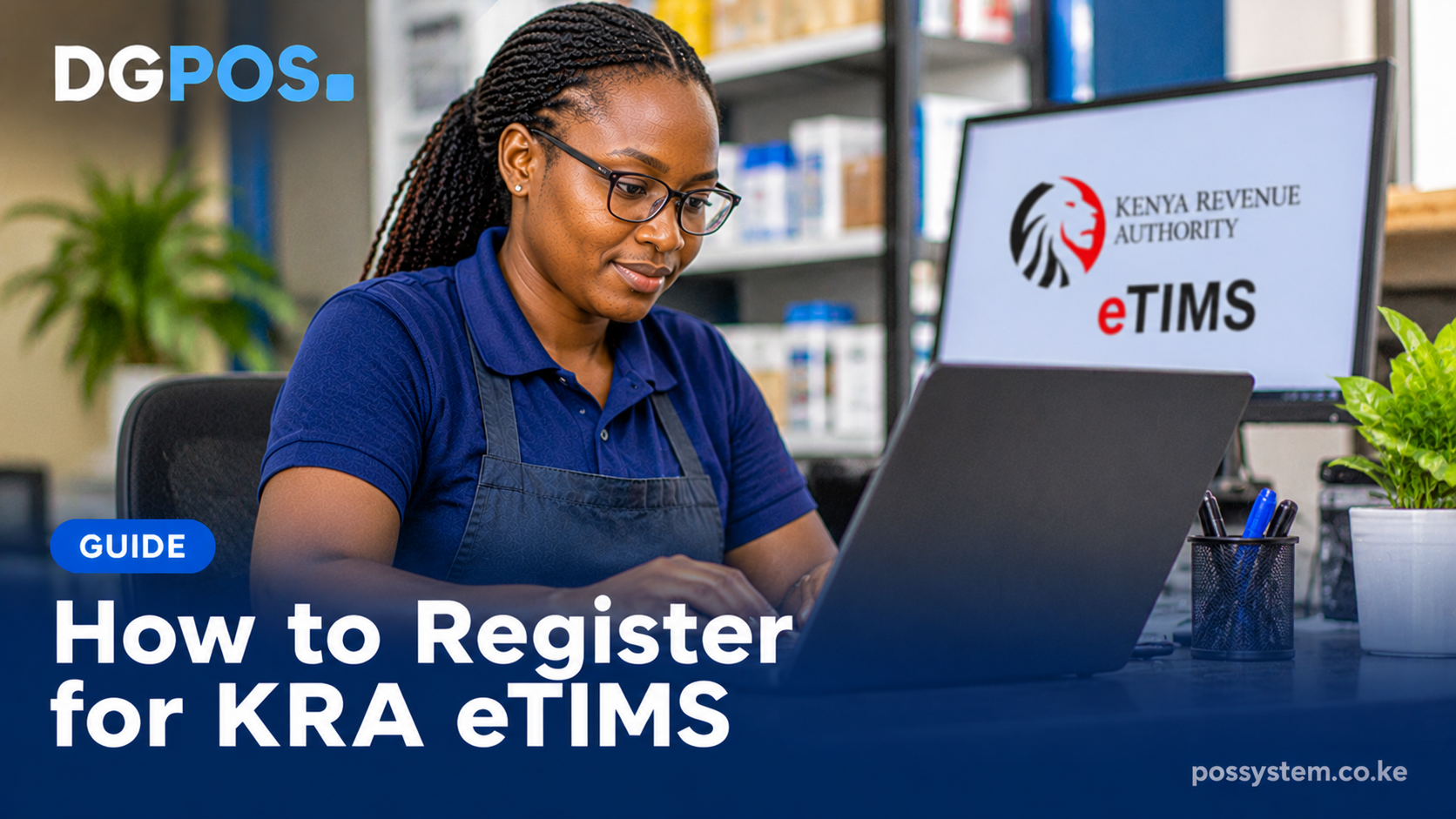
How to Register for KRA eTIMS

If you operate a business in Kenya, understanding how to register for KRA eTIMS is an important part of managing your tax and invoicing responsibilities. Whether you own a minimart, supermarket, pharmacy, boutique, restaurant, hardware shop or wholesale business, you need to understand how electronic tax invoicing works.

The Kenya Revenue Authority (KRA) introduced the Electronic Tax Invoice Management System (eTIMS) to facilitate electronic invoicing and improve tax invoice management.

Registering for eTIMS helps your business prepare to issue electronic tax invoices in line with applicable KRA requirements. It also makes it important to have organised sales records and a reliable POS SYSTEM that supports your daily operations.

In this guide, Digee Technologies Limited Company explains how to register for KRA eTIMS, the information you may need, the available solutions and how a point of sale system can support your business.

1. What Is KRA eTIMS?

eTIMS stands for Electronic Tax Invoice Management System. It is a KRA electronic invoicing solution that allows taxpayers to generate and manage electronic tax invoices.

KRA provides different eTIMS solutions depending on the nature, size and invoicing needs of a business.

The system is relevant to businesses that sell goods, provide services or conduct other taxable business activities.

Some benefits of eTIMS include:

  • Electronic generation of tax invoices.
  • Better organisation of sales records.
  • Easier access to invoice information.
  • Improved business record keeping.
  • Support for tax compliance.
  • Better management of business transactions.

For a shop owner, using eTIMS alongside suitable pos software can help organise sales activities and invoicing records.

2. Who Needs to Register for eTIMS?

KRA states that persons engaged in business are required to onboard eTIMS and issue electronic tax invoices, subject to applicable requirements and exemptions.

This includes different types of businesses, such as:

  • Retail shops and minimarts.
  • Supermarkets and wholesalers.
  • Pharmacies and chemists.
  • Hardware shops.
  • Restaurants and hotels.
  • Boutiques and clothing stores.
  • Electronics shops.
  • Professional service businesses.
  • Distributors and suppliers.

Being registered for VAT is not the only factor when considering eTIMS. Non-VAT-registered businesses should also check the applicable eTIMS requirements and available solutions.

A POS system can help businesses record their sales, but using a POS alone does not automatically mean that the business is registered for eTIMS.

3. What You Need Before Registering for KRA eTIMS

Before starting the registration process, prepare the information and documents that may be required.

These include:

1. Valid KRA PIN

You need your taxpayer PIN to identify your business or taxpayer profile.

2. Registered mobile number

Make sure you can access the mobile number registered with KRA because it may be used for verification through a One-Time Password (OTP).

3. Email address

Have an active email address that you can access.

4. National ID or identification documents

Depending on the business structure, identification documents for the owner, a partner or a company director may be required during onboarding.

5. Business information

Be ready to provide details about your business activities, location and the type of transactions you handle.

6. Commitment form, where required

Some eTIMS onboarding processes require supporting documentation, including a duly completed commitment form. Check the current KRA instructions for your selected solution.

Having these details ready can make the process easier.

4. How to Register for KRA eTIMS: Step-by-Step

You can begin eTIMS registration through the official KRA eTIMS taxpayer portal.

Follow these general steps:

Step 1: Visit the Official eTIMS Portal

Open your browser and visit:

https://etims.kra.go.ke

Make sure you are using the official KRA website to protect your taxpayer information.

On the portal, locate the Sign Up option.

Step 2: Select the PIN Registration Option

Click Sign Up and select the PIN option when prompted.

This allows the portal to identify your taxpayer profile using your KRA PIN.

Step 3: Enter Your KRA PIN

Enter your valid KRA PIN in the required field and click Verify.

The system will attempt to retrieve the taxpayer information associated with the PIN.

Check that the displayed information corresponds to the correct taxpayer or business.

If your PIN is not recognised, confirm that you entered it correctly and that your taxpayer details are up to date.

Step 4: Provide the Required Details

Follow the instructions on the portal and provide the requested information.

Depending on the registration process, this may include:

  • Mobile number.
  • Email address.
  • Taxpayer information.
  • Business or contact details.
  • Other requested identification information.

Ensure that the details are accurate because incorrect information may delay your registration or onboarding.

Step 5: Verify Your Mobile Number Using OTP

The portal may send a One-Time Password (OTP) to the mobile number registered with your KRA iTax account.

Enter the OTP in the verification field.

If you do not receive the code, check your mobile network and confirm that the registered phone number is accessible.

Step 6: Create Your eTIMS Password

Create a secure password according to the portal’s requirements.

You may also be asked to confirm the password and accept the applicable privacy statement.

Keep your login details safe and avoid sharing them with unauthorised people.

Step 7: Log In to the eTIMS Taxpayer Portal

After completing the sign-up process, return to the login page.

Use your KRA PIN as your User ID and enter the password you created.

Once logged in, you can proceed with the available onboarding options.

Step 8: Select Your Preferred eTIMS Solution

The next important step is choosing an eTIMS solution that matches your business activities.

KRA provides different options for different taxpayers.

For example:

  • eTIMS Lite solutions are available for eligible small and micro businesses.
  • eTIMS Client is designed for businesses dealing in goods or goods and services.
  • The Online Portal is intended for eligible service-sector taxpayers.
  • OSCU and VSCU support system-to-system integration for businesses using compatible invoicing or ERP systems.

Choose the solution that fits your business operations rather than selecting one simply because it is the easiest to access.

Step 9: Complete the Required Onboarding Information

Follow the instructions for your selected solution.

You may need to provide additional business information and upload supporting documents, depending on the solution and your taxpayer category.

For example, identification documents may be required for:

  • A company director.
  • A partnership representative.
  • A sole proprietor or business owner.

Where requested, complete and submit the relevant commitment form.

Step 10: Submit and Complete the Onboarding Process

Review the information you have entered before submitting.

Follow the portal instructions to complete the process.

KRA has introduced self-onboarding for eTIMS, reducing the need for manual KRA intervention in approving applications. However, specific solutions and circumstances may have additional verification requirements.

Follow any instructions or notifications displayed on your account.

5. Which eTIMS Solution Should You Choose?

Not every business needs the same eTIMS solution. KRA provides different options depending on the nature of the business and its invoicing requirements.

Here is a general overview:

eTIMS Solution Suitable Use
eTIMS Lite Web Eligible small businesses with simpler invoicing needs, accessed through eCitizen.
eTIMS Lite USSD Eligible taxpayers who prefer accessing services through USSD.
eTIMS Lite Mobile App Eligible non-VAT taxpayers using a smartphone.
eTIMS Online Portal Eligible service-sector businesses that do not supply goods.
eTIMS Client Businesses dealing in goods or both goods and services.
VSCU Businesses requiring system-to-system integration with compatible invoicing or ERP systems.
OSCU Businesses using compatible online invoicing systems that require integration with eTIMS.

For example, a small service provider may have different invoicing needs from a supermarket that processes many product sales every day.

A supermarket may need an eTIMS solution that supports multiple cashiers and pay points.

If you already use a POS SYSTEM, ask whether your provider supports the relevant KRA integration requirements before selecting an integration-based solution.

Always confirm eligibility and technical requirements using the latest KRA guidance.

6. Can You Register for eTIMS Using Your Phone?

Yes. KRA provides simplified ways for eligible taxpayers to access eTIMS services using mobile devices.

Depending on your eligibility, available options include:

eTIMS Lite Web: Accessible through eCitizen.

eTIMS Lite USSD: Accessed by dialling *222# and selecting the KRA Services option.

eTIMS Lite Mobile App: Available for eligible users through the relevant mobile app stores.

These options can make electronic invoicing more convenient for eligible small businesses.

However, a business that sells physical products and needs stock management may require a different solution from a service provider with simple invoicing needs.

Before choosing a mobile option, check whether it supports the invoicing and business activities you perform.

7. What Should You Do After Registering for eTIMS?

Completing registration is only the beginning. You also need to understand how to use your selected solution correctly.

After onboarding:

1. Learn how to generate electronic invoices

Understand how to create invoices and issue them to customers.

2. Enter accurate business information

Make sure your taxpayer and business details are correct.

3. Understand your product or service records

For businesses selling goods, organise product descriptions, prices and other required information.

4. Train your employees

Cashiers and managers should understand the invoicing process and their responsibilities.

5. Keep your records organised

Maintain accurate sales, purchase and supporting business records.

6. Check your invoices

Review invoice details before issuing them to customers.

7. Understand your system’s integration options

If you use a point of sale system, establish whether it can connect to eTIMS and what configuration or technical requirements apply.

8. Common Mistakes to Avoid During eTIMS Registration

Some businesses experience difficulties because of incorrect information or choosing an unsuitable solution.

Here are common mistakes to avoid:

Using the Wrong KRA PIN

Always enter the correct PIN belonging to the taxpayer or business being registered.

Using an Inaccessible Mobile Number

If the OTP is sent to a number you cannot access, you may experience difficulties completing verification.

Ensure your KRA-registered contact details are current.

Selecting the Wrong eTIMS Solution

A solution designed for a service provider may not be suitable for a supermarket or retail shop.

Understand your business needs before making a selection.

Entering Incorrect Business Information

Incorrect details can create problems during onboarding and subsequent invoicing.

Review all information before submission.

Ignoring Employee Training

If cashiers do not understand how to issue electronic invoices, the business may experience delays and errors.

Train employees before relying on the system for daily operations.

Assuming Your POS Is Automatically Connected to eTIMS

Not every POS SYSTEM has direct eTIMS integration.

Confirm whether your provider supports the relevant integration and whether additional configuration is necessary.

9. How a POS System Helps Your Business Manage eTIMS

Electronic invoicing is one part of running a business. You also need a reliable way to manage sales, products, payments and daily transactions.

This is where a suitable POS solution becomes useful.

A point of sale system helps organise daily sales activities and maintain business records. When compatible integration is available, it may also support electronic invoicing workflows through eTIMS.

For example, a minimart can use a POS SYSTEM to manage:

  • Product records and prices.
  • Daily sales transactions.
  • Stock quantities.
  • Cashier activities.
  • Sales reports.
  • Payment records.

A pharmacy can use suitable pos software to organise product information and sales records, while a hardware shop can manage a large catalogue of items.

The important thing is to understand that a POS system and eTIMS have different purposes. A POS manages business operations, while eTIMS handles electronic tax invoicing.

When the two systems are properly integrated, they can help reduce duplicate data entry and improve the organisation of business records.

10. How DGPOS Supports Kenyan Businesses

Digee Technologies Limited Company provides DGPOS, a business management solution designed for Kenyan businesses.

Whether you operate a minimart, supermarket, pharmacy, boutique, restaurant or hardware shop, having organised sales records can make daily operations easier to manage.

A suitable Point Of Sale solution can help your business manage areas such as:

  • Recording daily sales.
  • Managing products and prices.
  • Monitoring stock movement.
  • Reviewing sales reports.
  • Tracking cashier transactions.
  • Organising payment records.
  • Improving business record keeping.

If you are planning to use DGPOS alongside eTIMS, contact Digee Technologies to confirm the available eTIMS integration options, supported workflows and setup requirements.

Choosing the right point of sales system can help your business prepare for organised electronic invoicing while maintaining better control over daily operations.

11. Frequently Asked Questions About KRA eTIMS Registration

Is eTIMS registration free?

KRA provides eTIMS registration and its official solutions through its designated platforms. However, businesses may incur separate costs for third-party systems, hardware, technical support or integration services. Confirm any charges before purchasing additional services.

Can a non-VAT-registered business register for eTIMS?

Yes. KRA provides eTIMS options for eligible non-VAT-registered taxpayers. Non-VAT registration does not automatically exempt a business from eTIMS requirements.

Can I use eTIMS on my phone?

Yes. Eligible taxpayers can use options such as eTIMS Lite Mobile App, eTIMS Lite Web and USSD services, depending on their business activities and eligibility.

Do I need a POS system to register for eTIMS?

No. A POS is not a general prerequisite for registering for eTIMS. However, businesses that process many sales may benefit from using a suitable POS SYSTEM to manage daily transactions.

Can my POS system connect directly to eTIMS?

Some compatible business systems can integrate with eTIMS through supported integration solutions such as OSCU or VSCU. You should confirm compatibility with your software provider and KRA requirements.

What happens if I enter the wrong information?

Incorrect information may cause verification or onboarding difficulties. Review your details carefully and follow KRA instructions for correcting taxpayer information where necessary.

Where can I get help with eTIMS registration?

You can use the official KRA eTIMS website, consult KRA’s published user guides or contact KRA support for assistance.

Conclusion

Registering for KRA eTIMS is an important step in organising your business invoicing and meeting applicable electronic tax invoicing requirements in Kenya.

The process begins with accessing the official eTIMS portal, verifying your KRA PIN, completing the required details, creating your account and selecting a suitable eTIMS solution.

After registration, make sure you understand how to issue electronic invoices and maintain accurate business records.

For businesses handling many daily transactions, combining eTIMS with reliable pos software can make sales management more organised.

Digee Technologies Limited Company provides DGPOS to help Kenyan businesses manage their daily operations through a modern POS SYSTEM.

Choose a suitable point of sale system, understand your eTIMS obligations and build better business processes as your shop grows.

How to Run Your Shop From Your Phone

Running a shop no longer means spending every hour standing behind the counter. With the right technology, business owners can monitor sales, check stock, follow payments and review business performance using a smartphone.

Whether you operate a minimart, supermarket, pharmacy, boutique, hardware shop or wholesale business in Kenya, managing daily activities remotely can save time and improve decision-making.

A modern POS SYSTEM makes it easier to organise business information, while mobile access allows you to stay informed even when you are away from your shop.

But how exactly can you run your shop from your phone? Let’s explore the tools, features and practical steps that can help you manage your business more efficiently.

1. Choose a POS System That Supports Remote Access

The first step is choosing a reliable point of sale system that allows you to access important business information remotely.

Traditional cash registers only help process transactions at the counter. Modern POS solutions can provide additional business management tools, depending on their features and configuration.

When choosing a system, look for features such as:

  • Remote access to sales reports.
  • Real-time or regularly updated stock information.
  • Sales tracking by employee.
  • Customer and supplier records.
  • Payment monitoring.
  • Business performance reports.
  • Secure user accounts and permissions.

A suitable Point Of Sale solution gives you better visibility of your business without requiring you to be physically present throughout the day.

Before subscribing, confirm whether the system supports mobile access through a smartphone browser or dedicated application.

2. Monitor Daily Sales From Anywhere

One of the biggest advantages of mobile business management is being able to check how much your shop is selling without calling the cashier every few hours.

With suitable pos software, you can review sales reports and monitor business performance from your phone.

For example, if you own a minimart in Nakuru but have travelled to Nairobi, you may still want to know:

  • How much has the shop sold today?
  • Which products are selling quickly?
  • How many transactions have been completed?
  • Which cashier is handling the most sales?
  • How does today’s performance compare with previous days?

A well-configured POS SYSTEM can help you access these details remotely, provided remote reporting is supported.

Checking sales regularly helps you identify problems early and make informed business decisions.

3. Keep Track of Stock Without Visiting the Shop

Stock management is one of the most important responsibilities of a shop owner.

Running out of popular products can lead to lost sales, while purchasing too much stock can tie up money that could be used elsewhere.

Mobile access to inventory information can make stock management easier.

A point of sale system with remote inventory reporting may allow you to:

  • Check available product quantities.
  • Identify fast-moving items.
  • Monitor low-stock products.
  • Review stock movement.
  • Identify slow-moving inventory.
  • Plan your next supplier order.

For example, a supermarket owner can check whether cooking oil, sugar, rice or milk is running low before travelling to the wholesaler.

A pharmacy owner can also review product quantities and identify items that need attention.

With the right POS, you can make better purchasing decisions based on recorded stock information rather than guesswork.

Remember that stock reports are only useful when sales, deliveries, returns and adjustments are recorded correctly.

4. Monitor Your Employees and Cashiers

You do not have to stand at the counter all day to understand how your employees are performing.

A suitable Point Of Sale solution can help you review sales activities recorded under individual employee accounts.

Depending on the available features, you may be able to monitor:

  • Sales handled by each cashier.
  • Transactions completed during a shift.
  • Discounts given.
  • Voided transactions.
  • Refunds and returns.
  • Cashier activity reports.

This information helps you identify unusual activities and understand employee performance.

For example, if one cashier records unusually high discounts or frequent transaction cancellations, you can review the transactions and establish whether there is a valid explanation.

However, technology should support proper supervision, not replace communication and fair employee management.

5. Track M-Pesa and Other Business Payments

Many Kenyan businesses receive payments through M-Pesa, cash, bank transfers and other digital payment methods.

When managing your shop remotely, it is important to understand how much money has been received and whether recorded transactions match actual payments.

A POS SYSTEM can help organise sales according to payment methods when the system supports payment categorisation and reporting.

For example, you may want to review:

  • Total cash sales.
  • M-Pesa sales recorded.
  • Bank payments recorded.
  • Credit sales.
  • Outstanding customer balances.

Keep in mind that recording M-Pesa as a payment method does not automatically confirm that money has reached your business account.

Automatic payment confirmation and reconciliation require a supported integration or separate verification process.

Always confirm actual payments using the appropriate business payment records.

6. Review Business Reports Using Your Smartphone

Business reports help you understand what is happening beyond the daily cash collected.

Instead of relying on memory or handwritten records, use your pos software to review important business figures.

Some useful reports include:

Daily sales report: Shows the sales recorded during a particular day.

Product performance report: Helps identify products generating the most sales.

Stock report: Shows available quantities and inventory movement.

Profit report: Helps you understand profitability where purchase costs and other required figures are accurately recorded.

Payment report: Shows sales grouped by payment method.

Employee sales report: Helps you review transactions recorded by individual employees.

A good point of sales system makes it easier to organise these records and access reports when you need them.

Make it a habit to check important reports every morning or evening.

7. Manage Multiple Shop Branches From One Place

If you operate more than one shop, visiting every branch daily can become difficult.

A suitable multi-branch POS solution can help you monitor business activities across different locations.

For example, a business owner with branches in Nakuru, Naivasha and Nairobi may want to compare:

  • Daily sales for each branch.
  • Stock levels across locations.
  • Products performing well in each shop.
  • Employee sales activity.
  • Stock transfers between branches.

With centralised reporting, you can understand how each branch is performing without physically visiting all the locations.

Before choosing a system, confirm whether it supports multiple branches, centralised reporting and branch-specific user permissions.

8. Control Who Can Access Your Business Information

Running your shop from your phone also means protecting your business information.

Not every employee needs access to every business function.

A cashier may only need permission to process sales, while a manager may need access to stock reports and shift activities.

A secure POS SYSTEM should provide appropriate user roles and permissions where supported.

Follow these security practices:

  • Use strong passwords.
  • Avoid sharing administrator login details.
  • Give employees access according to their responsibilities.
  • Enable two-factor authentication if available.
  • Lock your phone when not using it.
  • Avoid logging in through public or untrusted devices.
  • Remove access when an employee leaves the business.
  • Keep your phone and business applications updated.

If your phone is lost or stolen, change your important passwords and contact your system provider to secure your account.

9. Use Your Phone to Make Faster Business Decisions

Mobile business management is not just about checking figures. It is also about using information to make better decisions.

For example:

Situation 1: A product is selling quickly

You check your stock report and notice that a popular product is almost finished. You contact your supplier before customers start finding it unavailable.

Situation 2: Sales are lower than expected

You review your daily and weekly reports to identify whether fewer customers are buying or whether certain products are underperforming.

Situation 3: A cashier records unusual transactions

You review the transaction history and discuss the findings with the employee.

Situation 4: One branch is performing better

You compare branch reports and investigate what the better-performing branch is doing differently.

A reliable Point Of Sale system helps turn everyday business transactions into useful information for decision-making.

10. What You Need to Start Running Your Shop From Your Phone

You do not need complicated equipment to begin managing your business remotely. However, you need the right setup.

Here are the basics:

Requirement Why It Matters
Smartphone Allows you to access business information.
Internet connection Supports online access and data updates.
POS system Records sales and organises business operations.
Secure login Protects your business account.
Employee accounts Helps track staff activities where supported.
Accurate records Makes reports more reliable.

You should also train your employees to record sales, stock movements, returns and payments correctly.

Remember that mobile reporting depends on the system’s connectivity and synchronisation arrangements. If internet access is unavailable, some functions may stop updating until the connection is restored.

11. Common Mistakes to Avoid When Managing Your Shop Remotely

Using technology does not automatically guarantee good business management. Shop owners should avoid these common mistakes:

Ignoring physical stock checks: Digital stock records can contain errors if transactions are missed. Conduct regular physical stock counts.

Sharing passwords: Shared accounts make it difficult to establish who performed particular activities.

Checking sales without reviewing costs: High sales do not always mean high profits. Consider product costs, expenses and other business obligations.

Assuming every M-Pesa payment is confirmed: Verify payments using reliable transaction records.

Ignoring employee communication: Remote monitoring should be supported by regular communication with shop managers and employees.

Failing to review reports: Collecting business information is not enough. Use it to identify problems and improve operations.

12. How DGPOS Can Help You Manage Your Shop

Digee Technologies Limited Company provides DGPOS, a business management solution designed to support Kenyan businesses with organised sales and shop operations.

A suitable point of sale system can help business owners reduce dependence on handwritten records and gain better visibility into daily activities.

Depending on the features and configuration available, a POS SYSTEM can support areas such as:

  • Recording daily sales.
  • Managing product information.
  • Tracking inventory.
  • Reviewing business reports.
  • Monitoring employee transactions.
  • Organising payment records.
  • Supporting better business decisions.

If you want to manage your shop using your smartphone, ask the Digee Technologies team about DGPOS mobile access, remote reporting, supported devices and the features available for your type of business.

The goal is to make business information easier to access and help you manage your operations more efficiently.

Conclusion

Running your shop from your phone can save time, improve supervision and make business management more convenient.

With the right POS, you can stay informed about sales, stock, employees and business performance even when you are away from the counter.

Whether you operate a minimart, pharmacy, supermarket, boutique, restaurant or hardware shop, investing in suitable pos software can help you organise daily operations.

A reliable Point Of Sale solution gives you better control over business records, while a suitable point of sales system can help you make informed decisions as your business grows.

Explore DGPOS from Digee Technologies Limited Company and find out how the right POS SYSTEM can support your business management needs.

How to Pay Staff Commission Fairly

Staff commission is a common way for businesses to reward employees for generating sales, attracting customers and achieving business targets. Retail shops, supermarkets, pharmacies, electronics stores, boutiques, hardware shops and other businesses may use commission structures to motivate employees and improve sales performance.

However, paying commission fairly requires more than simply rewarding the employee who makes the most sales. Business owners must establish clear rules, calculate commission accurately and ensure that employees understand how their earnings are determined.

Without proper records, commission payments can lead to disagreements, incorrect calculations and dissatisfaction among staff members.

A reliable POS SYSTEM can help businesses track sales transactions, monitor employee performance and generate reports that support transparent commission calculations.

In this guide, Digee Technologies Limited Company explains how to create a fair staff commission structure, calculate payments and use a Point Of Sale system to improve commission management.

1. What Is Staff Commission?

Staff commission is additional payment given to employees based on sales or other agreed performance targets.

Unlike a fixed salary, commission depends on the employee’s performance or the results defined in the business’s commission policy.

For example, a shop may pay a salesperson a commission of 2% on qualifying sales.

If the employee makes KSh 100,000 in eligible sales, the commission would be:

KSh 100,000 × 2% = KSh 2,000.

The employee receives the agreed commission in addition to any applicable salary or other contractual benefits.

Businesses can use pos software to record sales and identify transactions made by individual employees, provided the system supports employee-level sales tracking.

This makes it easier to calculate commission using actual business records rather than estimates.

2. Why Businesses Pay Staff Commission

Commission can benefit both the business and its employees when the structure is properly designed.

Encourages Employees to Improve Sales

Employees may become more motivated to understand products, assist customers and identify opportunities to increase sales.

Rewards Good Performance

Commission allows businesses to recognise employees who achieve agreed sales targets or contribute to business growth.

Improves Customer Engagement

When employees are motivated to perform well, they may become more proactive in helping customers find suitable products.

Supports Business Growth

A well-designed commission structure can encourage employees to focus on sales activities that support the business’s objectives.

Creates Measurable Performance Targets

Businesses can use commission targets to measure sales performance and identify areas where employees need additional training.

A POS SYSTEM can help provide the sales information needed to evaluate performance and calculate eligible commission.

3. Decide Which Employees Qualify for Commission

Before introducing commission payments, decide which employees are eligible.

Not every employee contributes to sales in the same way. Some handle customers directly, while others manage stock, deliveries, administration or customer support.

Possible commission-eligible roles include:

  • Sales representatives.
  • Shop attendants.
  • Cashiers who also have sales responsibilities.
  • Retail sales consultants.
  • Customer acquisition representatives.
  • Online sales employees.
  • Business development staff.

For employees who work as a team, the business may choose a shared commission structure instead of rewarding only one individual.

For example, a supermarket may have several employees serving customers and processing transactions. A shared team target may be more appropriate than assigning all commission to the cashier who completes the payment.

A Point Of Sale system with employee accounts can help record which staff members handled specific transactions, where supported.

4. Choose the Right Commission Structure

There is no single commission model that works for every business. The right structure depends on the products sold, profit margins, employee responsibilities and business goals.

Here are common commission structures.

Fixed Percentage Commission

Employees receive a fixed percentage of qualifying sales.

For example, a shop may offer 2% commission on eligible sales.

If an employee makes KSh 150,000 in qualifying sales:

KSh 150,000 × 2% = KSh 3,000.

This model is easy to understand and calculate.

Tiered Commission

The commission percentage increases when employees reach higher sales targets.

For example:

Monthly qualifying sales Commission rate
Below KSh 50,000 1%
KSh 50,000–KSh 99,999 2%
KSh 100,000–KSh 149,999 3%
KSh 150,000 and above 4%

This structure encourages employees to work towards higher targets.

The business must clearly state whether the higher rate applies to all qualifying sales or only the sales within the higher tier.

Fixed Amount Per Sale

Some businesses pay a fixed commission for each qualifying product sold.

For example, an electronics shop may offer KSh 200 for every eligible appliance sold.

This is useful when the business wants to reward sales of specific products.

Target-Based Commission

Employees receive commission or a performance bonus after reaching an agreed target.

For example, a salesperson who reaches KSh 200,000 in monthly qualifying sales may receive an additional KSh 5,000.

Team-Based Commission

A group of employees shares a commission pool when the business or department reaches a target.

This can encourage teamwork and reduce unnecessary competition among employees.

A POS SYSTEM can help businesses monitor individual and team sales performance when employee and reporting features are configured appropriately.

5. Set Fair and Realistic Sales Targets

Sales targets should challenge employees without being impossible to achieve.

If targets are too low, the business may pay commission without receiving meaningful additional performance. If targets are too high, employees may become discouraged.

Consider the following factors when setting targets:

  • Previous monthly sales.
  • Average daily customer numbers.
  • Product demand.
  • Seasonal changes.
  • Employee experience.
  • Store location.
  • Available stock.
  • Marketing campaigns.
  • Individual employee responsibilities.

For example, a shop that normally records KSh 300,000 in monthly sales should not automatically set an individual employee target of KSh 500,000 without considering whether the target is achievable.

Review targets regularly and communicate any changes before the relevant commission period begins.

A point of sale system can provide historical sales information to help business owners establish targets using actual business performance.

6. Decide Whether Commission Is Based on Sales or Profit

One of the most important decisions is choosing what amount will be used to calculate commission.

Businesses commonly use either sales value or gross profit.

Commission Based on Sales Value

Under this model, commission is calculated using the total value of qualifying sales.

For example:

  • Qualifying sales: KSh 100,000.
  • Commission rate: 2%.
  • Commission earned: KSh 2,000.

This method is straightforward, but it may reward employees for selling products with very low profit margins.

Commission Based on Gross Profit

Under this model, commission is calculated using the gross profit earned from qualifying sales.

For example:

  • Selling price: KSh 10,000.
  • Cost of goods sold: KSh 7,000.
  • Gross profit: KSh 3,000.
  • Commission rate: 10%.

Commission:

KSh 3,000 × 10% = KSh 300.

This method encourages employees to consider profitability rather than focusing only on sales volume.

Businesses should clearly explain whether commission is calculated on sales value or gross profit.

A POS SYSTEM that stores accurate selling prices and product costs can help provide information for these calculations, depending on its reporting capabilities.

7. Create Clear Commission Rules

Employees should understand exactly how commission is earned.

A written commission policy reduces confusion and helps prevent disagreements.

Your policy should explain:

Eligible Sales

Specify which products, services and transactions qualify for commission.

Commission Rate

State the applicable percentage or fixed amount.

Sales Targets

Explain whether employees must reach a minimum target before earning commission.

Returns and Refunds

Explain how returned products and refunded transactions affect commission calculations.

Discounted Sales

State whether commission is calculated using the original price or the final amount paid by the customer.

Shared Sales

Explain how commission is divided when multiple employees contribute to one transaction.

Payment Dates

State when commission is calculated and paid.

Employee Departures

Explain how qualifying sales are handled when an employee leaves the business, in accordance with the applicable employment agreement and law.

Dispute Resolution

Provide a clear process for employees to question commission calculations.

A Point Of Sale system can support the policy by maintaining transaction records that can be reviewed when commission questions arise.

8. Use a POS System to Track Employee Sales

Manual commission tracking becomes difficult when a business has several employees and hundreds of transactions every day.

A cashier may serve multiple customers, while different sales attendants assist customers before checkout. Without accurate records, it can be difficult to determine who should receive commission.

A suitable POS SYSTEM can help by assigning individual employee accounts or recording the employee responsible for a transaction, where supported.

This can help business owners:

  • Identify sales made by individual employees.
  • Review daily employee sales.
  • Compare weekly and monthly performance.
  • Monitor progress towards targets.
  • Check qualifying transactions.
  • Generate sales reports.
  • Investigate commission discrepancies.

For example, a clothing shop may have three sales attendants.

A POS system with employee-level reporting can help the owner compare their recorded sales and review performance over the same period.

However, businesses should ensure that sales are attributed fairly. If one employee helps a customer select products and another processes payment, the commission policy should explain how that transaction is assigned.

9. Calculate Staff Commission Accurately

Commission calculations should follow a consistent process.

Consider this example:

A shop pays 2% commission on qualifying monthly sales.

An employee records the following sales:

Sales category Amount
Eligible sales KSh 120,000
Returned goods KSh 5,000
Cancelled transactions KSh 3,000
Qualifying sales after exclusions KSh 112,000

Commission:

KSh 112,000 × 2% = KSh 2,240.

The employee’s commission is KSh 2,240 under this example’s policy.

The business should confirm that returned and cancelled transactions are excluded according to the written commission rules.

A point of sale system can help identify recorded sales, returns and cancellations, making it easier to prepare accurate commission calculations.

10. Handle Returns, Refunds and Cancelled Sales Fairly

Returns and refunds can create disagreements if commission rules are unclear.

For example, an employee may sell a product worth KSh 8,000 and earn commission. The customer later returns the product and receives a refund.

Should the employee keep the commission?

The answer should be defined in the commission policy before the situation occurs.

Possible approaches include:

  • Excluding refunded sales from qualifying sales.
  • Adjusting commission in the next commission period.
  • Applying agreed rules for partial refunds.
  • Treating exchanges according to the actual final sale value.

Businesses should avoid making arbitrary deductions without considering employment agreements and applicable employment law.

A POS SYSTEM can help maintain records of original sales, returns and refunds so that adjustments can be reviewed transparently.

11. Avoid Unfair Competition Among Employees

Commission can motivate employees, but poorly designed systems may encourage unhealthy competition.

For example, employees may refuse to assist customers who are likely to purchase expensive products because they want to protect their individual sales figures.

Others may argue over who deserves credit for a sale.

To avoid these problems:

  • Explain how shared sales are handled.
  • Reward teamwork where appropriate.
  • Use consistent employee sales attribution.
  • Avoid changing commission rules unexpectedly.
  • Set targets according to job responsibilities.
  • Recognise customer service and other important contributions.
  • Provide a clear process for resolving disagreements.

A team-based commission model may be suitable for businesses where several employees contribute to a single customer experience.

A Point Of Sale system can help provide supporting sales information, but fair management policies are still essential.

12. Pay Commission on Time

Employees should know when they will receive their commission.

Late payments can reduce trust and create frustration, especially when employees depend on commission as part of their earnings.

Businesses should establish a regular payment schedule, such as:

  • Weekly commission.
  • Fortnightly commission.
  • Monthly commission.

Monthly commission is common in businesses that evaluate performance over a full month.

Before payment, the business should:

  1. Close the commission period.
  2. Review qualifying sales.
  3. Remove eligible exclusions.
  4. Calculate individual commission.
  5. Check returns and refunds.
  6. Confirm the calculations.
  7. Share commission statements with employees.
  8. Pay the agreed amounts on time.

A POS SYSTEM can help prepare the sales information required for this process.

13. Keep Commission Records for Accountability

Every commission payment should be supported by clear records.

Useful information includes:

  • Employee name.
  • Commission period.
  • Sales target.
  • Qualifying sales.
  • Commission rate.
  • Adjustments.
  • Commission earned.
  • Payment date.
  • Amount paid.

For example:

Employee Qualifying sales Rate Commission
Employee A KSh 100,000 2% KSh 2,000
Employee B KSh 150,000 2% KSh 3,000
Employee C KSh 80,000 2% KSh 1,600

This makes it easier for employees and managers to understand how payments were calculated.

A POS SYSTEM with employee sales reports can provide part of the information required for these records. Payroll and statutory deductions should still be handled using the appropriate payroll and accounting procedures.

14. Understand Employment Rules When Paying Commission in Kenya

Businesses in Kenya should ensure that commission arrangements comply with applicable employment laws and employment agreements.

The Employment Act, 2007 provides the legal framework for employment relationships, including payment of remuneration and keeping employment records.

When designing a commission policy, employers should:

  • Clearly communicate the agreed payment structure.
  • Include relevant terms in employment documentation.
  • Maintain accurate payment records.
  • Observe applicable minimum wage requirements.
  • Apply lawful deductions correctly.
  • Follow contractual payment terms.
  • Seek professional advice when designing complex incentive arrangements.

Commission should not be used to avoid legal obligations relating to employee remuneration.

Employers should also understand how commission is treated for payroll purposes, including applicable PAYE and other statutory requirements. Where necessary, consult a qualified accountant or employment professional.

A Point Of Sale system can support sales tracking, but it does not replace payroll compliance or professional employment advice.

15. Common Mistakes Businesses Make When Paying Commission

Even businesses with good sales performance can experience problems if commission arrangements are poorly managed.

Avoid these mistakes:

Changing Commission Rates Without Clear Communication

Employees should be informed of commission changes before they take effect.

Using Unclear Sales Targets

Targets should be specific, measurable and achievable.

Paying Commission on Incorrect Sales Figures

Always verify transaction records before calculating payments.

Ignoring Product Profit Margins

High sales do not always mean high profits. Consider whether the commission model supports business profitability.

Failing to Record Returns

Returned and refunded products should be handled according to the agreed commission policy.

Rewarding Only Individual Performance

In team-based businesses, ignoring teamwork may create unnecessary competition.

Delaying Commission Payments

Follow the agreed payment schedule and communicate any genuine delays.

Keeping Poor Records

Without proper records, it becomes difficult to resolve commission disputes.

Using pos software with suitable employee sales reports can help reduce some of these problems by providing more organised transaction information.

16. How DGPOS Can Help Businesses Monitor Staff Sales

Digee Technologies Limited Company provides DGPOS, a Point Of Sale solution designed to help businesses organise sales and daily operations.

For businesses that pay staff commission, accurate sales records are important. Owners need to know which transactions were completed, who handled them and how much qualifying sales were generated.

A suitable POS solution can support commission management by helping businesses organise employee sales information.

When considering DGPOS, explore the available features for:

  • Individual employee accounts.
  • Recording employee sales.
  • Reviewing sales by cashier or user.
  • Generating daily and monthly sales reports.
  • Monitoring transaction histories.
  • Reviewing returns and cancelled sales.
  • Comparing employee sales performance.

These features can help business owners gather information for their commission calculations.

Before implementation, discuss your requirements with Digee Technologies Limited Company and confirm which employee tracking and reporting features are available in your DGPOS setup.

If your business requires automatic commission calculations, ask whether the current configuration supports your preferred commission rules or whether additional procedures are needed.

A reliable POS SYSTEM should help improve visibility and accountability while allowing business owners to apply fair commission policies.

17. Practical Checklist for Setting Up a Fair Commission System

Before introducing or changing staff commission, use this checklist:

  • Identify employees who qualify for commission.
  • Choose a suitable commission structure.
  • Decide whether commission is based on sales or gross profit.
  • Set realistic performance targets.
  • Define qualifying products and transactions.
  • Explain how returns and refunds affect commission.
  • Establish rules for shared sales.
  • Put the commission policy in writing.
  • Explain payment dates to employees.
  • Set up reliable employee sales records.
  • Review commission calculations before payment.
  • Keep records of all commission payments.
  • Review the structure regularly to ensure fairness.

A point of sale system can support several of these activities by providing organised sales and employee performance information.

Conclusion

Paying staff commission fairly requires clear policies, accurate sales records and consistent calculations. A good commission structure should motivate employees, reward performance and support the long-term profitability of the business.

Start by choosing a suitable commission model, setting realistic targets and explaining how qualifying sales will be calculated. Make sure employees understand how returns, refunds, shared sales and payment dates are handled.

A reliable POS SYSTEM can make commission management easier by helping business owners track employee sales, review transactions and generate useful reports.

DGPOS from Digee Technologies Limited Company is worth exploring for businesses looking to organise their sales records and monitor employee performance. By combining fair commission policies with suitable pos software, businesses can improve accountability, build employee trust and create a more productive working environment.

M-Pesa Business Charges Explained

M-Pesa has become an important payment method for businesses in Kenya. From small retail shops and supermarkets to restaurants, pharmacies, hardware stores and online businesses, many entrepreneurs rely on M-Pesa to receive customer payments and manage daily transactions.

Although accepting M-Pesa payments makes business transactions convenient, business owners need to understand the charges involved. Different M-Pesa services have different tariffs, and the amount paid may depend on whether a business uses a Buy Goods Till, Business Till or Paybill.

Understanding these charges helps businesses calculate their operating costs, set appropriate prices and manage cash flow more effectively. It also makes it easier to reconcile mobile money payments with sales records.

A reliable POS SYSTEM can support this process by recording sales, tracking payment methods and helping business owners compare their sales records with M-Pesa statements.

In this guide, Digee Technologies Limited Company explains M-Pesa business charges in Kenya, the differences between common payment options and how a Point Of Sale system can help businesses manage mobile money transactions.

1. What Are M-Pesa Business Charges?

M-Pesa business charges are transaction fees that may apply when a business receives, transfers or withdraws money through Safaricom’s merchant payment services.

These charges vary depending on the type of transaction and the M-Pesa service being used.

For example, a business receiving payments through a Buy Goods Till may pay a merchant collection fee. A business using Paybill may select a tariff that determines whether the customer, business or both share the transaction cost.

Other transactions, such as sending money to employees, paying suppliers or withdrawing funds, may attract separate charges.

Business owners should understand the difference between:

  • Customer payment charges.
  • Merchant collection charges.
  • Paybill transaction charges.
  • Business-to-customer transfer charges.
  • Business-to-business transfer charges.
  • Withdrawal charges.

A POS solution can help record these transactions as part of the business’s daily sales and financial management process.

2. Understanding M-Pesa Buy Goods Till Charges

A Buy Goods Till is commonly used by retail businesses that want customers to pay directly from their M-Pesa accounts.

Customers enter the merchant’s Till number or scan a payment QR code to complete a purchase.

It is suitable for businesses such as:

  • Minimarts.
  • Supermarkets.
  • Clothing shops.
  • Restaurants.
  • Pharmacies.
  • Electronics stores.
  • Salons.
  • Small retail outlets.

According to Safaricom’s published Business Till tariff information, the merchant collection charge is a maximum of 0.55% of the amount received, capped at KSh 200 per transaction. Collections of KSh 200 and below are free. Safaricom also states that customers generally do not pay a charge when making payments to a Business Till, except for payments at fuel stations.

For example, if a customer pays KSh 10,000 through a Business Till, a 0.55% calculation gives KSh 55. This is below the KSh 200 maximum.

The actual applicable fee should always be checked against the merchant’s current tariff and transaction confirmation.

A POS SYSTEM can help businesses record the full sale amount and compare it with the amount reflected in their merchant account after applicable charges.

3. Understanding M-Pesa Paybill Charges

M-Pesa Paybill is another popular payment option for businesses and organisations.

Unlike a standard Buy Goods Till transaction, Paybill payments can include an account number that identifies the customer or the purpose of the payment.

This makes Paybill useful for:

  • Schools collecting fees.
  • Businesses collecting customer payments.
  • Property managers collecting rent.
  • Service providers receiving recurring payments.
  • Organisations receiving contributions.
  • Businesses handling customer accounts.

Paybill has three main tariff options.

Business Bouquet

Under the Business Bouquet tariff, the customer bears the transaction charge while the business does not pay the standard collection fee for that payment.

This option may be suitable for businesses that prefer not to absorb the transaction cost.

However, customers may consider the additional payment charge when deciding how to pay.

Customer Bouquet

Under the Customer Bouquet tariff, the business bears the transaction charge while the customer pays no transaction fee under that tariff arrangement.

This may be attractive to businesses that want customers to pay without an additional transaction charge.

The business should include these payment costs in its operating budget.

Mgao Tariff

Mgao means the transaction charge is shared between the customer and the business.

The amount paid by each party depends on the transaction value and the published tariff bands.

This option allows a business to share the payment cost rather than placing the entire charge on one party.

Before selecting a Paybill tariff, compare the three options and consider your customers, average transaction values and operating costs.

Safaricom publishes the applicable Paybill tariff schedule, so businesses should check the latest official rates before making a decision.

4. What Is the Difference Between Till and Paybill Charges?

Although both services allow businesses to receive M-Pesa payments, they are designed for different payment needs.

Feature Buy Goods Till Paybill
Main purpose Receiving payments for purchases Collecting payments using a business number and account reference
Common users Retail shops and restaurants Schools, organisations and service businesses
Customer reference Usually the merchant Till Can include an account number
Tariff structure Merchant collection tariff Business Bouquet, Customer Bouquet or Mgao
Reconciliation Merchant transaction records Account references can help identify payments

A retail shop that sells products directly to walk-in customers may find a Till convenient.

A business collecting school fees, rent or customer account payments may prefer Paybill because the account number helps identify the payment.

Choosing the right option depends on how the business receives and manages money.

A point of sale system can help record transactions from either payment channel, provided the business follows a consistent recording and reconciliation process.

5. M-Pesa Business Till Charges When Sending Money

Receiving money is only one part of managing a business payment account. Businesses also use their collected funds to pay suppliers, employees and other service providers.

The M-Pesa Business Till supports several outgoing transactions, including payments to mobile numbers, other Buy Goods Tills and Paybill accounts.

Different charges apply depending on the transaction type.

Common outgoing transactions include:

Paying Another Business Till

When a Business Till pays another Buy Goods Till, Safaricom’s published Business Hub information lists a charge of 0.27%, capped at KSh 200.

Paying a Mobile Number

Business-to-customer payments use the applicable M-Pesa sending charges.

Paying a Paybill

Payments to a Paybill attract the relevant standard Paybill charges.

Withdrawing at an M-Pesa Agent

Merchant withdrawals at agents attract the applicable agent withdrawal charges.

Selling Airtime

Safaricom’s Business Till information states that merchants earn a 5% commission when selling airtime through the service.

These charges are separate from the merchant collection fee charged when customers pay into the Till.

A business should therefore review both incoming and outgoing transactions when calculating its total M-Pesa costs.

6. How M-Pesa Withdrawal Charges Affect Your Business

After receiving customer payments, business owners may need to move money from their merchant accounts to a bank account, withdraw cash or transfer funds to another account.

The cost of accessing the money depends on the withdrawal method and the applicable tariff.

Common withdrawal methods include:

  • Withdrawing through an M-Pesa agent.
  • Transferring funds to a bank account.
  • Transferring funds to an authorised nominated number, where supported.

For example, a business that frequently withdraws small amounts may accumulate more transaction costs than one that plans withdrawals carefully.

To manage these expenses:

  1. Review how frequently you withdraw funds.
  2. Compare the available withdrawal methods.
  3. Check the charges before confirming a transaction.
  4. Keep withdrawal confirmations.
  5. Reconcile withdrawals with business records.

A POS SYSTEM can help maintain accurate sales and payment records, but the actual withdrawal fee should be checked through the relevant M-Pesa merchant channel.

7. Practical Examples of M-Pesa Business Charges

Understanding how charges work becomes easier when using examples.

Example 1: Receiving a Customer Payment Through a Business Till

A customer purchases goods worth KSh 5,000.

Using the published maximum merchant collection rate of 0.55%:

KSh 5,000 × 0.55% = KSh 27.50

The calculated fee is KSh 27.50, assuming the transaction is subject to that rate.

Example 2: Receiving KSh 200

Safaricom’s published Business Till information states that collections of KSh 200 and below are free.

Therefore, a customer paying KSh 200 through the qualifying Business Till transaction does not attract the merchant collection charge.

Example 3: Receiving KSh 50,000

Using the published maximum collection rate:

KSh 50,000 × 0.55% = KSh 275

However, the charge is capped at KSh 200 per transaction.

The applicable merchant collection charge would therefore be limited to KSh 200 under that tariff.

Example 4: Paybill Payment

A customer pays KSh 10,000 through a business Paybill.

The charge depends on the selected Paybill tariff:

  • Under Business Bouquet, the customer bears the applicable charge.
  • Under Customer Bouquet, the business bears the applicable charge.
  • Under Mgao, the charge is shared according to the applicable tariff band.

These examples illustrate how transaction costs are calculated. Always confirm the applicable tariff before relying on a figure for accounting or pricing decisions.

8. Why M-Pesa Charges Matter to Small Businesses

For a small business, even relatively small transaction fees can become significant when hundreds of payments are received every month.

Consider a shop that receives 40 M-Pesa payments every day. If the business pays a collection charge on qualifying transactions, those costs can affect its monthly operating expenses.

Understanding M-Pesa charges helps business owners:

Calculate Actual Sales Proceeds

The amount paid by a customer and the amount credited to a merchant account may differ because of applicable transaction fees.

Set Appropriate Prices

Businesses should understand their payment costs when determining product prices and profit margins.

Prepare Accurate Financial Records

Recording transaction charges separately helps maintain clearer business accounts.

Compare Payment Options

A business can compare Till and Paybill tariffs to determine which option is suitable for its customers and operations.

Improve Cash Flow Planning

Knowing when and how charges apply helps owners plan withdrawals and supplier payments.

A Point Of Sale system can help organise sales information and make it easier to review how customers pay.

9. How to Reduce Unnecessary M-Pesa Business Costs

Although some transaction charges are unavoidable, businesses can improve how they manage mobile money payments.

Here are practical steps.

Choose the Right M-Pesa Service

Do not select a payment option simply because another business uses it. Consider your transaction volumes, customer payment habits and reconciliation needs.

A shop may benefit from a Buy Goods Till, while an organisation collecting payments against customer accounts may prefer Paybill.

Understand Who Pays the Charges

For Paybill, compare Business Bouquet, Customer Bouquet and Mgao before selecting a tariff.

For a Business Till, understand the merchant collection fee and any outgoing transaction charges.

Avoid Unnecessary Withdrawals

Plan withdrawals according to your business cash requirements. Frequent small withdrawals may create avoidable costs depending on the withdrawal method.

Reconcile Transactions Regularly

Compare M-Pesa statements with sales records to identify missing payments, duplicate entries or incorrect amounts.

Keep Business and Personal Transactions Separate

Use the appropriate business payment account for business transactions. Mixing personal and business payments makes reconciliation more difficult.

Review Your Statements

Check transaction fees, withdrawals and transfers regularly to understand where money is going.

A suitable pos software solution can support these practices by organising transaction records and making sales reconciliation easier.

10. How a POS System Helps Track M-Pesa Payments

As a business grows, recording M-Pesa payments manually can become difficult.

A cashier may receive several payments within a short period, while the business owner needs to know which sales have been completed and which payments are still pending.

A POS SYSTEM helps organise sales transactions and payment methods in one place.

Depending on its available features, a point of sale system can help businesses:

  • Record each sale.
  • Identify M-Pesa as the payment method.
  • Maintain transaction histories.
  • Compare sales totals with payment statements.
  • Review daily sales reports.
  • Identify payment discrepancies.
  • Organise cash and electronic payment records.

For example, a customer buys products worth KSh 2,500 and pays through M-Pesa.

The cashier records the sale in the POS system and selects M-Pesa as the payment method. The business can later compare the recorded transaction with the corresponding M-Pesa payment confirmation.

This helps reduce the risk of forgetting to record a sale or confusing M-Pesa payments with cash transactions.

However, recording M-Pesa as a payment method does not automatically mean the POS SYSTEM is directly connected to Safaricom. Automatic payment confirmation or reconciliation requires a supported integration and the appropriate configuration.

11. Common M-Pesa Payment Mistakes Businesses Should Avoid

Poor payment procedures can create financial discrepancies even when a business uses a merchant account.

Avoid these common mistakes:

Releasing Goods Before Confirming Payment

Always confirm that the payment has been received. Do not rely only on a customer’s screenshot or message.

Ignoring Transaction Charges

Record applicable fees so that the business does not mistake the net amount received for the full sale value.

Using the Wrong Payment Reference

For Paybill, ensure that customers enter the correct account reference where required.

Mixing Personal and Business Payments

Separate payment records make accounting and reconciliation easier.

Failing to Reconcile Daily Sales

Compare sales records with merchant statements regularly.

Sharing PINs

Never share your M-Pesa PIN or operator credentials with unauthorised people.

Ignoring Payment Reversals

Check reversal notifications and transaction statements to ensure that reversed payments are reflected correctly in business records.

Using a Point Of Sale system alongside proper payment procedures can help reduce recording errors and improve accountability.

12. How to Reconcile M-Pesa Payments with POS Sales

Reconciliation means comparing two sets of records to confirm that they agree.

For a retail business, this usually involves comparing recorded sales with M-Pesa payment transactions.

A simple reconciliation process includes:

  1. Generate the day’s sales report from your POS SYSTEM.
  2. Identify all transactions recorded as M-Pesa payments.
  3. Download or review the relevant M-Pesa statement.
  4. Compare payment amounts and transaction references.
  5. Identify missing, duplicate or unmatched transactions.
  6. Check transaction charges and withdrawals separately.
  7. Investigate discrepancies before closing the day’s records.

For example, if the POS system shows M-Pesa sales of KSh 35,000 but the corresponding statement shows a different amount, investigate whether the difference relates to transaction timing, fees, reversals or missing entries.

Do not assume every difference is a loss. First identify the reason and document any necessary correction.

A consistent reconciliation process gives business owners better control over daily payments.

13. Choosing POS Software for M-Pesa Payment Management

When selecting pos software, businesses should consider how the system handles different payment methods.

Useful capabilities to look for include:

Multiple Payment Methods

The system should allow employees to record cash, M-Pesa and other supported payment methods separately.

Sales Transaction History

Business owners should be able to review individual transactions and identify how each sale was paid.

Daily Sales Reports

Reports should make it easy to compare sales by payment method.

User Permissions

Cashiers and managers should have access appropriate to their responsibilities.

Payment Integration Options

If you want automatic payment confirmation, ask whether the provider supports an official M-Pesa integration and what configuration is required.

Support and Training

Choose a provider that can assist with setup, staff training and troubleshooting.

A good point of sales system should support accurate records without making checkout unnecessarily complicated.

14. How DGPOS Can Help Businesses Organise M-Pesa Sales

Digee Technologies Limited Company provides DGPOS, a Point Of Sale solution for businesses looking to organise their sales and daily operations.

Businesses accepting M-Pesa payments need a clear way to record transactions, monitor sales and review payment information.

A suitable POS solution can support these activities by helping employees record M-Pesa as a payment method and maintain organised sales records.

When considering DGPOS, businesses should explore the available features for:

  • Recording M-Pesa sales.
  • Separating sales by payment method.
  • Reviewing daily transaction records.
  • Generating sales reports.
  • Managing cash and other payment methods.
  • Supporting payment reconciliation workflows.

If your business needs automatic M-Pesa payment confirmation or direct integration, ask Digee Technologies Limited Company to confirm whether the required integration is supported by your DGPOS configuration.

The right POS SYSTEM should help business owners understand their sales activity and make payment management more organised.

Conclusion

M-Pesa business charges are an important consideration for every Kenyan business that accepts mobile money payments. Understanding the differences between Buy Goods Till, Business Till and Paybill charges helps business owners choose appropriate payment options and manage operating costs.

Remember that collection fees, Paybill tariffs, outgoing transfers and withdrawals are separate transaction categories. The amount charged depends on the service, transaction type and applicable tariff.

Businesses should regularly review their M-Pesa statements, record transaction costs and reconcile payments against their sales records.

A reliable POS SYSTEM can make this process easier by organising sales, tracking payment methods and providing useful business reports.

DGPOS from Digee Technologies Limited Company is worth exploring for businesses looking to improve their sales recording and payment management procedures. Combining organised pos software with good M-Pesa reconciliation practices can help businesses maintain clearer financial records and make better decisions.

Back-to-School Season: How Shops Can Sell More

The back-to-school season is one of the busiest shopping periods for many retail businesses. As schools prepare to reopen, parents, guardians and students visit shops to purchase uniforms, shoes, stationery, school bags, books, lunch boxes and other essential supplies.

For shop owners, this period creates an opportunity to attract new customers, increase sales and build long-term customer relationships. However, high demand can also bring challenges such as stock shortages, long queues, pricing mistakes and poor inventory management.

To make the most of the season, businesses need proper planning, organised stock records and efficient customer service. A reliable POS SYSTEM can help shops manage sales, monitor inventory and understand which products customers are buying.

In this guide, Digee Technologies Limited Company explores practical ways shops can increase sales during the back-to-school season and how a Point Of Sale system can support better business management.

1. Understand What Customers Need During Back-to-School Season

The first step towards increasing sales is understanding what customers are looking for.

Parents and students usually shop for several school-related products at the same time. Some customers may be preparing children for their first school term, while others only need to replace worn-out uniforms, shoes or stationery.

Common back-to-school products include:

School Uniforms

  • Shirts and blouses.
  • Trousers and skirts.
  • Sweaters and jackets.
  • Socks and belts.
  • School ties.
  • Sports uniforms.

School Shoes and Accessories

  • Black school shoes.
  • Sports shoes.
  • Sandals.
  • Shoe polish.
  • School bags.
  • Water bottles.

Stationery

  • Exercise books.
  • Pens and pencils.
  • Rulers and erasers.
  • Mathematical sets.
  • Crayons and colouring pencils.
  • Files and folders.

Learning Materials

  • Textbooks.
  • Revision books.
  • Dictionaries.
  • Drawing books.
  • Art supplies.

Shops should identify the products most relevant to their customers and prepare stock before demand increases.

Using pos software to review previous sales can help business owners identify which items sold well during earlier school-opening periods.

2. Prepare Your Stock Early

One of the biggest mistakes shops make during the back-to-school season is waiting until customers start shopping before organising inventory.

When demand increases suddenly, popular products may run out before the business has time to restock.

For example, a stationery shop may experience high demand for exercise books, pens and mathematical sets. A uniform shop may receive many requests for specific sizes, colours and school designs.

To prepare properly:

  • Review stock from the previous school season.
  • Identify products that sold quickly.
  • Check remaining quantities.
  • Contact suppliers early.
  • Reorder essential products.
  • Confirm supplier delivery timelines.
  • Separate old stock from new deliveries.
  • Prepare additional storage for high-demand items.

A POS SYSTEM can help shop owners review product movement and stock balances before the busy period begins.

Accurate inventory records make it easier to identify what needs replenishment and avoid unnecessary purchases.

3. Use Previous Sales Records to Predict Demand

Guessing what customers will buy can lead to poor purchasing decisions.

A business may order too many school bags while running out of exercise books, or purchase large quantities of uniforms in sizes that customers rarely request.

Reviewing previous sales records provides a better starting point.

For example, a shop can compare sales from previous school-opening periods to identify:

  • Best-selling products.
  • Popular uniform sizes.
  • Frequently purchased stationery.
  • Most requested shoe sizes.
  • Products with low demand.
  • Items that regularly run out of stock.

A point of sale system can help maintain sales history and provide reports that support purchasing decisions, depending on its available features.

With accurate information, shop owners can prepare stock according to actual customer demand instead of relying entirely on assumptions.

4. Organise Products into Clear Categories

Customers want to find what they need quickly, especially when shopping for several children.

A disorganised shop can make the shopping experience frustrating and cause customers to leave without completing their purchases.

Organise products into clearly defined sections such as:

  • School uniforms.
  • School shoes.
  • Bags and backpacks.
  • Exercise books.
  • Writing materials.
  • Mathematical sets.
  • Art supplies.
  • Lunch boxes and water bottles.

A well-organised product catalogue also makes it easier for employees to search for items during checkout.

A Point Of Sale system can help businesses organise products into categories, making sales records and product searches easier to manage.

For shops with hundreds or thousands of products, proper categorisation can save time and reduce confusion.

5. Offer School Shopping Packages

Many parents prefer buying several school essentials together rather than searching for every item separately.

Shops can create back-to-school packages that combine commonly purchased products.

Examples include:

Primary School Stationery Package

  • Exercise books.
  • Pencils.
  • Pens.
  • Ruler.
  • Eraser.
  • Mathematical set.

School Shoe Package

  • School shoes.
  • Shoe polish.
  • Shoe brush.
  • Extra socks.

School Bag Package

  • School bag.
  • Lunch box.
  • Water bottle.
  • Pencil case.

Uniform Package

  • School shirts or blouses.
  • Trousers or skirts.
  • Sweater.
  • Socks.

Packages can make shopping more convenient and encourage customers to purchase multiple products from one shop.

A POS SYSTEM can help record package sales and monitor the stock of individual products included in each offer. Confirm that your system supports the type of bundled pricing or product setup you intend to use.

6. Use Discounts and Promotions to Attract Customers

Back-to-school shoppers often compare prices before making purchasing decisions. Offering well-planned promotions can help your shop attract attention and encourage purchases.

Possible promotional ideas include:

  • Discounts on selected stationery.
  • Special prices for uniform sets.
  • School bag promotions.
  • Discounts on bulk exercise book purchases.
  • Offers on selected shoe styles.
  • Bundle deals for school essentials.

For example, a stationery shop could offer a special price when customers purchase a specified number of exercise books.

Before introducing discounts, calculate your product costs and expected profit margins. Avoid offering promotions that create unnecessary losses.

A POS SYSTEM can help record discounted transactions and review sales performance during promotional periods.

7. Keep Popular Products Available

Customers may visit your shop with a specific shopping list. If essential products are unavailable, they may purchase everything from another business.

For this reason, stock availability is especially important during the back-to-school season.

Pay close attention to frequently requested items such as:

  • Exercise books.
  • Blue and black pens.
  • Pencils.
  • School shoes.
  • Uniform shirts.
  • Socks.
  • School bags.
  • Mathematical sets.

A POS solution with inventory tracking can help shop owners monitor available quantities and identify products that are running low.

Set reorder levels for important items and check stock frequently during the busiest weeks.

A point of sale system that provides stock reports can make it easier to replenish popular products before they run out.

8. Manage Different Sizes, Colours and Product Variations

Uniform shops and shoe retailers face a particular challenge during the back-to-school season: managing different product variations.

A school shirt may come in several sizes, while shoes may be available in many different measurements.

For example:

Product Variation Stock
School shirt Small 15
School shirt Medium 20
School shirt Large 12
School shoes Size 32 8
School shoes Size 33 10
School shoes Size 34 6

If these variations are not recorded properly, employees may accidentally sell the wrong size or tell customers that an item is unavailable when it is actually in stock.

A suitable pos software solution should make it possible to distinguish product variations where the system supports them.

This helps employees search for the correct size, colour or design and gives the owner a clearer picture of available inventory.

9. Improve Customer Service During Busy Shopping Days

The back-to-school season can bring many customers into a shop at the same time.

Parents may be shopping after work, students may be accompanied by guardians, and some customers may need assistance choosing the correct products.

Long queues and slow service can discourage customers.

Improve service by:

  • Keeping popular products easy to locate.
  • Assigning employees to specific sections.
  • Preparing price labels in advance.
  • Ensuring checkout equipment is ready.
  • Training cashiers before the busy period.
  • Keeping the sales counter organised.
  • Providing clear information about product sizes and availability.

A Point Of Sale system can help speed up checkout by allowing employees to search for products, retrieve prices and record transactions efficiently.

A well-configured POS SYSTEM also helps reduce manual calculations and pricing errors.

10. Use Social Media to Promote School Products

Many customers discover products through social media before visiting physical shops.

Businesses can use platforms such as Facebook, Instagram, TikTok and WhatsApp Business to promote back-to-school offers.

Useful content ideas include:

Product Photos

Share clear photographs of available uniforms, shoes, bags and stationery.

Price Lists

Publish selected product prices so customers can plan their shopping budgets.

Shopping Packages

Show customers what is included in different school packages.

Stock Updates

Inform customers when popular products and sizes become available.

Promotional Offers

Advertise discounts and limited-time offers where applicable.

Shopping Reminders

Share reminders encouraging parents to prepare school supplies early.

Keep contact details and business information clear so customers know how to make enquiries.

Accurate sales and stock records from pos software can also help business owners identify products worth promoting based on their actual performance.

11. Make Payments Convenient for Customers

During the back-to-school season, customers may prefer different payment methods.

Some may pay using cash, while others use M-Pesa or bank cards, depending on the payment options available at the shop.

Businesses should make payment procedures simple and ensure that every transaction is recorded correctly.

Good payment management involves:

  • Confirming payments before releasing goods.
  • Recording the correct payment method.
  • Providing receipts.
  • Checking transaction amounts.
  • Reconciling sales and payment records.
  • Following up on payment discrepancies.

A POS SYSTEM can help record sales and payment information, depending on its supported payment integrations.

If your business accepts M-Pesa, confirm whether the system supports the payment workflow you need and whether any additional integration or configuration is required.

12. Track Daily Sales During the Back-to-School Period

When business becomes busy, shop owners may focus so much on serving customers that they forget to monitor overall performance.

Daily sales reviews help identify what is working and where improvements are needed.

Useful figures to monitor include:

  • Total daily sales.
  • Number of transactions.
  • Best-selling products.
  • Sales by product category.
  • Payment methods.
  • Discounts offered.
  • Remaining stock quantities.

For example, a shop may discover that school bags are selling faster than expected, while certain stationery packages are attracting less interest.

A point of sale system can help generate sales reports that make it easier to review business activity.

With a suitable POS, owners can make better decisions about restocking, promotions and employee allocation.

13. Avoid Common Back-to-School Stock Management Mistakes

Poor planning can reduce the benefits of increased seasonal demand.

Here are mistakes that shops should avoid:

Ordering Too Late

Late purchases can result in stock shortages, especially when suppliers are experiencing high demand.

Buying Excessive Quantities

Large orders may leave the business with unsold products after schools reopen.

Ignoring Product Variations

Uniform sizes, shoe measurements and product colours should be recorded correctly.

Failing to Update Prices

Old price labels can create confusion and disagreements during checkout.

Not Checking Supplier Deliveries

Always confirm that received products match the quantities and descriptions on purchase documents.

Ignoring Slow-Moving Stock

Review products that are not selling and consider appropriate promotions before the season ends.

Using Inaccurate Records

Missing sales and purchase entries can result in incorrect stock balances.

A reliable Point Of Sale solution can help reduce these problems by supporting more organised sales and inventory records.

14. Use Customer Information to Encourage Repeat Purchases

The back-to-school season is also an opportunity to build customer relationships that continue beyond the school-opening period.

Customers who have a positive shopping experience may return for replacement uniforms, additional stationery, sports equipment and other school supplies.

Where customers have agreed to receive marketing communication, businesses can use customer information responsibly to share relevant updates.

For example:

  • Notify customers about new uniform deliveries.
  • Share information about available shoe sizes.
  • Announce stationery promotions.
  • Inform parents about seasonal offers.
  • Send reminders before the next school term.

Avoid sending unsolicited or excessive messages. Respect customer privacy and provide a suitable way for recipients to stop receiving promotional messages.

A POS SYSTEM with customer management features may help organise customer records and purchase histories, depending on the system’s capabilities.

15. Review Your Performance After Schools Reopen

The end of the back-to-school rush does not mean inventory management should stop.

After the season, review what happened so that the next school-opening period can be more successful.

Ask these questions:

  • Which products sold the fastest?
  • Which products remained unsold?
  • Were there stock shortages?
  • Did customers complain about prices?
  • Which suppliers delivered on time?
  • Which promotions attracted the most customers?
  • Were there long queues?
  • Which product sizes or variations were most popular?

Use these answers to improve your purchasing and marketing plans.

A point of sale system can provide useful sales information for comparing performance across different periods.

The information can also help prevent dead stock by showing which products should be ordered in smaller quantities next time.

16. How DGPOS Can Help Shops Manage Back-to-School Sales

Digee Technologies Limited Company provides DGPOS, a Point Of Sale solution designed for businesses looking to organise their sales and daily operations.

During the back-to-school season, shops need to manage more products, serve more customers and keep accurate records of sales and stock movement.

A suitable POS solution can support these activities by helping businesses organise product information and maintain transaction records.

When considering DGPOS for your shop, explore the relevant features for:

  • Product registration and categorisation.
  • Recording daily sales.
  • Monitoring inventory quantities.
  • Reviewing sales reports.
  • Managing product prices.
  • Tracking different product variations, where supported.
  • Organising customer information, where available.

These capabilities can help shop owners understand which products are selling and where attention is needed.

Before implementation, discuss your shop’s requirements with Digee Technologies Limited Company and confirm the specific features available in your DGPOS setup.

The goal of using pos software is to make daily business activities more organised, reduce unnecessary manual work and provide information that supports better decisions.

17. Practical Back-to-School Checklist for Shop Owners

Use this checklist to prepare your business before the next school-opening period.

  • Review sales from previous school seasons.
  • Identify your best-selling products.
  • Check existing stock quantities.
  • Contact suppliers early.
  • Reorder popular school essentials.
  • Organise products into clear categories.
  • Separate uniforms by size and colour.
  • Check shoe sizes and available designs.
  • Update product prices.
  • Prepare promotional offers.
  • Arrange products for easy customer access.
  • Train employees on sales procedures.
  • Test checkout and payment processes.
  • Review daily sales during the busy period.
  • Check remaining inventory after schools reopen.

Using a POS SYSTEM alongside this checklist can help keep stock and sales information organised throughout the season.

Conclusion

The back-to-school season presents a valuable sales opportunity for stationery shops, uniform retailers, shoe stores, supermarkets and other businesses serving students and parents.

To sell more, shop owners should prepare inventory early, understand customer demand, organise products properly, offer attractive promotions and provide efficient customer service.

Keeping accurate sales and stock records is equally important. A reliable POS SYSTEM can help businesses monitor product movement, identify popular items, manage stock quantities and review sales performance.

With the right planning and a suitable point of sale system, shops can serve customers more efficiently, reduce stock shortages and make better purchasing decisions.

DGPOS from Digee Technologies Limited Company is worth exploring for businesses looking to improve their daily sales and inventory management. Prepare early, understand your customers and make every back-to-school shopping season an opportunity to grow your business.


Dead Stock: How to Find It and Clear It

Dead stock is one of the common challenges affecting retail businesses. It refers to products that remain in storage or on shop shelves for a long time without selling. These items tie up business money, occupy valuable storage space and can reduce the cash available for purchasing products that customers actually need.

For businesses such as minimarts, supermarkets, pharmacies, boutiques, electronics shops and hardware stores, dead stock can gradually become a serious financial problem. Products may become outdated, expire, lose popularity or simply stop attracting customers.

The good news is that dead stock can be identified and managed with proper inventory practices. Using a reliable POS SYSTEM helps business owners monitor product movement, review sales records and identify items that are not selling as expected.

In this guide, Digee Technologies Limited Company explains how to find dead stock, why it accumulates and practical ways to clear it before it causes further losses.

1. What Is Dead Stock?

Dead stock refers to inventory that has remained unsold for an extended period and has little or no demand from customers.

Unlike fast-moving products that are regularly purchased, dead stock stays in the business without generating revenue. It may include products that customers no longer want, seasonal goods left after a particular period or items purchased in quantities greater than the business can sell.

Examples include:

  • Clothing styles that are no longer popular.
  • Electronics that have been replaced by newer models.
  • Food products approaching their expiry dates.
  • Beauty products with low customer demand.
  • Hardware items purchased in excessive quantities.
  • Seasonal decorations remaining after a holiday.
  • Accessories that customers rarely request.

Dead stock is different from slow-moving stock. Slow-moving products still generate occasional sales, while dead stock may have little or no movement over a long period.

A Point Of Sale system can help businesses distinguish between products that sell slowly and those that have stopped selling altogether.

2. Why Dead Stock Is a Problem for Businesses

Dead stock may appear harmless because the products are still physically available in the shop. However, unsold inventory has financial consequences.

When money is spent purchasing products that do not sell, that money remains tied up in stock instead of being available for other business needs.

Here are some common problems caused by dead stock.

Tied-Up Business Capital

Money used to purchase unsold products cannot easily be used to replenish popular items, pay expenses or invest in business growth.

Limited Storage Space

Dead stock occupies shelves, storerooms and display areas that could be used for products customers regularly purchase.

Risk of Expiry and Damage

Some products deteriorate with time. Food, medicine, cosmetics and certain chemicals may expire or become unsuitable for sale.

Changing Customer Preferences

Fashion, technology and consumer preferences change. Products that were popular several months ago may no longer attract buyers.

Reduced Profitability

Businesses may eventually have to sell dead stock at a discount or write it off completely, reducing the value recovered from the original purchase.

Using pos software to monitor stock movement can help identify these problems earlier and prevent unnecessary accumulation.

3. Common Causes of Dead Stock

Understanding why products become dead stock is the first step towards preventing the problem.

Buying Too Much Inventory

Some business owners purchase large quantities because suppliers offer discounts for bulk orders. Although the buying price may appear attractive, the business can lose money if customers do not purchase the products quickly enough.

Poor Demand Forecasting

Purchasing decisions based on assumptions rather than actual sales records can result in excessive inventory.

For example, a shop may order 100 units of a product when customers only purchase 15 units per month.

Changing Customer Preferences

Customers may move towards different brands, styles, colours or product models. Products that once sold regularly may gradually lose demand.

Seasonal Purchasing Mistakes

Businesses sometimes purchase seasonal products too late or in quantities that exceed expected demand.

For example, decorations purchased for a particular holiday may remain unsold after the celebrations end.

Poor Inventory Monitoring

Without regular stock reviews, owners may not notice products that have stopped selling.

A point of sale system can help by providing sales records that show how frequently individual products move.

Pricing Problems

Products may remain unsold because their prices are higher than competing alternatives or because customers believe they offer poor value.

Poor Product Visibility

Sometimes products are not necessarily unpopular. They may simply be hidden at the back of shelves, poorly displayed or difficult for customers to find.

A combination of better merchandising and inventory monitoring can help determine whether the problem is low demand or poor product visibility.

4. How to Identify Dead Stock in Your Business

Finding dead stock requires reviewing inventory records and comparing them with actual sales activity.

Here are practical ways to identify products that are no longer contributing to business performance.

Review Product Sales History

Start by checking how many units of each product have sold over a selected period.

For example, if a product has remained in stock for six months without recording a sale, it may require investigation.

A POS SYSTEM can make this process easier by keeping sales records that business owners can review.

Look for:

  • Products with zero sales.
  • Products with very few sales.
  • Items that have not sold for several months.
  • Products with declining sales.
  • Items that were purchased in large quantities but rarely sell.

The appropriate review period depends on the type of business. A grocery shop may review product movement over a few weeks, while a furniture shop may need a longer period.

Check Stock Age

Stock age refers to how long products have remained in inventory.

A business should record when products were purchased or received so that older inventory can be identified.

For example:

Product Date received Quantity remaining Status
Shoes, old design January 18 Review
Phone accessories February 35 Review
Cooking oil March 12 Monitor
Winter jackets April 20 Review

This information helps the owner identify items that have remained unsold for too long.

A Point Of Sale solution with suitable stock and purchase records can support stock-age monitoring.

Compare Stock Quantities with Sales

A product may appear popular because the shop has many units available, but actual sales may tell a different story.

For example, a shop purchases 80 units of a product and sells only five units over four months. If demand remains low, the remaining stock may become difficult to clear.

Reviewing quantities purchased, quantities sold and current balances helps reveal these patterns.

Check Expiry Dates

For pharmacies, supermarkets and businesses selling perishable goods, expiry dates are especially important.

Products approaching expiry should be identified separately from ordinary slow-moving stock.

A POS SYSTEM with suitable batch and expiry tracking can help businesses monitor products that require urgent attention.

Never sell expired or unsafe products simply to clear inventory. Follow the applicable product safety and disposal requirements.

5. Use a POS System to Find Dead Stock Faster

Manual stock monitoring becomes difficult as a business grows. A shop with hundreds or thousands of products may struggle to identify items that have stopped selling.

A reliable POS solution can make inventory analysis more organised by connecting product records with sales transactions.

Depending on the available features, pos software can help business owners:

  • Review product sales history.
  • Identify products with no recorded sales.
  • Compare sales across different periods.
  • Monitor stock quantities.
  • Check purchasing records.
  • Review fast-moving and slow-moving items.
  • Generate inventory and sales reports.

For example, a clothing shop owner can review sales records to discover that certain shoe designs have not sold for three months.

A pharmacy owner may identify products that are approaching expiry and need closer monitoring.

A hardware shop owner can identify products purchased in large quantities but rarely requested by customers.

A point of sale system helps turn sales transactions into useful inventory information, making it easier to make informed purchasing and stock-clearance decisions.

6. How to Calculate the Value of Dead Stock

Knowing how much money is tied up in dead stock helps business owners understand the financial impact.

A simple calculation is:

Dead Stock Value = Quantity of Unsold Stock × Cost Price Per Unit

For example, suppose a shop has 40 unsold bags of a product purchased at KSh 500 each.

40 × KSh 500 = KSh 20,000

This means KSh 20,000 of the original purchasing cost is tied up in those unsold items.

Another example:

Product Unsold quantity Cost per unit Stock cost
Product A 20 KSh 300 KSh 6,000
Product B 15 KSh 500 KSh 7,500
Product C 10 KSh 800 KSh 8,000
Total 45   KSh 21,500

The business has KSh 21,500 tied up in these products at their recorded cost.

An inventory-enabled POS SYSTEM can help maintain the quantity and cost information needed for this type of review, provided the records are accurate.

Remember that the original cost value is not necessarily the amount the business can recover. The actual recovery will depend on demand, product condition and the selling price customers are willing to pay.

7. Practical Ways to Clear Dead Stock

Once dead stock has been identified, the next step is deciding how to clear it.

Different products require different strategies. A clothing shop may use clearance sales, while a supermarket may use discounts on eligible products approaching their best-before dates.

Here are practical methods businesses can consider.

Offer Special Discounts

Discounting is one of the most common ways to encourage customers to purchase products that have remained unsold.

For example, a shop selling a product at KSh 1,000 may reduce the price to KSh 800 to attract buyers.

Before offering discounts, calculate the likely recovery and consider whether the selling price covers the costs that matter to the business.

A POS SYSTEM can help update selling prices and record discounted transactions, depending on its pricing features.

Create Clearance Sales

A dedicated clearance section can help customers discover products that the business wants to move quickly.

Businesses can:

  • Display old stock separately.
  • Use clear price labels.
  • Group similar discounted products.
  • Advertise clearance offers.
  • Review sales during the promotion.

Clearance sales are particularly useful for clothing, footwear, electronics accessories, household goods and seasonal products.

Bundle Slow-Moving Products

Bundling involves combining a slow-moving product with a popular item to create an attractive offer.

For example:

  • A slow-selling phone case bundled with a popular charger.
  • A paintbrush offered with a paint purchase.
  • A slow-moving clothing accessory included in a selected outfit offer.
  • A kitchen accessory bundled with a popular household product.

The bundle should provide genuine value to customers while helping the business recover money from old inventory.

Promote Products to Existing Customers

Some customers may be interested in products they have not noticed before.

Businesses can use social media, SMS marketing, WhatsApp Business or in-store promotions to inform customers about available clearance items.

For example, a boutique can share photographs of discounted clothes, while an electronics shop can promote selected accessories.

Promotion works best when the product is still useful and the offer is relevant to the target customers.

Return Products to Suppliers

Some suppliers may accept returns or exchanges under agreed terms.

Before attempting this, check:

  • The supplier’s return policy.
  • Whether the product is still in saleable condition.
  • The original purchase date.
  • Whether the product packaging is intact.
  • Any applicable return charges or conditions.

Returning unsuitable stock can help a business recover value without selling products at a heavy discount.

Sell Through Alternative Channels

Products that do not sell well in the main shop may attract customers through another sales channel.

A business can consider:

  • Online marketplaces.
  • Social media shops.
  • Wholesale buyers.
  • Business-to-business sales.
  • Special clearance events.

The goal is to reach customers who may have a stronger demand for the products.

Donate Suitable Products

Some products may have little commercial value but could still be useful to community organisations, schools or other groups.

Donating suitable goods may be preferable to allowing usable products to occupy storage space indefinitely.

However, expired, damaged or unsafe goods should never be donated for use.

8. How Different Businesses Can Manage Dead Stock

Dead stock affects businesses differently depending on the products they sell.

Minimarts and Supermarkets

Dead stock in supermarkets may include slow-moving packaged foods, household goods and products with approaching expiry dates.

Useful actions include:

  • Reviewing product movement regularly.
  • Checking expiry dates.
  • Improving product placement.
  • Offering discounts where legally and safely appropriate.
  • Reducing future orders for products with weak demand.

A Point Of Sale system with suitable inventory features can help supermarkets monitor sales and identify products that need attention.

Pharmacies

Pharmacies must pay particular attention to medicine expiry dates, storage conditions and product safety.

Useful actions include:

  • Monitoring batch numbers and expiry dates.
  • Reviewing products with low sales.
  • Ordering according to demand.
  • Applying appropriate stock rotation procedures.
  • Following lawful procedures for expired or recalled products.

A point of sale system with suitable batch and expiry tracking can support pharmacy inventory management. Businesses should confirm that their chosen system meets their operational and regulatory requirements.

Clothing and Shoe Shops

Fashion products can become dead stock when styles, sizes and colours lose popularity.

Useful strategies include:

  • Reviewing sales by size and colour.
  • Identifying designs with low demand.
  • Creating seasonal clearance offers.
  • Bundling selected accessories.
  • Ordering smaller quantities of untested styles.

A POS SYSTEM that records product variations can help clothing retailers understand which sizes, colours and designs sell best.

Hardware Shops

Hardware shops may accumulate dead stock when they purchase large quantities of products that customers rarely request.

Owners should review sales of:

  • Plumbing fittings.
  • Electrical accessories.
  • Tools.
  • Paint products.
  • Building materials.
  • Specialised construction equipment.

Using pos software to compare purchases with sales can help hardware businesses make better replenishment decisions.

Electronics Shops

Electronics products can lose demand when newer models become available.

Businesses should:

  • Monitor model-specific sales.
  • Avoid excessive purchases of older models.
  • Promote suitable older accessories.
  • Negotiate exchanges with suppliers where possible.
  • Review product demand before ordering new stock.

A POS solution with detailed product records can make it easier to monitor different models and product specifications.

9. How to Prevent Dead Stock from Building Up Again

Clearing existing dead stock is important, but preventing new dead stock is even better.

Businesses should establish regular purchasing and inventory procedures.

Study Previous Sales

Review historical sales before ordering new products. Products that consistently sell well may deserve higher reorder quantities, while items with weak demand require caution.

Buy According to Demand

Avoid purchasing large quantities simply because a supplier offers a discount. Consider how quickly the business can realistically sell the products.

Start with Small Test Orders

When introducing a new product, purchase a manageable quantity first. Increase orders after confirming that customers are interested.

Monitor Seasonal Trends

Understand when demand increases or decreases for particular products. Plan seasonal purchases carefully to avoid being left with unsold stock.

Set Reorder Levels

Establish minimum stock quantities for important products. This helps avoid unnecessary purchasing while ensuring that popular items remain available.

Review Slow-Moving Products Regularly

Schedule weekly or monthly inventory reviews depending on the size and nature of the business.

Use Accurate Sales Records

Record every sale correctly so that purchasing decisions are based on reliable information.

A point of sale system can help support these practices by providing better visibility into sales and inventory activity.

10. Important Reports to Review When Looking for Dead Stock

Business owners should not wait until their storerooms are full before reviewing inventory performance.

Regular reports can reveal problems early.

Consider reviewing the following:

Product Sales Report

Shows which products sell frequently and which have low sales.

Stock Balance Report

Shows the quantity of each product currently recorded in inventory.

Stock Movement Report

Helps track products received, sold, returned or adjusted.

Purchase Report

Shows how much stock has been purchased and from which suppliers.

Inventory Valuation Report

Helps estimate the recorded cost value of stock on hand, depending on the costing method used.

Expiry Report

Useful for businesses handling products with expiry dates, where the system supports batch and expiry tracking.

A POS SYSTEM that provides relevant reports can make these reviews easier. Business owners should confirm which reports are available and how they are calculated.

11. Common Mistakes to Avoid When Clearing Dead Stock

Clearing unsold products can improve inventory management, but poor decisions may create additional losses.

Avoid these common mistakes:

  • Waiting too long: The longer products remain unsold, the greater the risk of damage, expiry or loss of demand.
  • Discounting without calculations: Selling below cost may sometimes be necessary, but owners should understand the financial impact first.
  • Ignoring product condition: Damaged or expired products should not be sold as ordinary clearance stock.
  • Clearing stock without updating records: Every sale, return, disposal or stock adjustment should be recorded accurately.
  • Repeating poor purchasing decisions: Identify why products became dead stock before placing similar orders.
  • Ignoring customer feedback: Ask why customers are not buying certain products.
  • Failing to monitor results: Review whether clearance promotions are actually moving inventory.

A reliable Point Of Sale solution can help maintain records of clearance transactions and stock adjustments, making it easier to review the results.

12. How DGPOS Can Help Businesses Manage Dead Stock

Digee Technologies Limited Company provides DGPOS, a Point Of Sale solution for businesses looking to organise their sales and daily operations.

Managing dead stock requires accurate product records, consistent sales tracking and regular inventory reviews. A suitable POS solution can support this process by helping business owners understand how products are moving.

When considering DGPOS for inventory management, businesses should explore the relevant features for:

  • Recording product information.
  • Tracking sales transactions.
  • Monitoring stock quantities.
  • Reviewing product sales history.
  • Managing purchases.
  • Generating sales and inventory reports.

These capabilities can help business owners identify products that need attention and make better purchasing decisions.

Before implementation, discuss your business requirements with Digee Technologies Limited Company and confirm which inventory, reporting and stock-management features are available in your DGPOS setup.

The aim of using pos software is not simply to record sales. It is also to give business owners useful information that supports better decisions about stock, purchasing and profitability.

Conclusion

Dead stock can quietly reduce business profitability by tying up money, occupying storage space and increasing the risk of expiry, damage and obsolescence. Every business that carries inventory should regularly review its products to identify items that are no longer selling.

Start by checking sales history, stock age, purchase quantities and current inventory balances. Once dead stock is identified, consider appropriate clearance discounts, product bundles, supplier returns, alternative sales channels or donations for suitable goods.

Most importantly, establish better purchasing procedures to prevent the same problem from happening again.

A reliable POS SYSTEM helps businesses maintain organised sales and inventory records, making it easier to identify slow-moving products and take action early.

With the right inventory practices and a suitable point of sale system, businesses can reduce unnecessary stock accumulation, improve cash flow and make better use of their available storage space.

DGPOS from Digee Technologies Limited Company can be explored as a tool for organising daily sales and inventory management. Better stock visibility is an important step towards running a more efficient and profitable business.

Hardware Shop POS: Managing Thousands of Items

Running a hardware shop involves managing a wide range of products, from nails, screws and electrical fittings to cement, plumbing materials, paints, tools and building equipment. Some hardware businesses stock thousands of different items, each with its own price, size, brand, supplier and quantity. Without an organised system, keeping track of all these products can become difficult.

As a hardware shop grows, relying on handwritten records, calculators and manual stock counts can lead to misplaced items, pricing mistakes, stock shortages and inaccurate sales records. A reliable POS SYSTEM helps simplify these daily operations by bringing sales, inventory and business records into one organised system.

With the right POS, hardware shop owners can manage large inventories, monitor product movement and serve customers more efficiently. This guide explains how a Point Of Sale system can help hardware businesses manage thousands of items while improving accuracy and control.

1. Why Hardware Shops Need a POS System

Hardware shops often have more complicated inventory requirements than businesses selling only a few product categories. A single product type may come in several sizes, brands, colours or specifications.

For example, a hardware shop may stock:

  • Different sizes of nails and screws.
  • PVC pipes in various diameters.
  • Electrical cables with different thicknesses.
  • Paints in multiple colours and quantities.
  • Cement from different manufacturers.
  • Door locks, hinges and handles.
  • Plumbing fittings and construction tools.
  • Roofing sheets in different gauges and lengths.

Tracking all these products manually takes time and increases the possibility of errors.

A point of sale system makes it easier to organise products, record transactions and update stock whenever a sale is completed. Instead of searching through notebooks or spreadsheets, employees can use a centralised system to access product information.

For a busy hardware business, pos software can help reduce administrative work and give the owner a clearer picture of what is happening in the shop.

2. Organising Thousands of Hardware Items into Categories

One of the most important steps in managing a large hardware inventory is proper product categorisation.

When thousands of products are entered into a POS SYSTEM without a clear structure, finding specific items becomes difficult. Organising products into categories and subcategories makes stock management easier.

Common hardware shop categories include:

Building Materials

  • Cement
  • Sand and ballast
  • Roofing materials
  • Timber
  • Steel bars
  • Building blocks

Plumbing Materials

  • PVC pipes
  • PPR pipes
  • Pipe connectors
  • Water taps
  • Valves
  • Bathroom fittings

Electrical Supplies

  • Electrical cables
  • Switches and sockets
  • Circuit breakers
  • Bulbs
  • Conduits
  • Distribution boards

Paints and Finishing

  • Interior paints
  • Exterior paints
  • Primers
  • Paint brushes
  • Rollers
  • Paint thinners

Tools and Equipment

  • Hammers
  • Spanners
  • Drills
  • Measuring tapes
  • Screwdrivers
  • Cutting tools

A well-organised Point Of Sale system allows the business to group products logically. Employees can search within categories instead of scrolling through an unstructured product list.

This makes it easier to locate products during checkout, check stock levels and review sales performance by category.

3. Using Product Codes and Barcodes to Identify Items

When a hardware shop has thousands of products, product identification becomes a major challenge. Some items may look almost identical but have different sizes, specifications or prices.

For example, two electrical cables may have similar packaging but different thicknesses. Similarly, screws may differ in length, diameter and material.

Using unique product codes helps distinguish these items.

A hardware shop can assign a code to each product based on its category, type or supplier. Where suitable, barcodes can also be used to identify products quickly.

A point of sale system can store product details such as:

  • Product name.
  • Product code or barcode.
  • Category.
  • Brand.
  • Size or specification.
  • Buying price.
  • Selling price.
  • Available quantity.

When a cashier scans a barcode or searches for a product code, the system can retrieve the matching product record, provided the item has been correctly registered.

Using pos software for product identification reduces confusion between similar products and helps employees process transactions more accurately.

4. Managing Different Product Sizes and Variations

Hardware products frequently come in different sizes, measurements and specifications. These variations must be recorded correctly to prevent stock and pricing errors.

Consider a hardware shop selling nails in different lengths:

Product Size Selling unit
Common nails 1 inch Kilogram
Common nails 2 inches Kilogram
Common nails 3 inches Kilogram
Common nails 4 inches Kilogram

Although all these products are common nails, they should not be treated as one stock item because each size has a different specification and may have a different price.

The same applies to pipes, cables, screws, paint containers and other hardware products.

A suitable POS SYSTEM should allow the business to maintain separate product records for different variations where necessary.

This helps employees select the correct item during checkout and allows the owner to monitor stock for each size or specification independently.

5. Tracking Stock Levels Automatically

One of the biggest challenges in a hardware shop is knowing how much stock is available at any given time.

A business may have thousands of products, making it difficult to monitor every item manually. Some products sell quickly, while others may remain on shelves for weeks or months.

An inventory-enabled POS can update stock quantities when purchases and sales are recorded.

For example:

  • A shop starts with 100 bags of cement.
  • Customers purchase 25 bags.
  • The system records the sales.
  • The expected remaining quantity becomes 75 bags.

This makes stock monitoring easier and reduces the need for constant manual calculations.

A Point Of Sale system can also help identify products that are running low, depending on the inventory features available. Hardware shop owners can use this information to plan purchases before popular items run out.

Accurate stock records help prevent two common problems: buying products that are already available in sufficient quantities and running out of items customers frequently request.

6. Managing Products Sold in Different Units

Unlike many retail businesses, hardware shops sell products using several different measurement units.

Some products are sold individually, while others are sold by weight, length, volume, packet or full package.

Examples include:

  • Cement sold per bag.
  • Nails sold per kilogram.
  • Electrical cables sold per metre.
  • Pipes sold per length.
  • Paint sold per litre or container.
  • Screws sold individually or in packets.
  • Roofing sheets sold per piece.

A hardware shop should configure its pos software to reflect the actual selling units used in the business.

For example, if electrical cable is sold by the metre, the system should record the quantity sold in metres. If a customer buys 15 metres, the transaction should reflect that quantity rather than simply recording one item.

The same principle applies to products sold by weight or in different packaging quantities.

Before adopting a point of sales system, hardware shop owners should confirm that it supports the units, conversions and stock deductions required by their operations.

7. Making Product Searches Faster at the Counter

Customers visiting hardware shops often ask for products using different names. One customer may request a specific pipe size, while another may describe the same product by its brand or intended use.

When employees have to search through shelves or handwritten lists for every item, customer service becomes slower.

A searchable POS SYSTEM can make product lookup easier.

Employees may be able to search using:

  • Product name.
  • Product code.
  • Barcode.
  • Category.
  • Brand.
  • Product description.

For example, a cashier serving a customer looking for a particular type of paint can search for the product instead of manually checking every paint container.

A properly configured Point Of Sale system reduces time spent searching for products and helps employees serve more customers during busy periods.

8. Managing Suppliers and Purchase Records

Hardware shops depend on suppliers to maintain sufficient stock. Some businesses purchase cement from one supplier, electrical products from another and plumbing materials from several distributors.

Without proper purchasing records, it can be difficult to know where products came from, how much they cost and when they were last purchased.

An inventory management system can help maintain supplier and purchase information, depending on its capabilities.

Useful purchasing records include:

  • Supplier name and contact details.
  • Products purchased.
  • Purchase quantities.
  • Buying prices.
  • Purchase dates.
  • Outstanding supplier balances, where supported.
  • Goods received.

A point of sale system with purchasing and inventory features can help connect stock records with purchase transactions.

This allows hardware shop owners to review purchasing activity and understand how much they are spending on different product categories.

Keeping accurate supplier records also makes it easier to compare prices and plan future orders.

9. Monitoring Buying Prices and Selling Prices

Hardware products can have different profit margins. Some items may generate small profits but sell frequently, while others may generate higher profits but move slowly.

For this reason, hardware shop owners need to monitor both buying and selling prices.

For example, a shop may purchase a particular plumbing fitting at KSh 80 and sell it at KSh 110. The difference is KSh 30 before considering other business expenses.

A POS SYSTEM can help store product buying and selling prices, depending on the available configuration.

This makes it easier to:

  • Review product prices.
  • Identify items with incorrect selling prices.
  • Monitor changes in supplier costs.
  • Evaluate product profitability where cost and reporting features support it.
  • Reduce accidental pricing mistakes.

When supplier prices change, employees should update product records according to the shop’s pricing policy.

A reliable pos software solution can make price management more organised, especially when dealing with thousands of products.

10. Controlling Employee Access and Sales Activities

In a busy hardware shop, several employees may handle sales, stock receiving and customer payments.

Not every employee needs access to all business information. For example, a cashier may only need to process sales, while a manager may need access to reports and stock adjustments.

A point of sale system with user roles and permissions can help control who is allowed to perform different activities.

Depending on the system, access levels may be configured for:

  • Cashiers.
  • Store attendants.
  • Supervisors.
  • Stock controllers.
  • Shop managers.
  • Business owners.

The owner can review available sales records and monitor important activities.

This creates greater accountability and helps reduce unauthorised changes to prices, stock quantities and transaction records.

When selecting a POS SYSTEM, ask whether it supports individual employee accounts, permissions and transaction histories.

11. Managing Customer Credit Sales

Many hardware shops serve contractors, fundis, construction companies and regular customers who may request goods on credit.

Although credit sales can help build customer relationships, poor recordkeeping can make it difficult to track outstanding payments.

A shop may issue building materials worth KSh 25,000 to a customer who agrees to pay later. If the transaction is not recorded properly, the owner may struggle to remember the amount owed or the products supplied.

A POS solution with customer account and credit management features can help maintain these records.

Useful customer information may include:

  • Customer name.
  • Contact details.
  • Products purchased.
  • Credit transaction date.
  • Amount owed.
  • Payments received.
  • Outstanding balance.

A Point Of Sale system can make it easier to review customer balances and follow up on overdue payments, provided the relevant credit features are available.

Hardware shop owners should establish clear credit limits and payment terms to avoid unnecessary losses.

12. Conducting Stock Takes Without Losing Control

Even with an automated inventory system, physical stock counting remains important.

Products can be damaged, misplaced, stolen or recorded incorrectly. Regular stock takes help identify differences between the quantities recorded in the system and the actual items available in the shop.

For a hardware business with thousands of items, counting everything at once may be difficult.

One practical approach is to divide stock counting into categories.

For example:

  • Monday: Electrical products.
  • Tuesday: Plumbing materials.
  • Wednesday: Paints and accessories.
  • Thursday: Tools and equipment.
  • Friday: Building materials.

A POS SYSTEM with stock adjustment or stock-taking features can help record the results of physical counts and update inventory records after authorised checks.

It is also useful to investigate significant differences before making adjustments. This helps identify possible causes such as incorrect sales entries, receiving mistakes or misplaced products.

13. Reviewing Sales Reports to Understand Product Performance

Having thousands of products does not mean every item contributes equally to business performance.

Some hardware products sell daily, while others may move slowly. Sales reports help owners understand which items generate the most activity.

A point of sale system with reporting capabilities can provide useful information such as:

  • Daily sales.
  • Weekly and monthly sales.
  • Best-selling products.
  • Slow-moving products.
  • Sales by category.
  • Sales by employee.
  • Payment methods used.
  • Transaction history.

For example, reports may show that cement, nails and electrical cables are among the shop’s most frequently purchased products.

The owner can use this information when planning stock replenishment and deciding which products deserve more shelf space.

With reliable pos software, business decisions can be based on recorded transactions instead of guesswork.

14. Reducing Stock Losses and Inventory Mistakes

When products are stored in different sections, stock losses can go unnoticed. A hardware shop may have items in the main shop, a separate store or an outdoor storage area.

If stock movements are not recorded properly, the owner may struggle to explain why the physical quantity does not match the system balance.

Good inventory procedures should include:

  • Recording every purchase.
  • Recording every sale.
  • Checking goods received against supplier documents.
  • Recording authorised stock adjustments.
  • Separating damaged products from saleable stock.
  • Conducting regular physical counts.
  • Reviewing unusual stock differences.

A POS SYSTEM can support these procedures by keeping transaction and inventory records in one place.

However, technology alone cannot prevent every stock loss. Employees must follow consistent procedures, and managers should review records regularly.

15. Choosing the Right POS Software for a Hardware Shop

Not every retail system is suitable for a hardware business. A shop selling thousands of products needs a solution that can handle a large catalogue and the different ways hardware items are purchased and sold.

Before choosing pos software, consider the following features.

Large Product Catalogue

The system should make it practical to register, organise and search thousands of products.

Product Categories and Variations

It should support different sizes, brands, specifications and product types.

Barcode Support

Barcode scanning can help identify products quickly where suitable barcode records are available.

Multiple Units of Measurement

Confirm that the system supports units such as pieces, metres, kilograms, litres, packets and bags where required.

Inventory Tracking

The system should help record purchases, sales, stock balances and authorised adjustments.

Supplier Management

Supplier records and purchase histories can make stock replenishment more organised.

Sales and Financial Reports

Reports should help the owner understand sales activity, product movement and business performance.

Employee Permissions

Different employees should have access according to their responsibilities.

Reliable Support

Choose a provider that can assist with installation, staff training, troubleshooting and ongoing support.

For hardware shops in Kenya, it is also important to confirm whether the selected point of sales system supports the business’s tax invoicing requirements and any necessary eTIMS arrangements.

16. How DGPOS Can Support Hardware Shop Management

Digee Technologies Limited Company provides DGPOS, a Point Of Sale solution intended to help businesses organise their daily sales and operations.

For a hardware shop, adopting a suitable POS solution can be an important step towards improving product organisation, recording transactions and managing inventory more efficiently.

Before implementation, hardware shop owners should identify their specific requirements, including the number of products, product variations, selling units, stock locations and purchasing procedures.

DGPOS can be considered as part of the process of moving from manual records to more organised digital business management. Ask the Digee Technologies team to demonstrate the relevant inventory, product search, purchasing, reporting and user-access features to confirm that they match your hardware shop’s needs.

A well-implemented POS SYSTEM should make everyday work easier rather than introduce unnecessary complications.

17. Practical Tips for Managing Thousands of Hardware Items

Beyond installing a point of sale system, hardware shop owners should establish good inventory management practices.

Here are practical steps to follow:

  1. Start with a product list: Record all items currently stocked before setting up the system.
  2. Create clear categories: Group products according to their purpose and type.
  3. Use unique product codes: Avoid confusing products with similar names or appearances.
  4. Record correct measurements: Make sure each item has the correct selling unit.
  5. Enter accurate prices: Review buying and selling prices before making products available for sale.
  6. Organise storage areas: Arrange products so employees can locate them easily.
  7. Record every stock movement: Purchases, sales, returns and adjustments should be properly documented.
  8. Count inventory regularly: Compare physical stock with recorded quantities.
  9. Review reports: Identify fast-moving and slow-moving products.
  10. Train employees: Make sure everyone understands how to search for products and record transactions correctly.

These practices work alongside pos software to create a more organised hardware business.

Conclusion

Managing thousands of products in a hardware shop requires proper organisation, accurate stock records and efficient sales procedures. From cement and plumbing fittings to electrical cables, paints and construction tools, every item needs to be identified, priced and tracked correctly.

Using a reliable POS SYSTEM can help hardware shop owners organise product information, monitor inventory, record purchases and sales, manage customer accounts and review business performance.

A suitable point of sale system also makes it easier for employees to find products and serve customers without spending unnecessary time searching through manual records.

For hardware businesses looking to improve their daily operations, DGPOS from Digee Technologies Limited Company is worth exploring. The right Point Of Sale solution can help turn a complicated inventory of thousands of items into a more manageable and organised business operation.

Common eTIMS Errors and How to Fix Them

The introduction of electronic tax invoicing in Kenya has changed how businesses record sales and manage tax compliance. Through the Kenya Revenue Authority (KRA) eTIMS system, businesses can generate electronic tax invoices and transmit relevant transaction information to KRA. Although eTIMS makes tax invoicing more organised, business owners and employees may sometimes experience errors when generating invoices, submitting transactions, connecting their systems, or managing product information. These challenges can affect daily operations, especially for supermarkets, minimarts, pharmacies, restaurants, hardware shops, and wholesale businesses. Understanding common eTIMS errors and knowing how to fix them can help businesses avoid unnecessary delays and maintain accurate records. A reliable POS SYSTEM can also make daily sales management easier by helping businesses organise transactions and integrate invoicing processes where supported. With modern POS software, businesses can improve their sales records while managing their electronic invoicing requirements more efficiently. At Digee Technologies Limited Company, we understand the importance of combining business management technology with efficient digital processes to support Kenyan businesses.

1. Internet Connection Errors

One of the most common challenges when using eTIMS is poor internet connectivity. Since electronic invoicing involves transmitting invoice information to KRA, an unstable internet connection can interrupt the process.

For example, a cashier may generate an invoice, but the transaction may fail to transmit because the shop’s internet connection has dropped.

This can result in pending invoices or missing transactions in the relevant KRA records.

Common signs include:

  • Invoices failing to transmit.
  • Transactions remaining pending.
  • Applications failing to connect.
  • Delays when submitting invoices.
  • Missing invoices in tax records.

How to fix it:

  1. Check whether your internet connection is working.
  2. Restart your router or reconnect to a stable network.
  3. Close and reopen the eTIMS application if necessary.
  4. Check the invoice transmission status.
  5. Retry sending pending invoices.
  6. If transactions remain pending, contact the relevant technical support provider.

KRA also advises taxpayers to maintain consistent internet connectivity to support timely invoice transmission. Kenya Revenue Authority+1

A reliable POS SYSTEM with the appropriate eTIMS integration can help businesses organise sales transactions and monitor their transmission status.

2. Incorrect Customer KRA PIN

Another common eTIMS problem occurs when a business enters an incorrect customer KRA PIN while generating an invoice.

This can happen when employees enter the wrong numbers, select an incorrect customer record, or use outdated customer information.

Incorrect customer details can affect invoice validation and the customer’s ability to identify the transaction correctly.

How to fix it:

  • Confirm the customer’s KRA PIN before generating the invoice.
  • Check that the PIN belongs to the correct customer.
  • Verify customer details before completing the transaction.
  • Avoid relying on handwritten customer information without verification.
  • If an incorrect invoice has already been issued, follow the appropriate correction process.

According to KRA guidance, errors in captured invoice information may be corrected through credit notes or debit notes referencing the original invoice, as applicable. KRA+1

Using POS software with organised customer records can help reduce manual data-entry mistakes. A good Point Of Sale solution also makes it easier to retrieve customer information when processing transactions.

3. Incorrect Product Information

Product information plays an important role in electronic invoicing. Businesses may experience problems when product descriptions, quantities, prices, tax categories, or other required details are entered incorrectly.

For example, a supermarket may have products registered with incorrect descriptions or prices. When employees generate invoices, the information may not match the actual goods sold.

This can create inconsistencies between sales records and electronic invoices.

How to fix it:

  1. Review the product information registered in your invoicing system.
  2. Confirm product descriptions and selling prices.
  3. Check the applicable tax classifications.
  4. Verify quantities before generating invoices.
  5. Correct inaccurate product records through the appropriate process.
  6. Ensure employees use approved product records when processing sales.

A modern POS SYSTEM helps businesses maintain organised product information and reduce repeated manual entry.

With reliable POS software, shop owners can manage product descriptions, selling prices, and stock records more efficiently.

4. Invoice Rejection Due to Incorrect Tax Information

Incorrect tax information can cause problems when generating or submitting electronic invoices.

For example, a business may select an incorrect tax category or apply the wrong tax treatment to a transaction.

This can create discrepancies between the invoice and the applicable tax requirements.

Businesses should understand the tax treatment applicable to their products and services instead of assuming that every item uses the same rate.

How to fix it:

  • Review the applicable tax category for each product or service.
  • Confirm whether the transaction is standard-rated, zero-rated, exempt, or subject to another applicable treatment.
  • Check the tax information configured in your invoicing software.
  • Consult a qualified tax professional when uncertain.
  • Correct invoice errors using the appropriate KRA procedures.

A reliable Point Of Sale system can help organise product tax information when correctly configured.

When selecting POS software, businesses should confirm that the solution supports the tax categories and electronic invoicing requirements relevant to their operations.

5. Duplicate Invoice Errors

Duplicate invoices can create confusion in business records and make it difficult to reconcile sales transactions.

This problem may occur when employees submit the same transaction more than once, repeat an action after experiencing a connection delay, or fail to check whether an invoice was already generated.

For example, a cashier may click the invoice submission button several times because the application appears unresponsive.

How to fix it:

  1. Check the invoice history before attempting another submission.
  2. Confirm whether the original transaction was successfully generated.
  3. Review the invoice status.
  4. Avoid generating a second invoice for the same sale without verification.
  5. Contact your software provider if duplicate records appear.

A properly configured POS SYSTEM can help maintain transaction histories and reduce unnecessary duplication.

With modern POS software, businesses can improve transaction tracking and make it easier to investigate repeated invoice records.

6. eTIMS Application Fails to Open or Update

Sometimes businesses experience technical problems when opening or updating the eTIMS application.

The application may fail to launch, freeze, or display error messages during an update.

These problems can be caused by poor internet connectivity, interrupted updates, or device-related technical issues.

KRA has published troubleshooting guidance explaining that some eTIMS client update errors are associated with network interruptions and power outages. Kenya Revenue Authority

How to fix it:

  • Confirm that your computer or mobile device is functioning properly.
  • Check your internet connection.
  • Restart the application.
  • Restart the device if necessary.
  • Follow the official eTIMS update instructions.
  • Contact KRA support or your authorised technical provider if the problem continues.

Avoid deleting application files or reinstalling the system without first checking the recommended recovery procedure.

Businesses using integrated POS software should also confirm that their sales application and eTIMS integration are operating correctly.

7. Missing Invoices in KRA Records

A business may generate an invoice but later discover that it is missing from the expected KRA records or VAT-related information.

One possible reason is that the invoice was not successfully transmitted.

For example, a shop may continue generating invoices during an internet outage, but some transactions may remain pending.

This can create differences between the shop’s internal sales records and the information available through KRA systems.

How to fix it:

  1. Review the sales invoices generated during the affected period.
  2. Identify invoices that have not been transmitted.
  3. Check your internet connection.
  4. Transmit pending invoices using the appropriate application procedure.
  5. Verify their status after transmission.
  6. Reconcile your business sales records with the relevant tax information.

KRA identifies transmission challenges as a common reason for missing sales invoices in VAT auto-populated returns. It also explains that invoice dates, rather than later transmission dates, determine the relevant VAT return period. KRA+1

This is why businesses should regularly review their POS SYSTEM sales reports and electronic invoice records.

A reliable point of sale system can help maintain organised transaction information for reconciliation.

8. Incorrect Invoice Amounts

Incorrect invoice amounts can result from manual entry mistakes, incorrect product prices, wrong quantities, or calculation errors.

For example, a customer purchases five products, but the cashier accidentally enters six units.

The resulting invoice will show an incorrect total.

How to fix it:

  • Verify product quantities before completing sales.
  • Check the selling prices registered in the system.
  • Review discounts and applicable taxes.
  • Confirm the final invoice total.
  • Follow the appropriate correction procedure if an invoice has already been issued.

KRA provides for correction of invoice data-entry errors through credit notes or debit notes referencing the original invoice, as applicable. KRA

Using a POS SYSTEM helps reduce manual calculations because product prices and transaction totals can be processed automatically.

Good POS software also helps businesses maintain consistent product pricing and sales records.

9. eTIMS Integration Errors Between POS and KRA

Many businesses already use automated invoicing or retail management systems to handle daily sales.

However, connecting an existing POS SYSTEM to eTIMS may require proper system-to-system integration.

KRA provides two integration approaches:

  • OSCU (Online Sales Control Unit): Designed for invoicing systems operating online.
  • VSCU (Virtual Sales Control Unit): Suitable for businesses undertaking bulk invoicing where their invoicing systems may not always operate online.

Both approaches support system-to-system integration between business invoicing systems and KRA. ETIMS+1

Integration problems may arise because of incorrect configurations, authentication problems, incompatible software versions, or communication failures.

How to fix it:

  1. Confirm which integration method your business uses.
  2. Check that your invoicing system is correctly configured.
  3. Verify the integration credentials and required settings.
  4. Check your internet connection.
  5. Review system error messages.
  6. Contact your integration provider for technical assistance.

Businesses should work with appropriately certified integration providers where required by KRA.

When choosing POS software, confirm whether the provider supports the relevant eTIMS integration requirements.

10. Incorrect Business or Taxpayer Information

Incorrect business information can create problems during onboarding, configuration, or electronic invoice generation.

Examples include:

  • Incorrect business PIN.
  • Wrong registered business name.
  • Incorrect branch details.
  • Outdated taxpayer information.
  • Incorrect user account details.

These mistakes can affect the accuracy of business invoices and records.

How to fix it:

  • Review your registered taxpayer details.
  • Confirm the business PIN.
  • Check that the correct business information is being used.
  • Verify branch and user details where applicable.
  • Follow KRA procedures for updating incorrect taxpayer information.

A reliable Point Of Sale solution should allow businesses to organise their business information accurately and maintain consistent records.

11. Incorrect Credit Notes and Debit Notes

Credit notes and debit notes are important when correcting certain invoice errors or adjusting previously issued invoices.

However, businesses may experience problems when they attempt to create adjustment documents without correctly referencing the original invoice.

For example, a shop may issue an invoice for KSh 10,000 but later discover that the transaction requires a correction.

The business must follow the applicable correction procedure rather than simply deleting or changing the original invoice.

How to fix it:

  1. Identify the original invoice.
  2. Determine whether a credit note or debit note is appropriate.
  3. Reference the original invoice correctly.
  4. Enter the required adjustment details.
  5. Verify the resulting records.

KRA guidance confirms that credit notes and debit notes should reference the original invoice when correcting invoice data-entry errors. KRA

Using a suitable POS SYSTEM can help maintain transaction histories and make it easier to retrieve original sales records when adjustments are required.

12. Poor Staff Training and Incorrect System Usage

Not every eTIMS problem is caused by technical failures. Sometimes employees simply do not understand how to use the invoicing system correctly.

For example, a cashier may select the wrong product, enter an incorrect customer PIN, or submit an invoice before checking the transaction details.

These mistakes can create problems even when the system is functioning properly.

How to fix it:

  • Train employees on the correct invoicing procedures.
  • Teach cashiers how to verify product information.
  • Explain how to identify successful and pending invoices.
  • Restrict access to sensitive system settings.
  • Establish clear procedures for correcting transaction errors.
  • Conduct regular checks on invoice records.

A user-friendly POS SYSTEM can simplify daily business activities and reduce unnecessary complications.

With suitable POS software, businesses can also assign different permissions to cashiers, supervisors, and managers where supported.

13. How to Prevent eTIMS Errors in Your Business

Fixing eTIMS errors is important, but preventing them is even better.

Businesses can reduce invoicing problems by adopting proper procedures and maintaining accurate records.

Here are practical steps to follow:

Maintain Reliable Internet Connectivity: Ensure that your invoicing devices have stable internet access where required.

Update Your Software: Follow official update instructions and ensure your applications remain compatible.

Verify Customer Information: Check customer PINs and other required details before generating invoices.

Maintain Accurate Product Records: Regularly review descriptions, prices, quantities, and tax classifications.

Train Employees: Make sure cashiers understand how to generate and verify invoices.

Check Invoice Status: Do not assume that every generated invoice has been successfully transmitted.

Reconcile Sales Records: Compare internal business transactions with relevant eTIMS records regularly.

Use Compatible Business Software: Choose a POS SYSTEM that supports the eTIMS integration requirements relevant to your business.

These practices can help businesses reduce errors, improve accountability, and maintain more organised tax records.

14. How a POS System Helps Businesses Manage eTIMS More Efficiently

For many Kenyan businesses, managing sales and electronic invoicing separately can create unnecessary work.

A shop may record transactions in one application and then manually enter the same information into another invoicing system.

This increases the possibility of incorrect amounts, duplicate entries, missing transactions, and inconsistent records.

A modern POS SYSTEM with an appropriate eTIMS integration can help reduce these challenges.

Here are some ways a suitable point of sale system can support business operations:

  • Record daily sales transactions.
  • Maintain organised product information.
  • Track inventory and stock movement.
  • Generate sales reports.
  • Support electronic invoicing integration where configured.
  • Improve transaction monitoring.
  • Maintain customer and payment records.
  • Support easier reconciliation.

For example, when a cashier sells products through an integrated POS solution, the system can use the recorded transaction information in the supported eTIMS invoicing workflow.

This reduces unnecessary manual entry and helps businesses maintain more consistent sales records.

However, not every POS software package automatically supports eTIMS. Always confirm the integration method, provider certification requirements, and supported features before purchasing.

15. Why Kenyan Businesses Should Choose the Right POS Software

Whether you operate a supermarket in Nairobi, a minimart in Nakuru, a pharmacy in Eldoret, a boutique in Mombasa, or a hardware shop in Kisumu, accurate sales and tax records are essential.

The right POS SYSTEM can help your business manage daily transactions while supporting more organised electronic invoicing processes.

When choosing a Point Of Sale solution, consider the following:

  • Compatibility with the relevant eTIMS integration method.
  • Reliable sales and inventory management.
  • Accurate product and pricing records.
  • User-friendly cashier operations.
  • Detailed business reports.
  • Technical support and maintenance.
  • Staff access controls.
  • Ability to accommodate business growth.

Do not select a system based on price alone. Consider its reliability, functionality, integration capabilities, and the support provided by the vendor.

16. Why Choose DGPOS from Digee Technologies Limited Company?

At Digee Technologies Limited Company, we understand that managing a business involves more than recording sales. Business owners need reliable technology to manage inventory, monitor transactions, generate reports, and maintain organised business records.

DGPOS is designed to help Kenyan businesses improve their daily operations through digital business management.

Whether you operate a minimart, supermarket, pharmacy, restaurant, boutique, or hardware shop, a modern POS SYSTEM can help simplify important business activities.

DGPOS supports important business management functions, including:

  • Sales transaction management.
  • Product and inventory management.
  • Stock monitoring.
  • Sales reporting.
  • Organised business records.
  • Improved transaction management.

For businesses that require eTIMS integration, it is important to confirm the supported integration arrangement and available functionality with the Digee Technologies team before implementation.

Choosing reliable POS software can help reduce manual work and improve the organisation of your business operations.

Digee Technologies Limited Company is committed to helping businesses embrace technology and work towards smarter business management.

Conclusion

Common eTIMS errors can affect how businesses generate invoices, transmit sales information, manage customer details, and maintain tax records. Problems such as poor internet connectivity, incorrect customer PINs, inaccurate product information, duplicate invoices, application failures, and integration issues can interrupt daily business operations.

Fortunately, most challenges can be addressed through accurate data entry, proper software configuration, employee training, regular reconciliation, and following official KRA troubleshooting procedures.

Using a reliable POS SYSTEM can also make business management easier by organising sales transactions, inventory information, and electronic invoicing workflows where integration is supported.

At Digee Technologies Limited Company, we provide DGPOS to help Kenyan businesses improve their sales and inventory management through modern technology.

Whether you operate a small retail shop or a growing supermarket, investing in suitable POS software can help you maintain better business records and improve operational efficiency.

Choose DGPOS and take a step towards smarter sales management and more organised business operations.

Official eTIMS resources

For further guidance, refer to these KRA resources:

Credit Sales: How to Track Customers Who Owe You

Credit sales are common in many businesses, especially retail shops, minimarts, supermarkets, hardware stores, pharmacies, and wholesale businesses. Sometimes customers purchase products and promise to pay later. While offering credit can help build customer relationships and attract regular buyers, it can also create financial challenges when payments are delayed or forgotten. Without proper records, shop owners may struggle to remember who owes money, how much each customer owes, and when payments are due. This can lead to lost revenue, disagreements with customers, and poor cash flow management. A reliable POS SYSTEM can make credit sales management easier by helping businesses record transactions, monitor outstanding balances, and track customer payments. With modern POS software, shop owners can organise credit records instead of relying entirely on notebooks, loose papers, or memory. At Digee Technologies Limited Company, we understand the importance of accurate business records and how technology can help Kenyan businesses manage daily operations more efficiently.

1. What Are Credit Sales?

Credit sales occur when a business allows a customer to purchase goods or services without making the full payment immediately. Instead, the customer agrees to pay the outstanding amount at a later date.

For example, a hardware shop may sell building materials worth KSh 15,000 to a regular contractor who agrees to pay after receiving payment for a construction project.

Similarly, a wholesale shop may supply products to a retailer who pays at the end of the week.

Credit sales can benefit businesses in several ways:

  • They help build relationships with regular customers.
  • They encourage repeat purchases.
  • They can attract customers who need flexible payment arrangements.
  • They help businesses maintain long-term customer relationships.
  • They can increase sales opportunities.

However, credit sales also introduce risks. Customers may delay payments, forget their balances, or accumulate debts they cannot repay.

Using a Point Of Sale solution helps businesses record these transactions properly. A modern POS SYSTEM can provide a more organised way to manage credit sales and monitor customer balances.

2. Why Tracking Customers Who Owe You Money Is Important

Every business that offers credit should have a reliable method of tracking outstanding payments.

When you allow customers to purchase goods on credit without recording the transactions, you risk losing control of your finances.

For example, imagine a minimart allows ten regular customers to purchase groceries on credit. If the shop owner records these purchases in different notebooks without updating the balances, it may become difficult to determine how much each customer owes.

Some customers may make partial payments without the owner recording them. Others may purchase additional products before clearing their previous balances.

A reliable POS SYSTEM helps reduce this confusion by organising credit transactions and customer payment records.

Here are some reasons why credit tracking matters:

Improves Financial Control: You can understand how much money customers owe your business.

Prevents Forgotten Debts: Proper records make it easier to identify unpaid balances.

Improves Cash Flow Management: You can estimate when outstanding payments may be received.

Reduces Customer Disputes: Transaction histories provide information that can help resolve disagreements.

Supports Better Business Decisions: You can identify customers who pay reliably and those who frequently delay payments.

With effective POS software, businesses can monitor outstanding credit and maintain more accurate financial records.

3. Create a Customer Credit Record

The first step in managing credit sales is creating an individual record for every customer who is allowed to purchase on credit.

Avoid giving credit without identifying the customer and recording the agreed payment arrangement.

Your customer credit record should include:

  • Customer’s full name.
  • Phone number or other appropriate contact details.
  • Date of the credit transaction.
  • Products purchased.
  • Total purchase amount.
  • Amount already paid.
  • Outstanding balance.
  • Agreed payment date.
  • Payment history.

For example:

Customer Credit Amount Amount Paid Balance
John KSh 5,000 KSh 2,000 KSh 3,000
Mary KSh 3,500 KSh 1,500 KSh 2,000
Peter KSh 8,000 KSh 3,000 KSh 5,000

This simple record helps you understand how much each customer owes.

A modern point of sale system can help organise customer and transaction information, reducing the need to search through multiple notebooks.

With the right POS software, you can maintain a clearer record of credit transactions and customer balances.

4. Set Clear Credit Limits for Every Customer

One common mistake businesses make is allowing customers to accumulate unlimited credit.

Even customers who have purchased from your shop for years may experience financial difficulties and fail to pay on time.

To reduce this risk, establish credit limits.

A credit limit is the maximum amount a customer is allowed to owe your business at any given time.

For example:

  • Customer A: KSh 3,000 credit limit.
  • Customer B: KSh 5,000 credit limit.
  • Customer C: KSh 10,000 credit limit.

The limits should depend on the customer’s payment history, relationship with your business, and ability to repay.

Before approving additional credit, check whether the customer has an outstanding balance.

A reliable POS SYSTEM can help businesses monitor customer balances and, where supported, apply credit limits to prevent excessive borrowing.

This makes it easier for shop owners to control credit exposure and avoid allowing customers to accumulate debts beyond manageable levels.

5. Record Every Credit Sale Immediately

Every credit transaction should be recorded as soon as it happens.

Never depend on memory or wait until the end of the day to record purchases made on credit.

For example, if a customer purchases goods worth KSh 2,500 and promises to pay on Friday, record the transaction immediately.

Your records should show:

  • The customer’s details.
  • The products sold.
  • The purchase date.
  • The total amount.
  • The payment arrangement.
  • The outstanding balance.

A modern POS solution can simplify this process by allowing employees to record transactions digitally.

Instead of writing each credit sale in a notebook, a Point Of Sale system can maintain organised transaction histories.

This is particularly useful for businesses handling many customers and daily transactions.

With effective POS software, you can also review previous credit purchases when customers return to make additional payments or purchases.

6. Track Partial Payments Correctly

Not every customer clears their outstanding balance in one payment.

Some customers make partial payments depending on their financial situation or agreed repayment schedule.

For example, a customer owes KSh 10,000 and pays KSh 4,000. The remaining balance is KSh 6,000.

Your records should reflect the payment immediately.

Description Amount
Original credit amount KSh 10,000
First payment KSh 4,000
Remaining balance KSh 6,000
Second payment KSh 2,000
Final balance KSh 4,000

Updating payment records is important because it prevents customers from being charged incorrectly.

A reliable POS SYSTEM helps businesses maintain payment histories and monitor outstanding amounts.

Depending on the available features, POS software can automatically update customer balances when payments are recorded.

This reduces calculation errors and makes it easier to understand how much money is still owed.

7. Generate a Weekly Credit Sales Report

Every shop owner who offers credit should review outstanding balances regularly.

A weekly credit sales report helps you understand how much money is tied up in unpaid customer purchases.

Important information to review includes:

  • Total credit sales for the week.
  • Total payments received.
  • Total outstanding balances.
  • Customers with overdue payments.
  • Customers who have cleared their debts.
  • Customers who have exceeded their credit limits.

For example, if your shop records KSh 40,000 in credit sales during one week and receives KSh 25,000 in customer payments, the remaining amount from those transactions is KSh 15,000, assuming there are no other adjustments.

Reviewing this information helps you understand how much money your business is waiting to receive.

A modern point of sale system can make reporting easier by organising credit transactions and payment records.

With a reliable POS SYSTEM, shop owners can spend less time calculating balances manually and more time managing their businesses.

8. Use an Accounts Receivable Ageing Report

An accounts receivable ageing report helps you understand how long customers have taken to pay their outstanding balances.

Instead of looking only at the total amount owed, this report categorises debts according to how long they have remained unpaid.

For example:

Payment Period Outstanding Amount
0–7 days KSh 12,000
8–30 days KSh 8,000
31–60 days KSh 5,000
Over 60 days KSh 3,000
Total KSh 28,000

This information helps you identify debts that require attention.

Customers with recent balances may simply need a friendly reminder. Customers with debts outstanding for several months may require closer follow-up.

A good POS SYSTEM should help you access credit transaction information, while accounting or dedicated accounts receivable features can provide more detailed ageing reports.

When choosing POS software, ask whether it supports outstanding balance reports and whether additional accounting integration is available.

9. Send Payment Reminders to Customers

Following up on unpaid credit is an important part of managing customer debts.

However, communication should remain professional and respectful.

You can use SMS, WhatsApp, or phone calls to remind customers about upcoming or overdue payments.

For example:

Payment Reminder:

“Hello John, this is a friendly reminder that your outstanding balance at ABC Shop is KSh 3,000. Kindly arrange payment by the agreed date. Thank you for shopping with us.”

You can also send reminders before payment deadlines to help customers prepare.

A modern POS SYSTEM can help you retrieve customer transaction information and confirm the outstanding amount before sending a reminder.

Some business management solutions also offer customer communication integrations, although these features may require separate services.

Always verify the balance before contacting customers and avoid sharing their financial information with unauthorised people.

10. Reconcile Credit Records with Actual Payments

Reconciliation involves comparing your recorded transactions with the payments actually received.

This is important because mistakes can happen when customers pay through cash, M-Pesa, bank transfers, or other payment methods.

For example, a customer may send KSh 2,000 through M-Pesa, but the cashier may forget to update the customer’s credit balance.

Without reconciliation, the system may continue showing the original amount as unpaid.

To avoid this problem:

  1. Review all customer credit payments.
  2. Compare recorded payments with actual payment confirmations.
  3. Check M-Pesa and bank transaction records where applicable.
  4. Confirm that partial payments have been updated.
  5. Investigate any differences.
  6. Update the customer’s outstanding balance.

A reliable Point Of Sale solution helps organise sales and payment transactions, making reconciliation easier.

Using appropriate POS software also improves transaction accountability by providing records that can be reviewed when payment differences occur.

11. Establish Clear Credit Payment Terms

Every business offering credit should have clear payment terms.

Customers should understand how much credit they can receive, when payments are expected, and what happens when they fail to pay on time.

Consider establishing the following rules:

Payment Period: Decide whether customers should pay within seven days, fourteen days, thirty days, or another agreed period.

Credit Limit: Establish the maximum outstanding amount allowed for each customer.

Partial Payments: Explain whether customers can make instalment payments.

Additional Credit: Decide whether customers with overdue balances can receive more credit.

Payment Confirmation: Ensure every payment is recorded and acknowledged.

Overdue Accounts: Establish a consistent process for following up on late payments.

These rules help prevent misunderstandings and create a more organised credit management process.

Your POS SYSTEM can support these procedures by maintaining customer transaction records and tracking balances where the relevant features are available.

12. Common Credit Sales Mistakes Every Shop Should Avoid

Offering credit can help increase sales, but poor management can create serious financial problems.

Here are some mistakes to avoid:

Giving Credit Without Recording Customer Details: Always maintain an identifiable customer record.

Allowing Unlimited Credit: Establish reasonable credit limits.

Failing to Update Partial Payments: Record every payment immediately.

Mixing Business and Personal Credit: Keep business transactions separate from personal borrowing and expenses.

Ignoring Overdue Balances: Review outstanding debts weekly and follow up appropriately.

Giving Additional Credit Without Checking Previous Balances: Review the customer’s payment history before approving new purchases.

Failing to Reconcile Payments: Confirm that cash, M-Pesa, and bank payments are properly recorded.

Relying Entirely on Notebooks: Manual records can become difficult to manage as the business grows.

Using reliable POS software can help reduce these mistakes by organising credit sales, customer records, and payment information.

13. How a POS System Helps Manage Credit Sales

As your business grows, managing customer debts using notebooks and spreadsheets can become increasingly difficult.

You may have hundreds of customers, multiple employees, different payment arrangements, and numerous transactions every day.

A modern POS SYSTEM can simplify credit sales management by bringing important business records together.

Depending on the available features, a point of sale system can help you:

  • Register customers.
  • Record credit transactions.
  • Monitor outstanding balances.
  • Track partial payments.
  • Review customer transaction histories.
  • Generate sales reports.
  • Monitor payment activity.
  • Improve employee accountability.

For example, when a regular customer purchases goods on credit, the transaction can be recorded against the customer’s account.

When the customer makes a payment later, the cashier records the amount received and updates the outstanding balance.

This creates a clearer transaction history and reduces the possibility of forgetting payments.

A good POS solution also supports other business activities, including inventory management, sales tracking, and daily reporting.

By using modern POS software, business owners can manage more information efficiently and make better decisions about offering credit.

14. Which Businesses Need Credit Sales Management?

Credit sales management is useful for many types of Kenyan businesses.

Minimarts and Retail Shops

Small shops often allow regular customers to purchase groceries and household products on credit. A POS SYSTEM helps organise customer balances and payment records.

Wholesale Businesses

Wholesalers frequently supply products to retailers who pay later. A reliable point of sale system can help maintain transaction histories and monitor outstanding balances.

Hardware Shops

Hardware businesses may offer credit to contractors, fundis, and regular customers purchasing building materials. Proper credit tracking helps prevent large unpaid balances.

Pharmacies

Pharmacies that offer approved customer credit arrangements need accurate records of products supplied and payments received. Suitable POS software can support organised sales records and customer accounts.

Restaurants and Cafes

Some restaurants provide credit arrangements for corporate clients and regular customers. A Point Of Sale solution can help record these transactions and monitor payments.

Regardless of your industry, maintaining accurate credit records is essential for protecting business revenue.

15. Why Kenyan Businesses Should Move from Manual Credit Records to Digital Systems

Many small businesses in Kenya still use notebooks to record customer debts.

Although manual records may work when a business has only a few credit customers, they become difficult to manage as the business grows.

Common challenges include misplaced notebooks, forgotten payments, calculation errors, duplicate records, and difficulty generating outstanding debt reports.

Digital business management tools provide a more organised alternative.

With a modern POS SYSTEM, businesses can maintain digital transaction records, monitor stock, track sales, and manage customer information.

A reliable point of sale system also makes it easier to retrieve historical transactions when customers question their balances.

For businesses managing multiple employees or branches, digital records can improve transparency and accountability.

Adopting POS software is therefore an important step towards improving business operations and reducing the challenges associated with manual recordkeeping.

Conclusion

Credit sales can help your business attract customers, encourage repeat purchases, and build long-term relationships. However, offering credit without proper tracking can create cash flow problems, unpaid debts, and financial losses.

Every shop owner should maintain customer credit records, establish reasonable credit limits, record transactions immediately, track partial payments, review weekly reports, and follow up on overdue balances.

A reliable POS SYSTEM makes these activities easier by helping businesses organise customer accounts, monitor outstanding payments, and maintain accurate transaction histories.

At Digee Technologies Limited Company, we provide DGPOS, a digital business management solution designed to help Kenyan businesses improve their daily operations.

Whether you operate a minimart, supermarket, pharmacy, hardware shop, wholesale business, or restaurant, using modern POS software can help you manage sales and access important business information more efficiently.

Do not allow unpaid customer balances to become a major challenge for your business. Adopt a reliable Point Of Sale solution and take control of your credit sales management.

Choose DGPOS by Digee Technologies Limited Company and move towards smarter, more organised business management.

How Much Does a POS System Cost in Kenya?

If you own a shop, supermarket, minimart, pharmacy, restaurant, boutique, or hardware store in Kenya, you may be wondering how much it costs to install a modern POS system. As businesses continue adopting digital technology, investing in a reliable POS SYSTEM has become an important step towards improving sales management, tracking inventory, recording payments, and monitoring business performance. However, the cost of a Point Of Sale solution depends on several factors, including the type of business, number of users, available features, hardware requirements, and software subscription plans. Some businesses can start with affordable POS software installed on an existing computer or tablet, while others may require complete POS terminals, barcode scanners, receipt printers, and cash drawers. At Digee Technologies Limited Company, we understand that every business has different needs and budgets. This guide explains the cost of a point of sale system in Kenya, the factors affecting pricing, and what to consider before choosing the right solution for your business.

1. How Much Does a POS System Cost in Kenya?

The cost of a POS SYSTEM in Kenya varies depending on whether you choose a monthly software subscription, a one-time software licence, or a complete hardware and software package.

For a small retail business, cloud-based POS software commonly costs approximately KSh 1,500 to KSh 5,000 per month, depending on the provider and features included. More advanced solutions designed for supermarkets, restaurants, pharmacies, and multi-branch businesses can cost more.

A business purchasing hardware separately may spend approximately KSh 15,000 to KSh 60,000 or more on a basic collection of equipment, depending on what it already owns and the quality of the devices selected. Complete systems with dedicated terminals and multiple accessories can cost considerably more.

Here is an indicative price guide for businesses in Kenya:

POS Component Estimated Cost in Kenya
Basic POS software subscription KSh 1,500–3,500/month
Advanced POS software subscription KSh 3,500–10,000+/month
Android tablet KSh 15,000–30,000
Barcode scanner KSh 3,000–8,000
Thermal receipt printer KSh 3,500–15,000
Cash drawer KSh 5,000–12,000
Dedicated POS terminal KSh 35,000–120,000

These are indicative market estimates, not fixed supplier quotations. Prices depend on specifications, brands, software packages, and additional services.

When comparing the price of a Point Of Sale solution, remember that the cheapest option is not necessarily the best. You should consider the features, reliability, support, and long-term value offered by the system.

2. What Determines the Cost of POS Software in Kenya?

Different businesses require different features. A small shop selling a limited number of products may not need the same system as a supermarket managing thousands of products and multiple cashiers.

Several factors influence the price of POS software.

Number of Users and Cashiers

Some providers charge according to the number of employees or cashier accounts using the system. A shop with one cashier may pay less than a supermarket with ten employees working at different checkout counters.

Before purchasing a POS SYSTEM, determine how many employees need access and whether the provider charges extra for additional users.

Number of Business Branches

A business operating from one location may require basic sales and inventory management. However, a business with multiple branches may need centralised stock management, branch transfers, and consolidated sales reports.

These additional capabilities can increase the cost of a point of sale system.

Available Features

Basic systems may only record sales and generate receipts. Advanced POS software may include:

  • Inventory and stock management.
  • Sales and profit reports.
  • Employee management.
  • Customer management.
  • Barcode scanning.
  • M-Pesa payment integration.
  • Supplier management.
  • Purchase order management.
  • Multi-branch reporting.
  • KRA eTIMS integration.

The more advanced the features, the more important it becomes to compare the total package rather than looking at the monthly subscription alone.

Cloud-Based or Offline Functionality

Some systems operate through cloud platforms, while others offer offline capabilities that allow businesses to continue recording transactions when internet connectivity is unavailable.

If your business operates in an area with unreliable internet, consider a POS SYSTEM that supports offline transactions and synchronisation when connectivity returns.

3. How Much Does POS Hardware Cost?

Apart from software, businesses may need physical equipment to operate their checkout systems.

The hardware requirements depend on how your shop operates and the number of transactions handled daily.

Here are some common POS equipment options.

POS Terminal or Computer

<text> </text>

<AsyncImage query=”modern retail point of sale touchscreen terminal computer on shop counter” aspectRatio=”16:9″ width=”100%”/>

A POS terminal is the main device used to access the Point Of Sale application and process customer purchases.

Some businesses use dedicated touchscreen terminals, while others use existing desktop computers, laptops, or tablets.

Barcode Scanner

<AsyncImage query=”handheld barcode scanner scanning retail product barcode at checkout” aspectRatio=”16:9″ width=”100%”/>

A barcode scanner helps cashiers identify products quickly by scanning their barcodes. This reduces manual product selection and improves checkout efficiency.

Receipt Printer

<AsyncImage query=”thermal receipt printer retail shop checkout counter” aspectRatio=”16:9″ width=”100%”/>

A thermal receipt printer produces printed receipts after customers complete their purchases. It is useful for supermarkets, minimarts, pharmacies, and other retail businesses.

Cash Drawer

<AsyncImage query=”black retail electronic cash drawer open on checkout counter” aspectRatio=”16:9″ width=”100%”/>

A cash drawer provides organised storage for physical cash received during transactions. It can also connect to compatible receipt printers or POS terminals.

You do not necessarily need to purchase every piece of equipment immediately. Some businesses can begin using existing devices and add accessories as operations expand.

A flexible POS SYSTEM allows you to select equipment according to your business requirements and budget.

4. How Much Does a POS System Cost for Different Businesses?

The cost of a point of sale system also depends on the type of business you operate.

Different industries have different operational requirements, which influence the software features and hardware needed.

Small Retail Shops and Dukas

A small shop may only require basic sales recording, stock tracking, receipt printing, and daily sales reports.

A basic monthly software subscription may cost approximately KSh 1,500 to KSh 3,500, while additional hardware can increase the initial investment.

A simple POS solution can help small shop owners replace manual sales records and improve stock management.

Minimarts and Supermarkets

<AsyncImage query=”Kenyan minimart supermarket cashier scanning groceries at modern POS checkout counter” aspectRatio=”16:9″ width=”100%”/>

Minimarts and supermarkets often manage hundreds or thousands of products. They may require barcode scanning, stock alerts, multiple cashiers, supplier records, and detailed sales reports.

A suitable POS SYSTEM may cost approximately KSh 3,000 to KSh 10,000 or more monthly, depending on the number of branches, users, and advanced features.

Hardware costs also increase when a business operates multiple checkout counters.

Pharmacies

<AsyncImage query=”modern pharmacy cashier computer POS system medicine shelves Kenya” aspectRatio=”16:9″ width=”100%”/>

Pharmacies require specialised inventory management features, including batch tracking, expiry date monitoring, and accurate product records.

A pharmacy should choose POS software that supports its specific stock management requirements rather than selecting a system based on price alone.

Restaurants and Cafes

<AsyncImage query=”modern restaurant cashier POS touchscreen terminal counter kitchen printer” aspectRatio=”16:9″ width=”100%”/>

Restaurants may need table management, order processing, kitchen order tickets, waiter accounts, and payment management.

A restaurant Point Of Sale solution may cost more than basic retail software because of these additional requirements.

Boutiques and Clothing Shops

<AsyncImage query=”clothing boutique retail cashier POS computer checkout clothing racks” aspectRatio=”16:9″ width=”100%”/>

Clothing shops often manage different sizes, colours, designs, and product variations.

A good point of sale system should make it easy to manage these variations, monitor stock, and identify popular products.

5. Monthly Subscription vs One-Time POS Payment

When choosing a POS SYSTEM, you will generally encounter two common payment models: monthly subscriptions and one-time software licences.

Understanding the difference can help you choose an option that fits your budget.

Monthly POS Software Subscription

With a monthly subscription, you pay a recurring amount to access the software.

Benefits include:

  • Lower initial investment.
  • Access to software updates, depending on the package.
  • Easier budgeting through recurring payments.
  • Flexible plans offered by some providers.
  • Potential access to technical support.

For example, a business paying KSh 2,500 monthly spends KSh 30,000 over twelve months, excluding additional charges.

This option is suitable for businesses that prefer spreading their technology costs over time.

One-Time POS Software Payment

Some providers offer software licences that require an upfront payment.

Benefits may include:

  • A single initial licence payment.
  • Potentially lower recurring software expenses.
  • Greater control over the installation environment.

However, you should confirm whether future updates, technical support, maintenance, and additional users require separate payments.

A one-time licence does not necessarily mean that the entire POS solution will operate without future costs.

Which Option Is Better?

The best option depends on your business size, available budget, and preferred payment arrangement.

A small shop may prefer a monthly POS software subscription because it requires less money upfront. A larger business may consider a customised solution depending on its operational needs.

Always compare the total cost over at least one or two years before making your decision.

6. Are There Hidden Costs When Buying a POS System?

One mistake businesses make when purchasing a Point Of Sale solution is focusing only on the advertised software price.

Some additional costs may not be included in the initial quotation.

Before choosing a provider, ask about the following:

Installation and Setup: Some providers charge for installing the software, configuring products, and preparing the system for use.

Staff Training: Employees may require training to understand how to record sales, manage stock, process refunds, and generate reports.

Technical Support: Confirm whether support is included in your subscription or charged separately.

Software Updates: Ask whether regular updates and new features are included in the package.

Additional Users: Some providers charge extra when you add more cashiers or employees.

Hardware Maintenance: Printers, scanners, computers, and other devices may require repairs or replacement.

Payment Integration: Confirm whether M-Pesa and card payment integrations involve setup charges, monthly fees, or transaction charges.

KRA eTIMS Integration: Ask whether the POS SYSTEM supports the required eTIMS functionality and whether any integration or service charges apply. KRA’s own eTIMS solutions and third-party POS integrations are not necessarily priced in the same way.

Understanding these expenses helps you calculate the actual cost of adopting POS software and avoid unexpected payments later.

7. Can a Small Business Afford a POS System in Kenya?

Yes. Modern technology has made it possible for small businesses to adopt affordable POS solutions without purchasing expensive equipment immediately.

You do not always need a dedicated POS terminal to get started.

A small shop may begin with:

  • An existing laptop, desktop, or Android tablet.
  • A suitable POS software application.
  • A receipt printer, if required.
  • A barcode scanner, if necessary.
  • A reliable internet connection where cloud access is required.

This approach allows businesses to manage expenses while introducing digital sales and inventory management.

For example, a small minimart can begin with an affordable software subscription and an existing laptop. As the business grows, the owner can add a barcode scanner, receipt printer, and additional cashier stations.

A flexible point of sale system makes it easier to expand without replacing the entire business management setup.

The important thing is to choose a solution that supports your current operations and can accommodate future growth.

8. What Features Should You Look for Before Paying for POS Software?

Price should not be the only consideration when selecting a POS SYSTEM.

A cheap system that cannot manage your daily operations may eventually cost your business more through errors, wasted time, and poor stock control.

Here are important features to consider:

Sales Management

Your POS should record transactions accurately, calculate totals, apply discounts, and generate receipts.

Inventory Management

The system should help you monitor available stock, record incoming products, track stock movement, and identify items that need restocking.

Sales and Business Reports

A reliable Point Of Sale solution should provide reports showing daily sales, weekly performance, popular products, and other useful business information.

M-Pesa Payment Support

Since M-Pesa is widely used by Kenyan businesses, consider a system that supports the payment workflow your shop requires.

Confirm whether the integration is automatic and whether additional charges apply.

KRA eTIMS Support

Businesses should consider their applicable tax invoicing requirements when selecting POS software.

Ask the provider how its solution handles eTIMS and whether the integration meets the relevant requirements.

Employee Management

A good point of sale system should support employee accounts, access permissions, and transaction monitoring.

Customer Management

Customer management features can help businesses organise customer records, review purchasing activity, and support loyalty programmes.

Choosing the right combination of features ensures that your investment provides real value.

9. How to Choose the Right POS System for Your Budget

Before purchasing a POS SYSTEM, take time to evaluate your business requirements.

Use these steps to make a better decision:

  1. Identify Your Business Needs: Determine whether you need basic sales recording, advanced inventory management, restaurant features, or multi-branch support.
  2. Set Your Budget: Decide how much you can comfortably spend on software, hardware, installation, and ongoing support.
  3. Compare Different Providers: Request quotations from different companies and compare their features and pricing.
  4. Check Available Integrations: Confirm whether the system supports M-Pesa, eTIMS, barcode scanners, and other tools your business needs.
  5. Request a Demonstration: Ask the provider to demonstrate how the POS software works before making a payment.
  6. Understand Support Arrangements: Confirm how you will receive assistance when the system experiences technical problems.
  7. Consider Future Growth: Select a Point Of Sale solution that can support additional products, employees, and branches as your business expands.

Making these checks can help you avoid choosing a system that becomes unsuitable after a few months.

10. Why Investing in a POS System Can Save Your Business Money

Although purchasing a POS SYSTEM requires an initial or recurring investment, the right solution can help reduce several operational costs.

Here is how:

Reduced Manual Errors: Automated calculations reduce mistakes associated with handwritten records and manual calculations.

Better Stock Control: Inventory monitoring helps prevent unnecessary purchases, stock shortages, and avoidable losses.

Faster Checkout: Barcode scanning and organised product records can improve checkout efficiency.

Improved Accountability: Employee accounts and transaction records make it easier to monitor business activities.

Better Financial Decisions: Sales and profit reports provide information that helps owners understand business performance.

Time Savings: Automated reporting reduces the time spent preparing daily and weekly business records.

When properly implemented, POS software becomes more than a checkout tool. It becomes an important part of your business management process.

11. Why Choose DGPOS from Digee Technologies Limited Company?

At Digee Technologies Limited Company, we recognise that Kenyan businesses need practical technology solutions that make daily operations easier.

DGPOS is designed to support businesses looking for a digital way to manage their sales and business activities.

Whether you operate a minimart, supermarket, pharmacy, restaurant, boutique, or hardware shop, adopting a modern POS SYSTEM can help you improve how you manage everyday transactions.

With DGPOS, businesses can benefit from important POS management capabilities, including:

  • Sales transaction management.
  • Inventory and stock monitoring.
  • Business sales reporting.
  • Product management.
  • Organised business records.
  • Improved daily operational management.

The right point of sale system should make your work easier rather than introduce unnecessary complications.

Digee Technologies Limited Company focuses on helping businesses embrace technology and improve their operational efficiency through DGPOS.

For specific package prices, hardware requirements, integrations, and available features, contact Digee Technologies Limited Company to discuss your business requirements and obtain an appropriate quotation.

Conclusion

So, how much does a POS SYSTEM cost in Kenya? The answer depends on the software package, hardware, business size, number of users, and features required.

A small business can start with a monthly POS software subscription of approximately KSh 1,500 to KSh 3,500, while more advanced solutions may cost KSh 3,500 to KSh 10,000 or more per month. Hardware expenses vary depending on whether you use existing devices or purchase dedicated POS equipment.

Before making a decision, compare the available features, installation costs, technical support, payment integrations, and long-term expenses.

Remember that the best Point Of Sale solution is not necessarily the most expensive one. It is the system that meets your business requirements, fits your budget, and supports your growth.

Digee Technologies Limited Company is ready to help businesses explore smarter business management through DGPOS.

Whether you are starting a small shop or managing an established retail business, consider investing in a reliable point of sale system that helps you manage sales, monitor inventory, and make informed business decisions.

Choose DGPOS and take a step towards smarter, more organised business operations.