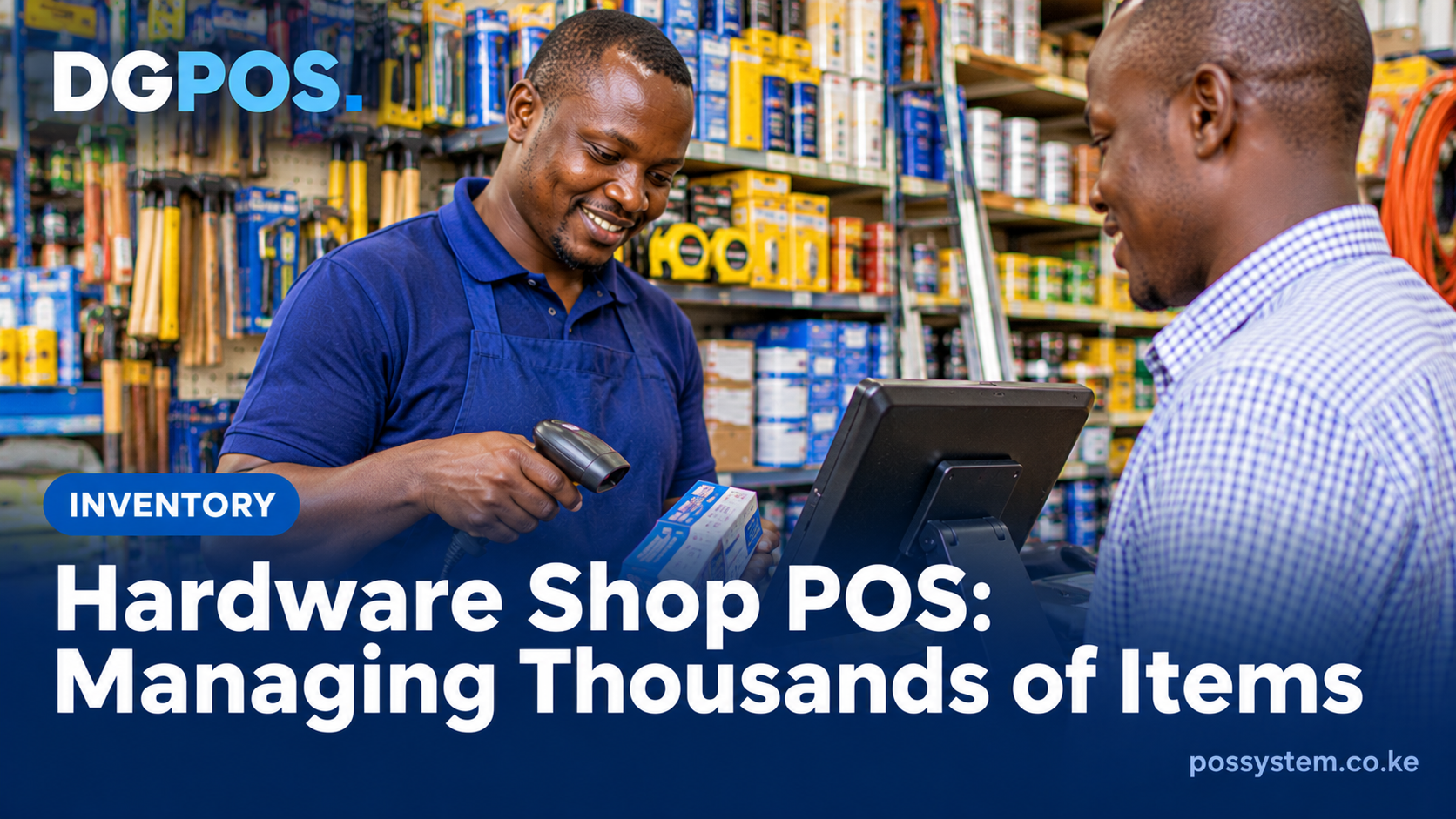
Running a hardware shop involves managing a wide range of products, from nails, screws and electrical fittings to cement, plumbing materials, paints, tools and building equipment. Some hardware businesses stock thousands of different items, each with its own price, size, brand, supplier and quantity. Without an organised system, keeping track of all these products can become difficult.
As a hardware shop grows, relying on handwritten records, calculators and manual stock counts can lead to misplaced items, pricing mistakes, stock shortages and inaccurate sales records. A reliable POS SYSTEM helps simplify these daily operations by bringing sales, inventory and business records into one organised system.
With the right POS, hardware shop owners can manage large inventories, monitor product movement and serve customers more efficiently. This guide explains how a Point Of Sale system can help hardware businesses manage thousands of items while improving accuracy and control.
1. Why Hardware Shops Need a POS System
Hardware shops often have more complicated inventory requirements than businesses selling only a few product categories. A single product type may come in several sizes, brands, colours or specifications.
For example, a hardware shop may stock:
- Different sizes of nails and screws.
- PVC pipes in various diameters.
- Electrical cables with different thicknesses.
- Paints in multiple colours and quantities.
- Cement from different manufacturers.
- Door locks, hinges and handles.
- Plumbing fittings and construction tools.
- Roofing sheets in different gauges and lengths.
Tracking all these products manually takes time and increases the possibility of errors.
A point of sale system makes it easier to organise products, record transactions and update stock whenever a sale is completed. Instead of searching through notebooks or spreadsheets, employees can use a centralised system to access product information.
For a busy hardware business, pos software can help reduce administrative work and give the owner a clearer picture of what is happening in the shop.
2. Organising Thousands of Hardware Items into Categories
One of the most important steps in managing a large hardware inventory is proper product categorisation.
When thousands of products are entered into a POS SYSTEM without a clear structure, finding specific items becomes difficult. Organising products into categories and subcategories makes stock management easier.
Common hardware shop categories include:
Building Materials
- Cement
- Sand and ballast
- Roofing materials
- Timber
- Steel bars
- Building blocks
Plumbing Materials
- PVC pipes
- PPR pipes
- Pipe connectors
- Water taps
- Valves
- Bathroom fittings
Electrical Supplies
- Electrical cables
- Switches and sockets
- Circuit breakers
- Bulbs
- Conduits
- Distribution boards
Paints and Finishing
- Interior paints
- Exterior paints
- Primers
- Paint brushes
- Rollers
- Paint thinners
Tools and Equipment
- Hammers
- Spanners
- Drills
- Measuring tapes
- Screwdrivers
- Cutting tools
A well-organised Point Of Sale system allows the business to group products logically. Employees can search within categories instead of scrolling through an unstructured product list.
This makes it easier to locate products during checkout, check stock levels and review sales performance by category.
3. Using Product Codes and Barcodes to Identify Items
When a hardware shop has thousands of products, product identification becomes a major challenge. Some items may look almost identical but have different sizes, specifications or prices.
For example, two electrical cables may have similar packaging but different thicknesses. Similarly, screws may differ in length, diameter and material.
Using unique product codes helps distinguish these items.
A hardware shop can assign a code to each product based on its category, type or supplier. Where suitable, barcodes can also be used to identify products quickly.
A point of sale system can store product details such as:
- Product name.
- Product code or barcode.
- Category.
- Brand.
- Size or specification.
- Buying price.
- Selling price.
- Available quantity.
When a cashier scans a barcode or searches for a product code, the system can retrieve the matching product record, provided the item has been correctly registered.
Using pos software for product identification reduces confusion between similar products and helps employees process transactions more accurately.
4. Managing Different Product Sizes and Variations
Hardware products frequently come in different sizes, measurements and specifications. These variations must be recorded correctly to prevent stock and pricing errors.
Consider a hardware shop selling nails in different lengths:
| Product | Size | Selling unit |
|---|---|---|
| Common nails | 1 inch | Kilogram |
| Common nails | 2 inches | Kilogram |
| Common nails | 3 inches | Kilogram |
| Common nails | 4 inches | Kilogram |
Although all these products are common nails, they should not be treated as one stock item because each size has a different specification and may have a different price.
The same applies to pipes, cables, screws, paint containers and other hardware products.
A suitable POS SYSTEM should allow the business to maintain separate product records for different variations where necessary.
This helps employees select the correct item during checkout and allows the owner to monitor stock for each size or specification independently.
5. Tracking Stock Levels Automatically
One of the biggest challenges in a hardware shop is knowing how much stock is available at any given time.
A business may have thousands of products, making it difficult to monitor every item manually. Some products sell quickly, while others may remain on shelves for weeks or months.
An inventory-enabled POS can update stock quantities when purchases and sales are recorded.
For example:
- A shop starts with 100 bags of cement.
- Customers purchase 25 bags.
- The system records the sales.
- The expected remaining quantity becomes 75 bags.
This makes stock monitoring easier and reduces the need for constant manual calculations.
A Point Of Sale system can also help identify products that are running low, depending on the inventory features available. Hardware shop owners can use this information to plan purchases before popular items run out.
Accurate stock records help prevent two common problems: buying products that are already available in sufficient quantities and running out of items customers frequently request.
6. Managing Products Sold in Different Units
Unlike many retail businesses, hardware shops sell products using several different measurement units.
Some products are sold individually, while others are sold by weight, length, volume, packet or full package.
Examples include:
- Cement sold per bag.
- Nails sold per kilogram.
- Electrical cables sold per metre.
- Pipes sold per length.
- Paint sold per litre or container.
- Screws sold individually or in packets.
- Roofing sheets sold per piece.
A hardware shop should configure its pos software to reflect the actual selling units used in the business.
For example, if electrical cable is sold by the metre, the system should record the quantity sold in metres. If a customer buys 15 metres, the transaction should reflect that quantity rather than simply recording one item.
The same principle applies to products sold by weight or in different packaging quantities.
Before adopting a point of sales system, hardware shop owners should confirm that it supports the units, conversions and stock deductions required by their operations.
7. Making Product Searches Faster at the Counter
Customers visiting hardware shops often ask for products using different names. One customer may request a specific pipe size, while another may describe the same product by its brand or intended use.
When employees have to search through shelves or handwritten lists for every item, customer service becomes slower.
A searchable POS SYSTEM can make product lookup easier.
Employees may be able to search using:
- Product name.
- Product code.
- Barcode.
- Category.
- Brand.
- Product description.
For example, a cashier serving a customer looking for a particular type of paint can search for the product instead of manually checking every paint container.
A properly configured Point Of Sale system reduces time spent searching for products and helps employees serve more customers during busy periods.
8. Managing Suppliers and Purchase Records
Hardware shops depend on suppliers to maintain sufficient stock. Some businesses purchase cement from one supplier, electrical products from another and plumbing materials from several distributors.
Without proper purchasing records, it can be difficult to know where products came from, how much they cost and when they were last purchased.
An inventory management system can help maintain supplier and purchase information, depending on its capabilities.
Useful purchasing records include:
- Supplier name and contact details.
- Products purchased.
- Purchase quantities.
- Buying prices.
- Purchase dates.
- Outstanding supplier balances, where supported.
- Goods received.
A point of sale system with purchasing and inventory features can help connect stock records with purchase transactions.
This allows hardware shop owners to review purchasing activity and understand how much they are spending on different product categories.
Keeping accurate supplier records also makes it easier to compare prices and plan future orders.
9. Monitoring Buying Prices and Selling Prices
Hardware products can have different profit margins. Some items may generate small profits but sell frequently, while others may generate higher profits but move slowly.
For this reason, hardware shop owners need to monitor both buying and selling prices.
For example, a shop may purchase a particular plumbing fitting at KSh 80 and sell it at KSh 110. The difference is KSh 30 before considering other business expenses.
A POS SYSTEM can help store product buying and selling prices, depending on the available configuration.
This makes it easier to:
- Review product prices.
- Identify items with incorrect selling prices.
- Monitor changes in supplier costs.
- Evaluate product profitability where cost and reporting features support it.
- Reduce accidental pricing mistakes.
When supplier prices change, employees should update product records according to the shop’s pricing policy.
A reliable pos software solution can make price management more organised, especially when dealing with thousands of products.
10. Controlling Employee Access and Sales Activities
In a busy hardware shop, several employees may handle sales, stock receiving and customer payments.
Not every employee needs access to all business information. For example, a cashier may only need to process sales, while a manager may need access to reports and stock adjustments.
A point of sale system with user roles and permissions can help control who is allowed to perform different activities.
Depending on the system, access levels may be configured for:
- Cashiers.
- Store attendants.
- Supervisors.
- Stock controllers.
- Shop managers.
- Business owners.
The owner can review available sales records and monitor important activities.
This creates greater accountability and helps reduce unauthorised changes to prices, stock quantities and transaction records.
When selecting a POS SYSTEM, ask whether it supports individual employee accounts, permissions and transaction histories.
11. Managing Customer Credit Sales
Many hardware shops serve contractors, fundis, construction companies and regular customers who may request goods on credit.
Although credit sales can help build customer relationships, poor recordkeeping can make it difficult to track outstanding payments.
A shop may issue building materials worth KSh 25,000 to a customer who agrees to pay later. If the transaction is not recorded properly, the owner may struggle to remember the amount owed or the products supplied.
A POS solution with customer account and credit management features can help maintain these records.
Useful customer information may include:
- Customer name.
- Contact details.
- Products purchased.
- Credit transaction date.
- Amount owed.
- Payments received.
- Outstanding balance.
A Point Of Sale system can make it easier to review customer balances and follow up on overdue payments, provided the relevant credit features are available.
Hardware shop owners should establish clear credit limits and payment terms to avoid unnecessary losses.
12. Conducting Stock Takes Without Losing Control
Even with an automated inventory system, physical stock counting remains important.
Products can be damaged, misplaced, stolen or recorded incorrectly. Regular stock takes help identify differences between the quantities recorded in the system and the actual items available in the shop.
For a hardware business with thousands of items, counting everything at once may be difficult.
One practical approach is to divide stock counting into categories.
For example:
- Monday: Electrical products.
- Tuesday: Plumbing materials.
- Wednesday: Paints and accessories.
- Thursday: Tools and equipment.
- Friday: Building materials.
A POS SYSTEM with stock adjustment or stock-taking features can help record the results of physical counts and update inventory records after authorised checks.
It is also useful to investigate significant differences before making adjustments. This helps identify possible causes such as incorrect sales entries, receiving mistakes or misplaced products.
13. Reviewing Sales Reports to Understand Product Performance
Having thousands of products does not mean every item contributes equally to business performance.
Some hardware products sell daily, while others may move slowly. Sales reports help owners understand which items generate the most activity.
A point of sale system with reporting capabilities can provide useful information such as:
- Daily sales.
- Weekly and monthly sales.
- Best-selling products.
- Slow-moving products.
- Sales by category.
- Sales by employee.
- Payment methods used.
- Transaction history.
For example, reports may show that cement, nails and electrical cables are among the shop’s most frequently purchased products.
The owner can use this information when planning stock replenishment and deciding which products deserve more shelf space.
With reliable pos software, business decisions can be based on recorded transactions instead of guesswork.
14. Reducing Stock Losses and Inventory Mistakes
When products are stored in different sections, stock losses can go unnoticed. A hardware shop may have items in the main shop, a separate store or an outdoor storage area.
If stock movements are not recorded properly, the owner may struggle to explain why the physical quantity does not match the system balance.
Good inventory procedures should include:
- Recording every purchase.
- Recording every sale.
- Checking goods received against supplier documents.
- Recording authorised stock adjustments.
- Separating damaged products from saleable stock.
- Conducting regular physical counts.
- Reviewing unusual stock differences.
A POS SYSTEM can support these procedures by keeping transaction and inventory records in one place.
However, technology alone cannot prevent every stock loss. Employees must follow consistent procedures, and managers should review records regularly.
15. Choosing the Right POS Software for a Hardware Shop
Not every retail system is suitable for a hardware business. A shop selling thousands of products needs a solution that can handle a large catalogue and the different ways hardware items are purchased and sold.
Before choosing pos software, consider the following features.
Large Product Catalogue
The system should make it practical to register, organise and search thousands of products.
Product Categories and Variations
It should support different sizes, brands, specifications and product types.
Barcode Support
Barcode scanning can help identify products quickly where suitable barcode records are available.
Multiple Units of Measurement
Confirm that the system supports units such as pieces, metres, kilograms, litres, packets and bags where required.
Inventory Tracking
The system should help record purchases, sales, stock balances and authorised adjustments.
Supplier Management
Supplier records and purchase histories can make stock replenishment more organised.
Sales and Financial Reports
Reports should help the owner understand sales activity, product movement and business performance.
Employee Permissions
Different employees should have access according to their responsibilities.
Reliable Support
Choose a provider that can assist with installation, staff training, troubleshooting and ongoing support.
For hardware shops in Kenya, it is also important to confirm whether the selected point of sales system supports the business’s tax invoicing requirements and any necessary eTIMS arrangements.
16. How DGPOS Can Support Hardware Shop Management
Digee Technologies Limited Company provides DGPOS, a Point Of Sale solution intended to help businesses organise their daily sales and operations.
For a hardware shop, adopting a suitable POS solution can be an important step towards improving product organisation, recording transactions and managing inventory more efficiently.
Before implementation, hardware shop owners should identify their specific requirements, including the number of products, product variations, selling units, stock locations and purchasing procedures.
DGPOS can be considered as part of the process of moving from manual records to more organised digital business management. Ask the Digee Technologies team to demonstrate the relevant inventory, product search, purchasing, reporting and user-access features to confirm that they match your hardware shop’s needs.
A well-implemented POS SYSTEM should make everyday work easier rather than introduce unnecessary complications.
17. Practical Tips for Managing Thousands of Hardware Items
Beyond installing a point of sale system, hardware shop owners should establish good inventory management practices.
Here are practical steps to follow:
- Start with a product list: Record all items currently stocked before setting up the system.
- Create clear categories: Group products according to their purpose and type.
- Use unique product codes: Avoid confusing products with similar names or appearances.
- Record correct measurements: Make sure each item has the correct selling unit.
- Enter accurate prices: Review buying and selling prices before making products available for sale.
- Organise storage areas: Arrange products so employees can locate them easily.
- Record every stock movement: Purchases, sales, returns and adjustments should be properly documented.
- Count inventory regularly: Compare physical stock with recorded quantities.
- Review reports: Identify fast-moving and slow-moving products.
- Train employees: Make sure everyone understands how to search for products and record transactions correctly.
These practices work alongside pos software to create a more organised hardware business.
Conclusion
Managing thousands of products in a hardware shop requires proper organisation, accurate stock records and efficient sales procedures. From cement and plumbing fittings to electrical cables, paints and construction tools, every item needs to be identified, priced and tracked correctly.
Using a reliable POS SYSTEM can help hardware shop owners organise product information, monitor inventory, record purchases and sales, manage customer accounts and review business performance.
A suitable point of sale system also makes it easier for employees to find products and serve customers without spending unnecessary time searching through manual records.
For hardware businesses looking to improve their daily operations, DGPOS from Digee Technologies Limited Company is worth exploring. The right Point Of Sale solution can help turn a complicated inventory of thousands of items into a more manageable and organised business operation.