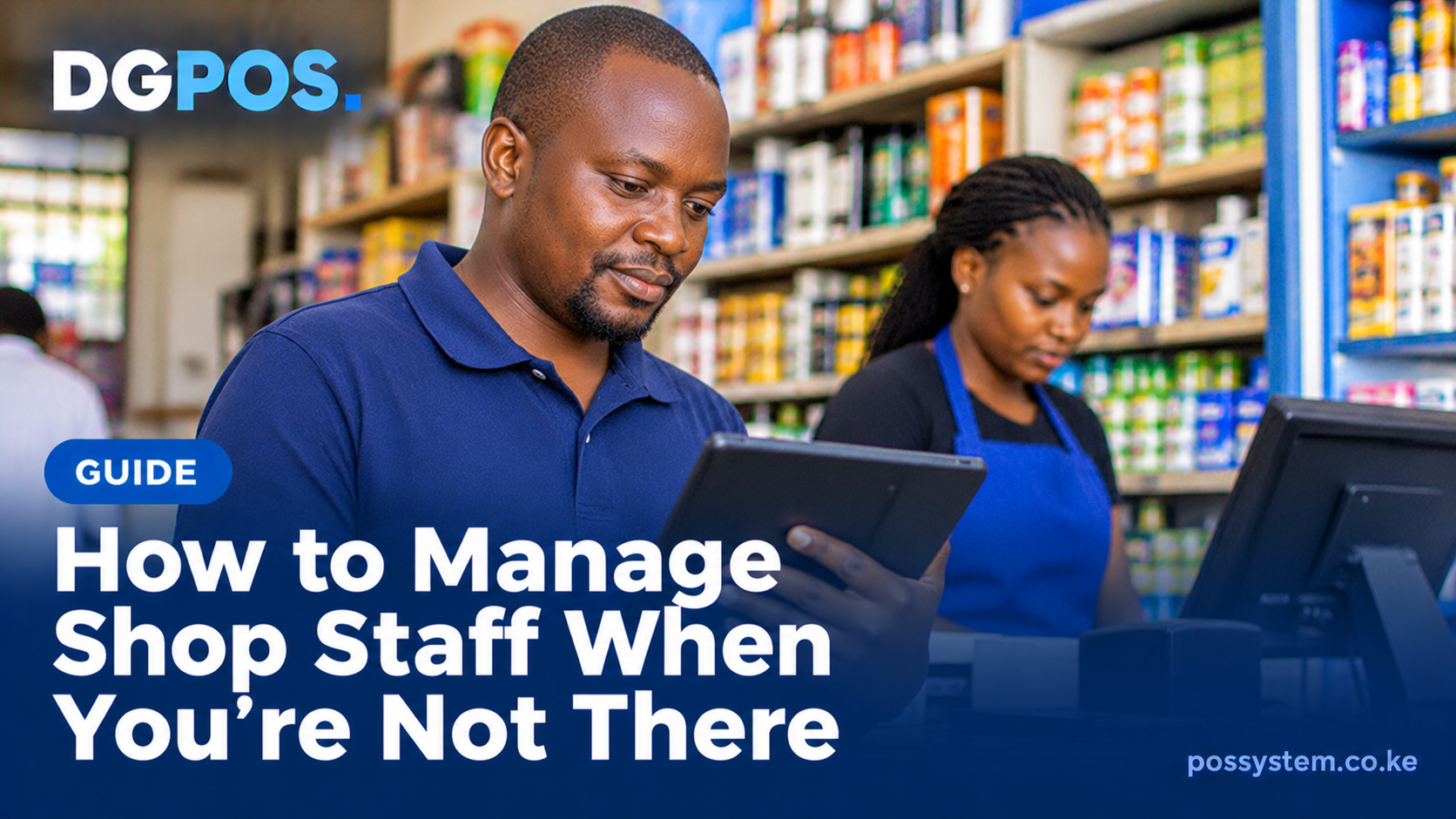
Running a shop requires time, attention, and proper management. However, as a business owner, you cannot always be physically present at your business premises. You may need to attend meetings, visit suppliers, manage other business branches, travel, or handle personal responsibilities. Despite your absence, your shop must continue operating smoothly, serving customers, recording sales, and managing stock.
One of the biggest challenges for shop owners is ensuring that employees remain productive and responsible when the owner is away. Without proper management procedures, businesses may experience inaccurate sales records, stock losses, poor customer service, cash handling problems, and unexplained expenses.
Whether you operate a minimart, supermarket, pharmacy, boutique, hardware shop, restaurant, or wholesale business, you need systems that allow you to monitor daily operations even when you are not physically present.
Modern technology makes this easier. A reliable POS SYSTEM and efficient pos software can help you monitor sales, track inventory, manage employee activities, and review business reports remotely, depending on the system’s features.
At Digee Technologies Limited Company, we understand the importance of giving business owners better control over their operations. This guide explains how to manage shop staff when you are not there and how a modern Point Of Sale system can help you run your business more effectively.
1. Hire Trustworthy and Responsible Employees
The first step towards managing your shop when you are away is hiring the right people.
Your employees are responsible for handling customers, receiving payments, arranging products, and maintaining daily operations. Choosing reliable staff reduces the challenges associated with managing a business remotely.
When recruiting employees, consider:
- Previous work experience.
- Honesty and personal responsibility.
- Communication skills.
- Customer service abilities.
- Basic computer skills.
- Ability to follow instructions.
- Attention to detail.
- Willingness to learn.
Do not hire employees based only on availability. Look for people who understand their responsibilities and can work independently.
Even trustworthy employees need proper supervision and clear procedures. Combining responsible staff with a reliable POS SYSTEM helps establish accountability and improve daily business management.
2. Assign Clear Roles and Responsibilities
Every employee should understand what they are expected to do.
Confusion about responsibilities can lead to mistakes, delays, and disagreements among workers.
For example, in a minimart, you may assign responsibilities as follows:
Cashier
- Processing customer payments.
- Recording sales.
- Issuing receipts.
- Handling approved payment methods.
- Balancing assigned cash at the end of a shift.
Storekeeper
- Receiving deliveries.
- Arranging products.
- Monitoring stock quantities.
- Reporting damaged goods.
- Identifying products that need restocking.
Shop Supervisor
- Monitoring employee performance.
- Checking daily activities.
- Handling customer complaints.
- Reviewing sales reports.
- Reporting problems to the owner.
Branch Manager
- Supervising general shop operations.
- Coordinating employees.
- Monitoring inventory.
- Reviewing daily performance.
- Communicating important business updates.
When responsibilities are clearly assigned, employees understand what they need to accomplish without waiting for the owner to provide constant instructions.
A good Point Of Sale system can support these responsibilities by allowing employees to work with designated accounts and access the functions required for their roles.
3. Use a POS SYSTEM to Monitor Daily Sales
One of the most important things to monitor when you are away is your shop’s sales performance.
Without proper records, it can be difficult to establish how much money the business has generated during the day.
A modern POS SYSTEM helps record customer purchases and maintain organised transaction information.
Depending on the system’s capabilities, you can review:
- Total daily sales.
- Number of transactions.
- Products sold.
- Cash sales.
- M-Pesa sales.
- Other recorded payment methods.
- Discounts and refunds.
- Sales by individual cashier.
With suitable pos software, business owners can review sales information without depending entirely on handwritten reports.
For example, if your shop normally records KSh 30,000 in daily sales but suddenly records KSh 12,000, you can investigate the change.
There may be a legitimate explanation, such as reduced customer traffic or stock shortages. However, the information gives you a reason to ask questions and understand what happened.
A reliable point of sale system makes it easier to maintain sales visibility even when you are not physically present.
4. Give Employees Individual POS Accounts
One common mistake in shop management is allowing several employees to use the same system login.
When everyone uses one account, it becomes difficult to establish who completed a transaction, changed a product price, processed a refund, or adjusted stock.
Instead, give each employee an individual account where supported by your POS SYSTEM.
This helps you:
- Identify employees responsible for transactions.
- Monitor cashier activities.
- Review sales performance.
- Improve accountability.
- Investigate suspicious activities.
- Control access to important functions.
For example, a cashier should not necessarily have permission to change product prices or delete inventory records.
A manager may need additional permissions to approve certain transactions.
Using pos software with user roles and permissions helps business owners establish better control over sensitive business operations.
5. Set Daily Targets for Your Employees
Employees perform better when they understand what the business expects from them.
Instead of simply telling staff to work hard, establish clear daily and weekly targets.
Your targets may include:
- Daily sales targets.
- Customer service standards.
- Product arrangement requirements.
- Stock replenishment targets.
- Cleanliness standards.
- Customer enquiry response times.
- Accurate transaction recording.
For example, a supermarket may set daily sales targets based on previous performance and expected customer demand.
A boutique may focus on sales performance, customer assistance, and proper arrangement of clothing.
Use your POS SYSTEM reports to compare actual performance with the targets you have established.
However, avoid setting unrealistic targets that encourage employees to pressure customers or compromise service quality.
A good Point Of Sale solution provides useful information that helps managers evaluate performance using actual sales records.
6. Monitor Stock to Prevent Losses
Stock management is one of the biggest challenges when running a shop without being physically present.
Products can disappear, become damaged, expire, or be recorded incorrectly.
Without proper controls, these problems may remain unnoticed for long periods.
To improve stock management:
- Record every stock delivery.
- Ensure all sales are entered into the system.
- Monitor stock transfers.
- Record damaged products.
- Investigate unexplained stock adjustments.
- Conduct regular physical stock counts.
- Monitor fast-moving products.
- Review low-stock reports.
A reliable POS SYSTEM helps update inventory when products are sold and provides information about available stock.
With modern pos software, business owners can review inventory reports and identify unusual stock movements.
For example, if the system indicates that 50 units of a product should be available but the physical count shows only 35, you should investigate the difference.
Do not immediately assume that an employee has stolen stock. Check for recording errors, unentered sales, damaged goods, and incorrect deliveries before reaching a conclusion.
7. Establish Clear Cash Handling Procedures
Cash handling requires strict procedures, especially when the owner is away.
Employees should understand how to receive payments, record transactions, handle change, and balance cash at the end of their shifts.
Create clear rules such as:
- Every sale must be recorded.
- All customers should receive receipts.
- Cash should be kept in a secure location.
- Personal money should never be mixed with business cash.
- Refunds must follow an approval process.
- Cash shortages must be reported.
- Daily cash balances must be reconciled.
Your POS SYSTEM can help record transactions and provide reports showing the sales recorded through the system.
You should compare the recorded sales with actual cash, M-Pesa transactions, and other payment records.
This process helps identify discrepancies early and improves financial accountability.
8. Use CCTV Cameras for Additional Supervision
CCTV cameras can provide additional visibility into what happens inside your shop.
They can help business owners review activities in areas such as:
- Cashier counters.
- Shop entrances.
- Storage areas.
- Product display sections.
- Delivery and receiving areas.
When properly installed, CCTV can help investigate incidents, review customer service, and discourage unauthorised activities.
However, cameras should complement proper management procedures rather than replace them.
Employees should be informed about workplace monitoring, and camera placement should respect privacy and applicable laws.
Combining CCTV with a POS SYSTEM can provide a more complete picture of business operations.
For example, if a transaction appears unusual in your sales records, you may review relevant CCTV footage where legally and appropriately available.
Your pos software provides transaction information, while CCTV can provide additional visual context.
9. Create a Daily Staff Reporting Routine
Even with technology, communication between employees and the business owner remains important.
Establish a routine that requires staff to submit reports at specific times.
For example:
Morning Report
- Employees present.
- Shop opening confirmation.
- Opening cash balance.
- Stock shortages.
- Equipment problems.
Midday Report
- Sales progress.
- Important customer issues.
- Products requiring restocking.
- Unexpected operational challenges.
End-of-Day Report
- Total recorded sales.
- Cash balance.
- M-Pesa collections.
- Expenses.
- Stock issues.
- Employee attendance.
- General shop performance.
You can use WhatsApp, email, or another suitable communication channel to receive these updates.
However, do not depend entirely on manually submitted figures. Compare employee reports with your POS SYSTEM records.
A good Point Of Sale solution helps establish a reliable source of transaction information for daily reporting.
10. Train Employees to Handle Problems Without You
If employees contact you every time a small problem occurs, managing your shop remotely becomes difficult.
Train staff to handle routine situations independently while understanding when they need your approval.
For example, employees should know how to:
- Assist customers with ordinary enquiries.
- Process normal sales.
- Arrange products.
- Receive approved deliveries.
- Handle basic payment questions.
- Report damaged goods.
- Follow established cleaning procedures.
However, more sensitive activities should require approval.
These may include:
- Large refunds.
- Unusual discounts.
- Changing product prices.
- Writing off expensive stock.
- Supplier payment commitments.
- Major purchasing decisions.
A suitable POS SYSTEM can help enforce some of these controls through employee permissions and approval procedures.
This reduces unnecessary interruptions while ensuring important decisions remain under proper supervision.
11. Monitor Employee Attendance and Timekeeping
Your shop cannot operate effectively if employees arrive late, leave early, or fail to report for scheduled shifts without proper arrangements.
Create a clear attendance policy.
Employees should understand:
- Official reporting times.
- Break schedules.
- Shift arrangements.
- Absence reporting procedures.
- Late arrival policies.
- Shift handover requirements.
You can use attendance registers or suitable digital attendance tools to maintain records.
For shops operating multiple shifts, ensure that employees formally hand over responsibilities to the next team.
Although a POS SYSTEM is primarily designed for sales and business operations, some systems also offer employee activity or shift-related reporting features.
Check the available features of your chosen pos software before relying on it for attendance management.
12. Establish a Proper Shift Handover Process
When one employee finishes a shift and another takes over, important information should be communicated clearly.
Poor shift handovers can lead to missing cash, incorrect stock records, unresolved customer complaints, and confusion.
A proper handover should cover:
- Opening or closing cash balance.
- Pending customer orders.
- Unresolved complaints.
- Stock shortages.
- Products awaiting delivery.
- Damaged items.
- Equipment problems.
- Important business instructions.
The outgoing employee and incoming employee should confirm the handover according to your business procedures.
Using a POS SYSTEM helps maintain transaction records across different shifts, making it easier to review sales activity.
With reliable pos software, business owners can also review available transaction information when investigating issues between shifts.
13. Check Business Performance Regularly
Managing your shop remotely does not mean ignoring it for several days.
You should establish a routine for reviewing business performance.
Depending on your operations, you may review:
- Daily sales.
- Weekly revenue.
- Monthly performance.
- Stock movement.
- Business expenses.
- Best-selling products.
- Slow-moving inventory.
- Cash and digital payment records.
- Employee activities.
A POS SYSTEM helps organise much of this information into reports.
For example, you may notice that sales have declined consistently over several days.
You can then investigate possible reasons, such as reduced customer traffic, stock shortages, pricing problems, or poor customer service.
A modern Point Of Sale solution makes it easier to identify operational issues before they become bigger problems.
14. Build Trust but Maintain Accountability
Managing employees when you are away requires a balance between trust and supervision.
Constantly accusing employees or checking every small activity can create an uncomfortable working environment.
On the other hand, giving employees unlimited freedom without proper controls can expose your business to unnecessary risks.
To maintain a healthy working relationship:
- Communicate expectations clearly.
- Treat employees fairly.
- Recognise good performance.
- Provide regular feedback.
- Investigate problems objectively.
- Apply business rules consistently.
- Reward responsible behaviour.
- Provide opportunities for training.
Technology should support good management rather than create fear among employees.
A reliable POS SYSTEM provides objective business records that help managers make informed decisions.
With accurate information from pos software, you can discuss performance based on recorded transactions, inventory reports, and actual business results.
15. How POS Software Helps You Manage Your Shop Remotely
Modern retail management requires more than occasional phone calls to employees.
You need reliable information about what is happening in your shop, even when you are not physically present.
A suitable POS SYSTEM can help you manage several important activities.
Sales Monitoring
Review recorded sales and understand daily business performance.
Inventory Tracking
Monitor stock quantities and identify products requiring replenishment.
Employee Accountability
Use individual accounts and available activity records to understand who performs particular transactions.
Expense Management
Record business expenses and monitor operational costs.
Payment Records
Review transactions recorded through available payment methods.
Business Reporting
Generate reports that help you evaluate sales, inventory, and business performance.
Product Management
Organise products, prices, and categories for easier business administration.
A modern Point Of Sale solution reduces dependence on handwritten records and makes business information easier to review.
However, remote monitoring capabilities vary between systems. If you want to manage your shop from another location, confirm that your chosen pos software supports the required internet access, cloud reporting, user permissions, and remote management features.
16. Why Choose Digee Technologies Limited Company for Your POS System?
Running a shop without being physically present requires reliable employees, clear procedures, and proper business management tools.
Digee Technologies Limited Company provides DGPOS, a POS SYSTEM designed to help Kenyan businesses improve their daily operations.
Whether you operate a minimart, supermarket, pharmacy, boutique, restaurant, hardware shop, or wholesale business, having suitable pos software can make it easier to manage sales and inventory.
DGPOS supports important business management activities such as:
- Sales recording and tracking.
- Product and inventory management.
- Stock monitoring.
- Business expense management.
- Sales reporting.
- Employee activity management.
- Transaction record management.
These features help business owners maintain organised records and improve accountability.
With a suitable Point Of Sale solution, you can monitor important business information without depending entirely on employees to prepare manual reports.
For business owners who need remote supervision, it is important to confirm the availability of the required remote access and reporting features during system setup.
By using DGPOS, you can take an important step towards improving how your business handles sales, stock, and daily operations.
Digee Technologies Limited Company is committed to helping Kenyan businesses adopt smarter technology through DGPOS.
17. Frequently Asked Questions About Managing Shop Staff When You’re Not There
1. How can I manage my shop when I am not physically present?
Hire responsible employees, assign clear roles, establish daily reporting procedures, monitor stock, and use a reliable POS SYSTEM to maintain accurate business records.
2. How do I know if my employees are recording all sales?
Review transaction reports regularly and compare recorded sales with actual cash, M-Pesa, and other payment records. Individual employee accounts can also improve accountability.
3. Can I monitor my shop from my phone?
Yes, if your chosen POS SYSTEM provides remote access through a supported web or mobile platform. Confirm the available remote monitoring features before subscribing.
4. How can I prevent employees from stealing stock?
Use proper inventory records, restrict unauthorised stock adjustments, conduct regular stock takes, monitor deliveries, and investigate unexplained stock differences.
5. Should every cashier have a separate POS account?
Yes. Individual accounts help identify who processed transactions and improve accountability. Access permissions should be assigned according to employee responsibilities.
6. How often should I check my shop’s sales reports?
Daily reviews are useful for monitoring operations, while weekly and monthly reports help you understand broader business performance.
7. Can a POS SYSTEM help me manage employees?
A suitable POS SYSTEM can support employee management through individual user accounts, role-based permissions, transaction records, and available activity reports.
8. Is CCTV enough to manage shop staff?
No. CCTV provides visual monitoring, but it does not replace proper sales records, stock management, employee training, and clear operating procedures.
9. How can I reduce cash shortages when I am away?
Require every sale to be recorded, establish clear cash-handling procedures, reconcile daily payments, and investigate differences promptly.
10. Why does my shop need pos software?
Reliable pos software helps manage sales, inventory, transactions, expenses, and reports. It gives business owners better visibility into daily operations.
Conclusion
Managing shop staff when you are not physically present requires proper planning, responsible employees, clear responsibilities, and consistent supervision. You need to establish procedures that allow your shop to operate smoothly while ensuring that sales, stock, payments, and employee activities remain properly managed.
Start by hiring trustworthy employees, assigning specific duties, setting performance targets, monitoring inventory, and establishing daily reporting routines. Most importantly, use reliable business technology to maintain accurate records and improve accountability.
A modern POS SYSTEM, efficient Point Of Sale solution, and reliable pos software can make it easier to monitor business performance and manage daily operations even when you are away.
Digee Technologies Limited Company provides DGPOS to help Kenyan businesses simplify sales management, inventory tracking, and everyday business operations.
Whether you operate one shop or multiple branches, adopting a suitable point of sale system can help you maintain better control, make informed decisions, and build a business that operates more efficiently.
Digee Technologies Limited Company – Smart POS Solutions for Kenyan Businesses.