How to Manage Medicine Expiry Dates in Your Pharmacy

Managing medicine expiry dates is one of the most important responsibilities in running a pharmacy. Unlike ordinary retail products, medicines require careful storage, proper stock rotation and close monitoring to ensure that products remain within their approved shelf life. Selling expired medicine can put patients at risk, damage a pharmacy’s reputation and expose the business to serious regulatory and legal consequences.

Pharmacies in Kenya handle many types of medicines, including prescription medicines, over-the-counter products, antibiotics, syrups, tablets, capsules, creams, injections and medical supplies. Each product may have a different expiry date, storage requirement and shelf life. When a pharmacy stocks hundreds or thousands of products, tracking every expiry date manually can become difficult.

This is why pharmacy owners need organised inventory procedures and reliable recordkeeping. A suitable POS (Point Of Sale) solution can support business operations by helping pharmacies maintain sales and product records. With appropriate inventory features, pos software may also help track stock quantities, monitor product movement and identify medicines that require attention before their expiry dates.

A well-managed POS SYSTEM can make it easier to organise pharmacy information, but technology must work alongside proper pharmaceutical procedures, staff training and regulatory compliance.

This guide explains how to manage medicine expiry dates, organise pharmacy inventory, prevent losses, improve stock rotation and choose a suitable point of sale system for your pharmacy in Kenya.

1. Why Managing Medicine Expiry Dates Is Important

Every medicine has a defined shelf life. The expiry date indicates the period up to which the manufacturer supports the product’s quality, safety and effectiveness when it has been stored according to the approved conditions.

Pharmacies must ensure that medicines offered for sale are within their approved shelf life and have been stored appropriately.

Poor expiry-date management can create several problems.

Protecting Patient Safety

Expired medicines should not be supplied to patients. Their quality and effectiveness may no longer be assured after the expiry date.

Depending on the product and storage conditions, expired or degraded medicines may not provide the intended treatment.

Pharmacies must therefore have procedures to identify and remove expired products from sale.

Maintaining Customer Trust

Customers expect pharmacies to provide safe, genuine and properly handled medicines.

When a pharmacy maintains organised stock records and checks expiry dates consistently, it demonstrates professionalism and responsibility.

Reducing Financial Losses

Medicines that expire before being sold represent financial losses.

A pharmacy may purchase large quantities of a particular product only to discover that some units are approaching expiry while others remain unsold.

Monitoring expiry dates helps businesses identify slow-moving products and make better purchasing decisions.

Supporting Regulatory Compliance

Pharmacies in Kenya must follow applicable requirements governing pharmaceutical products, storage, dispensing and disposal.

Maintaining proper expiry-date records supports accountability and helps pharmacies demonstrate responsible stock management.

Improving Inventory Control

Expiry monitoring helps pharmacy owners understand which products need attention, which products move quickly and which stock quantities may be excessive.

A suitable Point Of Sale process can support organised inventory records when the available system is configured for the pharmacy’s requirements.

2. Understand How Medicine Expiry Dates Work

Before creating an expiry management system, pharmacy employees should understand how expiry dates are displayed and interpreted.

Medicine packaging may show expiry information in different formats depending on the manufacturer and product.

Common examples include:

  • EXP 06/2027
  • EXP 15/06/2027
  • Expiry: June 2027
  • Use before a specified date

Pharmacy staff should follow the manufacturer’s labelling instructions and applicable regulatory guidance when interpreting expiry information.

Expiry Date Versus Manufacturing Date

These two dates serve different purposes.

Manufacturing date: Indicates when the medicine was manufactured.

Expiry date: Indicates the end of the manufacturer’s stated shelf life under the specified storage conditions.

Do not confuse the two when receiving, recording or selling medicines.

Why Batch Numbers Matter

A batch number identifies a particular production batch of a medicine.

Two boxes of the same medicine may have different batch numbers and expiry dates.

For example:

Medicine Batch number Expiry date
Product A B2401 March 2027
Product A B2502 September 2027
Product A B2508 January 2028

Although the product name is the same, these batches must be tracked separately.

A pharmacy should maintain records that connect the medicine, batch number, expiry date and quantity received.

A POS SYSTEM that supports batch-level inventory records may help organise this information, but the pharmacy must confirm that the required functionality is available.

3. Create a Medicine Expiry Date Register

One of the simplest ways to improve expiry management is to maintain a central register containing the details of medicines in stock.

The register should be updated whenever new products arrive, medicines are sold, stock is transferred or products are removed.

Important information includes:

  • Medicine name.
  • Brand or generic name.
  • Strength and dosage form.
  • Batch number.
  • Quantity received.
  • Quantity currently available.
  • Manufacturing date, where recorded.
  • Expiry date.
  • Supplier details.
  • Date received.
  • Storage requirements.
  • Stock location.

Example of an Expiry Date Register

Medicine Batch Quantity Expiry date Status
Paracetamol tablets P101 40 packs March 2027 Monitor
Cough syrup CS204 15 bottles June 2027 Monitor
Vitamin tablets V305 30 packs December 2027 Available
Antacid tablets A402 20 packs January 2028 Available

The table is an illustrative example, not a recommendation about specific medicines or their shelf lives.

A pharmacy should use actual packaging information when creating its records.

Why a Central Register Helps

A central register makes it easier to:

  • Identify products approaching expiry.
  • Review stock by batch number.
  • Plan stock rotation.
  • Prepare supplier return requests.
  • Separate expired medicines.
  • Conduct inventory checks.
  • Maintain accountability.

Where suitable inventory functions are available, pos software can help maintain digital product records instead of relying entirely on handwritten registers.

4. Apply the FEFO Method in Your Pharmacy

FEFO stands for First Expiry, First Out.

It means that stock with the earliest expiry date should be prioritised for use or sale before stock with later expiry dates, provided the products are otherwise suitable for supply and storage conditions have been maintained.

FEFO is especially important in pharmacies because products received at different times may have different expiry dates.

Example of FEFO Stock Rotation

Suppose a pharmacy receives three batches of the same medicine.

Batch Expiry date Quantity
Batch A February 2027 20 packs
Batch B August 2027 30 packs
Batch C March 2028 40 packs

Under FEFO, Batch A should be prioritised because it has the earliest expiry date.

After the eligible stock from Batch A is used or sold, Batch B becomes the next priority.

How to Implement FEFO

  1. Record the expiry date of every batch received.
  2. Arrange stock according to expiry dates.
  3. Keep earlier-expiring products accessible for appropriate stock rotation.
  4. Check expiry dates before supplying medicines.
  5. Monitor batches approaching their expiry dates.
  6. Separate expired or otherwise unsuitable stock immediately.
  7. Document stock movements and adjustments.

FEFO should not be confused with FIFO, which means First In, First Out.

FIFO prioritises stock received first, while FEFO prioritises stock with the earliest expiry date. In medicine inventory management, FEFO is generally the more appropriate rotation principle.

A point of sale system with suitable batch and expiry-date functionality can help employees identify which batch should be prioritised.

5. Conduct Regular Medicine Expiry Checks

A pharmacy should not wait until the end of the month to discover that several medicines are close to expiry.

Expiry checks should be part of routine inventory management.

Daily Checks

Employees should inspect products being selected for dispensing or sale.

Check:

  • Medicine name.
  • Strength and dosage form.
  • Batch number where relevant.
  • Expiry date.
  • Packaging condition.
  • Storage condition.

Expired or damaged products must not be supplied.

Weekly Checks

Conduct focused checks on:

  • Products already identified as approaching expiry.
  • Medicines with short remaining shelf lives.
  • Products stored in high-volume dispensing areas.
  • Medicines with special storage requirements.
  • Products recently received from suppliers.

Monthly Checks

Conduct a more comprehensive expiry review across the pharmacy.

Review all stock categories and update the expiry register.

Investigate discrepancies between physical stock and recorded quantities.

Use an Expiry Monitoring Schedule

An example schedule may look like this:

Frequency Activity
Daily Check medicines before supply
Weekly Review products approaching expiry
Monthly Conduct a wider expiry-date inspection
On delivery Record batch numbers and expiry dates
During stocktaking Verify recorded expiry information
When expired stock is found Remove and document immediately

The frequency and scope of checks should reflect the pharmacy’s size, product risks, applicable requirements and internal procedures.

6. Create an Expiry Alert System

An expiry alert system helps pharmacy employees identify products that need attention before they reach their expiry dates.

Without alerts, employees may only discover an approaching expiry date during routine stocktaking.

A pharmacy can establish alerts using a stock register, spreadsheet or suitable inventory software.

Suggested Expiry Alert Categories

A pharmacy may use the following internal monitoring categories:

Remaining shelf life Suggested action
More than 12 months Routine monitoring
6–12 months Review stock movement
3–6 months Prioritise appropriate stock rotation and review purchasing
1–3 months Escalate for immediate stock review
Expired Remove from sale and quarantine

These are suggested internal monitoring intervals, not universal legal expiry thresholds. The pharmacy should adapt them to its products, stock movement, manufacturer guidance and regulatory requirements.

What Should an Expiry Alert Include?

A useful alert should show:

  • Medicine name.
  • Batch number.
  • Expiry date.
  • Remaining quantity.
  • Stock location.
  • Responsible employee.
  • Required action.

Using Digital Alerts

A suitable POS SYSTEM or inventory application may provide expiry-date reminders if the feature is supported.

Before selecting pos software, ask whether it can generate alerts based on batch expiry dates rather than only displaying general product quantities.

This distinction is important because the same medicine can have multiple batches with different expiry dates.

7. Organise Pharmacy Shelves for Better Expiry Management

How medicines are arranged in the pharmacy can affect how easily employees identify approaching expiry dates.

A disorganised shelf makes it difficult to inspect products, compare batches and rotate stock correctly.

Arrange Products by Category

Group medicines according to appropriate pharmacy storage and dispensing arrangements.

Examples include:

  • Tablets and capsules.
  • Syrups and suspensions.
  • Creams and ointments.
  • Eye and ear preparations.
  • Medical supplies.
  • Other pharmacy products.

Always follow the approved storage requirements for each product.

Separate Different Batches

Where the same medicine has multiple batches, make the batch and expiry information easy to identify.

Avoid mixing batches in a way that makes expiry checks difficult.

Use Clear Labels

Labels can help employees identify:

  • Product name.
  • Batch number.
  • Expiry date.
  • Storage location.
  • Stock rotation priority.

Keep Products in Suitable Storage Conditions

Medicines should be stored according to their labelled conditions and applicable professional guidance.

Some products may require refrigeration or protection from light, heat or moisture.

Do not allow shelf organisation or expiry monitoring activities to compromise the required storage conditions.

Keep Expired Products Separate

Expired medicines must be removed from sale and placed in a clearly designated quarantine area.

They should not remain mixed with saleable stock.

8. Managing Medicines with Special Storage Requirements

Some medicines require more careful monitoring because their quality depends on storage conditions.

For example, certain products may require refrigeration, while others must be protected from excessive heat, light or moisture.

Expiry-date management alone is not enough if storage conditions have not been maintained.

Refrigerated Medicines

Some pharmaceutical products require controlled refrigeration.

Pharmacies handling these products should:

  • Monitor refrigerator temperatures according to applicable requirements.
  • Maintain appropriate temperature records.
  • Follow manufacturer storage instructions.
  • Have procedures for temperature excursions.
  • Quarantine affected products when storage conditions are uncertain.
  • Seek appropriate professional guidance before deciding whether affected stock remains suitable for supply.

Heat-Sensitive Products

Some medicines may deteriorate when exposed to excessive temperatures.

Keep them in suitable storage conditions and avoid placing them near heat sources.

Light-Sensitive Medicines

Certain products require protection from light.

Maintain the original packaging where required and follow product-specific instructions.

Medicines with Short Shelf Lives After Opening

Some products have a limited period of use after opening, reconstitution or preparation.

Their handling requirements may differ from the printed unopened-pack expiry date.

Staff should follow the manufacturer’s instructions and applicable professional guidance. Where necessary, record the opening or preparation date and the relevant beyond-use date.

A POS inventory record may support general stock information, but pharmacies must ensure that product-specific storage and beyond-use requirements are managed through appropriate professional procedures.

9. What to Do When You Discover Expired Medicines

Finding expired medicine in a pharmacy requires immediate action.

The product must not remain available for sale or dispensing.

Step 1: Remove the Product from Sale

Immediately remove the affected product from shelves and any other area where it could be selected for a transaction.

Step 2: Identify the Batch

Record the product name, strength, batch number, expiry date and quantity.

Step 3: Quarantine the Product

Place the medicine in a clearly designated area for expired or unsuitable stock.

Keep it separate from saleable inventory.

Step 4: Update Inventory Records

Record the quantity removed and the reason for the adjustment.

A suitable point of sale system may help document stock adjustments if the necessary inventory functions are available.

Step 5: Investigate the Cause

Find out why the medicine expired before being sold.

Possible reasons include:

  • Excessive purchasing.
  • Low customer demand.
  • Poor stock rotation.
  • Inadequate expiry monitoring.
  • Incorrect stock records.
  • Failure to act on expiry alerts.

Step 6: Follow Approved Disposal Procedures

Expired medicines should be handled and disposed of through appropriate authorised procedures.

Do not dispose of pharmaceutical products casually or mix them with ordinary waste without confirming the applicable requirements.

Pharmacies in Kenya should follow relevant Pharmacy and Poisons Board guidance and applicable pharmaceutical waste management requirements.

Step 7: Document the Outcome

Maintain records of the quantity, batch, reason for removal, disposal or return arrangements and supporting documentation.

10. Managing Supplier Returns and Near-Expiry Stock

Some suppliers may accept eligible near-expiry or expired products under agreed commercial arrangements.

However, return policies vary between suppliers, products and contracts.

Pharmacy owners should understand supplier terms before purchasing stock.

Check Supplier Return Policies

Ask suppliers:

  • Do you accept returns of near-expiry products?
  • How much remaining shelf life is required?
  • Are opened packages accepted?
  • What documentation is required?
  • Are expired products eligible for credit?
  • How should returned medicines be stored and handled?

Inspect Products During Delivery

Before accepting a delivery, check:

  • Product names.
  • Quantities.
  • Batch numbers.
  • Expiry dates.
  • Packaging condition.
  • Storage conditions during transportation where relevant.

Do not assume that a newly delivered product has a long remaining shelf life.

Keep Purchase Records

Maintain supplier invoices and delivery records to support stock reconciliation and any return requests.

Monitor Slow-Moving Products

Review products that have remained in stock for a long time.

If a medicine has low demand, avoid automatically ordering more without checking the existing quantity and remaining shelf life.

A suitable POS SYSTEM with stock and sales reports may help identify products that are moving slowly.

11. How to Reduce Medicine Expiry Losses

Expiry losses can reduce pharmacy profitability, particularly when businesses purchase large quantities of slow-moving medicines.

The best approach is to prevent avoidable overstocking and monitor stock movement consistently.

Purchase Based on Demand

Review historical sales and actual customer demand before placing orders.

Avoid purchasing excessive quantities simply because a supplier offers a discount.

Monitor Fast-Moving and Slow-Moving Products

Fast-moving products may require more frequent replenishment.

Slow-moving products should be monitored closely to avoid accumulating stock that may expire before sale.

Establish Minimum and Maximum Stock Levels

Set appropriate stock levels based on demand, supplier lead times, storage capacity and product requirements.

Avoid Unnecessary Bulk Purchasing

Bulk purchases may appear economical, but they can create expiry problems when the products do not sell quickly enough.

Compare the discount against the risk of unsold stock.

Review Expiry Reports Regularly

Use expiry reports or a central register to identify products that need attention.

Improve Staff Accountability

Assign employees responsibility for checking specific stock sections and reporting approaching expiry dates.

A well-configured POS SYSTEM can support these activities where suitable inventory and reporting functions are available.

12. How POS Software Can Help Manage Pharmacy Inventory

Pharmacies handle a large amount of product information, and managing everything manually can become difficult as the business grows.

A suitable pos software solution can help organise sales and inventory information in one place.

However, pharmacy owners should distinguish between general retail inventory management and pharmaceutical batch-level expiry management.

Not every point of sale system automatically supports medicine batch tracking or expiry-date alerts.

Before adopting a system, confirm that it can meet the pharmacy’s specific requirements.

Product Records

A suitable system may help maintain product details such as:

  • Medicine name.
  • Product category.
  • Strength and dosage form.
  • Selling price.
  • Purchase price.
  • Supplier information.
  • Available stock quantity.

Batch-Level Stock Tracking

Where supported, the system can record different batches of the same medicine separately.

This is important because each batch may have a different expiry date.

Expiry-Date Monitoring

Some inventory solutions provide expiry-date fields and alerts.

Confirm whether alerts can be generated for individual batches.

Stock Movement Records

A POS SYSTEM with inventory functionality may help record purchases, sales, returns and stock adjustments.

These records can help pharmacy owners understand how stock quantities change over time.

Sales Reporting

Sales reports can help identify fast-moving and slow-moving products.

This information supports better purchasing and stock planning.

Supplier Records

Where available, supplier management functions can help organise purchasing information and supplier transaction histories.

Important Consideration

A general POS solution should not replace professional pharmaceutical stock management procedures.

Pharmacy owners must continue to verify expiry dates physically, maintain required storage records, follow dispensing standards and comply with applicable regulations.

13. Choosing the Right POS System for Your Pharmacy

Selecting a suitable POS SYSTEM requires more consideration than comparing prices or checking whether the software can record sales.

Pharmacies have specialised inventory requirements that should be considered before making a purchasing decision.

Here are important questions to ask.

1. Can It Record Medicine Expiry Dates?

Confirm whether expiry dates can be entered and stored against individual products or batches.

2. Can It Track Batch Numbers?

A pharmacy should be able to distinguish different batches of the same medicine.

Ask whether the system supports batch-level records.

3. Can It Generate Expiry Alerts?

Check whether the system can identify products approaching expiry and notify responsible employees.

4. Does It Support FEFO?

Ask whether the system can help staff identify stock with the earliest expiry date for appropriate stock rotation.

5. Can It Track Stock Adjustments?

Confirm whether it can record damaged, expired, returned and otherwise removed products separately.

6. Does It Provide Sales Reports?

Reports should help pharmacy owners review product movement and identify slow-moving medicines.

7. Can It Manage Multiple Suppliers?

Supplier records can support better purchasing and stock reconciliation.

8. Is It Easy for Employees to Use?

Pharmacy employees should be able to understand the system and follow consistent procedures.

9. What Support Is Available?

Ask about installation, training, technical support and system maintenance.

10. Does It Meet Your Pharmacy’s Specific Requirements?

Confirm that the available functions suit the pharmacy’s operations and do not conflict with applicable professional or regulatory requirements.

Choosing the right point of sales system should be based on the actual needs of the pharmacy rather than assumptions about advertised features.

14. Staff Training and Responsibility in Expiry Management

Even with good inventory records, expiry-date management can fail when employees do not follow established procedures.

Every pharmacy employee should understand their responsibilities.

Train Staff to Check Expiry Dates

Employees should know how to identify expiry information on different medicine packages.

Teach Proper FEFO Procedures

Staff should understand how to prioritise stock with earlier expiry dates.

Assign Stock Monitoring Responsibilities

Assign specific employees to inspect designated shelves or product categories.

Establish Clear Reporting Procedures

Employees should know who to inform when they identify:

  • Expired medicines.
  • Damaged packaging.
  • Missing batch information.
  • Incorrect stock records.
  • Temperature excursions.
  • Products approaching expiry.

Conduct Regular Training

Provide refresher training whenever procedures change or new employees join the pharmacy.

Maintain Written Procedures

Document the pharmacy’s stock receiving, expiry checking, quarantine, returns and disposal processes.

Training should also explain how to use the pharmacy’s POS SYSTEM or inventory software correctly.

15. Common Medicine Expiry Management Mistakes to Avoid

Many pharmacy stock losses result from simple but preventable mistakes.

Recording Only Product Names

A medicine name alone is not enough when several batches have different expiry dates.

Solution: Maintain batch numbers and expiry dates for each relevant stock batch.

Failing to Check Deliveries

Accepting stock without checking expiry dates can introduce short-dated products into the pharmacy.

Solution: Inspect all incoming deliveries before recording and shelving them.

Using FIFO Instead of FEFO

Stock received first may not always expire first.

Solution: Prioritise the earliest-expiring eligible stock.

Ignoring Expiry Alerts

A reminder is useful only when employees act on it.

Solution: Assign responsibility for reviewing alerts and documenting action taken.

Mixing Expired and Saleable Stock

This creates a risk that unsuitable products may accidentally be supplied.

Solution: Remove and quarantine expired stock immediately.

Buying Excessive Stock

Overpurchasing can increase the amount of stock that expires before it is sold.

Solution: Base purchasing decisions on demand, stock levels and remaining shelf life.

Neglecting Storage Conditions

A product may become unsuitable before its printed expiry date if it has not been stored correctly.

Solution: Follow the manufacturer’s storage instructions and investigate any storage deviations.

Depending Entirely on Software

Digital records may contain incorrect information if employees enter the wrong expiry dates or fail to update stock movements.

Solution: Combine digital inventory records with regular physical inspections and professional oversight.

16. Daily, Weekly and Monthly Pharmacy Expiry Management Checklist

A structured checklist helps employees maintain consistent procedures.

Daily Checklist

  • Check expiry dates before supplying medicines.
  • Inspect packaging for damage.
  • Confirm that products are stored correctly.
  • Separate any expired or unsuitable products.
  • Record relevant stock movements.
  • Report products requiring immediate attention.

Weekly Checklist

  • Review products approaching expiry.
  • Inspect high-volume medicine categories.
  • Check short-dated batches.
  • Review slow-moving products.
  • Confirm that stock rotation procedures are followed.
  • Update expiry monitoring records.

Monthly Checklist

  • Conduct a broader expiry-date inspection.
  • Reconcile selected physical stock with inventory records.
  • Review batch numbers and expiry dates.
  • Identify products requiring supplier follow-up.
  • Review expired and damaged stock records.
  • Investigate recurring expiry losses.
  • Review purchasing quantities and stock levels.

When Receiving New Stock

  • Verify the product name and strength.
  • Check the batch number.
  • Confirm the expiry date.
  • Inspect packaging condition.
  • Confirm applicable storage requirements.
  • Record quantities received.
  • Update inventory records.

A consistent checklist can help pharmacies maintain better stock control and reduce avoidable losses.

17. The Role of Digee Technologies Limited in Pharmacy Management

Digee Technologies Limited provides business technology solutions designed to support more organised business operations.

Through DGPOS, pharmacy owners can explore digital sales management as part of improving their daily business processes.

A pharmacy considering a POS SYSTEM should identify the inventory functions it requires, especially where medicine expiry dates and batch numbers are concerned.

Before adopting DGPOS for pharmacy operations, confirm with Digee Technologies Limited whether the available configuration supports:

  • Medicine product records.
  • Batch-level inventory tracking.
  • Expiry-date recording.
  • Expiry alerts.
  • FEFO stock rotation support.
  • Stock adjustments for expired products.
  • Inventory and sales reporting.

These functions should be verified before relying on the system for pharmaceutical expiry management.

A digital Point Of Sale solution can help organise business records, but pharmacies must continue to follow professional procedures for medicine storage, dispensing, expiry checks and disposal.

To learn more about DGPOS and the solutions offered by Digee Technologies Limited, visit https://digeetechnologies.com/.

Conclusion

Managing medicine expiry dates is essential for every pharmacy. Proper expiry monitoring protects patients, supports responsible pharmaceutical practice, reduces avoidable stock losses and helps maintain customer confidence.

Pharmacies should establish clear procedures for receiving stock, recording batch numbers, monitoring expiry dates, applying FEFO and removing expired products from sale. Regular physical inspections and staff training remain important, even when digital inventory tools are available.

A suitable POS SYSTEM can help organise sales and inventory records, while specialised batch and expiry-date features may provide additional support where available.

For pharmacy owners in Kenya, the goal should be to combine accurate records, proper storage, responsible stock rotation and reliable business technology.

With consistent procedures and an appropriate point of sale system, pharmacies can improve inventory visibility, manage stock more effectively and maintain a safer, more organised business environment.

Frequently Asked Questions (FAQs)

1. Why is medicine expiry date management important in a pharmacy?

It helps protect patients, prevents expired medicines from being supplied, reduces financial losses and supports responsible pharmacy operations.

2. What does FEFO mean in pharmacy inventory management?

FEFO means First Expiry, First Out. It is a stock rotation method that prioritises products with the earliest expiry dates, provided they remain suitable for supply.

3. What is the difference between FIFO and FEFO?

FIFO means First In, First Out and prioritises stock received first. FEFO prioritises stock with the earliest expiry date. FEFO is particularly useful for managing medicines with different batch expiry dates.

4. How often should pharmacies check medicine expiry dates?

Expiry dates should be checked during product handling and dispensing, with additional routine weekly and monthly inspections based on the pharmacy’s stock levels and risk profile.

5. What should a pharmacy do with expired medicines?

Expired medicines should be removed from sale, quarantined, recorded and handled through appropriate authorised disposal procedures.

6. Why are batch numbers important?

Batch numbers help pharmacies distinguish different production batches of the same medicine. This is important because different batches may have different expiry dates or may be affected by a product recall.

7. Can POS software track medicine expiry dates?

Some pos software solutions support expiry-date tracking, but not all systems provide batch-level functionality. Pharmacies should confirm whether the selected system supports individual batch records and expiry alerts.

8. Can a POS system help prevent expired medicines from being sold?

A suitable POS SYSTEM may provide expiry alerts or batch-selection support where those functions are available. However, physical inspections and staff checks remain essential.

9. How can a pharmacy reduce expiry-related financial losses?

Pharmacies can reduce losses through FEFO, regular expiry inspections, demand-based purchasing, supplier coordination, accurate stock records and monitoring slow-moving products.

10. What information should be recorded when receiving new medicines?

Record the medicine name, strength, dosage form, batch number, quantity, expiry date, supplier, delivery date and applicable storage requirements.

11. Is a general point of sale system enough for a pharmacy?

A general point of sale system may support sales and basic inventory management, but pharmacies with specialised requirements should confirm whether it provides batch tracking, expiry monitoring and other necessary functions.

12. Where can I learn more about DGPOS?

Visithttp://possystem.co.ke/ to learn more about Digee Technologies Limited and explore DGPOS for business sales management.
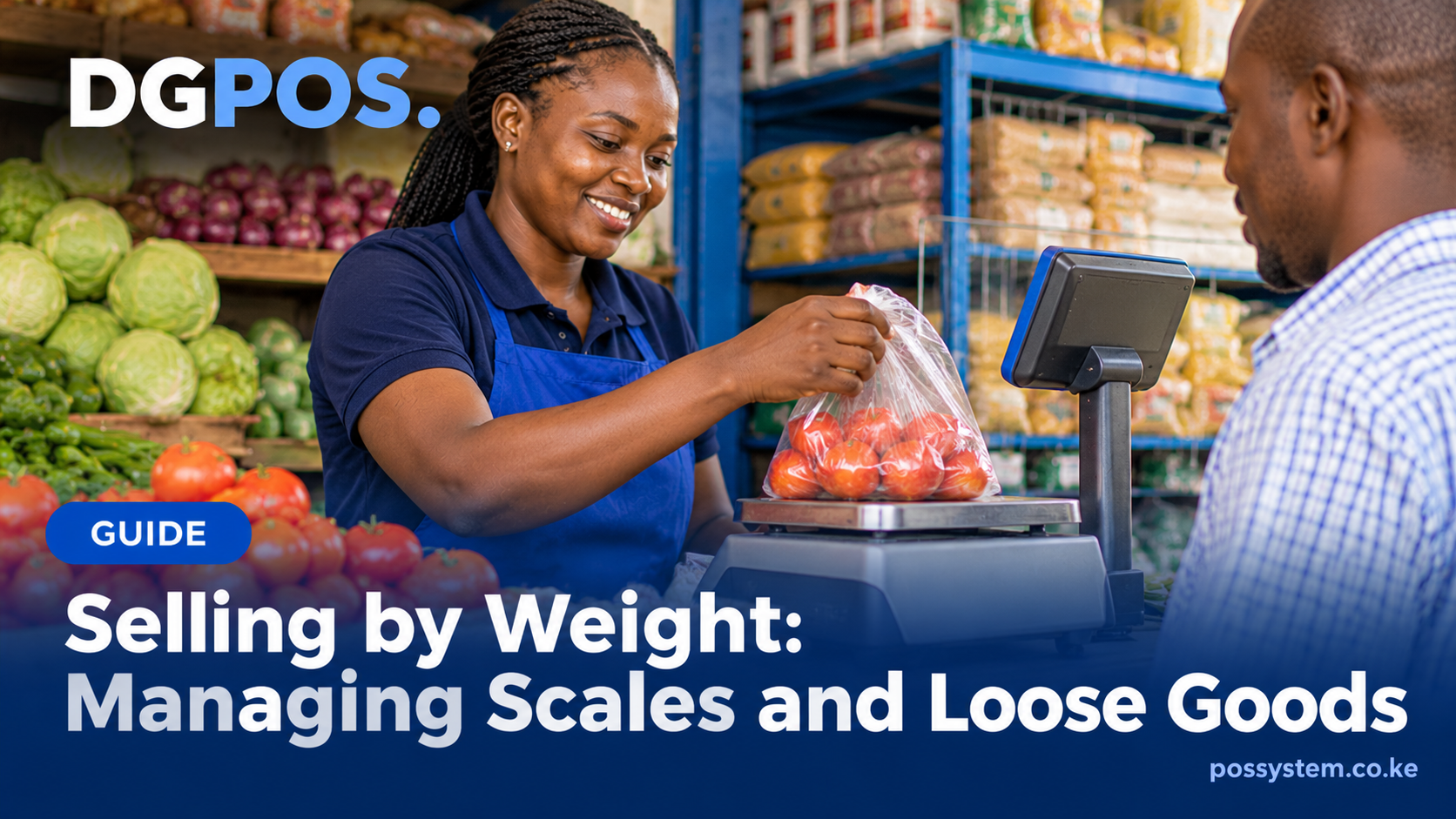
Selling by Weight: Managing Scales and Loose Goods

Selling products by weight is a common business practice in Kenya. From cereals and groceries to vegetables, fruits, meat, spices, animal feeds and hardware materials, many businesses rely on weighing scales to determine how much customers should pay. Although selling loose goods may appear simple, managing quantities, prices and sales records accurately requires proper systems and consistent procedures.

For shop owners, supermarkets, minimarts, market traders, butcheries, agrovets and wholesalers, even small weighing errors can lead to financial losses. Incorrect measurements, wrong price settings, poor stock records and manual calculation mistakes can affect profitability and customer trust. This is why businesses need reliable weighing equipment, clear pricing methods and an organised way of recording transactions.

A well-managed POS (Point Of Sale) process can make selling by weight easier by helping businesses maintain accurate sales records, calculate transaction amounts and monitor business performance. When supported by suitable pos software, a business can improve how it handles loose goods, track sales more consistently and reduce unnecessary paperwork.

This guide explains how to manage weighing scales and loose goods, calculate prices correctly, maintain stock records and use a suitable POS SYSTEM to improve daily business operations.

1. Understanding Selling by Weight

Selling by weight means charging customers according to the measured quantity of a product rather than selling it at a fixed price per item or package. The customer pays based on the weight recorded by the weighing scale and the price assigned to each kilogram, gram or other measurement unit.

For example, a cereal shop may sell rice at KSh 180 per kilogram. A customer purchasing 2.5 kilograms should pay KSh 450.

The calculation is:

Total price = Weight × Price per unit

Businesses that sell by weight commonly deal with:

  • Rice, beans, green grams and maize
  • Sugar, flour and other dry food products
  • Potatoes, onions, tomatoes and other vegetables
  • Fruits sold per kilogram
  • Meat, fish and poultry
  • Animal feeds and agricultural products
  • Nuts, spices and cooking ingredients
  • Selected hardware and construction materials

Unlike businesses that sell only packaged products, shops dealing with loose goods must pay close attention to weighing accuracy, unit prices and the quantities sold.

A reliable Point Of Sale process helps ensure that each transaction is calculated correctly and recorded properly.

2. Why Accurate Weighing Is Important

Accuracy is one of the most important requirements when selling loose goods. Customers expect to receive the quantity they have paid for, while business owners need to ensure that every sale reflects the correct product weight and selling price.

Incorrect weighing can create several problems.

Preventing Financial Losses

If a shop consistently gives customers more product than they pay for, the business loses money through unrecorded stock. Even a small difference per transaction can become significant when the shop serves many customers daily.

For example, a shop selling 100 kilograms of rice daily may experience substantial losses if its weighing process regularly provides extra quantities without charging for them.

Accurate measurements help protect profit margins and improve stock control.

Maintaining Customer Trust

Customers are more likely to return to a business when they trust its measurements and prices. Transparent weighing practices demonstrate honesty and professionalism.

Allowing customers to see the scale reading and explaining the price calculation can help prevent disagreements.

Improving Stock Control

Every kilogram sold reduces the quantity available in the shop. When weighing records are inaccurate, the physical stock may not match the business records.

Using an organised point of sale system can help businesses maintain better sales information, provided the system is configured to record the correct products and measurement units.

Supporting Better Business Decisions

Accurate sales records help business owners identify fast-moving products, monitor revenue and understand customer purchasing patterns.

These records are useful when planning purchases, setting prices and managing available stock.

3. Choosing the Right Weighing Scale for Your Business

The type of weighing scale you choose should depend on the products you sell, the quantities handled and the level of accuracy required.

Not every business needs the same type of scale.

Digital Weighing Scales

Digital scales display measurements electronically and are commonly used in grocery shops, supermarkets, butcheries and market stalls.

Their advantages include:

  • Easy-to-read weight displays
  • Convenient measurements
  • Faster weighing processes
  • Support for different measurement units, depending on the model
  • Easy operation for trained staff

Digital scales can make daily selling more efficient, especially in businesses that handle many transactions.

Price Computing Scales

Price computing scales can calculate the selling price based on the weight and unit price entered into the scale.

For example, if a customer purchases 1.5 kilograms of beans at KSh 160 per kilogram, the scale can calculate the total amount.

Depending on the model, some scales can store product prices and print labels or receipts.

These scales are particularly useful for supermarkets, butcheries and grocery businesses.

Platform Scales

Platform scales are designed for heavier products and larger quantities.

They may be suitable for:

  • Wholesale cereal businesses
  • Animal feed suppliers
  • Agricultural produce dealers
  • Hardware businesses
  • Bulk goods distributors

When choosing a scale, consider its maximum capacity, minimum weighing increment, durability and suitability for your products.

Hanging Scales

Hanging scales are commonly used in some market environments and businesses handling products that can be suspended during weighing.

They can be useful where platform or counter scales are less practical.

Before purchasing any scale, confirm that it meets the applicable legal and measurement requirements for commercial use.

4. Understanding Weight Measurements and Pricing

A business that sells loose goods should establish consistent measurement and pricing procedures.

Common measurement units include:

  • Kilograms (kg)
  • Grams (g)
  • Litres (L), where products are sold by volume rather than weight
  • Tonnes for large commercial quantities

It is important not to confuse weight and volume. A kilogram measures mass, while a litre measures volume. They are not interchangeable unless a specific product conversion has been established.

Example of Selling by Kilogram

Suppose a grocery shop sells green grams at KSh 200 per kilogram.

Weight purchased Price per kilogram Total amount
0.5 kg KSh 200 KSh 100
1 kg KSh 200 KSh 200
1.5 kg KSh 200 KSh 300
2 kg KSh 200 KSh 400
2.5 kg KSh 200 KSh 500

The selling price should always be based on the actual measured quantity.

Example of Selling by Gram

Some businesses sell expensive products in smaller quantities, making grams a more practical measurement.

For example, if a product costs KSh 500 per kilogram:

  • 1 kilogram costs KSh 500.
  • 500 grams cost KSh 250.
  • 250 grams cost KSh 125.
  • 100 grams cost KSh 50.

A consistent pricing method reduces confusion and helps cashiers calculate amounts correctly.

A properly configured POS SYSTEM can support these calculations where the available software supports sales by weight and the required measurement units.

5. How to Calculate the Correct Selling Price

Calculating the correct selling price is essential for businesses dealing with loose goods.

The basic formula is:

Selling Amount = Measured Weight × Price Per Kilogram

For example:

  • Product: Beans
  • Weight: 3.5 kg
  • Price per kilogram: KSh 150

Calculation:

3.5 × 150 = KSh 525

The customer should pay KSh 525.

However, businesses should also understand the relationship between buying costs, operating expenses and selling prices.

Consider the Cost of Purchasing Stock

Suppose a wholesaler sells a 50-kilogram bag of rice to your business for KSh 6,000.

The buying cost per kilogram is:

KSh 6,000 ÷ 50 = KSh 120 per kilogram.

If you sell the rice at KSh 150 per kilogram, the difference is KSh 30 per kilogram before other expenses and losses.

Your actual profit must also account for packaging, transport, storage, handling, wastage and other operating costs.

Review Prices Regularly

Wholesale prices may change due to supplier adjustments, transport costs, seasonal availability and market conditions.

Review your selling prices regularly to ensure that the business remains profitable.

Using pos software can help organise product prices and sales records, depending on the available functions and configuration.

6. Managing Tare Weight and Packaging Materials

One important issue when selling loose goods is tare weight.

Tare weight refers to the weight of the empty container, packaging or material used to hold a product.

For example, when selling flour in a plastic container, the customer should pay for the flour rather than the empty container.

If the container weighs 100 grams and the combined weight of the container and flour is 1.6 kilograms, the actual product weight is 1.5 kilograms.

Net Weight = Gross Weight − Tare Weight

Where:

  • Gross weight is the combined weight of the product and container.
  • Tare weight is the weight of the empty container.
  • Net weight is the actual weight of the product.

Practical Tare Weight Management Tips

  1. Use clean and suitable weighing containers.
  2. Confirm that the scale has a working tare function.
  3. Reset the scale correctly before weighing another product.
  4. Train employees on how to subtract packaging weight.
  5. Avoid using damaged or unsuitable containers.
  6. Check that the displayed measurement represents the actual product quantity.

Proper tare weight management protects customers from overcharging and helps the business maintain accurate measurements.

7. How to Manage Loose Goods Inventory

Loose goods require careful inventory management because products are continuously divided into smaller quantities during sales.

A shop may purchase a 50-kilogram bag of maize flour and sell it in quantities of 1 kilogram, 2 kilograms or 500 grams. Every transaction reduces the available stock.

Without proper records, it becomes difficult to know how much stock remains.

Record All Stock Purchases

Whenever new stock arrives, record:

  • Product name
  • Quantity received
  • Measurement unit
  • Purchase price
  • Supplier details
  • Date received
  • Any damaged or missing quantity

For example, when receiving 100 kilograms of beans, record the full quantity before making the stock available for sale.

Record Every Sale

Each sale should reduce the recorded stock by the quantity sold.

If a shop starts with 100 kilograms of rice and sells 2.5 kilograms, the remaining quantity should be 97.5 kilograms, assuming there are no other stock movements.

A suitable POS solution can make sales recording more organised, provided it supports the relevant quantity and measurement settings.

Monitor Damaged and Wasted Products

Loose goods may experience losses through:

  • Spillage
  • Moisture damage
  • Pest infestation
  • Contamination
  • Expired or spoiled products
  • Incorrect handling

Record these losses separately from customer sales. This makes it easier to understand why physical stock may differ from recorded stock.

Conduct Regular Stock Counts

Physical stock counts help confirm whether the recorded quantities match the actual goods available.

Businesses selling high-volume loose products may benefit from more frequent checks.

8. Setting Up a POS System for Weight-Based Sales

A point of sale system can help businesses organise sales transactions, product information and business records. However, when dealing with loose goods, the business must confirm that the selected system supports its specific weighing requirements.

A standard sales setup may not automatically support direct electronic scale integration.

Before adopting a POS SYSTEM, consider the following areas.

Product Setup

Create clear product records for every loose item.

For example:

Product Measurement unit Selling price
Rice Kilogram KSh 180
Beans Kilogram KSh 200
Green grams Kilogram KSh 220
Sugar Kilogram KSh 160
Groundnuts Kilogram KSh 350

The prices above are examples only. Each business should enter its actual selling prices.

Measurement Settings

Confirm whether the software can record fractional quantities such as:

  • 0.25 kg
  • 0.5 kg
  • 0.75 kg
  • 1.25 kg
  • 2.5 kg

This is important because customers do not always purchase whole kilograms.

Scale Integration

If you want the weighing scale to send measurements directly to your till, confirm whether the software supports your scale model and connection method.

Some businesses may need to enter the measured weight manually, while others may use compatible electronic equipment.

Do not assume that every POS SYSTEM can connect to every digital weighing scale.

Transaction Records

A good sales process should record the product, quantity, unit price and total amount.

These details help business owners review transactions and investigate pricing or stock discrepancies.

Receipt Information

Where the system supports detailed receipts, ensure that customers can understand what they purchased, the quantity and the amount charged.

Clear receipts can reduce misunderstandings and improve accountability.

9. Common Mistakes to Avoid When Selling Loose Goods

Even an experienced shop owner can make mistakes when managing weighing scales and loose products.

Here are common problems to watch out for.

Using Incorrect Scale Settings

A scale configured to display grams when the cashier expects kilograms can cause serious pricing errors.

Always confirm the measurement unit before weighing products.

Failing to Zero the Scale

A scale that does not start from zero may provide inaccurate readings.

Check the zero reading before weighing products, following the manufacturer’s instructions.

Ignoring Tare Weight

Charging customers for the weight of packaging materials can create customer complaints and damage trust.

Train employees to use the tare function correctly.

Entering the Wrong Product Price

If the cashier selects the wrong product or uses an outdated price, the customer may be charged incorrectly.

Maintain clear product names and review prices whenever supplier costs change.

Recording Sales Manually Without Checking Calculations

Manual calculations can lead to errors, particularly when handling many small transactions.

A suitable Point Of Sale process can help standardise calculations and record transactions more consistently.

Failing to Update Stock

When sales are not recorded correctly, the business may believe it has more stock than it actually does.

Ensure every sale and stock adjustment is recorded.

Ignoring Scale Maintenance

Dust, product residue, moisture and physical damage can affect weighing equipment.

Clean and maintain scales according to the manufacturer’s instructions.

10. Training Employees to Handle Weighing Scales

Employees play an important role in ensuring that weight-based sales are accurate.

Even when a business has reliable equipment and a modern POS SYSTEM, poorly trained employees can still make mistakes.

Staff should understand:

  1. How to switch on and operate the weighing scale.
  2. How to select the correct measurement unit.
  3. How to check whether the scale is reading zero.
  4. How to use the tare function.
  5. How to calculate the price of a measured quantity.
  6. How to select the correct product on the till.
  7. How to record sales accurately.
  8. How to identify damaged or faulty equipment.
  9. How to report weighing discrepancies.
  10. How to handle customer questions about measurements.

Business owners should also establish clear procedures for correcting mistakes and reporting unusual transactions.

Regular training helps maintain consistent service even when employees change shifts.

11. Maintaining and Checking Your Weighing Scales

Weighing equipment should be checked regularly to ensure it remains accurate and suitable for commercial use.

An inaccurate scale can lead to customer disputes, financial losses and regulatory problems.

Daily Checks

Before starting business operations:

  • Check that the scale switches on properly.
  • Confirm that the display is readable.
  • Ensure the weighing surface is clean.
  • Check that the scale reads zero when empty.
  • Inspect cables and power connections where applicable.
  • Confirm that the correct measurement unit is selected.

Routine Maintenance

Follow the manufacturer’s recommended maintenance schedule.

Avoid exposing weighing equipment to excessive moisture, unnecessary impact or unsuitable cleaning chemicals.

Verification and Legal Requirements

Businesses using weighing instruments for commercial transactions in Kenya should confirm the applicable requirements with the relevant Weights and Measures authorities.

Use instruments that meet applicable legal requirements and ensure any required verification, inspection or certification remains valid.

Do not rely only on a scale appearing to work correctly. Commercial weighing accuracy must be properly maintained.

12. How POS Software Can Improve Loose Goods Management

As a business grows, managing loose goods using notebooks, calculators and handwritten stock records becomes increasingly difficult.

A suitable pos software solution can help organise business information and reduce dependence on scattered manual records.

Depending on its available features, configuration and equipment compatibility, a point of sale system may help with the following:

Organised Product Records

Businesses can maintain product names, selling prices and other relevant information in one organised location.

This helps cashiers identify products and apply the correct prices.

Better Sales Tracking

Recording transactions electronically can make it easier to review how much of each product has been sold.

For example, a grocery owner can review recorded rice, beans and sugar sales over a selected period if the software provides suitable reporting.

Improved Stock Monitoring

Where inventory management is supported, recorded sales can help update stock quantities and highlight products that may need restocking.

Easier Business Reporting

Sales reports can help owners understand daily performance, compare product sales and identify changes in customer demand.

Improved Accountability

Individual transaction records can help business owners review sales activity and investigate discrepancies.

Reduced Manual Work

A properly configured POS SYSTEM can reduce repetitive calculations and paperwork, allowing employees to focus more on serving customers.

For businesses considering DGPOS from Digee Technologies Limited, it is useful to explore the available product functions and confirm whether the required weight-based selling, fractional quantity entry, inventory tracking and weighing-scale integration are supported.

13. Best Practices for Managing Different Types of Loose Goods

Different products require different handling and storage procedures.

A business should establish product-specific processes to maintain quality, accurate measurements and reliable stock records.

Cereals and Grains

Examples include rice, beans, maize, millet and green grams.

Best practices:

  • Store products in clean, dry containers.
  • Protect them from moisture and pests.
  • Use appropriate scoops and weighing equipment.
  • Keep different varieties clearly labelled.
  • Record purchases and sales using consistent measurement units.

Vegetables and Fruits

Examples include potatoes, onions, tomatoes, oranges and bananas.

Best practices:

  • Separate damaged produce from fresh stock.
  • Monitor spoilage regularly.
  • Keep weighing areas clean.
  • Avoid mixing different product varieties when pricing differs.
  • Record wastage to understand stock losses.

Meat and Fish

These products require careful hygiene and temperature control.

Best practices:

  • Use suitable food-safe weighing equipment.
  • Clean weighing surfaces regularly.
  • Follow appropriate food-handling practices.
  • Prevent cross-contamination.
  • Ensure packaging weight is excluded where applicable.

Animal Feeds

Agrovets and animal feed businesses often sell products in different quantities.

Best practices:

  • Store feed in dry and secure conditions.
  • Keep product labels visible.
  • Record quantities received and sold.
  • Monitor packaging damage.
  • Use consistent measurement units.

Spices and Small-Quantity Products

Products such as cloves, pepper, turmeric and other spices may be sold in small quantities.

Best practices:

  • Use scales suitable for small measurements.
  • Check the scale’s minimum weighing capacity.
  • Avoid mixing products.
  • Use clean containers.
  • Display prices clearly.

A suitable POS process can help maintain consistent product and sales records across these different categories.

14. How to Improve Customer Confidence When Selling by Weight

Customer confidence is important for any business that sells loose goods.

Customers should feel comfortable knowing that they are receiving the correct quantity and paying the right amount.

Consider these practices:

  • Position the weighing scale where customers can see the reading.
  • Display prices per kilogram clearly.
  • Explain calculations when customers ask questions.
  • Use clean and suitable weighing containers.
  • Ensure scales are properly maintained.
  • Provide receipts where available.
  • Train employees to communicate politely.
  • Correct weighing or pricing errors promptly.

Transparency helps create a positive shopping experience and encourages repeat purchases.

When sales are recorded through a Point Of Sale solution, businesses can also improve transaction organisation and provide clearer sales information.

15. How to Choose the Right POS System for a Business Selling by Weight

Not every retail business has the same requirements. A minimart selling cereals may need different weighing and stock management functions from a supermarket, butchery or agricultural wholesaler.

Before choosing a point of sale system, identify the functions that matter most to your operations.

Important Questions to Ask

1. Can the system record decimal quantities?

Confirm whether it can handle quantities such as 0.25 kg, 0.5 kg and 1.75 kg.

2. Can it support different measurement units?

Check whether the system can handle kilograms, grams and other relevant units.

3. Does it support weighing-scale integration?

If you want direct communication between your scale and the till, confirm the supported models and connection requirements.

4. Can it manage loose goods as inventory items?

Find out whether the software can record stock purchases, sales and adjustments using the appropriate units.

5. Can it produce sales reports?

Ask whether you can review product quantities sold, revenue and other relevant business information.

6. Can employees use it easily?

A system should be practical for the people who will operate it every day.

7. What support is available?

Understand how technical assistance, training and system updates are handled.

8. What are the total costs?

Consider software charges, hardware, installation, training, maintenance and any additional equipment required.

A business should choose a POS SYSTEM based on its actual needs rather than selecting one simply because it has many advertised features.

16. Practical Daily Checklist for Selling by Weight

Use this checklist to maintain consistent weighing and sales procedures.

Before Opening

  • Switch on and inspect weighing scales.
  • Confirm that the scale reads zero.
  • Check the measurement unit.
  • Clean weighing surfaces.
  • Confirm product prices.
  • Check available stock.
  • Ensure the till or POS system is ready.

During Business Hours

  • Weigh every product accurately.
  • Apply the correct tare weight.
  • Confirm the correct product price.
  • Record every sale.
  • Issue receipts where applicable.
  • Monitor damaged or wasted goods.
  • Keep the weighing area clean.

At Closing Time

  • Review recorded sales.
  • Compare selected physical stock quantities with recorded stock.
  • Investigate unusual differences.
  • Record wastage and stock adjustments.
  • Review daily sales performance.
  • Prepare a restocking list.

Following a consistent checklist makes it easier to identify problems before they become major business losses.

17. Why Digee Technologies Limited Is Relevant to Modern Retail Management

Digee Technologies Limited provides technology solutions for businesses looking to improve their daily operations. Through DGPOS, businesses can explore a more organised approach to managing sales and business information.

For retailers selling cereals, groceries, vegetables, animal feeds and other loose goods, digital sales management can be an important step towards improving transaction records and business visibility.

Before adopting any POS SYSTEM, businesses should identify the exact weighing and inventory functions they require and confirm their availability with the provider.

DGPOS can be explored as an option for businesses looking to modernise their sales management processes. Businesses should discuss their specific requirements with Digee Technologies Limited, especially where decimal quantities, multiple measurement units, stock management or direct scale integration are essential.

Visit https://digeetechnologies.com/ to learn more about Digee Technologies Limited and its technology solutions.

Conclusion

Selling by weight requires more than having a weighing scale at the counter. Businesses must maintain accurate measurements, apply correct prices, manage tare weight, record sales and monitor stock quantities consistently.

Whether you operate a minimart, supermarket, grocery shop, butchery, agrovet or wholesale business, proper weighing procedures can reduce errors, protect profits and improve customer confidence.

Combining reliable weighing equipment with organised sales records and suitable pos software can make loose goods management easier. A well-selected point of sale system can also help business owners improve transaction tracking and gain better visibility into daily operations.

For businesses planning to upgrade their operations, choosing the right POS SYSTEM starts with understanding their products, weighing requirements and stock management needs.

With proper equipment, trained employees and consistent procedures, selling by weight can become a more accurate, transparent and manageable part of running a successful business.

Frequently Asked Questions (FAQs)

1. What is selling by weight?

Selling by weight means charging customers according to the measured quantity of a product. The price is calculated using the product’s weight and the selling price per measurement unit.

2. Which businesses commonly sell products by weight?

Common examples include supermarkets, minimarts, grocery shops, butcheries, cereal shops, agrovets, fruit vendors, spice shops and wholesale businesses.

3. How do I calculate the price of loose goods?

Multiply the measured weight by the price per kilogram or other applicable unit. For example, 2 kilograms of beans at KSh 150 per kilogram cost KSh 300.

4. What is tare weight?

Tare weight is the weight of an empty container or packaging material. It is deducted from the combined weight to determine the actual weight of the product.

5. Can a POS system manage products sold by weight?

Some systems support weight-based sales and fractional quantities, but capabilities differ. Confirm whether the selected POS SYSTEM supports your measurement units, decimal quantities and weighing equipment.

6. Can digital weighing scales connect to POS software?

Some weighing scales can connect to compatible pos software, depending on the scale model, communication interface and software configuration. Always confirm compatibility before purchasing equipment.

7. Why is stock tracking important for loose goods?

Stock tracking helps businesses monitor quantities received, quantities sold and remaining stock. It also helps identify wastage, damage and unexplained inventory differences.

8. How often should weighing scales be checked?

Scales should be checked before use and maintained according to the manufacturer’s instructions. Businesses should also comply with applicable commercial weighing verification and inspection requirements.

9. Can a point of sale system reduce weighing errors?

A suitable point of sale system can help standardise price calculations and transaction records. However, accurate results still depend on correct scale readings, proper settings and employee training.

10. What should I consider before buying a POS system for loose goods?

Consider decimal quantity support, measurement units, inventory management, scale compatibility, sales reporting, ease of use, technical support and total operating costs.

11. Is a POS system useful for a small cereal shop?

Yes. A suitable Point Of Sale solution can help a small cereal shop organise product records, sales transactions and business information. The business should confirm that the system supports its specific weight-based selling requirements.

12. Where can I learn more about DGPOS?

You can visit Digee Technologies Limited at http://possystem.co.ke/to learn more about DGPOS and explore available business technology solutions.

How to Do a Stock Take: A Step-by-Step Guide

Keeping accurate stock records is one of the most important responsibilities of running a retail or wholesale business. Whether you operate a minimart, supermarket, pharmacy, hardware shop, restaurant, agrovet, clothing store or wines and spirits business, knowing exactly what you have in stock helps you make better purchasing decisions and manage daily operations.

However, stock records do not always match the actual products available on shelves or in the storeroom. Items may be sold without being recorded correctly, damaged during handling, misplaced, stolen or entered incorrectly during receiving. These differences can make it difficult to understand the true value and quantity of your inventory.

This is why businesses need to conduct regular stock takes.

A stock take involves physically counting the products a business has and comparing the results with its existing inventory records. It helps identify shortages, excess stock, damaged goods and differences that may require investigation.

Using POS software can make stock management more organised by helping businesses maintain product records and monitor stock movements. A suitable POS SYSTEM can also make it easier to compare recorded quantities with physical counts, depending on its available inventory features.

In this guide, we explain how to do a stock take step by step, how to prepare your business, common mistakes to avoid and how a point of sale system can support more accurate inventory management.

1. What Is a Stock Take?

A stock take, also known as stocktaking or inventory counting, is the process of physically counting the products and materials available in a business at a particular time.

The purpose is to establish the actual quantity of stock held and compare it with the quantities recorded in the business’s inventory records.

For example, a minimart may have 50 packets of sugar recorded in its inventory system. During a physical stock count, employees discover that only 46 packets are available.

The difference of four packets needs to be investigated.

Possible explanations include:

  • Products sold but not recorded.
  • Incorrect sales entries.
  • Damaged or expired products.
  • Stock given away or used internally.
  • Theft or unexplained stock losses.
  • Errors made when receiving new stock.
  • Incorrect opening inventory quantities.

A stock take helps business owners identify these differences instead of relying entirely on estimated quantities.

Businesses using a POS SYSTEM may already have electronic stock records, but physical counting is still important. Software records show what should be available according to recorded transactions, while a stock take helps establish what is actually present.

2. Why Is Stocktaking Important for Your Business?

Regular stocktaking helps businesses understand their inventory position and identify problems before they become more expensive.

Here are some important benefits.

A. Identifies Stock Differences

Physical counting helps establish whether actual stock matches recorded quantities.

For example, if your Point Of Sale records show 100 bottles of cooking oil but the storeroom and shelves contain only 92, you can investigate the difference.

B. Helps Prevent Stock Losses

Regular counts can reveal unexplained shortages, damaged products and possible theft.

Identifying these issues early helps business owners take appropriate action.

C. Improves Purchasing Decisions

Accurate stock information helps you understand which products need replenishment and which items are already available in sufficient quantities.

This reduces unnecessary purchasing and helps prevent avoidable stock shortages.

D. Identifies Slow-Moving Products

Some products may remain on shelves for long periods without selling.

Stocktaking can help you identify these items and review whether your purchasing quantities are appropriate.

E. Supports Financial Planning

Inventory is an important part of business assets. Knowing the quantities and condition of products available helps businesses maintain better financial records.

F. Improves Customer Service

A business with accurate stock information is better positioned to avoid telling customers that products are available when they are actually out of stock.

G. Strengthens Employee Accountability

Assigning stock counts to specific employees and reviewing differences can help establish clear responsibilities.

A properly configured pos software solution can support this process by maintaining transaction and inventory records.

3. Types of Stocktaking Methods

Businesses can use different stocktaking methods depending on their size, products and operating schedules.

1. Periodic Stocktaking

Periodic stocktaking involves counting inventory at specific intervals, such as monthly, quarterly or annually.

For example, a hardware shop may conduct a full stock count at the end of every month.

Advantages:

  • Easy to schedule.
  • Suitable for businesses that prefer full inventory reviews.
  • Helps identify stock differences over a defined period.
  • Can support periodic financial reporting.

Disadvantages:

  • May require significant time.
  • Large businesses may need to temporarily limit operations.
  • Stock differences may remain unidentified between counts.

2. Continuous Stocktaking

Continuous stocktaking, also known as perpetual inventory checking, involves checking selected products regularly rather than counting everything at once.

For example, a supermarket may count a different product category each day.

Advantages:

  • Reduces the need for frequent full-business shutdowns.
  • Allows regular monitoring of important products.
  • Helps identify differences sooner.
  • Makes stock management more consistent.

Disadvantages:

  • Requires good organisation.
  • Employees need clear counting schedules.
  • Accurate transaction records are important.

3. Cycle Counting

Cycle counting involves counting selected products according to a planned schedule.

Fast-moving, expensive or high-risk products may be counted more frequently than slow-moving items.

For example:

  • High-value electronics: weekly.
  • Fast-moving groceries: weekly.
  • General household items: monthly.
  • Slow-moving products: quarterly.

This method can be useful for businesses with large inventories.

4. Spot Checks

Spot checks involve counting specific products without conducting a complete stock take.

A manager may randomly select several products and compare the physical quantities with the inventory records.

This can help identify discrepancies between scheduled stocktakes.

A POS SYSTEM with suitable inventory records can help managers identify products that may need more frequent checks.

4. What You Need Before Starting a Stock Take

Preparation is important because an unorganised stock take can result in inaccurate counts and unnecessary delays.

Before beginning, make sure you have the following:

Requirement Purpose
Stock list Shows the products to be counted
Counting sheets Records physical quantities
Pens or markers Helps record counts and identify counted items
Calculator Helps verify quantities and totals
Barcode scanner Speeds up counting where supported
Product labels Helps identify products correctly
Employees or counting teams Assist with physical counting
Inventory records Provides the quantities to compare against
Computer or POS device Helps review electronic stock information

Businesses using Point Of Sale software may be able to export or review their product lists before counting.

However, make sure the list is accurate and includes the correct product descriptions, units and variations.

For example, a hardware shop should distinguish between different pipe sizes, while a supermarket should distinguish between different product brands and package sizes.

5. Step-by-Step Guide to Doing a Stock Take

A successful stock take follows an organised process. The following steps can help your business count inventory accurately and investigate differences.

Step 1: Choose a Suitable Stocktaking Date

Start by selecting a date and time when the business can conduct the count with minimal disruption.

Some businesses prefer counting after closing, while others choose a quieter operating period.

Consider the following:

  • Avoid extremely busy trading periods.
  • Allow enough time for employees to complete the count.
  • Inform employees about the scheduled stock take.
  • Arrange for managers to supervise the process.
  • Prepare the necessary counting equipment.

For a large supermarket, it may be easier to count stock section by section rather than attempting to count the entire store at once.

Step 2: Organise Your Stock

Before counting begins, arrange products so that employees can identify them easily.

Separate products according to their categories, brands, sizes and storage locations.

For example, a minimart may organise inventory into:

  • Food products.
  • Beverages.
  • Cleaning supplies.
  • Personal care products.
  • Household items.
  • Packaged groceries.

A hardware shop may organise stock into:

  • Cement.
  • Plumbing materials.
  • Electrical supplies.
  • Paints.
  • Roofing materials.
  • Tools and accessories.

Proper organisation reduces the risk of counting the same products twice or overlooking items.

Step 3: Prepare an Updated Stock List

Generate a list of products that should be available in the business.

The list should include relevant information such as:

  • Product name.
  • Product code or SKU.
  • Barcode, where applicable.
  • Unit of measurement.
  • Recorded quantity.
  • Storage location.

If you use pos software, review the inventory records before generating the stock list.

Check for duplicate products, incorrect descriptions and products that have been discontinued.

A clear product list helps employees identify exactly what they are counting.

Step 4: Assign Counting Responsibilities

Divide the stocktaking work among employees.

For example, one employee may count products in the storeroom while another counts items on the shop floor.

For larger businesses, assign specific product categories or sections to individual teams.

You should also appoint a supervisor to:

  • Coordinate the counting process.
  • Answer questions about product identification.
  • Review completed counting sheets.
  • Resolve duplicate or unclear entries.
  • Ensure that all assigned sections are counted.

Where possible, use independent checking for high-value products to reduce counting errors.

Step 5: Count the Physical Stock

This is the main stage of the stock take.

Employees should physically count every product and record the actual quantity.

For example:

Product Recorded quantity Physical quantity
Sugar 2kg 45 43
Cooking oil 1L 60 60
Rice 5kg 30 27
Soap bars 100 98
Bottled water 75 72

Count carefully and use consistent units of measurement.

For products stored in cartons, establish whether the count should be recorded in cartons, individual units or both.

For example, if a shop has five cartons containing 12 bottles each and seven individual bottles, the total quantity is:

5 × 12 + 7 = 67 bottles.

Do not assume that every carton is full. Open cartons should be checked before recording their quantities.

Step 6: Record Damaged and Expired Products Separately

Not every product in the storeroom should be treated as saleable inventory.

Identify products that are:

  • Damaged.
  • Expired.
  • Broken.
  • Leaking.
  • Contaminated.
  • Missing packaging.
  • Unfit for sale.

Record these separately rather than including them in the available saleable quantity.

For example, a pharmacy should pay particular attention to expiry dates, while a supermarket should inspect perishable products.

Proper identification helps the business understand how much stock is available for sale and how much may require disposal or another approved action.

Step 7: Compare Physical Counts With Recorded Stock

Once counting is complete, compare the physical quantities with the inventory records.

The basic calculation is:

Stock variance = Physical stock quantity − Recorded stock quantity

For example:

  • Recorded stock: 100 units.
  • Physical stock: 92 units.
  • Stock variance: 92 − 100 = -8 units.

This means there are eight fewer units than the system records indicate.

A positive variance means the physical quantity is higher than the recorded quantity.

A negative variance means the physical quantity is lower.

A point of sale system with inventory reporting capabilities can help make this comparison easier, depending on its available features.

Step 8: Investigate Stock Discrepancies

Do not immediately change stock quantities simply because the physical count differs from the records.

First investigate why the difference occurred.

Possible causes include:

  • Sales that were not recorded.
  • Duplicate transactions.
  • Incorrect purchase entries.
  • Supplier delivery shortages.
  • Returns not entered correctly.
  • Damaged products not recorded.
  • Internal consumption.
  • Theft.
  • Counting mistakes.
  • Incorrect product units.

For example, if a business records 50 packets of flour but physically counts 45, check recent sales, deliveries and any stock adjustments before making changes.

Investigation helps prevent repeated mistakes and improves accountability.

Step 9: Correct the Stock Records

After investigating discrepancies, make the necessary approved adjustments.

The correction should reflect the actual verified inventory position.

Record the reason for every adjustment and ensure that the responsible manager approves significant changes.

If your POS SYSTEM supports stock adjustments, use the appropriate procedure to update the quantities.

Maintain a record showing:

  • Product name.
  • Previous quantity.
  • Physical quantity.
  • Adjustment made.
  • Reason for adjustment.
  • Date of adjustment.
  • Person responsible.
  • Approval details, where applicable.

This creates a clear record of how inventory differences were handled.

Step 10: Prepare a Stocktaking Report

After completing the count and investigating discrepancies, prepare a report showing the stock position.

A useful report may include:

  • Total products counted.
  • Total recorded quantities.
  • Total physical quantities.
  • Products with shortages.
  • Products with excess quantities.
  • Damaged or expired products.
  • High-value discrepancies.
  • Recommended corrective actions.

Share the report with the business owner or manager.

A detailed stocktaking report helps management understand inventory performance and identify areas that need improvement.

6. How to Calculate Stock Variance

Stock variance helps you measure the difference between the quantity recorded in your inventory records and the quantity physically available.

The formula is:

Stock variance = Physical quantity − Recorded quantity

Here is an example for a retail shop:

Product Recorded stock Physical stock Variance
Milk 500ml 80 76 -4
Bread 50 50 0
Sugar 1kg 100 105 +5
Cooking oil 2L 40 37 -3
Rice 2kg 60 58 -2

In this example:

  • Milk has a shortage of four units.
  • Bread has no stock difference.
  • Sugar has five more units than recorded.
  • Cooking oil has a shortage of three units.
  • Rice has a shortage of two units.

The next step is to investigate each difference and establish the correct stock position.

How to Calculate Stock Variance Percentage

You can also calculate the variance as a percentage of recorded stock.

Stock variance percentage = (Physical quantity − Recorded quantity) ÷ Recorded quantity × 100

For example:

  • Recorded stock: 100 units.
  • Physical stock: 90 units.
  • Variance: -10 units.

Calculation:

(-10 ÷ 100) × 100 = -10%.

This means the physical stock is 10% lower than the recorded quantity.

Variance percentages can help management identify products with significant differences, especially when comparing items with different stock quantities.

7. How Often Should a Business Do a Stock Take?

The ideal stocktaking frequency depends on the business size, product categories, sales volume and risk of stock losses.

There is no single schedule that works for every business.

Consider the following general guide:

Business type Suggested stocktaking approach
Minimart Monthly full count with regular spot checks
Supermarket Continuous or cycle counting with periodic full counts
Pharmacy Frequent checks, including expiry monitoring
Hardware shop Regular counts of high-value and fast-moving products
Restaurant Frequent checks of ingredients and high-use supplies
Agrovet Regular counts with careful expiry and batch monitoring
Boutique Monthly or periodic counts by product variation
Electronics shop Frequent checks of high-value products
Wholesale shop Scheduled counts based on product categories and movement

These are suggested operational schedules, not fixed legal requirements.

Businesses with fast-moving or high-value inventory may need more frequent checks.

A POS SYSTEM with suitable inventory reporting can help management identify which products need closer monitoring.

8. Common Stocktaking Mistakes to Avoid

Even businesses that conduct regular stock takes can make mistakes that affect the accuracy of their results.

Here are common problems to watch out for.

A. Counting Products Twice

This can happen when products are stored in several locations or counting teams do not communicate.

Assign clear sections and mark completed areas to avoid duplicate counting.

B. Forgetting Items in the Storeroom

Some products may be stored away from the main shelves.

Include all stock locations, including back rooms, display areas and temporary storage spaces.

C. Ignoring Damaged Products

Damaged or expired products should be recorded separately.

Including them as saleable stock can create misleading inventory figures.

D. Counting During Uncontrolled Stock Movement

When sales, purchases and stock transfers continue during a count, the figures may change while employees are working.

Where possible, temporarily control stock movements or establish a clear procedure for recording every movement during the stock take.

E. Using Outdated Inventory Records

An outdated stock list can make it difficult to compare physical quantities with recorded quantities.

Review your records before beginning.

F. Making Adjustments Without Investigation

Do not change stock quantities simply to make the physical count match the system.

Investigate the reason for the difference and document approved adjustments.

G. Using Inconsistent Units

One employee may count cartons while another records individual pieces.

Establish a consistent unit of measurement for each product.

H. Failing to Train Employees

Employees need to understand how to identify products, count quantities and record results correctly.

Training can reduce avoidable mistakes.

9. How POS Software Can Make Stocktaking Easier

Manual stocktaking can become difficult as the number of products in a business increases.

A shop with hundreds or thousands of product lines may spend considerable time preparing counting sheets, checking product descriptions and comparing quantities.

This is where pos software with inventory management capabilities can help.

Depending on the available features, a point of sale system may support the following activities.

1. Maintaining Product Records

A POS application can store product names, codes, selling prices and other relevant details.

This helps employees identify products during a stock take.

2. Recording Sales and Stock Movements

When properly configured, a POS SYSTEM can update inventory records as sales are processed.

This helps businesses maintain more organised stock information.

3. Reviewing Recorded Stock Quantities

Employees or managers may be able to review available quantities before conducting a physical count.

This provides a reference for comparison.

4. Supporting Stock Adjustments

Some systems allow authorised users to adjust inventory quantities after discrepancies have been investigated.

This can help maintain accurate stock records.

5. Generating Inventory Reports

Depending on the system, managers may be able to review stock movement, available quantities and other inventory information.

6. Supporting Better Purchasing Decisions

Accurate stock information can help business owners identify products that need replenishment and items that are not moving as expected.

A suitable POS SYSTEM can therefore support more organised inventory management, but physical stocktaking remains necessary to verify actual quantities.

10. Stocktaking Example: A Minimart in Kenya

Consider a minimart that sells groceries, beverages, household products and personal care items.

The business uses a Point Of Sale application to record sales and maintain product information.

At the end of the month, the owner decides to conduct a full stock take.

The owner divides the shop into sections:

  1. Groceries.
  2. Beverages.
  3. Household products.
  4. Personal care products.
  5. Cleaning supplies.
  6. Storeroom inventory.

Each employee is assigned a specific section.

After counting, the team compares the physical quantities with the recorded quantities.

They discover:

  • Some bottled drinks are missing from the recorded stock.
  • Several damaged products have not been recorded.
  • A few products have more physical units than the system indicates.
  • Some deliveries were entered incorrectly.

The manager investigates the differences and identifies errors in receiving and sales recording.

After verifying the results, authorised adjustments are made and employees are reminded to record all stock movements correctly.

The business then introduces regular cycle counts for fast-moving products.

This example demonstrates how a structured stock take can help identify weaknesses in everyday inventory management.

11. How to Prevent Stock Differences Between Stock Takes

Stocktaking helps identify inventory problems, but businesses should also introduce procedures that reduce the chances of discrepancies occurring.

Consider these practices:

Record Every Purchase

Ensure that incoming products are recorded after delivery verification.

Compare supplier delivery notes with the actual quantities received.

Record Every Sale

Use a reliable POS process to ensure that customer purchases are recorded correctly.

Avoid releasing products without completing the appropriate sales transaction.

Control Returns

Returned products should be inspected and recorded according to their condition.

Products that cannot be resold should not automatically be added back to saleable inventory.

Restrict Stock Adjustments

Only authorised employees should be allowed to make significant stock corrections.

Monitor High-Value Products

Products that are expensive or frequently misplaced should receive closer attention.

Conduct Regular Spot Checks

Randomly count selected products to identify problems before the next full stock take.

Review Stock Reports

Use available reports from your pos software to monitor stock movement and investigate unusual patterns.

Improve Employee Training

Ensure employees understand how to receive, store, sell and record products correctly.

12. Stock Take Checklist for Business Owners

Use this checklist to prepare for your next stock take.

Before the stock take:

  • Choose a suitable counting date.
  • Inform employees about the schedule.
  • Organise products by category and location.
  • Prepare updated inventory records.
  • Print or prepare counting sheets.
  • Arrange counting equipment.
  • Assign responsibilities to employees.
  • Establish how stock movements will be controlled.

During the stock take:

  • Count all products physically.
  • Check open cartons and packages.
  • Use consistent measurement units.
  • Record damaged and expired products separately.
  • Mark completed sections.
  • Double-check high-value items.
  • Record any unclear product information.

After the stock take:

  • Compare physical and recorded quantities.
  • Calculate stock variances.
  • Investigate shortages and excess quantities.
  • Verify damaged and expired inventory.
  • Approve necessary stock adjustments.
  • Update inventory records.
  • Prepare a stocktaking report.
  • Introduce corrective actions.
  • Schedule the next stock count.

13. Why Accurate Stock Records Matter for Business Growth

Accurate inventory records help business owners understand what their businesses have, what they need to purchase and which products are performing well.

Without reliable stock information, businesses may purchase products they already have or fail to replenish items customers frequently request.

For example, a hardware shop may run out of fast-moving construction materials because its stock records are inaccurate. A supermarket may discover that several products have expired because their quantities and movement were not monitored properly.

These problems can affect profitability, customer satisfaction and daily operations.

A well-managed POS SYSTEM can support better inventory records by connecting sales information with available stock quantities, where the relevant functions are supported.

When combined with regular physical counts, employee accountability and proper receiving procedures, pos software can help businesses establish a more organised stock management process.

14. Explore DGPOS by Digee Technologies Limited

Digee Technologies Limited provides DGPOS, a POS solution for businesses looking to improve how they manage sales and business operations.

When selecting Point Of Sale software, business owners should consider how the system can support their inventory management processes.

If you are looking for a solution to help organise stock records, ask about the inventory capabilities available in DGPOS and whether they match your business requirements.

Important areas to discuss include:

  • Product registration and categorisation.
  • Recording sales and stock movements.
  • Reviewing stock quantities.
  • Stock adjustment procedures.
  • Inventory reporting.
  • User permissions.
  • Support and training.

Confirm the availability of each specific function with the provider before purchasing or subscribing.

The right point of sale system should fit the way your business operates and help you maintain more organised records.

To learn more about Digee Technologies Limited and DGPOS, visit:

https://digeetechnologies.com

Conclusion

Stocktaking is an essential activity for businesses that want to maintain accurate inventory records and reduce avoidable stock losses.

A successful stock take involves preparing inventory lists, organising products, assigning counting responsibilities, physically counting available stock, comparing quantities and investigating discrepancies.

Businesses should also establish regular stocktaking schedules and introduce procedures that ensure every purchase, sale, return and stock adjustment is recorded correctly.

Using suitable pos software can make the process more organised by supporting product records, stock movement tracking and inventory reporting.

However, technology should complement physical counting rather than replace it. A reliable POS SYSTEM, combined with regular stock checks and employee accountability, can help businesses maintain better control of their inventory.

Whether you operate a minimart, supermarket, pharmacy, hardware shop, restaurant or wholesale business, making stocktaking part of your regular operations can support better purchasing decisions, improved recordkeeping and long-term business growth.

Frequently Asked Questions (FAQs)

1. What is a stock take?

A stock take is the process of physically counting the products available in a business and comparing the quantities with existing inventory records. It helps identify shortages, excess stock, damaged goods and recording errors.

2. How often should a business do a stock take?

The frequency depends on the business type, inventory size and product movement. Some businesses conduct full stock takes monthly or quarterly, while others use weekly cycle counts and regular spot checks.

3. What is the formula for calculating stock variance?

The basic formula is:

Stock variance = Physical stock quantity − Recorded stock quantity

A negative result indicates a shortage, while a positive result indicates that physical stock exceeds the recorded quantity.

4. Why is stocktaking important?

Stocktaking helps businesses identify inventory differences, monitor stock losses, improve purchasing decisions, identify damaged products and maintain more accurate inventory records.

5. What is the difference between stocktaking and inventory management?

Stocktaking is the physical counting and verification of available inventory. Inventory management is the broader process of purchasing, receiving, storing, monitoring and controlling stock throughout business operations.

6. Can POS software help with stocktaking?

Yes. Depending on its features, pos software can maintain product records, show recorded stock quantities, support stock adjustments and generate inventory reports. Physical counting is still necessary to verify actual quantities.

7. What causes stock discrepancies?

Common causes include unrecorded sales, incorrect deliveries, theft, damaged products, counting mistakes, duplicate transactions and incorrect stock adjustments.

8. What should I do when physical stock does not match the POS records?

Investigate the difference before changing the system quantity. Review sales, purchases, returns, transfers and damaged products. Once the cause is established, make an approved adjustment and record the reason.

9. Can a small shop use a POS system for stock management?

Yes. A small shop can use a POS SYSTEM to organise product information and monitor stock records, depending on the software’s available features. The system should match the shop’s size and operational needs.

10. What is the best way to make stocktaking easier?

Organise products by category, maintain updated inventory records, assign counting responsibilities, use consistent measurement units and conduct regular stock checks. A suitable point of sale system can also help organise inventory information and reporting.

How to Accept M-Pesa Payments Automatically at Your Shop

M-Pesa has become an important payment method for businesses in Kenya. From small retail shops and minimarts to supermarkets, pharmacies, restaurants, hardware stores and wholesale businesses, many customers prefer paying for products and services using their mobile phones.

However, receiving M-Pesa payments is only one part of the process. Businesses also need an organised way to confirm payments, match transactions to customer purchases and maintain accurate sales records.

In some shops, employees still rely on customers to show payment messages before releasing products. Cashiers may manually check transaction messages, write down confirmation codes or compare payments against sales records. Although this approach can work for a small number of transactions, it becomes difficult to manage when a business receives many payments throughout the day.

Automating M-Pesa payments can make this process more organised. With an appropriate payment integration and a compatible POS SYSTEM, a shop can initiate payment requests, receive transaction responses and connect payment information with its sales records.

A well-configured Point Of Sale solution can also help reduce manual payment verification, minimise recording errors and make it easier to review daily collections.

This guide explains how to accept M-Pesa payments automatically at your shop, the available integration options, the equipment and software you may need, and the important questions to consider before implementing an automated payment process in Kenya.

1. What Does It Mean to Accept M-Pesa Payments Automatically?

Accepting M-Pesa payments automatically means using a connected payment solution to process and confirm customer payments without relying entirely on manual checking.

Instead of asking every customer to show an M-Pesa confirmation message, the business can use an integrated payment process that communicates with the relevant payment service.

For example, a customer buying groceries at a minimart may be asked to enter their M-Pesa phone number or initiate a payment using a till or paybill number. Depending on the integration, the customer may receive a payment prompt on their phone. After completing the transaction, the payment response can be received by the connected business system.

The business can then use the available transaction information to match the payment with the customer’s purchase.

An automated payment process may involve:

  • Initiating an M-Pesa payment request.
  • Sending a payment prompt to the customer’s phone.
  • Allowing the customer to enter their M-Pesa PIN.
  • Receiving a transaction response from the payment service.
  • Matching the payment to the relevant sale.
  • Updating the payment status in the business application.
  • Maintaining a transaction record for reconciliation.

When connected to suitable pos software, this process can help organise payment collection and sales recording.

However, automation depends on the payment integration, configuration and provider capabilities. Simply having an M-Pesa till number or paybill does not automatically connect payments to your shop’s point of sale system.

2. Why Should Your Shop Automate M-Pesa Payments?

Manually confirming M-Pesa payments can consume valuable time, especially when several customers are waiting to pay.

Automating the process can improve the way employees handle transactions and help business owners maintain more organised payment records.

A. Faster Payment Confirmation

Cashiers do not have to depend entirely on customers showing confirmation messages. A connected payment integration can send transaction responses to the business application.

This can help employees establish whether a payment has been successfully completed before finalising the sale.

B. Reduced Manual Errors

Manually copying transaction codes, amounts and phone numbers can lead to mistakes.

An automated process can capture available payment details electronically, reducing the need for repeated manual entry.

C. Easier Sales Reconciliation

When payment information is linked to sales records, it becomes easier to compare completed sales with M-Pesa collections.

A suitable POS SYSTEM can help businesses organise transactions according to payment method, date and other available reporting categories.

D. Better Customer Experience

Customers can complete payments using familiar mobile payment processes without unnecessary delays caused by repeated manual verification.

E. Improved Employee Accountability

Electronic transaction records can help business owners review how payments were handled and identify transactions that require investigation.

F. More Organised Business Records

A connected Point Of Sale solution can help keep sales and payment information together, making it easier to review business activity.

Automation does not eliminate the need for reconciliation, but it can make the process more structured.

3. What Do You Need to Accept M-Pesa Payments Automatically?

Before automating M-Pesa payments, your business needs the appropriate payment arrangements, software and technical integration.

The exact requirements depend on the method you choose.

1. A Registered Business Payment Account

Your business needs an appropriate M-Pesa merchant payment arrangement, such as a Till Number or Paybill, depending on the nature of your operations.

A Till Number is commonly used by businesses receiving customer payments directly, while a Paybill can be useful for collecting payments through a business number and, where applicable, an account reference.

Choose the arrangement that suits your business and confirm the applicable registration requirements with Safaricom.

2. An Appropriate Payment Integration

To receive payment information automatically, your business needs a payment solution that can communicate with the relevant M-Pesa service.

This may involve an integration using Safaricom’s Daraja platform or another authorised payment integration provider.

3. Compatible POS Software

A POS SYSTEM can help connect payment collection with the sales process.

Depending on its available capabilities, the software may allow employees to initiate payments, receive payment responses and associate transactions with customer purchases.

Before purchasing pos software, confirm whether it supports the specific M-Pesa integration you require.

4. Internet Connectivity

Most integrated payment processes require connectivity to communicate with the payment service and the business application.

Your business should have a reliable internet connection and a clear procedure for handling temporary interruptions.

5. Trained Employees

Cashiers should understand how to initiate payment requests, identify successful transactions and handle pending or failed payments.

Training helps prevent employees from releasing products based on unverified payment claims.

4. Understand the Different Ways to Receive M-Pesa Payments

There are several ways a Kenyan business can receive M-Pesa payments. The most appropriate method depends on the number of transactions, customer experience and level of automation required.

A. M-Pesa Till Number

A Till Number allows customers to pay a business through the Buy Goods option on M-Pesa.

It is commonly used by retail shops, restaurants, supermarkets and other businesses that receive customer payments directly.

A Till Number can support a straightforward payment collection process. However, receiving money through a Till Number does not automatically mean that the transaction is recorded in your POS SYSTEM.

To automate sales recording, the business needs a suitable payment integration that can receive and process the relevant transaction information.

B. M-Pesa Paybill

A Paybill is another payment collection option that allows customers to pay a business using a business number.

Depending on the arrangement, customers may also enter an account reference to identify the payment purpose.

This can be useful for businesses collecting payments for invoices, customer accounts, subscriptions or orders.

For example, a wholesale shop may use a customer account reference to help identify incoming payments.

If the business wants to connect Paybill payments to its point of sale system, it should confirm whether the payment integration supports the required transaction notifications and matching process.

C. M-Pesa STK Push

STK Push is a payment request process that prompts a customer to complete an M-Pesa transaction on their phone.

A business application can initiate a payment request using an integrated service. The customer receives a prompt and enters their M-Pesa PIN to authorise the transaction.

This can be convenient for shops because the payment request can be linked to a specific purchase amount.

For example, a cashier records a customer’s purchase of KSh 2,500. The connected system initiates an STK Push request for that amount. The customer completes the payment, and the payment service sends a response that the integration can process.

When properly connected to pos software, the response can help update the corresponding transaction’s payment status.

The customer must still authorise the payment. STK Push does not mean money is deducted automatically without the customer’s approval.

D. Payment Confirmation Through an Integration

A business can also use payment notifications or transaction query services supported by its payment arrangement to confirm the status of transactions.

The exact options depend on the integration and the merchant account configuration.

A business should not rely only on a customer’s screenshot or SMS message. It should use the appropriate payment confirmation process and verify that the transaction has actually succeeded.

5. How Does Automatic M-Pesa Payment Integration Work?

An automated M-Pesa payment process connects the customer, payment service and business application.

The following example shows how it may work in a retail shop using an integrated POS SYSTEM.

<AsyncImage query=”Kenyan retail shop cashier at point of sale terminal customer paying with smartphone M-Pesa mobile money realistic photography” aspectRatio=”16:9″ width=”100%”/>

Step 1: The Cashier Records the Sale

The cashier scans the products or enters the items purchased into the Point Of Sale application.

The system calculates the total amount due.

For example:

  • Bread: KSh 70
  • Milk: KSh 80
  • Sugar: KSh 180
  • Cooking oil: KSh 250

Total: KSh 580

Step 2: The Customer Selects M-Pesa

The cashier selects M-Pesa as the payment method.

The available payment options depend on the configuration of the pos software.

Step 3: The Payment Request Is Initiated

If the integration supports STK Push, the cashier enters or confirms the customer’s M-Pesa phone number and initiates the payment request.

The payment request is sent through the connected payment service.

Step 4: The Customer Authorises the Payment

The customer receives a payment prompt on their phone.

They review the amount and follow the instructions to enter their M-Pesa PIN.

The customer should always confirm that the displayed amount is correct before authorising the transaction.

Step 5: The Payment Response Is Received

After the payment process, the payment service sends a response through the configured integration.

The business application can use the response to identify whether the transaction succeeded, failed or remains pending.

Step 6: The Sale Is Updated

If the integration confirms successful payment, the POS SYSTEM may update the sale as paid, depending on the software’s functionality.

The business can then complete the transaction and issue the appropriate receipt or invoice.

Step 7: The Transaction Is Recorded

The payment information is associated with the relevant sales record.

This makes it easier to review the transaction later and include it in daily payment reconciliation.

The exact steps may differ depending on the payment provider and the capabilities of the connected application.

OSCU vs VSCU: Which eTIMS Option Fits Your Business?

Businesses in Kenya are increasingly adopting digital systems to manage sales, issue electronic tax invoices and organise financial records. As part of this transition, the Kenya Revenue Authority (KRA) introduced the Electronic Tax Invoice Management System (eTIMS), which provides different solutions for taxpayers to generate and transmit electronic tax invoices.

Among the available options are the Online Sales Control Unit (OSCU) and the Virtual Sales Control Unit (VSCU). Both solutions allow businesses with existing invoicing or Enterprise Resource Planning (ERP) systems to integrate their software with eTIMS. However, they operate differently and are designed to accommodate different business environments.

Choosing between OSCU and VSCU is an important decision, especially for businesses that use a POS SYSTEM, accounting software, ERP platforms or automated billing applications to manage daily transactions.

For example, a supermarket processing numerous transactions throughout the day may have different invoicing requirements from an online business that operates through a continuously connected billing platform. A wholesale business handling bulk invoices may also have different operational needs from a small retail shop.

Understanding the differences between OSCU and VSCU can help business owners select an appropriate eTIMS integration option. It can also help businesses evaluate whether their existing POS, Point Of Sale software or invoicing system can support the required integration.

This guide explains what OSCU and VSCU mean, how they differ, the types of businesses that may benefit from each option and the questions to consider before choosing an eTIMS solution in Kenya.

1. What Is eTIMS?

The Electronic Tax Invoice Management System, commonly known as eTIMS, is a KRA solution used for managing electronic tax invoices.

It enables taxpayers to issue electronic invoices through different available solutions. These include downloadable applications, web-based platforms, mobile options and system-to-system integrations.

For businesses that already have invoicing software, KRA provides system-to-system integration through OSCU and VSCU. This allows an existing invoicing or ERP application to communicate with eTIMS through an Application Programming Interface (API). <sup>1</sup>

This is particularly relevant to businesses that do not want to manage their invoicing entirely through a separate application.

For example, a retailer may already use pos software to record sales, manage products and generate receipts. Instead of operating completely separate invoicing processes, the business may explore an appropriate integration that connects its existing system to eTIMS.

However, having a point of sale system does not automatically mean that it is integrated with eTIMS. The software must have the appropriate technical integration and meet the relevant KRA requirements.

2. What Is OSCU?

OSCU stands for Online Sales Control Unit.

It is an eTIMS system-to-system integration option designed for businesses whose invoicing systems operate online.

According to KRA, OSCU allows a taxpayer’s existing invoicing or ERP system to communicate with eTIMS through an API. It is suitable for taxpayers using online invoicing systems. <sup>1</sup>

In practical terms, a business using an online billing application may integrate that application with eTIMS so that its invoicing operations can communicate with the KRA platform.

How OSCU Works

A simplified OSCU process involves the following:

  1. A business uses its existing invoicing or business management application.
  2. The application prepares the transaction information required for invoicing.
  3. The integrated system communicates with eTIMS through the OSCU API.
  4. The required invoice information is submitted for processing.
  5. The system receives the relevant response from eTIMS.
  6. The business manages the resulting invoice information through its integrated application.

The exact technical process depends on the integration design and KRA specifications.

Which Businesses May Consider OSCU?

OSCU may be suitable for businesses that use online invoicing systems and maintain continuous internet connectivity for their invoicing operations.

Examples include:

  • Online retail businesses.
  • E-commerce companies.
  • Businesses using cloud-based invoicing platforms.
  • Service companies with online billing applications.
  • Retailers using connected POS SYSTEM platforms.
  • Companies operating online ERP systems.
  • Businesses with centralised online sales management systems.

For example, an online retailer may receive orders through a website and process invoices through a connected billing platform. If its invoicing system operates online, OSCU may be an option worth evaluating.

The important consideration is not simply whether the business sells products online. It is whether the invoicing system itself operates online and can meet the integration requirements.

3. What Is VSCU?

VSCU stands for Virtual Sales Control Unit.

It is another eTIMS system-to-system integration option that allows an existing invoicing or ERP system to communicate with KRA.

KRA describes VSCU as suitable for businesses undertaking bulk invoicing and whose invoicing systems are not always online. <sup>1</sup>

Unlike OSCU, which is designed for online invoicing systems, VSCU is intended to accommodate invoicing environments that may not operate continuously online.

How VSCU Works

A simplified VSCU process involves the following:

  1. A business uses its existing invoicing or ERP application.
  2. The application prepares the invoice information.
  3. The integrated VSCU solution handles communication with eTIMS according to the applicable technical requirements.
  4. Invoice information is processed through the integration.
  5. The system manages the relevant responses and records.
  6. The business maintains its invoicing information through its existing application.

The specific implementation and communication process depend on the integration architecture and KRA technical specifications.

Which Businesses May Consider VSCU?

VSCU may be appropriate for businesses that generate large numbers of invoices and do not operate their invoicing systems continuously online.

Examples may include:

  • Large wholesalers.
  • Manufacturers.
  • Distributors.
  • Businesses handling bulk invoicing.
  • Companies using established ERP platforms.
  • Organisations with high-volume billing operations.
  • Businesses with invoicing environments that are not always connected.

For example, a distributor processing numerous customer invoices may prefer an integration designed to accommodate bulk invoicing and its existing operating environment.

However, businesses should not assume that VSCU automatically allows unlimited offline invoicing. They should confirm the applicable technical requirements, processing arrangements and connectivity limitations with their integration provider.

4. OSCU vs VSCU: What Is the Difference?

Although both options connect existing business systems to eTIMS, their main distinction is how they accommodate the taxpayer’s invoicing environment.

The following comparison summarises the differences described by KRA.

Comparison area OSCU VSCU
Full meaning Online Sales Control Unit Virtual Sales Control Unit
Integration type System-to-system System-to-system
Main suitability Online invoicing systems Bulk invoicing and systems not always online
Connectivity environment Designed for systems whose invoicing operates online Accommodates invoicing environments that are not always online
Existing software Integrates with an existing invoicing or ERP system Integrates with an existing invoicing or ERP system
Potential users Online billing businesses and connected platforms Businesses with extensive or bulk invoicing
Integration method KRA API KRA API

Both solutions require an appropriate integration between the taxpayer’s invoicing system and eTIMS. Neither option should be selected simply because it sounds more advanced.

The correct choice depends on the business’s invoicing architecture, transaction volumes, connectivity and technical requirements. <sup>1</sup>

5. Which eTIMS Option Is Better for a Small Business?

Small businesses should first evaluate whether they actually need OSCU or VSCU.

Not every business requires system-to-system integration. KRA provides several eTIMS options, including eTIMS Lite, the online portal and the downloadable eTIMS Client.

For example, KRA describes the eTIMS Client as suitable for taxpayers dealing in goods or both goods and services. It also supports multiple branches and cashier tills or pay points. <sup>2</sup>

A small business with minimal invoicing requirements may find one of the simpler eTIMS options more practical.

However, a small business that already uses an automated billing application may want to explore system-to-system integration if its operations require it.

Before choosing, consider:

  • How many invoices does the business generate?
  • Does the business already have invoicing software?
  • Is the existing application online?
  • Does the business need to integrate invoicing with its POS?
  • Does the business process bulk transactions?
  • Does the business require multiple cashier tills?
  • What are the costs of implementation and maintenance?

The most appropriate solution is the one that meets the business’s invoicing requirements without introducing unnecessary complexity.

6. Which Option Is Suitable for a Supermarket or Retail Shop?

Retail businesses often process transactions throughout the day. A supermarket, minimart or general retail shop may use a POS SYSTEM to record sales, manage products and generate transaction records.

If the business already has an invoicing system, it may explore connecting that system to eTIMS.

The choice between OSCU and VSCU should depend on how the invoicing application operates.

When OSCU May Be Worth Considering

A retailer may consider OSCU when its invoicing application operates online and requires continuous online communication with eTIMS.

For example, a retailer using an online point of sale system may investigate OSCU integration with its existing software.

When VSCU May Be Worth Considering

A retailer processing bulk invoices or using an invoicing system that does not always operate online may investigate VSCU.

However, transaction volume alone should not determine the choice. The business must also evaluate its system architecture and technical requirements.

Questions Retailers Should Ask

  • Does the existing POS SYSTEM support eTIMS integration?
  • Is the invoicing application always online?
  • Can the system handle the required transaction volumes?
  • How are invoices processed when connectivity is interrupted?
  • What happens when an invoice submission fails?
  • Can the system maintain the required invoice records?
  • Has the integration provider completed the applicable KRA requirements?

These questions can help retailers understand whether their current pos software can support the intended eTIMS arrangement.

7. Can a POS System Integrate With OSCU or VSCU?

Yes, an existing POS or invoicing application may be integrated with eTIMS through OSCU or VSCU, provided the software and integration meet the applicable technical and certification requirements.

KRA provides API specifications for the two integration options. It also explains that taxpayers can undertake self-integration or engage KRA-verified third-party integrators. The integration process includes development, testing, vetting and certification. <sup>1</sup>

This is important for businesses that already use Point Of Sale applications to manage their operations.

For example, a shop may use its POS SYSTEM to:

  • Record customer purchases.
  • Manage product information.
  • Calculate transaction totals.
  • Maintain sales records.
  • Generate receipts.
  • Review business reports.

If the business requires eTIMS integration, it should establish whether its existing application can communicate with eTIMS through an approved and appropriately configured integration.

It is important to distinguish between a system that records sales and one that has completed the necessary eTIMS integration. These are not automatically the same thing.

Before purchasing or upgrading pos software, ask the provider whether the specific product and version support the integration option you require.

8. What Technical Requirements Should Businesses Consider?

OSCU and VSCU are not simply settings that a business owner switches on inside any invoicing application.

They involve technical integration between the taxpayer’s system and KRA.

Before implementation, businesses should understand the requirements involved.

A. Existing Invoicing System

The business should have an invoicing or ERP application that can be integrated with eTIMS.

If the business only uses manual receipts or spreadsheets, it may need to evaluate other eTIMS solutions before considering system-to-system integration.

B. API Compatibility

The invoicing system must be able to communicate with eTIMS using the relevant API specifications.

The software developer or integration provider should evaluate the technical compatibility of the existing application.

C. Integration Testing

The integration must undergo the required testing and vetting process.

This helps establish whether the system communicates correctly with eTIMS and handles the relevant invoicing processes.

D. Certification Requirements

Businesses and developers intending to self-integrate or provide third-party integration services must follow the applicable KRA certification process.

Do not assume that purchasing a commercial POS SYSTEM automatically satisfies these requirements.

E. Technical Support

The business should understand who will provide assistance when the integration encounters technical problems.

Ask whether support is available for failed submissions, software updates, communication problems and changes to the integration environment.

F. Invoice Records

The business should establish how invoice information, responses and related records will be stored and accessed.

KRA also explains that invoices generated through different eTIMS solutions have separate invoice number sequences, and credit notes can only be generated from the solution that issued the original invoice. <sup>3</sup>

This is an important consideration when planning how different invoicing solutions will operate within one business.

9. What Happens If the Internet Connection Is Unavailable?

Connectivity is one of the important considerations when comparing OSCU and VSCU.

OSCU is intended for invoicing systems that operate online, while VSCU is suitable for bulk invoicing environments that are not always online.

However, businesses should understand that this distinction does not mean every VSCU implementation can operate indefinitely without internet access.

Ask the integration provider:

  • What happens when the internet connection is interrupted?
  • Can the existing invoicing application continue recording transactions?
  • How is invoice information handled during an interruption?
  • When must information be transmitted to eTIMS?
  • How are failed submissions identified?
  • Can pending invoice information be reviewed?
  • What procedures should employees follow during downtime?

A retailer using pos software should also understand the difference between recording a sale locally and successfully completing the required eTIMS invoicing process.

For example, a cashier may be able to record a transaction in a business application, but that does not automatically establish that the corresponding electronic tax invoice has been successfully processed through eTIMS.

Businesses should follow the technical and operational guidance provided for their chosen integration.

10. Can One Business Use Both OSCU and VSCU?

The decision to use one or more eTIMS solutions should be based on the business’s actual invoicing arrangements.

KRA states that taxpayers can register for more than one eTIMS solution and use them simultaneously. It also notes that each solution has its own invoice number sequence, while credit notes must be generated from the solution that issued the original invoice. <sup>3</sup>

This means businesses should plan carefully before operating multiple invoicing solutions.

For example, a company may have different invoicing processes for separate operations. It should understand how each solution will be used, how invoice records will be managed and how credit notes will be handled.

If a business is considering both OSCU and VSCU, it should discuss the arrangement with KRA or an appropriately qualified integration provider.

Avoid creating multiple invoicing processes without clear internal procedures. Employees should understand which system to use for each transaction.

11. Common Mistakes to Avoid When Choosing Between OSCU and VSCU

Selecting an eTIMS integration option without understanding the technical and operational requirements can create unnecessary complications.

Here are common mistakes businesses should avoid.

Mistake 1: Assuming OSCU Is Always Better

OSCU is suitable for online invoicing systems, but that does not make it the best option for every business.

A business should evaluate how its existing application operates before making a decision.

Mistake 2: Choosing VSCU Only Because of High Transaction Volumes

VSCU is suitable for bulk invoicing, but transaction volume is not the only consideration.

Connectivity, system architecture and integration requirements must also be evaluated.

Mistake 3: Assuming Any POS System Is Automatically eTIMS-Ready

A POS SYSTEM may record sales and generate receipts without having the required eTIMS integration.

Always verify the specific software product, version and integration status.

Mistake 4: Ignoring Technical Certification

System-to-system integration involves technical testing and certification requirements.

Businesses should verify the provider’s status and the applicable requirements before relying on an integration.

Mistake 5: Confusing Sales Receipts With Electronic Tax Invoices

A normal sales receipt generated by Point Of Sale software is not automatically proof that the transaction has been processed as an eTIMS electronic tax invoice.

Confirm how the software handles the required invoicing process.

Mistake 6: Failing to Plan for Internet Interruptions

Businesses should understand how their selected solution handles communication failures and pending invoice submissions.

Mistake 7: Ignoring Invoice Number Sequences

If a business uses more than one eTIMS solution, it should understand that each solution has its own invoice number sequence and that credit notes must be generated from the original invoicing solution.

12. Questions to Ask Before Choosing OSCU or VSCU

Before selecting an eTIMS option, business owners should discuss their requirements with the software provider or integration specialist.

Use the following checklist:

  • Does my business already have an invoicing or ERP system?
  • Does my existing system operate online continuously?
  • Do I process large volumes of invoices?
  • Does my invoicing application support the required API integration?
  • Is OSCU or VSCU more suitable for my operating environment?
  • Has the integration provider completed the applicable KRA certification process?
  • Has the integration been tested?
  • How are failed invoice submissions handled?
  • What happens during internet interruptions?
  • Can my existing POS SYSTEM continue recording sales?
  • How will invoice information be stored and accessed?
  • What are the implementation and maintenance costs?
  • Who provides technical support?
  • How will employees be trained?
  • How will credit notes and invoice corrections be managed?

Having clear answers to these questions can help prevent misunderstandings during implementation.

13. How to Choose the Right Option for Your Business

The best way to choose between OSCU and VSCU is to start with your existing invoicing process.

Do not begin by selecting the option with the most familiar name. Instead, examine how your business generates invoices, how frequently the system is online and whether you process bulk transactions.

Consider the following general guide:

Your business situation Option to investigate
Existing invoicing system operates online OSCU
Existing system handles bulk invoicing and is not always online VSCU
Existing ERP needs eTIMS integration Evaluate OSCU or VSCU based on system operation
Business has no existing invoicing software Consider other available eTIMS solutions
Business uses a POS SYSTEM Confirm its integration capabilities before choosing

This guide reflects the general suitability described by KRA. It is not a substitute for checking the technical requirements of your particular invoicing system.

A business using an online point of sale system should not automatically choose OSCU without confirming that the software and its integration meet the relevant requirements.

Likewise, a company processing bulk invoices should not assume VSCU is automatically suitable without evaluating the full system architecture.

14. Why POS Software Matters When Integrating With eTIMS

For many businesses, the POS is central to daily operations.

It is used to record customer purchases, calculate totals, manage product information and maintain transaction records. Depending on the available functions, it may also support stock monitoring, employee management and business reporting.

When eTIMS integration becomes necessary, businesses should consider how the invoicing process connects with these activities.

A suitable point of sale system can help organise transaction information before it is handled through the required invoicing integration.

For example, a supermarket may need to consider:

  • How sales are recorded at cashier tills.
  • How product information is maintained.
  • How transaction details are prepared for invoicing.
  • How electronic tax invoice information is handled.
  • How employees identify successful and unsuccessful invoice processing.
  • How business records are maintained.

The objective is to create an organised process that reduces unnecessary manual work while supporting the applicable invoicing requirements.

However, not every pos software application has the same capabilities. Some systems may support integration, while others may require development or configuration work.

Businesses should confirm these capabilities before purchasing or upgrading their software.

15. Explore POS Solutions From Digee Technologies Limited

Digee Technologies Limited provides DGPOS, a POS solution for businesses interested in organising their sales management processes.

When evaluating a POS SYSTEM, business owners should consider not only how it records sales but also how it fits into their wider invoicing and business management requirements.

If your business is considering eTIMS integration, ask the provider about the specific product configuration, available integration capabilities and applicable KRA requirements.

In particular, confirm whether the required OSCU or VSCU integration is supported for the relevant software version. Do not assume that every Point Of Sale package automatically supports either option.

Choosing the right pos software requires understanding your business operations, the available functions and the technical requirements involved.

To learn more about Digee Technologies Limited and DGPOS, visit:

https://digeetechnologies.com

Conclusion

OSCU and VSCU are two eTIMS system-to-system integration options provided for businesses that already have invoicing or ERP applications.

The main difference is their suitability for different invoicing environments. OSCU is designed for systems whose invoicing operates online, while VSCU is suitable for businesses undertaking bulk invoicing whose systems are not always online.

Choosing between them requires more than comparing names or transaction volumes. Businesses should evaluate their existing software, internet connectivity, invoicing processes, technical capabilities and integration requirements.

If your business already uses pos software, accounting applications or an ERP platform, establish whether the system can support the required eTIMS integration.

A reliable POS SYSTEM can play an important role in organising business transactions, but its eTIMS capabilities must be verified separately.

Before making a decision, consult the official KRA guidance and work with an appropriately qualified integration provider. This will help you choose an option that fits your business operations and supports the required electronic invoicing process.

Frequently Asked Questions (FAQs)

1. What is the main difference between OSCU and VSCU?

OSCU is designed for businesses whose invoicing systems operate online. VSCU is suitable for businesses undertaking bulk invoicing whose invoicing systems are not always online. Both provide system-to-system integration with eTIMS.

2. What does OSCU stand for?

OSCU stands for Online Sales Control Unit. It is an eTIMS integration option that connects an existing taxpayer invoicing or ERP system with KRA.

3. What does VSCU stand for?

VSCU stands for Virtual Sales Control Unit. It provides system-to-system integration for businesses with existing invoicing applications, particularly those handling bulk invoicing and not always operating online.

4. Is OSCU better than VSCU?

Neither option is automatically better. OSCU may suit an online invoicing environment, while VSCU may suit bulk invoicing environments that are not always online. The correct choice depends on the business’s system architecture and operational requirements.

5. Can a POS system integrate with eTIMS?

Yes, a POS or invoicing application may integrate with eTIMS through OSCU or VSCU if it meets the applicable technical and certification requirements. Businesses should confirm the specific software version and integration status with their provider.

6. Does every business need OSCU or VSCU?

No. These options are designed for taxpayers with existing invoicing or ERP systems that require system-to-system integration. Other businesses may use alternative eTIMS solutions, depending on their requirements.

7. Can VSCU work without internet?

VSCU is suitable for invoicing environments that are not always online. However, this does not mean every VSCU implementation can operate indefinitely without connectivity. Businesses should confirm the technical requirements and procedures for interrupted connections with their integration provider.

8. Can a small business use OSCU?

A small business with an existing online invoicing system may investigate OSCU if system-to-system integration is appropriate for its operations. The business should first evaluate whether a simpler eTIMS option would meet its requirements.

9. Does a POS system automatically comply with eTIMS?

No. A POS SYSTEM may record sales and generate receipts without being integrated with eTIMS. Businesses should verify the integration and certification requirements rather than assuming that all POS software is automatically eTIMS-compliant.

10. Where can I confirm the official OSCU and VSCU requirements?

Businesses can consult the Kenya Revenue Authority’s official eTIMS website for current system-to-system integration information, API specifications and certification guidance.

Questions to Ask Before Buying a POS System

Choosing the right Point of Sale solution is an important decision for any business. Whether you operate a minimart, supermarket, restaurant, pharmacy, hardware shop, wines and spirits business, clothing store, salon or wholesale shop, the system you select can influence how you manage sales, monitor stock, serve customers and maintain accurate business records.

Many business owners make the mistake of purchasing a POS SYSTEM simply because it looks affordable or has an attractive interface. However, the cheapest option may not provide the functions needed to support daily operations. Before investing in a point of sale system, it is important to understand what the software can do, how it works, what it costs and whether it can support your business as it grows.

A reliable POS solution should make business operations easier, improve transaction management and help you make informed decisions. It should also be suitable for your business type, employees, customers and daily transaction volumes.

If you are planning to buy pos software for your business, asking the right questions before making a payment can help you avoid unnecessary expenses and future frustrations. This guide explores the most important questions to ask before buying a Point Of Sale solution in Kenya.

1. What Problems Will the POS System Solve in My Business?

Before comparing different systems, identify the challenges affecting your current business operations. Every business has different needs, and the right POS SYSTEM should address the problems that matter most.

For example, a minimart owner may struggle with tracking fast-moving products, while a restaurant manager may need a better way to organise customer orders. A pharmacy may prioritise accurate product records, while a hardware shop may need to manage different product sizes and quantities.

Ask yourself:

  • Does my business struggle to record daily sales accurately?
  • Is it difficult to monitor stock levels?
  • Do employees make frequent transaction errors?
  • Do I spend too much time preparing daily sales reports?
  • Is it difficult to identify the products selling quickly?
  • Do I struggle to reconcile different payment methods?
  • Do I lack clear records of business transactions?

Understanding these challenges helps you identify the functions you actually need.

Do not purchase a point of sales system just because another business is using it. First establish whether its available functions can solve your specific operational problems.

2. Is the POS Software Suitable for My Type of Business?

Not every business operates in the same way. A system designed for a supermarket may not necessarily meet the needs of a restaurant, pharmacy or salon.

Before purchasing pos software, ask the provider whether the solution is designed to support your business category.

Consider the following examples:

Business type Important areas to consider
Minimart Product sales, stock records and cashier management
Supermarket Large product catalogues, barcode scanning and transaction handling
Restaurant Table orders, menus and kitchen order workflows
Pharmacy Product details, expiry-date management and sales records
Hardware shop Different product units, quantities and stock records
Wines and spirits Product variations, sales recording and stock monitoring
Salon Service sales, customer records and payment management
Wholesale shop Bulk quantities, pricing and customer transactions

Ask the provider to demonstrate how the POS SYSTEM handles transactions similar to those in your business.

A practical demonstration is more useful than relying entirely on a sales presentation. It allows you to see whether the Point Of Sale solution fits your daily activities.

3. What Features Are Included in the POS System?

One of the most important questions to ask is what you will actually receive after purchasing the system.

Some providers advertise several capabilities, but certain functions may only be available under specific packages or configurations.

Ask for a clear explanation of the included features.

Depending on your business requirements, you may need:

  • Sales recording and transaction management.
  • Product and service management.
  • Stock monitoring and inventory records.
  • Barcode scanning support.
  • Sales reports and summaries.
  • Employee accounts and permissions.
  • Customer records.
  • Payment method recording.
  • Supplier and purchasing records.
  • Returns and refund management.
  • Expense tracking.
  • Multi-branch management.

Not every business needs all these functions. A small retail shop may require a simple point of sale system, while a growing supermarket may need more advanced capabilities.

Request a demonstration of each important function before committing. Also ask whether additional features require separate payments.

4. How Much Does the POS System Cost?

Price is an important consideration when choosing a POS SYSTEM, but the initial purchase price should not be your only concern.

Some systems have monthly subscriptions, while others charge a one-time installation or licensing fee. Additional services may also attract separate charges.

Ask the provider to explain the complete cost structure.

Consider these questions:

  1. Is the system purchased through a one-time payment or subscription?
  2. Are there monthly or annual renewal fees?
  3. Is installation included in the quoted price?
  4. Are there additional charges for training?
  5. Does technical support require a separate payment?
  6. Are software updates included?
  7. Are there additional costs for extra users or branches?
  8. Are there charges for data backup or storage?
  9. Are hardware devices sold separately?

A system that appears affordable initially may become expensive when additional costs are included.

Before purchasing pos software, request a written quotation showing all applicable charges. Compare the total cost over a reasonable period rather than looking at the advertised price alone.

5. Can the POS System Work Without Internet?

Internet reliability is an important consideration for Kenyan businesses. Some shops operate in areas where internet connectivity can be inconsistent, while others experience occasional service interruptions.

Ask whether the POS can continue recording sales when the internet connection is unavailable.

If offline operation is important to your business, find out:

  • Which functions remain available without internet?
  • Can employees continue processing sales?
  • Are transactions stored locally?
  • How are offline transactions synchronised after reconnection?
  • Is any information lost when the internet disconnects?
  • Are there limitations when operating offline?

Do not assume that every point of sale system has offline functionality.

Ask the provider to demonstrate what happens when the internet connection is disconnected. This will help you understand how the system behaves during an interruption.

6. Is the POS System Easy for Employees to Use?

Your employees will interact with the POS SYSTEM regularly. If the software is difficult to understand, it may slow down transactions and increase the likelihood of mistakes.

A good Point Of Sale interface should be understandable and practical for the people using it.

Ask the provider:

  • Is the system easy for new employees to learn?
  • How long does basic training take?
  • Can employees complete transactions without unnecessary steps?
  • Is the interface easy to navigate?
  • Can the system support different employee roles?
  • Are user guides or training materials available?

Request a demonstration involving the employees who will use the software.

For example, a cashier in a busy minimart should be able to search for products, process sales and record payments without struggling to navigate complicated screens.

The easier the pos software is to use, the easier it may be to introduce consistent transaction procedures across your business.

7. Does the System Support Different Payment Methods?

Customers increasingly use different payment options when purchasing products and services. Your business may receive cash, M-Pesa payments, card payments, bank transfers or other accepted payment methods.

Before buying a point of sales system, ask which payment methods it can record or support.

Important questions include:

  • Can the cashier select the payment method for each transaction?
  • Can the system record cash and M-Pesa payments separately?
  • Does it support split payments?
  • Can it handle part payments where applicable?
  • Can payment records be reviewed later?
  • Does it integrate directly with any payment providers?
  • Are there additional charges for payment integrations?

It is important to distinguish between recording a payment method and processing the payment directly.

For example, a POS SYSTEM may allow a cashier to record an M-Pesa payment without necessarily connecting directly to M-Pesa. If direct integration is required, confirm the availability, costs and operating conditions with the provider.

Accurate payment records can make it easier to review daily collections and reconcile transactions.

8. Can the POS System Generate Useful Reports?

Business reports help owners understand what is happening in their businesses. Without reliable records, it can be difficult to evaluate performance or identify operational problems.

Ask what reports are available in the POS software.

Depending on your requirements, useful reports may include:

  • Daily sales reports.
  • Weekly and monthly sales summaries.
  • Product sales reports.
  • Cashier performance reports.
  • Payment method summaries.
  • Stock movement reports.
  • Profit and sales analysis, where supported.
  • Returns and refund reports.
  • Transaction history.

For example, a supermarket owner may want to identify products with high sales volumes. A restaurant manager may want to review sales by menu item. A hardware shop owner may need to compare sales across different product categories.

Ask whether reports can be filtered by date, employee, product or branch.

A useful point of sale system should make it easier to access the business information you need without manually compiling every transaction.

9. Can the POS System Manage Stock and Inventory?

Inventory management is an important part of operating a retail or wholesale business. Poor stock records can lead to shortages, excess purchases and difficulty identifying missing products.

If inventory management is important to your business, ask whether the POS SYSTEM includes stock management capabilities.

Find out whether it can:

  • Record products and their selling prices.
  • Track quantities available.
  • Update stock records after sales.
  • Record incoming stock.
  • Monitor stock movement.
  • Identify products with low stock.
  • Support different product units.
  • Generate stock reports.

You should also ask whether the inventory functions support your specific products.

For example, a hardware shop may sell cement by the bag, nails by the kilogram and pipes in different lengths. A supermarket may need to manage barcodes, product variations and packaged goods.

Do not assume every pos software package supports advanced inventory management. Ask the provider to demonstrate the exact stock operations you expect to perform.

10. Does the POS System Protect Business Information?

Your business records contain important information, including sales transactions, product details, employee activities and sometimes customer information.

Before choosing a Point Of Sale solution, ask how the provider protects this information.

Important questions include:

  • Does each employee have an individual login?
  • Can access be restricted according to employee roles?
  • Are passwords required?
  • Is business information backed up?
  • How frequently are backups performed?
  • How can information be restored if there is a problem?
  • What happens if a device is lost or damaged?
  • Who can access stored business information?

Also ask whether the provider has documented security and backup procedures.

A reliable point of sale system should have appropriate safeguards for protecting business records. However, business owners should also use strong passwords, restrict access to authorised employees and avoid sharing login details.

11. Can I Control What Different Employees Can Access?

Not every employee should necessarily have access to every business function.

For example, a cashier may only need to process sales, while a manager may need access to reports and stock information. The business owner may require broader administrative permissions.

Ask whether the POS SYSTEM supports different user roles and permissions.

Find out:

  • Can separate employee accounts be created?
  • Can access to sensitive functions be restricted?
  • Can certain employees be prevented from changing prices?
  • Can refunds or transaction cancellations be restricted?
  • Can managers review employee activities?
  • Is there a record of important actions performed by users?

These controls can help improve accountability.

A well-configured pos software solution can make it easier to establish clear responsibilities among employees. However, confirm exactly which permission controls are available before purchasing.

12. Does the POS System Support Multiple Branches?

If you operate more than one business location, you may need a system that allows you to manage different branches.

Even if you currently operate one shop, it is worth considering whether the business may expand in the future.

Ask the provider:

  • Can the system manage more than one branch?
  • Can each branch maintain separate sales records?
  • Can I view combined business reports?
  • Can stock records be managed by location?
  • Can employees be assigned to specific branches?
  • Are there additional charges for extra branches?
  • Can I monitor business performance remotely?

For example, a retailer with shops in Nakuru and Nairobi may want to review the sales performance of each location.

Not every point of sales system includes multi-branch management as standard. Confirm whether this capability is available and whether it requires an upgraded package.

13. What Hardware Is Required?

A POS SYSTEM may operate using a computer, laptop, tablet or compatible mobile device, depending on the provider’s setup.

Some businesses may also require additional hardware to support their operations.

Ask which devices are required and whether they are included in the purchase price.

Possible hardware requirements include:

  • Desktop computers or laptops.
  • Tablets.
  • Barcode scanners.
  • Receipt printers.
  • Cash drawers.
  • Label printers.
  • Network equipment.
  • Backup power devices.

For a busy supermarket, a barcode scanner and receipt printer may be important. A small shop may require only a computer or tablet, depending on the software.

Before purchasing pos software, confirm hardware compatibility. Ask whether the system works with devices you already own or whether you need to purchase new equipment.

This can help you prepare an accurate implementation budget.

14. What Technical Support Is Available?

Even a well-designed point of sale system may require assistance from time to time. You may experience installation difficulties, user errors, software issues or hardware compatibility problems.

Before buying, ask what kind of technical support the provider offers.

Consider the following:

  • Is support available by phone, email or messaging?
  • What are the support operating hours?
  • Is remote assistance available?
  • Is on-site support available where necessary?
  • How are urgent problems handled?
  • Are there additional charges for technical assistance?
  • Is there a dedicated support team?
  • How can customers report system problems?

For businesses that operate long hours, support availability can be especially important.

A provider should clearly explain the support process instead of making vague promises. Ask for the actual support terms so you understand what assistance is included.

15. Are Software Updates Included?

Technology changes, business needs evolve and software may require updates to improve performance or address problems.

Ask whether the provider regularly maintains the POS SYSTEM and how updates are delivered.

Important questions include:

  • Are updates included in the subscription or licence?
  • Are updates installed automatically?
  • Will updates affect existing business records?
  • Are new features included?
  • Is technical assistance available during major updates?
  • Can the system continue operating while updates are being prepared?

Also ask whether updates require an internet connection and whether your business needs to stop processing transactions during installation.

Understanding the update process helps you prepare for maintenance and avoid unexpected interruptions.

16. Can the POS System Integrate With Other Business Tools?

As businesses grow, they may start using additional tools for accounting, payments, online sales, customer management and business reporting.

An integrated point of sale system may reduce the need to enter the same information into multiple platforms, depending on the integrations available.

Ask whether the POS can connect with the tools your business already uses.

For example:

  • Accounting software.
  • Payment platforms.
  • E-commerce websites.
  • Customer management tools.
  • Inventory management platforms.
  • Electronic invoicing solutions.

If you require a particular integration, ask whether it is already supported, whether a third-party service is involved and what additional costs may apply.

Do not assume that an advertised integration is automatically available in every package. Request a demonstration and confirm the exact scope before making a purchase.

17. Can I Access My Business Information Remotely?

Business owners are not always physically present at their shops, offices or restaurants. You may need to review sales information while travelling or managing other responsibilities.

If remote access is important, ask whether the POS SYSTEM allows authorised users to access business information from another location.

Find out:

  • Can I view sales reports remotely?
  • Is the system cloud-based?
  • Which devices are supported?
  • Is remote access protected by user authentication?
  • Can access be restricted to selected employees?
  • Does remote access require an active internet connection?

Also ask whether the provider offers a mobile-friendly interface or a dedicated application.

Remote access can improve convenience, but it should come with suitable access controls to protect sensitive business information.

18. Can I Transfer My Existing Business Data?

If your business already uses another system, spreadsheets or manual records, you may have important information that you want to transfer into the new Point Of Sale software.

Ask whether the provider supports data migration.

Important questions include:

  • Can existing product lists be imported?
  • Can stock quantities be transferred?
  • Can customer information be imported?
  • Can supplier records be transferred?
  • Can historical sales records be migrated?
  • Which file formats are accepted?
  • Is data migration included in the purchase price?
  • Will the provider assist with checking imported information?

Data migration can save time, especially for businesses with hundreds or thousands of products.

However, not every type of historical information can necessarily be transferred. Confirm which records are supported and whether you will need to clean or organise your existing data before migration.

19. Can I Test the POS System Before Paying?

One of the best ways to evaluate a point of sale system is to test it before making a financial commitment.

Ask the provider whether a live demonstration or trial period is available.

During the demonstration, request to see how the software handles your normal business activities.

For example, test:

  1. Adding a new product.
  2. Searching for an existing product.
  3. Processing a sale.
  4. Recording different payment methods.
  5. Printing a receipt, if supported.
  6. Reviewing a sales report.
  7. Checking stock records, if available.
  8. Creating employee accounts.
  9. Processing a return, if supported.

Involve the employees who will use the system regularly. Their feedback can help you identify difficulties that may not be obvious during a sales presentation.

Testing pos software gives you a better understanding of its interface, speed and suitability before you commit.

20. What Happens If I Decide to Stop Using the System?

It is important to understand what happens to your business information if you change providers or stop using the POS SYSTEM.

Ask the provider:

  • Can I export my business records?
  • Which data formats are supported?
  • Will I retain access to historical records?
  • Are there charges for exporting information?
  • What happens when a subscription expires?
  • Can I retrieve my records after cancelling?
  • How long is business information retained?

Your business should not lose access to important historical records simply because you decide to change software.

Before purchasing a Point Of Sale solution, understand the provider’s data ownership, export and cancellation policies.

21. Does the POS Provider Understand the Kenyan Business Environment?

A business operating in Kenya may have different operational requirements from one operating in another market.

Local payment methods, customer expectations, connectivity conditions and tax-related processes can influence your choice of point of sale system.

Ask the provider whether the software is suitable for businesses operating in Kenya.

Depending on your needs, you may want to discuss:

  • Recording M-Pesa transactions.
  • Handling cash and card payments.
  • Working with commonly used local hardware.
  • Supporting your preferred business reporting procedures.
  • Managing connectivity interruptions.
  • Supporting relevant electronic invoicing or tax-related workflows.

For tax compliance requirements, do not rely on marketing claims alone. Ask for clear documentation of the system’s capabilities and verify current requirements with the relevant official Kenyan authorities, including the Kenya Revenue Authority where applicable.

A POS SYSTEM should support your business operations without encouraging you to assume that purchasing software automatically makes your business tax-compliant.

22. Can the POS System Grow With My Business?

Your business may start with a single cashier and a small product catalogue, but operations can become more complicated as sales increase.

You may eventually introduce more employees, additional branches, new product categories or different payment methods.

Ask whether the POS can accommodate these changes.

Consider:

  • Can I add more users?
  • Can I introduce additional branches?
  • Can the system handle more products?
  • Can it support higher transaction volumes?
  • Can additional functions be activated later?
  • Will I need to purchase a completely different package as the business expands?

Choosing scalable pos software can reduce the inconvenience of changing systems whenever your business grows.

However, ask the provider to explain the available upgrade options and their associated costs.

23. What Makes This POS System Different From Other Options?

There are many POS providers in the market, and their products may have different features, pricing structures and support arrangements.

Do not select a point of sales system based only on advertising or recommendations from other business owners.

Ask each provider to explain what makes their solution suitable for your business.

Compare:

  • Available features.
  • Ease of use.
  • Total ownership cost.
  • Hardware compatibility.
  • Technical support.
  • Security and backup arrangements.
  • Reporting capabilities.
  • Upgrade options.
  • Data export policies.

Request demonstrations from more than one provider where possible.

This makes it easier to compare solutions based on practical value rather than promotional claims.

Common Mistakes to Avoid When Buying a POS System

Even after asking the right questions, business owners can still make mistakes when selecting a POS SYSTEM.

Here are some common mistakes to avoid.

1. Choosing Based on Price Alone

A low-cost system may appear attractive, but it may lack important functions or require additional payments for essential services.

Compare the complete cost and available capabilities before making your decision.

2. Ignoring Employee Training

Purchasing software without preparing employees can make implementation difficult. Ensure that the provider explains the training process and that employees understand how to use the system.

3. Assuming Every Feature Is Included

Some providers offer different packages. Always confirm which functions are included in the specific package you intend to purchase.

4. Failing to Check Hardware Compatibility

A system may not work with every printer, scanner or computer. Confirm compatibility before purchasing additional equipment.

5. Ignoring Data Security

Business information should be protected through suitable passwords, user permissions and backup procedures.

6. Not Testing the System

A demonstration helps you understand how the software works in practice. Avoid purchasing a system based entirely on screenshots or promotional descriptions.

7. Forgetting About Future Business Growth

A system that meets your current needs may become unsuitable as your operations expand. Consider the available upgrade options before committing.

POS System Buying Checklist

Use this checklist when comparing different providers. It can help you organise your requirements and make a more informed decision.

  • The system supports my type of business.
  • The available features meet my operational needs.
  • The pricing structure is clear.
  • All additional charges have been explained.
  • Offline capabilities have been confirmed, if required.
  • Employees can learn to use the software.
  • Payment recording requirements are supported.
  • Useful sales reports are available.
  • Inventory functions meet my requirements, if needed.
  • User roles and permissions are available where required.
  • Business data has suitable backup arrangements.
  • Required hardware is compatible.
  • Technical support arrangements are clear.
  • Software updates and maintenance terms are understood.
  • Data migration options have been explained.
  • Data export and cancellation policies are clear.
  • The system has been demonstrated or tested.
  • The provider has explained future upgrade options.

If a provider cannot clearly answer important questions, take time to investigate before making payment.

Why Choosing the Right POS System Matters

A POS SYSTEM is more than a tool for recording customer purchases. It can become an important part of how a business manages transactions, organises daily activities and reviews performance.

The right Point Of Sale solution can help reduce manual work, improve transaction records and provide information that supports better business decisions.

For example, a retailer can use sales reports to understand product performance, while a restaurant can benefit from organised transaction workflows. A wholesaler may prioritise product quantities and customer transactions, while a salon may focus on service sales and payment records.

The most important consideration is choosing a system that fits your actual business requirements.

Before making a decision, evaluate the features, costs, support, security, hardware requirements and long-term suitability of the point of sale system.

Explore DGPOS by Digee Technologies Limited

At Digee Technologies Limited, we understand the importance of having organised business operations and reliable sales management processes.

Businesses looking for pos software should take time to understand their requirements and evaluate solutions that can support their daily activities.

DGPOS is a POS solution from Digee Technologies Limited. If you are considering a new POS solution, you can explore DGPOS and enquire about its available capabilities, configuration options and suitability for your business.

Before making a purchase, discuss your business requirements with the provider and request clarification on the features, pricing, implementation process and technical support available.

Learn more about Digee Technologies Limited at https://digeetechnologies.com/.

Conclusion

Buying a POS SYSTEM is an important investment that should be based on your business needs rather than price or advertising alone.

Before selecting a point of sale system, ask about its features, pricing, payment options, inventory capabilities, reporting tools, security, technical support and ability to grow with your business.

Take time to compare different providers, request demonstrations and involve your employees in the evaluation process. This will help you understand how the software works and whether it can support your daily operations.

Remember that the best Point Of Sale solution is not necessarily the one with the longest feature list. It is the one that provides the functions your business needs, is practical for your employees and offers clear support and costs.

For Kenyan businesses looking to improve sales management and business organisation, choosing suitable pos software can be a valuable step towards more structured operations and better-informed decisions.

Frequently Asked Questions (FAQs)

1. What should I consider before buying a POS system?

Consider your business type, required features, pricing, ease of use, payment methods, inventory management, reporting, security, hardware compatibility and technical support. You should also check whether the system can support your future business growth.

2. How much does a POS system cost in Kenya?

The cost varies depending on the provider, software package, licensing arrangement, hardware requirements and additional services. Some providers charge monthly or annual subscriptions, while others use different payment models. Request a detailed quotation before purchasing.

3. Can a POS system work without internet?

Some systems support offline operations, while others require an active internet connection for certain or all functions. Ask the provider which activities remain available offline and how transactions are synchronised after reconnection.

4. Is POS software suitable for small businesses?

Yes. Small businesses such as minimarts, salons, restaurants, pharmacies and retail shops can use POS software to organise sales transactions and business records. The important thing is to select a system with functions that match the size and requirements of the business.

5. What is the difference between POS software and a POS machine?

POS software is the application used to manage sales and related business activities. A POS machine may refer to the hardware used to operate the software or, in payment contexts, a card payment terminal. The exact meaning depends on how the term is being used.

6. Can a POS system manage inventory?

Some POS systems include inventory management functions that help businesses record products, update stock quantities and monitor stock movement. However, available capabilities differ between providers, so confirm the exact inventory features before purchasing.

7. Can I use one POS system for multiple branches?

Some systems support multiple branches, allowing businesses to manage separate locations and review combined reports. Confirm whether multi-branch functionality is available and whether it requires an additional subscription or package.

8. Why should I request a POS system demonstration?

A demonstration helps you understand the software’s interface, available features and suitability for your business. It also gives you an opportunity to ask questions and identify limitations before committing financially.

9. Does a POS system automatically guarantee tax compliance in Kenya?

No. Purchasing a POS system does not automatically guarantee tax compliance. Businesses should confirm the system’s specific capabilities and follow current requirements issued by the Kenya Revenue Authority and other relevant authorities.

10. How do I choose the best point of sale system for my business?

Start by identifying your business challenges and listing the features you need. Compare providers based on functionality, total cost, usability, security, support and scalability. Request a demonstration and confirm all important terms before making a decision.

Kitchen Order Tickets: Why They Reduce Mistakes in Restaurants

Running a restaurant requires coordination between customers, waiters, cashiers and kitchen staff. Every customer expects to receive the correct meal, prepared according to their order and served within a reasonable time. However, when a restaurant handles several orders simultaneously, mistakes can easily happen. A waiter may communicate the wrong meal, a kitchen employee may miss a special instruction, or an order may be prepared twice. These errors can frustrate customers, waste ingredients and affect the restaurant’s profitability.

Kitchen Order Tickets (KOTs) help restaurants organise food orders and communicate customer requests clearly from the service area to the kitchen. Instead of depending entirely on verbal instructions, staff can use printed or digital tickets to show exactly what customers have ordered. Each ticket provides the kitchen team with an organised record of the items that need to be prepared.

For restaurants in Kenya, including cafés, hotels, fast-food outlets, nyama choma restaurants and other food businesses, an effective order management process is essential. A suitable POS SYSTEM can make this process more organised by connecting order-taking activities with kitchen operations, depending on the available features.

This guide explains what Kitchen Order Tickets are, how they work, why they reduce mistakes and how a Point Of Sale solution can help restaurants improve order accuracy, communication and customer service.

1. What Are Kitchen Order Tickets?

Kitchen Order Tickets, commonly known as KOTs, are records that communicate customer food orders from the restaurant’s service area to the kitchen.

When a customer places an order, the waiter or cashier records the requested items. The information is then sent to the kitchen through a printed ticket or a digital kitchen display system.

A typical kitchen order ticket may contain:

  • Order number.
  • Date and time.
  • Table number or order reference.
  • Food items ordered.
  • Quantity of each item.
  • Special preparation instructions.
  • Customer preferences or modifications.
  • Relevant service notes.

For example, a customer at a restaurant may order two plates of chicken, one serving of chips and a fresh juice. One customer may request no onions, while another may prefer their food served without chilli.

A properly prepared KOT communicates these instructions to the kitchen staff, helping them prepare the correct meals.

A restaurant using POS software can organise this process digitally if its system supports kitchen order management and ticket printing or display functions.

2. How Kitchen Order Tickets Work in a Restaurant

The KOT process begins when a customer places an order and ends when the kitchen prepares the food and the order is ready for service.

Although procedures differ between restaurants, the general process follows several steps.

Step 1: The Customer Places an Order

A customer reviews the menu and tells the waiter what they would like to eat.

The waiter listens carefully and confirms important details, such as quantities, meal options and special requests.

Step 2: The Order Is Recorded

The waiter enters the order into the restaurant’s ordering process. This may involve a manual order pad, a POS terminal or a compatible mobile ordering device.

Each item should be recorded accurately, including any requested changes.

Step 3: The Kitchen Receives the Ticket

The order is communicated to the kitchen using a printed KOT or a supported digital kitchen display.

The kitchen team can then see which meals need to be prepared.

Step 4: Kitchen Staff Prepare the Food

Chefs and kitchen employees follow the instructions on the ticket. They prepare the meals according to the listed items, quantities and special requests.

Step 5: The Order Is Checked

Before food leaves the kitchen, staff can compare the prepared meals against the ticket to confirm that all requested items are included.

Step 6: The Food Is Served

The waiter collects the completed order and delivers it to the correct customer or table.

This process creates a clear communication link between the service area and the kitchen.

A point of sale system that supports KOT management can help automate parts of this workflow and reduce dependence on verbal communication.

3. Why Kitchen Order Tickets Reduce Mistakes

Kitchen Order Tickets are important because they provide a clear reference for every customer order. When restaurant employees handle many orders at the same time, relying on memory can create confusion.

A written or digital ticket gives the kitchen team something they can refer to throughout the preparation process.

Here are the main reasons KOTs help reduce restaurant mistakes.

A. They Reduce Miscommunication Between Waiters and Chefs

One of the most common causes of restaurant order errors is poor communication.

A waiter may tell a chef that a customer ordered grilled chicken, but the chef may hear fried chicken. In a busy kitchen, background noise and multiple conversations can make verbal instructions difficult to understand.

KOTs provide a recorded version of the customer’s order.

Instead of depending on memory, kitchen staff can read the requested meals directly from the ticket.

A suitable POS SYSTEM can help send order information from the service area to the kitchen, depending on the restaurant’s configuration.

B. They Help Prevent Forgotten Orders

Restaurants can become extremely busy during lunch, dinner and weekend periods.

When waiters take several orders before communicating them to the kitchen, some requests may be forgotten.

Kitchen Order Tickets help prevent this by ensuring that each recorded order has a corresponding ticket or digital order reference.

The kitchen team can use the available tickets to track which orders are waiting, being prepared and ready for collection.

C. They Reduce Incorrect Meal Preparation

A restaurant may offer several variations of the same meal. For example, customers may choose different side dishes, sauces, preparation methods or portion sizes.

Without clear instructions, kitchen staff may prepare the standard version of a meal even when the customer requested something different.

KOTs help display these details in an organised way.

For example:

  • One chicken meal without chilli.
  • Two beef burgers with extra cheese.
  • One plate of chips without salt.
  • One vegetarian meal.
  • Two servings of ugali and sukuma wiki.

These details help kitchen staff understand what needs to be prepared.

D. They Reduce Duplicate Orders

Duplicate orders happen when the same customer request is entered or communicated more than once.

This can happen when waiters are unsure whether an order has already reached the kitchen.

A structured KOT process gives staff a reference for each order. When supported by a digital POS SYSTEM, unique order numbers and transaction records can make it easier to identify existing orders and reduce unnecessary duplication.

E. They Help Control Missing Food Items

A customer may order several items, but the kitchen may prepare only some of them.

For example, a customer orders a burger, chips and a soda, but the waiter receives only the burger and chips.

A KOT provides a checklist of the complete order. Kitchen staff and waiters can compare the prepared items against the ticket before serving.

This reduces the likelihood of missing items and unnecessary trips between the kitchen and the customer.

4. KOTs Help Improve Communication During Busy Hours

Busy restaurant periods place pressure on employees. Several tables may place orders at the same time, delivery orders may arrive together and customers may request changes to their meals.

Without a proper system, kitchen staff may struggle to determine which orders should be prepared first.

Kitchen Order Tickets help organise orders by providing details such as order time, order reference and requested items.

For example, during a busy lunch period, the kitchen may receive:

Order number Items Quantity
KOT 101 Chicken and chips 2
KOT 102 Beef burger 3
KOT 103 Ugali and fish 2
KOT 104 Vegetable rice 1

The kitchen team can refer to these tickets when preparing meals and checking completed orders.

A Point Of Sale solution with kitchen communication features may help send orders directly to the appropriate preparation area. This reduces the need for waiters to repeatedly leave the service area to communicate orders verbally.

5. They Make Special Customer Requests Easier to Follow

Customers often have specific preferences that affect how their meals should be prepared.

Some may request less salt, no onions, extra sauce or a particular side dish. Others may have dietary requirements or food allergies that need careful attention.

When these instructions are communicated verbally, important details can be missed.

KOTs provide space to record relevant preparation instructions clearly.

For example:

Customer order: Chicken burger.

Special instructions:

  • No onions.
  • Extra lettuce.
  • Sauce on the side.

The kitchen team can refer to the ticket while preparing the meal.

However, restaurants should not rely on tickets alone for allergy safety. Staff must follow proper procedures for confirming allergen information, preventing cross-contact and communicating serious dietary requirements.

A point of sale system with order modification functions can help record special requests, provided the selected system supports them.

6. KOTs Help Restaurants Manage Multiple Kitchen Sections

Larger restaurants may have different kitchen stations responsible for preparing specific types of food.

For example, a restaurant may have:

  • Grill section.
  • Frying section.
  • Salad section.
  • Drinks section.
  • Main cooking section.
  • Dessert section.

When a customer places an order containing several items, different kitchen employees may need to prepare different parts of the same order.

A well-organised KOT process can help direct the relevant items to the appropriate preparation stations.

For example, an order containing grilled chicken, chips and a fresh juice may involve three different preparation areas.

If the restaurant uses a compatible POS SYSTEM, it may be possible to configure separate kitchen printers or digital displays for different stations. This depends on the system’s supported routing capabilities.

The result is better organisation and less confusion about which employee is responsible for each item.

7. Kitchen Order Tickets Help Reduce Food Wastage

Incorrect orders can result in unnecessary food preparation.

For example, if the kitchen prepares three plates of chicken instead of two, the extra meal may go to waste if no customer needs it.

Similarly, preparing the wrong meal may require the kitchen to discard ingredients and prepare a replacement.

These mistakes increase food costs and reduce profitability.

KOTs help reduce avoidable wastage by providing a clear record of what customers requested.

They also help kitchen teams check quantities before preparation begins.

Restaurants should establish procedures for handling cancelled or modified orders. If an order changes after food preparation has started, staff should communicate the change immediately.

A suitable pos software solution may support order modifications and cancellation records, depending on its available features.

8. KOTs Improve Order Accountability Among Employees

When restaurant operations are poorly organised, it may become difficult to identify where an order mistake occurred.

For example, a customer may complain that the wrong meal was served. Without an order record, managers may struggle to establish whether the mistake happened during order-taking, kitchen preparation or service.

KOTs create a reference that staff can use when reviewing an order.

Managers can check:

  • What the customer ordered.
  • Which items were recorded.
  • Whether special instructions were included.
  • When the order was entered.
  • Whether the kitchen received the ticket.
  • Whether the order was modified.

When a POS SYSTEM records relevant employee and transaction information, managers may also be able to review which staff member entered or modified an order, depending on user permissions and reporting features.

This encourages employees to follow established procedures and take responsibility for their roles.

9. KOTs Help Reduce Delays in Food Preparation

A restaurant’s service speed depends partly on how efficiently orders move between the service area and the kitchen.

If waiters repeatedly walk to the kitchen to communicate orders, employees may spend time moving around instead of serving customers.

Printed or digital KOTs can make order communication more organised.

The kitchen team receives a clear record of what needs to be prepared, while waiters can focus on customer service and other responsibilities.

A digital point of sale system with kitchen order management may also help display order information in a central location.

This can make it easier for staff to monitor pending orders and identify meals that are taking longer than expected, if the system supports order status tracking.

10. The Difference Between Manual KOTs and Digital KOTs

Restaurants can manage Kitchen Order Tickets manually or through a digital ordering system.

Both methods can work, but they have different operational requirements.

Feature Manual KOTs Digital KOTs
Order recording Written by staff Entered digitally
Communication Physically delivered or communicated Sent electronically where supported
Legibility Depends on handwriting Displayed or printed from recorded data
Order modifications Require manual updates May support digital updates
Order tracking Manual checking May support order status tracking
Record storage Paper files Digital records where supported
Reporting Requires manual review May provide reports depending on the system

Manual KOTs

Manual tickets are written on paper and delivered to the kitchen.

They may be suitable for smaller restaurants with limited order volumes. However, handwritten tickets can become difficult to manage during busy periods.

Problems may include unclear handwriting, lost tickets, incomplete instructions and difficulty reviewing old orders.

Digital KOTs

Digital KOTs are created through a compatible ordering or POS SYSTEM and sent to a kitchen printer or display.

They can improve communication by reducing the need to rewrite orders or physically deliver tickets.

Depending on the solution, digital KOTs may also support order updates, kitchen routing and order history.

For restaurants handling many daily orders, digital order management may provide a more organised workflow.

11. How a POS System Connects the Front of House to the Kitchen

The front of house includes the areas where customers interact with restaurant employees, such as the reception, dining area and cashier counter.

The kitchen is responsible for preparing the food.

These two areas must communicate accurately for the restaurant to operate smoothly.

A suitable POS SYSTEM can connect the ordering process with kitchen operations when it includes compatible KOT functionality.

A typical workflow may look like this:

  1. The customer places an order.
  2. The waiter enters the items into the POS.
  3. The system records the order.
  4. The KOT is sent to the configured kitchen printer or display.
  5. Kitchen staff prepare the food.
  6. The kitchen updates the order status if the feature is available.
  7. The waiter collects the completed meal.
  8. The order is served to the customer.

This process helps reduce manual communication and provides a more structured way to handle orders.

A Point Of Sale solution should be selected according to the restaurant’s actual requirements, including the number of kitchen stations, order volume and equipment available.

12. Best Practices for Creating Accurate Kitchen Order Tickets

Even when a restaurant uses a digital system, employees must enter accurate information.

Poor order entry can still cause mistakes, regardless of whether the ticket is printed or displayed electronically.

Use these best practices to improve KOT accuracy.

Record Every Item Clearly

Every food and beverage item should be entered using its correct menu name.

Avoid using vague descriptions that may confuse kitchen staff.

Include Quantities

Always specify how many portions the customer has ordered.

For example, enter three plates of chicken rather than simply writing chicken.

Record Special Instructions

Include relevant changes such as no onions, extra sauce or a different side dish.

Confirm the Table or Order Number

Ensure the kitchen can identify which customer or order the food belongs to.

Avoid Unnecessary Abbreviations

Use clear descriptions that all employees understand.

Communicate Order Changes Immediately

If a customer changes an order, ensure the kitchen receives the updated instructions.

Review Tickets Before Sending

Waiters should check the order to confirm that all requested items and modifications have been recorded.

A point of sale system with an organised menu setup can make accurate order entry easier, especially when employees are properly trained.

13. Common KOT Mistakes Restaurants Should Avoid

Although Kitchen Order Tickets help reduce errors, poor implementation can create new problems.

Restaurants should avoid the following mistakes.

Incomplete order details: Missing quantities, meal options or special requests can result in incorrect preparation.

Wrong table numbers: Food may be delivered to the wrong customer when order references are inaccurate.

Unclear handwriting: Manual tickets should be written legibly so kitchen staff can understand them.

Failure to update cancelled orders: If a customer cancels a meal, the kitchen must receive the information promptly.

Duplicate tickets: Employees should avoid sending the same order multiple times.

Poor menu setup: Incorrect product names or menu categories can confuse staff using a digital system.

Untrained employees: Waiters and kitchen staff must understand how orders are recorded, received and updated.

Ignoring completed tickets: Kitchen staff should have a clear process for identifying orders that have already been prepared.

No order verification: Meals should be checked against the ticket before leaving the kitchen.

Using unsuitable software: A restaurant should confirm that its selected POS SYSTEM supports the kitchen workflow it needs.

14. How to Train Restaurant Employees to Use KOTs

Successful KOT implementation requires cooperation between waiters, cashiers, chefs and managers.

Employees should understand why tickets are important and how to use them correctly.

Training should cover:

  • How to enter customer orders.
  • How to select the correct menu items.
  • How to record quantities.
  • How to enter special instructions.
  • How to identify table and order numbers.
  • How to communicate order changes.
  • How to handle cancelled orders.
  • How to identify completed tickets.
  • How to report missing or incorrect items.

For digital KOTs, employees should also learn how to use the restaurant’s pos software, including the relevant ordering and kitchen communication functions.

Conduct practical training sessions before introducing the system during busy business hours.

Managers should monitor the process during the first few weeks and provide additional guidance where employees experience difficulties.

15. How KOTs Support Better Customer Service

Customers judge restaurants by more than food quality. They also consider order accuracy, waiting time, staff communication and how employees handle mistakes.

When a customer receives the wrong meal, the experience can affect their willingness to return.

KOTs help restaurants maintain a clearer record of customer requests and reduce avoidable errors.

They can contribute to better customer service by helping staff:

  • Deliver the correct meals.
  • Follow special instructions.
  • Reduce forgotten items.
  • Handle large orders more systematically.
  • Coordinate meal preparation.
  • Respond to order corrections.
  • Reduce unnecessary delays.

A restaurant that consistently serves the correct meals can build customer trust and encourage repeat visits.

A suitable point of sale system can support this process by organising orders and communicating them to the kitchen, depending on its features.

16. Choosing POS Software with Kitchen Order Ticket Features

Not every POS solution offers the same restaurant management functions. Before selecting software, determine what your restaurant needs.

If Kitchen Order Tickets are important to your operations, evaluate the following capabilities.

Kitchen printing: Can the system send food orders to a compatible kitchen printer?

Kitchen display: Does it support a digital screen for displaying incoming orders?

Order modifications: Can waiters update orders when customers request changes?

Order identification: Can staff identify orders using table numbers or unique references?

Kitchen routing: Can food items be sent to different kitchen stations where supported?

Order status: Can kitchen employees mark orders as pending, preparing or completed if the feature is available?

User permissions: Can managers control which employees are allowed to modify or cancel orders?

Sales integration: Can the system connect kitchen orders with the restaurant’s sales transactions?

Reporting: Can managers review sales and relevant order information?

A good POS SYSTEM should fit your restaurant’s size, workflow and budget.

Do not assume that every pos software solution includes all these functions. Confirm the features, supported hardware and setup requirements before making a purchase.

17. How DGPOS Can Support Restaurant Order Management

Digee Technologies Limited provides DGPOS, a POS solution for businesses looking to improve their sales management processes.

For restaurants, effective order management requires accurate sales recording and reliable communication between employees.

When evaluating DGPOS for your restaurant, consider whether its available configuration supports the functions your operations require.

Important areas to assess include:

  • Recording food and beverage sales.
  • Organising menu items.
  • Maintaining transaction records.
  • Reviewing sales reports.
  • Supporting kitchen order communication where available.
  • Working with compatible printers or other equipment where supported.

If your restaurant needs printed KOTs or a digital kitchen display, confirm the availability of these specific features with Digee Technologies Limited before implementation.

A suitable Point Of Sale solution can help make restaurant operations more organised, but successful order management also depends on accurate menu setup, employee training and consistent procedures.

DGPOS gives businesses an opportunity to explore digital sales management and determine whether its available capabilities match their restaurant requirements.

18. Kitchen Order Ticket Checklist for Restaurant Managers

Use this checklist to review whether your restaurant has an effective KOT process.

Order Taking

  • Every customer order is recorded.
  • Correct menu items are selected.
  • Quantities are entered accurately.
  • Special requests are included.
  • Table numbers or order references are correct.
  • Orders are reviewed before submission.

Kitchen Communication

  • Kitchen staff receive clear order information.
  • Tickets are easy to read.
  • Different kitchen stations receive relevant items where applicable.
  • Order changes are communicated promptly.
  • Cancelled orders are updated.
  • Duplicate orders are avoided.

Food Preparation

  • Kitchen staff follow ticket instructions.
  • Special requests are checked.
  • Prepared meals are compared against the ticket.
  • Missing items are identified before service.
  • Completed orders are clearly marked.

Technology and Staff Training

  • The restaurant’s ordering process is clearly defined.
  • Employees understand how to use the system.
  • Compatible printers or kitchen displays are configured where applicable.
  • Staff know how to correct order-entry mistakes.
  • Managers review recurring order errors.
  • The selected POS SYSTEM supports the restaurant’s actual workflow.

Conclusion: Improve Restaurant Accuracy with Kitchen Order Tickets

Kitchen Order Tickets play an important role in helping restaurants manage customer orders accurately. They provide a clear record of what customers have requested and help kitchen employees prepare meals according to the correct instructions.

By reducing dependence on verbal communication, KOTs can help prevent forgotten orders, incorrect meals, duplicate preparation and missing items. They also improve coordination between waiters, cashiers and kitchen staff.

For restaurants handling many orders, digital Kitchen Order Tickets can make the process even more organised when supported by suitable POS software. A reliable POS SYSTEM can connect order-taking activities with kitchen communication and provide useful sales records, depending on its available features.

Digee Technologies Limited provides DGPOS, a POS solution that businesses can explore when looking to improve their sales management processes. Confirm the available restaurant and kitchen order functions to determine whether DGPOS matches your operational requirements.

Ultimately, accurate order management is not just about preparing food. It is about ensuring that every customer receives what they requested, every employee understands their responsibilities and the restaurant operates with fewer avoidable mistakes.

Frequently Asked Questions About Kitchen Order Tickets

1. What is a Kitchen Order Ticket?

A Kitchen Order Ticket, or KOT, is a record of a customer’s food order sent to the kitchen. It contains details such as menu items, quantities, order numbers and special preparation instructions.

2. Why are Kitchen Order Tickets important in restaurants?

KOTs help improve communication between waiters and kitchen staff. They reduce forgotten orders, incorrect meals, duplicate preparation and missing items by providing a clear reference for every customer request.

3. What information should a Kitchen Order Ticket contain?

A KOT should include an order number, date and time, table or order reference, food items, quantities and relevant preparation instructions. Additional details may depend on the restaurant’s workflow.

4. What is the difference between KOT and POS?

A KOT is the record that communicates food orders to the kitchen. A POS SYSTEM is a broader sales management solution that can record transactions and may support order management, payment processing and other business functions.

5. Can a POS system print Kitchen Order Tickets automatically?

Some restaurant POS solutions can automatically send orders to configured kitchen printers. However, this depends on the software’s features, printer compatibility and setup.

6. What is the difference between manual and digital KOTs?

Manual KOTs are written on paper and physically delivered or communicated to the kitchen. Digital KOTs are entered through compatible software and sent electronically to a kitchen printer or display.

7. How do KOTs reduce food wastage?

KOTs provide accurate records of customer orders, helping kitchen employees prepare the correct meals and quantities. This can reduce unnecessary food preparation caused by incorrect or duplicate orders.

8. Can KOTs handle special customer requests?

Yes. KOTs can include instructions such as no onions, extra sauce or different side dishes. Restaurants should also maintain appropriate procedures for handling food allergies and other important dietary requirements.

9. Can a restaurant use one POS system for orders and payments?

A suitable point of sale system may combine order recording with sales and payment functions. Confirm the available capabilities and configuration options with the software provider.

10. Does every POS software solution support kitchen order tickets?

No. Features differ between providers. Restaurants should confirm whether their selected pos software supports kitchen printing, digital kitchen displays, order modifications and other required functions.

11. How can restaurants reduce mistakes when using digital KOTs?

Train employees, maintain accurate menu information, confirm quantities, record special instructions and communicate order changes immediately. Managers should also review recurring mistakes and improve procedures.

12. Where can restaurants get a POS solution in Kenya?

Digee Technologies Limited provides DGPOS. Restaurants can contact the company to learn about its available features and confirm whether its configuration supports their sales and kitchen order management requirements.

How to Plan Your Business Budget for the New Year

A new year creates an opportunity for business owners to review their financial performance, identify areas that need improvement and prepare for future growth. Whether you operate a minimart, supermarket, restaurant, wines and spirits shop, pharmacy, hardware store, salon or wholesale business in Kenya, having a clear budget can help you make better financial decisions throughout the year.

Many businesses experience financial difficulties not because they lack customers, but because they do not plan how their money should be spent. Uncontrolled expenses, poor stock management, unexpected repairs, delayed payments and unrealistic sales expectations can affect cash flow. Without a proper budget, it becomes difficult to determine how much money is available for operations, expansion, employee salaries and other business priorities.

Planning your business budget for the new year involves reviewing previous financial records, estimating future income, identifying expenses and setting realistic financial targets. It also requires monitoring how money moves through your business so that you can identify problems before they become serious.

Digital tools can support this process by helping businesses organise sales transactions and review financial information. A suitable POS SYSTEM, for example, can provide useful sales records and reports that may help business owners prepare more informed budgets.

This guide explains how to plan your business budget for the new year, estimate income and expenses, manage cash flow, prepare for unexpected costs and use a Point Of Sale solution to improve financial planning.

1. Review Your Business Financial Performance for the Previous Year

Before preparing a new budget, understand how your business performed during the previous year. Your previous financial records provide a starting point for estimating future income and expenses.

Avoid creating a budget based entirely on assumptions. Review actual figures from sales records, purchase invoices, bank statements, expense records and other financial documents.

Start by examining:

  • Total sales revenue.
  • Cost of goods sold.
  • Monthly operating expenses.
  • Employee salaries and benefits.
  • Rent and utility payments.
  • Supplier payments.
  • Outstanding customer debts.
  • Loan repayments.
  • Taxes and statutory obligations.
  • Repairs and maintenance costs.
  • Business profits and losses.

For example, if your business experienced higher electricity expenses during certain months, include this information when preparing the new budget. If sales increased during holiday seasons, consider how seasonal demand may influence your expected revenue.

A business that maintains organised transaction records will find this review easier. A POS SYSTEM can help provide sales information that supports financial analysis, depending on its reporting capabilities.

Questions to Ask When Reviewing the Previous Year

  • Did the business achieve its sales targets?
  • Which months generated the highest revenue?
  • Which months experienced lower sales?
  • Did operating expenses increase?
  • Which products or services generated the most revenue?
  • Were there unexpected expenses?
  • Did the business experience cash flow shortages?
  • Were supplier payments made on time?
  • Did the business maintain sufficient working capital?

The answers will help you identify what worked, what did not work and which financial decisions should change in the new year.

2. Set Clear Financial Goals for the New Year

A business budget should support specific objectives. Before allocating money, decide what you want the business to achieve during the year.

Your goals should be realistic, measurable and connected to your business priorities.

Examples of business financial goals include:

Increasing monthly sales: Set a realistic sales target based on previous performance, market conditions and available resources.

Reducing unnecessary expenses: Identify recurring costs that can be reduced without affecting product quality or customer service.

Improving profitability: Review product pricing, purchasing costs and operating expenses to identify opportunities to improve profit margins.

Expanding the business: Allocate funds towards opening another branch, increasing product categories or investing in additional equipment.

Reducing outstanding debts: Develop a repayment plan that does not place unnecessary pressure on daily operations.

Building emergency savings: Set aside funds for unexpected repairs, supplier price increases and temporary reductions in sales.

For example, a minimart may set a target to increase monthly revenue while reducing losses caused by expired products and poor inventory control.

A restaurant may focus on controlling food costs, reducing wastage and improving the profitability of popular menu items.

Your financial goals should guide every major spending decision in the new year.

3. Estimate Your Expected Business Revenue

Revenue forecasting is one of the most important parts of business budgeting. It involves estimating how much money your business expects to generate from sales during a particular period.

Start by reviewing your previous sales figures and identifying patterns. Consider customer demand, seasonal changes, pricing, competition and the general economic environment.

Do not automatically assume that sales will increase simply because it is a new year.

When estimating revenue, consider:

  • Previous monthly sales.
  • Number of customers served.
  • Average customer spending.
  • Product or service demand.
  • Seasonal sales trends.
  • Planned promotions.
  • Expected changes in selling prices.
  • New products or services.
  • Market competition.

Example of a Monthly Revenue Forecast

Suppose a small retail business recorded the following average monthly sales during the previous year:

Month Previous-year sales
January KSh 180,000
February KSh 165,000
March KSh 190,000
April KSh 175,000
May KSh 200,000
June KSh 210,000

These figures can help the owner estimate future revenue, but the business should also consider changes in customer demand, pricing and market conditions.

A point of sale system can help you review sales by date, product or category when these reports are supported. This makes it easier to identify which products contribute most to revenue and which periods experience changes in sales.

4. Separate Fixed and Variable Business Expenses

One of the biggest budgeting mistakes is treating all expenses as if they behave in the same way.

Business expenses generally include fixed costs and variable costs.

Fixed Expenses

Fixed expenses are costs that generally remain relatively stable over a particular period, although they may change when agreements or circumstances change.

Examples include:

  • Shop or office rent.
  • Monthly internet subscriptions.
  • Salaries for permanent employees.
  • Insurance premiums.
  • Equipment lease payments.
  • Certain software subscriptions.
  • Loan repayments.

Variable Expenses

Variable expenses change depending on business activity, sales volume or operational requirements.

Examples include:

  • Stock purchases.
  • Packaging materials.
  • Delivery costs.
  • Sales commissions.
  • Production materials.
  • Transaction-related charges.
  • Some utility expenses.

For example, a supermarket may spend more on stock purchases during a busy shopping period because customer demand is higher.

A restaurant may use more ingredients when customer orders increase.

Separating these expenses helps you understand how much money is needed to keep the business running even when sales are low.

It also makes it easier to determine which costs can be adjusted when the business experiences financial pressure.

5. Prepare a Detailed Monthly Business Budget

Once you have estimated revenue and identified expenses, organise them into a monthly budget.

A monthly budget allows you to compare expected income with planned spending. It also helps you identify months when additional funds may be required.

Your budget should include:

  • Expected sales revenue.
  • Cost of goods sold.
  • Employee salaries.
  • Rent.
  • Electricity and water.
  • Internet and communication.
  • Transport and deliveries.
  • Marketing and advertising.
  • Equipment maintenance.
  • Taxes and statutory obligations.
  • Loan repayments.
  • Emergency savings.

Example of a Monthly Business Budget

The following is an illustrative budget for a small retail business.

Budget item Monthly allocation
Expected sales revenue KSh 500,000
Cost of goods sold KSh 300,000
Rent KSh 35,000
Salaries KSh 60,000
Electricity and water KSh 10,000
Transport KSh 12,000
Marketing KSh 8,000
Internet and communication KSh 4,000
Maintenance KSh 5,000
Other operating expenses KSh 10,000
Total listed costs KSh 444,000
Illustrative balance before other costs and taxes KSh 56,000

This example is not a recommended spending structure for every business. Actual budgets should reflect the business’s industry, size, location and financial position.

The remaining KSh 56,000 should not automatically be treated as net profit. Other costs, taxes, financing expenses and adjustments may still need to be considered.

Prepare a separate budget for each month rather than relying only on one annual estimate. This allows you to account for seasonal changes and unexpected expenses.

6. Plan Your Stock Purchasing Budget

For businesses that sell physical products, stock purchasing is often one of the largest expenses.

A retail business needs enough inventory to meet customer demand without tying up too much money in products that may take a long time to sell.

Poor stock planning can create two problems:

  • Understocking, which leads to missed sales opportunities.
  • Overstocking, which ties up cash and may increase storage costs or product losses.

To prepare a stock purchasing budget, review:

  • Products that sell quickly.
  • Products that sell slowly.
  • Existing stock quantities.
  • Supplier prices.
  • Delivery schedules.
  • Minimum order quantities.
  • Seasonal demand.
  • Product expiry dates.
  • Available storage space.

For example, a wines and spirits shop may need to purchase more of its popular brands before busy holiday periods. An agrovet may experience higher demand for selected products during planting seasons.

A minimart may need to prioritise fast-moving household essentials rather than investing too much money in slow-moving products.

A suitable POS SYSTEM with inventory functions can help businesses review product movement and identify items that require replenishment, depending on the software’s capabilities.

When stock records are accurate, it becomes easier to prepare a purchasing budget based on actual demand instead of guesswork.

7. Allocate Money for Employee Salaries and Other Staff Costs

Employees are an important part of business operations, but their costs must be included in the annual budget.

Before the new year begins, review your staffing requirements and determine whether your current team is sufficient for the business.

Consider budgeting for:

  • Monthly salaries.
  • Applicable statutory contributions.
  • Overtime where applicable.
  • Staff training.
  • Recruitment costs.
  • Uniforms and protective equipment.
  • Employee-related administrative expenses.

If you plan to hire additional employees, calculate the expected costs before making recruitment decisions.

For example, a restaurant planning to extend its operating hours may need additional kitchen or service staff. A retail shop opening another branch may require cashiers and attendants.

Avoid hiring more employees than the business can sustainably support.

You should also maintain proper payroll records and confirm current Kenyan employment and statutory requirements when preparing your staff budget.

8. Include Marketing and Advertising Expenses

Marketing is an important investment because customers need to know about your products and services.

However, advertising should have a clear budget and measurable objectives.

Rather than spending money randomly, decide which marketing activities are likely to reach your target customers.

Possible marketing expenses include:

  • Social media advertising.
  • Website maintenance.
  • Search engine optimisation.
  • Promotional materials.
  • Business signage.
  • Photography and video production.
  • Email and SMS marketing.
  • Customer loyalty programmes.
  • Promotional discounts.

For example, a minimart may allocate money for local promotions and social media advertising. A salon may budget for promotional photography and customer referral campaigns.

Track the results of your marketing activities. If an advertising campaign costs KSh 10,000, review whether it generated additional customers, sales or enquiries.

A business should avoid spending heavily on marketing without understanding the results.

Your POS software may help you review sales trends before and after promotions if the relevant reporting information is available. This can provide useful context when evaluating whether a campaign influenced sales.

9. Set Aside Money for Unexpected Expenses

Even businesses with detailed budgets experience unexpected costs.

Equipment may break down, suppliers may increase prices, customers may delay payments or sales may fall below expectations.

If your entire budget is allocated to normal operations, an unexpected expense can disrupt the business.

Create an emergency reserve that can support essential operations when something goes wrong.

Possible unexpected expenses include:

  • Equipment repairs.
  • Vehicle breakdowns.
  • Emergency stock purchases.
  • Plumbing and electrical repairs.
  • Unexpected delivery charges.
  • Temporary increases in operating costs.
  • Replacement of damaged equipment.
  • Unexpected reductions in revenue.

The amount to reserve depends on your business size, cash flow and risk exposure.

If possible, build the reserve gradually and keep it separate from money intended for everyday spending.

A good budget should not assume that every month will go exactly as planned.

10. Plan for Taxes and Statutory Obligations

Tax obligations should be included in your business budget from the beginning of the year.

Waiting until a payment deadline approaches can create unnecessary financial pressure, especially if the business has not set aside sufficient funds.

Your tax planning should consider the obligations applicable to your business structure, turnover, activities and registration status.

Depending on your circumstances, you may need to consider:

  • Income tax.
  • Corporation tax where applicable.
  • VAT where applicable.
  • PAYE where applicable.
  • Other applicable statutory obligations.
  • Relevant filing and payment deadlines.

Businesses should also maintain appropriate records to support their tax and accounting processes.

Kenyan tax requirements and procedures can change. Consult the Kenya Revenue Authority or a qualified tax professional to confirm which obligations apply to your business and the current rules.

If your business uses a POS SYSTEM, organised sales records may support financial recordkeeping. However, a POS solution should not be assumed to replace tax advice, accounting records or any required tax compliance system.

11. Manage Cash Flow, Not Just Profit

A business can make sales and still experience financial difficulties if money does not come in when payments are due.

This is why cash flow planning is essential.

Cash flow refers to the movement of money into and out of the business.

Cash inflows may include:

  • Cash sales.
  • Mobile money payments.
  • Card payments.
  • Customer invoice payments.
  • Business loans.
  • Owner contributions.
  • Other business income.

Cash outflows may include:

  • Supplier payments.
  • Rent.
  • Salaries.
  • Utility bills.
  • Taxes.
  • Loan repayments.
  • Transport.
  • Equipment purchases.
  • Other operating expenses.

For example, a wholesale business may sell products on credit to customers. Although the sales are recorded, the money may not be received immediately.

If the business uses those expected payments to plan supplier purchases without considering collection dates, it may experience a cash shortage.

Prepare a cash flow forecast showing when money is expected to enter and leave the business.

A point of sale system can help organise transaction records and provide useful information about recorded sales. However, cash flow planning should also account for payment settlement periods, customer debts and future obligations.

12. Create Separate Budgets for Business Departments

As a business grows, managing all expenses under one general budget may become difficult.

Consider dividing your budget into departments or operational areas.

For example, a restaurant may prepare separate budgets for:

  • Kitchen operations.
  • Food and beverage purchases.
  • Employee salaries.
  • Marketing.
  • Equipment maintenance.
  • Administration.

A supermarket may separate expenses for:

  • Grocery stock.
  • Household products.
  • Refrigeration.
  • Employee costs.
  • Delivery operations.
  • Marketing.

This approach makes it easier to understand which departments consume the most money.

It also helps managers identify areas where expenses can be reduced without affecting the entire business.

A POS SYSTEM with suitable product categories and reporting features can provide information that supports departmental or product-based analysis.

13. Budget for Technology and Business Systems

Technology can improve business operations, but it should be included in your financial plan.

Many businesses invest in computers, internet services, accounting tools, inventory solutions and sales management systems.

When preparing your technology budget, consider:

  • Software subscriptions.
  • Equipment purchases.
  • System setup.
  • Staff training.
  • Internet connectivity.
  • Technical support.
  • Repairs and replacements.
  • Data security and backup arrangements.

For retail businesses, restaurants, pharmacies and other businesses that handle frequent transactions, a suitable POS SYSTEM can support sales recording and business management.

Before purchasing a solution, compare the available options and consider the actual needs of your business.

Ask whether the system supports the functions you require, whether it is compatible with your equipment and what ongoing costs may apply.

Digee Technologies Limited provides DGPOS, a POS solution that businesses can explore when evaluating digital sales management tools.

When preparing your budget, confirm the applicable DGPOS pricing, setup requirements and available features directly with the provider rather than assuming that all configurations have the same cost.

14. Use POS Software to Support Better Budget Decisions

Preparing a business budget requires reliable information. If your sales records are incomplete or inaccurate, your revenue estimates may also be unreliable.

A suitable pos software solution can help organise transaction information and make it easier to review sales activity.

Depending on its capabilities, it may provide information such as:

Daily sales: Review the value of transactions recorded each day.

Product performance: Identify products that generate more sales.

Sales trends: Compare performance across different periods.

Transaction history: Review recorded purchases and sales.

Inventory information: Monitor stock movement where inventory functions are supported.

Employee activity: Review relevant sales activity where user-based reporting is available.

These records can help business owners make more informed decisions when allocating money.

For example, a minimart owner may discover that certain products contribute significantly to monthly revenue. The owner can use that information when preparing the stock purchasing budget.

A restaurant may identify popular menu items and use sales information to plan ingredient purchases.

A pharmacy may review product demand to support purchasing decisions, while continuing to follow applicable pharmaceutical stock and regulatory procedures.

The key is to use actual business information rather than relying entirely on estimates.

15. Compare Your Budget with Actual Business Performance

Preparing a budget is only the first step. You must also monitor whether the business is following the financial plan.

At the end of each month, compare budgeted figures with actual results.

This process is called budget variance analysis.

A variance occurs when the actual amount differs from the budgeted amount.

For example:

Budget item Budgeted Actual Difference
Sales revenue KSh 500,000 KSh 540,000 +KSh 40,000
Rent KSh 35,000 KSh 35,000 KSh 0
Salaries KSh 60,000 KSh 65,000 +KSh 5,000
Marketing KSh 8,000 KSh 12,000 +KSh 4,000
Transport KSh 12,000 KSh 9,000 -KSh 3,000

The differences should be investigated rather than ignored.

Higher sales may be positive, but you should also check whether the additional revenue generated sufficient profit.

Higher expenses may indicate increased business activity, unexpected price changes or unnecessary spending.

A POS SYSTEM can support this review by providing transaction reports, while accounting and expense records help complete the financial picture.

16. Avoid Common Business Budgeting Mistakes

Even businesses that prepare annual budgets can experience problems if their plans are unrealistic or poorly monitored.

Here are common mistakes to avoid.

Overestimating sales: Setting unrealistic revenue targets can lead to excessive spending and cash flow problems.

Ignoring small expenses: Regular small purchases can add up and affect the monthly budget.

Failing to plan for emergencies: Unexpected expenses can disrupt operations when no reserve has been established.

Mixing personal and business finances: Personal withdrawals should be recorded separately from business expenses.

Ignoring stock losses: Expired, damaged or missing products can affect profitability.

Failing to review the budget: An annual budget should be reviewed regularly and adjusted when business conditions change.

Using incomplete records: Poor sales and expense records make it difficult to prepare accurate financial estimates.

Ignoring tax obligations: Businesses should plan for applicable taxes and statutory payments instead of treating them as unexpected expenses.

Investing in unnecessary equipment: Technology purchases should solve genuine operational problems and fit the available budget.

Failing to monitor cash flow: Expected sales do not always mean money is immediately available for payments.

A properly configured point of sale system can help improve sales recordkeeping, but it should form part of a broader financial management process.

17. How to Create a Simple Business Budget Step by Step

If you have never prepared an annual business budget, start with a simple process.

Step 1: Gather Your Financial Records

Collect the previous year’s sales records, supplier invoices, expense documents, bank statements and other relevant financial information.

Step 2: Calculate Your Average Monthly Revenue

Review your sales figures and calculate the average monthly revenue. Consider seasonal changes rather than assuming every month will generate the same sales.

Step 3: List All Business Expenses

Separate fixed costs from variable costs and identify expenses that occur annually, quarterly or monthly.

Step 4: Set Your Financial Targets

Determine what you want to achieve in the new year, such as increasing sales, reducing costs, improving cash flow or expanding operations.

Step 5: Estimate Future Expenses

Use previous records and current supplier quotations to estimate upcoming costs.

Step 6: Allocate Funds to Business Priorities

Decide how much money should go towards stock, salaries, rent, marketing, technology, maintenance and other important activities.

Step 7: Prepare an Emergency Reserve

Set aside funds for unexpected expenses and periods when sales may be lower than expected.

Step 8: Prepare Monthly Budgets

Divide your annual budget into monthly allocations so that you can monitor spending throughout the year.

Step 9: Choose Suitable Digital Tools

Consider using accounting tools and a POS SYSTEM to improve sales records and support financial reviews.

Step 10: Review and Adjust

At the end of every month, compare actual performance with the budget and make adjustments where necessary.

18. New Year Business Budget Checklist

Use this checklist when preparing your business budget for the new year.

Financial Review

  • Review previous-year sales.
  • Review previous-year expenses.
  • Calculate gross profit and net profit using appropriate records.
  • Identify months with high and low sales.
  • Review outstanding debts.
  • Check existing loans and repayment obligations.
  • Identify unnecessary expenses.

Revenue Planning

  • Set realistic monthly sales targets.
  • Review customer demand.
  • Consider seasonal changes.
  • Review product and service prices.
  • Estimate expected revenue.
  • Identify potential new income opportunities.

Expense Planning

  • Calculate rent and utility expenses.
  • Prepare a salary budget.
  • Estimate stock purchasing costs.
  • Budget for transport and deliveries.
  • Allocate funds for marketing.
  • Plan for equipment maintenance.
  • Include applicable taxes and statutory obligations.

Cash Flow and Savings

  • Prepare a monthly cash flow forecast.
  • Review customer debts.
  • Plan supplier payment dates.
  • Set aside emergency funds.
  • Separate business and personal finances.
  • Identify possible cash shortages.

Technology and Records

  • Review existing financial recordkeeping methods.
  • Evaluate suitable accounting tools.
  • Consider a POS SYSTEM for sales management.
  • Review available sales reports.
  • Check whether inventory records are accurate.
  • Budget for software, equipment and training where needed.

Monitoring

  • Set monthly financial review dates.
  • Compare budgeted and actual expenses.
  • Review sales performance.
  • Investigate unexpected differences.
  • Adjust the budget when necessary.

19. How DGPOS Can Support Your New Year Business Planning

A successful business budget depends on accurate information about sales and daily operations. Business owners need to understand which products are selling, how revenue changes over time and where operational improvements may be necessary.

Digee Technologies Limited provides DGPOS, a POS solution for businesses seeking to improve their sales management processes.

When evaluating DGPOS for your business, consider how its available functions may support:

  • Recording daily sales transactions.
  • Organising product information.
  • Reviewing sales reports.
  • Monitoring product performance.
  • Supporting inventory management where available.
  • Improving transaction visibility.
  • Organising sales information for financial reviews.

For example, a minimart owner can use available sales information to understand which products contribute most to revenue. A restaurant can review sales trends when planning food and beverage purchases. A wines and spirits shop can examine product performance when preparing its stock budget.

A point of sale system does not replace a complete accounting system or professional financial advice. However, when properly configured, it can provide useful operational records that support better business decisions.

Before selecting DGPOS, confirm the available features, pricing, setup requirements and whether its capabilities match your business needs.

Conclusion: Make the New Year a Better Financial Year for Your Business

Planning your business budget for the new year is an important step towards building a more organised and financially sustainable business. It helps you understand how much money your business generates, where your money goes and what resources are required to achieve your goals.

Start by reviewing the previous year’s financial performance. Set realistic revenue targets, identify fixed and variable expenses, prepare a monthly spending plan and allocate funds for stock, salaries, marketing, taxes and unexpected costs.

Do not forget to monitor cash flow and compare actual results with your budget throughout the year. A budget should be a working financial guide that changes when business conditions change.

Accurate sales records are also important when preparing financial estimates. A suitable POS SYSTEM can help organise transaction information and provide useful sales reports that support budgeting decisions.

Digee Technologies Limited provides DGPOS for businesses looking to improve their sales management processes. Explore DGPOS and identify how its available features can support your business operations as you prepare for the new year.

A well-planned budget, supported by reliable records and consistent financial reviews, can help your business control expenses, manage resources and work towards sustainable growth.

Frequently Asked Questions About Business Budgeting

1. Why should I prepare a business budget for the new year?

A business budget helps you plan income, control expenses, manage cash flow and set financial targets. It also helps you prepare for unexpected costs and make informed decisions about business growth.

2. What should be included in a business budget?

A business budget should include expected revenue, stock purchases, salaries, rent, utilities, marketing, transport, maintenance, taxes, loan repayments and emergency savings.

3. How do I calculate my monthly business budget?

Start by estimating monthly revenue and listing all expected expenses. Separate fixed and variable costs, allocate funds to business priorities and compare your actual spending with the planned amounts every month.

4. What is the difference between a business budget and a cash flow forecast?

A business budget estimates expected income and expenses over a particular period. A cash flow forecast focuses on when money is expected to enter and leave the business. Both are important for financial planning.

5. How can I reduce business expenses in the new year?

Review recurring costs, compare supplier prices, reduce unnecessary purchases, improve stock management and monitor employee and operational expenses. Avoid reducing costs in ways that negatively affect product quality or customer service.

6. How much money should I save for unexpected business expenses?

The appropriate amount depends on your business size, operating costs and financial risks. Start by identifying essential monthly expenses and gradually build a reserve that can support operations during unexpected situations.

7. How can POS software help with business budgeting?

Suitable pos software can provide sales records, transaction histories and product performance information, depending on its capabilities. These records can help business owners estimate revenue, review sales trends and plan stock purchases.

8. Is a POS system useful for small businesses?

Yes. A suitable POS SYSTEM can help small businesses organise sales transactions and improve access to sales information. The best solution depends on the business’s size, transaction volume and operational requirements.

9. How often should I review my business budget?

Review your budget at least monthly. You should also review it whenever there are significant changes in sales, supplier prices, operating expenses or business plans.

10. Can a point of sale system replace accounting software?

Not necessarily. A point of sale system mainly supports sales transactions and related operational functions. Accounting software generally handles broader financial processes. Some solutions may offer overlapping functions, so businesses should confirm their requirements before choosing a system.

11. What financial records should I keep when preparing a budget?

Maintain sales records, supplier invoices, expense receipts, bank statements, payroll records, tax documents, loan records and other relevant financial information. These documents help you prepare more accurate budgets and review business performance.

12. Where can I get a POS solution for my business in Kenya?

Digee Technologies Limited provides DGPOS. Contact the company to learn about its available features and determine whether it can support your business’s sales management and recordkeeping needs.

Managing Wines and Spirits Stock by the Tot

Selling wines and spirits by the tot is a common business model in many bars, pubs, restaurants and entertainment establishments in Kenya. Unlike businesses that sell only sealed bottles, establishments serving drinks by the tot must pay close attention to how much liquor is poured, how many servings are sold, how much stock remains and whether daily sales match the quantities used. Without proper stock control, a business can lose money through overpouring, unrecorded drinks, wastage, theft and inaccurate sales records.

Managing wines and spirits stock by the tot requires a clear understanding of bottle sizes, standard serving measurements, selling prices and stock movement. Every bottle opened should be accounted for, and every tot sold should be recorded. This is particularly important in busy establishments where several employees serve customers and multiple brands are available.

Using a suitable POS SYSTEM can help organise sales transactions and improve stock accountability. Instead of relying entirely on handwritten records and manual calculations, bar owners can use digital tools to monitor sales and review business performance.

This guide explains how to manage wines and spirits stock by the tot, calculate the number of servings in a bottle, reduce stock losses, set selling prices and use a Point Of Sale solution to improve daily operations.

1. Understand How Selling Drinks by the Tot Works

Selling drinks by the tot means purchasing spirits in bottles and serving customers measured portions rather than selling only full bottles. The business earns revenue by selling individual servings from each opened bottle.

For example, a bar may purchase a bottle of whisky, vodka, gin, brandy or rum and sell it in measured servings. Each serving represents part of the original bottle, so the business must know how many servings can reasonably be obtained from it.

The main challenge is ensuring that the quantity poured matches the quantity recorded as sold.

If employees pour larger servings than intended, the bottle will finish faster than expected. If drinks are served without being recorded, the business may lose revenue even when customers have paid.

A well-managed bar should therefore establish clear procedures for:

  • Measuring individual servings.
  • Recording every drink sold.
  • Monitoring bottles opened.
  • Tracking remaining stock.
  • Managing complimentary drinks.
  • Recording spills and breakages.
  • Reconciling daily sales against stock usage.

A suitable point of sale system can support these processes by providing organised transaction records and, where supported, product and inventory management features.

2. Know Your Bottle Sizes and Serving Measurements

Before calculating stock usage, understand the bottle sizes you purchase and the serving measurements your establishment uses.

Common bottle sizes include:

  • 200 ml.
  • 350 ml.
  • 500 ml.
  • 700 ml.
  • 750 ml.
  • 1 litre.

The number of servings available from a bottle depends on its volume and the measurement used for each tot.

For example, a 750 ml bottle can provide:

Serving measurement Theoretical servings
25 ml 30
30 ml 25
35 ml Approximately 21
45 ml Approximately 16
50 ml 15

These are theoretical calculations before accounting for spillage, measurement variation or other losses.

For instance, if your establishment uses a 30 ml serving measurement, a 750 ml bottle contains 25 theoretical servings.

This calculation is important because it helps you estimate expected sales revenue and compare actual sales with stock consumption.

Your establishment should adopt consistent serving measurements and ensure employees use appropriate measuring equipment. Also comply with applicable legal and licensing requirements governing the sale and service of alcohol.

3. Create a Complete Wines and Spirits Stock List

The first step towards effective stock management is knowing exactly what your business sells.

Prepare a complete product list covering every wine and spirit brand available in your establishment. Do not record all alcoholic drinks under one general category. Each product should have its own name, bottle size, purchase cost and selling price.

Your stock list may include:

Whisky

  • Johnnie Walker.
  • Jameson.
  • Jack Daniel’s.
  • Ballantine’s.
  • Famous Grouse.

Vodka

  • Smirnoff.
  • Absolut.
  • Finlandia.
  • Other available brands.

Gin

  • Gordon’s.
  • Beefeater.
  • Tanqueray.
  • Other available brands.

Brandy

  • Kenya Cane.
  • Viceroy.
  • Other available brands.

Rum

  • Captain Morgan.
  • Bacardi.
  • Other available brands.

Wines

  • Red wine.
  • White wine.
  • Rosé wine.
  • Sparkling wine.

Your actual product selection will depend on your target customers, supplier availability and applicable licensing requirements.

For each product, record:

  • Product name.
  • Brand.
  • Bottle size.
  • Purchase price.
  • Selling price per tot.
  • Selling price per bottle.
  • Serving measurement.
  • Opening stock.
  • Current stock.
  • Reorder level.

Organising products properly makes it easier to identify stock movement and review profitability. A POS SYSTEM with suitable product management functions can help maintain these records digitally.

4. Calculate How Many Tots You Can Get from Each Bottle

Understanding the relationship between bottle volume and serving size is essential when managing spirits stock.

Use this formula:

Number of Theoretical Servings = Bottle Volume ÷ Serving Measurement

For example:

A bar purchases a 750 ml bottle of vodka and uses a 30 ml serving measurement.

750 ml ÷ 30 ml = 25 servings.

This means the bottle should theoretically provide 25 servings.

If the business sells each serving for KSh 150, the potential revenue is:

25 × KSh 150 = KSh 3,750.

This is the theoretical revenue from selling all 25 measured servings, before considering complimentary drinks, wastage, discounts, taxes and other relevant costs.

Example: Calculating Servings from Different Bottles

Bottle size Serving size Theoretical servings
350 ml 30 ml 11.67
500 ml 30 ml 16.67
700 ml 30 ml 23.33
750 ml 30 ml 25
1,000 ml 30 ml 33.33

Remember that theoretical servings are not always the same as the actual number of saleable servings. A bottle may not divide perfectly into whole servings, and real operations may involve spills or measurement differences.

A point of sales system can help record the number of drinks sold, allowing the manager to compare expected consumption with actual bottle usage.

5. Set Consistent Selling Prices for Every Tot

Pricing should be based on the purchase cost, serving measurement, expected number of servings and operating expenses.

Do not set selling prices simply by copying competitors. Your prices should allow the business to cover product costs and contribute towards rent, salaries, utilities and other expenses.

Consider this example:

A bar purchases a 750 ml bottle of whisky for KSh 1,800. The establishment serves 30 ml portions.

Theoretical servings:

750 ml ÷ 30 ml = 25 servings.

If each tot sells for KSh 120:

25 × KSh 120 = KSh 3,000.

The theoretical gross difference between serving revenue and bottle purchase cost is:

KSh 3,000 − KSh 1,800 = KSh 1,200.

This is not net profit. The business must still account for operating expenses, applicable taxes, complimentary drinks, wastage and other costs.

Why Accurate Pricing Matters

Incorrect pricing can reduce profitability even when a bar records high sales.

If a drink is priced too low, the business may not recover its full costs. If it is priced too high, customers may choose alternatives.

Review your purchase costs regularly because supplier prices can change. Keep selling prices updated in your records and ensure employees use the correct prices when serving customers.

A POS SYSTEM can help maintain consistent product prices and record the selling price used for each transaction, depending on its configuration.

6. Record Every Tot Sold

One of the most important rules in managing wines and spirits stock by the tot is recording every sale.

A business should never rely on employees remembering how many drinks they have served. During busy periods, it is easy to forget transactions, enter incorrect quantities or confuse different brands.

Every drink sold should be recorded immediately.

A sales record should ideally include:

  • Date and time.
  • Product name.
  • Serving size.
  • Quantity sold.
  • Selling price.
  • Total amount.
  • Payment method.
  • Employee or cashier responsible, where applicable.

For example, if a customer orders three tots of whisky at KSh 150 each, the transaction should record:

Item Quantity Price Total
Whisky tot 3 KSh 150 KSh 450

This creates a clear record of the drinks sold and the revenue generated.

Using POS software can make this process more organised. Employees select the correct product, enter the quantity and record the transaction through the checkout process.

A properly configured Point Of Sale solution can also make it easier for managers to review sales records instead of depending on handwritten notes.

7. Monitor Opened Bottles and Remaining Stock

A bottle that has been opened should not disappear from the stock records simply because it is no longer sealed.

Opened bottles must remain part of your inventory until they are completely consumed, sold or otherwise accounted for.

Create a procedure for recording:

  • Bottles available at the beginning of the shift.
  • New bottles opened during the shift.
  • Bottles sold as full units.
  • Tots sold from opened bottles.
  • Complimentary servings.
  • Spilled or damaged stock.
  • Remaining quantities at the end of the shift.

For example, a bar starts the evening with two sealed bottles of gin and one partially used bottle.

During the shift, the staff open another bottle and sell several servings. At closing time, the manager should establish how many bottles remain sealed and approximately how much liquid remains in each opened bottle.

Do not record an opened bottle as an entirely new bottle of stock. Record its remaining quantity or use an agreed stock-counting method.

Depending on its available inventory functionality, a point of sale system may help track stock transactions and product quantities. Confirm that the software supports the specific bottle-to-serving process your business requires.

8. Establish a Clear Stock Reconciliation Procedure

Stock reconciliation involves comparing recorded stock usage with actual stock consumption.

It helps identify differences between what the records indicate should remain and what is physically available.

A basic stock reconciliation formula is:

Expected Closing Stock = Opening Stock + Stock Received − Stock Used

For a bar selling spirits by the tot, stock used should be calculated using the recorded serving quantities and any other documented consumption.

Example of Daily Spirit Stock Reconciliation

A bar starts with 3,000 ml of vodka.

During the day:

  • New stock received: 750 ml.
  • Recorded tots sold: 50 servings.
  • Serving size: 30 ml.
  • Complimentary servings: 2.
  • Documented spillage: 30 ml.

Total recorded consumption:

50 × 30 ml = 1,500 ml.

Complimentary consumption:

2 × 30 ml = 60 ml.

Total expected consumption:

1,500 ml + 60 ml + 30 ml = 1,590 ml.

Expected closing stock:

3,000 ml + 750 ml − 1,590 ml = 2,160 ml.

The manager should compare this figure with the actual measured stock remaining.

Any unexplained difference should be investigated. Possible causes include inaccurate pouring, unrecorded sales, incorrect stock entries or measurement errors.

A POS SYSTEM can support the sales-record side of reconciliation, but physical stock checks remain important.

9. Control Overpouring and Unauthorised Serving

Overpouring is a common source of stock loss in bars and restaurants. Even a small difference in serving measurements can affect profitability when many drinks are sold.

For example, if employees are expected to pour 30 ml but consistently pour 35 ml, the business uses more stock per serving than planned.

A 750 ml bottle theoretically provides:

  • 25 servings at 30 ml.
  • Approximately 21 servings at 35 ml.

That difference can significantly affect the number of saleable drinks obtained from each bottle.

Practical ways to control overpouring include:

  • Use appropriate measuring tools.
  • Train bartenders on serving measurements.
  • Establish standard operating procedures.
  • Conduct random stock checks.
  • Monitor consumption against sales.
  • Review unusual differences between shifts.
  • Avoid allowing employees to serve unrecorded drinks.

If your establishment uses automatic pourers or other measuring equipment, ensure they are suitable for the products and serving procedures involved.

A digital POS SYSTEM can help establish a clearer connection between recorded drinks and expected stock consumption when the relevant features are supported.

10. Record Complimentary Drinks, Staff Drinks and Wastage

Not every drink consumed in a bar is necessarily sold to a paying customer. Some establishments offer complimentary drinks, authorised staff drinks or promotional servings.

Other stock may be lost through spills, breakages or damaged containers.

If these quantities are not recorded, stock reconciliation will show unexplained differences.

Create separate records for:

Complimentary drinks: Drinks given to customers without charging them. Record the product, quantity, reason and approving employee.

Staff drinks: Any drinks provided to employees under an authorised staff policy should be recorded separately.

Spillage: Record drinks accidentally spilled during preparation or service.

Breakages: Record bottles damaged during handling, storage or transportation.

Promotional servings: Record drinks provided under approved promotions or tasting activities.

For example, if a bartender spills one 30 ml serving, that quantity should be recorded as wastage rather than as a customer sale.

This helps managers understand where stock is going and prevents legitimate consumption from being confused with unexplained losses.

A suitable pos software solution may provide transaction adjustments, wastage or complimentary-item records, depending on its available functions. If these features are unavailable, maintain a separate approved record.

11. Manage Different Brands and Bottle Sizes Separately

A bar may sell several brands within the same product category. For example, it may stock different whisky brands in 350 ml, 750 ml and 1-litre bottles.

Although these products belong to the same category, their purchase prices, serving prices and bottle yields may differ.

Avoid combining them under a single generic product record.

Instead, create separate records for every brand and bottle size.

For example:

Product Bottle size Serving size Selling price
Whisky Brand A 750 ml 30 ml KSh 150
Whisky Brand B 750 ml 30 ml KSh 200
Vodka Brand A 750 ml 30 ml KSh 120
Gin Brand A 1 litre 30 ml KSh 180

These prices are illustrative only.

Separate product records help you understand which brands generate the most sales and which products contribute more towards gross profit.

A point of sale system with suitable product categorisation can make it easier to organise different brands and bottle sizes.

12. Use POS Software to Improve Bar Stock Management

Managing a bar manually can become complicated when the business sells multiple drinks, serves customers throughout the day and employs several bartenders.

A digital POS SYSTEM can help organise transactions and make it easier to review sales activity.

However, not all POS solutions manage bottle-to-tot conversions in the same way. Before selecting one, confirm that its available features support your actual service process.

Important POS Capabilities to Consider

Product management: The system should allow you to organise different brands, product names and selling prices.

Sales recording: It should record each drink sold and provide a transaction history.

Sales reports: Reports can help managers review product performance and daily revenue.

Inventory management: Where supported, stock functions can help monitor product quantities and stock movement.

User access controls: Different employee permissions can help restrict access to sensitive operations, depending on the system.

Transaction reviews: Managers should be able to review sales activity and investigate unusual transactions.

Ease of use: Bartenders and cashiers should be able to process orders efficiently.

A good Point Of Sale solution should match the size and operating requirements of your establishment.

Digee Technologies Limited provides DGPOS, a POS solution for businesses looking to organise sales management. Bar owners can explore DGPOS and confirm the available features, product configuration options and inventory capabilities that suit their wines and spirits operations.

13. Understand How a POS System Can Support Tot-Based Sales

When evaluating a point of sale system, one important question is whether it can support the relationship between a full bottle and individual servings.

For example, a business may purchase a 750 ml bottle of gin but sell it in 30 ml servings.

The system should ideally help the business record the individual serving as a sale and account for the corresponding stock consumption.

This may require a product setup that links the serving item to the underlying bottle stock. Some systems support recipes, units of measure, product components or stock conversion functions. Others may require manual stock adjustments or a separate procedure.

Before implementation, ask the provider:

  • Can a bottle be configured as multiple serving units?
  • Can each serving reduce the appropriate stock quantity?
  • Can different serving sizes be configured?
  • Can full-bottle and by-the-tot sales be recorded separately?
  • Can complimentary servings and wastage be recorded?
  • Can managers review sales and stock movement?
  • Can the system support more than one outlet if the business expands?

These questions help you determine whether the pos software is suitable for your specific operations.

Do not assume that every POS SYSTEM automatically supports automatic bottle-to-tot conversion. Confirm the function and test the configuration before relying on it for stock reconciliation.

14. Manage Wines Separately from Spirits

Wines and spirits may both be sold in bars, but their stock management requirements can differ.

Spirits are commonly served in measured portions, while wine may be sold by the glass, bottle or another defined serving size.

For wines sold by the glass, apply the same stock-control principles used for spirits.

For example, a 750 ml wine bottle may be served in 150 ml glasses.

750 ml ÷ 150 ml = 5 theoretical glasses.

If the wine is sold by the glass, record every serving and account for the amount consumed from the bottle.

For wines sold by the bottle, record the full-bottle transaction separately.

Also consider:

  • Storage conditions.
  • Product type and bottle size.
  • Opened-bottle handling procedures.
  • Shelf rotation.
  • Expiry or quality information where applicable.
  • Proper stock records for bottles sold whole or by the glass.

A point of sales system should be configured to distinguish between whole-bottle sales and individual glass sales if your establishment offers both.

15. Set Minimum Stock Levels and Reorder Points

Running out of popular drinks can result in lost sales and disappointed customers. At the same time, purchasing too much stock can tie up working capital.

Establish minimum stock levels for each product.

A reorder point is the quantity at which you should consider purchasing more stock before the product runs out.

For example, if a particular whisky brand sells quickly and supplier deliveries take several days, you may decide to reorder when only a few bottles remain.

Your reorder decisions should consider:

  • Average daily sales.
  • Supplier delivery time.
  • Available storage.
  • Product demand.
  • Purchase cost.
  • Cash flow.
  • Seasonal demand.

Do not use the same reorder quantity for every brand. A popular product may need more frequent replenishment than a slow-moving product.

If your POS software includes inventory alerts or stock reporting, use those functions to support purchasing decisions. Verify the actual capabilities before relying on automated alerts.

16. Conduct Regular Physical Stock Counts

Digital records are useful, but they should not replace physical stocktaking.

Regular stock counts help verify whether the quantities recorded in your business records match the stock available in the store or bar.

A practical stocktaking routine may include:

Daily checks: Count or measure high-value and fast-moving spirits, especially when the business handles many transactions.

Weekly checks: Review the stock of major product categories and investigate unusual differences.

Monthly checks: Conduct a more comprehensive inventory count covering wines, spirits and other products.

For opened bottles, use consistent measuring procedures. Staff should know how to estimate or measure remaining liquid accurately.

During stocktaking, check:

  • Sealed bottles.
  • Opened bottles.
  • Damaged bottles.
  • Products awaiting sale.
  • Stock received but not entered.
  • Expired or unsaleable products.
  • Differences between recorded and actual stock.

Compare the physical count with your transaction records and investigate discrepancies promptly.

A point of sale system can make it easier to retrieve recorded sales information for comparison with the physical count.

17. Improve Accountability Through Staff Roles

In establishments with multiple employees, stock management should not depend on one person’s memory or honesty.

Assign clear responsibilities for receiving, storing, serving and reconciling drinks.

For example:

Bar manager: Supervises stock records, approves adjustments and reviews daily reports.

Bartender: Records customer orders, uses standard serving measurements and reports spills.

Cashier: Ensures customer payments and transactions are recorded correctly.

Storekeeper: Receives deliveries, checks quantities and updates stock records.

Business owner: Reviews financial performance and investigates significant stock differences.

Where supported, a POS SYSTEM may allow businesses to assign different user roles and access permissions. This can help reduce unauthorised changes to prices, discounts and transaction records.

Clear procedures and supervision remain essential, even when digital systems are used.

18. Common Mistakes to Avoid When Managing Wines and Spirits by the Tot

Poor stock control can gradually reduce the profitability of a bar. The following mistakes should be avoided.

Not measuring servings: Inconsistent pouring makes it difficult to calculate the expected number of servings from each bottle.

Failing to record drinks immediately: Unrecorded transactions create gaps between sales and stock consumption.

Mixing different brands: Combining different products under one record makes it difficult to track individual performance.

Ignoring opened bottles: Opened bottles must remain part of stock records until their contents are fully accounted for.

Failing to record complimentary drinks: Free servings still consume stock and should be documented.

Ignoring wastage: Spills and breakages should be recorded rather than treated as unexplained stock shortages.

Not checking stock physically: Digital records may contain errors if deliveries, adjustments or sales are entered incorrectly.

Using incorrect selling prices: Outdated prices can reduce gross profit or create inconsistencies at checkout.

Giving every employee unrestricted access: Uncontrolled changes to transactions and stock records can weaken accountability.

Choosing unsuitable POS software: A system that cannot support your bottle and serving setup may not provide the stock visibility you expect.

Avoiding these mistakes can help your establishment maintain better records and protect its stock investment.

19. Daily Wines and Spirits Stock Management Checklist

A daily checklist helps employees follow consistent procedures and makes it easier for managers to review operations.

Before Opening

  • Review the previous day’s closing stock records.
  • Check available sealed bottles.
  • Check opened bottles and remaining quantities.
  • Confirm current selling prices.
  • Check the availability of measuring equipment.
  • Ensure the checkout system is ready.
  • Confirm that product records are accurate.

During Operations

  • Record every drink sold.
  • Use the approved serving measurement.
  • Record full-bottle sales separately.
  • Record complimentary drinks.
  • Document spills and breakages.
  • Monitor fast-moving products.
  • Verify customer payments.
  • Report unusual stock differences.

At Closing

  • Review total sales.
  • Check payment records.
  • Count sealed bottles.
  • Measure or record opened bottles.
  • Record stock received during the day.
  • Calculate expected stock consumption.
  • Compare expected and actual stock.
  • Investigate unexplained differences.
  • Prepare a closing report.
  • Identify products that need replenishment.

A POS SYSTEM can support parts of this routine by keeping transaction records and providing sales summaries, depending on the features available.

20. How DGPOS Can Support Wines and Spirits Businesses

Managing a wines and spirits business requires accurate transaction records, proper stock procedures and regular performance reviews.

Digee Technologies Limited provides DGPOS, a POS solution designed to support business sales management. For bar owners, the important step is identifying the system functions that match their specific operations.

When evaluating DGPOS for your establishment, consider how its available capabilities may support:

  • Recording individual drink sales.
  • Organising products and selling prices.
  • Reviewing transaction histories.
  • Monitoring sales performance.
  • Managing inventory, where supported.
  • Organising employee access, where supported.

If your business sells drinks by the tot, confirm whether the system can be configured to connect individual servings to the quantities held in full bottles. This is an important requirement for accurate stock reconciliation.

A suitable Point Of Sale solution should make business records easier to review and support better decision-making. It should complement, rather than replace, physical stock counts and employee supervision.

DGPOS gives businesses an opportunity to explore digital sales management and determine how an appropriate setup can support their day-to-day operations.

Conclusion: Take Control of Every Bottle and Every Tot

Managing wines and spirits stock by the tot requires consistency, accurate measurements and proper recordkeeping. Every bottle purchased represents an investment, and every serving sold should contribute towards recovering that investment and generating revenue.

Start by creating a detailed product list, calculating the expected servings from each bottle and establishing consistent selling prices. Record every sale, complimentary drink and stock loss. Reconcile expected stock consumption against the actual quantities remaining, and investigate unexplained differences before they become recurring problems.

As your business grows, consider using suitable POS software to organise transactions and review sales performance. A reliable POS SYSTEM can support better accountability and, where the necessary inventory functions are available, help connect individual drink sales with stock movement.

For businesses looking to improve sales management, Digee Technologies Limited offers DGPOS. Explore the solution and confirm how its available functions can support your bar, restaurant or wines and spirits establishment.

Frequently Asked Questions About Managing Wines and Spirits Stock by the Tot

1. How do I calculate the number of tots in a bottle?

Divide the bottle volume in millilitres by the serving measurement. For example, a 750 ml bottle divided into 30 ml servings provides 25 theoretical servings.

2. How do I calculate the profit from selling spirits by the tot?

Multiply the number of saleable servings by the selling price per serving. Subtract the bottle purchase cost to calculate the theoretical gross difference. Then account for operating expenses, wastage, complimentary drinks and other costs to establish actual profitability.

3. Why is measuring spirits important?

Measuring helps maintain consistent serving sizes, control stock consumption and protect profit margins. It also makes it easier to compare expected stock usage with actual sales.

4. How do I track opened bottles?

Record the quantity remaining in each opened bottle using a consistent measurement procedure. Include the opening quantity, additional stock received, servings sold, complimentary drinks and wastage in your reconciliation.

5. Can a POS system track spirits sold by the tot?

Some systems can support serving-based stock management through product conversions, recipes or units of measure. However, capabilities differ. Confirm that the selected POS SYSTEM supports bottle-to-serving stock deductions before implementation.

6. What is the difference between selling a full bottle and selling by the tot?

A full-bottle sale records the entire bottle as one transaction. Selling by the tot records individual measured servings from the bottle. Both transaction types should be recorded accurately and reflected in stock records.

7. How often should a bar conduct stocktaking?

High-value and fast-moving products may need daily checks, while a broader inventory review can be conducted weekly or monthly. The frequency depends on sales volume, staffing and the level of stock risk.

8. How can I reduce losses in a wines and spirits business?

Use consistent measurements, record every sale, document complimentary drinks and wastage, restrict unauthorised access and conduct regular physical stock counts. Review sales and stock differences frequently.

9. Can POS software help monitor bartender performance?

A suitable pos software solution may provide transaction histories and employee-related sales reports, depending on its features and configuration. These records can help managers review activity alongside physical stock checks and established staff procedures.

10. Is a POS system useful for a small bar?

Yes. Even a small bar can benefit from organised digital transaction records. A suitable point of sale system can make it easier to review sales and maintain consistent records as the business grows.

11. Can I manage wines and spirits using one POS system?

A suitable point of sales system may manage multiple product categories, including wines and spirits, if it supports the required product and stock configurations. Confirm that it can handle both full-bottle sales and serving-based transactions where necessary.

12. Where can I get a POS solution for my bar in Kenya?

Digee Technologies Limited provides DGPOS. Contact the company to learn more about its available capabilities and confirm whether the solution can support your bar’s sales and stock management requirements.

How to Start a Minimart in Kenya: Costs and Checklist

Starting a minimart in Kenya can be a profitable business opportunity for entrepreneurs looking to serve customers with everyday household essentials, groceries, beverages, personal care products and other fast-moving consumer goods. With the right location, proper planning, reliable suppliers and effective stock management, a minimart can grow into a sustainable retail business. However, opening a minimart requires more than renting a shop and filling shelves. You need to understand the startup costs, identify your target customers, obtain the necessary business permits, plan your inventory and establish a reliable system for recording daily transactions.

Whether you want to open a small neighbourhood minimart in Nairobi, a growing retail shop in Nakuru, or a convenience store in another Kenyan town, preparation is essential. You must determine how much capital you need, which products customers are likely to purchase, how to price your goods and how to monitor business performance. You should also consider using a POS SYSTEM to manage sales and improve transaction records as your business grows.

This guide explains how to start a minimart in Kenya, the expected startup expenses, the equipment you may need and a practical checklist to help you prepare before opening your doors.

1. Research the Minimart Business Opportunity

Before investing money, understand the market you intend to serve. A minimart is a retail shop that sells frequently used products in a convenient shopping environment. Customers usually visit minimarts because they want to purchase everyday essentials without travelling to a large supermarket.

Your first step should be identifying the needs of people living or working around your proposed location. Visit nearby residential estates, shopping centres and commercial areas to understand what customers buy regularly.

Consider researching:

  • The number of households within the neighbourhood.
  • Existing minimarts, supermarkets and retail shops.
  • Products that are frequently purchased.
  • The average prices charged by competitors.
  • Customer shopping habits and preferred payment methods.
  • Availability of wholesalers and distributors nearby.
  • Opportunities to offer products that competitors do not stock.

For example, a minimart located near residential apartments may benefit from stocking bread, milk, cooking oil, sugar, flour, detergents, bottled water and household essentials. A shop near offices may experience demand for snacks, beverages, stationery and ready-to-use products.

Market research helps you avoid investing in products that customers rarely purchase. It also gives you a clearer understanding of the competition and the amount of capital required.

2. Choose the Right Location

Location is one of the most important factors when starting a minimart in Kenya. Even a well-stocked shop may struggle if customers cannot easily access it.

Look for a location with regular foot traffic, convenient access and a customer base that matches your products. Residential estates, busy shopping centres, apartment areas, office surroundings and growing neighbourhoods can offer opportunities.

When evaluating a potential shop, consider the following:

Visibility: Choose a location where people can easily see your business. A visible storefront makes it easier for new customers to discover your minimart.

Accessibility: Customers should be able to enter the shop comfortably. Consider pedestrian access, parking availability and the convenience of carrying shopping bags.

Competition: Nearby competitors are not necessarily a disadvantage, but you should understand what they offer and identify how your minimart can stand out.

Rent: Compare rental prices in different locations. A shop with very high rent may place unnecessary pressure on your monthly operating expenses.

Security: Consider lighting, locks, security arrangements and the general safety of the surrounding area.

Space: Ensure the shop has enough room for shelves, a checkout counter, storage and customer movement.

Before signing a lease, calculate whether the expected sales can reasonably support the rent and other recurring expenses.

3. Prepare a Minimart Business Plan

A business plan helps you organise your ideas, estimate the capital required and set realistic business targets. You do not need an extremely complicated document to get started. A practical plan should explain how the minimart will operate and generate income.

Your business plan should include:

  • Business name and ownership structure.
  • Proposed location.
  • Target customers.
  • Products to be sold.
  • Competitor analysis.
  • Estimated startup capital.
  • Expected monthly operating costs.
  • Supplier information.
  • Pricing strategy.
  • Staffing requirements.
  • Marketing approach.
  • Sales targets and financial projections.

For instance, if you plan to open a minimart serving a residential estate, your strategy may focus on essential groceries, household products and convenient customer service.

You should also determine how you will monitor daily sales, purchases, stock movement and cash flow. A reliable point of sale system can support better transaction recording and provide useful sales information, depending on the functions available in the selected solution.

4. Understand the Cost of Starting a Minimart in Kenya

The amount required to start a minimart depends on the location, shop size, rental arrangements, product range, equipment and business model. A small neighbourhood minimart will generally require less capital than a larger shop with extensive shelving and a wide product selection.

The following estimates are illustrative planning figures in Kenyan shillings, not fixed market prices or supplier quotations. Actual costs will vary depending on your town, property, suppliers and equipment choices.

Estimated Minimart Startup Costs

Expense Estimated cost (KSh)
Shop deposit and initial rent 30,000–100,000
Renovations and painting 15,000–50,000
Shelves and display racks 25,000–80,000
Checkout counter 8,000–25,000
Initial stock 100,000–300,000
Refrigerator or freezer 25,000–80,000
Business permits and licences 5,000–30,000+
POS equipment and setup 10,000–40,000
Signage and branding 5,000–20,000
Packaging and shopping bags 3,000–10,000
Miscellaneous expenses 10,000–30,000

These figures are budgeting estimates. Permit costs depend on the county, business category and applicable requirements. Equipment costs also depend on whether you purchase new or second-hand items.

A small minimart could therefore require approximately KSh 236,000 to KSh 765,000 or more under these illustrative assumptions. A larger shop, expensive location or more extensive stock selection may require significantly more capital.

Additional Working Capital

Do not spend all your money on opening-day expenses. Set aside working capital to support the business during its first few months.

Working capital may cover:

  • Monthly rent.
  • Electricity and water bills.
  • Employee salaries.
  • Transport and supplier deliveries.
  • Stock replenishment.
  • Internet and communication expenses.
  • Cleaning and packaging materials.
  • Unexpected repairs and other operating costs.

A minimart needs continuous stock replenishment. If most of your capital is tied up in the first stock purchase, you may struggle to restock popular products when they run out.

5. Register Your Business and Obtain the Necessary Permits

Before opening your minimart, establish the appropriate business structure and confirm the regulatory requirements that apply to your location.

In Kenya, entrepreneurs can explore business registration options such as a business name or a limited company through the relevant government registration services.

You should also check the requirements of your county government. Depending on your location and business activities, you may need a Single Business Permit and other applicable approvals.

Important administrative considerations include:

  • Registering the business through the appropriate government process.
  • Obtaining the applicable county business permit.
  • Confirming public health requirements where relevant.
  • Checking fire safety requirements for your premises.
  • Understanding applicable tax registration and filing obligations.
  • Confirming any additional approvals required for specific products or activities.

If you intend to sell regulated products, such as certain food products or other specially controlled goods, check the relevant requirements before purchasing stock.

Tax obligations and permit requirements can change. Consult the relevant county offices and official Kenyan government guidance to confirm the latest rules, fees and procedures before opening.

6. Identify Reliable Suppliers and Wholesalers

Your suppliers have a direct impact on product availability, purchasing costs and customer satisfaction. A minimart needs dependable suppliers who can provide quality products at competitive prices.

Start by identifying wholesalers, distributors and manufacturers who supply the products you intend to sell.

When choosing suppliers, compare:

  • Wholesale prices.
  • Product quality.
  • Delivery charges.
  • Minimum order quantities.
  • Payment terms.
  • Delivery schedules.
  • Return policies for damaged goods.
  • Availability of frequently purchased products.

Avoid depending on only one supplier for every product category. Having alternative suppliers can help you respond to stock shortages and price changes.

Maintain proper records of every purchase. Record the supplier, date, products received, quantities, purchase prices and payment details. These records help you understand your stock costs and calculate selling prices accurately.

A suitable pos software solution may help businesses maintain sales and stock records, depending on its available inventory and reporting functions. However, supplier invoices and purchase documents should also be retained as supporting business records.

7. Choose the Right Products to Stock

Your initial stock selection should reflect what customers in your area need. Avoid buying too many products simply because they are available at wholesale prices.

Start with essential, fast-moving goods and gradually introduce additional products as you learn more about customer demand.

Common Products for a Kenyan Minimart

Food and groceries

  • Sugar.
  • Rice.
  • Wheat flour.
  • Maize flour.
  • Cooking oil.
  • Salt.
  • Tea leaves.
  • Spaghetti and pasta.
  • Cereals.
  • Canned foods.

Dairy and refrigerated products

  • Milk.
  • Yoghurt.
  • Butter.
  • Margarine.
  • Cheese.
  • Fresh juices.

Beverages

  • Bottled water.
  • Soft drinks.
  • Energy drinks.
  • Drinking chocolate.
  • Other packaged beverages.

Household products

  • Laundry detergents.
  • Dishwashing liquids.
  • Cleaning products.
  • Toilet paper.
  • Tissue paper.
  • Garbage bags.

Personal care products

  • Bathing soap.
  • Toothpaste.
  • Toothbrushes.
  • Body lotions.
  • Sanitary products.
  • Deodorants.

Snacks and convenience products

  • Biscuits.
  • Crisps.
  • Sweets.
  • Chocolates.
  • Bread.
  • Packaged snacks.

You can also stock products based on the needs of your neighbourhood. For example, a minimart near student accommodation may experience demand for affordable snacks, toiletries and quick meal ingredients.

Monitor which products sell quickly and which remain on the shelves for too long. This information will help you make better purchasing decisions.

8. Arrange Shelves and Organise the Shop

A well-organised minimart makes shopping easier and improves the customer experience. Customers should be able to locate products without struggling to move around the shop.

Arrange products into clear categories. Place frequently purchased items where customers can access them easily, while ensuring that fragile and heavy products are stored appropriately.

Consider the following arrangement:

  • Food products grouped by category.
  • Cleaning products kept separate from food.
  • Refrigerated goods stored in suitable equipment.
  • Small, high-demand items displayed securely.
  • Clearly visible price labels.
  • A convenient checkout counter near the exit.

Ensure that shelves are not overcrowded. Customers need enough room to move around, compare products and reach the items they want.

Good organisation also helps employees identify low-stock items and restock shelves efficiently.

9. Purchase the Necessary Minimart Equipment

Before opening, prepare the equipment needed for daily operations. Your requirements will depend on the products you sell and the size of your shop.

Common minimart equipment includes:

  • Shelving and display racks.
  • Checkout counter.
  • Refrigerator or freezer.
  • Weighing scale where required.
  • Shopping baskets.
  • Cash storage arrangements.
  • Receipt printer where applicable.
  • Barcode scanner where applicable.
  • Computer, tablet or compatible device for sales recording.
  • Security cameras where appropriate.
  • Fire safety equipment.
  • Cleaning tools and waste bins.

You should also consider a digital sales management solution. A POS SYSTEM can help organise checkout transactions and reduce dependence on handwritten sales records.

When selecting equipment, consider durability, maintenance costs, available space and compatibility with your business processes.

10. Set Up a Reliable POS System

Managing a minimart involves handling many transactions throughout the day. Customers may purchase several products at once, pay using different methods and request receipts. As the number of transactions increases, handwritten records can become difficult to maintain accurately.

This is why a reliable POS SYSTEM is worth considering when setting up your minimart.

A Point Of Sale solution is used to record sales transactions at the checkout. Depending on its features, it may also help businesses manage product information, review sales reports and monitor inventory.

For a minimart, a suitable system should be evaluated based on the following needs:

Sales recording: You need a clear record of the products sold, quantities and transaction values.

Product management: A system with product management features can help you organise items and their selling prices.

Stock monitoring: If inventory functions are available, you may be able to track stock movement and identify products that require replenishment.

Sales reporting: Reports can help you review daily sales and understand which products are performing well.

Transaction accountability: Digital records can help business owners review transactions and improve accountability among employees.

Ease of use: Cashiers should be able to learn the system and process customer purchases efficiently.

When comparing a point of sale system with manual recordkeeping, consider how much time your employees spend recording sales, calculating totals and preparing daily summaries. A digital system can make these processes more organised when properly configured and used.

Digee Technologies Limited provides DGPOS, a POS solution for businesses looking to improve the management of sales transactions. Minimart owners can explore DGPOS and confirm the available features, equipment requirements and configuration options that match their operations.

11. Understand the Difference Between POS Software and a Manual Cash Book

A cash book is useful for recording business transactions, but it may become difficult to manage when your minimart handles many products and customers.

Manual recordkeeping often requires employees to write down sales, calculate totals, update stock records and prepare summaries. These tasks can become time-consuming, particularly during busy shopping periods.

A digital pos software solution can help organise transaction information in a more structured way.

Area Manual cash book Digital POS solution
Sales recording Written entries Digital transaction records
Calculations Manual calculations System calculations
Product records Separate written lists Digital product records, where supported
Sales summaries Prepared manually Reports, where supported
Stock monitoring Manual stock counts Inventory functions, where supported
Transaction review Requires checking written records Review of available digital records

A point of sales system can be particularly useful for a minimart that sells many different products and processes frequent transactions. However, a POS solution does not eliminate the need for physical stock counts, supplier documents, proper supervision and accurate business records.

Choose a system that matches your actual business needs instead of paying for features you may not use.

12. Hire and Train Employees

If you are planning to operate a minimart beyond a small owner-managed shop, you may need employees to assist with daily operations.

Depending on the size of your business, your team may include:

  • Cashiers.
  • Shop attendants.
  • Stock handlers.
  • Cleaners.
  • A supervisor or manager.

Clearly define the responsibilities of each employee. Cashiers should understand how to record sales and handle customer payments, while shop attendants should know how to arrange shelves and monitor product availability.

Employee training should cover:

  • Customer service.
  • Product handling.
  • Checkout procedures.
  • Cash handling.
  • Payment verification.
  • Receipt issuance.
  • Stock replenishment.
  • Shop cleanliness.
  • Loss prevention.

If you use a POS SYSTEM, train employees on the functions they need to perform. Depending on the software, you may also be able to configure different user permissions to control access to certain operations.

Establish clear procedures for opening and closing the shop, handling refunds and recording damaged products.

13. Set Competitive Prices and Calculate Your Profit Margins

Pricing affects both customer demand and business profitability. Setting prices too high may discourage customers, while pricing too low can reduce your profit margins.

Start by understanding your purchase costs. Include relevant expenses such as transport, packaging and other costs associated with acquiring the products.

A basic gross profit calculation is:

Gross Profit = Selling Price − Cost of Goods Sold

For example, if you purchase a product for KSh 80 and sell it for KSh 100:

  • Purchase cost: KSh 80.
  • Selling price: KSh 100.
  • Gross profit: KSh 20.

The KSh 20 is gross profit before allocating operating expenses such as rent, salaries, electricity and other business costs.

Remember that the markup percentage and gross profit margin are different calculations. You should understand both when setting prices.

Review your prices regularly, especially when suppliers change their wholesale prices. A properly maintained point of sale system may help you organise selling prices and review sales information, depending on its capabilities.

14. Decide Which Payment Methods to Accept

Convenient payment options can make shopping easier for customers. In Kenya, many retail customers use cash and mobile money, while some may prefer card payments.

Consider supporting payment methods that are practical for your location and customer base.

Common options include:

  • Cash.
  • M-Pesa.
  • Bank-supported payment options.
  • Card payments, where available.

Make sure employees understand how to verify payments before releasing goods. For mobile money transactions, confirm the payment through the appropriate official confirmation process rather than relying only on a customer’s screenshot or message.

At the end of each business day, compare recorded sales against the actual payments received. A suitable POS SYSTEM may help organise sales information, but payment reconciliation must still be carried out correctly.

15. Create a Marketing Strategy for Your Minimart

Your minimart needs visibility to attract customers and encourage repeat visits. Even a shop in a busy location can benefit from simple, consistent marketing.

Start by creating a professional business identity. Choose a memorable name, prepare clear signage and make sure customers can easily identify your shop.

Practical marketing ideas include:

Opening promotions: Introduce your business with selected promotional offers. Ensure that discounts are calculated carefully so that they do not undermine your margins.

WhatsApp marketing: Use WhatsApp to communicate new arrivals, available products and selected offers to customers who have agreed to receive updates.

Google Business Profile: Consider creating a profile so customers can find your shop online, view its location and check your business information.

Social media: Share product updates, promotions and useful information through platforms where your target customers are active.

Customer service: Treat customers respectfully, maintain a clean shop and respond to complaints professionally.

Loyalty initiatives: Consider a simple customer reward programme if it is affordable and practical to manage.

Consistent customer service is one of the strongest ways to encourage repeat purchases.

16. Manage Stock and Reduce Business Losses

Stock management is one of the biggest responsibilities in a minimart. Poor inventory control can lead to expired products, missing items, unnecessary purchases and lost sales.

Start by maintaining an accurate list of all products. Record quantities received, quantities sold, damaged items and stock remaining.

Important stock management practices include:

  • Conducting regular physical stock counts.
  • Checking expiry dates.
  • Using the first-expiry-first-out approach for products with expiry dates.
  • Monitoring fast-moving and slow-moving products.
  • Recording damaged and returned goods.
  • Setting appropriate reorder levels.
  • Comparing supplier invoices with delivered goods.
  • Investigating unexplained stock differences.

For example, if bottled water sells quickly every weekend, you should plan replenishment before stock runs out. On the other hand, products that remain on the shelves for months may need smaller purchase quantities.

A point of sales system with suitable inventory functions can help track stock movement and provide information for purchasing decisions. Confirm that the system supports the inventory processes you need before choosing it.

17. Monitor Daily Sales and Business Performance

Opening a minimart is only the beginning. You must monitor its performance to understand whether the business is growing and generating enough income to cover its expenses.

Create a daily routine for reviewing sales and payments.

At the end of each day, check:

  • Total sales recorded.
  • Cash received.
  • M-Pesa and other electronic payments.
  • Expenses paid.
  • Refunds and cancelled transactions.
  • Products that need replenishment.
  • Cash available for business operations.

You should also prepare weekly and monthly summaries to identify trends.

Useful performance measures include:

Daily sales: The total value of sales made during a business day.

Gross profit: The difference between sales revenue and the cost of goods sold.

Operating expenses: Costs such as rent, salaries, electricity and transport.

Stock turnover: How quickly products are sold and replaced.

Average transaction value: The average amount customers spend per purchase.

Net profit: The amount remaining after accounting for relevant business costs and expenses.

A reliable POS SYSTEM can support sales reporting and transaction reviews, depending on the reporting functions available. Use these records alongside proper accounting practices to understand the financial position of your minimart.

18. Common Mistakes to Avoid When Starting a Minimart in Kenya

Many minimart businesses experience difficulties because of avoidable planning and management mistakes.

Here are some common mistakes to watch out for:

Choosing a location without research: A shop may look attractive but have insufficient customer traffic. Study the area before committing to a lease.

Starting with too much stock: Buying large quantities of slow-moving products can tie up your capital. Begin with essential items and expand according to demand.

Ignoring operating expenses: Rent, electricity, salaries and transport can reduce profits. Include recurring expenses in your budget.

Mixing personal and business money: Keep business finances separate from personal spending and record all withdrawals.

Failing to monitor expiry dates: Expired products can create financial losses and damage customer confidence.

Depending on memory: Do not rely on memory to track sales, supplier payments and stock levels. Maintain proper records.

Ignoring technology: As transactions increase, manual records may become difficult to manage. Evaluate whether suitable POS software can improve your daily operations.

Poor customer service: Customers are more likely to return when they receive respectful and reliable service.

Not reviewing performance: A business can record high sales while still struggling with expenses. Review profits, costs and cash flow regularly.

19. Practical Checklist Before Opening Your Minimart

Use this checklist to confirm that you have prepared the essential parts of your business.

Business Planning

  • Choose a suitable minimart business name.
  • Research the target market.
  • Identify your ideal customers.
  • Study competitors.
  • Prepare a business plan.
  • Estimate startup and operating costs.

Location and Premises

  • Identify a suitable shop location.
  • Compare rental costs.
  • Confirm the available space.
  • Sign an appropriate rental agreement.
  • Plan renovations and painting.
  • Arrange shelves and display racks.
  • Install suitable signage.

Registration and Compliance

  • Complete the appropriate business registration.
  • Confirm county permit requirements.
  • Check applicable public health requirements.
  • Confirm relevant fire safety requirements.
  • Understand applicable tax obligations.
  • Check additional approvals for regulated products, where relevant.

Stock and Suppliers

  • Identify reliable wholesalers.
  • Compare supplier prices.
  • Prepare an initial product list.
  • Purchase essential stock.
  • Check product quality and expiry dates.
  • Organise stock by category.
  • Establish a replenishment routine.

Equipment and Technology

  • Purchase shelves and display racks.
  • Set up the checkout counter.
  • Purchase refrigerators or freezers where needed.
  • Arrange a suitable weighing scale if required.
  • Prepare payment options.
  • Evaluate a suitable POS SYSTEM.
  • Set up compatible equipment and pos software.
  • Train employees on the checkout process.

Operations and Marketing

  • Set product prices.
  • Establish opening and closing procedures.
  • Train employees.
  • Prepare customer service guidelines.
  • Set up daily sales records.
  • Create a marketing plan.
  • Prepare an opening promotion.
  • Set aside working capital.
  • Establish daily and monthly performance reviews.

20. Is a POS System Necessary for a New Minimart?

A new minimart can begin with basic sales records, but it is important to establish a reliable transaction management process from the beginning.

As your customer numbers and product range increase, recording every sale manually may become difficult. Employees may spend more time calculating totals, updating records and preparing daily summaries.

A POS SYSTEM can make checkout operations more organised by recording transactions digitally. Depending on the selected solution, it may also provide product management, sales reports and inventory-related functions.

When choosing a point of sale system, consider the following questions:

  • Is it easy for cashiers to use?
  • Can it record the products you sell?
  • Does it support the sales reports you need?
  • Does it offer inventory functions suitable for your shop?
  • Is it compatible with your available equipment?
  • What are the setup, training and ongoing costs?
  • Is technical support available when you need assistance?

Avoid selecting software based only on price. Consider the value it can provide to your daily operations and whether its available features match your business requirements.

Digee Technologies Limited offers DGPOS for businesses seeking a digital way to manage sales operations. Minimart owners can explore DGPOS to understand how its available functions may support their retail activities.

Conclusion: Start Your Minimart with Proper Planning

Starting a minimart in Kenya requires careful planning, sufficient capital and a clear understanding of your target market. You need to choose the right location, register your business, obtain the necessary permits, identify reliable suppliers, purchase suitable equipment and stock products that customers actually need.

However, opening your doors is not the only measure of success. Long-term performance depends on how well you manage stock, monitor expenses, serve customers and review daily sales.

As your business grows, adopting suitable digital tools can make everyday operations more organised. A reliable POS SYSTEM can help you maintain transaction records and, where supported, manage product information, stock movement and sales reports.

With proper preparation and consistent management, your minimart can build customer loyalty, control operating costs and develop into a sustainable retail business.

Digee Technologies Limited provides DGPOS as a solution for businesses looking to improve their sales management processes. Explore DGPOS and identify the available features that can support your minimart’s operational needs.

Frequently Asked Questions About Starting a Minimart in Kenya

1. How much capital do I need to start a minimart in Kenya?

The amount depends on your shop size, location, rental costs, equipment and initial stock. For illustration, a small minimart may require approximately KSh 236,000 to KSh 765,000 or more using the estimates in this guide. Prepare a detailed budget and reserve additional working capital.

2. Which products should I sell in a minimart?

Start with fast-moving essentials such as flour, sugar, rice, cooking oil, milk, bread, beverages, snacks, detergents and personal care products. Adjust your stock according to customer demand and the characteristics of your neighbourhood.

3. Which permits do I need to open a minimart in Kenya?

Requirements depend on your county and the products or activities involved. You may need business registration, a county Single Business Permit and other applicable approvals. Confirm the current requirements with the relevant authorities before opening.

4. How do I find suppliers for my minimart?

Research wholesalers, distributors and manufacturers who supply your preferred product categories. Compare prices, delivery arrangements, product quality and payment terms before choosing suppliers.

5. How can I manage stock in a minimart?

Maintain accurate product records, conduct regular physical counts, monitor expiry dates and replenish fast-moving products. A suitable point of sales system with inventory functions may also help organise stock records, depending on the available features.

6. Do I need a POS system for a small minimart?

A small minimart may begin with basic records, but a POS SYSTEM can become valuable as transaction volumes increase. It can help organise sales records and may support inventory management and reporting when those functions are available.

7. What is the difference between POS software and a cash register?

A traditional cash register mainly handles checkout transactions and payment totals. Modern pos software can provide broader digital sales management functions, such as transaction histories, product records and reports, depending on the solution.

8. How can I increase sales in my minimart?

Choose popular products, maintain competitive prices, provide excellent customer service, keep the shop clean and organise regular promotions. Monitor customer demand and ensure that essential products are available.

9. How do I calculate minimart profit?

Subtract the cost of goods sold from sales revenue to calculate gross profit. Then account for operating expenses such as rent, salaries, electricity, transport and other business costs to determine net profit.

10. Can DGPOS help manage a minimart?

DGPOS is a POS solution offered by Digee Technologies Limited. Minimart owners can explore its available capabilities and confirm whether its sales management, reporting and other supported functions match their business requirements.