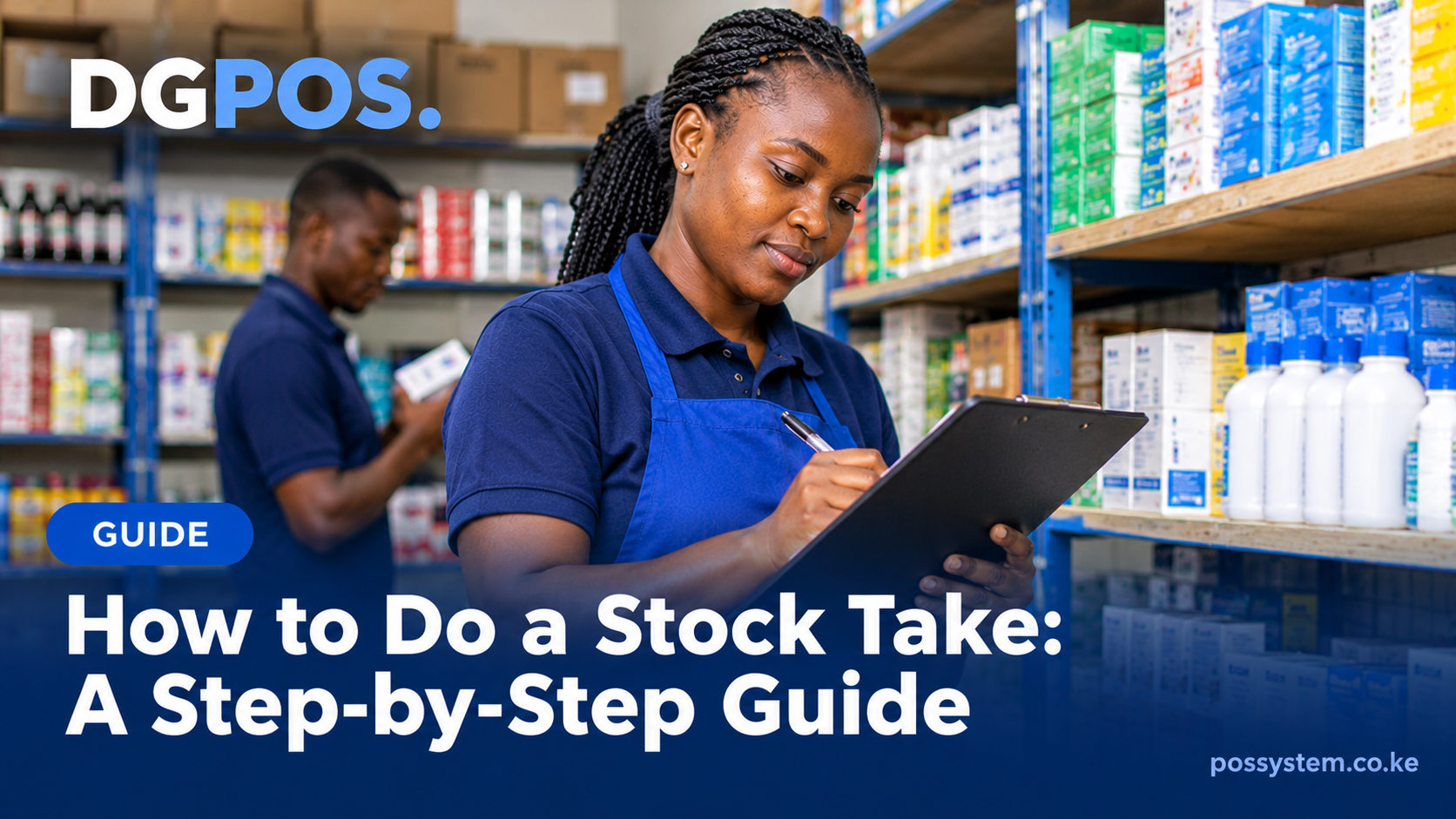
Keeping accurate stock records is one of the most important responsibilities of running a retail or wholesale business. Whether you operate a minimart, supermarket, pharmacy, hardware shop, restaurant, agrovet, clothing store or wines and spirits business, knowing exactly what you have in stock helps you make better purchasing decisions and manage daily operations.
However, stock records do not always match the actual products available on shelves or in the storeroom. Items may be sold without being recorded correctly, damaged during handling, misplaced, stolen or entered incorrectly during receiving. These differences can make it difficult to understand the true value and quantity of your inventory.
This is why businesses need to conduct regular stock takes.
A stock take involves physically counting the products a business has and comparing the results with its existing inventory records. It helps identify shortages, excess stock, damaged goods and differences that may require investigation.
Using POS software can make stock management more organised by helping businesses maintain product records and monitor stock movements. A suitable POS SYSTEM can also make it easier to compare recorded quantities with physical counts, depending on its available inventory features.
In this guide, we explain how to do a stock take step by step, how to prepare your business, common mistakes to avoid and how a point of sale system can support more accurate inventory management.
1. What Is a Stock Take?
A stock take, also known as stocktaking or inventory counting, is the process of physically counting the products and materials available in a business at a particular time.
The purpose is to establish the actual quantity of stock held and compare it with the quantities recorded in the business’s inventory records.
For example, a minimart may have 50 packets of sugar recorded in its inventory system. During a physical stock count, employees discover that only 46 packets are available.
The difference of four packets needs to be investigated.
Possible explanations include:
- Products sold but not recorded.
- Incorrect sales entries.
- Damaged or expired products.
- Stock given away or used internally.
- Theft or unexplained stock losses.
- Errors made when receiving new stock.
- Incorrect opening inventory quantities.
A stock take helps business owners identify these differences instead of relying entirely on estimated quantities.
Businesses using a POS SYSTEM may already have electronic stock records, but physical counting is still important. Software records show what should be available according to recorded transactions, while a stock take helps establish what is actually present.
2. Why Is Stocktaking Important for Your Business?
Regular stocktaking helps businesses understand their inventory position and identify problems before they become more expensive.
Here are some important benefits.
A. Identifies Stock Differences
Physical counting helps establish whether actual stock matches recorded quantities.
For example, if your Point Of Sale records show 100 bottles of cooking oil but the storeroom and shelves contain only 92, you can investigate the difference.
B. Helps Prevent Stock Losses
Regular counts can reveal unexplained shortages, damaged products and possible theft.
Identifying these issues early helps business owners take appropriate action.
C. Improves Purchasing Decisions
Accurate stock information helps you understand which products need replenishment and which items are already available in sufficient quantities.
This reduces unnecessary purchasing and helps prevent avoidable stock shortages.
D. Identifies Slow-Moving Products
Some products may remain on shelves for long periods without selling.
Stocktaking can help you identify these items and review whether your purchasing quantities are appropriate.
E. Supports Financial Planning
Inventory is an important part of business assets. Knowing the quantities and condition of products available helps businesses maintain better financial records.
F. Improves Customer Service
A business with accurate stock information is better positioned to avoid telling customers that products are available when they are actually out of stock.
G. Strengthens Employee Accountability
Assigning stock counts to specific employees and reviewing differences can help establish clear responsibilities.
A properly configured pos software solution can support this process by maintaining transaction and inventory records.
3. Types of Stocktaking Methods
Businesses can use different stocktaking methods depending on their size, products and operating schedules.
1. Periodic Stocktaking
Periodic stocktaking involves counting inventory at specific intervals, such as monthly, quarterly or annually.
For example, a hardware shop may conduct a full stock count at the end of every month.
Advantages:
- Easy to schedule.
- Suitable for businesses that prefer full inventory reviews.
- Helps identify stock differences over a defined period.
- Can support periodic financial reporting.
Disadvantages:
- May require significant time.
- Large businesses may need to temporarily limit operations.
- Stock differences may remain unidentified between counts.
2. Continuous Stocktaking
Continuous stocktaking, also known as perpetual inventory checking, involves checking selected products regularly rather than counting everything at once.
For example, a supermarket may count a different product category each day.
Advantages:
- Reduces the need for frequent full-business shutdowns.
- Allows regular monitoring of important products.
- Helps identify differences sooner.
- Makes stock management more consistent.
Disadvantages:
- Requires good organisation.
- Employees need clear counting schedules.
- Accurate transaction records are important.
3. Cycle Counting
Cycle counting involves counting selected products according to a planned schedule.
Fast-moving, expensive or high-risk products may be counted more frequently than slow-moving items.
For example:
- High-value electronics: weekly.
- Fast-moving groceries: weekly.
- General household items: monthly.
- Slow-moving products: quarterly.
This method can be useful for businesses with large inventories.
4. Spot Checks
Spot checks involve counting specific products without conducting a complete stock take.
A manager may randomly select several products and compare the physical quantities with the inventory records.
This can help identify discrepancies between scheduled stocktakes.
A POS SYSTEM with suitable inventory records can help managers identify products that may need more frequent checks.
4. What You Need Before Starting a Stock Take
Preparation is important because an unorganised stock take can result in inaccurate counts and unnecessary delays.
Before beginning, make sure you have the following:
| Requirement | Purpose |
|---|---|
| Stock list | Shows the products to be counted |
| Counting sheets | Records physical quantities |
| Pens or markers | Helps record counts and identify counted items |
| Calculator | Helps verify quantities and totals |
| Barcode scanner | Speeds up counting where supported |
| Product labels | Helps identify products correctly |
| Employees or counting teams | Assist with physical counting |
| Inventory records | Provides the quantities to compare against |
| Computer or POS device | Helps review electronic stock information |
Businesses using Point Of Sale software may be able to export or review their product lists before counting.
However, make sure the list is accurate and includes the correct product descriptions, units and variations.
For example, a hardware shop should distinguish between different pipe sizes, while a supermarket should distinguish between different product brands and package sizes.
5. Step-by-Step Guide to Doing a Stock Take
A successful stock take follows an organised process. The following steps can help your business count inventory accurately and investigate differences.
Step 1: Choose a Suitable Stocktaking Date
Start by selecting a date and time when the business can conduct the count with minimal disruption.
Some businesses prefer counting after closing, while others choose a quieter operating period.
Consider the following:
- Avoid extremely busy trading periods.
- Allow enough time for employees to complete the count.
- Inform employees about the scheduled stock take.
- Arrange for managers to supervise the process.
- Prepare the necessary counting equipment.
For a large supermarket, it may be easier to count stock section by section rather than attempting to count the entire store at once.
Step 2: Organise Your Stock
Before counting begins, arrange products so that employees can identify them easily.
Separate products according to their categories, brands, sizes and storage locations.
For example, a minimart may organise inventory into:
- Food products.
- Beverages.
- Cleaning supplies.
- Personal care products.
- Household items.
- Packaged groceries.
A hardware shop may organise stock into:
- Cement.
- Plumbing materials.
- Electrical supplies.
- Paints.
- Roofing materials.
- Tools and accessories.
Proper organisation reduces the risk of counting the same products twice or overlooking items.
Step 3: Prepare an Updated Stock List
Generate a list of products that should be available in the business.
The list should include relevant information such as:
- Product name.
- Product code or SKU.
- Barcode, where applicable.
- Unit of measurement.
- Recorded quantity.
- Storage location.
If you use pos software, review the inventory records before generating the stock list.
Check for duplicate products, incorrect descriptions and products that have been discontinued.
A clear product list helps employees identify exactly what they are counting.
Step 4: Assign Counting Responsibilities
Divide the stocktaking work among employees.
For example, one employee may count products in the storeroom while another counts items on the shop floor.
For larger businesses, assign specific product categories or sections to individual teams.
You should also appoint a supervisor to:
- Coordinate the counting process.
- Answer questions about product identification.
- Review completed counting sheets.
- Resolve duplicate or unclear entries.
- Ensure that all assigned sections are counted.
Where possible, use independent checking for high-value products to reduce counting errors.
Step 5: Count the Physical Stock
This is the main stage of the stock take.
Employees should physically count every product and record the actual quantity.
For example:
| Product | Recorded quantity | Physical quantity |
|---|---|---|
| Sugar 2kg | 45 | 43 |
| Cooking oil 1L | 60 | 60 |
| Rice 5kg | 30 | 27 |
| Soap bars | 100 | 98 |
| Bottled water | 75 | 72 |
Count carefully and use consistent units of measurement.
For products stored in cartons, establish whether the count should be recorded in cartons, individual units or both.
For example, if a shop has five cartons containing 12 bottles each and seven individual bottles, the total quantity is:
5 × 12 + 7 = 67 bottles.
Do not assume that every carton is full. Open cartons should be checked before recording their quantities.
Step 6: Record Damaged and Expired Products Separately
Not every product in the storeroom should be treated as saleable inventory.
Identify products that are:
- Damaged.
- Expired.
- Broken.
- Leaking.
- Contaminated.
- Missing packaging.
- Unfit for sale.
Record these separately rather than including them in the available saleable quantity.
For example, a pharmacy should pay particular attention to expiry dates, while a supermarket should inspect perishable products.
Proper identification helps the business understand how much stock is available for sale and how much may require disposal or another approved action.
Step 7: Compare Physical Counts With Recorded Stock
Once counting is complete, compare the physical quantities with the inventory records.
The basic calculation is:
Stock variance = Physical stock quantity − Recorded stock quantity
For example:
- Recorded stock: 100 units.
- Physical stock: 92 units.
- Stock variance: 92 − 100 = -8 units.
This means there are eight fewer units than the system records indicate.
A positive variance means the physical quantity is higher than the recorded quantity.
A negative variance means the physical quantity is lower.
A point of sale system with inventory reporting capabilities can help make this comparison easier, depending on its available features.
Step 8: Investigate Stock Discrepancies
Do not immediately change stock quantities simply because the physical count differs from the records.
First investigate why the difference occurred.
Possible causes include:
- Sales that were not recorded.
- Duplicate transactions.
- Incorrect purchase entries.
- Supplier delivery shortages.
- Returns not entered correctly.
- Damaged products not recorded.
- Internal consumption.
- Theft.
- Counting mistakes.
- Incorrect product units.
For example, if a business records 50 packets of flour but physically counts 45, check recent sales, deliveries and any stock adjustments before making changes.
Investigation helps prevent repeated mistakes and improves accountability.
Step 9: Correct the Stock Records
After investigating discrepancies, make the necessary approved adjustments.
The correction should reflect the actual verified inventory position.
Record the reason for every adjustment and ensure that the responsible manager approves significant changes.
If your POS SYSTEM supports stock adjustments, use the appropriate procedure to update the quantities.
Maintain a record showing:
- Product name.
- Previous quantity.
- Physical quantity.
- Adjustment made.
- Reason for adjustment.
- Date of adjustment.
- Person responsible.
- Approval details, where applicable.
This creates a clear record of how inventory differences were handled.
Step 10: Prepare a Stocktaking Report
After completing the count and investigating discrepancies, prepare a report showing the stock position.
A useful report may include:
- Total products counted.
- Total recorded quantities.
- Total physical quantities.
- Products with shortages.
- Products with excess quantities.
- Damaged or expired products.
- High-value discrepancies.
- Recommended corrective actions.
Share the report with the business owner or manager.
A detailed stocktaking report helps management understand inventory performance and identify areas that need improvement.
6. How to Calculate Stock Variance
Stock variance helps you measure the difference between the quantity recorded in your inventory records and the quantity physically available.
The formula is:
Stock variance = Physical quantity − Recorded quantity
Here is an example for a retail shop:
| Product | Recorded stock | Physical stock | Variance |
|---|---|---|---|
| Milk 500ml | 80 | 76 | -4 |
| Bread | 50 | 50 | 0 |
| Sugar 1kg | 100 | 105 | +5 |
| Cooking oil 2L | 40 | 37 | -3 |
| Rice 2kg | 60 | 58 | -2 |
In this example:
- Milk has a shortage of four units.
- Bread has no stock difference.
- Sugar has five more units than recorded.
- Cooking oil has a shortage of three units.
- Rice has a shortage of two units.
The next step is to investigate each difference and establish the correct stock position.
How to Calculate Stock Variance Percentage
You can also calculate the variance as a percentage of recorded stock.
Stock variance percentage = (Physical quantity − Recorded quantity) ÷ Recorded quantity × 100
For example:
- Recorded stock: 100 units.
- Physical stock: 90 units.
- Variance: -10 units.
Calculation:
(-10 ÷ 100) × 100 = -10%.
This means the physical stock is 10% lower than the recorded quantity.
Variance percentages can help management identify products with significant differences, especially when comparing items with different stock quantities.
7. How Often Should a Business Do a Stock Take?
The ideal stocktaking frequency depends on the business size, product categories, sales volume and risk of stock losses.
There is no single schedule that works for every business.
Consider the following general guide:
| Business type | Suggested stocktaking approach |
|---|---|
| Minimart | Monthly full count with regular spot checks |
| Supermarket | Continuous or cycle counting with periodic full counts |
| Pharmacy | Frequent checks, including expiry monitoring |
| Hardware shop | Regular counts of high-value and fast-moving products |
| Restaurant | Frequent checks of ingredients and high-use supplies |
| Agrovet | Regular counts with careful expiry and batch monitoring |
| Boutique | Monthly or periodic counts by product variation |
| Electronics shop | Frequent checks of high-value products |
| Wholesale shop | Scheduled counts based on product categories and movement |
These are suggested operational schedules, not fixed legal requirements.
Businesses with fast-moving or high-value inventory may need more frequent checks.
A POS SYSTEM with suitable inventory reporting can help management identify which products need closer monitoring.
8. Common Stocktaking Mistakes to Avoid
Even businesses that conduct regular stock takes can make mistakes that affect the accuracy of their results.
Here are common problems to watch out for.
A. Counting Products Twice
This can happen when products are stored in several locations or counting teams do not communicate.
Assign clear sections and mark completed areas to avoid duplicate counting.
B. Forgetting Items in the Storeroom
Some products may be stored away from the main shelves.
Include all stock locations, including back rooms, display areas and temporary storage spaces.
C. Ignoring Damaged Products
Damaged or expired products should be recorded separately.
Including them as saleable stock can create misleading inventory figures.
D. Counting During Uncontrolled Stock Movement
When sales, purchases and stock transfers continue during a count, the figures may change while employees are working.
Where possible, temporarily control stock movements or establish a clear procedure for recording every movement during the stock take.
E. Using Outdated Inventory Records
An outdated stock list can make it difficult to compare physical quantities with recorded quantities.
Review your records before beginning.
F. Making Adjustments Without Investigation
Do not change stock quantities simply to make the physical count match the system.
Investigate the reason for the difference and document approved adjustments.
G. Using Inconsistent Units
One employee may count cartons while another records individual pieces.
Establish a consistent unit of measurement for each product.
H. Failing to Train Employees
Employees need to understand how to identify products, count quantities and record results correctly.
Training can reduce avoidable mistakes.
9. How POS Software Can Make Stocktaking Easier
Manual stocktaking can become difficult as the number of products in a business increases.
A shop with hundreds or thousands of product lines may spend considerable time preparing counting sheets, checking product descriptions and comparing quantities.
This is where pos software with inventory management capabilities can help.
Depending on the available features, a point of sale system may support the following activities.
1. Maintaining Product Records
A POS application can store product names, codes, selling prices and other relevant details.
This helps employees identify products during a stock take.
2. Recording Sales and Stock Movements
When properly configured, a POS SYSTEM can update inventory records as sales are processed.
This helps businesses maintain more organised stock information.
3. Reviewing Recorded Stock Quantities
Employees or managers may be able to review available quantities before conducting a physical count.
This provides a reference for comparison.
4. Supporting Stock Adjustments
Some systems allow authorised users to adjust inventory quantities after discrepancies have been investigated.
This can help maintain accurate stock records.
5. Generating Inventory Reports
Depending on the system, managers may be able to review stock movement, available quantities and other inventory information.
6. Supporting Better Purchasing Decisions
Accurate stock information can help business owners identify products that need replenishment and items that are not moving as expected.
A suitable POS SYSTEM can therefore support more organised inventory management, but physical stocktaking remains necessary to verify actual quantities.
10. Stocktaking Example: A Minimart in Kenya
Consider a minimart that sells groceries, beverages, household products and personal care items.
The business uses a Point Of Sale application to record sales and maintain product information.
At the end of the month, the owner decides to conduct a full stock take.
The owner divides the shop into sections:
- Groceries.
- Beverages.
- Household products.
- Personal care products.
- Cleaning supplies.
- Storeroom inventory.
Each employee is assigned a specific section.
After counting, the team compares the physical quantities with the recorded quantities.
They discover:
- Some bottled drinks are missing from the recorded stock.
- Several damaged products have not been recorded.
- A few products have more physical units than the system indicates.
- Some deliveries were entered incorrectly.
The manager investigates the differences and identifies errors in receiving and sales recording.
After verifying the results, authorised adjustments are made and employees are reminded to record all stock movements correctly.
The business then introduces regular cycle counts for fast-moving products.
This example demonstrates how a structured stock take can help identify weaknesses in everyday inventory management.
11. How to Prevent Stock Differences Between Stock Takes
Stocktaking helps identify inventory problems, but businesses should also introduce procedures that reduce the chances of discrepancies occurring.
Consider these practices:
Record Every Purchase
Ensure that incoming products are recorded after delivery verification.
Compare supplier delivery notes with the actual quantities received.
Record Every Sale
Use a reliable POS process to ensure that customer purchases are recorded correctly.
Avoid releasing products without completing the appropriate sales transaction.
Control Returns
Returned products should be inspected and recorded according to their condition.
Products that cannot be resold should not automatically be added back to saleable inventory.
Restrict Stock Adjustments
Only authorised employees should be allowed to make significant stock corrections.
Monitor High-Value Products
Products that are expensive or frequently misplaced should receive closer attention.
Conduct Regular Spot Checks
Randomly count selected products to identify problems before the next full stock take.
Review Stock Reports
Use available reports from your pos software to monitor stock movement and investigate unusual patterns.
Improve Employee Training
Ensure employees understand how to receive, store, sell and record products correctly.
12. Stock Take Checklist for Business Owners
Use this checklist to prepare for your next stock take.
Before the stock take:
- Choose a suitable counting date.
- Inform employees about the schedule.
- Organise products by category and location.
- Prepare updated inventory records.
- Print or prepare counting sheets.
- Arrange counting equipment.
- Assign responsibilities to employees.
- Establish how stock movements will be controlled.
During the stock take:
- Count all products physically.
- Check open cartons and packages.
- Use consistent measurement units.
- Record damaged and expired products separately.
- Mark completed sections.
- Double-check high-value items.
- Record any unclear product information.
After the stock take:
- Compare physical and recorded quantities.
- Calculate stock variances.
- Investigate shortages and excess quantities.
- Verify damaged and expired inventory.
- Approve necessary stock adjustments.
- Update inventory records.
- Prepare a stocktaking report.
- Introduce corrective actions.
- Schedule the next stock count.
13. Why Accurate Stock Records Matter for Business Growth
Accurate inventory records help business owners understand what their businesses have, what they need to purchase and which products are performing well.
Without reliable stock information, businesses may purchase products they already have or fail to replenish items customers frequently request.
For example, a hardware shop may run out of fast-moving construction materials because its stock records are inaccurate. A supermarket may discover that several products have expired because their quantities and movement were not monitored properly.
These problems can affect profitability, customer satisfaction and daily operations.
A well-managed POS SYSTEM can support better inventory records by connecting sales information with available stock quantities, where the relevant functions are supported.
When combined with regular physical counts, employee accountability and proper receiving procedures, pos software can help businesses establish a more organised stock management process.
14. Explore DGPOS by Digee Technologies Limited
Digee Technologies Limited provides DGPOS, a POS solution for businesses looking to improve how they manage sales and business operations.
When selecting Point Of Sale software, business owners should consider how the system can support their inventory management processes.
If you are looking for a solution to help organise stock records, ask about the inventory capabilities available in DGPOS and whether they match your business requirements.
Important areas to discuss include:
- Product registration and categorisation.
- Recording sales and stock movements.
- Reviewing stock quantities.
- Stock adjustment procedures.
- Inventory reporting.
- User permissions.
- Support and training.
Confirm the availability of each specific function with the provider before purchasing or subscribing.
The right point of sale system should fit the way your business operates and help you maintain more organised records.
To learn more about Digee Technologies Limited and DGPOS, visit:
Conclusion
Stocktaking is an essential activity for businesses that want to maintain accurate inventory records and reduce avoidable stock losses.
A successful stock take involves preparing inventory lists, organising products, assigning counting responsibilities, physically counting available stock, comparing quantities and investigating discrepancies.
Businesses should also establish regular stocktaking schedules and introduce procedures that ensure every purchase, sale, return and stock adjustment is recorded correctly.
Using suitable pos software can make the process more organised by supporting product records, stock movement tracking and inventory reporting.
However, technology should complement physical counting rather than replace it. A reliable POS SYSTEM, combined with regular stock checks and employee accountability, can help businesses maintain better control of their inventory.
Whether you operate a minimart, supermarket, pharmacy, hardware shop, restaurant or wholesale business, making stocktaking part of your regular operations can support better purchasing decisions, improved recordkeeping and long-term business growth.
Frequently Asked Questions (FAQs)
1. What is a stock take?
A stock take is the process of physically counting the products available in a business and comparing the quantities with existing inventory records. It helps identify shortages, excess stock, damaged goods and recording errors.
2. How often should a business do a stock take?
The frequency depends on the business type, inventory size and product movement. Some businesses conduct full stock takes monthly or quarterly, while others use weekly cycle counts and regular spot checks.
3. What is the formula for calculating stock variance?
The basic formula is:
Stock variance = Physical stock quantity − Recorded stock quantity
A negative result indicates a shortage, while a positive result indicates that physical stock exceeds the recorded quantity.
4. Why is stocktaking important?
Stocktaking helps businesses identify inventory differences, monitor stock losses, improve purchasing decisions, identify damaged products and maintain more accurate inventory records.
5. What is the difference between stocktaking and inventory management?
Stocktaking is the physical counting and verification of available inventory. Inventory management is the broader process of purchasing, receiving, storing, monitoring and controlling stock throughout business operations.
6. Can POS software help with stocktaking?
Yes. Depending on its features, pos software can maintain product records, show recorded stock quantities, support stock adjustments and generate inventory reports. Physical counting is still necessary to verify actual quantities.
7. What causes stock discrepancies?
Common causes include unrecorded sales, incorrect deliveries, theft, damaged products, counting mistakes, duplicate transactions and incorrect stock adjustments.
8. What should I do when physical stock does not match the POS records?
Investigate the difference before changing the system quantity. Review sales, purchases, returns, transfers and damaged products. Once the cause is established, make an approved adjustment and record the reason.
9. Can a small shop use a POS system for stock management?
Yes. A small shop can use a POS SYSTEM to organise product information and monitor stock records, depending on the software’s available features. The system should match the shop’s size and operational needs.
10. What is the best way to make stocktaking easier?
Organise products by category, maintain updated inventory records, assign counting responsibilities, use consistent measurement units and conduct regular stock checks. A suitable point of sale system can also help organise inventory information and reporting.