Cloud POS vs Offline POS: Which Is Better in Kenya?

Technology is changing how businesses in Kenya manage sales, inventory, employees and customer payments. From small retail shops and minimarts to supermarkets, restaurants, pharmacies, hardware stores and wholesalers, business owners are increasingly adopting digital solutions to improve daily operations. One important decision when choosing business management technology is understanding the difference between cloud-based and offline systems. The debate around Cloud POS vs Offline POS: Which Is Better in Kenya? has become increasingly important as businesses look for reliable ways to manage transactions, monitor stock and access sales information. A POS (Point Of Sale) system helps businesses record purchases, process sales and organise important business information. However, not every POS SYSTEM works in the same way. Cloud-based systems rely on internet connectivity to synchronise information with online servers, while offline systems can operate without a continuous internet connection, depending on their configuration. Both options offer different advantages, and the right choice depends on the nature of the business, internet availability, operational requirements and management preferences. Choosing suitable POS software is not simply about selecting the newest technology. It is about finding a dependable point of sale system that supports business growth, improves efficiency and makes everyday operations easier. Kenyan businesses must therefore understand how cloud and offline solutions work before investing in a point of sales system.

What Is a POS System?

A POS SYSTEM is a digital solution that helps businesses manage sales transactions and other important business activities. POS stands for Point Of Sale, which refers to the location or process where customers pay for products or services. Traditionally, businesses used cash registers and handwritten books to record sales. Modern POS software has expanded these capabilities by allowing businesses to manage stock, monitor sales, track employees, generate reports and organise customer transactions from one platform. For example, a minimart can use a point of sale system to record products sold, calculate totals, update inventory and generate daily sales reports. A restaurant can use a POS SYSTEM to manage orders, tables and payments, while a pharmacy can use POS software to organise product sales and monitor stock levels. Although different systems offer different features, their main purpose is to simplify business management and improve transaction accuracy. Understanding how a Point Of Sale solution works is the first step towards choosing between cloud-based and offline technology.

What Is a Cloud POS System?

A Cloud POS is a POS SYSTEM that stores and synchronises business information through internet-connected servers. Instead of depending entirely on information stored on one computer, a cloud-based point of sale system allows authorised users to access business information through supported devices and applications. Depending on the provider and system configuration, business owners can monitor sales, check inventory, review reports and manage operations from different locations. For example, a supermarket owner with several branches in Kenya may use cloud-based POS software to monitor sales performance across different outlets without physically visiting every location. When a cashier records a transaction, the system can synchronise the information with the cloud, allowing authorised users to access updated records. This makes cloud technology particularly useful for businesses that require remote access and centralised management. A modern cloud Point Of Sale solution can also support business expansion because information can be managed across multiple locations. However, cloud functionality depends on the provider’s infrastructure, internet availability and offline capabilities. Some cloud POS SYSTEM solutions offer limited offline operation, while others require an active connection for essential functions. Business owners should therefore understand the specific features of the POS software they intend to purchase.

What Is an Offline POS System?

An Offline POS is a POS SYSTEM designed to operate without requiring a continuous internet connection for its core operations. Depending on its design, the system may store transaction information locally on a computer, tablet or dedicated device. This allows employees to continue recording sales even when the internet connection is unavailable. For example, a retail shop in an area experiencing internet interruptions can continue selling products using an offline point of sale system. The cashier can record purchases, calculate totals and maintain transaction records without depending on a constant online connection. Some offline POS software also supports inventory management, receipt printing and sales reporting directly from the local device. However, not every offline solution offers the same capabilities. Some systems are completely local, while others combine offline operation with cloud synchronisation when an internet connection becomes available. Business owners should also consider how backups, updates, security and access to information are handled. A traditional offline Point Of Sale solution may be suitable for businesses with unreliable connectivity, but it may provide fewer remote management options than a fully cloud-based POS SYSTEM.

1. Internet Connectivity: Cloud POS vs Offline POS

Internet connectivity is one of the biggest differences when comparing cloud and offline POS software in Kenya. Cloud-based systems generally depend on an internet connection to communicate with online servers and synchronise business information. This means that businesses with stable internet access can benefit from continuous data synchronisation and remote management features. However, internet interruptions can affect certain cloud functions, especially when the system does not support offline transactions. This can become a challenge for businesses operating in locations where connectivity is unreliable. Offline POS SYSTEM solutions offer an advantage because their core operations can continue without an active internet connection. Employees can record sales and perform supported tasks even when the internet is unavailable. For Kenyan businesses operating in areas with inconsistent connectivity, this can be an important consideration. However, offline systems may require periodic internet access for updates, backups or synchronisation, depending on their configuration. When choosing a point of sale system, business owners should evaluate the reliability of their internet connection and determine whether uninterrupted sales operations are essential. The best Point Of Sale solution is one that supports the business even when connectivity conditions change.

2. Accessibility and Remote Business Management

Accessibility is another important factor when deciding between cloud and offline POS SYSTEM solutions. Cloud-based POS software allows authorised business owners and managers to access information remotely through supported devices and applications. This means a business owner can review sales performance, monitor stock levels and check reports without being physically present at the shop. For example, an entrepreneur managing several minimarts in Nakuru, Nairobi and other Kenyan towns may benefit from a cloud-based point of sale system that provides centralised information across locations. Remote access can make business supervision easier and support faster decision-making. Offline systems, on the other hand, generally store information on local devices. This means accessing sales information from another location may require additional configuration, a remote access solution or synchronisation with another platform. A locally installed Point Of Sale system may therefore be less convenient for business owners who frequently travel or manage several branches. However, an offline POS SYSTEM can still be effective for businesses operating from one location where local access is sufficient. The choice depends on whether remote management is an important requirement.

3. Data Storage and Backup

Data storage is an important consideration because business information must remain available and protected. Cloud-based POS software stores and synchronises information through online infrastructure managed by the provider. Depending on the service agreement and configuration, this can include automatic backups, data recovery options and access to historical sales records. This reduces the need for businesses to depend entirely on manually backing up information from individual computers. However, business owners should confirm how frequently backups occur, where information is stored and what security measures the provider uses. Offline POS SYSTEM solutions generally store information locally on the device or business network. This gives businesses more direct control over local data storage, but it also means they must pay attention to backup procedures. If a computer is damaged, stolen or affected by a technical problem, information may be lost if reliable backups are not available. A good point of sale system should provide appropriate backup and recovery options regardless of whether it operates online or offline. Before selecting a Point Of Sale solution, Kenyan businesses should ask providers about data protection, backup frequency, recovery procedures and ownership of business information.

4. Business Continuity During Internet Outages

Internet interruptions can affect daily business operations, especially when customers are waiting to make payments. This makes business continuity a major factor in the Cloud POS vs Offline POS comparison. A cloud-based POS SYSTEM that requires constant connectivity may experience interruptions when the internet goes down. Employees may be unable to complete certain activities until the connection is restored. However, some modern cloud POS software includes offline functionality that allows supported transactions to continue locally before synchronising information later. Businesses should confirm exactly which functions remain available during offline operation. A traditional offline point of sale system can continue performing its supported local operations without relying on internet connectivity. This can be particularly useful for supermarkets, minimarts and restaurants that cannot afford unnecessary interruptions. However, offline operation does not automatically guarantee that every connected service will remain available. Online payment integrations, remote reporting and cloud-based features may still require connectivity. Kenyan businesses should therefore consider a hybrid Point Of Sale solution that combines local transaction processing with cloud synchronisation. This can provide greater flexibility when internet conditions are unpredictable.

5. Inventory Management and Stock Tracking

Inventory management is essential for businesses that sell physical products. Whether operating a pharmacy, supermarket, hardware shop, boutique or minimart, business owners need accurate stock information to avoid shortages and unnecessary purchases. Both cloud and offline POS SYSTEM solutions can support inventory management, although their capabilities differ. A cloud-based point of sale system can synchronise inventory information across different branches, allowing managers to monitor stock from a central location. For example, a business with multiple retail outlets can review stock availability across its branches and plan transfers when certain products become unavailable. Offline POS software can also manage stock locally by updating quantities whenever employees record sales or receive new inventory. However, synchronising stock information across several locations may require an internet connection or a separate network configuration. A modern Point Of Sale solution should make it easier to monitor stock movements, identify fast-selling products and generate inventory reports. Businesses should evaluate whether they need real-time multi-branch inventory management or whether local stock tracking is sufficient. The right POS software should match the complexity of the business’s inventory operations.

6. Cost of Cloud POS vs Offline POS in Kenya

Cost is another important consideration for Kenyan businesses investing in a POS SYSTEM. Cloud-based systems commonly use subscription pricing, where businesses pay monthly or annually to access the platform. Depending on the provider, subscriptions may include software updates, cloud hosting, technical support and data backups. However, some providers charge additional fees for extra users, branches, integrations or advanced features. Offline POS software may involve a one-time licence fee or an upfront purchase, although some providers also charge recurring fees for support, maintenance and updates. Businesses may additionally need to budget for computers, receipt printers, barcode scanners and other equipment. It is important to compare the total cost of ownership rather than focusing only on the initial purchase price. A cloud point of sale system may reduce certain maintenance responsibilities but create recurring subscription expenses. An offline Point Of Sale solution may reduce ongoing software costs but require more attention to local maintenance and backups. Kenyan business owners should request clear pricing information and understand what is included before choosing their preferred POS SYSTEM.

7. Security and Protection of Business Information

Security should never be overlooked when selecting POS software. A Point Of Sale system handles important business information, including sales records, inventory information, employee activities and sometimes customer details. Cloud-based solutions can offer security features such as encrypted connections, user authentication, access permissions and managed infrastructure. However, the actual level of protection depends on the provider’s security practices and how the business manages its accounts. Business owners should use strong passwords, enable available security controls and ensure employees only access information required for their responsibilities. Offline POS SYSTEM solutions can reduce certain risks associated with constant internet connectivity, but they are not automatically secure. Local computers can still be affected by malware, unauthorised access, hardware theft and data loss. Businesses must maintain secure devices, restrict access and perform regular backups. A reliable point of sale system should support appropriate user permissions and provide a clear way to protect important business records. Whether selecting cloud or offline POS software, businesses should ask providers about security, updates, data recovery and access control.

8. Multi-Branch Business Management

Businesses operating several branches often require a centralised way to monitor operations. Cloud-based POS SYSTEM solutions are particularly useful in this situation because they can synchronise information from different locations through online servers. A business owner can review sales reports, monitor inventory and compare branch performance using supported remote access features. For example, a supermarket chain with outlets in different Kenyan towns may benefit from a cloud-based point of sale system that consolidates information across all branches. This can make management more efficient and help business owners identify differences in sales performance. Offline systems can also support multiple branches, but centralised reporting may require additional networking arrangements or synchronisation processes. Businesses should confirm whether the offline POS software supports multi-branch operations and how information is shared between locations. A suitable Point Of Sale solution should make it possible to manage business activities without creating unnecessary administrative work. For growing enterprises, cloud technology may provide greater flexibility, while smaller businesses operating from one location may find offline systems sufficient.

9. Software Updates and Maintenance

Software updates help improve system performance, introduce new features and address security vulnerabilities. Cloud-based POS software is commonly updated by the service provider, allowing users to benefit from improvements without managing every update manually. However, providers may schedule maintenance periods or introduce changes that businesses need to understand. Offline POS SYSTEM solutions may require updates to be installed directly on local computers or devices. Depending on the provider, updates may be automatic, manual or supported by a technician. Businesses that fail to update their systems may experience technical problems or miss important improvements. A reliable point of sale system should have a clear update and maintenance policy. Business owners should ask whether updates are included in the price, whether they require internet access and whether technical assistance is available. When comparing a cloud Point Of Sale solution with an offline alternative, it is important to consider how much technical maintenance the business can manage internally.

10. Payment Integration and M-Pesa Support

M-Pesa plays an important role in Kenya’s business environment, making payment integration a key consideration when selecting a POS SYSTEM. Businesses need solutions that can support their preferred payment methods and help employees record transactions accurately. Cloud-based POS software may offer integrations with payment services, depending on the provider and supported configuration. Such integrations can help businesses streamline payment recording and improve transaction visibility. Offline systems may also support certain payment recording features, although live payment verification and online payment integrations generally require connectivity. Business owners should distinguish between recording an M-Pesa payment in a point of sale system and actually processing or verifying the payment through an official payment service. These are not necessarily the same function. A good Point Of Sale solution should make it easy to record different payment methods and reconcile sales information against the relevant payment records. Kenyan businesses should confirm whether their preferred POS software supports M-Pesa, card payments, cash and other payment methods they use regularly.

11. Reporting and Business Performance Analysis

Business reports help owners understand how their businesses are performing. A reliable POS SYSTEM can generate reports showing sales totals, product performance, inventory movements and other important operational information. Cloud-based point of sale system solutions can make reports accessible remotely, allowing managers to monitor business performance from different locations. This can be particularly useful for entrepreneurs who manage multiple outlets or want to review business activities while away from their premises. Offline POS software can also generate detailed reports, although accessing information remotely may require additional arrangements. The reporting features available depend on the system and its configuration. A good Point Of Sale solution should allow business owners to retrieve useful information without spending hours manually calculating sales figures. Before purchasing a POS SYSTEM, businesses should check which reports are available and whether they can export information for accounting and financial analysis. Better reporting supports informed decisions and helps businesses identify areas that need improvement.

12. Which POS System Is Better for Small Businesses in Kenya?

Small businesses need technology that is affordable, reliable and easy to use. A small retail shop, salon, minimart or local restaurant may not require the same advanced features as a large supermarket chain. An offline POS SYSTEM can be suitable for a small business operating from one location with unreliable internet connectivity. It allows employees to continue recording supported transactions without depending on a constant online connection. However, cloud-based POS software can also be attractive to small businesses because it provides remote access, online backups and easier scalability, depending on the provider. Business owners who want to monitor sales from their phones or manage stock while away from the shop may prefer a cloud-based point of sale system. The most important consideration is choosing a solution that matches the business’s daily requirements and budget. A modern Point Of Sale solution should be simple enough for employees to use while providing the essential tools needed to manage sales and inventory. Small businesses should avoid paying for unnecessary features but should also consider their future growth when choosing POS software.

13. Which POS System Is Better for Supermarkets and Large Retail Businesses?

Supermarkets and large retail businesses often process hundreds or thousands of transactions daily. They need a reliable POS SYSTEM that supports multiple cashiers, inventory management, barcode scanning, reporting and employee accountability. Cloud-based POS software can provide significant advantages for businesses operating several branches because it allows information to be synchronised across locations. Managers can review sales performance and inventory information centrally, depending on the system’s features. However, supermarkets also need to consider what happens during internet interruptions. A cloud-based point of sale system with reliable offline transaction support may provide a practical balance between centralised management and uninterrupted sales operations. A traditional offline Point Of Sale solution may also work for a single-location supermarket, particularly where local operation is the priority. The best solution should support the volume of transactions, number of employees and complexity of inventory management. Before selecting POS software, large retailers should test the system’s performance, reporting capabilities, hardware compatibility and support arrangements.

14. Which POS System Is Better for Restaurants and Hotels?

Restaurants and hotels have operational requirements that extend beyond recording product sales. They may need table management, order processing, kitchen communication, billing, inventory tracking and multiple payment options. A cloud-based POS SYSTEM can provide convenient access to reports and centralised information for businesses with multiple outlets. It can also help managers monitor operations remotely. However, internet interruptions may affect certain online features if the system does not offer offline functionality. An offline point of sale system can support local order processing and sales recording without requiring continuous connectivity, depending on its configuration. Restaurants should therefore look for POS software that supports the specific activities of their business and offers dependable operation during connectivity problems. A good Point Of Sale solution should simplify ordering, reduce billing mistakes and help employees serve customers efficiently. Hotels and restaurants with several branches may benefit from cloud synchronisation, while smaller establishments may prioritise local reliability. The right POS SYSTEM should support smooth customer service while making daily management easier.

15. What Is a Hybrid POS System?

A hybrid POS combines features of cloud-based and offline technology. It is designed to allow businesses to perform supported operations locally while also synchronising information with cloud servers when internet connectivity is available. This approach can be useful for Kenyan businesses that want remote access without becoming completely dependent on continuous internet connectivity. For example, a minimart can continue recording sales during a temporary internet outage and synchronise eligible transaction information once the connection returns. The owner can then access updated business reports through supported cloud features. However, not every hybrid POS SYSTEM works in the same way. Some systems may support offline sales recording but restrict certain activities, such as online payment processing, remote reporting or stock transfers between branches, until connectivity is restored. Business owners should ask providers exactly which features remain available offline and how data synchronisation works. A hybrid point of sale system may offer a practical balance for businesses that need flexibility. When comparing POS software options, Kenyan businesses should consider whether hybrid functionality would better support their operational requirements than a fully cloud-based or fully offline Point Of Sale solution.

16. Factors to Consider Before Choosing POS Software in Kenya

Choosing the right POS software requires careful consideration of the business’s current needs and future plans. Business owners should evaluate several factors before investing in a POS SYSTEM. First, consider internet reliability. If connectivity is frequently interrupted, offline functionality may be essential. Second, consider the number of business locations. Companies with several branches may benefit from cloud-based centralised management. Third, evaluate the features required, including inventory tracking, sales reporting, employee management, barcode scanning and payment recording. Fourth, consider the total cost, including subscriptions, equipment, installation, training and maintenance. Fifth, evaluate security and data backup arrangements to ensure that important business information is protected. Sixth, consider ease of use because employees need to learn the system without unnecessary complications. Finally, evaluate customer support and technical assistance. A reliable Point Of Sale provider should explain how the system works, assist with installation and provide support when technical problems arise. The best point of sale system is not necessarily the most expensive or complicated one. It is the solution that offers the right combination of reliability, functionality, affordability and support.

Cloud POS vs Offline POS: A Quick Comparison

Feature Cloud POS Offline POS
Internet connection Generally needed for cloud services and synchronisation Not required for core local operations
Remote access Usually supported Often limited without additional configuration
Data storage Cloud servers, sometimes with local caching Primarily local storage
Backups May be automated by provider Often requires local or configured backups
Multi-branch management Generally easier with centralised synchronisation May require additional configuration
Internet outages Depends on offline functionality Core supported operations can continue
Software updates Commonly managed by provider May require local installation
Monthly costs Often subscription-based May involve licence or maintenance fees
Scalability Often convenient for expanding businesses Depends on local infrastructure and system design

Both solutions have advantages, and the right choice depends on how the business operates. Some businesses may benefit most from cloud technology, while others may prioritise offline reliability. A hybrid POS SYSTEM can also be worth considering.

Why Digee Technologies Limited Is a Technology Partner to Consider

Digee Technologies Limited is committed to helping Kenyan businesses embrace digital solutions that improve efficiency, simplify daily operations and support business growth. Through DGPOS, businesses can explore modern POS software designed to support organised sales management and business operations. Whether you operate a minimart, supermarket, restaurant, pharmacy, hardware shop, boutique or wholesale business, choosing the right Point Of Sale solution can make a significant difference in how you manage transactions and monitor performance. A dependable POS SYSTEM should help you organise sales, monitor stock, generate reports and improve employee accountability. When evaluating cloud and offline solutions, it is important to select technology that matches your internet environment, business size and operational requirements. DGPOS provides businesses with an opportunity to embrace more organised digital management through a modern point of sale system. Business owners should explore the available features, understand the system’s connectivity requirements and identify the tools that best support their operations. Digee Technologies Limited aims to support enterprises seeking practical technology solutions for a more efficient business environment. Visit https://digeetechnologies.com/ to learn more about Digee Technologies Limited and its solutions.

Conclusion: Cloud POS vs Offline POS, Which Is Better in Kenya?

The question of Cloud POS vs Offline POS: Which Is Better in Kenya? does not have one answer for every business. Cloud-based systems are useful for businesses that need remote access, centralised reporting, automatic synchronisation and convenient multi-branch management. Offline systems are valuable for businesses that need to continue recording sales without depending on a continuous internet connection. Hybrid solutions can provide an alternative by combining local operations with cloud-based features. Before selecting a POS SYSTEM, Kenyan business owners should consider internet reliability, business size, budget, inventory requirements, security, payment integrations and future expansion. A reliable Point Of Sale solution should simplify daily operations, improve sales records and provide useful information for business decisions. Investing in suitable POS software can help businesses reduce manual work, improve accountability and manage transactions more efficiently. Whether choosing a cloud-based or offline point of sale system, the most important thing is selecting technology that supports the actual needs of the business. Digee Technologies Limited, through DGPOS, encourages Kenyan businesses to embrace modern technology and build more organised, efficient and competitive operations. The right point of sales system can be an important step towards better business management and long-term growth.

How to Handle M-Pesa Reversals and Wrong Payments in Your Business

M-Pesa has become an essential payment method for businesses across Kenya, making it easier for customers to pay for goods and services quickly and conveniently. From retail shops and supermarkets to restaurants, pharmacies, hardware stores, salons and wholesalers, many businesses rely on M-Pesa transactions to receive customer payments every day. However, despite its convenience, M-Pesa payments sometimes come with challenges, including sending money to the wrong number, paying the wrong business, entering an incorrect amount, making duplicate payments or requesting a transaction reversal. Knowing How to Handle M-Pesa Reversals and Wrong Payments is important for every business owner who wants to protect business revenue, maintain accurate financial records and provide excellent customer service. Without proper payment management procedures, even a small M-Pesa mistake can create disagreements between customers and employees, inaccurate sales records and financial losses. Businesses can reduce these risks by establishing clear payment verification procedures, training employees and using reliable business management technology such as a POS SYSTEM. A modern Point Of Sale solution helps businesses record customer transactions, monitor payments and maintain accurate sales information. With reliable POS software, business owners can improve payment accountability, identify discrepancies and make better financial decisions. Understanding How to Handle M-Pesa Reversals and Wrong Payments should therefore be part of every business’s financial management strategy.

Understanding M-Pesa Reversals and Wrong Payments

An M-Pesa reversal happens when a completed transaction is reversed through the appropriate Safaricom process. This may happen when a customer sends money to the wrong number, pays an incorrect till or sends an amount that needs to be recovered. A wrong payment occurs when money is transferred to an unintended recipient or an incorrect business account. For example, a customer shopping at a minimart may accidentally send KSh 2,500 to an incorrect till instead of the business’s intended payment number. Similarly, a cashier may mistakenly provide the wrong payment details, resulting in a transaction that does not reach the business account. These situations require careful handling because businesses must establish whether the payment was received, whether the transaction was reversed and whether the customer has already received the goods or services. A reliable POS SYSTEM makes this process easier by keeping sales transactions organised and providing employees with a consistent way to record payments. A good point of sale system also helps business owners compare recorded sales against actual payment information, making it easier to investigate discrepancies. When businesses combine proper payment procedures with dependable POS software, they can handle M-Pesa payment problems more professionally and reduce unnecessary disputes.

1. Always Confirm M-Pesa Payments Before Releasing Goods

One of the most important ways to prevent wrong-payment disputes is to confirm every M-Pesa transaction before releasing products or completing a service. Employees should never rely entirely on a customer’s verbal confirmation or a screenshot showing that money has supposedly been sent. Screenshots can be misleading, outdated or manipulated, and a transaction may still be unsuccessful or pending. Businesses should confirm payments through the official transaction notification, the appropriate M-Pesa business account records or approved payment verification channels. The transaction amount, reference details and payment status should match the customer’s purchase. For example, if a customer purchases goods worth KSh 4,000, the cashier should verify that the correct amount has been received before completing the sale. A properly configured POS SYSTEM can support this process by recording the sale amount and payment method. When using a Point Of Sale solution, employees can enter the transaction details and ensure that the payment corresponds with the correct sale. Reliable POS software also helps businesses maintain a clear record of transactions instead of depending on handwritten notes or memory. This approach is especially useful in busy supermarkets, minimarts, restaurants and hardware shops where several customers may make payments within a short period.

2. Know What to Do When a Customer Sends Money to the Wrong Number

Customers sometimes make mistakes when entering M-Pesa payment details. They may select an incorrect contact, enter the wrong till number or send money to a personal number instead of the intended business account. When this happens, the business should remain calm and guide the customer through the appropriate process. The customer should immediately use the official Safaricom reversal procedure, such as forwarding the transaction confirmation through the approved M-Pesa channel or contacting Safaricom customer support. Customers should provide accurate transaction information and follow the instructions received from Safaricom. Businesses should avoid promising an immediate reversal because the process depends on transaction circumstances and the official verification procedure. Employees should also avoid personally refunding money before establishing what happened. If the business has received the payment, the transaction should first be checked against its account records. A good point of sale system helps employees establish whether a corresponding sale exists and whether the payment was recorded. With a reliable POS SYSTEM, the business can compare the transaction with its sales records before deciding on the next appropriate action. Using POS software to maintain payment histories also makes it easier to investigate customer complaints and prevent confusion between legitimate payments and incorrect transfers.

3. Contact the Appropriate Safaricom Support Channels

When an M-Pesa payment has been sent to the wrong recipient, the customer should report the issue through Safaricom’s official support channels as soon as possible. Prompt reporting is important because the reversal process involves verification and communication with the receiving account holder where applicable. Customers should retain their original M-Pesa confirmation message and provide the correct transaction details when requesting assistance. They should also be cautious of individuals pretending to be Safaricom representatives and requesting PINs, passwords or confidential account information. No genuine reversal process should require customers to disclose their M-Pesa PIN. Business owners should train their employees to direct customers to official support channels rather than attempting to handle every reversal independently. A business using a POS SYSTEM should also preserve the relevant sales information while the issue is being investigated. The Point Of Sale records can help establish whether the transaction was connected to an actual purchase. Good POS software supports accountability by making payment records easier to retrieve and review. By combining official M-Pesa support procedures with accurate business records, companies can handle payment disputes without exposing themselves or their customers to unnecessary financial risks.

4. Keep Accurate Records of Every M-Pesa Transaction

Accurate recordkeeping is essential when dealing with M-Pesa reversals and wrong payments. Every business should maintain transaction information showing the date, amount, transaction reference, payment method and related sale. These details help employees investigate payment problems and establish whether a transaction was received, refunded or reversed. For example, a restaurant may receive several M-Pesa payments during lunchtime. If one customer reports that their payment was reversed, the cashier should be able to identify the original transaction and determine whether the payment was included in the restaurant’s sales records. Without proper records, the business may struggle to establish what happened. A modern Point Of Sale solution provides a more organised way to manage sales information. Instead of relying on handwritten notebooks, businesses can use POS software to record transactions and retrieve sales histories when needed. A reliable POS SYSTEM also supports better reporting by helping managers review daily sales, payment methods and transaction differences. Businesses that maintain accurate records are better positioned to investigate complaints, prevent duplicate refunds and protect their revenue. This is one of the most important reasons to invest in a dependable point of sale system.

5. Avoid Refunding Customers Before Verifying the Transaction

One common mistake businesses make when handling wrong M-Pesa payments is issuing a refund without first confirming the original transaction. A customer may claim that they sent money twice or that their payment was unsuccessful, even when the original payment was successfully received. If an employee refunds the customer without checking the transaction history, the business could lose money unnecessarily. For instance, a customer purchasing goods worth KSh 1,500 may claim that the payment was duplicated and request a refund. Before taking action, the cashier should check the relevant M-Pesa records and the business sales history. If the payment was received twice, the business should follow its documented refund procedure after confirming the details. If the transaction was not received, the employee should not issue a refund from business funds without establishing what happened. A POS SYSTEM can help businesses maintain a record of the original sale and any authorised refund. Good POS software also supports better financial accountability by allowing managers to review payment adjustments. A professional point of sale system helps prevent employees from making unauthorised financial decisions and ensures that every refund has a clear reason and supporting documentation.

6. Establish Clear Payment Verification Procedures for Employees

Employees play an important role in preventing M-Pesa payment mistakes. Every business should establish clear procedures explaining how payments should be received, verified and recorded. Cashiers should know the correct business payment numbers, how to confirm successful transactions and what to do when a customer reports an incorrect payment. Employees should also understand that they must never request a customer’s M-Pesa PIN or ask customers to share confidential account information. In businesses with several cashiers, managers should ensure that every employee follows the same payment verification standards. For example, a supermarket should have a standard procedure requiring cashiers to confirm payment notifications before completing transactions. The business can also require supervisor approval for significant refunds or disputed transactions. A well-organised POS SYSTEM makes these procedures easier to implement because employees can follow a consistent sales recording process. Using reliable POS software allows management to monitor employee activities, review sales records and investigate unusual transactions. A properly implemented Point Of Sale solution also reduces the possibility of recording payments against incorrect sales. Staff training combined with suitable technology creates a stronger payment management system.

7. Use a POS System to Track M-Pesa Payments and Sales

Technology has made it easier for businesses to manage customer payments and monitor financial activities. A modern POS SYSTEM helps businesses organise sales transactions, record payment methods and maintain useful business reports. When a customer pays through M-Pesa, employees can record the payment against the corresponding sale, making it easier to identify the transaction later. For example, a retail shop selling electronics may receive several M-Pesa payments every day. If a customer later reports a wrong payment or reversal, the business can refer to its sales history to investigate the issue. A reliable point of sale system helps reduce dependence on manual recordkeeping and makes transaction information easier to organise. Good POS software also helps businesses identify sales discrepancies by comparing recorded sales against payment information available from their business accounts. Although a Point Of Sale solution does not automatically reverse M-Pesa transactions or replace Safaricom’s official reversal process, it provides valuable records that support accurate investigations and financial accountability. Businesses should choose a POS SYSTEM that supports their daily operations and allows employees to record sales and payment methods consistently.

8. Reconcile M-Pesa Transactions at the End of Every Business Day

Daily reconciliation is an important financial management practice for businesses that receive frequent M-Pesa payments. Reconciliation involves comparing the transactions recorded by the business with the actual payment information available from the relevant M-Pesa account. This helps identify missing payments, duplicate transactions, incorrect amounts and reversals that may affect the business’s financial records. For example, a minimart may record KSh 35,000 in M-Pesa sales during the day, but the actual business payment records may show a different amount. The difference should be investigated before closing the daily accounts. A business using a POS SYSTEM can review its sales reports and compare them with the corresponding M-Pesa records. Reliable POS software helps managers identify transactions that need further investigation and maintain accurate financial information. A good point of sale system also makes it easier to generate daily sales reports and monitor different payment methods. Reconciliation should be performed consistently, even when the business has not received any customer complaints. This allows management to identify problems early instead of discovering unexplained differences weeks or months later.

9. Handle Duplicate M-Pesa Payments Carefully

Duplicate payments occur when a customer sends money more than once for the same purchase. This can happen because of network delays, uncertainty about whether the first transaction was successful or a customer accidentally repeating a payment. Businesses should verify both transactions before issuing a refund or making any adjustment. Employees should confirm the transaction references, amounts and payment status using the appropriate business account records. If two successful payments are received for one purchase, the business should follow its refund policy and maintain documentation showing why the refund was authorised. A reliable POS SYSTEM helps businesses identify the original sale and compare it with the payment records. Using POS software also helps employees maintain a clearer history of customer transactions and authorised refunds. A professional Point Of Sale solution makes it easier for managers to review payment discrepancies and maintain financial accountability. Businesses should never assume that every repeated customer notification represents a successful duplicate payment. Each transaction must be independently verified before action is taken.

10. Protect Your Business Against M-Pesa Payment Fraud

Payment fraud is another challenge that businesses must consider when handling M-Pesa transactions. Fraudsters may use fake payment messages, manipulated screenshots or misleading transaction confirmations to convince employees that a payment has been completed. Some may also impersonate customers or support representatives to obtain refunds dishonestly. Businesses should therefore adopt strong payment verification procedures and train employees to recognise suspicious behaviour. Cashiers should verify payments through official business records rather than relying on screenshots or forwarded messages. Employees should also avoid sharing sensitive account information with unknown individuals. Managers should regularly review transaction records and investigate unexplained refunds or unusual payment patterns. A dependable POS SYSTEM can support these controls by providing structured sales records and helping management monitor transactions. Good POS software improves accountability by making it easier to review sales activities and identify unusual adjustments. A secure point of sale system should be combined with strong passwords, appropriate employee permissions and regular account monitoring. Businesses should also use official Safaricom communication channels when investigating suspected fraudulent transactions.

11. Create a Clear Refund and Reversal Policy

Every business should have a written policy explaining how employees must handle refunds, wrong payments and M-Pesa reversal complaints. The policy should explain which transactions require verification, who can authorise refunds, what documentation must be retained and how customer complaints should be handled. For example, a retail shop may require a supervisor to approve refunds above a certain amount. Employees should also be instructed not to refund money simply because a customer presents a message claiming that a reversal has been requested. The business must first establish whether the original payment was received and whether the reversal has actually occurred. A POS SYSTEM can support this policy by maintaining sales and refund records. Reliable POS software helps managers review authorised adjustments and understand how refunds affect daily sales. A modern point of sale system also creates a more organised process for managing customer transactions. Clear policies reduce disagreements between employees and customers while ensuring that refunds are handled consistently. Businesses should communicate their refund procedures politely so customers understand the steps involved.

12. Communicate Professionally With Customers During Payment Disputes

Customer communication is essential when handling M-Pesa reversals and wrong payments. A customer who has accidentally sent money to the wrong number may become frustrated or worried about losing their money. Employees should remain calm, listen carefully and explain the next steps without making promises they cannot guarantee. Businesses should request the relevant transaction details while protecting the customer’s private information. If the payment was received by the business, employees should explain the company’s verification and refund procedures. If the payment was sent to another recipient, the customer should be guided to contact Safaricom through official channels. Maintaining professional communication helps protect the business’s reputation and builds customer confidence. A Point Of Sale solution can support customer service by allowing employees to retrieve transaction details and investigate complaints more efficiently. With reliable POS software, businesses can maintain more organised records and respond to customer questions using accurate information. A modern POS SYSTEM therefore contributes not only to financial management but also to a better customer experience.

13. Monitor Employee Access and Payment Adjustments

Businesses with multiple employees should establish appropriate access controls to prevent unauthorised refunds and payment adjustments. Not every cashier should have unrestricted permission to change sales records, delete transactions or issue refunds. Managers should assign responsibilities according to employee roles and ensure that sensitive financial activities require appropriate authorisation. This is particularly important in supermarkets, restaurants, pharmacies and hardware shops where several employees may handle customer transactions. A dependable POS SYSTEM can help organise employee access and support accountability through transaction records. Good POS software should make it easier for management to monitor sales activities and review important adjustments. A reliable point of sale system also helps business owners establish a consistent process for recording refunds and identifying unusual activities. Businesses should regularly review employee permissions and ensure that staff members understand their responsibilities. These controls reduce the risk of internal mistakes, unauthorised refunds and deliberate financial misconduct.

14. Common Mistakes Businesses Should Avoid When Handling M-Pesa Reversals

Businesses can prevent many payment disputes by avoiding common mistakes that lead to confusion and financial losses. One major mistake is releasing goods before confirming that the payment has been received. Another is accepting screenshots as sufficient proof of payment without checking the official transaction records. Some businesses also issue refunds without verifying the original transaction, fail to record payment adjustments or allow employees to handle disputes without clear procedures. Other mistakes include sharing confidential payment information, ignoring daily reconciliation and failing to train employees on how to respond to reversal requests. These problems can become more serious as the business grows and handles more transactions. Implementing a reliable POS SYSTEM helps reduce dependence on manual processes and supports more accurate sales management. A good point of sale system provides structured records that make it easier to investigate payment issues. Businesses can also use POS software to improve transaction accountability, monitor employee activities and generate useful financial reports. Avoiding these mistakes creates a more organised payment environment and helps protect business revenue.

15. Why Kenyan Businesses Should Invest in Reliable POS Software

Kenyan businesses operate in an increasingly competitive environment where customers expect fast service, convenient payment methods and accurate transactions. Managing sales manually can become difficult when a business receives payments through M-Pesa, cash, bank transfers and other payment channels. As transaction volumes increase, the possibility of recording mistakes, duplicate entries and unexplained payment differences also increases. Investing in dependable POS software can help businesses improve their daily operations by organising sales, managing stock, recording payment methods and generating reports. A modern POS SYSTEM gives business owners better visibility into their operations and helps employees follow consistent sales procedures. A professional Point Of Sale solution is particularly valuable for businesses that want to reduce paperwork and improve financial accountability. Whether operating a minimart, supermarket, restaurant, pharmacy, hardware shop, boutique or wholesale business, the right point of sale system can simplify daily management. Although technology cannot eliminate every payment mistake, it can provide the records and controls needed to investigate problems more effectively. This makes POS software an important investment for businesses seeking better operational efficiency.

How Digee Technologies Limited Can Help Your Business

Digee Technologies Limited provides technology solutions designed to help businesses improve their operations, manage sales and embrace more efficient ways of working. Through DGPOS, businesses can benefit from a modern POS SYSTEM designed to support organised sales management and better transaction recordkeeping. Managing M-Pesa payments requires more than simply receiving money from customers. Businesses need reliable systems for recording purchases, monitoring payment methods, reviewing sales and maintaining accurate financial information. A dependable Point Of Sale solution helps bring these activities together in a more organised environment. With the right POS software, business owners can reduce manual recordkeeping, improve transaction visibility and make daily management easier. DGPOS is relevant to businesses such as retail shops, supermarkets, minimarts, restaurants, pharmacies, hardware stores and other enterprises that need an organised way to manage sales. By adopting a suitable point of sale system, business owners can strengthen their operational processes and create a better experience for employees and customers. Digee Technologies Limited understands the importance of reliable business technology and encourages Kenyan enterprises to embrace digital solutions that support growth, efficiency and accountability.

Conclusion: Handle M-Pesa Reversals With Better Records and Proper Procedures

Knowing How to Handle M-Pesa Reversals and Wrong Payments is essential for every Kenyan business that accepts mobile money. Payment mistakes can happen at any time, but businesses can minimise their impact by verifying transactions, maintaining accurate records, contacting official Safaricom support channels and establishing clear refund procedures. Employees should never issue refunds without confirming the original payment, and business owners should reconcile M-Pesa transactions regularly to identify discrepancies early. Investing in a dependable POS SYSTEM also makes it easier to organise sales information, record payment methods and review transaction histories. A modern Point Of Sale solution supports better financial management, while reliable POS software helps businesses improve operational efficiency and accountability. Whether running a small retail shop or a growing enterprise, adopting a suitable point of sale system can make daily business management more organised. Digee Technologies Limited, through DGPOS, supports businesses looking to embrace smarter digital solutions and improve how they manage everyday operations. By combining proper M-Pesa payment procedures with reliable POS software, businesses can protect their revenue, build customer trust and create a stronger foundation for sustainable growth.

About Digee Technologies Limited

Digee Technologies Limited is committed to helping businesses embrace modern technology through practical digital solutions. With DGPOS, businesses can take steps towards better sales management, improved transaction records and more efficient daily operations. Visit https://digeetechnologies.com/ to learn more about Digee Technologies Limited and its technology solutions.

Signs Your Business Has Outgrown the Cash Book: When to Upgrade to a POS System

When starting a small business, a cash book is often one of the simplest ways to record daily financial transactions. It helps business owners track money received, expenses paid and the remaining cash balance. For a small shop with a few customers and limited products, this method may be sufficient.

However, as a business grows, daily operations become more complicated. More customers visit the shop, product varieties increase, employees handle transactions and stock movements become harder to monitor. What once seemed like a simple recordkeeping method can gradually become a source of delays, errors and missing information.

Many Kenyan businesses continue using manual cash books even after their operations have expanded. They may record sales in notebooks, calculate daily totals using calculators and update stock information separately. Although these methods can work initially, they may struggle to support a business handling many transactions every day.

Recognising when your business has outgrown the cash book is important. It helps you identify when better tools are needed to manage sales, inventory and financial information.

A reliable POS solution can help businesses move beyond manual transaction recording. A suitable Point Of Sale system can organise sales information, connect transactions with product records and provide useful business reports. With modern pos software, retailers can improve accuracy, monitor product movement and make more informed decisions.

In this guide, Digee Technologies Limited Company explores the signs that your business has outgrown the cash book and explains how upgrading to a suitable POS SYSTEM can support business growth.

1. What Is a Cash Book?

A cash book is a financial record used to document money received and money paid out by a business. It helps business owners monitor cash transactions and understand how money moves through their operations.

A typical cash book records:

  • Date of each transaction.
  • Description of the transaction.
  • Money received.
  • Money paid out.
  • Payment method.
  • Daily or running balance.

For example, a small retail shop may record the following transactions:

Description Money Received Money Paid
Morning sales KSh 5,000 –
Supplier payment – KSh 2,000
Afternoon sales KSh 3,500 –
Transport expense – KSh 500
Total KSh 8,500 KSh 2,500

This information helps the owner understand the cash transactions recorded during the day.

However, a cash book is not a complete business management system. It does not automatically provide detailed product sales analysis, stock tracking, customer purchase histories or other operational reports.

As the business expands, a dedicated Point Of Sale solution may become more practical.

2. Your Business Handles More Transactions Than Before

Carrefour Kenya’s revenue grows by Sh5bn amid expansion – Business Daily

businessdailyafrica.com

One of the first signs that your business has outgrown the cash book is an increase in daily transactions.

When a shop serves only a few customers, recording each sale manually may be manageable. However, as customer numbers increase, employees may struggle to write down every transaction accurately.

Imagine a minimart that initially serves 20 customers daily. The owner can easily record sales in a notebook. A few months later, the business begins serving 100 or more customers every day.

Recording each transaction manually now requires more time and attention.

Common challenges include:

  • Long checkout queues.
  • Delays when calculating totals.
  • Forgotten transactions.
  • Incorrect calculations.
  • Difficulty reviewing individual sales.
  • Incomplete daily records.

A reliable POS solution helps businesses record transactions in an organised way. Cashiers can select or scan products, process payments and save sales information through the system.

A suitable POS SYSTEM can make checkout operations more efficient, especially when transaction volumes increase.

3. You Spend Too Much Time Calculating Daily Sales

Manually calculating daily sales can become exhausting when a business handles many transactions.

At the end of every working day, employees may need to add figures from several pages, subtract expenses and compare the totals with the available cash.

This process can take considerable time, especially when multiple employees record transactions in different notebooks.

Manual calculations can also introduce errors. A small addition mistake may affect the final sales figure and make it difficult to understand the business’s actual performance.

With suitable pos software, completed transactions can be recorded and organised automatically. Depending on the system’s features, business owners can access daily sales summaries without manually adding every transaction.

A reliable Point Of Sale system can help you:

  • Review daily sales totals.
  • Compare sales across different periods.
  • Monitor recorded transactions.
  • Identify unusual sales activity.
  • Reduce repeated manual calculations.

If you regularly spend hours calculating sales instead of managing your business, it may be time to consider a more efficient POS solution.

4. You Frequently Discover Missing or Incorrect Records

4 Kesalahan Fatal UMKM yang Sering Diabaikan, Nomor 1 Bikin Bisnis Diam-Diam Rugi!

radartasik.disway.id

Another warning sign is frequently discovering missing entries, incorrect figures or incomplete transaction records.

Manual recordkeeping depends heavily on employees remembering to document every transaction. During busy periods, a cashier may forget to record a sale, enter the wrong amount or write an unclear description.

These mistakes can make it difficult to reconcile business records.

Common examples include:

  • Sales recorded under the wrong date.
  • Transactions entered twice.
  • Missing expense records.
  • Incorrect product descriptions.
  • Unexplained differences between recorded and actual cash.
  • Pages containing incomplete information.

A properly configured POS SYSTEM can help reduce some of these challenges by recording transaction details electronically.

A Point Of Sale solution also makes it easier to review individual transactions, depending on available reporting and user-access features.

However, digital systems still require proper setup, employee training and regular checks. Incorrect product information or unauthorised changes can also affect electronic records.

5. You Cannot Easily Identify Your Best-Selling Products

A cash book usually records money received rather than providing detailed information about every product sold.

For example, a minimart may record KSh 15,000 in daily sales without clearly showing how much revenue came from bread, milk, cooking oil, sugar or detergents.

This makes it difficult to understand customer purchasing behaviour.

Without detailed product records, you may struggle to answer questions such as:

  • Which products sell fastest?
  • Which products generate the highest revenue?
  • Which items contribute the most gross profit?
  • Which products are becoming less popular?
  • Which products need frequent replenishment?

A suitable POS system can connect individual sales transactions with product records.

With reliable pos software, business owners can review product sales reports and identify items that perform well.

This information can help you make better purchasing decisions, improve product displays and reduce unnecessary stock.

For businesses that want to understand customer demand, a POS SYSTEM offers more detailed sales information than a basic cash book.

6. Your Stock Records Are Frequently Inaccurate

POS System in Kenya for Mini Marts, Retail Shops and Supermarkets

geopos.geomodelconsultant.co.ke

Inventory management becomes more challenging as a business adds more products.

When you rely on manual stock records, employees may need to update inventory books whenever products are purchased, sold, returned or damaged.

If these records are not updated consistently, the quantities written in the stock book may differ from the actual quantities available.

For example, a shop’s notebook may indicate that 30 bottles of cooking oil remain in stock, while a physical count reveals only 18.

Such differences can affect purchasing decisions and create opportunities for stock losses.

A Point Of Sale system with inventory management features can connect recorded sales with stock quantities.

This may help businesses:

  • Monitor product quantities.
  • Review stock movement.
  • Identify low-stock products.
  • Record purchases and stock adjustments.
  • Compare recorded stock with physical counts.
  • Plan replenishment.

With suitable pos software, retailers can maintain more organised inventory information and improve visibility over their products.

7. You Keep Running Out of Popular Products

Running out of popular products is another indication that your existing recordkeeping process may no longer be sufficient.

Imagine operating a minimart where milk, bread, bottled water and cooking oil sell quickly. If you do not know how fast these products move, you may only discover that stock is low when customers start asking for unavailable items.

This can result in lost sales and disappointed customers.

A manual cash book may show how much money your business received, but it does not necessarily provide the stock movement information required for effective replenishment.

A suitable POS SYSTEM with inventory tracking can help you monitor fast-moving products and identify items approaching their reorder levels.

For example, if your business sells approximately 15 bottles of cooking oil daily, you can use sales history to estimate future stock requirements.

A reliable POS solution makes it easier to connect sales activity with stock planning, helping your business reduce unnecessary stockouts.

8. You Have Difficulty Tracking M-Pesa, Cash and Card Payments

EnventoryPro — Real-time Inventory Control (No Spreadsheets)

enventorypro.com

Many Kenyan businesses receive payments through several channels, including cash, M-Pesa and card payments.

Managing these payment methods manually can become complicated as transactions increase.

For example, a cashier may receive:

  • KSh 5,000 in cash.
  • KSh 8,000 through M-Pesa.
  • KSh 3,000 through card payments.

If the records are not properly organised, it may become difficult to reconcile the total sales with the money received through each payment channel.

Common challenges include:

  • Recording payments under the wrong method.
  • Missing payment references.
  • Difficulty comparing sales with settlement records.
  • Confusion during cashier handovers.
  • Delays when preparing daily summaries.

A suitable Point Of Sale system can help categorise transactions by payment method when these features are supported.

Some systems may also support payment integrations, depending on the provider and configuration.

With appropriate pos software, business owners can review recorded payment information and make reconciliation easier.

It is important to remember that recording an M-Pesa payment in a sales system is not the same as automatically confirming the payment with Safaricom. Any payment integration should be properly configured and tested.

9. Your Employees Struggle to Record Transactions Consistently

As your business grows, you may employ more cashiers, salespeople and supervisors.

Different employees may develop different ways of recording sales. One cashier may use abbreviations, another may write full product descriptions, while someone else may forget to include payment details.

This creates inconsistent records that are difficult to compare.

For example, the same product might appear under different names in your cash book:

  • Cooking Oil 1L.
  • Oil One Litre.
  • 1L Cooking.
  • Cooking Oil.

Although these descriptions may refer to the same product, analysing the records becomes more difficult.

A properly configured POS SYSTEM provides a consistent process for recording transactions.

Employees select products from an organised product list or scan compatible barcodes rather than repeatedly writing descriptions.

A suitable Point Of Sale system can also support individual user accounts and access permissions where available.

This helps business owners establish more consistent procedures across their teams.

10. You Cannot Easily Monitor Employee Sales

When a business has several employees handling transactions, it becomes important to understand who is processing sales and when transactions are being completed.

A traditional cash book may record the final daily totals without clearly identifying which employee handled individual transactions.

This can create challenges when investigating:

  • Incorrect transactions.
  • Unusual discounts.
  • Refunds and returns.
  • Cash differences.
  • Missing records.
  • Customer complaints.

A POS solution with user accounts and transaction history can help business owners review employee activity, depending on the system’s configuration.

A reliable POS SYSTEM may provide access controls that allow managers to assign different responsibilities to cashiers and supervisors.

This improves accountability and makes it easier to review business operations.

However, technology should support proper management practices rather than replace supervision, employee training and internal controls.

11. Preparing Business Reports Takes Too Much Time

Reporting automatisé : exploiter les données de son logiciel de caisse | JDC SA

jdc.fr

Business reports help owners understand whether operations are improving or declining.

However, when all information is recorded manually, preparing reports may require reviewing several notebooks, receipts and spreadsheets.

You may spend hours trying to calculate:

  • Total sales for the month.
  • Daily revenue.
  • Expenses.
  • Product sales quantities.
  • Payment method totals.
  • Stock movement.
  • Employee sales performance.

This makes it difficult to access useful information when making important business decisions.

A suitable Point Of Sale system can generate organised reports from recorded transactions, depending on available features.

With reliable pos software, business owners can review sales summaries and product performance more efficiently.

Instead of spending most of your time preparing reports manually, you can focus more attention on customers, employees and business growth.

12. Your Business Has Expanded to Multiple Branches

Managing one shop using a cash book may be possible, but operating several branches introduces additional challenges.

Each location may have separate employees, sales records, stock quantities and daily expenses.

If every branch uses a different notebook or spreadsheet, the owner may struggle to compare performance across locations.

For example, a retailer operating branches in Nakuru and Nairobi may need to understand:

  • Which branch generates more revenue?
  • Which location sells particular products faster?
  • Where is inventory running low?
  • Which products perform differently between branches?
  • How much stock should be transferred between locations?

A suitable multi-branch POS SYSTEM can help centralise business information where supported.

A connected Point Of Sale solution may allow authorised managers to review branch sales, product movement and other operational information.

Before choosing a system, confirm whether it supports multiple locations, centralised product management and the reporting features your business requires.

13. You Find It Difficult to Separate Business Money from Personal Money

Many small business owners initially use the same cash for business purchases and personal expenses.

This can make it difficult to understand how much money the business is actually generating.

For example, a shop owner may withdraw money for personal use without recording the transaction separately. At the end of the month, the cash book may show unexplained differences.

Although a cash book can record withdrawals, expenses and other movements, the information must be entered correctly and consistently.

A more organised financial process should distinguish between:

  • Customer sales.
  • Business operating expenses.
  • Supplier payments.
  • Owner withdrawals.
  • Business deposits.
  • Other cash movements.

A POS solution can provide organised sales records, but it should not be confused with a complete accounting system.

Some pos software solutions support expense tracking or accounting integrations, while others focus mainly on sales and inventory.

Choose a system that matches your business needs and maintain proper financial records alongside it.

14. You Are Struggling to Track Customer Credit Sales

Some Kenyan businesses allow trusted customers to purchase products and pay later.

This is common in certain retail environments, hardware shops, wholesalers and businesses serving regular customers.

When credit sales are recorded manually, it can become difficult to track outstanding balances and payment histories.

Common problems include:

  • Forgotten credit transactions.
  • Incorrect customer balances.
  • Missing payment records.
  • Confusion about repayment dates.
  • Disagreements over outstanding amounts.

A suitable POS SYSTEM with customer account and credit management features can help organise these transactions where supported.

A Point Of Sale solution may allow employees to associate transactions with customer records and review outstanding balances.

Before adopting a system, confirm that its credit management features match the way your business operates.

You should also establish clear credit limits, approval procedures and payment terms.

15. You Have No Reliable Way to Compare Business Performance Over Time

A cash book can provide historical transaction records, but analysing several months or years of information may take considerable effort.

As your business grows, you need to understand whether sales are increasing, declining or remaining stable.

For example, comparing monthly sales can help you identify:

  • Seasonal sales patterns.
  • Changes in customer demand.
  • Products experiencing declining sales.
  • Periods of increased revenue.
  • The impact of promotional activities.
  • Differences between weekdays and weekends.

A reliable POS system can make historical sales information easier to organise and review.

With suitable pos software, you can compare sales reports across different periods and use the information to guide business planning.

This helps you move from simply recording transactions to actively understanding business performance.

16. You Are Spending More Time on Paperwork Than Running Your Business

A business owner’s time is valuable. If you spend most of the day writing sales entries, calculating totals, checking stock books and searching for receipts, you may have limited time for activities that help the business grow.

These activities include:

  • Serving customers.
  • Negotiating with suppliers.
  • Training employees.
  • Improving product displays.
  • Planning promotions.
  • Expanding product selection.
  • Developing new business opportunities.

Manual systems can create unnecessary administrative work as operations expand.

A suitable POS SYSTEM helps organise many routine sales activities in one place.

A reliable Point Of Sale solution can reduce repetitive data entry and make business information easier to access.

By adopting suitable pos software, you can spend less time searching through handwritten records and more time managing the business.

17. Cash Book vs POS System: What Is the Difference?

A cash book and a POS SYSTEM serve different purposes. A cash book is primarily used to record money received and paid out, while a Point Of Sale system can manage sales transactions and connect them with product and inventory information.

The following comparison highlights some important differences.

Business Activity Manual Cash Book Suitable POS System
Recording sales Manual entry Electronic transaction recording
Calculating totals Manual calculations Automatic calculations
Product identification Written descriptions Product list or barcode scanning
Stock tracking Separate manual records Integrated inventory features where supported
Sales reports Prepared manually Generated reports where supported
Payment methods Manually recorded Payment categorisation where supported
Product performance Difficult to analyse Product sales reports where supported
Employee activity Limited manual records User and transaction records where supported
Multi-branch management Requires separate records Centralised management where supported
Transaction history Handwritten entries Searchable electronic records where supported

The best choice depends on your business size, transaction volume and operational requirements.

A cash book may still be useful for recording certain financial movements, even after adopting a POS solution. Digital sales records and proper accounting records should work together rather than being treated as interchangeable.

18. When Is the Right Time to Upgrade to POS Software?

There is no single business size that determines when you should upgrade.

The right time depends on the problems you are experiencing and whether your existing recordkeeping process can support your operations.

You may need to consider upgrading when:

  1. Your business handles more transactions than you can comfortably record manually.
  2. Daily sales calculations frequently take too long.
  3. You regularly discover missing or incorrect records.
  4. You cannot easily identify your best-selling products.
  5. Stock quantities are difficult to monitor.
  6. You frequently run out of popular products.
  7. Multiple employees handle transactions.
  8. You accept several payment methods.
  9. You operate multiple business locations.
  10. Preparing sales reports has become difficult.

If several of these challenges sound familiar, your business may benefit from a suitable POS solution.

The purpose of upgrading is not simply to replace a notebook with a computer. It is to improve the way you collect, organise and use business information.

19. How to Choose the Right POS System for Your Business

Choosing a suitable POS SYSTEM requires understanding your business needs before comparing different providers.

Not every business requires the same features.

A small minimart may need product management, barcode scanning and daily sales reports. A restaurant may require table management and order tracking. A hardware shop may need product variations, stock control and supplier records.

Before choosing pos software, consider the following factors.

A. Ease of Use

Your employees should be able to learn the system without unnecessary difficulty.

B. Inventory Management

Look for features that help monitor product quantities, stock movement and replenishment.

C. Sales Reporting

The system should provide useful information about daily sales, product performance and other relevant activities.

D. Payment Recording

Confirm whether the system supports your preferred payment methods and whether any required integrations are available.

E. User Management

Check whether managers can assign permissions to different employees.

F. Barcode Support

If you sell many packaged products, confirm that the system supports compatible barcode scanners.

G. Business Expansion

Choose a solution that can support your expected growth, including additional products, employees or branches.

H. Technical Support

Reliable setup assistance, employee training and ongoing technical support are important when introducing a new system.

A good Point Of Sale solution should solve real business problems without introducing unnecessary complexity.

20. How Digee Technologies Limited Company Can Help Your Business Move Beyond Manual Records

As a business grows, relying entirely on handwritten records can limit efficiency and make important information difficult to access.

Digee Technologies Limited Company provides business technology solutions for businesses seeking more organised operations.

A suitable POS solution can help your business move beyond manual transaction recording and improve the way sales information is managed.

With an appropriate Point Of Sale system, businesses can work towards:

  • Recording sales transactions electronically.
  • Organising product information.
  • Monitoring stock movement.
  • Reviewing sales performance.
  • Managing different payment records.
  • Tracking employee transactions.
  • Generating useful business reports.
  • Improving daily checkout procedures.

Whether you operate a minimart, supermarket, pharmacy, restaurant, hardware shop, agrovet, boutique or wholesale business, the right POS SYSTEM can support your operational needs.

Modern pos software can help turn everyday transactions into useful information that supports better decisions.

Instead of relying entirely on handwritten sales books, you can use an organised point of sale system to improve visibility into your business activities.

For businesses looking for better ways to manage sales and inventory, a dependable point of sales system can be an important step towards improved efficiency and sustainable growth.

Digee Technologies Limited Company is committed to supporting businesses seeking practical technology solutions for their daily operations.

Frequently Asked Questions (FAQs)

1. What is the difference between a cash book and a POS system?

A cash book is used to record money received and money paid out. A POS SYSTEM is designed to manage sales transactions and may also support inventory management, product identification, payment recording and sales reporting.

2. Can a small business continue using a cash book?

Yes. A small business with few transactions may find a cash book sufficient for basic recordkeeping. However, as transaction volumes and operational requirements increase, additional digital tools may become necessary.

3. What are the signs that my business needs POS software?

Common signs include increasing transaction volumes, frequent calculation errors, inaccurate stock records, difficulty preparing sales reports and challenges monitoring employee transactions.

4. Does a POS system replace accounting software?

Not necessarily. A Point Of Sale system mainly supports sales and related operational activities. Accounting software is designed for broader financial management. Some systems integrate with accounting applications, allowing information to move between them.

5. Can POS software track M-Pesa and cash payments?

Many systems can record different payment methods, depending on their features. Some also support payment integrations. Businesses should confirm whether a particular pos software solution supports the payment processes they use.

6. How does a POS system improve inventory management?

A suitable POS solution can connect recorded sales with stock quantities. It may also support stock adjustments, purchasing records, low-stock alerts and inventory reports, depending on configuration.

7. Is a POS system suitable for a small shop in Kenya?

Yes. A suitable POS SYSTEM can help Kenyan minimarts, boutiques, pharmacies, hardware shops and other small retailers organise sales and stock records. The system should match the shop’s size, budget and operational needs.

8. Can a POS system help reduce employee mistakes?

Yes. Electronic product selection, automatic calculations and consistent transaction procedures can reduce certain manual errors. However, correct setup, staff training and supervision remain important.

9. What information can I get from a Point Of Sale system?

Depending on its features, a Point Of Sale system can provide daily sales summaries, product sales reports, payment records, inventory information and transaction histories.

10. Should I stop using my cash book after installing a POS system?

Not necessarily. Your business may still need a cash book or other accounting records for expenses, owner withdrawals and financial transactions not handled through the sales system. Follow appropriate bookkeeping and tax recordkeeping requirements.

Conclusion

A cash book is a useful starting point for small businesses, but it may become insufficient as operations expand. Increasing sales volumes, inaccurate stock records, missing transactions, lengthy calculations and difficulties preparing reports are all signs that your business may need a more organised approach.

Recognising these challenges early allows you to improve business operations before manual recordkeeping becomes a major obstacle.

A reliable POS, Point Of Sale solution and suitable pos software can help businesses manage transactions, monitor inventory and access useful sales information. By introducing the right POS SYSTEM, you can reduce repetitive manual work and gain better visibility into your business activities.

For Kenyan businesses looking to improve efficiency, Digee Technologies Limited Company provides technology-focused solutions that support more organised daily operations.

Moving from a basic cash book to a suitable point of sale system or point of sales system is not simply a technology upgrade. It is an opportunity to build better records, improve decision-making and prepare your business for future growth.

Barcodes for Small Businesses: How to Get Started

Managing products in a small business can become challenging as the number of items increases. A shop owner may start with a few products but eventually expand to hundreds or even thousands of items. Keeping track of product names, prices, quantities and sales manually can become time-consuming and increase the possibility of mistakes. This is where barcodes become useful.

Barcodes help businesses identify products quickly using a machine-readable pattern of lines, spaces or squares. Instead of typing product details manually during every transaction, employees can scan a barcode to retrieve the corresponding product information from a connected system. This makes selling, stock management and product identification easier.

For small businesses in Kenya, barcode technology can be useful in minimarts, supermarkets, pharmacies, hardware shops, boutiques, electronics stores, wholesalers and other retail businesses. Whether you are opening a new shop or improving an existing one, introducing barcodes can help create a more organised way of managing products.

When combined with a reliable POS solution, barcode scanning can improve checkout processes and reduce manual data entry. A suitable Point Of Sale system can connect product barcodes with prices and inventory records, depending on the available features. Modern pos software can also help business owners manage product information, record transactions and monitor stock movement.

In this guide, Digee Technologies Limited Company explains how barcodes work, what equipment you need, how to set up your first barcode system and how a suitable POS SYSTEM can support your small business.

1. What Are Barcodes?

A barcode is a machine-readable representation of information that identifies a product or another item. It usually appears as a series of lines and spaces or a pattern of squares that can be scanned using a barcode reader or a compatible camera.

When a barcode is scanned, the reader captures the encoded information and sends it to a connected computer or sales system. The system then uses that information to identify the matching product in its database.

For example, a minimart may have different brands and sizes of cooking oil. Each product can have its own barcode linked to its name, size, selling price and other details in the business’s product records.

When a cashier scans the barcode, the connected POS SYSTEM can retrieve the matching product information without requiring the employee to search for the item manually.

Barcodes are useful because they help businesses:

  • Identify products quickly.
  • Reduce manual product entry.
  • Improve checkout efficiency.
  • Organise inventory records.
  • Track product movement.
  • Reduce certain types of data-entry errors.
  • Make stocktaking more organised.

A barcode does not automatically contain every detail about a product. In many retail applications, it contains an identifier that allows the connected Point Of Sale system to retrieve the relevant information from a product database.

2. Why Should Small Businesses Start Using Barcodes?

Many small businesses rely on handwritten stock records, spreadsheets or manually entered product names. Although these methods may work when a shop has very few products, they can become difficult to manage as the business grows.

Barcodes offer a more organised approach to product identification.

Faster Checkout

Cashiers can scan product barcodes instead of searching through long product lists or typing product names manually.

This can help reduce the time spent processing individual transactions, especially in businesses that handle many customers.

Improved Product Identification

Products with similar names or packaging can be difficult to distinguish. Barcodes provide unique identifiers within the business’s product records, helping employees select the correct item.

Better Inventory Tracking

When a barcode is scanned during a sale, a connected inventory system can update stock quantities, provided the relevant features are configured.

This helps business owners monitor stock movement and understand which products require replenishment.

Reduced Manual Errors

Typing product names, prices and codes repeatedly increases the possibility of mistakes. Scanning a correctly assigned barcode can reduce manual entry errors.

Easier Stocktaking

During physical stocktaking, employees can scan products to identify them and record quantities using compatible inventory tools.

A suitable POS solution can connect these activities with sales and stock records, helping businesses maintain more organised information.

3. Understand the Different Types of Barcodes

Before purchasing barcode equipment, it is important to understand that different barcode formats serve different purposes.

Small businesses should choose barcode types according to the products they sell and the systems they intend to use.

A. UPC Barcodes

UPC Barcodes | Barcodes Uganda

UPC stands for Universal Product Code. It is commonly used to identify retail products, particularly in North American retail supply chains.

A UPC barcode generally contains a numerical identifier that can be scanned at a retail checkout.

B. EAN Barcodes

Streckkodsoriginal • Applog • din Auto-ID expert

EAN stands for European Article Number, now commonly referred to within the GS1 system as an International Article Number.

EAN-13 is widely used for retail product identification in many markets, including international supply chains.

If you sell packaged products sourced from suppliers, you may find that many already have EAN barcodes printed on their packaging.

C. Code 128 Barcodes

¿cómo crear códigos de barras para mi empresa? – Dimatic

Code 128 is a linear barcode format that can encode letters, numbers and other supported characters.

It is useful for internal product identification, inventory labels, storage locations and other business applications.

D. QR Codes

Наклейка с QR кодом – закажите уникальные наклейки

QR codes are two-dimensional codes that store information in a square pattern. They can hold more information than many traditional linear barcodes.

Businesses may use QR codes for product information, website links, promotional materials and other applications.

For ordinary checkout operations, a traditional product barcode may be more suitable, depending on the scanner and POS SYSTEM being used.

4. Decide Which Products Need Barcodes

Not every business needs to introduce barcodes to every item immediately. Small businesses can start with their most frequently sold products and gradually expand.

Before setting up your system, review your product range.

For example:

Minimarts: Packaged foods, bottled drinks, toiletries, cleaning products and household supplies.

Supermarkets: Groceries, beverages, personal care products, packaged foods and other retail items.

Pharmacies: Eligible products and supplies that can be appropriately identified and managed under applicable pharmacy requirements.

Hardware shops: Tools, electrical accessories, plumbing supplies, fittings and packaged building materials.

Boutiques: Clothing items, shoes, bags and accessories.

Electronics shops: Chargers, cables, headphones, accessories and electronic devices.

Agrovets: Packaged agricultural inputs, animal feeds and other products where barcode identification is appropriate.

Start with products that have clear descriptions, consistent packaging and regular sales activity.

Using a Point Of Sale solution can help you organise these products into categories before assigning or importing barcode numbers.

5. Choose Between Existing Barcodes and Internal Barcodes

One of the first decisions when introducing barcodes is whether to use the barcodes already printed on products or create your own internal identifiers.

Both approaches can work, depending on your business.

Using Existing Product Barcodes

Many packaged products already have manufacturer-assigned barcodes.

For example, a bottle of soft drink, packet of biscuits or container of cooking oil may have an EAN or UPC barcode printed on its packaging.

If the barcode is compatible with your scanner and pos software, you can enter the barcode number into your product database and link it to the correct product.

This avoids printing new labels for products that already have suitable identifiers.

Creating Internal Barcodes

Some products may not have manufacturer barcodes. Examples include:

  • Locally sourced products.
  • Products packed or repackaged by your business.
  • Individual clothing items.
  • Hardware items sold separately.
  • Products without printed identification.
  • Internally managed stock units.

In such cases, your business may create internal product codes and print barcode labels for them.

For internal use, choose a consistent numbering structure and ensure every barcode points to the correct product record.

Important: If you sell products to other businesses or retailers, check whether they require internationally recognised GS1 identifiers. Do not create an internal barcode and present it as a globally assigned manufacturer barcode. Businesses that need official GS1 identification should obtain it through the appropriate GS1 organisation.

6. Get the Right Barcode Scanner

A barcode scanner is one of the main pieces of equipment needed for a barcode-enabled checkout system.

It reads the barcode and sends the captured information to the connected computer or compatible device.

There are several scanner options available.

A. Handheld Barcode Scanners

Lectores de Códigos de Barra | MercadoLibre.cl

These scanners are held by employees and pointed towards product barcodes.

They are commonly used in small retail shops because they are straightforward to operate and can be suitable for businesses with moderate transaction volumes.

B. Wireless Barcode Scanners

Event Invitation: Discover Innovation at CES Las Vegas 2026 – Inateck Office

Wireless scanners connect to compatible devices through supported wireless technologies.

They provide flexibility because employees can scan products without being physically restricted by a cable.

They may be useful in warehouses, larger shops and businesses that move around while receiving or counting stock.

C. Desktop or Presentation Scanners

Eyoyo Hands-Free 1D 2D Desktop Barcode Scanner, QR Barcode Reader Support Screen Scanning Platform Scanner for Warehouse, Supermarket, Retail Store, Bookstore Pos System,2D barcode scanner

These scanners are placed on a counter or work surface. Employees can present products to the scanning window without necessarily holding the scanner.

They are useful in checkout environments where customers purchase many packaged items.

D. Mobile Camera Scanning

Some systems support barcode scanning through a smartphone or tablet camera.

This can be useful for businesses that want to begin with equipment they already own. However, compatibility depends on the POS SYSTEM, device and scanning application.

Before buying a scanner, confirm that it supports the barcode formats used by your products and works with your chosen Point Of Sale system.

7. Choose a Barcode Printer for Your Business

If you need to create your own barcode labels, you may require a barcode printer.

TSC TH240 เครื่องพิมพ์บาร์โค้ด 203DPI DT/TT (USB + Serial + Ethernet (Lan)), พอสแพค POSPAK เครื่อง POS Printer บาร์โค้ด Auto ID และ สติ๊กเกอร์ เลเบล.

Barcode printers are designed to print labels containing product codes, descriptions, prices or other required information.

Common options include:

Direct thermal printers: These use heat-sensitive label material to produce printed information without a separate ribbon. They are often suitable for shorter-term labels, depending on the label material and storage conditions.

Thermal transfer printers: These use a ribbon to transfer ink onto label material. They are often suitable for labels that need greater resistance to handling, heat, moisture or fading, depending on the materials selected.

When selecting a barcode printer, consider:

  • Printing speed.
  • Label size.
  • Print resolution.
  • Connection options.
  • Cost of labels and ribbons.
  • Compatibility with your computer and software.
  • Expected daily printing volume.

A small shop may not need an expensive industrial printer. Choose equipment that matches the number of labels you expect to print.

8. Organise Your Product Database Before Printing Barcodes

A barcode is only useful when it is correctly connected to a product record.

Before printing labels or scanning products, organise your product information.

Each product record should contain relevant information such as:

Product Information Example
Product name Cooking Oil
Brand Example Brand
Size 1 Litre
Barcode Assigned barcode number
Selling price KSh 350
Purchase cost KSh 280
Category Groceries
Stock quantity 45
Reorder level 10

The details above are illustrative. Actual product information should reflect your business records.

Avoid creating duplicate product records for the same item. If a product has different sizes or variations, make sure the records clearly distinguish them.

For example, cooking oil in 500 ml, 1 litre and 5 litre containers should normally have separate product records and appropriate barcode identifiers.

A well-organised POS database makes scanning more reliable because every barcode can be linked to the correct product.

With suitable pos software, business owners can maintain product information, selling prices and stock records in one organised system.

9. Connect Your Barcode Scanner to Your POS System

After preparing your product database, the next step is connecting the barcode scanner to your sales system.

Many USB barcode scanners work by sending scanned information to a computer as if it were typed through a keyboard. Other scanners use Bluetooth or other supported connections.

The setup process generally involves:

  1. Connect the scanner to the computer or compatible device.
  2. Install any required drivers or configuration software.
  3. Open your POS SYSTEM.
  4. Confirm that the system supports the scanner.
  5. Select a product barcode field where required.
  6. Scan a test barcode.
  7. Confirm that the correct product appears.
  8. Repeat the test with different product types.

Some scanners work without additional driver installation, while others require specific configuration.

You should also confirm that the scanner supports the barcode symbologies used by your products.

A properly connected Point Of Sale system can retrieve product details when the correct barcode is scanned. This helps cashiers process transactions more efficiently and reduces the need for repeated manual searches.

10. Print and Apply Barcode Labels Correctly

For products without existing barcodes, you may need to print and attach your own labels.

The quality and placement of barcode labels affect scanning performance.

Follow these guidelines:

  • Use clear, high-contrast printing.
  • Avoid smudged or damaged labels.
  • Do not stretch or distort barcode images.
  • Keep barcode areas free from unnecessary graphics.
  • Place labels on flat and accessible surfaces where possible.
  • Avoid covering important product information.
  • Test labels before applying them to large quantities of stock.

For curved containers, choose an appropriate label position that allows the scanner to read the barcode.

If products are stored in environments with moisture, dust or frequent handling, select label materials suitable for those conditions.

A barcode that cannot be scanned consistently can slow down checkout operations. Always test your labels using the actual scanner and POS system before printing large batches.

11. Test Your Barcode System Before Using It Fully

Before introducing barcode scanning throughout your business, perform a small test.

Choose a few products and scan them during a trial transaction.

Check the following:

Product identification: Does the correct product appear after scanning?

Selling price: Does the system display the correct price?

Product variation: Does the scanner distinguish between different sizes and packaging?

Stock deduction: Does the inventory quantity update correctly after a completed sale, where supported?

Duplicate barcodes: Are different products incorrectly linked to the same identifier?

Returns: Can employees follow the correct procedure for returned products?

Scanner performance: Does the scanner read the barcodes quickly and consistently?

Testing helps identify mistakes before they affect actual sales.

Your Point Of Sale setup should also be tested with different product categories, especially if you sell packaged goods, individually labelled items and products with variations.

A reliable POS SYSTEM should support the scanning workflow required by your business, while the product database must remain accurate.

12. Train Employees on Barcode Scanning

Even when barcode technology is easy to use, employees need proper training.

Cashiers should understand how to scan products, handle barcode errors and follow correct transaction procedures.

Training should cover:

  • How to operate the barcode scanner.
  • Where to locate product barcodes.
  • How to scan products correctly.
  • What to do when a barcode does not scan.
  • How to identify products with missing barcodes.
  • How to handle products with different sizes.
  • How to report incorrect product prices.
  • How to process returns according to business procedures.

Employees should also understand that they should not change product prices or stock records without the necessary authorisation.

When using pos software, assign appropriate user permissions where supported. This helps control access to important product and transaction information.

A properly configured POS SYSTEM can support consistent checkout procedures and make it easier for managers to review sales activity.

13. Use Barcodes to Improve Stock Management

Barcode technology can do more than speed up checkout. When connected to an inventory-enabled Point Of Sale system, it can help businesses organise stock management.

Receiving New Stock

When new products arrive from suppliers, employees can scan their barcodes to identify them and record quantities in the inventory system, where supported.

This helps reduce manual product searches during receiving.

Recording Sales

When a customer purchases a product, the cashier scans its barcode. A connected system can record the transaction and update the stock quantity according to its configuration.

Stocktaking

During physical stocktaking, employees can scan products and record the quantities available.

This can make stock counts more organised, especially when dealing with many different products.

Identifying Low Stock

Where inventory alerts are supported, the system can help identify products approaching their minimum stock levels.

Reviewing Product Movement

Sales and inventory reports can help business owners understand which products move quickly and which remain in storage for longer periods.

A suitable POS solution brings these activities closer together, helping businesses maintain better control over their inventory.

14. Common Barcode Mistakes Small Businesses Should Avoid

Introducing barcodes can improve business operations, but incorrect setup can create problems.

Here are some common mistakes to avoid.

1. Using the Same Barcode for Different Products

Every distinct product or variation that needs separate identification should have an appropriate unique barcode identifier within your system.

For example, different sizes of the same product should not accidentally share an internal barcode if they need separate stock records.

2. Printing Poor-Quality Labels

Blurry, damaged or low-contrast barcodes can be difficult to scan.

Use suitable printing equipment and test the labels before applying them.

3. Failing to Update Product Information

A barcode linked to an incorrect price or product description can cause checkout problems.

Review product information whenever changes occur.

4. Buying Incompatible Equipment

Not every scanner or printer works with every software application.

Confirm compatibility with your chosen POS SYSTEM before purchasing equipment.

5. Ignoring Product Variations

Different colours, sizes, weights and packaging may require separate product records.

Organise these variations properly to avoid incorrect sales and stock information.

6. Failing to Train Employees

Employees who do not understand the scanning process may bypass the system or enter incorrect information.

Provide practical training before introducing barcode scanning across the business.

7. Forgetting to Back Up Business Data

Product information and transaction records are valuable business information.

Maintain appropriate backups according to your software provider’s recommendations and your business continuity needs.

15. How Much Does It Cost to Introduce Barcodes?

The cost of introducing barcodes depends on the size of your business, the equipment you need and the software you choose.

A small business may require only a barcode scanner and a compatible computer or tablet. Another business may need scanners, barcode printers, label rolls, additional checkout equipment and inventory software.

The main cost considerations include:

Item Purpose
Barcode scanner Reads product barcodes
Barcode printer Prints internal product labels
Barcode labels Used to identify products
Computer or tablet Runs the business software
POS software Connects products, sales and inventory
Internet connection Required for some online features and services
Staff training Helps employees use the system correctly

Not every business needs to purchase all these items immediately.

For example, a small minimart selling packaged products may already have barcodes on most items. It might only need a compatible scanner and a suitable Point Of Sale solution.

A business selling locally packaged or individually labelled products may also need a barcode printer.

Start with the equipment that solves your most important operational problems, then expand as your business grows.

16. How to Choose the Right POS Software for Barcode Management

A barcode scanner alone does not provide a complete stock management solution. You also need a system that can connect product identifiers with your sales and inventory records.

When choosing pos software, consider the following features.

Barcode support: The system should allow products to be identified using compatible barcode numbers.

Product management: You should be able to create and organise product records.

Price management: The system should allow authorised users to manage product selling prices.

Inventory tracking: Look for features that help monitor stock quantities and movements.

Sales reporting: The system should help you review sales performance and product activity.

User permissions: Different employees may require different access levels.

Ease of use: Employees should be able to learn the system without unnecessary difficulty.

Equipment compatibility: Confirm that the software works with your preferred barcode scanners and printers.

Technical support: Choose a provider that can assist with setup, training and troubleshooting.

For a growing business, a suitable POS SYSTEM should support current needs while allowing room for future expansion.

A well-selected Point Of Sale solution can help turn barcode scanning into a useful part of daily business management.

17. A Simple Step-by-Step Barcode Setup Plan for Small Businesses

If you are introducing barcodes for the first time, follow this practical process.

  1. Review your productsPrepare a list of all products you sell, including their names, sizes, categories and prices.
  2. Check existing barcodesIdentify products that already have manufacturer barcodes and those that need internal labels.
  3. Organise your product databaseCreate accurate product records and assign the correct barcode identifiers.
  4. Choose compatible equipmentSelect a barcode scanner and printer if required.
  5. Set up your POS systemConnect the equipment and link barcodes to the correct product records.
  6. Test a small selection of productsScan different items and verify their descriptions, prices and stock records.
  7. Train your employeesTeach staff how to scan products and handle common barcode problems.
  8. Expand graduallyIntroduce barcode scanning across the remaining product categories and review performance.

This gradual approach helps small businesses avoid unnecessary expenses and identify setup problems early.

With suitable pos software, businesses can maintain organised product information and use barcode scanning to support more efficient operations.

18. How Digee Technologies Limited Company Can Support Your Business

Small businesses need practical technology that makes everyday operations easier. As your business grows, managing product information, sales transactions and inventory manually can become increasingly difficult.

Digee Technologies Limited Company provides business technology solutions for businesses seeking to improve their daily operations.

A suitable POS solution can help connect barcode scanning with product management and sales activities. Through a reliable Point Of Sale system, retailers can work towards better product identification, organised transactions and improved inventory visibility.

With appropriate pos software, your business can benefit from:

  • Organised product records.
  • Barcode-enabled product identification.
  • Faster product selection during checkout.
  • Improved sales recording.
  • Inventory management features.
  • Product sales reporting.
  • Better visibility into stock movement.
  • More organised daily operations.

Whether you operate a minimart, supermarket, pharmacy, hardware shop, boutique, agrovet, electronics shop or wholesale business, choosing the right POS SYSTEM can help you manage products more effectively.

A properly implemented point of sale system can make barcode scanning part of a connected sales and inventory process. Instead of relying entirely on handwritten records and manual product searches, your employees can use barcode technology to identify products and record transactions.

Digee Technologies Limited Company can help your business explore suitable technology for more organised operations and business growth.

Frequently Asked Questions (FAQs)

1. What do I need to start using barcodes in my small business?

You generally need product barcode identifiers, a compatible barcode scanner, an organised product database and a system that can connect scanned codes with product information. If you need to create your own labels, you may also require a barcode printer.

2. Can I use barcodes without a POS system?

Yes. Barcodes can be used with other inventory applications or systems. However, connecting them to a suitable POS SYSTEM makes it easier to use barcode scanning during sales and link transactions with product records.

3. Do all products already have barcodes?

No. Many packaged products have manufacturer barcodes, but locally made products, repackaged goods and some individually sold items may not. Your business can use appropriate internal identifiers for products that need them.

4. Can I create my own barcodes?

Yes. You can create internal barcodes for identifying products within your business. However, internal identifiers should not be presented as internationally assigned GS1 product identifiers. If your products need to be recognised by external retailers or supply chains, check the applicable GS1 requirements.

5. Which barcode scanner is best for a small shop?

A USB handheld barcode scanner is often a practical starting option for a small shop. However, the best choice depends on your transaction volume, product types, working environment and compatibility with your Point Of Sale system.

6. Can a barcode scanner update stock automatically?

A scanner can send product identification information to a connected system. Stock updates depend on whether the pos software supports inventory tracking and how the system is configured. A scan alone does not guarantee that inventory will be updated.

7. Can barcodes help reduce checkout errors?

Yes. When correctly assigned and linked to accurate product records, barcodes can reduce mistakes associated with manually entering product names and selecting items. However, incorrect barcode assignments and inaccurate product data can still cause errors.

8. Do I need a barcode printer?

Not necessarily. If most products already have suitable manufacturer barcodes, you may only need a scanner and compatible software. A barcode printer is useful when you need to create and attach your own labels.

9. Can I use my phone to scan barcodes?

Some POS applications support barcode scanning through a smartphone or tablet camera. Confirm that your selected application and device support the barcode formats you intend to use.

10. Is barcode technology suitable for small businesses in Kenya?

Yes. Barcode technology can benefit Kenyan minimarts, supermarkets, pharmacies, boutiques, hardware shops, agrovets and other retail businesses. It can help organise product identification, sales recording and inventory management.

11. What is the difference between a barcode and a QR code?

Traditional retail barcodes usually use lines and spaces to represent an identifier. QR codes use a two-dimensional square pattern and can store different types of information, including website links and text. The appropriate choice depends on how your business intends to use the code.

12. How does POS software work with barcodes?

A barcode scanner reads a product’s code and sends it to the connected application. The POS SYSTEM searches the product database for a matching record and retrieves the relevant information, such as the product name and selling price. Additional inventory and reporting actions depend on the software’s features.

Conclusion

Barcodes are a practical way for small businesses to improve product identification, organise sales activities and make inventory management more efficient. They reduce the need for repeated manual product entry and help employees retrieve product information quickly during checkout.

Getting started does not have to be complicated or expensive. Begin by reviewing your products, checking existing barcodes, organising your product database and choosing compatible scanning equipment. Test the system carefully and train your employees before expanding barcode usage throughout your business.

For Kenyan retailers, combining barcode technology with reliable POS, Point Of Sale and pos software solutions can create a more organised approach to daily business operations. A properly configured POS SYSTEM helps connect product identification with sales and stock records, making it easier to monitor business activity.

Digee Technologies Limited Company supports businesses looking for technology solutions that improve operational efficiency. Choosing the right point of sale system or point of sales system can help your business take an important step towards better product management, accurate sales records and sustainable growth.

How to Find Your Best-Selling Products

Every business has products that sell faster, attract more customers and contribute significantly to revenue. However, identifying these products requires more than looking at empty shelves or relying on personal opinions. Business owners need accurate sales information, proper stock records and regular performance analysis to understand which products customers prefer. Knowing how to find your best-selling products helps retailers make smarter purchasing decisions, reduce unnecessary stock, improve profitability and serve customers more effectively.

For supermarkets, minimarts, pharmacies, restaurants, hardware shops, agrovets, boutiques and wholesalers in Kenya, understanding product performance is essential. A shop may stock hundreds of different items, but only a small percentage may generate most of its sales. Without proper tracking, a business might continue spending money on slow-moving products while its most popular items frequently run out of stock.

A reliable POS solution makes this process easier by recording transactions and helping business owners review product sales. With a suitable Point Of Sale system, retailers can understand what customers purchase, how frequently they buy and which products contribute the most to revenue. Modern pos software can also help organise inventory records, monitor sales trends and generate reports that support better business decisions.

In this guide, Digee Technologies Limited Company explains how to find your best-selling products, which sales figures to monitor and how a reliable POS SYSTEM can help you manage your inventory more effectively.

1. Understand What Best-Selling Products Mean

Before identifying your top-performing items, it is important to understand what makes a product a best-seller. A best-selling product is generally an item that performs strongly in sales compared with other products in your business.

However, selling the highest number of units does not always mean a product generates the most profit. For example, a minimart might sell 200 bottles of water in one week but only 40 packets of premium coffee. Although water sells more units, coffee might generate a higher profit margin.

This means businesses should evaluate product performance using different measurements.

Consider the following factors:

  • Sales quantity: The total number of units sold within a specific period.
  • Sales revenue: The total amount of money generated by selling the product.
  • Profit margin: The difference between the selling price and the product’s cost.
  • Sales frequency: How often customers purchase the product.
  • Stock turnover: How quickly the product sells compared with the quantity held in inventory.
  • Customer demand: How consistently customers request or purchase the item.

A reliable Point Of Sale solution can help you monitor these figures and understand which products perform best in different categories. Using pos software makes it easier to compare product performance without manually reviewing every transaction.

2. Review Your Sales Records Regularly

One of the easiest ways to identify your best-selling products is by examining your sales records. Every completed transaction provides useful information about what customers are buying.

Instead of making purchasing decisions based on assumptions, review your sales records to identify products that consistently generate transactions.

For example, a minimart in Nakuru may sell cooking oil, sugar, rice, bread, milk, detergents and bottled drinks. By checking daily and weekly sales reports, the owner can identify which items customers purchase most frequently.

A properly configured POS SYSTEM records sales information and helps organise transactions by product. This allows business owners to review sales activity and identify popular items.

When reviewing your records, consider:

  • Which products have the highest sales quantities?
  • Which products generate the most revenue?
  • Which items sell consistently every day?
  • Which products experience increased demand during weekends?
  • Which items generate the highest profit?
  • Which products rarely appear in completed transactions?

A modern POS solution can simplify this process by making sales information easier to access. With an effective Point Of Sale system, business owners can make decisions based on recorded transactions rather than guesswork.

3. Use a Specific Time Period When Analysing Sales

Product performance can change depending on the time of year, customer behaviour and market conditions. Therefore, you should not identify your best-selling products using only one day’s sales.

Compare product performance across different periods to understand whether demand is consistent or temporary.

Useful reporting periods include:

Daily sales analysis: Helps identify products that customers purchase frequently throughout the day.

Weekly sales analysis: Helps reveal weekend shopping patterns and products that sell faster on particular days.

Monthly sales analysis: Helps identify consistent best-sellers and compare performance between months.

Quarterly sales analysis: Helps businesses understand longer-term purchasing trends and seasonal changes.

Annual sales analysis: Helps identify products that perform well throughout the year.

For example, an agrovet may experience increased demand for fertiliser, seeds and pesticides during particular planting seasons. A retailer that only examines one month’s records might incorrectly assume that some seasonal products are slow-moving.

A good Point Of Sale system helps businesses organise sales information into useful reporting periods. Through suitable pos software, retailers can compare product performance and identify changes in customer demand.

4. Identify Products with the Highest Sales Quantities

Sales quantity is one of the most straightforward ways to identify popular products. It shows how many units of each item customers purchase within a selected period.

Suppose a minimart records the following weekly sales:

Product Units Sold
Bottled water 250
Bread 180
Milk 150
Sugar 95
Cooking oil 75
Laundry detergent 45

From these records, bottled water is the highest-selling product by quantity, followed by bread and milk.

This information helps the business owner understand which products need closer stock monitoring. If bottled water sells 250 units every week, keeping insufficient stock may lead to missed sales opportunities.

However, sales quantity should not be the only factor considered. A product that sells many units at a low margin may contribute less profit than a product with fewer sales but a higher margin.

Using a POS SYSTEM allows retailers to review the number of units sold for individual products. A well-organised Point Of Sale system makes it easier to compare quantities across different product categories and sales periods.

5. Calculate Which Products Generate the Highest Revenue

Revenue is another important measurement when finding your best-selling products. It shows the total sales value generated by each product.

To calculate product revenue, use this formula:

Product Revenue = Selling Price × Units Sold

For example, if a shop sells 100 packets of rice at KSh 250 each:

100 × KSh 250 = KSh 25,000.

The product generates KSh 25,000 in sales revenue.

A business can compare this figure with the revenue generated by other products to identify which items contribute the most to total sales.

Consider these examples:

Product Units Sold Selling Price Revenue
Rice 100 KSh 250 KSh 25,000
Cooking oil 60 KSh 400 KSh 24,000
Sugar 80 KSh 300 KSh 24,000
Detergent 50 KSh 500 KSh 25,000

Although rice sells more units, detergent generates the same revenue despite having fewer sales.

A reliable POS solution helps business owners monitor sales values and compare product revenue. With suitable pos software, retailers can access organised sales records and understand which products contribute significantly to business turnover.

6. Analyse Profit Margins Instead of Focusing Only on Sales

High sales do not always translate into high profits. Some products may sell quickly but generate very little profit per unit.

For example, a retailer may sell 100 packets of biscuits and earn KSh 10 profit on each packet. Another product may sell only 30 units but generate KSh 100 profit per unit.

The total profit would be:

  • Biscuits: 100 × KSh 10 = KSh 1,000.
  • Other product: 30 × KSh 100 = KSh 3,000.

Although biscuits sell more units, the second product generates more profit.

This is why business owners should analyse both sales quantities and profit margins.

Use the following formula:

Gross Profit per Unit = Selling Price − Purchase Cost

For example, if a product costs KSh 150 and sells for KSh 220:

KSh 220 − KSh 150 = KSh 70 gross profit per unit.

When evaluating profitability, remember that gross profit does not automatically represent net profit because other business expenses must also be considered.

A properly configured POS SYSTEM can help retailers maintain selling prices and product costs where the relevant features are supported. This makes it easier to compare sales performance and product profitability.

7. Monitor Your Fast-Moving Products

Fast-moving products are items that sell quickly and require frequent replenishment. These products are important because they often attract regular customers and contribute to daily business activity.

Examples include:

  • Bread and milk in minimarts.
  • Soft drinks and bottled water in supermarkets.
  • Common prescription and non-prescription products in pharmacies, subject to applicable regulations.
  • Cement, nails and fasteners in hardware shops.
  • Animal feeds in agrovets.
  • Popular clothing sizes in boutiques.
  • Frequently ordered meals in restaurants.

If your best-selling products regularly run out of stock, customers may purchase them from competitors.

Monitoring fast-moving products helps you maintain sufficient stock and plan purchases before inventory becomes critically low.

A reliable Point Of Sale system can help track stock movement when inventory management features are enabled. By reviewing sales records through pos software, business owners can identify products that require frequent replenishment.

8. Identify Slow-Moving Products

Finding your best-selling products also requires understanding which products are not performing well.

Slow-moving products are items that remain in stock for long periods without generating enough sales. They may occupy valuable storage space and tie up money that could be used to purchase more popular items.

Common reasons products sell slowly include:

  • Limited customer demand.
  • Incorrect pricing.
  • Poor product visibility.
  • Strong competition.
  • Seasonal demand.
  • Changes in customer preferences.
  • Excessive purchasing.

For example, a hardware shop might stock several types of decorative fittings, but customers may consistently prefer only a few designs. The remaining products may stay on shelves for months.

Use your POS records to identify items with low sales activity. A suitable POS SYSTEM can help compare stock quantities with recorded sales, making it easier to identify products that need attention.

Possible actions include reviewing prices, improving product displays, offering appropriate promotions or reducing future orders.

Do not immediately discontinue every slow-moving product. Some items may be important for specific customers, seasonal demand or specialised requirements.

9. Listen to Customer Feedback

Sales reports provide valuable information, but customers can also help you identify your best-selling products.

Pay attention to the questions customers ask, the products they request and the items they frequently recommend to others.

For example, a customer may visit a minimart looking for a particular brand of cooking oil. If several customers make similar requests, this could indicate an opportunity to stock that product.

You can gather customer feedback through:

  • Direct conversations at the counter.
  • Customer reviews.
  • WhatsApp messages.
  • Social media comments.
  • Product requests.
  • Customer complaints.
  • Frequently asked questions.

Compare customer feedback with actual sales information. A product may receive many enquiries but generate few completed purchases because of its price or availability.

Using a Point Of Sale system alongside customer feedback gives you a more complete understanding of demand. Your pos software sales records can help establish whether customer interest is translating into actual purchases.

10. Compare Product Performance Across Categories

Businesses that sell different types of products should analyse performance by category.

For example, a supermarket may stock groceries, beverages, cleaning products, personal care items and household supplies. Comparing individual products within these categories helps business owners understand which sections contribute most to revenue.

A pharmacy may compare personal care products, medical supplies and other legally permitted stock categories. A hardware shop may compare plumbing materials, electrical supplies, building materials and tools.

Category analysis helps answer important questions:

  • Which product category generates the most revenue?
  • Which category has the highest sales quantity?
  • Which category produces the strongest gross profit?
  • Which categories experience seasonal demand?
  • Which category contains the most slow-moving stock?

An effective POS SYSTEM can organise products into categories and provide reports where these features are supported. This makes it easier to compare performance across different sections of the business.

With a reliable Point Of Sale solution, retailers can understand where their sales are coming from and which product categories deserve more attention.

11. Track Seasonal Products and Changing Customer Demand

Customer demand is not always consistent throughout the year. Certain products become popular during holidays, school-opening periods, planting seasons, cold weather or other special occasions.

For example:

  • Supermarkets may experience increased demand for food products during festive seasons.
  • Stationery shops may sell more school supplies before schools reopen.
  • Agrovets may experience higher demand for seeds and fertilisers during planting seasons.
  • Clothing shops may sell more jackets during colder months.
  • Restaurants may experience increased demand for particular meals during holidays.

Businesses should review previous sales records to identify recurring seasonal trends.

A product that performs poorly during one month may become a best-seller during another period. Therefore, retailers should avoid making long-term purchasing decisions based on short-term performance alone.

A POS system can help maintain historical sales records for future comparisons. With suitable pos software, business owners can review past transactions and plan stock purchases around expected customer demand.

12. Use Product Reports to Make Better Stock Decisions

Product reports help business owners understand what is happening within their inventory. Instead of counting stock without considering sales performance, retailers can use sales information to make more informed decisions.

Useful reports may include:

Product sales report: Shows the sales quantity and value of individual products.

Stock movement report: Helps show how inventory changes through purchases, sales and adjustments.

Low-stock report: Identifies products that have reached a defined stock threshold, where supported.

Profit report: Helps evaluate product profitability when costs and selling prices are properly recorded.

Category sales report: Compares the performance of different product groups.

Sales history report: Helps identify trends across different periods.

A suitable Point Of Sale solution can bring these records together, depending on the features available. This reduces the need for manual calculations and makes product analysis easier.

For businesses looking to improve inventory management, investing in reliable pos software can make it easier to connect sales activity with stock planning.

13. Set Minimum Stock Levels for Best-Selling Products

After identifying your best-selling products, the next step is ensuring that they remain available.

Minimum stock levels help businesses know when they should reorder an item. Instead of waiting until a product completely runs out, retailers can establish a quantity that triggers a replenishment decision.

For example, if a minimart sells approximately 20 bottles of cooking oil daily, the owner may decide that stock should not fall below 40 bottles before reviewing the next order.

When determining minimum stock levels, consider:

  • Average daily sales.
  • Supplier delivery time.
  • Available storage space.
  • Seasonal demand.
  • Supplier reliability.
  • Available purchasing budget.

A POS SYSTEM with inventory management features can help monitor stock quantities and alert authorised staff when products reach predefined levels.

This helps businesses avoid unnecessary stockouts while reducing the risk of purchasing excessive inventory.

14. Understand Which Products Customers Buy Together

Some products are frequently purchased together. Identifying these combinations can help retailers improve product placement, create relevant offers and increase average transaction value.

For example:

  • Bread and milk.
  • Tea leaves and sugar.
  • Flour and cooking oil.
  • Cement and building accessories.
  • Phone accessories and chargers.
  • Animal feeds and related farm supplies.

Businesses can review transaction records to identify products that regularly appear together in customer purchases.

This information may help you arrange related products near each other or recommend complementary items where appropriate.

A Point Of Sale solution that supports detailed transaction analysis can help identify these purchasing patterns. With the right pos software, retailers can use customer buying behaviour to improve merchandising decisions.

However, recommendations should remain relevant and helpful. Customers should not feel pressured to purchase unnecessary products.

15. Train Employees to Record Sales Correctly

Accurate sales information depends on correct transaction recording. If employees select the wrong product, enter incorrect quantities or process sales without updating inventory, your reports may become unreliable.

For example, a cashier may accidentally record one brand of cooking oil instead of another. This can make the wrong product appear to be a best-seller.

To improve accuracy:

  • Train employees to select the correct product.
  • Use clear product names and descriptions.
  • Ensure product barcodes are correctly assigned where used.
  • Record all completed transactions.
  • Follow proper procedures for returns and exchanges.
  • Limit unauthorised stock adjustments.
  • Review unusual sales records.
  • Encourage employees to report product data errors.

A well-managed POS environment helps employees follow consistent sales procedures. Using a reliable POS SYSTEM also makes it easier for managers to review transactions and identify possible recording mistakes.

16. Review Your Best-Selling Products Every Month

Finding your best-selling products should not be a one-time exercise. Customer preferences, prices, competition and product availability can change over time.

A monthly product performance review helps you identify these changes before they affect your business.

During your review, examine:

  1. The products with the highest sales quantities.
  2. The products generating the highest revenue.
  3. The products with the strongest gross profit.
  4. The fastest-moving inventory.
  5. The slowest-moving inventory.
  6. Products that frequently run out of stock.
  7. Products experiencing declining demand.
  8. Seasonal products requiring future preparation.

You should also compare current results with previous months to identify changes.

For example, a product that was among your top five sellers last month may have experienced declining sales this month. Investigating the reason can help you respond before the decline becomes more significant.

A dependable Point Of Sale system helps businesses maintain organised sales records for regular reviews. With suitable pos software, retailers can make product decisions using current and historical business information.

17. Common Mistakes to Avoid When Identifying Best-Selling Products

Even experienced business owners can make mistakes when analysing product performance. Understanding these mistakes helps improve purchasing and inventory decisions.

1. Focusing only on sales quantity

A product may sell many units but generate very little profit. Always compare quantities with revenue and gross profit.

2. Ignoring seasonal demand

Some products sell better during specific periods. Analyse performance across different months before deciding whether an item is unpopular.

3. Keeping excessive stock of popular products

Even best-selling products should be purchased according to realistic demand, available storage and supplier delivery times.

4. Ignoring slow-moving products

Slow-moving inventory can tie up working capital. Review these products regularly and decide whether adjustments are necessary.

5. Using incomplete sales records

Unrecorded transactions and incorrect product entries can affect your reports. Ensure every sale is properly recorded.

6. Failing to monitor changing preferences

Customer demand can change because of new brands, prices, competition and product availability. Regularly review performance.

7. Making purchasing decisions based on assumptions

A product may appear popular because customers frequently ask about it, but actual purchases may be low. Compare customer feedback with transaction records.

A reliable POS SYSTEM helps reduce many manual recordkeeping challenges. Using an organised Point Of Sale solution makes it easier to monitor sales activity and make informed decisions.

18. How Digee Technologies Limited Company Can Help Your Business

Managing products, monitoring sales and controlling inventory can become challenging as a business grows. Retailers need reliable tools that help them understand customer demand and organise daily operations.

Digee Technologies Limited Company provides business technology solutions designed to support businesses in improving their operations. For retailers looking to improve sales tracking and inventory management, an appropriate POS solution can make daily activities more organised.

A suitable Point Of Sale system can help businesses record transactions, manage product information and review sales performance, depending on the available configuration.

With reliable pos software, business owners can work towards:

  • Tracking product sales more accurately.
  • Identifying fast-moving products.
  • Monitoring inventory levels.
  • Reviewing sales performance.
  • Understanding product revenue.
  • Organising product categories.
  • Improving purchasing decisions.
  • Reducing manual recordkeeping.
  • Making better business decisions using sales information.

Whether you operate a minimart, supermarket, pharmacy, restaurant, hardware shop, agrovet, boutique or wholesale business, choosing the right POS SYSTEM can support better daily management.

A well-implemented point of sale system helps turn everyday transactions into useful business information. Instead of guessing which products customers prefer, you can review recorded sales and identify opportunities for improvement.

For retailers who want better control over their operations, a dependable point of sales system can be an important part of building an organised and profitable business.

Frequently Asked Questions (FAQs)

1. How can I find my best-selling products?

You can find your best-selling products by reviewing sales records, comparing product quantities, analysing revenue and checking profit margins. A reliable POS system can help generate product sales reports and make the analysis easier.

2. What is the difference between best-selling and most profitable products?

Best-selling products generally have high sales quantities or revenue, while the most profitable products generate the highest profit after considering their purchase costs. A product can sell fewer units but generate more profit than a high-volume product.

3. How often should I check my best-selling products?

It is advisable to monitor product performance regularly. Daily and weekly reviews help identify immediate stock needs, while monthly and quarterly reports provide a better understanding of long-term trends.

4. Can POS software identify fast-moving products?

Yes, a POS SYSTEM with suitable sales reporting and inventory features can help identify products that sell frequently and require regular replenishment.

5. Why should I monitor slow-moving products?

Slow-moving products can occupy storage space and tie up business capital. Monitoring them helps you identify items that may require price adjustments, better marketing, reduced future orders or other corrective action.

6. Does the highest-selling product always generate the most profit?

No. A product may sell many units but have a low profit margin. Always compare sales quantities, revenue and gross profit before deciding which products contribute most to business performance.

7. How can a Point Of Sale system improve stock management?

A Point Of Sale system can connect recorded sales with inventory information where stock management features are supported. This helps business owners understand stock movement, monitor quantities and plan replenishment.

8. Can a small shop benefit from a POS system?

Yes. Small shops can benefit from organised sales records, product tracking and inventory management. A suitable pos software solution can help owners understand which products sell well and make better purchasing decisions.

9. How do seasonal changes affect best-selling products?

Seasonal changes influence customer needs and purchasing behaviour. Products such as school supplies, agricultural inputs, holiday goods and certain food items may experience higher demand during specific periods.

10. What should I consider when choosing a POS system?

Consider ease of use, product management, sales reporting, inventory features, staff access controls, support, business requirements and the ability to grow with your operations. Choose a point of sale system that matches your business needs.

Conclusion

Finding your best-selling products is one of the most important steps towards improving business performance. It helps you understand customer preferences, manage inventory, reduce unnecessary purchases and focus on products that contribute meaningfully to revenue and profitability.

However, identifying popular products requires consistent monitoring rather than guesswork. Business owners should review sales quantities, revenue, gross profit, stock movement and seasonal demand. Combining these figures with customer feedback provides a clearer understanding of what the market needs.

For Kenyan retailers, using a reliable POS, Point Of Sale solution and suitable pos software can simplify product analysis and improve everyday stock management. A well-configured POS SYSTEM makes it easier to turn sales transactions into useful reports, helping businesses make informed decisions.

Digee Technologies Limited Company supports businesses seeking better ways to manage their operations through technology. With an appropriate point of sale system or point of sales system, your business can gain better visibility into product performance and take practical steps towards improved efficiency and growth.

Customer Service Tips for Kenyan Retailers

Customer service is one of the most important factors influencing the success of a retail business in Kenya. Whether you operate a supermarket, minimart, boutique, electronics shop, pharmacy, hardware store, cosmetics shop, or wholesale business, the way you treat customers can determine whether they return or choose your competitors. Kenyan customers expect more than just quality products and competitive prices. They also value friendly communication, quick service, accurate transactions, convenient payment methods, and reliable assistance whenever they need help. A business that consistently provides excellent customer service can build trust, attract repeat customers, and develop a strong reputation within its community. However, maintaining good customer service becomes challenging when a shop experiences long queues, stock shortages, incorrect pricing, payment delays, and poor communication between employees. Retailers need effective business procedures and reliable technology to manage daily operations smoothly. A modern POS SYSTEM can help improve customer experiences by supporting faster transactions, accurate sales recording, stock monitoring, and organised business operations. With suitable pos software, retailers can manage important sales activities more efficiently and give customers a smoother shopping experience. A dependable Point Of Sale solution can also help business owners understand customer purchasing patterns and make better decisions. This guide explores practical customer service tips for Kenyan retailers and explains how a reliable point of sale system can support better customer relationships and business growth.

1. Welcome Every Customer Warmly

The first interaction a customer has with your business can influence their entire shopping experience. A friendly greeting makes customers feel recognised and welcome. Retail employees should acknowledge customers politely, maintain a positive attitude, and offer assistance without making them feel pressured.

For example, when someone enters a minimart in Nakuru, a simple greeting such as “Karibu, how can I help you?” creates a welcoming atmosphere. Customers who feel comfortable are more likely to ask questions, explore available products, and return in the future.

Retailers should train employees to treat every customer with respect regardless of how much they intend to spend. A customer purchasing one small item deserves the same attention as someone making a large purchase.

A POS SYSTEM supports this experience by helping employees serve customers efficiently once they are ready to make a purchase. Instead of spending unnecessary time searching for product prices or calculating totals manually, staff can use pos software to process transactions more accurately.

2. Understand Your Customers’ Needs

Good customer service begins with understanding what customers actually want. Retailers should listen carefully, ask relevant questions, and recommend products that match customer needs.

Different customers have different priorities. Some focus on affordability, while others value quality, durability, convenience, or specific product features. A customer shopping for household supplies may need help comparing brands, while someone purchasing electronics may want information about specifications and warranties.

Employees should avoid making assumptions about what customers need. Instead, they should ask simple questions and provide helpful information.

A Point Of Sale solution can also help retailers understand purchasing behaviour through sales records and reports, where supported. For example, a business may identify frequently purchased products, popular brands, and items customers regularly buy together.

Using a reliable point of sale system gives business owners useful information that can help them plan product availability and improve the shopping experience.

3. Serve Customers Quickly and Reduce Waiting Time

Long queues are a common source of frustration in retail businesses. Customers may become impatient when they have to wait too long to pay, especially during busy periods such as weekends, holidays, salary days, and promotional events.

Retailers can reduce waiting times by organising checkout counters, assigning enough employees during peak hours, and ensuring that products are properly labelled.

A reliable POS SYSTEM can make checkout faster by calculating totals automatically and recording transactions efficiently. Employees can scan barcodes where supported, select products from the system, and process payments without repeatedly calculating prices manually.

Suitable pos software may also support different payment methods, helping customers complete transactions conveniently.

Retailers should regularly review checkout procedures to identify unnecessary delays. A faster and more organised checkout experience can improve customer satisfaction and encourage repeat visits.

4. Offer Convenient Payment Options

Payment convenience is an important part of customer service in Kenya. Many customers prefer using M-Pesa, while others may choose cash, bank cards, or other available payment methods.

Retail businesses should understand the payment preferences of their customers and provide suitable options where practical. A customer who cannot use their preferred payment method may decide to shop elsewhere.

For example, a supermarket can provide cash and supported digital payment options to make checkout easier for different customers.

A modern POS SYSTEM can help retailers record different payment methods, depending on its configuration and available integrations. Where payment integrations are supported, a Point Of Sale solution may help connect transactions with the relevant payment process.

Employees should always verify payment confirmation before releasing goods or marking a transaction as completed. Retailers should also provide clear receipts so customers can confirm the amount paid.

Using suitable pos software helps maintain more organised payment records and supports accurate daily reconciliation.

5. Keep Your Products Available and Well Organised

Customers expect to find the products they need when they visit a shop. Frequent stock shortages can damage customer trust and encourage shoppers to move to competitors.

Retailers should monitor fast-moving products, maintain suitable stock levels, and organise shelves so that customers can locate items easily.

For example, a minimart should regularly monitor frequently purchased household products, cooking ingredients, beverages, and personal care items. A hardware store should pay attention to commonly requested construction materials and accessories.

A reliable point of sale system can help track inventory and record sales where stock management is enabled. This allows retailers to identify products that are selling quickly and plan restocking before shelves become empty.

A POS SYSTEM with suitable inventory features can also help management review available quantities and reduce the risk of selling products that are no longer in stock.

6. Train Employees to Communicate Professionally

Employees represent your business every time they interact with customers. Their communication skills, attitude, and willingness to help can influence how customers perceive your brand.

Retailers should train staff to:

  • Greet customers politely.
  • Listen without interrupting.
  • Explain products clearly.
  • Avoid arguments with customers.
  • Respond calmly to complaints.
  • Provide accurate information.
  • Respect customer privacy.
  • Ask for assistance when they do not know an answer.

Employees should also understand the business’s products, prices, return policies, and payment procedures.

Training should include how to use the business’s POS SYSTEM. Staff members should know how to search for products, process transactions, check prices, and issue receipts.

A team that understands both customer service and the point of sale system can serve customers more confidently and reduce avoidable transaction errors.

7. Handle Customer Complaints Professionally

Every retail business will occasionally receive complaints. A customer may be unhappy because of a damaged product, incorrect price, delayed service, missing item, or payment disagreement.

How a business responds to complaints can determine whether the customer remains loyal or stops shopping there.

Retailers should listen carefully, avoid becoming defensive, and investigate the problem before providing a solution. If an employee made a mistake, the business should acknowledge it and follow the appropriate correction procedure.

For example, if a customer is charged twice for one item, staff should review the transaction records and verify what happened before taking corrective action.

A POS SYSTEM can help management review sales transactions and receipts when investigating billing complaints. With suitable pos software, businesses may also retrieve relevant transaction information more easily.

A fair and professional complaint-handling process shows customers that the business values their experience.

8. Maintain Accurate Prices and Product Information

Incorrect prices can create frustration and reduce customer confidence. Customers expect the amount displayed on a shelf or product label to match the amount charged at checkout, subject to clearly communicated promotions and applicable pricing rules.

Retailers should review product prices regularly and ensure that changes are updated across their pricing records and displays.

A Point Of Sale solution can help maintain centralised product pricing, depending on the system’s functionality. When prices are updated correctly, employees can retrieve the correct information during checkout.

A reliable POS SYSTEM also reduces dependence on handwritten calculations and helps maintain consistency between product records and sales transactions.

Employees should be trained to explain price differences politely and follow the store’s procedures when customers identify an error.

9. Keep Your Shop Clean, Safe, and Comfortable

The physical environment of a retail store contributes significantly to customer satisfaction. Customers are more comfortable shopping in a clean, organised, and safe environment.

Retailers should regularly:

  • Clean floors and shopping areas.
  • Keep shelves organised.
  • Remove damaged packaging.
  • Ensure walkways are clear.
  • Maintain clean checkout counters.
  • Provide adequate lighting.
  • Display important notices clearly.
  • Keep frequently used products accessible.

A well-organised shop makes it easier for customers to find products and move around comfortably.

Although a POS SYSTEM does not replace good housekeeping, it can help management organise product categories and maintain more accurate inventory records. Combining suitable pos software with proper store management practices creates a more professional shopping environment.

10. Build Trust Through Honest Product Recommendations

Customers appreciate retailers who provide honest information. Employees should explain product features, limitations, prices, and suitable alternatives without misleading customers.

For example, if a customer is looking for an affordable appliance, the salesperson can explain the differences between available models and help them select one that matches their budget.

Retailers should avoid promising features that a product does not have or exaggerating its quality. Misleading information may lead to complaints, returns, and loss of customer trust.

A point of sale system can help employees access product descriptions and pricing information where these details are maintained in the system.

With reliable pos software, retailers can organise product information and make it easier for employees to provide consistent answers.

11. Make Product Returns and Exchanges Easier

A clear returns and exchange process helps customers feel more confident when purchasing products. Customers may occasionally need to return an item because it is damaged, defective, incorrect, or unsuitable.

Retailers should establish a written policy explaining the conditions under which returns and exchanges are accepted. The policy should be communicated clearly and applied consistently, while complying with applicable consumer protection requirements.

Employees should understand how to handle return requests professionally and avoid making customers feel embarrassed for raising a genuine concern.

A suitable POS SYSTEM may help retrieve original transaction records and process returns or exchanges according to the store’s procedures. This makes it easier to verify purchase details and maintain accurate sales and stock records.

A dependable Point Of Sale solution can therefore support a more organised customer service process, depending on the available features.

12. Reward Loyal Customers

Repeat customers are valuable to retail businesses. They already understand your products, know where your shop is located, and may recommend your business to friends and family.

Retailers can encourage loyalty by offering consistent service, remembering regular customers’ preferences where appropriate, and introducing suitable customer appreciation initiatives.

Some businesses use loyalty points, membership benefits, discounts, or special offers. Any promotion should be clearly explained so customers understand the conditions.

A POS SYSTEM with customer management or loyalty features may help retailers manage these initiatives where supported.

A point of sale system can also provide useful sales information that helps businesses understand customer purchasing patterns and identify opportunities to improve their services.

13. Use Customer Feedback to Improve Your Business

Customer feedback helps retailers identify problems that may not be obvious during daily operations. Customers may have suggestions about product availability, pricing, staff behaviour, checkout speed, or store organisation.

Retailers can collect feedback through:

  • Short customer surveys.
  • Suggestion boxes.
  • Direct conversations.
  • Online reviews.
  • Social media comments.
  • Follow-up messages where customers have consented.

The important step is to act on useful feedback rather than simply collecting it.

For example, if customers repeatedly complain about long queues, management can review staffing arrangements and checkout procedures. If shoppers frequently request a product that is unavailable, the business can review its purchasing plan.

A POS SYSTEM can provide additional business information through sales reports, helping management compare customer feedback with actual product movement.

Combining customer feedback with information from pos software supports better business decisions.

14. Maintain Good Communication Through WhatsApp and Social Media

Many Kenyan customers use WhatsApp and social media to communicate with businesses. Retailers can use these platforms to answer questions, share product updates, announce promotions, and inform customers about operating hours.

Businesses should respond professionally and avoid leaving customer messages unanswered for long periods. They should also provide accurate information about prices, product availability, delivery arrangements, and payment methods.

However, customer communication should be organised. Employees responsible for social media and WhatsApp should know what information they are authorised to share.

A Point Of Sale solution can complement online communication by helping staff confirm product prices and stock availability where the system provides this information.

A reliable POS SYSTEM supports the operational side of customer service, while social media provides another channel for maintaining relationships with customers.

15. Offer Fair and Transparent Pricing

Customers want to understand what they are paying for. Retailers should display prices clearly and explain additional charges before completing transactions.

Avoid changing prices without updating product displays or informing customers appropriately. Promotional offers should also have clear terms, including applicable dates and conditions.

A POS SYSTEM helps businesses maintain product prices and calculate transaction totals when records are configured correctly.

Using suitable pos software can also make it easier to apply authorised discounts and maintain consistent sales records, depending on the available features.

Transparent pricing builds trust and reduces disagreements at the checkout counter.

16. Personalise the Shopping Experience

Customers appreciate service that recognises their needs and preferences. Personalisation does not have to involve complicated technology. It can begin with simple actions such as remembering regular customers, recommending relevant products, or informing shoppers when requested products become available.

For example, a customer who regularly purchases specific household supplies may appreciate being informed about a suitable promotion.

Retailers should always respect customer privacy and obtain appropriate permission before sending marketing messages or storing personal information for promotional purposes.

A point of sale system with customer management features may help businesses maintain relevant customer information where supported and lawfully managed.

With appropriate pos software, retailers can also analyse product sales and identify purchasing patterns without making assumptions about individual customers.

17. Provide After-Sales Support

Customer service should not end immediately after a customer pays. Some products require installation guidance, warranty information, maintenance advice, or assistance after purchase.

Retailers selling electronics, appliances, furniture, tools, and other specialised products should explain relevant after-sales procedures clearly.

Customers should know how to contact the business if they experience a problem. Employees should also understand the store’s warranty and repair processes.

A POS SYSTEM can help retrieve transaction details when customers return for after-sales assistance. Depending on the available features, a Point Of Sale solution may also support customer and purchase history records.

Keeping accurate transaction information helps businesses provide more organised after-sales support.

18. Manage Busy Shopping Periods Effectively

Retail businesses often experience increased customer traffic during weekends, public holidays, festive seasons, school opening periods, and salary payment days.

Without proper preparation, busy periods can result in long queues, empty shelves, and overwhelmed employees.

Retailers should prepare by:

  1. Reviewing expected customer demand.
  2. Restocking popular products early.
  3. Assigning sufficient employees to checkout counters.
  4. Organising shelves and product displays.
  5. Testing payment equipment.
  6. Checking the availability of shopping bags and receipts.
  7. Ensuring employees understand their responsibilities.

A reliable POS SYSTEM can help management review previous sales patterns and identify products that usually experience increased demand.

Suitable pos software may also help employees process transactions more efficiently and monitor inventory during busy periods.

Preparation helps businesses maintain service quality even when customer numbers increase.

19. Protect Customer Information and Payment Details

Customers trust retailers with payment information and, in some cases, personal details. Businesses should take reasonable steps to protect this information and use secure procedures when handling transactions.

Employees should not share customer information unnecessarily or allow unauthorised people to access business records.

Retailers should also use trusted payment channels and follow the security guidance provided by their payment service providers.

A POS SYSTEM should be selected with appropriate security, access controls, and data protection capabilities. Business owners should ask providers how transaction information is stored, who can access it, and how backups are managed.

A secure point of sale system supports customer confidence and helps retailers maintain responsible business practices.

20. Monitor Customer Service Performance

Retailers should regularly assess whether their customer service practices are producing positive results. Measuring performance helps management identify areas that need improvement.

Useful indicators include:

  • Customer complaints received.
  • Average checkout waiting time.
  • Product availability.
  • Customer feedback ratings.
  • Repeat customer activity.
  • Transaction accuracy.
  • Return and exchange frequency.
  • Employee performance.
  • Sales trends.

A POS SYSTEM may provide useful sales and transaction reports that support performance monitoring. For example, retailers can review transaction volumes, average sales values, and product performance where reporting features are available.

However, sales figures should not be treated as the only measure of customer satisfaction. Direct feedback and employee observations are also important.

Using pos software alongside customer feedback helps retailers develop a more complete understanding of business performance.

21. Common Customer Service Mistakes Kenyan Retailers Should Avoid

Even businesses with good products and competitive prices can lose customers through poor service. Retailers should avoid these common mistakes:

Ignoring Customers

Customers who enter a shop and receive no acknowledgement may feel unwelcome. Employees should greet shoppers and offer assistance when needed.

Arguing With Customers

Disagreements should be handled calmly. Employees should listen, investigate, and follow the store’s procedures instead of becoming defensive.

Giving Incorrect Information

Staff should not guess product prices, availability, or specifications. They should verify information before responding.

Keeping Customers Waiting Unnecessarily

Slow checkout processes can create frustration. A suitable POS SYSTEM can help streamline transactions and reduce avoidable delays.

Selling Products That Are Out of Stock

Incorrect stock information can damage trust. A reliable point of sale system with inventory tracking can help employees check product availability where supported.

Failing to Follow Up on Complaints

A complaint should be recorded and handled appropriately. Customers should receive clear information about the steps being taken.

Treating Customers Differently

Every customer should receive respectful service regardless of their appearance, background, or purchasing power.

Ignoring Employee Training

Employees who do not understand store procedures or the POS SYSTEM may make repeated mistakes that affect customer satisfaction.

22. How Digee Technologies Limited Company Supports Better Retail Management

Digee Technologies Limited Company recognises that customer service and efficient business management are closely connected. Retailers need organised systems to manage sales, product information, inventory, and customer transactions.

A reliable POS SYSTEM can help businesses improve checkout efficiency, maintain accurate transaction records, and monitor stock movement. Depending on its available features, a point of sale system may also support customer management, sales reporting, product management, and other operational activities.

When choosing pos software, retailers should consider ease of use, inventory management, payment requirements, reporting capabilities, employee access, and technical support.

A good Point Of Sale solution should help employees focus more on serving customers instead of spending unnecessary time on manual calculations and disorganised records.

Digee Technologies Limited Company encourages Kenyan retailers to embrace practical technology that supports efficient operations and better customer experiences. By combining professional service with suitable technology, businesses can create a more organised shopping environment and build stronger customer relationships.

Frequently Asked Questions About Customer Service for Kenyan Retailers

1. Why is customer service important for retail businesses in Kenya?

Customer service helps retailers build trust, attract repeat customers, improve their reputation, and compete effectively. Customers are more likely to return to businesses where they receive respectful and reliable service.

2. How can a small retail shop improve customer service?

A small shop can improve customer service by greeting customers warmly, keeping products organised, displaying accurate prices, reducing checkout delays, listening to feedback, and handling complaints professionally.

3. How does a POS system improve customer service?

A suitable POS SYSTEM can improve checkout speed, support accurate pricing, record payments, and help employees check stock availability. These features can make shopping more convenient.

4. Can POS software help retailers understand customer behaviour?

Yes. Depending on its reporting features, pos software can provide sales information showing popular products, purchasing trends, and frequently sold items. This information can help retailers plan their stock and services.

5. How should retailers handle angry customers?

Retailers should remain calm, listen carefully, acknowledge the customer’s concern, investigate the issue, and follow the business’s complaint-handling procedures. Employees should avoid arguments and communicate respectfully.

6. What payment methods should Kenyan retailers offer?

Depending on the business and customer preferences, retailers may accept cash, M-Pesa, bank cards, and other supported payment methods. Payment options should be convenient, reliable, and properly recorded.

7. How can retailers reduce long checkout queues?

Businesses can assign enough employees during busy periods, organise checkout counters, maintain accurate product records, and use a reliable point of sale system to process transactions efficiently.

8. How can retailers encourage customers to return?

Retailers can encourage repeat visits through consistent service, fair pricing, product availability, loyalty initiatives, helpful communication, and effective complaint resolution.

9. What should retailers consider when choosing a POS system?

They should consider sales processing, inventory tracking, payment methods, reporting, ease of use, customer management features, security, and technical support.

10. How does technology support better customer service?

Technology helps retailers organise business operations, reduce manual work, maintain accurate records, and improve access to business information. A suitable Point Of Sale solution can support faster and more organised customer service.

Conclusion

Excellent customer service is essential for Kenyan retailers who want to attract customers, build trust, and grow their businesses. Customers value friendly communication, convenient payments, accurate prices, available products, fast checkout, and reliable assistance when problems arise. Retailers should invest in employee training, organise their stores, listen to customer feedback, handle complaints professionally, and maintain consistent service standards. Technology can also make a significant difference by improving how daily retail activities are managed. A reliable POS SYSTEM helps businesses process transactions efficiently, monitor inventory, and maintain accurate sales records. With suitable pos software, retailers can reduce manual errors, improve checkout experiences, and gain useful information for business decisions. Choosing the right Point Of Sale solution can therefore support better customer relationships and more organised operations. Digee Technologies Limited Company encourages Kenyan retailers to combine professional customer service with practical business technology. By using a dependable point of sale system and putting customers at the centre of daily operations, retailers can create positive shopping experiences, encourage customer loyalty, and build stronger businesses.

How to Sell by Length, Weight and Pieces in a Hardware Store

Running a hardware store involves managing many different products with different methods of measurement. Some products are sold by length, others by weight, while many are sold individually by pieces. For example, customers may purchase electrical cables by metres, nails by kilograms, and padlocks by pieces. Although these transactions may appear straightforward, managing different units of measurement can become challenging when a hardware store has hundreds of products, different suppliers, and varying customer requirements. Incorrect measurements, pricing mistakes, stock discrepancies, and inaccurate sales records can affect business profitability and customer satisfaction. Hardware store owners need an organised system that makes it easy to sell products according to their correct units, calculate prices accurately, and update stock after every transaction. A reliable POS SYSTEM can help simplify these activities by supporting product management, sales recording, pricing, and inventory tracking. Modern pos software can also help employees handle different product units without relying entirely on manual calculations. For hardware businesses in Kenya, adopting an effective Point Of Sale solution can improve daily operations and make stock management more organised. This guide explains how to sell by length, weight, and pieces in a hardware store, the challenges businesses should understand, and how a suitable point of sale system can support accurate sales and inventory control.

1. Understand the Different Units of Measurement

The first step in managing hardware sales is understanding the units used to measure different products. Hardware stores stock items that customers purchase in different quantities depending on their projects and requirements.

The three common selling methods are:

  • By length: Products are sold according to metres, centimetres, feet, or other applicable length units.
  • By weight: Products are sold according to kilograms, grams, or other appropriate weight units.
  • By pieces: Products are sold individually or in specified quantities.

For example, a customer may purchase 15 metres of electrical cable, 5 kilograms of nails, and 4 door hinges. Each transaction requires a different unit of measurement.

A well-configured POS SYSTEM helps employees select the correct product and enter the quantity using the appropriate unit. With suitable pos software, the business can maintain organised product records and calculate the total price according to the selected quantity.

A dependable point of sale system makes it easier to manage these different transactions while keeping sales records consistent.

2. Selling Hardware Products by Length

Many hardware products are sold according to their length. Customers often purchase only the quantity required for their construction, electrical, plumbing, or installation projects instead of buying an entire roll or package.

Common products sold by length include:

  • Electrical cables and wires.
  • PVC pipes.
  • PPR pipes.
  • Steel pipes.
  • Timber.
  • Aluminium sections.
  • Chains.
  • Ropes.
  • Water hoses.
  • Trunking and conduits.

For example, a customer may need 12 metres of electrical cable for a wiring project. If the selling price is KSh 100 per metre, the total cost is:

12 metres × KSh 100 = KSh 1,200.

The cashier needs to enter the correct product, unit price, and quantity before completing the sale.

A POS SYSTEM can simplify this process by allowing employees to enter decimal or whole-number quantities where supported. For instance, a customer purchasing 2.5 metres of cable should be charged for the actual quantity supplied rather than being forced to purchase a full metre or an entire roll.

Using pos software that supports sales by length can reduce calculation errors and improve customer service. It also helps the business maintain more accurate stock records when inventory quantities are configured in compatible units.

3. Selling Hardware Products by Weight

Some hardware products are commonly sold by weight rather than by individual pieces. This method is useful when customers require a specific quantity of materials that are easier to measure using a weighing scale.

Examples include:

  • Nails.
  • Binding wire.
  • Certain types of screws.
  • Metal offcuts.
  • Selected construction materials sold by weight.
  • Other loose hardware products supplied in bulk.

For example, a customer may purchase 3 kilograms of nails at KSh 250 per kilogram.

The calculation is:

3 kg × KSh 250 = KSh 750.

If another customer purchases 1.5 kilograms, the cashier should calculate the amount using the actual weight supplied.

A suitable Point Of Sale solution can help employees record the weight and calculate the selling price. Depending on the available functionality, a POS SYSTEM may support decimal quantities and integration with compatible weighing scales.

Hardware businesses should ensure that weighing equipment is suitable, properly maintained, and used according to applicable measurement requirements. Accurate measurements help protect both the customer and the business.

With reliable pos software, the cashier can record transactions more consistently and reduce the risk of incorrect manual calculations.

4. Selling Hardware Products by Pieces

Selling by pieces is one of the most familiar methods in hardware stores. Customers purchase a specific number of individual items rather than measuring them by length or weight.

Common examples include:

  • Padlocks.
  • Door handles.
  • Hinges.
  • Taps.
  • Electrical switches.
  • Sockets.
  • Bulbs.
  • Screws sold individually.
  • Plumbing fittings.
  • Tools.
  • Paintbrushes.
  • Safety equipment.

For example, a customer purchases 6 door hinges at KSh 150 each.

6 pieces × KSh 150 = KSh 900.

A hardware store should maintain clear product names, selling prices, and available quantities. Employees should also understand whether products are sold individually or in packages.

A point of sale system makes it easier to record the number of pieces sold and update stock quantities after a transaction, where inventory tracking is enabled.

A reliable POS SYSTEM can also help management monitor which individual products sell frequently and which ones remain in stock for longer periods.

5. Set Up Products With the Correct Units in Your POS System

Before selling products through a digital system, hardware owners should organise their product catalogue correctly. Each product should have a clear description, selling price, measurement unit, and stock quantity.

For example:

Product Selling unit Example price
Electrical cable Metre KSh 100
Binding wire Kilogram KSh 250
Door hinge Piece KSh 150
PVC pipe Metre KSh 180
Padlock Piece KSh 500
Nails Kilogram KSh 250

These are illustrative prices only. Actual prices should reflect supplier costs, product specifications, and the hardware store’s pricing policy.

A well-configured POS SYSTEM allows products to be organised according to their selling units, depending on its features. Employees can then select the correct item and enter the quantity required by the customer.

Using pos software with flexible product units can help hardware businesses avoid confusion between products sold individually, by length, and by weight.

A properly organised Point Of Sale catalogue also makes it easier to search for products and maintain consistent pricing.

6. Understand the Difference Between Selling Units and Stock Units

One important issue in hardware inventory management is the difference between the unit used to purchase stock and the unit used to sell it.

A hardware store may purchase electrical cable in a 100-metre roll but sell it to customers by the metre. Similarly, a business may purchase nails in large bags but sell them in smaller quantities by kilograms.

This means the business must understand how purchasing quantities relate to selling quantities.

For example:

  • Purchase quantity: 1 roll of cable.
  • Roll size: 100 metres.
  • Selling unit: Metre.
  • Quantity available for sale: 100 metres.

If the store sells 15 metres, the remaining stock should be 85 metres.

A point of sale system with suitable unit conversion and inventory functionality can help manage this process. The business should configure the relationship between purchase and selling units correctly before using the system.

A POS SYSTEM should not treat one roll as equivalent to one metre. Incorrect unit configuration can result in inaccurate inventory records, even when the sales calculations appear correct.

7. Use Unit Conversion to Manage Inventory Accurately

Unit conversion helps hardware stores manage products purchased in one measurement unit and sold in another.

For example, a store may purchase 5 rolls of electrical cable, with each roll containing 100 metres.

Total stock:

5 × 100 metres = 500 metres.

If customers purchase 75 metres, the remaining stock should be:

500 − 75 = 425 metres.

The same principle applies to products purchased in bulk and sold in smaller quantities.

Examples include:

  • A large bag of nails converted into kilograms.
  • A roll of binding wire converted into metres or kilograms, depending on how it is sold.
  • A bundle of pipes converted into individual pipes or metres.
  • A box of fittings converted into individual pieces.

A suitable pos software solution can support unit conversions where the functionality is available. Hardware owners should test the configuration to ensure that purchases, sales, and stock balances remain accurate.

A reliable point of sale system makes these calculations easier to manage and reduces the risk of confusing purchase quantities with selling quantities.

8. Calculate Prices Correctly for Different Units

Accurate pricing is essential when selling products by length, weight, and pieces. Employees should know the selling price per unit and how the final amount is calculated.

The basic pricing formulas are:

For length:

Quantity in metres × Price per metre = Total selling price.

For weight:

Quantity in kilograms × Price per kilogram = Total selling price.

For pieces:

Number of pieces × Price per piece = Total selling price.

Consider the following example:

A customer purchases:

  • 10 metres of cable at KSh 120 per metre = KSh 1,200.
  • 2 kilograms of nails at KSh 250 per kilogram = KSh 500.
  • 3 padlocks at KSh 400 each = KSh 1,200.

Total bill = KSh 2,900.

A POS SYSTEM can calculate these amounts automatically when products and prices are correctly configured. This helps employees avoid repeated manual calculations and reduces mistakes at the checkout counter.

Using a reliable Point Of Sale solution also helps maintain consistent pricing across different employees and shifts.

9. Manage Decimal Quantities and Partial Measurements

Not every customer purchases whole units. Some may require 1.5 metres of pipe, 2.75 metres of cable, or 0.5 kilograms of nails.

Hardware businesses should be able to handle these quantities accurately when their products and measurement practices allow it.

For example, if electrical cable costs KSh 100 per metre, a customer purchasing 1.5 metres should pay:

1.5 × KSh 100 = KSh 150.

A suitable POS SYSTEM should support decimal quantities for products sold in fractional units where required. Before selecting pos software, hardware owners should confirm whether the system allows decimal quantities and the necessary measurement precision.

Employees should also understand how to enter these values correctly. A wrong decimal point can significantly change the selling amount and stock balance.

A reliable point of sale system helps improve accuracy by applying the correct unit price to the quantity entered.

10. Track Stock Automatically After Every Sale

Inventory tracking is especially important in hardware stores because products may be sold in different quantities throughout the day.

When a customer purchases 5 metres of cable, the store should reduce its available cable stock by 5 metres. When another customer buys 2 kilograms of nails, the nail inventory should decrease by 2 kilograms.

A suitable POS SYSTEM can update inventory automatically after sales where stock management is enabled and configured correctly.

This gives business owners a clearer picture of the products available for sale. It also helps employees identify when a product is running low and needs to be reordered.

With appropriate pos software, hardware stores can monitor stock movement without manually adjusting every product record after each transaction.

However, businesses should still conduct regular physical stock counts to confirm that recorded quantities match actual inventory.

11. Avoid Mixing Different Units for the Same Product

One common inventory mistake occurs when employees use different units for the same product without following a consistent procedure.

For example, one employee may record cable sales in metres while another records them in rolls. If the system does not convert these units correctly, stock balances may become inaccurate.

Similarly, nails may be recorded in kilograms in one transaction and bags in another without a defined conversion.

Hardware stores should establish standard selling and stock units for each product. If a product has multiple purchasing or selling units, the conversion relationship should be documented and configured properly.

A point of sale system with appropriate unit management can help maintain consistency. A well-configured POS SYSTEM also reduces confusion when employees handle products with different measurement requirements.

12. Manage Product Pricing and Supplier Costs

Hardware product prices can change because of supplier costs, transportation expenses, exchange rates, and market conditions. Business owners should review purchase costs regularly to ensure that selling prices remain suitable.

For products sold by length, weight, or pieces, the cost per selling unit should be understood before setting the selling price.

For example, if a 100-metre cable roll costs the business KSh 8,000, the purchase cost per metre is:

KSh 8,000 ÷ 100 = KSh 80 per metre.

The owner can then determine the selling price after considering operating costs, desired margins, and market conditions.

A POS SYSTEM can help store product prices and record sales transactions. Depending on its features, pos software may also support purchase records and product profitability reporting.

Accurate product information helps management make better pricing decisions and monitor changes in supplier costs.

13. Organise Product Categories for Easier Sales

A hardware store may stock thousands of products across different departments. Organising them into clear categories makes it easier for employees to find items and process customer orders.

Possible categories include:

  • Electrical materials.
  • Plumbing materials.
  • Building materials.
  • Fasteners and fittings.
  • Paints and accessories.
  • Hand tools.
  • Power tools.
  • Timber and hardware sections.
  • Safety equipment.
  • General construction supplies.

Within each category, products should have clear names, descriptions, measurement units, and prices.

A modern Point Of Sale solution can help organise the product catalogue into searchable categories. Employees can locate products faster, reducing delays when serving customers.

A reliable pos software system also helps management review sales performance by category where reporting features are available.

14. Handle Customer Orders for Mixed Measurement Units

Hardware customers often purchase several products in one transaction. A single order may include materials sold by length, weight, and pieces.

For example, a customer working on a home renovation project may purchase:

  • 20 metres of electrical cable.
  • 3 kilograms of nails.
  • 4 door hinges.
  • 2 metres of PVC pipe.
  • 2 padlocks.

The cashier must enter each product using its correct unit and calculate the total bill accurately.

A POS SYSTEM can simplify mixed-unit transactions by allowing employees to select different products and enter the required quantities. The system calculates the total based on the individual selling prices.

This makes checkout more organised and helps prevent mistakes when a customer purchases many different materials.

Using suitable pos software also creates a transaction record that can support sales tracking and stock management.

15. Generate Accurate Receipts for Customers

Receipts help customers confirm what they purchased and how much they paid. For hardware products sold using different units, the receipt should clearly display the product description, quantity, unit price, and total amount.

For example:

Product Quantity Unit price Total
Electrical cable 10 metres KSh 120 KSh 1,200
Nails 2 kg KSh 250 KSh 500
Door hinges 3 pieces KSh 150 KSh 450

A clear receipt reduces misunderstandings and gives customers a useful record for checking their purchases.

A point of sale system can generate itemised receipts depending on the available features and configuration. A suitable POS SYSTEM also helps the business maintain transaction records for reconciliation and reporting.

16. Monitor Fast-Moving and Slow-Moving Products

Not all hardware products sell at the same rate. Some items are purchased daily, while others may remain on shelves for weeks or months.

Fast-moving products may include commonly used nails, cement-related accessories, electrical fittings, plumbing supplies, and other frequently requested items. However, demand depends on the location and customer base.

Slow-moving products may require smaller purchasing quantities to avoid tying up too much business capital.

A POS SYSTEM with sales reporting can help owners identify products that sell quickly and those that move slowly. Reviewing this information helps businesses make more informed restocking decisions.

With reliable pos software, hardware owners can use sales records to understand customer purchasing patterns and improve inventory planning.

17. Train Employees to Sell Using Different Measurement Units

Employees must understand how to handle products sold by length, weight, and pieces. Incorrect entries can cause pricing errors, customer complaints, and stock discrepancies.

Training should cover:

  • Identifying the correct product.
  • Selecting the correct measurement unit.
  • Entering whole and decimal quantities.
  • Checking unit prices.
  • Calculating customer totals.
  • Handling partial measurements.
  • Processing mixed-unit transactions.
  • Reviewing receipts.
  • Correcting mistakes through authorised procedures.

Employees should also understand how to use the business’s POS SYSTEM. They should know how to search for products, enter quantities, and check stock information.

A well-trained team using suitable Point Of Sale technology can serve customers more confidently and maintain more accurate sales records.

18. Conduct Regular Physical Stock Counts

Even when a hardware store uses digital inventory management, physical stock counts remain necessary. Products may be damaged, misplaced, stolen, returned, or recorded incorrectly.

Conduct regular stock counts and compare the physical quantities with the balances recorded in the point of sale system.

For products sold by length, check the remaining measurable quantity. For products sold by weight, use suitable weighing equipment. For products sold by pieces, count the available units.

Investigate differences before making authorised stock adjustments.

A POS SYSTEM with inventory adjustment features can help record corrections where supported. Combining physical counts with digital stock records helps improve accountability and reduce inventory losses.

19. Use POS Reports to Improve Hardware Store Management

Sales reports provide useful information about business performance. Hardware owners can use these reports to understand which products generate the most sales, which units are commonly purchased, and when demand increases.

For example, sales information may reveal that electrical cables sold by the metre are performing well, while certain fittings sold by pieces have slower movement.

A Point Of Sale solution with reporting capabilities can help management review transactions by product, category, or period.

A reliable POS SYSTEM may also provide information about sales totals, payment methods, and inventory movement, depending on its functionality.

Reviewing these reports regularly helps owners make better decisions about pricing, stock purchasing, and business operations.

20. Common Mistakes to Avoid When Selling by Length, Weight and Pieces

Hardware businesses should pay attention to the following common mistakes:

Using the Wrong Measurement Unit

Charging for metres when the product is priced by pieces can create incorrect bills. Always select the correct selling unit.

Entering Incorrect Quantities

A missing decimal point or an extra zero can change the total price significantly. Employees should verify quantities before completing transactions.

Confusing Purchase Units With Selling Units

A business may buy products in rolls or bags but sell them in smaller units. The conversion relationship must be configured correctly.

Failing to Update Stock

Every sale should reduce inventory by the correct quantity. A POS SYSTEM with inventory tracking can help automate this process where supported.

Using Inconsistent Product Names

Different names for the same item can create duplicate product records. Maintain standard product descriptions.

Ignoring Physical Measurements

Digital records cannot replace proper measuring and weighing. Employees must use appropriate equipment to determine the actual quantity supplied.

Failing to Train Staff

Employees who do not understand measurement units may make repeated pricing and stock mistakes. Provide regular training on the point of sale system and store procedures.

21. How to Choose the Right POS System for a Hardware Store

Not every POS SYSTEM is designed to handle the specific needs of a hardware business. Before choosing one, owners should consider how the store sells and purchases products.

Important features to evaluate include:

  1. Support for products sold by length, weight, and pieces.
  2. Decimal quantity entry.
  3. Unit conversion between purchasing and selling quantities.
  4. Inventory tracking.
  5. Product categorisation.
  6. Flexible product pricing.
  7. Sales reporting.
  8. Receipt generation.
  9. Stock adjustment records.
  10. Ease of use for employees.
  11. Technical support and staff training.
  12. Compatibility with relevant hardware and weighing equipment.

A suitable pos software solution should support the store’s daily activities without creating unnecessary complexity.

Hardware owners should demonstrate their actual sales processes to the provider before making a decision. For example, they can ask the provider to demonstrate selling 2.5 metres of cable, 1.5 kilograms of nails, and 4 individual hinges in one transaction.

This practical test can help establish whether the point of sale system meets the store’s requirements.

22. How Digee Technologies Limited Company Supports Better Hardware Store Management

Digee Technologies Limited Company understands that hardware businesses need organised systems to manage products, sales, inventory, and customer transactions. Selling by length, weight, and pieces requires accurate product setup and consistent measurement practices.

A suitable POS SYSTEM can help hardware stores record transactions and manage different product units more efficiently. Depending on its available features, a point of sale system may support inventory tracking, product pricing, sales reporting, and other business management activities.

When evaluating pos software, hardware owners should consider whether the system supports decimal quantities, unit conversions, different selling units, and the store’s inventory requirements.

A dependable Point Of Sale solution should help employees process sales accurately while giving business owners better visibility into daily operations.

Digee Technologies Limited Company encourages hardware businesses to explore practical technology solutions that improve efficiency, support accurate records, and simplify inventory management.

Frequently Asked Questions About Selling by Length, Weight and Pieces in a Hardware Store

1. What does selling by length mean in a hardware store?

Selling by length means charging customers according to the measured length of a product. Common examples include electrical cables, pipes, timber, chains, and ropes. A suitable POS SYSTEM can calculate the total based on the number of metres or other configured units.

2. Which hardware products are commonly sold by weight?

Products such as nails, binding wire, and selected loose materials may be sold by weight. The business should use suitable weighing equipment and record the actual quantity supplied.

3. Which hardware products are sold by pieces?

Products such as padlocks, hinges, taps, door handles, switches, sockets, and tools are commonly sold individually.

4. Can one POS system handle length, weight, and pieces?

Some systems support multiple measurement units for different products. Hardware owners should confirm that their chosen point of sale system supports all the units required by their business.

5. Can a POS system calculate prices for decimal quantities?

Yes, some systems support decimal quantities, allowing businesses to sell items such as 1.5 metres of cable or 2.75 kilograms of material. Confirm the required precision and functionality before choosing pos software.

6. How can a hardware store manage products purchased in rolls but sold by metres?

The business should configure the roll size and its equivalent length. For example, a 100-metre roll should be recorded as 100 metres of available selling stock. A POS SYSTEM with suitable unit conversion can help manage this process.

7. Why is unit conversion important in hardware inventory?

Unit conversion helps businesses maintain accurate stock records when purchasing and selling products using different units. It prevents confusion between quantities such as rolls, metres, bags, kilograms, boxes, and individual pieces.

8. Can POS software reduce hardware store stock errors?

Suitable pos software can improve stock recording, update inventory after sales, and provide reports where supported. However, accurate product setup and regular physical stock counts are still necessary.

9. What should a hardware store receipt show?

A receipt should clearly display the product name, quantity, selling unit, unit price, and total amount. This helps customers verify what they purchased.

10. What is the benefit of using a POS system in a hardware store?

A suitable POS SYSTEM helps organise sales, manage product information, track inventory, calculate prices, and generate business reports. It can reduce manual work and support better business decisions.

Conclusion

Selling by length, weight, and pieces is a normal part of operating a hardware store, but managing these different units accurately requires proper organisation. Business owners need to understand the correct selling units, configure product records carefully, calculate prices correctly, and ensure that stock quantities are updated after every transaction. They should also train employees, maintain consistent product descriptions, and conduct regular physical stock counts. A reliable POS SYSTEM can simplify these activities by helping employees process different types of sales and maintain organised transaction records. With suitable pos software, hardware stores can improve unit-based pricing, inventory tracking, and daily sales management. Choosing the right Point Of Sale solution also helps business owners gain better visibility into product movement and make informed purchasing decisions. Digee Technologies Limited Company encourages Kenyan hardware businesses to embrace practical technology that supports accuracy and operational efficiency. By combining proper measurement practices with a dependable point of sale system, hardware stores can serve customers better, reduce avoidable errors, and manage their businesses with greater confidence.

How to Plan Agrovet Stock for Planting Season

Planting season is one of the busiest periods for agrovet businesses in Kenya. Farmers begin preparing their land, purchasing seeds, selecting fertilisers, looking for crop protection products, and buying essential farming supplies. For agrovet owners, this creates an opportunity to increase sales, attract new customers, and build long-term relationships with farmers. However, the demand for agricultural products can change quickly depending on rainfall patterns, planting schedules, crop types, and local farming conditions. An agrovet that fails to prepare may run out of fast-moving products, purchase too much slow-moving stock, or tie up business money in inventory that takes months to sell. Proper stock planning helps businesses maintain the right products in the right quantities at the right time. Using a reliable POS SYSTEM can make this process easier by helping agrovet owners monitor sales, track inventory, identify popular products, and make better purchasing decisions. Modern pos software can also provide useful sales information that helps businesses understand customer demand during different planting periods. For agrovet businesses seeking better inventory control, a dependable Point Of Sale solution can support organised operations and improve stock management. This guide explains how Kenyan agrovet owners can plan stock for planting season, reduce shortages, control purchasing costs, and use a point of sale system to manage inventory more effectively.

1. Understand the Planting Season in Your Area

The first step in planning agrovet stock is understanding when farmers in your area are likely to begin planting. Kenya has different rainfall patterns across its regions, meaning planting seasons do not occur at exactly the same time everywhere. Farmers in some areas depend on long rains, while others prepare for short rains or irrigation-based farming.

Agrovet owners should understand the agricultural calendar of the communities they serve. For example, businesses serving farmers in Nakuru may experience demand influenced by local maize, potato, vegetable, and other crop production cycles. An agrovet in a different county may experience different demand depending on the crops commonly grown in that location.

Understanding local planting periods helps businesses decide when to purchase seeds, fertilisers, pesticides, herbicides, and other agricultural supplies. A reliable POS SYSTEM can help owners review sales from previous seasons and identify when customers usually purchase specific products.

With organised pos software, agrovet businesses can compare sales across different months and prepare for expected demand. Historical sales information from a point of sale system should be considered alongside current weather information, farmer feedback, supplier availability, and local agricultural advice.

2. Identify the Main Crops Grown by Local Farmers

Not every farmer purchases the same agricultural products. Stock requirements depend heavily on the crops grown in the surrounding community. An agrovet serving maize farmers will have different inventory needs from one serving vegetable, fruit, flower, or coffee farmers.

Before purchasing stock, identify the main crops grown by customers. You can gather this information by speaking to farmers, observing previous purchasing patterns, consulting local agricultural extension officers, and reviewing sales records.

For example, an agrovet serving maize farmers may need to plan for:

  • Certified maize seeds suitable for the relevant growing conditions.
  • Fertilisers recommended for the crop and soil conditions.
  • Approved weed-control products.
  • Appropriate pest and disease management products.
  • Seed treatment products where required.
  • Protective equipment and other farming accessories.

An agrovet serving vegetable farmers may need a different selection of vegetable seeds, fertilisers, crop protection products, and irrigation supplies.

A modern Point Of Sale solution helps businesses identify which product categories generate the most sales. By reviewing previous transactions through a POS SYSTEM, owners can understand which products customers frequently purchase during planting season.

3. Review Previous Planting Season Sales

One of the most useful sources of information for planning stock is your own business history. Previous planting seasons can reveal which products sold quickly, which products remained on shelves, and which items customers frequently requested but could not find.

Instead of relying entirely on memory, agrovet owners should review sales records from previous months and seasons. Identify the products that experienced increased demand, the quantities sold, and the periods when sales were highest.

For example, if maize seed sales increased significantly during the weeks before the long rains, the business can use that information when preparing for the next similar season. If certain fertiliser products consistently sold out early, the owner may consider ordering earlier or adjusting the quantity purchased.

A reliable point of sale system can make this analysis easier by storing sales transactions and generating reports where supported. With suitable pos software, owners can review product performance without relying entirely on handwritten records.

A POS SYSTEM also helps businesses identify slow-moving products that may need smaller future orders. Using historical information makes purchasing decisions more informed and reduces unnecessary inventory expenses.

4. Create a Planting Season Stock List

Once you understand local crop requirements and previous sales patterns, prepare a detailed planting season stock list. This list should include all products the agrovet expects farmers to need during the coming period.

Organise the list into clear product categories so that employees can locate items and management can monitor stock levels.

Common agrovet product categories include:

Seeds

Seeds are among the most important products during planting season. Depending on the farmers served, an agrovet may stock maize seeds, bean seeds, vegetable seeds, sunflower seeds, and other locally relevant varieties.

Always consider seed variety, maturity period, growing conditions, packaging size, supplier reliability, and customer demand. Purchase from authorised and reputable suppliers and verify product labels and registration requirements.

Fertilisers

Farmers may purchase different fertiliser types depending on the crop, soil conditions, and recommendations from qualified agricultural professionals. An agrovet should plan its fertiliser inventory according to local demand rather than assuming that one product suits every farmer.

Crop Protection Products

These include approved herbicides, insecticides, fungicides, and other crop protection products. Product selection should reflect the crops grown locally and the pests or diseases farmers commonly encounter.

Agrovets should ensure that products are legally registered and that customers receive accurate instructions on label use, handling, storage, and safety.

Farming Equipment and Accessories

Farmers may also require knapsack sprayers, protective clothing, watering equipment, measuring tools, gloves, and other agricultural accessories.

Using a POS SYSTEM to organise these categories helps businesses monitor different product groups and understand which categories require more attention during planting season.

5. Estimate How Much Stock You Need

After creating a stock list, the next step is estimating the quantity of each product to purchase. Ordering too little can result in stock shortages, while ordering too much can tie up money and increase storage costs.

Start by reviewing previous sales, current stock levels, expected customer demand, and supplier delivery times. Consider whether the coming planting season is expected to be busier than the previous one.

For example, if your agrovet sold 100 packets of a particular seed variety during the previous comparable planting period, you can use that information as a starting point. However, the next order should also consider current demand, local planting conditions, competition, and available capital.

A useful stock planning formula is:

Required Purchase Quantity = Expected Demand + Desired Safety Stock − Available Stock

For example:

  • Expected demand: 150 units.
  • Desired safety stock: 20 units.
  • Available stock: 40 units.

Required purchase quantity = 150 + 20 − 40 = 130 units.

This is a planning estimate, not a guarantee of future sales. Agrovet owners should adjust quantities according to product expiry dates, storage requirements, supplier lead times, and the risk of seasonal demand changes.

A point of sale system can help provide accurate information about available stock and previous sales where inventory tracking is enabled. With suitable pos software, agrovet owners can make purchasing decisions using more reliable information.

6. Prioritise Fast-Moving Agricultural Products

Not every product in an agrovet sells at the same speed. Some products experience high demand during planting season, while others sell gradually throughout the year.

Fast-moving products deserve particular attention because running out of them may result in lost sales and disappointed customers. However, owners should avoid purchasing large quantities simply because a product sold quickly in the past.

Identify products that consistently generate high sales during planting periods. Review their sales quantities, stock turnover, profit margins, and supplier availability.

A POS SYSTEM can help identify fast-moving products through sales reports and inventory records where supported. This enables management to prioritise restocking and avoid unnecessary shortages.

For example, if a particular seed variety is frequently purchased by local farmers, the agrovet may need to monitor its stock more closely than less popular varieties.

A dependable Point Of Sale solution helps business owners understand product movement and make informed decisions about which items deserve more attention.

7. Avoid Overstocking Slow-Moving Products

While running out of essential products can affect sales, holding excessive stock can also create problems. Agrovet products may have expiry dates, special storage requirements, or limited demand outside certain planting periods.

Overstocking can tie up working capital that could otherwise be used to purchase faster-moving products. It may also increase the risk of expired, damaged, or unsold inventory.

Before ordering a product, review how quickly it sells and whether demand is likely to continue after planting season. Consider purchasing smaller quantities for products with uncertain demand and arranging repeat deliveries where suppliers allow.

A modern pos software solution can help owners monitor slow-moving inventory and identify products that have remained unsold for extended periods. A well-maintained point of sale system provides useful information for deciding which products to reorder and which purchases should be reduced.

8. Work With Reliable Agricultural Suppliers

Supplier reliability is essential when preparing for planting season. Even if an agrovet has planned its stock correctly, delayed deliveries can create shortages when farmers need products urgently.

Build relationships with reputable suppliers and distributors who can provide genuine, properly labelled, and legally compliant agricultural products. Compare supplier prices, delivery times, payment terms, minimum order quantities, and product availability.

Before placing orders, confirm:

  • Product availability.
  • Expected delivery dates.
  • Purchase prices.
  • Packaging sizes.
  • Product registration and authenticity.
  • Expiry dates and batch information.
  • Return and replacement policies.
  • Payment terms.

Avoid purchasing agricultural products from unreliable sources simply because the prices are lower. Counterfeit, expired, or improperly stored products can damage customer trust and expose farmers to serious losses.

A POS SYSTEM can help agrovet businesses maintain purchase and stock records where supplier and inventory management features are available. Using organised pos software also makes it easier to compare purchase costs with sales performance.

9. Monitor Product Expiry Dates and Storage Conditions

Agrovet stock planning is not only about purchasing the right quantities. Products must also be stored correctly and monitored throughout their time in the shop or storeroom.

Some agricultural products have expiry dates and specific storage requirements. Exposure to excessive heat, moisture, sunlight, or unsuitable conditions may affect product quality.

Agrovet owners should organise stock according to product instructions and applicable storage requirements. Employees should regularly inspect packaging, labels, batch details, and expiry dates.

Where appropriate, apply the First In, First Out (FIFO) method, ensuring older stock is sold before newer stock, while also checking expiry dates and product condition. For products with different expiry dates, a First Expired, First Out (FEFO) approach can be more suitable.

A point of sale system with batch and expiry tracking can help businesses monitor products more effectively where supported. A POS SYSTEM may also provide stock reports that help management identify items requiring attention.

Remember that technology supports stock control, but employees must still conduct physical inspections and follow manufacturer storage instructions.

10. Set Minimum and Maximum Stock Levels

Minimum and maximum stock levels help agrovet owners maintain better control over inventory. A minimum level represents the quantity at which a product should be considered for replenishment, while a maximum level helps prevent unnecessary purchasing.

For example, an agrovet may decide that a particular fast-moving product should not fall below 15 units. When stock reaches this level, the owner reviews demand and supplier delivery time before placing a new order.

Maximum levels should reflect expected demand, available storage, expiry risks, and the amount of money the business can safely invest in stock.

A suitable POS SYSTEM can help monitor inventory quantities and identify products approaching their minimum levels where stock alerts are supported.

Using reliable pos software helps management maintain more consistent stock levels and reduces the risk of making purchasing decisions without checking available inventory.

11. Prepare for Changes in Weather and Farmer Demand

Planting season demand can change depending on rainfall patterns and other farming conditions. If rains arrive later than expected, farmers may delay purchasing seeds and fertilisers. If rainfall begins earlier, demand may increase quickly.

Agrovet owners should avoid treating seasonal forecasts as guaranteed outcomes. Instead, monitor reliable weather information, communicate with farmers, and maintain contact with agricultural suppliers.

It is also important to understand that different crops have different planting requirements. Farmers may change their plans depending on soil conditions, available water, seed availability, and expected market prices.

A point of sale system helps businesses review actual sales as demand changes. By monitoring transactions through a POS SYSTEM, owners can identify products experiencing increased or reduced demand and adjust purchasing plans accordingly.

12. Manage Your Planting Season Budget

Stock planning requires financial discipline. Agrovet owners must balance the need to have enough products with the need to maintain sufficient cash for rent, salaries, transport, utilities, and other operating expenses.

Before purchasing inventory, prepare a planting season budget. Estimate how much money is available for seeds, fertilisers, crop protection products, accessories, and other supplies.

Avoid spending the entire business budget on one product category. A sudden increase in demand for another category may create an opportunity that the business cannot take advantage of if all its money is tied up in existing inventory.

Review supplier credit terms carefully and understand when payments are due. Track the cost of stock purchased, the value of inventory available, and the sales generated.

A Point Of Sale solution can help provide sales information that supports budgeting and purchasing decisions. With organised pos software, business owners can review product performance and make more informed decisions about where to allocate available funds.

13. Understand the Importance of Stock Turnover

Stock turnover refers to how quickly a business sells and replaces its inventory. Monitoring stock turnover helps agrovet owners understand whether their purchasing decisions match customer demand.

Products that sell quickly may require more frequent replenishment, while products that remain on shelves for long periods may need smaller orders.

However, high stock turnover does not automatically mean that a product is highly profitable. Owners should also consider purchase prices, selling prices, operating expenses, and profit margins.

A reliable point of sale system can provide sales information that helps management evaluate product movement. Where reporting features are available, pos software can help identify products with strong sales performance and those that need closer monitoring.

Regular stock turnover reviews help businesses improve purchasing decisions and reduce unnecessary inventory costs.

14. Use POS Software to Track Agrovet Inventory

Managing agrovet inventory manually can become difficult, particularly during busy planting periods. A business may have hundreds of products with different packaging sizes, purchase prices, selling prices, and stock requirements.

Handwritten records and spreadsheets may become difficult to maintain when several employees are handling sales and stock movements. Missing entries or incorrect calculations can lead to differences between recorded inventory and actual stock.

A suitable POS SYSTEM can help organise sales and inventory information in one place. Depending on the available features, agrovet businesses may use pos software to:

  • Record product sales.
  • Monitor stock quantities.
  • Track product prices.
  • Review fast-moving products.
  • Identify slow-moving inventory.
  • Generate sales reports.
  • Monitor stock movements.
  • Support purchasing decisions.
  • Maintain transaction records.

A modern Point Of Sale solution can make it easier for management to understand what is happening in the business without relying entirely on manual calculations.

Agrovet owners should select a point of sale system that matches their actual operations and confirm which inventory features are included before implementation.

15. Use Sales Reports to Make Better Restocking Decisions

Restocking should be based on business information rather than guesswork. Before placing a new order, review which products have sold, which quantities remain, and how quickly suppliers can deliver replacements.

For example, if a particular fertiliser has experienced strong sales over the last two weeks, the owner may need to check whether the remaining stock will be sufficient for expected demand.

A POS SYSTEM with sales and inventory reporting can help management review product movement. It may also help compare sales across different periods, depending on the system’s reporting features.

Using pos software to review sales information helps owners identify patterns and make more informed purchasing decisions. This is especially useful when demand changes quickly during planting season.

16. Organise Your Agrovet Store for Easier Stock Management

A well-organised agrovet makes it easier for employees to locate products, serve customers, and monitor inventory. Products should be arranged in suitable categories, with clear labels and appropriate storage conditions.

Keep frequently requested products accessible to authorised staff while following all applicable safety and storage requirements. Restricted or hazardous agricultural products should be handled and stored according to their labels and relevant regulations.

Create a consistent method for recording stock received from suppliers, stock sold, damaged products, returns, and adjustments.

A point of sale system can support this process by maintaining digital inventory records where the relevant features are available. A POS SYSTEM also helps employees record transactions more consistently and reduces dependence on handwritten notes.

17. Train Employees Before Planting Season Begins

Planting season can bring increased customer traffic, making it important for employees to understand their responsibilities. Staff should know how to record sales, check stock availability, identify products correctly, and communicate with customers.

Training should also cover how to use the business’s POS SYSTEM. Employees should understand how to search for products, enter quantities, process transactions, and check stock information.

Agrovet employees should never recommend agricultural chemicals or application rates beyond their qualifications. They should follow product labels and refer farmers to qualified agricultural professionals when technical guidance is needed.

A well-trained team combined with suitable pos software helps the business operate more efficiently during busy periods. It also reduces avoidable stock recording mistakes and improves the customer experience.

18. Conduct Physical Stock Counts Before and During Planting Season

Digital records are useful, but physical stock counts remain important. Products may be damaged, misplaced, returned, or incorrectly recorded during daily operations.

Before planting season begins, conduct a physical stock count to establish how much inventory is actually available. Compare the count with the quantities recorded in your point of sale system.

Investigate any differences and correct records according to the business’s stock adjustment procedures.

During planting season, carry out regular counts of fast-moving and high-value products. This helps identify shortages early and reduces the risk of selling products that are no longer available.

A POS SYSTEM with stock adjustment and reporting features can make reconciliation easier where supported. Combining physical counts with accurate digital records improves inventory accountability.

19. Plan for Unexpected Demand and Emergency Reordering

Even a carefully prepared agrovet can experience unexpected demand. A product may become popular because more farmers decide to plant a particular crop, or supplier deliveries may be delayed.

To reduce the effect of these situations, maintain appropriate safety stock for selected fast-moving products. Safety stock should be based on demand uncertainty, supplier lead times, available capital, storage capacity, and expiry risks.

Keep communication open with suppliers so that you understand how quickly additional stock can be delivered.

A reliable pos software solution can help identify products approaching low stock levels where alerts are supported. A well-configured point of sale system also provides information that helps management respond to changing sales patterns.

Emergency purchases should still be checked carefully to ensure that products are genuine, properly registered, and suitable for the business’s customers.

20. Measure Planting Season Business Performance

When planting season ends, review how well your stock plan performed. This helps you identify what worked and what should be improved before the next season.

Evaluate:

  • Products that sold out too early.
  • Products that remained unsold.
  • Stock purchased but not received on time.
  • Products with high and low sales turnover.
  • Supplier delivery performance.
  • Differences between recorded and physical stock.
  • Customer requests that could not be fulfilled.
  • Inventory costs and sales revenue.
  • Products that experienced expiry or damage.

A POS SYSTEM can provide valuable transaction information for these reviews. Depending on the reporting features, pos software may help owners compare sales by product, category, and period.

Use these findings to improve the next purchasing plan. Consistent evaluation helps agrovet businesses become more prepared for future planting seasons.

21. Common Stock Planning Mistakes Agrovet Owners Should Avoid

Even experienced agrovet owners can make inventory planning mistakes. Some of the most common include:

Buying Stock Without Reviewing Demand

Purchasing products simply because suppliers offer discounts can result in excess inventory. Always consider local farming needs, previous sales, and available capital.

Ignoring Expiry Dates

Agricultural products may have limited shelf lives. Overstocking products without checking expiry dates can lead to financial losses.

Depending on One Supplier

A supplier may experience shortages or delivery delays during peak demand. Working with reputable alternative suppliers can help reduce supply risks.

Failing to Monitor Fast-Moving Products

Popular products can sell out quickly. Regular stock reviews and appropriate minimum stock levels help prevent avoidable shortages.

Mixing Product Records

Incorrect product names, packaging sizes, or units can create inventory errors. Maintain consistent product descriptions and units of measurement in your POS SYSTEM.

Ignoring Sales Reports

Businesses that do not review sales information may continue repeating the same purchasing mistakes. A point of sale system can provide useful information for improving stock decisions.

Failing to Conduct Physical Stock Counts

Digital inventory records should be checked against actual stock. Regular physical counts help identify missing, damaged, or incorrectly recorded products.

22. How Digee Technologies Limited Company Supports Better Agrovet Management

Digee Technologies Limited Company recognises that agrovet businesses need organised systems to manage daily sales, inventory, and business information. During planting season, the ability to monitor product movement and understand stock requirements can make a significant difference to business operations.

A suitable POS SYSTEM can help agrovet owners manage sales transactions and inventory records more efficiently. Depending on its features, a point of sale system may support product management, stock monitoring, sales reporting, and other essential business activities.

When choosing pos software, agrovet owners should consider the number of products they manage, inventory requirements, ease of use, reporting capabilities, employee training, and available technical support.

A good Point Of Sale solution should support the way the business operates rather than make everyday tasks unnecessarily complicated.

Digee Technologies Limited Company encourages agrovet owners to explore technology that can improve stock visibility, support better purchasing decisions, and create more organised business operations.

Frequently Asked Questions About Planning Agrovet Stock for Planting Season

1. When should an agrovet start preparing stock for planting season?

An agrovet should begin planning before farmers start making their main planting purchases. The exact preparation period depends on local rainfall patterns, crop calendars, supplier lead times, and expected demand. Reviewing previous sales through a POS SYSTEM can help identify when preparations should begin.

2. Which products should an agrovet stock during planting season?

Common products include certified seeds, suitable fertilisers, approved crop protection products, sprayers, protective equipment, and other farming accessories. The exact selection should reflect local crops and farmer requirements.

3. How can agrovet owners avoid running out of stock?

Businesses should review previous sales, estimate demand, set minimum stock levels, monitor fast-moving products, and maintain communication with suppliers. A reliable point of sale system can help monitor stock quantities where inventory tracking is supported.

4. How can an agrovet know which products sell fastest?

Owners can review sales records and compare quantities sold across different periods. Suitable pos software can generate product sales reports that help identify fast-moving inventory.

5. Why is stock management important for agrovet businesses?

Stock management helps businesses maintain product availability, reduce overstocking, control purchasing costs, monitor expiry dates, and improve customer service.

6. Can POS software help an agrovet manage planting season stock?

Yes. A suitable POS SYSTEM can help manage product sales, record stock movements, monitor quantities, and generate reports, depending on its available features.

7. What is safety stock in agrovet inventory management?

Safety stock is additional inventory kept to reduce the risk of running out of products when demand increases or supplier deliveries are delayed. The appropriate quantity depends on demand, lead time, product shelf life, and available capital.

8. How often should an agrovet conduct stock counts?

The frequency depends on the size of the business and the value and movement of its products. Fast-moving and high-value items should be checked regularly, while a complete physical stock count should be scheduled periodically.

9. How can agrovet owners reduce expired stock?

They should monitor expiry dates, avoid unnecessary bulk purchases, follow appropriate storage instructions, and use stock rotation methods such as FIFO and FEFO where applicable. A point of sale system with expiry tracking can provide additional support where available.

10. What should agrovet owners consider when choosing a POS system?

They should consider inventory tracking, sales recording, product management, reporting, ease of use, stock adjustments, staff training, and technical support. The selected POS SYSTEM should meet the specific needs of the agrovet business.

Conclusion

Planning agrovet stock for planting season requires preparation, accurate information, and a clear understanding of local farming needs. Agrovet owners must identify the crops grown in their communities, review previous sales, estimate product demand, work with reliable suppliers, and monitor inventory throughout the season. They should also avoid overstocking, pay attention to expiry dates, maintain appropriate safety stock, and conduct regular physical stock counts. Technology can make these activities easier by providing organised sales and inventory information. A reliable POS SYSTEM helps agrovet businesses improve stock visibility, monitor product movement, and make more informed purchasing decisions. With suitable pos software, owners can reduce dependence on manual records and manage daily operations more efficiently. Choosing the right Point Of Sale solution can support better inventory control and help businesses prepare for changing customer demand. Digee Technologies Limited Company encourages Kenyan agrovet businesses to embrace practical technology and organised stock management practices. By combining careful planning with a dependable point of sale system, agrovet owners can serve farmers more effectively, reduce avoidable stock problems, and build a stronger business throughout planting season.Planting season is one of the busiest periods for agrovet businesses in Kenya. Farmers begin preparing their land, purchasing seeds, selecting fertilisers, looking for crop protection products, and buying essential farming supplies. For agrovet owners, this creates an opportunity to increase sales, attract new customers, and build long-term relationships with farmers. However, the demand for agricultural products can change quickly depending on rainfall patterns, planting schedules, crop types, and local farming conditions. An agrovet that fails to prepare may run out of fast-moving products, purchase too much slow-moving stock, or tie up business money in inventory that takes months to sell. Proper stock planning helps businesses maintain the right products in the right quantities at the right time. Using a reliable POS SYSTEM can make this process easier by helping agrovet owners monitor sales, track inventory, identify popular products, and make better purchasing decisions. Modern pos software can also provide useful sales information that helps businesses understand customer demand during different planting periods. For agrovet businesses seeking better inventory control, a dependable Point Of Sale solution can support organised operations and improve stock management. This guide explains how Kenyan agrovet owners can plan stock for planting season, reduce shortages, control purchasing costs, and use a point of sale system to manage inventory more effectively.

1. Understand the Planting Season in Your Area

The first step in planning agrovet stock is understanding when farmers in your area are likely to begin planting. Kenya has different rainfall patterns across its regions, meaning planting seasons do not occur at exactly the same time everywhere. Farmers in some areas depend on long rains, while others prepare for short rains or irrigation-based farming.

Agrovet owners should understand the agricultural calendar of the communities they serve. For example, businesses serving farmers in Nakuru may experience demand influenced by local maize, potato, vegetable, and other crop production cycles. An agrovet in a different county may experience different demand depending on the crops commonly grown in that location.

Understanding local planting periods helps businesses decide when to purchase seeds, fertilisers, pesticides, herbicides, and other agricultural supplies. A reliable POS SYSTEM can help owners review sales from previous seasons and identify when customers usually purchase specific products.

With organised pos software, agrovet businesses can compare sales across different months and prepare for expected demand. Historical sales information from a point of sale system should be considered alongside current weather information, farmer feedback, supplier availability, and local agricultural advice.

2. Identify the Main Crops Grown by Local Farmers

Not every farmer purchases the same agricultural products. Stock requirements depend heavily on the crops grown in the surrounding community. An agrovet serving maize farmers will have different inventory needs from one serving vegetable, fruit, flower, or coffee farmers.

Before purchasing stock, identify the main crops grown by customers. You can gather this information by speaking to farmers, observing previous purchasing patterns, consulting local agricultural extension officers, and reviewing sales records.

For example, an agrovet serving maize farmers may need to plan for:

  • Certified maize seeds suitable for the relevant growing conditions.
  • Fertilisers recommended for the crop and soil conditions.
  • Approved weed-control products.
  • Appropriate pest and disease management products.
  • Seed treatment products where required.
  • Protective equipment and other farming accessories.

An agrovet serving vegetable farmers may need a different selection of vegetable seeds, fertilisers, crop protection products, and irrigation supplies.

A modern Point Of Sale solution helps businesses identify which product categories generate the most sales. By reviewing previous transactions through a POS SYSTEM, owners can understand which products customers frequently purchase during planting season.

3. Review Previous Planting Season Sales

One of the most useful sources of information for planning stock is your own business history. Previous planting seasons can reveal which products sold quickly, which products remained on shelves, and which items customers frequently requested but could not find.

Instead of relying entirely on memory, agrovet owners should review sales records from previous months and seasons. Identify the products that experienced increased demand, the quantities sold, and the periods when sales were highest.

For example, if maize seed sales increased significantly during the weeks before the long rains, the business can use that information when preparing for the next similar season. If certain fertiliser products consistently sold out early, the owner may consider ordering earlier or adjusting the quantity purchased.

A reliable point of sale system can make this analysis easier by storing sales transactions and generating reports where supported. With suitable pos software, owners can review product performance without relying entirely on handwritten records.

A POS SYSTEM also helps businesses identify slow-moving products that may need smaller future orders. Using historical information makes purchasing decisions more informed and reduces unnecessary inventory expenses.

4. Create a Planting Season Stock List

Once you understand local crop requirements and previous sales patterns, prepare a detailed planting season stock list. This list should include all products the agrovet expects farmers to need during the coming period.

Organise the list into clear product categories so that employees can locate items and management can monitor stock levels.

Common agrovet product categories include:

Seeds

Seeds are among the most important products during planting season. Depending on the farmers served, an agrovet may stock maize seeds, bean seeds, vegetable seeds, sunflower seeds, and other locally relevant varieties.

Always consider seed variety, maturity period, growing conditions, packaging size, supplier reliability, and customer demand. Purchase from authorised and reputable suppliers and verify product labels and registration requirements.

Fertilisers

Farmers may purchase different fertiliser types depending on the crop, soil conditions, and recommendations from qualified agricultural professionals. An agrovet should plan its fertiliser inventory according to local demand rather than assuming that one product suits every farmer.

Crop Protection Products

These include approved herbicides, insecticides, fungicides, and other crop protection products. Product selection should reflect the crops grown locally and the pests or diseases farmers commonly encounter.

Agrovets should ensure that products are legally registered and that customers receive accurate instructions on label use, handling, storage, and safety.

Farming Equipment and Accessories

Farmers may also require knapsack sprayers, protective clothing, watering equipment, measuring tools, gloves, and other agricultural accessories.

Using a POS SYSTEM to organise these categories helps businesses monitor different product groups and understand which categories require more attention during planting season.

5. Estimate How Much Stock You Need

After creating a stock list, the next step is estimating the quantity of each product to purchase. Ordering too little can result in stock shortages, while ordering too much can tie up money and increase storage costs.

Start by reviewing previous sales, current stock levels, expected customer demand, and supplier delivery times. Consider whether the coming planting season is expected to be busier than the previous one.

For example, if your agrovet sold 100 packets of a particular seed variety during the previous comparable planting period, you can use that information as a starting point. However, the next order should also consider current demand, local planting conditions, competition, and available capital.

A useful stock planning formula is:

Required Purchase Quantity = Expected Demand + Desired Safety Stock − Available Stock

For example:

  • Expected demand: 150 units.
  • Desired safety stock: 20 units.
  • Available stock: 40 units.

Required purchase quantity = 150 + 20 − 40 = 130 units.

This is a planning estimate, not a guarantee of future sales. Agrovet owners should adjust quantities according to product expiry dates, storage requirements, supplier lead times, and the risk of seasonal demand changes.

A point of sale system can help provide accurate information about available stock and previous sales where inventory tracking is enabled. With suitable pos software, agrovet owners can make purchasing decisions using more reliable information.

6. Prioritise Fast-Moving Agricultural Products

Not every product in an agrovet sells at the same speed. Some products experience high demand during planting season, while others sell gradually throughout the year.

Fast-moving products deserve particular attention because running out of them may result in lost sales and disappointed customers. However, owners should avoid purchasing large quantities simply because a product sold quickly in the past.

Identify products that consistently generate high sales during planting periods. Review their sales quantities, stock turnover, profit margins, and supplier availability.

A POS SYSTEM can help identify fast-moving products through sales reports and inventory records where supported. This enables management to prioritise restocking and avoid unnecessary shortages.

For example, if a particular seed variety is frequently purchased by local farmers, the agrovet may need to monitor its stock more closely than less popular varieties.

A dependable Point Of Sale solution helps business owners understand product movement and make informed decisions about which items deserve more attention.

7. Avoid Overstocking Slow-Moving Products

While running out of essential products can affect sales, holding excessive stock can also create problems. Agrovet products may have expiry dates, special storage requirements, or limited demand outside certain planting periods.

Overstocking can tie up working capital that could otherwise be used to purchase faster-moving products. It may also increase the risk of expired, damaged, or unsold inventory.

Before ordering a product, review how quickly it sells and whether demand is likely to continue after planting season. Consider purchasing smaller quantities for products with uncertain demand and arranging repeat deliveries where suppliers allow.

A modern pos software solution can help owners monitor slow-moving inventory and identify products that have remained unsold for extended periods. A well-maintained point of sale system provides useful information for deciding which products to reorder and which purchases should be reduced.

8. Work With Reliable Agricultural Suppliers

Supplier reliability is essential when preparing for planting season. Even if an agrovet has planned its stock correctly, delayed deliveries can create shortages when farmers need products urgently.

Build relationships with reputable suppliers and distributors who can provide genuine, properly labelled, and legally compliant agricultural products. Compare supplier prices, delivery times, payment terms, minimum order quantities, and product availability.

Before placing orders, confirm:

  • Product availability.
  • Expected delivery dates.
  • Purchase prices.
  • Packaging sizes.
  • Product registration and authenticity.
  • Expiry dates and batch information.
  • Return and replacement policies.
  • Payment terms.

Avoid purchasing agricultural products from unreliable sources simply because the prices are lower. Counterfeit, expired, or improperly stored products can damage customer trust and expose farmers to serious losses.

A POS SYSTEM can help agrovet businesses maintain purchase and stock records where supplier and inventory management features are available. Using organised pos software also makes it easier to compare purchase costs with sales performance.

9. Monitor Product Expiry Dates and Storage Conditions

Agrovet stock planning is not only about purchasing the right quantities. Products must also be stored correctly and monitored throughout their time in the shop or storeroom.

Some agricultural products have expiry dates and specific storage requirements. Exposure to excessive heat, moisture, sunlight, or unsuitable conditions may affect product quality.

Agrovet owners should organise stock according to product instructions and applicable storage requirements. Employees should regularly inspect packaging, labels, batch details, and expiry dates.

Where appropriate, apply the First In, First Out (FIFO) method, ensuring older stock is sold before newer stock, while also checking expiry dates and product condition. For products with different expiry dates, a First Expired, First Out (FEFO) approach can be more suitable.

A point of sale system with batch and expiry tracking can help businesses monitor products more effectively where supported. A POS SYSTEM may also provide stock reports that help management identify items requiring attention.

Remember that technology supports stock control, but employees must still conduct physical inspections and follow manufacturer storage instructions.

10. Set Minimum and Maximum Stock Levels

Minimum and maximum stock levels help agrovet owners maintain better control over inventory. A minimum level represents the quantity at which a product should be considered for replenishment, while a maximum level helps prevent unnecessary purchasing.

For example, an agrovet may decide that a particular fast-moving product should not fall below 15 units. When stock reaches this level, the owner reviews demand and supplier delivery time before placing a new order.

Maximum levels should reflect expected demand, available storage, expiry risks, and the amount of money the business can safely invest in stock.

A suitable POS SYSTEM can help monitor inventory quantities and identify products approaching their minimum levels where stock alerts are supported.

Using reliable pos software helps management maintain more consistent stock levels and reduces the risk of making purchasing decisions without checking available inventory.

11. Prepare for Changes in Weather and Farmer Demand

Planting season demand can change depending on rainfall patterns and other farming conditions. If rains arrive later than expected, farmers may delay purchasing seeds and fertilisers. If rainfall begins earlier, demand may increase quickly.

Agrovet owners should avoid treating seasonal forecasts as guaranteed outcomes. Instead, monitor reliable weather information, communicate with farmers, and maintain contact with agricultural suppliers.

It is also important to understand that different crops have different planting requirements. Farmers may change their plans depending on soil conditions, available water, seed availability, and expected market prices.

A point of sale system helps businesses review actual sales as demand changes. By monitoring transactions through a POS SYSTEM, owners can identify products experiencing increased or reduced demand and adjust purchasing plans accordingly.

12. Manage Your Planting Season Budget

Stock planning requires financial discipline. Agrovet owners must balance the need to have enough products with the need to maintain sufficient cash for rent, salaries, transport, utilities, and other operating expenses.

Before purchasing inventory, prepare a planting season budget. Estimate how much money is available for seeds, fertilisers, crop protection products, accessories, and other supplies.

Avoid spending the entire business budget on one product category. A sudden increase in demand for another category may create an opportunity that the business cannot take advantage of if all its money is tied up in existing inventory.

Review supplier credit terms carefully and understand when payments are due. Track the cost of stock purchased, the value of inventory available, and the sales generated.

A Point Of Sale solution can help provide sales information that supports budgeting and purchasing decisions. With organised pos software, business owners can review product performance and make more informed decisions about where to allocate available funds.

13. Understand the Importance of Stock Turnover

Stock turnover refers to how quickly a business sells and replaces its inventory. Monitoring stock turnover helps agrovet owners understand whether their purchasing decisions match customer demand.

Products that sell quickly may require more frequent replenishment, while products that remain on shelves for long periods may need smaller orders.

However, high stock turnover does not automatically mean that a product is highly profitable. Owners should also consider purchase prices, selling prices, operating expenses, and profit margins.

A reliable point of sale system can provide sales information that helps management evaluate product movement. Where reporting features are available, pos software can help identify products with strong sales performance and those that need closer monitoring.

Regular stock turnover reviews help businesses improve purchasing decisions and reduce unnecessary inventory costs.

14. Use POS Software to Track Agrovet Inventory

Managing agrovet inventory manually can become difficult, particularly during busy planting periods. A business may have hundreds of products with different packaging sizes, purchase prices, selling prices, and stock requirements.

Handwritten records and spreadsheets may become difficult to maintain when several employees are handling sales and stock movements. Missing entries or incorrect calculations can lead to differences between recorded inventory and actual stock.

A suitable POS SYSTEM can help organise sales and inventory information in one place. Depending on the available features, agrovet businesses may use pos software to:

  • Record product sales.
  • Monitor stock quantities.
  • Track product prices.
  • Review fast-moving products.
  • Identify slow-moving inventory.
  • Generate sales reports.
  • Monitor stock movements.
  • Support purchasing decisions.
  • Maintain transaction records.

A modern Point Of Sale solution can make it easier for management to understand what is happening in the business without relying entirely on manual calculations.

Agrovet owners should select a point of sale system that matches their actual operations and confirm which inventory features are included before implementation.

15. Use Sales Reports to Make Better Restocking Decisions

Restocking should be based on business information rather than guesswork. Before placing a new order, review which products have sold, which quantities remain, and how quickly suppliers can deliver replacements.

For example, if a particular fertiliser has experienced strong sales over the last two weeks, the owner may need to check whether the remaining stock will be sufficient for expected demand.

A POS SYSTEM with sales and inventory reporting can help management review product movement. It may also help compare sales across different periods, depending on the system’s reporting features.

Using pos software to review sales information helps owners identify patterns and make more informed purchasing decisions. This is especially useful when demand changes quickly during planting season.

16. Organise Your Agrovet Store for Easier Stock Management

A well-organised agrovet makes it easier for employees to locate products, serve customers, and monitor inventory. Products should be arranged in suitable categories, with clear labels and appropriate storage conditions.

Keep frequently requested products accessible to authorised staff while following all applicable safety and storage requirements. Restricted or hazardous agricultural products should be handled and stored according to their labels and relevant regulations.

Create a consistent method for recording stock received from suppliers, stock sold, damaged products, returns, and adjustments.

A point of sale system can support this process by maintaining digital inventory records where the relevant features are available. A POS SYSTEM also helps employees record transactions more consistently and reduces dependence on handwritten notes.

17. Train Employees Before Planting Season Begins

Planting season can bring increased customer traffic, making it important for employees to understand their responsibilities. Staff should know how to record sales, check stock availability, identify products correctly, and communicate with customers.

Training should also cover how to use the business’s POS SYSTEM. Employees should understand how to search for products, enter quantities, process transactions, and check stock information.

Agrovet employees should never recommend agricultural chemicals or application rates beyond their qualifications. They should follow product labels and refer farmers to qualified agricultural professionals when technical guidance is needed.

A well-trained team combined with suitable pos software helps the business operate more efficiently during busy periods. It also reduces avoidable stock recording mistakes and improves the customer experience.

18. Conduct Physical Stock Counts Before and During Planting Season

Digital records are useful, but physical stock counts remain important. Products may be damaged, misplaced, returned, or incorrectly recorded during daily operations.

Before planting season begins, conduct a physical stock count to establish how much inventory is actually available. Compare the count with the quantities recorded in your point of sale system.

Investigate any differences and correct records according to the business’s stock adjustment procedures.

During planting season, carry out regular counts of fast-moving and high-value products. This helps identify shortages early and reduces the risk of selling products that are no longer available.

A POS SYSTEM with stock adjustment and reporting features can make reconciliation easier where supported. Combining physical counts with accurate digital records improves inventory accountability.

19. Plan for Unexpected Demand and Emergency Reordering

Even a carefully prepared agrovet can experience unexpected demand. A product may become popular because more farmers decide to plant a particular crop, or supplier deliveries may be delayed.

To reduce the effect of these situations, maintain appropriate safety stock for selected fast-moving products. Safety stock should be based on demand uncertainty, supplier lead times, available capital, storage capacity, and expiry risks.

Keep communication open with suppliers so that you understand how quickly additional stock can be delivered.

A reliable pos software solution can help identify products approaching low stock levels where alerts are supported. A well-configured point of sale system also provides information that helps management respond to changing sales patterns.

Emergency purchases should still be checked carefully to ensure that products are genuine, properly registered, and suitable for the business’s customers.

20. Measure Planting Season Business Performance

When planting season ends, review how well your stock plan performed. This helps you identify what worked and what should be improved before the next season.

Evaluate:

  • Products that sold out too early.
  • Products that remained unsold.
  • Stock purchased but not received on time.
  • Products with high and low sales turnover.
  • Supplier delivery performance.
  • Differences between recorded and physical stock.
  • Customer requests that could not be fulfilled.
  • Inventory costs and sales revenue.
  • Products that experienced expiry or damage.

A POS SYSTEM can provide valuable transaction information for these reviews. Depending on the reporting features, pos software may help owners compare sales by product, category, and period.

Use these findings to improve the next purchasing plan. Consistent evaluation helps agrovet businesses become more prepared for future planting seasons.

21. Common Stock Planning Mistakes Agrovet Owners Should Avoid

Even experienced agrovet owners can make inventory planning mistakes. Some of the most common include:

Buying Stock Without Reviewing Demand

Purchasing products simply because suppliers offer discounts can result in excess inventory. Always consider local farming needs, previous sales, and available capital.

Ignoring Expiry Dates

Agricultural products may have limited shelf lives. Overstocking products without checking expiry dates can lead to financial losses.

Depending on One Supplier

A supplier may experience shortages or delivery delays during peak demand. Working with reputable alternative suppliers can help reduce supply risks.

Failing to Monitor Fast-Moving Products

Popular products can sell out quickly. Regular stock reviews and appropriate minimum stock levels help prevent avoidable shortages.

Mixing Product Records

Incorrect product names, packaging sizes, or units can create inventory errors. Maintain consistent product descriptions and units of measurement in your POS SYSTEM.

Ignoring Sales Reports

Businesses that do not review sales information may continue repeating the same purchasing mistakes. A point of sale system can provide useful information for improving stock decisions.

Failing to Conduct Physical Stock Counts

Digital inventory records should be checked against actual stock. Regular physical counts help identify missing, damaged, or incorrectly recorded products.

22. How Digee Technologies Limited Company Supports Better Agrovet Management

Digee Technologies Limited Company recognises that agrovet businesses need organised systems to manage daily sales, inventory, and business information. During planting season, the ability to monitor product movement and understand stock requirements can make a significant difference to business operations.

A suitable POS SYSTEM can help agrovet owners manage sales transactions and inventory records more efficiently. Depending on its features, a point of sale system may support product management, stock monitoring, sales reporting, and other essential business activities.

When choosing pos software, agrovet owners should consider the number of products they manage, inventory requirements, ease of use, reporting capabilities, employee training, and available technical support.

A good Point Of Sale solution should support the way the business operates rather than make everyday tasks unnecessarily complicated.

Digee Technologies Limited Company encourages agrovet owners to explore technology that can improve stock visibility, support better purchasing decisions, and create more organised business operations.

Frequently Asked Questions About Planning Agrovet Stock for Planting Season

1. When should an agrovet start preparing stock for planting season?

An agrovet should begin planning before farmers start making their main planting purchases. The exact preparation period depends on local rainfall patterns, crop calendars, supplier lead times, and expected demand. Reviewing previous sales through a POS SYSTEM can help identify when preparations should begin.

2. Which products should an agrovet stock during planting season?

Common products include certified seeds, suitable fertilisers, approved crop protection products, sprayers, protective equipment, and other farming accessories. The exact selection should reflect local crops and farmer requirements.

3. How can agrovet owners avoid running out of stock?

Businesses should review previous sales, estimate demand, set minimum stock levels, monitor fast-moving products, and maintain communication with suppliers. A reliable point of sale system can help monitor stock quantities where inventory tracking is supported.

4. How can an agrovet know which products sell fastest?

Owners can review sales records and compare quantities sold across different periods. Suitable pos software can generate product sales reports that help identify fast-moving inventory.

5. Why is stock management important for agrovet businesses?

Stock management helps businesses maintain product availability, reduce overstocking, control purchasing costs, monitor expiry dates, and improve customer service.

6. Can POS software help an agrovet manage planting season stock?

Yes. A suitable POS SYSTEM can help manage product sales, record stock movements, monitor quantities, and generate reports, depending on its available features.

7. What is safety stock in agrovet inventory management?

Safety stock is additional inventory kept to reduce the risk of running out of products when demand increases or supplier deliveries are delayed. The appropriate quantity depends on demand, lead time, product shelf life, and available capital.

8. How often should an agrovet conduct stock counts?

The frequency depends on the size of the business and the value and movement of its products. Fast-moving and high-value items should be checked regularly, while a complete physical stock count should be scheduled periodically.

9. How can agrovet owners reduce expired stock?

They should monitor expiry dates, avoid unnecessary bulk purchases, follow appropriate storage instructions, and use stock rotation methods such as FIFO and FEFO where applicable. A point of sale system with expiry tracking can provide additional support where available.

10. What should agrovet owners consider when choosing a POS system?

They should consider inventory tracking, sales recording, product management, reporting, ease of use, stock adjustments, staff training, and technical support. The selected POS SYSTEM should meet the specific needs of the agrovet business.

Conclusion

Planning agrovet stock for planting season requires preparation, accurate information, and a clear understanding of local farming needs. Agrovet owners must identify the crops grown in their communities, review previous sales, estimate product demand, work with reliable suppliers, and monitor inventory throughout the season. They should also avoid overstocking, pay attention to expiry dates, maintain appropriate safety stock, and conduct regular physical stock counts. Technology can make these activities easier by providing organised sales and inventory information. A reliable POS SYSTEM helps agrovet businesses improve stock visibility, monitor product movement, and make more informed purchasing decisions. With suitable pos software, owners can reduce dependence on manual records and manage daily operations more efficiently. Choosing the right Point Of Sale solution can support better inventory control and help businesses prepare for changing customer demand. Digee Technologies Limited Company encourages Kenyan agrovet businesses to embrace practical technology and organised stock management practices. By combining careful planning with a dependable point of sale system, agrovet owners can serve farmers more effectively, reduce avoidable stock problems, and build a stronger business throughout planting season.
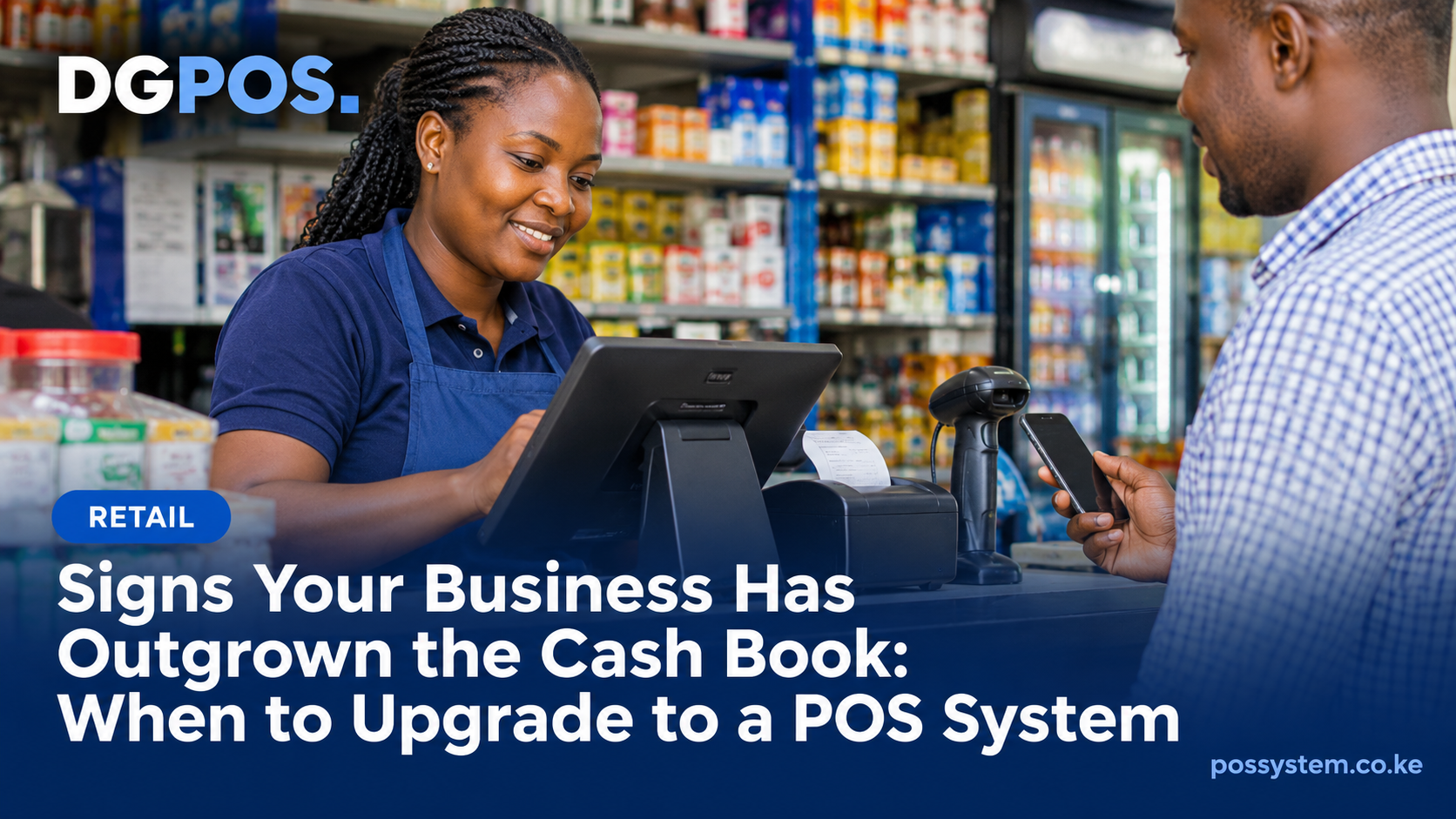
How to Handle Split Bills and Shared Tables

Managing shared tables and split bills is a common challenge for restaurants, hotels, cafés, bars, and other food businesses in Kenya. Customers often visit restaurants in groups, order different meals, share food, and request separate payments when it is time to settle the bill. While this may seem like a simple process, handling multiple orders and payments at one table can become complicated without an organised system. A restaurant may experience billing mistakes, delayed payments, customer disagreements, inaccurate sales records, and unnecessary pressure on waiters and cashiers. Using a reliable POS SYSTEM can make it easier to manage shared tables, track individual orders, calculate each customer’s share, and process payments accurately. A modern Point Of Sale solution helps restaurants organise transactions from the moment customers sit down until the final payment is completed. With suitable pos software, restaurant staff can manage table orders, monitor what each customer has ordered, and reduce confusion when a group requests separate bills. For businesses looking to improve restaurant operations, understanding how to handle split bills and shared tables is an important step towards better customer service and more efficient daily management. Digee Technologies Limited Company recognises the importance of organised business operations and the role a dependable point of sale system can play in helping restaurants serve customers efficiently.

1. Understand How Shared Tables Work

A shared table is a dining arrangement where two or more customers sit together and place orders under one table. Customers may arrive as friends, family members, colleagues, business partners, or members of a tour group. Although they share the same table, they may not necessarily share the same meals or payment responsibilities. One customer may order a main meal, another may order a snack, while others may request drinks or desserts. In some situations, the group may order several dishes to share.

Restaurants need to understand that a shared table can contain several individual orders. Treating every item as one combined order without tracking who requested what can create problems when customers ask to pay separately. A properly configured POS SYSTEM allows staff to organise orders according to tables and, where supported, individual guests or seats. This makes it easier to identify which meals belong to each customer.

A well-organised Point Of Sale process also helps waiters communicate orders to the kitchen and cashiers without repeatedly asking customers to explain what they ordered. With the right pos software, restaurants can maintain a clearer record of table activity and reduce the chances of charging the wrong customer.

2. Ask Customers How They Would Like to Pay

One of the easiest ways to avoid confusion is to establish payment expectations early. When a group sits down, the waiter can politely ask whether the customers would prefer one combined bill or separate bills. This simple question helps staff organise the order correctly from the beginning.

Some groups prefer one person to pay the entire amount, while others want every customer to pay for their own food and drinks. There are also groups that prefer to divide the total bill equally. Asking about payment preferences before orders are entered helps the restaurant prepare for the final settlement.

A reliable point of sale system can support different billing arrangements depending on its available features. Staff should understand how to create separate guest bills, split selected items, or divide a total amount where these functions are supported. A properly configured POS SYSTEM reduces the need for manual calculations and helps ensure that customers are charged according to their agreement.

3. Record Individual Orders Correctly

Accurate order entry is one of the most important parts of handling shared tables. Every meal, drink, snack, and additional item should be recorded correctly. When customers order individually, waiters should identify who requested each item before sending the order to the kitchen.

For example, imagine a group of five customers sitting at one table in a restaurant in Nakuru. The first customer orders chicken and rice, the second orders fish, the third orders chips and a soda, while the remaining two order different meals. If the waiter enters everything as one unidentified order, it may become difficult to prepare separate bills later.

Using organised pos software helps staff maintain better order records. Where the system supports guest or seat identification, each item can be assigned to the correct customer. A modern Point Of Sale solution can also help staff review the table’s orders before payment.

Correct order entry reduces billing disagreements and makes it easier to provide customers with accurate receipts. It also helps management maintain more reliable sales information through the point of sale system.

4. Use Separate Guest Orders for Individual Payments

When customers want to pay separately, the restaurant should be able to identify the items belonging to each person. This is particularly important for large groups where every customer has ordered different meals and drinks.

For example, a group of four customers may share one table but have different food preferences. One customer orders a burger and juice, another orders fish and water, while the remaining customers order chicken and soft drinks. Each customer should be able to review the items they are responsible for before paying.

A suitable POS SYSTEM can help restaurants organise individual guest orders under one table, depending on the system’s configuration. Instead of calculating every customer’s total manually, staff can use the point of sale system to review the recorded items and prepare separate bills where supported.

This approach is useful for restaurants, hotels, cafés, and other hospitality businesses that regularly serve groups. It also makes the checkout process more organised because the cashier can handle each customer’s payment without losing track of the remaining balance.

5. Understand the Different Ways to Split Bills

Not every customer group wants to divide its bill in the same way. Restaurants should understand the common splitting methods so that staff can handle requests correctly.

Splitting by Individual Orders

This is one of the most straightforward methods. Each customer pays for the meals and drinks they personally ordered. It works well when customers have placed separate orders and the restaurant has recorded each item correctly.

A Point Of Sale solution can make this process easier by displaying individual orders and their corresponding prices. Where supported, staff can transfer selected items to separate bills without manually rebuilding the entire transaction.

Splitting the Total Bill Equally

Some groups prefer to divide the entire bill into equal portions. For example, if six customers agree to share a bill of KSh 6,000 equally, each customer contributes KSh 1,000.

A suitable pos software solution may allow staff to divide a bill into equal payments. If this feature is unavailable, the cashier can calculate the agreed portions manually while ensuring the total payments add up to the original bill.

Splitting by Selected Items

Sometimes customers share food but pay for different drinks or additional items individually. For example, three friends may share a large pizza while each pays separately for their own drink.

In such cases, the restaurant needs a clear agreement about how the shared food cost will be divided. A POS SYSTEM with item-level billing support can make it easier to separate selected items and assign the correct amounts to different customers.

Splitting by Custom Amounts

Some customers agree to contribute different amounts instead of paying equally. One person may cover the main meal while another pays for drinks or desserts. A cashier should confirm the agreed amounts before processing the payments.

A well-configured point of sale system can help staff record multiple payment amounts against a single table bill where the feature is supported. This helps maintain an accurate record of what has been paid and what remains outstanding.

6. Handle Shared Food Fairly

Shared food can make billing more complicated because several customers may consume the same dish. Restaurants should establish a clear method for charging shared items before processing payment.

For example, a group may order a large platter intended for four people. If the customers agree to divide the cost equally, the restaurant can split the item’s price into four portions. If one customer offers to pay for the entire platter, the other customers can settle only their individual orders.

Staff should avoid making assumptions about who should pay for shared dishes. The best approach is to ask the customers how they want the cost divided and record the arrangement correctly.

A point of sale system with flexible item splitting can help manage this process. Where supported, the cashier can divide a shared item across several guest bills. Reliable pos software also reduces the risk of charging the same shared item more than once or leaving it out of the final payment.

7. Make It Easy to Combine Different Payment Methods

Customers may want to use different payment methods when settling a shared table bill. One person may pay using M-Pesa, another may use cash, while someone else prefers a bank card. Restaurants should have a clear process for accepting these payments and confirming that the full bill has been settled.

For example, a group has a total bill of KSh 5,000. One customer pays KSh 2,000 through M-Pesa, another pays KSh 1,500 in cash, and the remaining customers contribute the outstanding KSh 1,500 using an accepted payment method.

A suitable POS SYSTEM can support multiple payment methods and partial payments depending on the available configuration. Staff should confirm each payment before marking the transaction as fully paid. Where M-Pesa or card integrations are available, the Point Of Sale solution may help connect payment records with the relevant transaction.

Restaurants should never assume that a payment has been completed simply because a customer displays a message or screenshot. Cashiers should verify the payment through the appropriate confirmation process before closing the bill. Accurate payment recording helps protect the business from fake payment messages, duplicate entries, and outstanding balances.

8. Train Waiters and Cashiers on Split Billing

Even the best pos software cannot guarantee a smooth billing process if employees do not understand how to use it. Waiters, supervisors, and cashiers should receive practical training on how to manage shared tables and separate payments.

Training should cover how to open a table, enter customer orders, identify individual guests where supported, transfer items between bills, split selected items, and process different payment methods. Employees should also understand how to review a transaction before completing it.

A cashier who understands the point of sale system can handle billing requests more confidently and reduce delays at the counter. Waiters who know how to record individual orders correctly can prevent mistakes before they reach the payment stage.

Restaurants should also create simple internal procedures explaining how to handle shared meals, discounts, service charges, and payment disagreements. Consistent procedures help every employee follow the same process, even during busy lunch and dinner periods.

9. Avoid Common Split-Bill Mistakes

Restaurants can experience several problems when managing shared tables. Understanding these mistakes helps businesses create better billing procedures.

Charging the Wrong Customer

This can happen when individual orders are not properly identified. A waiter may accidentally assign one customer’s drink or meal to another guest. A properly organised POS SYSTEM helps reduce this risk by maintaining clearer order records.

Forgetting Shared Items

Shared platters, desserts, and additional sides can easily be forgotten when staff prepare separate bills. Before finalising payment, employees should review the original table order to confirm that every item has been accounted for.

Calculating Equal Shares Incorrectly

Manual calculations can lead to rounding mistakes, especially when a bill includes taxes, service charges, or discounts. Staff should confirm the total amount and agreed splitting method before collecting payments. A Point Of Sale solution can assist with calculations where the required functionality is supported.

Recording Payments Against the Wrong Bill

When several customers pay at the same time, cashiers may accidentally record a payment against the wrong guest or table. Using organised pos software and verifying each transaction before confirming payment can help prevent this problem.

Closing a Table Too Early

A table should not be marked as fully settled while part of the bill remains unpaid. Cashiers should check the outstanding balance before closing the transaction. A reliable point of sale system can help staff monitor payments and identify remaining balances where supported.

10. Use Clear Receipts to Improve Customer Confidence

Customers should be able to understand what they are paying for. A clear receipt helps them review their orders, prices, discounts, taxes where applicable, and payment details.

When a group requests separate bills, each customer should receive a receipt showing the items and amount assigned to their payment. This reduces confusion and gives customers a record of the transaction.

A POS SYSTEM can generate receipts according to the business’s configuration. Depending on the available features, restaurants may also be able to issue printed or electronic receipts.

A well-organised Point Of Sale process makes it easier for customers to verify their purchases. It also helps the restaurant maintain consistent transaction records for daily reconciliation and business reporting.

11. Manage Discounts and Service Charges Carefully

Discounts and service charges can make split billing more complicated. For example, a restaurant may offer a group discount, a promotional meal package, or a service charge on the entire table bill. Staff should understand how these amounts should be allocated before preparing individual payments.

If customers agree to split a discounted bill equally, the discount should be included in the calculation. If they are paying for individual items, the restaurant should follow its established pricing and discount policy.

A properly configured pos software solution can help calculate applicable discounts and charges. However, employees must understand how the restaurant’s billing rules work so that the final amounts remain accurate.

A point of sale system should be configured according to the business’s pricing policies, tax requirements, and service procedures. Restaurants should review their settings regularly to ensure that discounts, taxes, and charges are applied correctly.

12. Keep Accurate Records of Split Payments

Split billing does not end when customers leave the restaurant. The business also needs accurate records for sales tracking, cash reconciliation, stock management, and financial reporting.

For example, if a table bill is settled through three different payment methods, the restaurant should have a clear record of each contribution. This makes it easier to reconcile cash received, M-Pesa payments, and card transactions.

A reliable POS SYSTEM can help organise transaction records and payment information. Depending on the features available, management may review sales by payment method, table, cashier, or transaction period.

Accurate records also help restaurant owners identify unusual payment patterns and investigate discrepancies. With dependable pos software, businesses can reduce the time spent checking handwritten notes and manually combining payment records.

13. Use Table Management Features to Improve Service

Busy restaurants need an organised way to monitor available tables, occupied tables, active orders, and completed payments. Table management features can help employees understand which tables are being served and which ones are ready for new customers.

A Point Of Sale solution with table management functionality can help waiters and supervisors monitor dining activity. Where supported, employees may view open orders, transfer items, move tables, or review outstanding balances.

This is particularly useful during busy periods when a restaurant is serving several groups at once. Without an organised process, staff may confuse table numbers, mix orders, or delay payments.

A suitable point of sale system helps restaurants improve coordination between the dining area, kitchen, and cashier. It can also support better communication among employees, especially when customers change seats or request additional items.

14. Establish a Clear Split-Billing Policy

Every restaurant should have a simple policy explaining how split bills are handled. This helps employees respond consistently and prevents disagreements between customers and staff.

The policy can explain whether customers may split bills by individual orders, divide the total equally, or use different payment methods. It can also explain how shared platters, promotional discounts, and service charges are handled.

Restaurants should communicate any important billing restrictions politely before customers complete their orders. This is especially useful for large groups and special events where several people may request separate payments.

A well-defined policy, combined with a dependable POS SYSTEM, makes it easier for employees to handle different customer requests. It also helps management maintain consistent billing practices across different shifts.

15. Improve the Customer Experience During Busy Hours

Long waiting times at checkout can affect the overall restaurant experience. Customers who have finished eating may become frustrated if staff take too long to calculate separate bills or verify payments.

Restaurants can improve the process by recording orders correctly, confirming payment preferences early, and ensuring that employees understand the billing system. Cashiers should also communicate clearly with customers when handling multiple payments.

Using suitable pos software can reduce repetitive calculations and help staff retrieve order information more quickly. A modern point of sale system may also support faster payment processing, depending on the hardware, configuration, and payment integrations available.

Restaurants should regularly review customer feedback and identify billing procedures that cause delays. Improving the split-billing process can increase customer satisfaction and encourage repeat visits.

16. Why Restaurants Need a Reliable POS System

Restaurant operations involve more than recording food sales. Businesses need to manage orders, tables, payments, receipts, discounts, stock, and daily sales information. When these activities are handled manually, employees may spend too much time checking handwritten records and calculating customer bills.

A dependable POS SYSTEM helps bring important sales activities into one organised process. Depending on its features, it may support table management, order tracking, separate guest bills, payment processing, receipt generation, and sales reporting.

A modern Point Of Sale solution can also help management understand restaurant performance by providing access to transaction information. This makes it easier to review daily sales, identify popular menu items, and monitor payment activity.

For restaurants looking to improve operational efficiency, choosing suitable pos software is an important business decision. The system should match the restaurant’s size, service style, payment requirements, and daily workflow.

17. How Digee Technologies Limited Company Supports Better Business Management

Digee Technologies Limited Company provides technology solutions for businesses seeking to improve how they manage daily operations. For restaurants and hospitality businesses, adopting an organised point of sale system can support better sales management and more accurate transaction records.

When evaluating a POS SYSTEM, restaurant owners should consider the features they need to manage tables, orders, payments, receipts, and reporting. They should also consider ease of use, staff training, technical support, and compatibility with their business processes.

A suitable Point Of Sale solution should help employees complete everyday tasks without creating unnecessary complications. Restaurants should ask about split-bill functionality, multiple payment methods, table management, and other relevant features before selecting their preferred pos software.

Digee Technologies Limited Company encourages businesses to adopt practical technology that supports efficiency, accountability, and better customer experiences. A well-selected point of sale system can help restaurants establish more organised billing procedures and manage transactions with greater confidence.

18. Practical Example: Splitting a Restaurant Bill

Consider a group of four friends dining at a restaurant in Kenya. Their total bill is KSh 4,800. They have ordered different meals, drinks, and one shared platter.

Their agreed payment arrangement is:

  • Customer A pays KSh 1,200.
  • Customer B pays KSh 1,000.
  • Customer C pays KSh 1,400.
  • Customer D pays KSh 1,200.

The total contributions add up to KSh 4,800. The cashier should confirm that the amounts match the original bill before completing the transaction.

If the restaurant uses a suitable POS SYSTEM, staff may be able to allocate the individual amounts to separate bills or record multiple payments against the table, depending on the system’s features.

The Point Of Sale process should ensure that every payment is recorded correctly and that the table is only marked as settled after the full amount has been received. This simple example demonstrates why accurate order entry and organised payment procedures are important when handling shared tables.

19. Best Practices for Handling Split Bills and Shared Tables

Restaurants can improve their billing processes by following these practical recommendations:

  1. Ask customers whether they prefer one bill or separate bills when taking orders.
  2. Record each customer’s meals and drinks accurately.
  3. Identify shared dishes and confirm how customers want to divide their cost.
  4. Train waiters and cashiers to use the point of sale system correctly.
  5. Verify M-Pesa, cash, and card payments before confirming transactions.
  6. Review individual bills before presenting them to customers.
  7. Ensure that all payments add up to the original table bill.
  8. Apply discounts and service charges according to the restaurant’s policy.
  9. Provide clear receipts for individual payments.
  10. Review daily transaction records to identify billing mistakes.
  11. Use suitable pos software to organise orders and payments.
  12. Establish consistent procedures for handling customer billing requests.

These practices help restaurants improve accuracy, reduce unnecessary delays, and create a more professional dining experience.

Frequently Asked Questions About Split Bills and Shared Tables

1. What is split billing in a restaurant?

Split billing is the process of dividing one restaurant bill among two or more customers. Customers may pay for their individual orders, divide the total equally, or agree to contribute different amounts. A suitable POS SYSTEM can help restaurants manage these arrangements where supported.

2. Can a POS system create separate bills for customers at one table?

Yes, some systems support separate guest bills under one table. The exact process depends on the system’s features and configuration. Restaurants should confirm that their preferred point of sale system supports the type of split billing they need.

3. How can restaurants divide a bill equally?

Restaurants can calculate the total bill and divide it by the number of customers sharing the payment. For example, a KSh 3,000 bill shared equally by five customers means each customer contributes KSh 600. Suitable pos software may automate equal splitting where the feature is available.

4. Can customers use M-Pesa and cash to pay one restaurant bill?

Yes. Restaurants can accept different payment methods for one bill, provided their payment procedures and system support the arrangement. Staff should verify each contribution and record it correctly using their POS SYSTEM or established payment process.

5. How should restaurants charge for shared meals?

Restaurants should ask customers how they want shared meals divided. They may divide the price equally, assign the entire item to one customer, or use another agreed arrangement. A Point Of Sale solution with item-splitting functionality can make this process easier where supported.

6. Why is accurate order entry important when splitting bills?

Accurate order entry helps restaurants identify who ordered each meal or drink. It reduces the risk of charging customers for items they did not purchase and makes separate billing easier. A reliable point of sale system supports better order organisation.

7. What happens if customers disagree about who should pay for a shared item?

Staff should remain professional and ask the customers to agree on how the shared item should be divided. Employees should avoid making assumptions or assigning charges without confirmation. Clear billing procedures and organised order records can help prevent these disagreements.

8. Does restaurant POS software help reduce billing mistakes?

Suitable pos software can reduce manual calculations, improve order tracking, and organise payment records. However, employees must still enter orders correctly, verify payments, and follow the restaurant’s billing procedures.

9. What should restaurant owners consider when choosing a POS system?

Restaurant owners should consider order management, table management, split billing, payment methods, receipts, reporting, ease of use, staff training, and technical support. The selected POS SYSTEM should match the restaurant’s operational requirements.

10. Can a POS system manage multiple payments for one table?

Some systems support multiple partial payments against one table bill. This allows different customers to contribute using different payment methods. Restaurants should confirm the availability of this functionality when selecting a point of sale system.

Conclusion

Handling split bills and shared tables is an important part of restaurant management, especially for businesses that regularly serve groups, families, friends, and colleagues. Without a clear process, restaurants can experience billing mistakes, delayed payments, customer disagreements, and inaccurate transaction records. By recording individual orders correctly, confirming payment preferences early, managing shared dishes fairly, and training employees, restaurants can make the billing experience easier for everyone. A reliable POS SYSTEM can further improve the process by helping staff organise table orders, prepare separate bills, record different payment methods, and maintain accurate sales information where the required features are supported. Investing in suitable pos software is therefore a practical step towards better restaurant management. Digee Technologies Limited Company encourages Kenyan businesses to explore technology solutions that simplify daily operations and support better customer service. With an effective Point Of Sale process and a well-configured point of sale system, restaurants can handle shared tables more confidently, improve payment accuracy, and provide customers with a smoother dining experience.

eTIMS Penalties in Kenya: What Happens If You Don’t Comply?

Tax compliance is an important responsibility for every business operating in Kenya. Whether you own a supermarket, minimart, pharmacy, restaurant, hardware shop, wholesale business, clothing store, or service company, understanding the Kenya Revenue Authority (KRA) requirements can help you avoid unnecessary penalties and financial difficulties.

One of the important tax compliance requirements affecting Kenyan businesses is the Electronic Tax Invoice Management System (eTIMS). KRA introduced eTIMS to improve electronic invoicing, promote transparency, and make it easier to monitor business transactions. Businesses are expected to generate and transmit electronic tax invoices through approved solutions, subject to applicable exemptions and requirements.

Understanding eTIMS Penalties in Kenya: What Happens If You Don’t Comply is important because failing to meet electronic invoicing obligations can expose a business to penalties and other tax compliance problems. These consequences may include financial penalties, difficulties claiming allowable business expenses, challenges with input VAT claims, and possible legal action depending on the nature of the offence.

For businesses that handle many daily transactions, maintaining accurate sales records is essential. A reliable POS SYSTEM can help record transactions, manage products, and organise business information. Suitable pos software can also support electronic invoicing where the appropriate eTIMS integration is available. A modern Point Of Sale solution helps businesses maintain better transaction records and improve daily operations.

This guide explains eTIMS requirements in Kenya, the possible penalties for non-compliance, common mistakes businesses should avoid, and how technology can help businesses manage their operations more effectively.

1. What Is eTIMS in Kenya?

eTIMS stands for Electronic Tax Invoice Management System. It is a KRA electronic invoicing solution that allows businesses to generate and transmit tax invoices electronically.

The system is designed to improve the accuracy of business transaction records and support tax administration.

Businesses can access eTIMS through different solutions, including:

  • eTIMS Lite web.
  • eTIMS Lite USSD.
  • eTIMS mobile application.
  • eTIMS client software.
  • Online invoicing portal for eligible service businesses.
  • System-to-system integration solutions such as VSCU and OSCU.

KRA provides its eTIMS software solutions free of charge. However, businesses that choose to integrate their existing invoicing systems through approved third-party providers may incur additional costs.

KRA states that persons engaged in business are generally required to onboard eTIMS and issue electronic tax invoices, including businesses that are not registered for VAT, subject to applicable exceptions.

This means that small retail shops, supermarkets, pharmacies, restaurants, wholesalers, and other businesses should understand their electronic invoicing obligations.

A modern POS SYSTEM can help businesses record sales and organise transactions. Where the pos software supports an appropriate eTIMS integration, it may also help automate electronic invoicing.

2. Why Is eTIMS Compliance Important for Kenyan Businesses?

eTIMS compliance is important because it affects how businesses document sales, support expenses, and meet their tax obligations.

KRA uses electronic invoice information to improve the accuracy of tax declarations and monitor business transactions.

For example, a supermarket that sells groceries every day needs to maintain accurate sales records. If the business fails to issue the required electronic invoices, its records may not properly reflect its transactions in the KRA system.

Similarly, a hardware shop purchasing goods from suppliers needs to obtain appropriate supporting invoices for eligible business expenses.

Complying with eTIMS can help businesses:

  • Maintain proper electronic sales records.
  • Issue invoices to customers.
  • Support eligible business expense claims.
  • Improve transaction transparency.
  • Reduce invoicing errors.
  • Prepare for income tax reporting.
  • Support VAT compliance where applicable.
  • Maintain more organised financial records.

A reliable Point Of Sale solution can make transaction management easier. With suitable pos software, businesses can organise their daily sales and maintain records that support their invoicing processes.

3. What Are the Penalties for Failing to Comply with eTIMS in Kenya?

One of the biggest concerns for business owners is the financial and legal consequences of failing to comply with electronic invoicing requirements.

The exact penalty depends on the applicable law, the type of taxpayer, the nature of the non-compliance, and the circumstances of the case.

Under the Tax Procedures (Electronic Tax Invoice) Regulations, 2024, failure to comply with the Regulations, including prohibited interference with the eTIMS system, may attract a penalty of two times the tax due under the applicable provisions.

The Regulations also address conduct such as manipulating, tampering with, or interfering with the proper functioning of the electronic invoicing system.

For VAT-registered taxpayers, KRA also identifies offences under the VAT (Electronic Tax Invoice) Regulations and Section 63 of the VAT Act. Its published guidance states that the offence may attract a fine not exceeding KSh 1 million, imprisonment for a term not exceeding three years, or both.

These provisions should not be confused with an automatic fixed fine for every missed invoice. The applicable legal provision and facts of the case matter.

Furthermore, following the Finance Act 2026 changes, KRA states that where a taxpayer fails to issue an electronic invoice, file electronically, or pay electronically, it will first issue a written notice and consider the taxpayer’s explanation before applying the relevant penalty.

Businesses should therefore take every compliance notice seriously and respond within the required period.

4. What Happens If You Fail to Issue eTIMS Invoices?

Issuing electronic tax invoices is one of the main responsibilities of businesses covered by the eTIMS requirements.

If a business sells products or provides services but fails to issue the required electronic tax invoices, it may be exposed to enforcement action under the applicable tax laws.

For example, a retail shop selling groceries may record sales in a handwritten book but fail to generate the required electronic invoices. If KRA identifies the non-compliance, the business may be required to explain why it has not followed the electronic invoicing requirements.

Depending on the applicable provisions and circumstances, the business may face penalties.

Failing to issue electronic invoices can also affect customers who need valid tax invoices to support their own business expense claims.

A business should therefore ensure that its invoicing process is properly organised.

How to Avoid This Problem

  • Onboard your business on an appropriate eTIMS solution.
  • Issue the required electronic tax invoices.
  • Ensure invoices contain accurate transaction details.
  • Confirm that invoices are transmitted successfully.
  • Keep electronic invoice records.
  • Train employees on proper invoicing procedures.
  • Review transaction records regularly.

A properly configured POS SYSTEM can help record sales as they happen. Where supported, integrated pos software can also send invoice information through an approved eTIMS connection.

5. What Happens If You Tamper with or Manipulate eTIMS?

Tampering with an electronic tax invoicing system is a serious compliance issue.

Businesses should not manipulate invoice information, interfere with electronic records, or deliberately disable the invoicing system to avoid reporting sales.

Examples of risky conduct include:

  • Deliberately altering invoice information.
  • Manipulating sales records.
  • Interfering with the proper functioning of the invoicing system.
  • Uninstalling or changing a registered device without following the required notification procedure.
  • Deliberately preventing invoices from being transmitted to KRA.
  • Maintaining false or misleading electronic transaction records.

The Tax Procedures (Electronic Tax Invoice) Regulations, 2024 provide for penalties where a person fails to comply with the Regulations or tampers with, manipulates, or interferes with the system.

The applicable penalty may be two times the tax due under the relevant provisions.

Businesses should understand that electronic invoicing is not simply about generating documents. It also involves maintaining the integrity of transaction information.

A reliable point of sale system can help organise sales records, while appropriate access controls and staff procedures can reduce the risk of unauthorised changes.

6. How eTIMS Non-Compliance Can Affect Your Business Expenses

Another important consequence of failing to comply with eTIMS is the effect on business expense deductions.

Businesses normally incur expenses when purchasing stock, paying suppliers, buying equipment, and obtaining services required for their operations.

Some of these expenses may qualify as deductions when calculating taxable business income. However, businesses must maintain the required supporting documentation.

KRA requires valid electronic tax invoices for eligible business expenses, subject to the applicable exceptions.

For example, imagine a hardware shop purchasing cement, paint, electrical supplies, and plumbing materials from different suppliers.

If the hardware shop wants to claim eligible purchases as business expenses, it should obtain the required electronic tax invoices and ensure that the correct buyer details are captured.

Without appropriate supporting documents, the business may encounter problems when KRA validates its declared expenses.

Why This Matters

Suppose a business records KSh 500,000 in eligible purchases during a particular period but cannot provide the required supporting electronic invoices or valid alternative documentation.

The business may have difficulty supporting the expense claim during tax validation.

This could affect the calculation of taxable income and potentially increase the tax payable if an expense is disallowed.

Business owners should therefore:

  • Request valid electronic tax invoices from suppliers.
  • Provide the correct business PIN.
  • Check invoice details.
  • Maintain purchase records.
  • Reconcile supplier invoices regularly.
  • Understand which expenses qualify for exceptions.

A suitable POS SYSTEM can help businesses organise sales and inventory information, while pos software with purchasing features may help manage supplier records.

7. How eTIMS Non-Compliance Can Affect VAT Claims

VAT-registered businesses have additional responsibilities when it comes to electronic tax invoices.

Businesses generally need valid supporting tax invoices when claiming eligible input VAT.

If a business purchases taxable goods or services but does not obtain the required compliant invoice, it may experience difficulties claiming the related input VAT.

For example, a supermarket purchases taxable stock from a supplier but receives an invoice that does not meet the applicable electronic invoicing requirements.

The supermarket may be unable to support the input VAT claim using that invoice.

This can affect the business’s VAT position and may result in additional tax payable.

VAT-registered businesses should therefore ensure that:

  • Suppliers issue compliant electronic tax invoices.
  • The correct buyer PIN is captured where required.
  • Invoice details are accurate.
  • Purchase records are properly maintained.
  • Input VAT claims are supported by the required documents.

A modern Point Of Sale solution can help businesses maintain organised transaction records, although VAT compliance still requires correct invoicing and accounting procedures.

8. Can a Business That Is Not VAT Registered Be Penalised for eTIMS Non-Compliance?

Yes, businesses should not assume that being unregistered for VAT automatically removes their eTIMS responsibilities.

KRA states that persons engaged in business are generally required to onboard eTIMS and issue electronic tax invoices, including persons who are not registered for VAT.

This requirement covers different types of business activities, including businesses operating in the informal sector.

For example:

  • A small grocery shop.
  • A minimart.
  • A clothing store.
  • A hardware shop.
  • A restaurant.
  • A wholesale business.
  • A service provider.

These businesses should understand the invoicing requirements that apply to them.

The fact that a business is not VAT registered does not automatically mean it can ignore electronic invoicing.

However, there are specific exemptions and different procedures under the applicable regulations. Businesses should confirm their position with KRA rather than assuming that every requirement applies identically to every taxpayer.

A suitable POS SYSTEM can help non-VAT-registered businesses maintain organised sales records, while appropriate pos software can support their invoicing processes.

9. What Happens If Your eTIMS System Stops Working?

Technical problems can happen. A business may experience internet interruptions, software errors, device malfunctions, or temporary system downtime.

However, experiencing a technical problem does not mean the business should simply stop maintaining sales records.

The Tax Procedures (Electronic Tax Invoice) Regulations, 2024 provide procedures for system failures.

Where the system fails, the taxpayer is required to notify the Commissioner in writing within 24 hours and record sales using an alternative method specified by the Commissioner. Once the system becomes operational, the taxpayer should capture the sales in eTIMS as required.

Businesses should maintain evidence of technical problems, including:

  • Screenshots of error messages.
  • Records of system downtime.
  • Support tickets.
  • Communication with the software provider.
  • Details of alternative sales records.
  • Records of when normal invoicing resumed.

KRA’s 2026 guidance also explains that system-related errors may be considered when assessing penalties or interest, subject to the law.

A reliable POS SYSTEM can help maintain business transaction records during normal operations. Businesses should also understand the continuity procedures supported by their chosen pos software and eTIMS solution.

10. Can KRA Penalise a Business Immediately Without Giving It an Opportunity to Explain?

Businesses should pay attention to the procedure introduced through the Finance Act 2026.

KRA explains that where a taxpayer fails to issue an electronic invoice, file electronically, or pay electronically, it will issue a written notice requesting an explanation before applying the relevant penalty.

The taxpayer’s response is considered under the applicable legal requirements.

This is important because non-compliance may arise from different circumstances.

For example:

  • A business may deliberately refuse to issue invoices.
  • A business may experience technical problems.
  • An employee may make an invoicing mistake.
  • A system may fail to transmit invoices.
  • A business may misunderstand its obligations.

The circumstances and supporting evidence may be relevant when KRA considers the explanation.

Businesses should never ignore an official KRA notice. They should respond promptly, provide accurate information, and seek professional tax advice where necessary.

If the problem resulted from a system error, keep screenshots, support tickets, and correspondence.

11. What Other Business Problems Can Result from eTIMS Non-Compliance?

Financial penalties are not the only concern.

Failing to comply with electronic invoicing requirements can create other problems that affect the daily operations and long-term performance of a business.

Difficulty Obtaining a Tax Compliance Certificate

Businesses may encounter tax compliance difficulties where they fail to meet applicable tax obligations.

A Tax Compliance Certificate may be important when applying for certain tenders, contracts, and business opportunities.

KRA has previously stated that non-compliance with electronic tax invoice requirements can affect the issuance of a Tax Compliance Certificate for VAT-registered taxpayers.

Businesses should therefore maintain proper tax records and confirm their compliance position.

Increased Tax Audits and Questions

Inconsistent transaction records can create questions during tax reviews and audits.

If declared sales do not match available electronic invoice information, the business may need to explain the differences.

Additional Accounting Work

Missing invoices and incomplete transaction records create extra work for business owners and accountants.

They may need to contact suppliers, review sales books, correct records, and prepare additional supporting documents.

Damage to Business Reputation

Businesses that regularly experience invoicing problems may lose the confidence of customers and suppliers.

Maintaining proper electronic invoices can support professional business operations.

Increased Financial Pressure

Penalties, additional tax assessments, and professional costs can place pressure on business finances.

A business that maintains proper records and meets its obligations is better positioned to avoid unnecessary compliance problems.

12. Common eTIMS Compliance Mistakes Kenyan Businesses Should Avoid

Many businesses experience tax compliance challenges because they do not maintain proper invoicing procedures.

Here are common mistakes to avoid.

Failing to Onboard eTIMS

Businesses should confirm whether they are required to onboard and choose the appropriate eTIMS solution.

Issuing Manual Invoices Without Following the Required Procedure

Businesses should not assume that handwritten invoices automatically replace electronic tax invoices.

Where a system failure occurs, follow the official alternative recording and notification procedure.

Using Incorrect Buyer PIN Details

Incorrect buyer information can affect how purchase invoices are reflected in the relevant electronic records.

Ignoring Supplier Invoices

Businesses should regularly review invoices received from suppliers and follow up on missing or incorrect documents.

Failing to Update Invoicing Software

Outdated software may cause technical problems or affect the accuracy of electronic invoice transmission.

Allowing Employees to Manipulate Sales Records

Businesses should establish clear procedures for correcting invoices, processing refunds, and managing transaction adjustments.

Ignoring KRA Notices

A KRA notice should never be ignored. Business owners should read it carefully and provide the required response.

Assuming a POS System Automatically Guarantees Compliance

Not every POS SYSTEM automatically connects to eTIMS.

Businesses should confirm whether their chosen pos software supports the required approved integration and whether invoices are transmitted correctly.

13. How to Avoid eTIMS Penalties in Kenya

The best way to reduce the risk of eTIMS penalties is to establish proper invoicing and record-keeping procedures.

Business owners can follow these practical steps.

Step 1: Register for eTIMS

Confirm your business’s invoicing obligations and onboard the appropriate KRA eTIMS solution.

Step 2: Issue Electronic Tax Invoices

Generate and transmit electronic invoices for applicable sales.

Step 3: Maintain Accurate Sales Records

Record every transaction correctly and ensure that the sales information agrees with your electronic invoicing records.

Step 4: Check Supplier Invoices

Request valid electronic tax invoices and confirm that your business details are correctly captured.

Step 5: Train Employees

Employees should understand how to generate invoices, handle customer requests, and correct mistakes using the proper procedures.

Step 6: Update Your Systems

Ensure that invoicing software and connected systems are maintained and updated as required.

Step 7: Keep Supporting Documents

Maintain invoices, purchase records, receipts, and relevant system communications.

Step 8: Reconcile Records Regularly

Compare sales information, electronic invoices, stock records, and financial reports.

Step 9: Respond to KRA Notices

If KRA requests an explanation, provide an accurate response supported by relevant documents.

Step 10: Seek Professional Advice

If you are unsure about your tax obligations or possible penalties, consult a qualified tax professional.

14. How a POS System Can Help Your Business Maintain Better eTIMS Records

Businesses that process many transactions every day need reliable ways to manage their sales information.

A handwritten sales book may work for a small operation, but it can become difficult to manage when a business handles hundreds of transactions.

A modern POS SYSTEM can help organise business transactions and provide useful information for accounting and tax preparation.

Accurate Sales Recording

A Point Of Sale solution can record sales as they happen, reducing reliance on handwritten transaction records.

Electronic Invoice Support

Some pos software solutions support integration with approved eTIMS invoicing systems.

This can help businesses generate and transmit electronic invoices through the appropriate process.

Better Stock Management

A suitable point of sale system can connect recorded sales with stock quantities, helping businesses monitor products sold and remaining inventory.

Organised Sales Reports

Business owners can use digital reports to review daily sales, product performance, and payment records.

Improved Staff Accountability

Where user management is supported, a POS SYSTEM can help managers review transactions processed by individual employees.

Easier Record Reconciliation

Organised transaction records make it easier to compare internal sales information with electronic invoices and other financial documents.

However, businesses should remember that using a point of sale system does not automatically guarantee eTIMS compliance. The required electronic invoicing process must be correctly configured and followed.

15. How Different Kenyan Businesses Can Benefit from eTIMS Compliance

eTIMS affects businesses across different industries.

Supermarkets and Minimarts

Supermarkets and minimarts process many transactions throughout the day. They need proper systems for recording sales and issuing invoices.

A reliable POS SYSTEM can help manage product sales, stock movement, and transaction records.

Pharmacies

Pharmacies sell different products and need organised records of sales and purchases.

Suitable pos software can help pharmacies manage products, sales, and stock information.

Hardware Shops

Hardware businesses may handle large orders involving different product quantities and prices.

A point of sale system can help organise transactions and maintain useful business records.

Restaurants

Restaurants process customer orders and payments throughout the day.

A modern Point Of Sale solution can help manage orders, record sales, and maintain transaction information.

Wholesale Businesses

Wholesalers often handle bulk purchases and repeat customer transactions.

A suitable POS SYSTEM can help organise sales records and support better inventory management.

Clothing Shops

Clothing retailers manage products with different sizes, colours, and designs.

A point of sales system can help record product variations and manage sales more efficiently.

16. Why Digee Technologies Limited Company Supports Smarter Business Management

Digee Technologies Limited Company recognises the importance of reliable technology in helping Kenyan businesses improve daily operations.

As businesses adapt to electronic invoicing requirements, proper transaction recording and organised business information have become increasingly important.

Whether you operate a supermarket, minimart, pharmacy, restaurant, hardware shop, wholesale outlet, or retail business, having a reliable system can make managing daily activities easier.

A suitable POS SYSTEM can help businesses record transactions, monitor stock, generate sales reports, and improve staff accountability.

With reliable pos software, business owners can reduce dependence on manual records and gain better visibility into their operations.

A modern Point Of Sale solution can also support electronic invoicing workflows when it has the appropriate approved eTIMS integration.

Digee Technologies Limited Company encourages businesses to embrace technology that supports efficient operations and organised record keeping.

Instead of managing every transaction manually, businesses can use a suitable point of sale system to improve how they handle sales, stock, and business information.

For businesses looking to improve their operations and prepare for electronic invoicing requirements, choosing appropriate technology is an important step.

Digee Technologies Limited Company supports smarter business management through technology that helps businesses organise their daily operations.

Frequently Asked Questions (FAQs)

1. What is the penalty for not complying with eTIMS in Kenya?

The applicable penalty depends on the legal provision and the nature of the non-compliance. Under the Tax Procedures (Electronic Tax Invoice) Regulations, 2024, certain offences may attract a penalty of two times the tax due. VAT-related offences may also attract penalties under the VAT Act.

2. Can a business be fined for failing to issue eTIMS invoices?

Yes. Businesses that are required to issue electronic tax invoices may face enforcement action and applicable penalties if they fail to comply.

3. Is eTIMS compulsory for small businesses in Kenya?

KRA states that persons engaged in business are generally required to onboard eTIMS and issue electronic tax invoices, including non-VAT-registered businesses, subject to applicable exemptions and special procedures.

4. Can a non-VAT-registered business face eTIMS penalties?

A business that is not registered for VAT may still have eTIMS obligations. Its responsibilities and any applicable penalties depend on the relevant legal provisions and circumstances.

5. What happens if I fail to issue an electronic tax invoice?

You may face enforcement action under the applicable laws. Your customers may also experience difficulties supporting eligible business expense claims if they do not receive the required valid electronic invoices.

6. What happens if my eTIMS system stops working?

You should follow the official system failure procedure, notify the Commissioner in writing within the required period, maintain alternative sales records, and capture the relevant sales in eTIMS when the system becomes operational.

7. Can KRA penalise me for a technical error?

KRA considers the applicable legal requirements and the circumstances surrounding non-compliance. Under the Finance Act 2026 guidance, KRA issues a notice and considers the taxpayer’s explanation before applying the relevant penalty. Keep evidence of technical problems.

8. Can a POS system help with eTIMS compliance?

Yes, a POS SYSTEM can support accurate sales recording and may support electronic invoicing through an appropriate approved eTIMS integration. Businesses should confirm the integration and transmission capabilities before relying on it.

9. Does eTIMS software cost money?

KRA provides its eTIMS software solutions free of charge. However, businesses may incur costs when choosing optional third-party integration services or additional business management software.

10. How can I avoid eTIMS penalties?

Onboard the appropriate eTIMS solution, issue required electronic invoices, maintain accurate transaction records, request valid supplier invoices, update your systems, and respond promptly to KRA notices.

Conclusion

Understanding eTIMS Penalties in Kenya: What Happens If You Don’t Comply is essential for every business owner who wants to maintain proper tax compliance and avoid unnecessary financial difficulties.

Failing to issue required electronic tax invoices, manipulating invoicing systems, or ignoring applicable eTIMS requirements can expose a business to penalties and other tax compliance challenges.

Businesses should also understand how eTIMS affects their customers, supplier relationships, income tax returns, and VAT claims.

The best approach is to maintain accurate records, issue electronic invoices correctly, monitor system performance, and respond promptly to KRA communication.

Technology can make these responsibilities easier to manage. A reliable POS SYSTEM, supported by suitable pos software, can help businesses organise transactions, manage products, and maintain better sales records.

A modern Point Of Sale solution can also support electronic invoicing when properly integrated with an approved eTIMS solution.

Digee Technologies Limited Company encourages Kenyan businesses to embrace smarter business management through reliable technology. Investing in a suitable point of sale system can help improve transaction management, strengthen record keeping, and support more organised daily operations.

Keep your business organised, manage your transactions efficiently, and take a smarter approach to business management with Digee Technologies Limited Company.