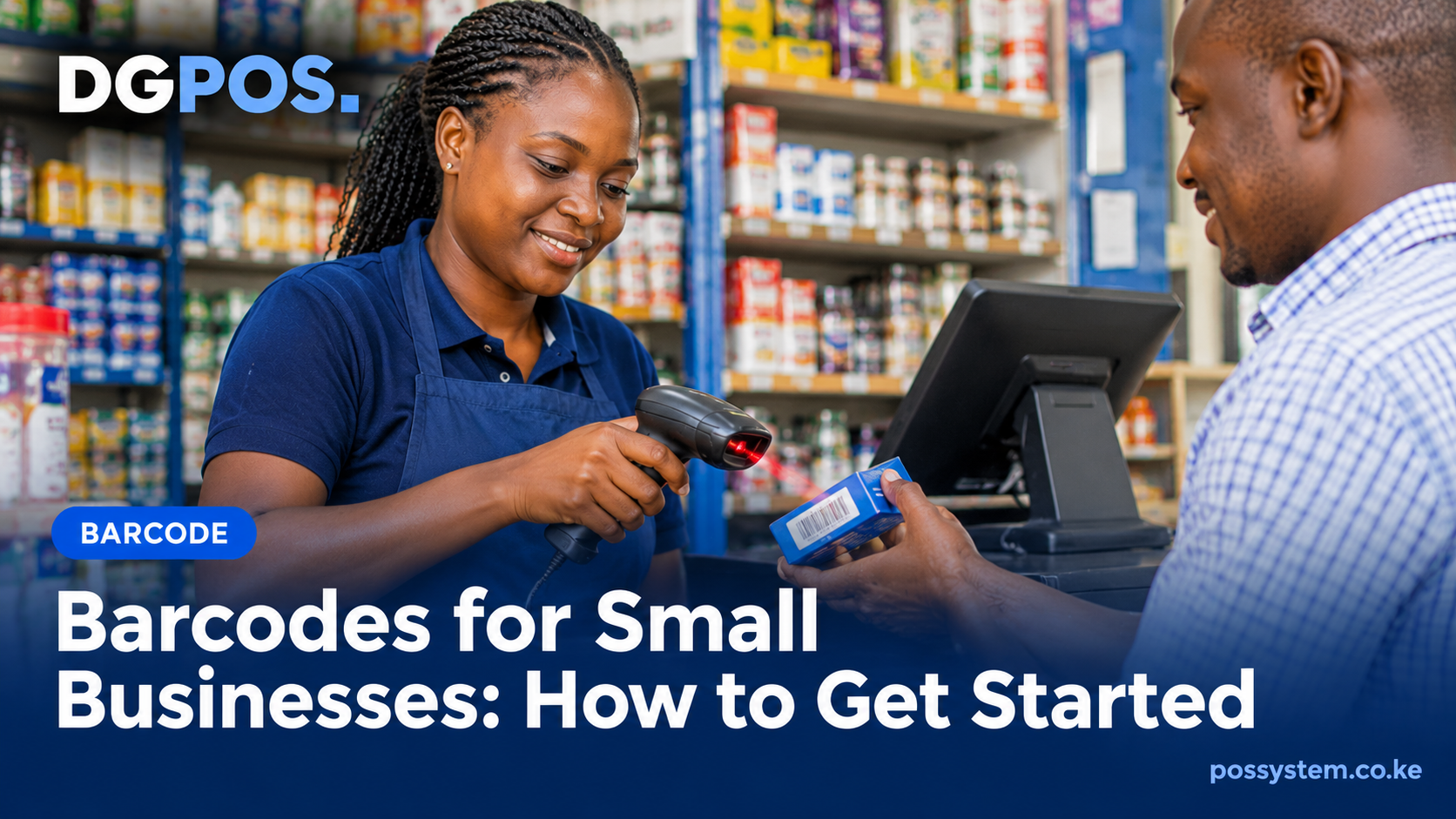
Managing products in a small business can become challenging as the number of items increases. A shop owner may start with a few products but eventually expand to hundreds or even thousands of items. Keeping track of product names, prices, quantities and sales manually can become time-consuming and increase the possibility of mistakes. This is where barcodes become useful.
Barcodes help businesses identify products quickly using a machine-readable pattern of lines, spaces or squares. Instead of typing product details manually during every transaction, employees can scan a barcode to retrieve the corresponding product information from a connected system. This makes selling, stock management and product identification easier.
For small businesses in Kenya, barcode technology can be useful in minimarts, supermarkets, pharmacies, hardware shops, boutiques, electronics stores, wholesalers and other retail businesses. Whether you are opening a new shop or improving an existing one, introducing barcodes can help create a more organised way of managing products.
When combined with a reliable POS solution, barcode scanning can improve checkout processes and reduce manual data entry. A suitable Point Of Sale system can connect product barcodes with prices and inventory records, depending on the available features. Modern pos software can also help business owners manage product information, record transactions and monitor stock movement.
In this guide, Digee Technologies Limited Company explains how barcodes work, what equipment you need, how to set up your first barcode system and how a suitable POS SYSTEM can support your small business.
1. What Are Barcodes?
A barcode is a machine-readable representation of information that identifies a product or another item. It usually appears as a series of lines and spaces or a pattern of squares that can be scanned using a barcode reader or a compatible camera.
When a barcode is scanned, the reader captures the encoded information and sends it to a connected computer or sales system. The system then uses that information to identify the matching product in its database.
For example, a minimart may have different brands and sizes of cooking oil. Each product can have its own barcode linked to its name, size, selling price and other details in the business’s product records.
When a cashier scans the barcode, the connected POS SYSTEM can retrieve the matching product information without requiring the employee to search for the item manually.
Barcodes are useful because they help businesses:
- Identify products quickly.
- Reduce manual product entry.
- Improve checkout efficiency.
- Organise inventory records.
- Track product movement.
- Reduce certain types of data-entry errors.
- Make stocktaking more organised.
A barcode does not automatically contain every detail about a product. In many retail applications, it contains an identifier that allows the connected Point Of Sale system to retrieve the relevant information from a product database.
2. Why Should Small Businesses Start Using Barcodes?
Many small businesses rely on handwritten stock records, spreadsheets or manually entered product names. Although these methods may work when a shop has very few products, they can become difficult to manage as the business grows.
Barcodes offer a more organised approach to product identification.
Faster Checkout
Cashiers can scan product barcodes instead of searching through long product lists or typing product names manually.
This can help reduce the time spent processing individual transactions, especially in businesses that handle many customers.
Improved Product Identification
Products with similar names or packaging can be difficult to distinguish. Barcodes provide unique identifiers within the business’s product records, helping employees select the correct item.
Better Inventory Tracking
When a barcode is scanned during a sale, a connected inventory system can update stock quantities, provided the relevant features are configured.
This helps business owners monitor stock movement and understand which products require replenishment.
Reduced Manual Errors
Typing product names, prices and codes repeatedly increases the possibility of mistakes. Scanning a correctly assigned barcode can reduce manual entry errors.
Easier Stocktaking
During physical stocktaking, employees can scan products to identify them and record quantities using compatible inventory tools.
A suitable POS solution can connect these activities with sales and stock records, helping businesses maintain more organised information.
3. Understand the Different Types of Barcodes
Before purchasing barcode equipment, it is important to understand that different barcode formats serve different purposes.
Small businesses should choose barcode types according to the products they sell and the systems they intend to use.
A. UPC Barcodes
UPC Barcodes | Barcodes Uganda
UPC stands for Universal Product Code. It is commonly used to identify retail products, particularly in North American retail supply chains.
A UPC barcode generally contains a numerical identifier that can be scanned at a retail checkout.
B. EAN Barcodes
Streckkodsoriginal • Applog • din Auto-ID expert
EAN stands for European Article Number, now commonly referred to within the GS1 system as an International Article Number.
EAN-13 is widely used for retail product identification in many markets, including international supply chains.
If you sell packaged products sourced from suppliers, you may find that many already have EAN barcodes printed on their packaging.
C. Code 128 Barcodes
¿cómo crear códigos de barras para mi empresa? – Dimatic
Code 128 is a linear barcode format that can encode letters, numbers and other supported characters.
It is useful for internal product identification, inventory labels, storage locations and other business applications.
D. QR Codes
Наклейка с QR кодом – закажите уникальные наклейки
QR codes are two-dimensional codes that store information in a square pattern. They can hold more information than many traditional linear barcodes.
Businesses may use QR codes for product information, website links, promotional materials and other applications.
For ordinary checkout operations, a traditional product barcode may be more suitable, depending on the scanner and POS SYSTEM being used.
4. Decide Which Products Need Barcodes
Not every business needs to introduce barcodes to every item immediately. Small businesses can start with their most frequently sold products and gradually expand.
Before setting up your system, review your product range.
For example:
Minimarts: Packaged foods, bottled drinks, toiletries, cleaning products and household supplies.
Supermarkets: Groceries, beverages, personal care products, packaged foods and other retail items.
Pharmacies: Eligible products and supplies that can be appropriately identified and managed under applicable pharmacy requirements.
Hardware shops: Tools, electrical accessories, plumbing supplies, fittings and packaged building materials.
Boutiques: Clothing items, shoes, bags and accessories.
Electronics shops: Chargers, cables, headphones, accessories and electronic devices.
Agrovets: Packaged agricultural inputs, animal feeds and other products where barcode identification is appropriate.
Start with products that have clear descriptions, consistent packaging and regular sales activity.
Using a Point Of Sale solution can help you organise these products into categories before assigning or importing barcode numbers.
5. Choose Between Existing Barcodes and Internal Barcodes
One of the first decisions when introducing barcodes is whether to use the barcodes already printed on products or create your own internal identifiers.
Both approaches can work, depending on your business.
Using Existing Product Barcodes
Many packaged products already have manufacturer-assigned barcodes.
For example, a bottle of soft drink, packet of biscuits or container of cooking oil may have an EAN or UPC barcode printed on its packaging.
If the barcode is compatible with your scanner and pos software, you can enter the barcode number into your product database and link it to the correct product.
This avoids printing new labels for products that already have suitable identifiers.
Creating Internal Barcodes
Some products may not have manufacturer barcodes. Examples include:
- Locally sourced products.
- Products packed or repackaged by your business.
- Individual clothing items.
- Hardware items sold separately.
- Products without printed identification.
- Internally managed stock units.
In such cases, your business may create internal product codes and print barcode labels for them.
For internal use, choose a consistent numbering structure and ensure every barcode points to the correct product record.
Important: If you sell products to other businesses or retailers, check whether they require internationally recognised GS1 identifiers. Do not create an internal barcode and present it as a globally assigned manufacturer barcode. Businesses that need official GS1 identification should obtain it through the appropriate GS1 organisation.
6. Get the Right Barcode Scanner
A barcode scanner is one of the main pieces of equipment needed for a barcode-enabled checkout system.
It reads the barcode and sends the captured information to the connected computer or compatible device.
There are several scanner options available.
A. Handheld Barcode Scanners
Lectores de Códigos de Barra | MercadoLibre.cl
These scanners are held by employees and pointed towards product barcodes.
They are commonly used in small retail shops because they are straightforward to operate and can be suitable for businesses with moderate transaction volumes.
B. Wireless Barcode Scanners
Event Invitation: Discover Innovation at CES Las Vegas 2026 – Inateck Office
Wireless scanners connect to compatible devices through supported wireless technologies.
They provide flexibility because employees can scan products without being physically restricted by a cable.
They may be useful in warehouses, larger shops and businesses that move around while receiving or counting stock.
C. Desktop or Presentation Scanners
These scanners are placed on a counter or work surface. Employees can present products to the scanning window without necessarily holding the scanner.
They are useful in checkout environments where customers purchase many packaged items.
D. Mobile Camera Scanning
Some systems support barcode scanning through a smartphone or tablet camera.
This can be useful for businesses that want to begin with equipment they already own. However, compatibility depends on the POS SYSTEM, device and scanning application.
Before buying a scanner, confirm that it supports the barcode formats used by your products and works with your chosen Point Of Sale system.
7. Choose a Barcode Printer for Your Business
If you need to create your own barcode labels, you may require a barcode printer.
Barcode printers are designed to print labels containing product codes, descriptions, prices or other required information.
Common options include:
Direct thermal printers: These use heat-sensitive label material to produce printed information without a separate ribbon. They are often suitable for shorter-term labels, depending on the label material and storage conditions.
Thermal transfer printers: These use a ribbon to transfer ink onto label material. They are often suitable for labels that need greater resistance to handling, heat, moisture or fading, depending on the materials selected.
When selecting a barcode printer, consider:
- Printing speed.
- Label size.
- Print resolution.
- Connection options.
- Cost of labels and ribbons.
- Compatibility with your computer and software.
- Expected daily printing volume.
A small shop may not need an expensive industrial printer. Choose equipment that matches the number of labels you expect to print.
8. Organise Your Product Database Before Printing Barcodes
A barcode is only useful when it is correctly connected to a product record.
Before printing labels or scanning products, organise your product information.
Each product record should contain relevant information such as:
| Product Information | Example |
|---|---|
| Product name | Cooking Oil |
| Brand | Example Brand |
| Size | 1 Litre |
| Barcode | Assigned barcode number |
| Selling price | KSh 350 |
| Purchase cost | KSh 280 |
| Category | Groceries |
| Stock quantity | 45 |
| Reorder level | 10 |
The details above are illustrative. Actual product information should reflect your business records.
Avoid creating duplicate product records for the same item. If a product has different sizes or variations, make sure the records clearly distinguish them.
For example, cooking oil in 500 ml, 1 litre and 5 litre containers should normally have separate product records and appropriate barcode identifiers.
A well-organised POS database makes scanning more reliable because every barcode can be linked to the correct product.
With suitable pos software, business owners can maintain product information, selling prices and stock records in one organised system.
9. Connect Your Barcode Scanner to Your POS System
After preparing your product database, the next step is connecting the barcode scanner to your sales system.
Many USB barcode scanners work by sending scanned information to a computer as if it were typed through a keyboard. Other scanners use Bluetooth or other supported connections.
The setup process generally involves:
- Connect the scanner to the computer or compatible device.
- Install any required drivers or configuration software.
- Open your POS SYSTEM.
- Confirm that the system supports the scanner.
- Select a product barcode field where required.
- Scan a test barcode.
- Confirm that the correct product appears.
- Repeat the test with different product types.
Some scanners work without additional driver installation, while others require specific configuration.
You should also confirm that the scanner supports the barcode symbologies used by your products.
A properly connected Point Of Sale system can retrieve product details when the correct barcode is scanned. This helps cashiers process transactions more efficiently and reduces the need for repeated manual searches.
10. Print and Apply Barcode Labels Correctly
For products without existing barcodes, you may need to print and attach your own labels.
The quality and placement of barcode labels affect scanning performance.
Follow these guidelines:
- Use clear, high-contrast printing.
- Avoid smudged or damaged labels.
- Do not stretch or distort barcode images.
- Keep barcode areas free from unnecessary graphics.
- Place labels on flat and accessible surfaces where possible.
- Avoid covering important product information.
- Test labels before applying them to large quantities of stock.
For curved containers, choose an appropriate label position that allows the scanner to read the barcode.
If products are stored in environments with moisture, dust or frequent handling, select label materials suitable for those conditions.
A barcode that cannot be scanned consistently can slow down checkout operations. Always test your labels using the actual scanner and POS system before printing large batches.
11. Test Your Barcode System Before Using It Fully
Before introducing barcode scanning throughout your business, perform a small test.
Choose a few products and scan them during a trial transaction.
Check the following:
Product identification: Does the correct product appear after scanning?
Selling price: Does the system display the correct price?
Product variation: Does the scanner distinguish between different sizes and packaging?
Stock deduction: Does the inventory quantity update correctly after a completed sale, where supported?
Duplicate barcodes: Are different products incorrectly linked to the same identifier?
Returns: Can employees follow the correct procedure for returned products?
Scanner performance: Does the scanner read the barcodes quickly and consistently?
Testing helps identify mistakes before they affect actual sales.
Your Point Of Sale setup should also be tested with different product categories, especially if you sell packaged goods, individually labelled items and products with variations.
A reliable POS SYSTEM should support the scanning workflow required by your business, while the product database must remain accurate.
12. Train Employees on Barcode Scanning
Even when barcode technology is easy to use, employees need proper training.
Cashiers should understand how to scan products, handle barcode errors and follow correct transaction procedures.
Training should cover:
- How to operate the barcode scanner.
- Where to locate product barcodes.
- How to scan products correctly.
- What to do when a barcode does not scan.
- How to identify products with missing barcodes.
- How to handle products with different sizes.
- How to report incorrect product prices.
- How to process returns according to business procedures.
Employees should also understand that they should not change product prices or stock records without the necessary authorisation.
When using pos software, assign appropriate user permissions where supported. This helps control access to important product and transaction information.
A properly configured POS SYSTEM can support consistent checkout procedures and make it easier for managers to review sales activity.
13. Use Barcodes to Improve Stock Management
Barcode technology can do more than speed up checkout. When connected to an inventory-enabled Point Of Sale system, it can help businesses organise stock management.
Receiving New Stock
When new products arrive from suppliers, employees can scan their barcodes to identify them and record quantities in the inventory system, where supported.
This helps reduce manual product searches during receiving.
Recording Sales
When a customer purchases a product, the cashier scans its barcode. A connected system can record the transaction and update the stock quantity according to its configuration.
Stocktaking
During physical stocktaking, employees can scan products and record the quantities available.
This can make stock counts more organised, especially when dealing with many different products.
Identifying Low Stock
Where inventory alerts are supported, the system can help identify products approaching their minimum stock levels.
Reviewing Product Movement
Sales and inventory reports can help business owners understand which products move quickly and which remain in storage for longer periods.
A suitable POS solution brings these activities closer together, helping businesses maintain better control over their inventory.
14. Common Barcode Mistakes Small Businesses Should Avoid
Introducing barcodes can improve business operations, but incorrect setup can create problems.
Here are some common mistakes to avoid.
1. Using the Same Barcode for Different Products
Every distinct product or variation that needs separate identification should have an appropriate unique barcode identifier within your system.
For example, different sizes of the same product should not accidentally share an internal barcode if they need separate stock records.
2. Printing Poor-Quality Labels
Blurry, damaged or low-contrast barcodes can be difficult to scan.
Use suitable printing equipment and test the labels before applying them.
3. Failing to Update Product Information
A barcode linked to an incorrect price or product description can cause checkout problems.
Review product information whenever changes occur.
4. Buying Incompatible Equipment
Not every scanner or printer works with every software application.
Confirm compatibility with your chosen POS SYSTEM before purchasing equipment.
5. Ignoring Product Variations
Different colours, sizes, weights and packaging may require separate product records.
Organise these variations properly to avoid incorrect sales and stock information.
6. Failing to Train Employees
Employees who do not understand the scanning process may bypass the system or enter incorrect information.
Provide practical training before introducing barcode scanning across the business.
7. Forgetting to Back Up Business Data
Product information and transaction records are valuable business information.
Maintain appropriate backups according to your software provider’s recommendations and your business continuity needs.
15. How Much Does It Cost to Introduce Barcodes?
The cost of introducing barcodes depends on the size of your business, the equipment you need and the software you choose.
A small business may require only a barcode scanner and a compatible computer or tablet. Another business may need scanners, barcode printers, label rolls, additional checkout equipment and inventory software.
The main cost considerations include:
| Item | Purpose |
|---|---|
| Barcode scanner | Reads product barcodes |
| Barcode printer | Prints internal product labels |
| Barcode labels | Used to identify products |
| Computer or tablet | Runs the business software |
| POS software | Connects products, sales and inventory |
| Internet connection | Required for some online features and services |
| Staff training | Helps employees use the system correctly |
Not every business needs to purchase all these items immediately.
For example, a small minimart selling packaged products may already have barcodes on most items. It might only need a compatible scanner and a suitable Point Of Sale solution.
A business selling locally packaged or individually labelled products may also need a barcode printer.
Start with the equipment that solves your most important operational problems, then expand as your business grows.
16. How to Choose the Right POS Software for Barcode Management
A barcode scanner alone does not provide a complete stock management solution. You also need a system that can connect product identifiers with your sales and inventory records.
When choosing pos software, consider the following features.
Barcode support: The system should allow products to be identified using compatible barcode numbers.
Product management: You should be able to create and organise product records.
Price management: The system should allow authorised users to manage product selling prices.
Inventory tracking: Look for features that help monitor stock quantities and movements.
Sales reporting: The system should help you review sales performance and product activity.
User permissions: Different employees may require different access levels.
Ease of use: Employees should be able to learn the system without unnecessary difficulty.
Equipment compatibility: Confirm that the software works with your preferred barcode scanners and printers.
Technical support: Choose a provider that can assist with setup, training and troubleshooting.
For a growing business, a suitable POS SYSTEM should support current needs while allowing room for future expansion.
A well-selected Point Of Sale solution can help turn barcode scanning into a useful part of daily business management.
17. A Simple Step-by-Step Barcode Setup Plan for Small Businesses
If you are introducing barcodes for the first time, follow this practical process.
- Review your productsPrepare a list of all products you sell, including their names, sizes, categories and prices.
- Check existing barcodesIdentify products that already have manufacturer barcodes and those that need internal labels.
- Organise your product databaseCreate accurate product records and assign the correct barcode identifiers.
- Choose compatible equipmentSelect a barcode scanner and printer if required.
- Set up your POS systemConnect the equipment and link barcodes to the correct product records.
- Test a small selection of productsScan different items and verify their descriptions, prices and stock records.
- Train your employeesTeach staff how to scan products and handle common barcode problems.
- Expand graduallyIntroduce barcode scanning across the remaining product categories and review performance.
This gradual approach helps small businesses avoid unnecessary expenses and identify setup problems early.
With suitable pos software, businesses can maintain organised product information and use barcode scanning to support more efficient operations.
18. How Digee Technologies Limited Company Can Support Your Business
Small businesses need practical technology that makes everyday operations easier. As your business grows, managing product information, sales transactions and inventory manually can become increasingly difficult.
Digee Technologies Limited Company provides business technology solutions for businesses seeking to improve their daily operations.
A suitable POS solution can help connect barcode scanning with product management and sales activities. Through a reliable Point Of Sale system, retailers can work towards better product identification, organised transactions and improved inventory visibility.
With appropriate pos software, your business can benefit from:
- Organised product records.
- Barcode-enabled product identification.
- Faster product selection during checkout.
- Improved sales recording.
- Inventory management features.
- Product sales reporting.
- Better visibility into stock movement.
- More organised daily operations.
Whether you operate a minimart, supermarket, pharmacy, hardware shop, boutique, agrovet, electronics shop or wholesale business, choosing the right POS SYSTEM can help you manage products more effectively.
A properly implemented point of sale system can make barcode scanning part of a connected sales and inventory process. Instead of relying entirely on handwritten records and manual product searches, your employees can use barcode technology to identify products and record transactions.
Digee Technologies Limited Company can help your business explore suitable technology for more organised operations and business growth.
Frequently Asked Questions (FAQs)
1. What do I need to start using barcodes in my small business?
You generally need product barcode identifiers, a compatible barcode scanner, an organised product database and a system that can connect scanned codes with product information. If you need to create your own labels, you may also require a barcode printer.
2. Can I use barcodes without a POS system?
Yes. Barcodes can be used with other inventory applications or systems. However, connecting them to a suitable POS SYSTEM makes it easier to use barcode scanning during sales and link transactions with product records.
3. Do all products already have barcodes?
No. Many packaged products have manufacturer barcodes, but locally made products, repackaged goods and some individually sold items may not. Your business can use appropriate internal identifiers for products that need them.
4. Can I create my own barcodes?
Yes. You can create internal barcodes for identifying products within your business. However, internal identifiers should not be presented as internationally assigned GS1 product identifiers. If your products need to be recognised by external retailers or supply chains, check the applicable GS1 requirements.
5. Which barcode scanner is best for a small shop?
A USB handheld barcode scanner is often a practical starting option for a small shop. However, the best choice depends on your transaction volume, product types, working environment and compatibility with your Point Of Sale system.
6. Can a barcode scanner update stock automatically?
A scanner can send product identification information to a connected system. Stock updates depend on whether the pos software supports inventory tracking and how the system is configured. A scan alone does not guarantee that inventory will be updated.
7. Can barcodes help reduce checkout errors?
Yes. When correctly assigned and linked to accurate product records, barcodes can reduce mistakes associated with manually entering product names and selecting items. However, incorrect barcode assignments and inaccurate product data can still cause errors.
8. Do I need a barcode printer?
Not necessarily. If most products already have suitable manufacturer barcodes, you may only need a scanner and compatible software. A barcode printer is useful when you need to create and attach your own labels.
9. Can I use my phone to scan barcodes?
Some POS applications support barcode scanning through a smartphone or tablet camera. Confirm that your selected application and device support the barcode formats you intend to use.
10. Is barcode technology suitable for small businesses in Kenya?
Yes. Barcode technology can benefit Kenyan minimarts, supermarkets, pharmacies, boutiques, hardware shops, agrovets and other retail businesses. It can help organise product identification, sales recording and inventory management.
11. What is the difference between a barcode and a QR code?
Traditional retail barcodes usually use lines and spaces to represent an identifier. QR codes use a two-dimensional square pattern and can store different types of information, including website links and text. The appropriate choice depends on how your business intends to use the code.
12. How does POS software work with barcodes?
A barcode scanner reads a product’s code and sends it to the connected application. The POS SYSTEM searches the product database for a matching record and retrieves the relevant information, such as the product name and selling price. Additional inventory and reporting actions depend on the software’s features.
Conclusion
Barcodes are a practical way for small businesses to improve product identification, organise sales activities and make inventory management more efficient. They reduce the need for repeated manual product entry and help employees retrieve product information quickly during checkout.
Getting started does not have to be complicated or expensive. Begin by reviewing your products, checking existing barcodes, organising your product database and choosing compatible scanning equipment. Test the system carefully and train your employees before expanding barcode usage throughout your business.
For Kenyan retailers, combining barcode technology with reliable POS, Point Of Sale and pos software solutions can create a more organised approach to daily business operations. A properly configured POS SYSTEM helps connect product identification with sales and stock records, making it easier to monitor business activity.
Digee Technologies Limited Company supports businesses looking for technology solutions that improve operational efficiency. Choosing the right point of sale system or point of sales system can help your business take an important step towards better product management, accurate sales records and sustainable growth.