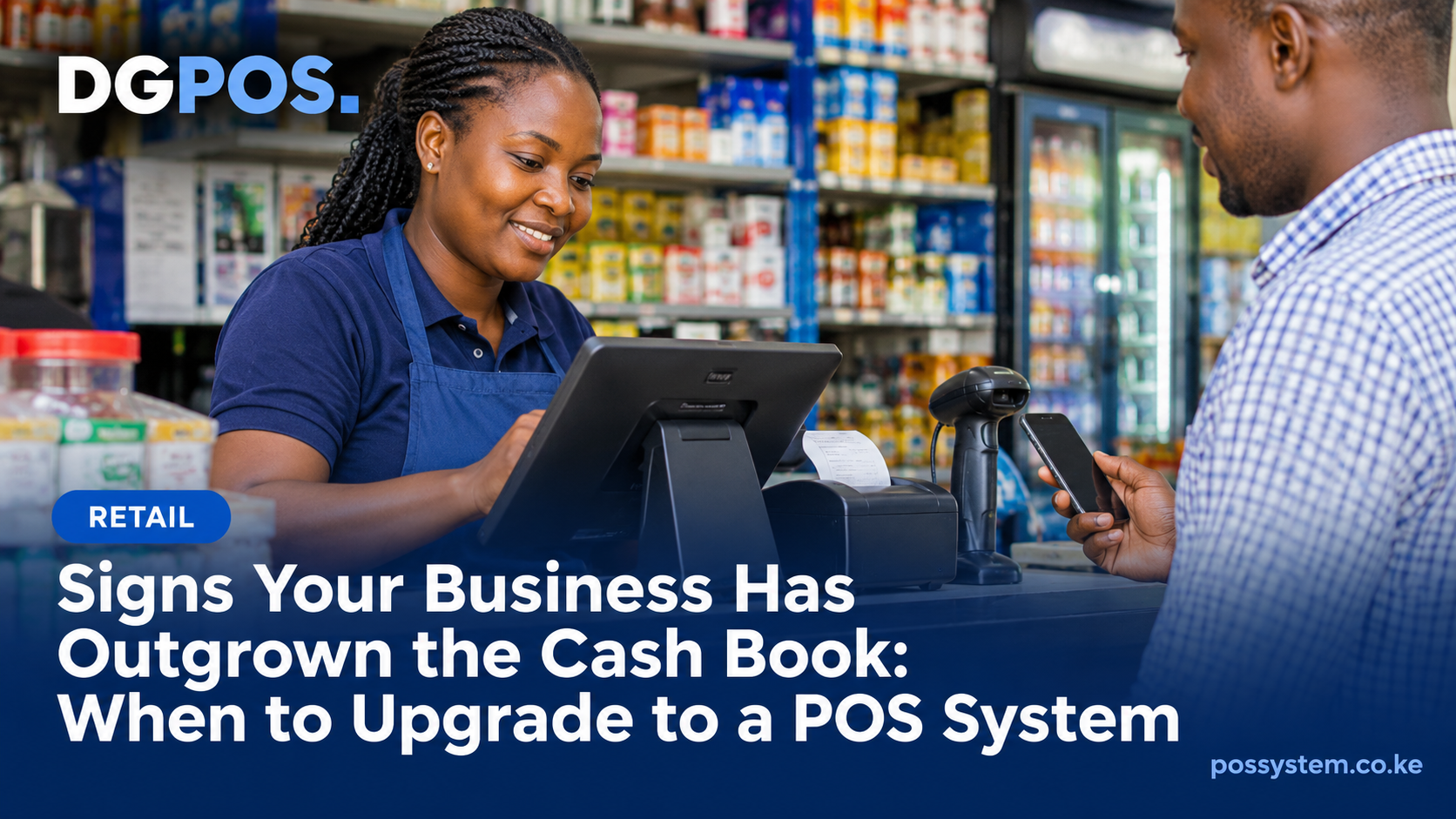
Signs Your Business Has Outgrown the Cash Book: When to Upgrade to a POS System

Every business starts somewhere, and for many small businesses, a simple cash book is one of the first tools used to record daily sales, expenses, purchases, and payments. A cash book can be useful when transactions are few, operations are simple, and the business owner can easily remember what has been sold, purchased, or paid for. However, as a business grows, managing financial records manually can become increasingly difficult, time-consuming, and unreliable. Understanding the **Signs Your Business Has Outgrown the Cash Book: When to Upgrade to a POS System** can help business owners recognise when their current record-keeping method is no longer sufficient and when a more organised digital solution may be necessary. A growing business usually handles more customers, more transactions, additional products, multiple employees, and increasingly complex financial activities. What once worked for a small shop may become a major challenge when the business begins serving many customers every day. If you find yourself spending too much time writing transactions, checking calculations, looking for missing entries, or trying to understand your actual profit, these may be important **Signs Your Business Has Outgrown the Cash Book: When to Upgrade to a POS System**. A modern Point Of Sale system can help organise sales transactions, improve access to business information, and support more efficient daily operations, depending on the available features and configuration. One of the first **Signs Your Business Has Outgrown the Cash Book: When to Upgrade to a POS System** is an increasing number of daily transactions. When a business handles only a few sales each day, recording every transaction in a notebook may seem manageable. However, as customer numbers increase, manually writing every sale can become exhausting. Employees may forget to record transactions, write incorrect amounts, or leave important details out of the cash book, especially during busy periods. These mistakes can make it difficult to establish how much money the business has received and whether all sales have been properly recorded. A POS SYSTEM provides a more structured way to record sales electronically, reducing dependence on handwritten entries. With suitable POS software, employees can select products, enter quantities, and record transactions through a digital checkout process. This makes it easier to manage increasing sales activity and access transaction information when needed. If your cash book is becoming difficult to maintain because of growing customer traffic, it may be time to consider upgrading to a Point Of Sale system. Another important indicator among the **Signs Your Business Has Outgrown the Cash Book: When to Upgrade to a POS System** is frequently discovering differences between recorded sales and the actual cash available. Cash shortages can occur for different reasons, including calculation mistakes, unrecorded sales, incorrect change, forgotten expenses, and employee errors. When records are maintained manually, identifying the exact transaction responsible for a shortage can be difficult. Business owners may spend hours comparing handwritten entries with receipts and cash balances without finding a clear explanation. A digital POS SYSTEM can provide more organised transaction records, making it easier to review recorded sales and investigate discrepancies. Depending on the system's features, businesses may also be able to track payment methods, transaction times, cashier activity, and adjustments. Although a POS system does not automatically eliminate theft or every accounting mistake, it can improve visibility and accountability when properly configured and managed. Regularly experiencing unexplained cash differences is therefore one of the most important **Signs Your Business Has Outgrown the Cash Book: When to Upgrade to a POS System**. Stock management is another area where manual record keeping can become inadequate. When your business sells only a small number of products, you may be able to remember available stock and update quantities in a notebook. However, when the product range expands, monitoring every item manually becomes more complicated. You may have hundreds or thousands of products with different prices, quantities, suppliers, and purchasing costs. Without organised inventory records, it becomes difficult to know which products are available, which items are selling quickly, and which products need to be reordered. One of the clear **Signs Your Business Has Outgrown the Cash Book: When to Upgrade to a POS System** is regularly discovering that popular products are out of stock even though you thought there were enough quantities available. Another warning sign is purchasing products you already have because your stock records are inaccurate. A POS SYSTEM with inventory management features can help record stock movements as sales and purchases are entered, depending on the system configuration. This can make it easier to monitor available quantities, identify fast-moving products, and plan replenishment. If stock management is becoming difficult with a cash book, upgrading to a suitable Point Of Sale solution can support better inventory control. **Signs Your Business Has Outgrown the Cash Book: When to Upgrade to a POS System** also include spending too much time calculating daily sales and business performance. Business owners need to understand how much money the business generates, which products sell most frequently, how much is spent on purchases, and whether operations are profitable. When information is scattered across notebooks, receipts, and separate spreadsheets, preparing daily or weekly summaries can take considerable time. You may need to add individual sales entries, calculate totals, subtract expenses, and compare the results with previous periods. This process can become difficult as transaction volumes increase. A POS SYSTEM can help generate organised sales reports and summaries, depending on the reporting features available. Instead of manually calculating every transaction, business owners may be able to review sales information over selected periods and analyse performance more conveniently. Better access to business information supports informed decisions about pricing, purchasing, staffing, and stock planning. If preparing basic sales reports has become a daily struggle, it is worth examining whether your cash book is still suitable for your business. Another major indicator among the **Signs Your Business Has Outgrown the Cash Book: When to Upgrade to a POS System** is difficulty identifying your most profitable products. A business may sell many different items, but not every product contributes equally to its revenue or profit. Some products may sell quickly but have small margins, while others may sell less frequently but provide better returns. If your records only show general cash received without detailed product information, you may not know which items are performing best. This can lead to poor purchasing decisions, unnecessary stock investment, and missed opportunities to improve profitability. A Point Of Sale system can help organise product-level sales information when products are properly entered and transactions are recorded accurately. Business owners can use available reports to understand which products sell frequently and identify patterns in customer purchases. This information can support better stock selection and purchasing decisions. Not knowing what is selling in your business is one of the important **Signs Your Business Has Outgrown the Cash Book: When to Upgrade to a POS System** because growth requires more detailed information than a simple handwritten sales total can provide. Managing employees through handwritten records can also become increasingly difficult. When a business is operated by one person, it may be easy to remember who handled a sale, received a payment, or made a particular adjustment. However, as more employees join the business, transaction accountability becomes more important. Several cashiers may handle sales during different shifts, and the owner may not be physically present throughout the day. Without proper records, it can be difficult to establish who processed a transaction or identify where a mistake occurred. One of the **Signs Your Business Has Outgrown the Cash Book: When to Upgrade to a POS System** is having little visibility into employee sales activities. A POS SYSTEM may offer user accounts, cashier tracking, transaction histories, and permission settings, depending on the features available. These tools can help business owners understand which employee processed particular transactions and establish clearer operating procedures. Each employee should have appropriate access based on their responsibilities, while sensitive activities such as price changes, refunds, and stock adjustments should be controlled carefully. A well-managed Point Of Sale system can support accountability and improve the organisation of daily business activities. Another challenge that reveals the **Signs Your Business Has Outgrown the Cash Book: When to Upgrade to a POS System** is the increasing difficulty of managing customer credit. Some businesses allow regular customers to purchase goods and pay later, while others supply products to contractors, organisations, or wholesale buyers on agreed credit terms. When credit transactions are recorded in notebooks, it can become difficult to track who owes money, how much is outstanding, and when payments are due. Missing entries or unclear handwriting can result in disagreements between the business and its customers. Business owners may also forget to follow up on outstanding balances, affecting cash flow. A suitable POS SYSTEM with customer account or credit management features can help organise relevant customer balances and payment records, depending on the available configuration. This can make it easier to review outstanding amounts and maintain a clearer transaction history. If your business is struggling to manage customer credit using handwritten records, this is another strong reason to consider upgrading from a cash book. **Signs Your Business Has Outgrown the Cash Book: When to Upgrade to a POS System** also become visible when you cannot easily track purchases from suppliers. Every growing business needs reliable purchasing records to understand how much it spends on stock, which suppliers provide particular products, and whether outstanding supplier payments have been settled. If purchases are recorded in different notebooks or only remembered by the owner, it becomes difficult to maintain a complete picture of business expenses. You may struggle to confirm the cost of a particular delivery, compare supplier prices, or determine how much you owe. A POS SYSTEM with purchasing and supplier management features may help organise purchase records, supplier information, and stock received, depending on its capabilities. Keeping accurate purchase information can improve inventory management and make it easier to compare purchasing costs with sales revenue. When supplier transactions are becoming difficult to monitor, your cash book may no longer provide enough structure for your growing business. Frequent pricing mistakes are another one of the **Signs Your Business Has Outgrown the Cash Book: When to Upgrade to a POS System**. As the number of products increases, remembering every selling price becomes difficult. Employees may accidentally charge different prices for the same item, use outdated prices, or calculate discounts incorrectly. These mistakes can affect customer confidence and reduce profit margins. A digital Point Of Sale system allows authorised users to maintain product prices in a centralised product list, depending on the system's functionality. When an item is selected during checkout, the system can display its configured selling price, reducing the need for employees to remember every price manually. Business owners can also review pricing information and make authorised changes when costs or business strategies change. If pricing errors are becoming common, a POS SYSTEM may provide a more organised way to manage product information and checkout activities. Another important issue is the amount of time spent searching for old business records. A cash book may contain months or years of handwritten transactions, making it difficult to locate a particular sale, expense, payment, or customer transaction. Some pages may become damaged, misplaced, or difficult to read. If the business owner needs to check a transaction from several weeks earlier, they may have to go through many pages before finding the correct entry. This is one of the practical **Signs Your Business Has Outgrown the Cash Book: When to Upgrade to a POS System** because growing businesses need faster access to historical information. A digital POS SYSTEM can provide searchable transaction records and reports, depending on its features and data retention arrangements. This may make it easier to review previous sales, check payment details, and investigate customer enquiries. Businesses should still maintain appropriate backups and follow data protection practices to reduce the risk of losing important digital information. Relying entirely on paper records can become increasingly risky as the business expands. **Signs Your Business Has Outgrown the Cash Book: When to Upgrade to a POS System** can also be seen when business decisions are based more on guesswork than accurate information. Owners need reliable figures to decide when to increase stock, introduce new products, adjust selling prices, employ additional staff, or open another branch. If your only information is a general daily cash total, you may not have enough detail to understand what is happening across the business. You may believe a product is performing well simply because it sells frequently, without realising that its purchasing cost has increased or its profit margin is too small. A POS SYSTEM can provide more detailed information through available sales, inventory, and performance reports. This information can help business owners identify trends, compare sales periods, and make more informed decisions. Digital records do not replace sound business judgement, but they can provide useful evidence to support it. If you regularly struggle to answer basic questions about your business performance, upgrading from a cash book may be a sensible step. Expanding to multiple branches is another major reason to recognise the **Signs Your Business Has Outgrown the Cash Book: When to Upgrade to a POS System**. Managing one small shop through a notebook may be manageable, but operating two or more locations introduces additional challenges. Each branch may have different employees, stock levels, daily sales, expenses, and purchasing requirements. If every location uses separate handwritten records, the owner may find it difficult to compare performance and monitor operations from one place. Information may also arrive late, making it harder to respond to shortages or financial problems. A POS SYSTEM that supports multiple branches may help centralise or coordinate selected business information, depending on the software package and configuration. Business owners should confirm whether the system supports the number of locations they operate and how data is shared between branches. If you are planning to expand, investing in a suitable Point Of Sale solution can help establish more organised processes before operations become even more complicated. **Signs Your Business Has Outgrown the Cash Book: When to Upgrade to a POS System** are also evident when customers experience slow service at checkout. During busy periods, employees may need to calculate prices manually, search through product lists, write receipts, and update stock records separately. These activities can increase waiting times, especially when many customers are making purchases at once. A POS SYSTEM can streamline checkout by allowing employees to select products from a configured catalogue, calculate totals, and record transactions electronically. Depending on the setup, it may also support barcode scanning, receipt printing, and different payment methods. Faster checkout can improve the customer experience and help employees serve more customers efficiently. However, the system must be properly configured, the equipment must be suitable, and staff must receive adequate training. If your customers frequently wait because sales take too long to process, your manual cash book may be contributing to operational delays. Another important consideration is the difficulty of preparing financial information for accountants, auditors, lenders, or tax-related business requirements. A business may need to organise sales records, expense documents, purchase information, bank statements, and other financial records when preparing reports or responding to requests. When information is maintained in different notebooks and loose receipts, collecting the necessary documents can become stressful. This is among the **Signs Your Business Has Outgrown the Cash Book: When to Upgrade to a POS System** because organised digital transaction records can make financial information easier to review. A POS SYSTEM may help produce sales summaries and transaction reports, but it should not automatically be treated as a complete accounting system or a substitute for proper bookkeeping. Business owners should maintain supporting documents, record expenses accurately, reconcile bank transactions, and consult qualified professionals when preparing financial statements or tax returns. A suitable Point Of Sale system can support the record-keeping process by providing more structured sales information, depending on its capabilities. **Signs Your Business Has Outgrown the Cash Book: When to Upgrade to a POS System** also include struggling to separate business finances from personal finances. Some small business owners initially use one notebook to record almost everything, including personal withdrawals, business purchases, customer payments, and supplier expenses. As the business grows, this approach can make it difficult to establish the true financial position of the enterprise. Personal spending may be confused with operating expenses, and the owner may struggle to determine how much money the business has actually earned. A POS SYSTEM can help organise sales records, but business owners should also maintain separate business and personal bank accounts where appropriate, document owner withdrawals, and record expenses correctly. Clear financial separation improves accountability and makes it easier to understand business performance. If you cannot easily distinguish business income from personal transactions, your record-keeping process needs improvement. The inability to monitor stock losses is another one of the **Signs Your Business Has Outgrown the Cash Book: When to Upgrade to a POS System**. Products can go missing because of damage, expiry, incorrect deliveries, theft, counting errors, or unrecorded stock movements. When inventory is managed manually, it may be difficult to identify when a difference occurred or which items are affected. A POS SYSTEM with suitable inventory features can help maintain records of stock received and sold, while additional stock-taking procedures can help compare recorded quantities with physical inventory. Some systems may also support adjustments and stock movement reports. Business owners should establish clear procedures for receiving deliveries, issuing products, recording damaged goods, and conducting regular stock counts. Technology can make stock information easier to manage, but accurate results still depend on correct data entry and proper staff procedures. If stock discrepancies are becoming frequent, it may be time to move beyond a basic cash book. **Signs Your Business Has Outgrown the Cash Book: When to Upgrade to a POS System** can also appear when the business begins offering different payment methods. Customers may pay using cash, cards, mobile money, bank transfers, or other supported channels. Recording all these transactions manually can make reconciliation difficult, particularly when payments are received through different providers and settlement periods. Business owners may struggle to determine which sales were paid for in cash, which were settled electronically, and which remain outstanding. A suitable POS SYSTEM can help record different payment methods against sales, depending on the available features and integrations. This creates a more organised view of how customers settle their purchases. However, electronic payment records should still be reconciled with provider reports and bank statements. If your cash book is no longer able to provide a clear picture of how customers pay, upgrading to a digital Point Of Sale solution may improve payment tracking. Another sign is that business operations depend too heavily on the owner being physically present. When all sales, stock updates, and financial records are managed manually, employees may constantly need the owner to confirm prices, calculate totals, check stock, or resolve transaction questions. This can prevent the owner from focusing on business development, supplier relationships, marketing, and strategic planning. A POS SYSTEM can provide structured processes that allow trained employees to handle routine sales activities within assigned permissions. Depending on the available features, the owner may also be able to review selected reports without manually checking every transaction. This does not mean that business owners should stop supervising operations. Instead, it can help create better systems so that daily activities are less dependent on one person. If you cannot leave your shop for a few hours without losing visibility of sales and stock, this may be one of the **Signs Your Business Has Outgrown the Cash Book: When to Upgrade to a POS System**. **Signs Your Business Has Outgrown the Cash Book: When to Upgrade to a POS System** also become clear when you spend more time recording transactions than serving customers or managing the business. Manual bookkeeping requires regular writing, calculations, checking, and updating. As transactions increase, these activities can take up a significant part of the working day. The owner may find themselves closing the shop late because they need to calculate totals and balance the cash book. Employees may also spend valuable time writing product details instead of helping customers. A Point Of Sale system can automate or simplify some routine transaction-recording activities, depending on its configuration. This can give business owners and employees more time to focus on customer service, stock planning, and other important responsibilities. The purpose of upgrading is not simply to replace paper with technology; it is to improve how information is captured, organised, and used. If administrative work is slowing down business operations, a digital solution may be worth considering. Seasonal demand can create additional pressure on manual records and reveal further **Signs Your Business Has Outgrown the Cash Book: When to Upgrade to a POS System**. Some businesses experience significant increases in sales during holidays, school opening periods, planting seasons, promotional campaigns, and other busy periods. During these times, transaction volumes may increase beyond what employees can comfortably record by hand. More sales can create more opportunities for missing entries, incorrect totals, stock errors, and delayed reporting. A POS SYSTEM can help process transactions in a more structured way and provide access to available sales information during busy periods. Businesses should ensure that the system can handle their expected transaction volume and that enough staff members understand how to use it. Planning ahead is important because implementing a new system during the busiest trading period may create unnecessary pressure. Consider upgrading before the next major increase in demand so that employees have enough time to learn the system. **Signs Your Business Has Outgrown the Cash Book: When to Upgrade to a POS System** should also prompt business owners to review their current business processes and identify what they need from a digital solution. Not every business requires the same POS features. A small minimart may prioritise barcode scanning, product management, stock tracking, and daily sales reports. A restaurant may need menu management, table management, kitchen order handling, and split billing. A pharmacy may require suitable product information and inventory controls, while a hardware shop may need support for different units of measurement, bulk purchases, and customer credit records. Before selecting a POS SYSTEM, list the problems you want to solve and identify the features that matter most. Ask providers to demonstrate how the software handles everyday transactions in a business similar to yours. Check whether it supports your preferred payment arrangements, equipment, reporting needs, and number of users. Choosing software based on actual business requirements is more useful than paying for features you may never use. When exploring **Signs Your Business Has Outgrown the Cash Book: When to Upgrade to a POS System**, business owners should also consider the importance of staff training and implementation. Moving from a notebook to a digital system changes how employees record sales, manage stock, and access information. Before introducing the new system, prepare product lists, selling prices, opening stock quantities, employee accounts, and other relevant information. Check that the data is accurate before using it for daily operations. Train employees on entering sales, processing payments, issuing receipts, handling returns, and following the correct procedures. Begin with a clear implementation plan and allow employees time to become familiar with the software. If possible, test the system using sample transactions before relying on it for all business activities. A successful upgrade depends not only on choosing suitable POS software but also on preparing the business and employees to use it properly. **Signs Your Business Has Outgrown the Cash Book: When to Upgrade to a POS System** should not be interpreted as meaning that every business must immediately purchase expensive technology. The decision should be based on business needs, transaction volumes, operating challenges, available budget, and expected benefits. A cash book may remain suitable for a very small business with limited transactions and simple operations. However, when manual records begin causing delays, errors, poor stock visibility, or difficulty understanding financial performance, it is important to consider alternatives. Compare the cost of a POS SYSTEM with the time and resources currently spent managing manual records. Ask about subscription charges, installation costs, training, equipment, support, data backup, and future upgrades. Consider whether the solution can grow with your business rather than forcing you to replace it again after a short period. The best POS solution is one that addresses your actual challenges while remaining practical and affordable for your business. In Kenya, businesses can explore digital business management solutions such as DGPOS from Digee Technologies Limited Company when considering an upgrade from manual cash book records. A suitable POS SYSTEM can help businesses organise sales activities and manage relevant product and transaction information, depending on the features selected and configuration. Business owners should request a demonstration, explain their specific operational challenges, and confirm that the available functions meet their needs before making a decision. It is also important to understand the level of training and technical support available, particularly for businesses that are moving to digital systems for the first time. A well-planned transition can make it easier for employees to adopt the new process and help the business maintain organised records as it grows. Ultimately, recognising the **Signs Your Business Has Outgrown the Cash Book: When to Upgrade to a POS System** is about understanding when your current tools are no longer supporting your business effectively. Increasing sales volumes, frequent cash shortages, inaccurate stock records, slow checkout processes, missing transactions, employee accountability challenges, difficult reporting, growing customer credit, multiple branches, and limited financial visibility are all reasons to review your record-keeping approach. A cash book may have helped you establish your business, but growth often requires more structured systems that can handle additional transactions and provide clearer information. A Point Of Sale system can support this transition by helping organise sales, inventory, payment records, and business reports according to its available capabilities. Do not wait until poor records begin affecting customers, stock availability, or financial decisions before reviewing your systems. By understanding the **Signs Your Business Has Outgrown the Cash Book: When to Upgrade to a POS System**, comparing suitable POS software, and preparing your team for the transition, you can build a more organised business, improve operational visibility, reduce dependence on manual calculations, and create a stronger foundation for sustainable growth.

When starting a small business, a cash book is often one of the simplest ways to record daily financial transactions. It helps business owners track money received, expenses paid and the remaining cash balance. For a small shop with a few customers and limited products, this method may be sufficient.

However, as a business grows, daily operations become more complicated. More customers visit the shop, product varieties increase, employees handle transactions and stock movements become harder to monitor. What once seemed like a simple recordkeeping method can gradually become a source of delays, errors and missing information.

Many Kenyan businesses continue using manual cash books even after their operations have expanded. They may record sales in notebooks, calculate daily totals using calculators and update stock information separately. Although these methods can work initially, they may struggle to support a business handling many transactions every day.

Recognising when your business has outgrown the cash book is important. It helps you identify when better tools are needed to manage sales, inventory and financial information.

A reliable POS solution can help businesses move beyond manual transaction recording. A suitable Point Of Sale system can organise sales information, connect transactions with product records and provide useful business reports. With modern pos software, retailers can improve accuracy, monitor product movement and make more informed decisions.

In this guide, Digee Technologies Limited Company explores the signs that your business has outgrown the cash book and explains how upgrading to a suitable POS SYSTEM can support business growth.

1. What Is a Cash Book?

A cash book is a financial record used to document money received and money paid out by a business. It helps business owners monitor cash transactions and understand how money moves through their operations.

A typical cash book records:

  • Date of each transaction.
  • Description of the transaction.
  • Money received.
  • Money paid out.
  • Payment method.
  • Daily or running balance.

For example, a small retail shop may record the following transactions:

Description Money Received Money Paid
Morning sales KSh 5,000 –
Supplier payment – KSh 2,000
Afternoon sales KSh 3,500 –
Transport expense – KSh 500
Total KSh 8,500 KSh 2,500

This information helps the owner understand the cash transactions recorded during the day.

However, a cash book is not a complete business management system. It does not automatically provide detailed product sales analysis, stock tracking, customer purchase histories or other operational reports.

As the business expands, a dedicated Point Of Sale solution may become more practical.

2. Your Business Handles More Transactions Than Before

Carrefour Kenya’s revenue grows by Sh5bn amid expansion – Business Daily

businessdailyafrica.com

One of the first signs that your business has outgrown the cash book is an increase in daily transactions.

When a shop serves only a few customers, recording each sale manually may be manageable. However, as customer numbers increase, employees may struggle to write down every transaction accurately.

Imagine a minimart that initially serves 20 customers daily. The owner can easily record sales in a notebook. A few months later, the business begins serving 100 or more customers every day.

Recording each transaction manually now requires more time and attention.

Common challenges include:

  • Long checkout queues.
  • Delays when calculating totals.
  • Forgotten transactions.
  • Incorrect calculations.
  • Difficulty reviewing individual sales.
  • Incomplete daily records.

A reliable POS solution helps businesses record transactions in an organised way. Cashiers can select or scan products, process payments and save sales information through the system.

A suitable POS SYSTEM can make checkout operations more efficient, especially when transaction volumes increase.

3. You Spend Too Much Time Calculating Daily Sales

Manually calculating daily sales can become exhausting when a business handles many transactions.

At the end of every working day, employees may need to add figures from several pages, subtract expenses and compare the totals with the available cash.

This process can take considerable time, especially when multiple employees record transactions in different notebooks.

Manual calculations can also introduce errors. A small addition mistake may affect the final sales figure and make it difficult to understand the business’s actual performance.

With suitable pos software, completed transactions can be recorded and organised automatically. Depending on the system’s features, business owners can access daily sales summaries without manually adding every transaction.

A reliable Point Of Sale system can help you:

  • Review daily sales totals.
  • Compare sales across different periods.
  • Monitor recorded transactions.
  • Identify unusual sales activity.
  • Reduce repeated manual calculations.

If you regularly spend hours calculating sales instead of managing your business, it may be time to consider a more efficient POS solution.

4. You Frequently Discover Missing or Incorrect Records

4 Kesalahan Fatal UMKM yang Sering Diabaikan, Nomor 1 Bikin Bisnis Diam-Diam Rugi!

radartasik.disway.id

Another warning sign is frequently discovering missing entries, incorrect figures or incomplete transaction records.

Manual recordkeeping depends heavily on employees remembering to document every transaction. During busy periods, a cashier may forget to record a sale, enter the wrong amount or write an unclear description.

These mistakes can make it difficult to reconcile business records.

Common examples include:

  • Sales recorded under the wrong date.
  • Transactions entered twice.
  • Missing expense records.
  • Incorrect product descriptions.
  • Unexplained differences between recorded and actual cash.
  • Pages containing incomplete information.

A properly configured POS SYSTEM can help reduce some of these challenges by recording transaction details electronically.

A Point Of Sale solution also makes it easier to review individual transactions, depending on available reporting and user-access features.

However, digital systems still require proper setup, employee training and regular checks. Incorrect product information or unauthorised changes can also affect electronic records.

5. You Cannot Easily Identify Your Best-Selling Products

A cash book usually records money received rather than providing detailed information about every product sold.

For example, a minimart may record KSh 15,000 in daily sales without clearly showing how much revenue came from bread, milk, cooking oil, sugar or detergents.

This makes it difficult to understand customer purchasing behaviour.

Without detailed product records, you may struggle to answer questions such as:

  • Which products sell fastest?
  • Which products generate the highest revenue?
  • Which items contribute the most gross profit?
  • Which products are becoming less popular?
  • Which products need frequent replenishment?

A suitable POS system can connect individual sales transactions with product records.

With reliable pos software, business owners can review product sales reports and identify items that perform well.

This information can help you make better purchasing decisions, improve product displays and reduce unnecessary stock.

For businesses that want to understand customer demand, a POS SYSTEM offers more detailed sales information than a basic cash book.

6. Your Stock Records Are Frequently Inaccurate

POS System in Kenya for Mini Marts, Retail Shops and Supermarkets

geopos.geomodelconsultant.co.ke

Inventory management becomes more challenging as a business adds more products.

When you rely on manual stock records, employees may need to update inventory books whenever products are purchased, sold, returned or damaged.

If these records are not updated consistently, the quantities written in the stock book may differ from the actual quantities available.

For example, a shop’s notebook may indicate that 30 bottles of cooking oil remain in stock, while a physical count reveals only 18.

Such differences can affect purchasing decisions and create opportunities for stock losses.

A Point Of Sale system with inventory management features can connect recorded sales with stock quantities.

This may help businesses:

  • Monitor product quantities.
  • Review stock movement.
  • Identify low-stock products.
  • Record purchases and stock adjustments.
  • Compare recorded stock with physical counts.
  • Plan replenishment.

With suitable pos software, retailers can maintain more organised inventory information and improve visibility over their products.

7. You Keep Running Out of Popular Products

Running out of popular products is another indication that your existing recordkeeping process may no longer be sufficient.

Imagine operating a minimart where milk, bread, bottled water and cooking oil sell quickly. If you do not know how fast these products move, you may only discover that stock is low when customers start asking for unavailable items.

This can result in lost sales and disappointed customers.

A manual cash book may show how much money your business received, but it does not necessarily provide the stock movement information required for effective replenishment.

A suitable POS SYSTEM with inventory tracking can help you monitor fast-moving products and identify items approaching their reorder levels.

For example, if your business sells approximately 15 bottles of cooking oil daily, you can use sales history to estimate future stock requirements.

A reliable POS solution makes it easier to connect sales activity with stock planning, helping your business reduce unnecessary stockouts.

8. You Have Difficulty Tracking M-Pesa, Cash and Card Payments

EnventoryPro — Real-time Inventory Control (No Spreadsheets)

enventorypro.com

Many Kenyan businesses receive payments through several channels, including cash, M-Pesa and card payments.

Managing these payment methods manually can become complicated as transactions increase.

For example, a cashier may receive:

  • KSh 5,000 in cash.
  • KSh 8,000 through M-Pesa.
  • KSh 3,000 through card payments.

If the records are not properly organised, it may become difficult to reconcile the total sales with the money received through each payment channel.

Common challenges include:

  • Recording payments under the wrong method.
  • Missing payment references.
  • Difficulty comparing sales with settlement records.
  • Confusion during cashier handovers.
  • Delays when preparing daily summaries.

A suitable Point Of Sale system can help categorise transactions by payment method when these features are supported.

Some systems may also support payment integrations, depending on the provider and configuration.

With appropriate pos software, business owners can review recorded payment information and make reconciliation easier.

It is important to remember that recording an M-Pesa payment in a sales system is not the same as automatically confirming the payment with Safaricom. Any payment integration should be properly configured and tested.

9. Your Employees Struggle to Record Transactions Consistently

As your business grows, you may employ more cashiers, salespeople and supervisors.

Different employees may develop different ways of recording sales. One cashier may use abbreviations, another may write full product descriptions, while someone else may forget to include payment details.

This creates inconsistent records that are difficult to compare.

For example, the same product might appear under different names in your cash book:

  • Cooking Oil 1L.
  • Oil One Litre.
  • 1L Cooking.
  • Cooking Oil.

Although these descriptions may refer to the same product, analysing the records becomes more difficult.

A properly configured POS SYSTEM provides a consistent process for recording transactions.

Employees select products from an organised product list or scan compatible barcodes rather than repeatedly writing descriptions.

A suitable Point Of Sale system can also support individual user accounts and access permissions where available.

This helps business owners establish more consistent procedures across their teams.

10. You Cannot Easily Monitor Employee Sales

When a business has several employees handling transactions, it becomes important to understand who is processing sales and when transactions are being completed.

A traditional cash book may record the final daily totals without clearly identifying which employee handled individual transactions.

This can create challenges when investigating:

  • Incorrect transactions.
  • Unusual discounts.
  • Refunds and returns.
  • Cash differences.
  • Missing records.
  • Customer complaints.

A POS solution with user accounts and transaction history can help business owners review employee activity, depending on the system’s configuration.

A reliable POS SYSTEM may provide access controls that allow managers to assign different responsibilities to cashiers and supervisors.

This improves accountability and makes it easier to review business operations.

However, technology should support proper management practices rather than replace supervision, employee training and internal controls.

11. Preparing Business Reports Takes Too Much Time

Reporting automatisé : exploiter les données de son logiciel de caisse | JDC SA

jdc.fr

Business reports help owners understand whether operations are improving or declining.

However, when all information is recorded manually, preparing reports may require reviewing several notebooks, receipts and spreadsheets.

You may spend hours trying to calculate:

  • Total sales for the month.
  • Daily revenue.
  • Expenses.
  • Product sales quantities.
  • Payment method totals.
  • Stock movement.
  • Employee sales performance.

This makes it difficult to access useful information when making important business decisions.

A suitable Point Of Sale system can generate organised reports from recorded transactions, depending on available features.

With reliable pos software, business owners can review sales summaries and product performance more efficiently.

Instead of spending most of your time preparing reports manually, you can focus more attention on customers, employees and business growth.

12. Your Business Has Expanded to Multiple Branches

Managing one shop using a cash book may be possible, but operating several branches introduces additional challenges.

Each location may have separate employees, sales records, stock quantities and daily expenses.

If every branch uses a different notebook or spreadsheet, the owner may struggle to compare performance across locations.

For example, a retailer operating branches in Nakuru and Nairobi may need to understand:

  • Which branch generates more revenue?
  • Which location sells particular products faster?
  • Where is inventory running low?
  • Which products perform differently between branches?
  • How much stock should be transferred between locations?

A suitable multi-branch POS SYSTEM can help centralise business information where supported.

A connected Point Of Sale solution may allow authorised managers to review branch sales, product movement and other operational information.

Before choosing a system, confirm whether it supports multiple locations, centralised product management and the reporting features your business requires.

13. You Find It Difficult to Separate Business Money from Personal Money

Many small business owners initially use the same cash for business purchases and personal expenses.

This can make it difficult to understand how much money the business is actually generating.

For example, a shop owner may withdraw money for personal use without recording the transaction separately. At the end of the month, the cash book may show unexplained differences.

Although a cash book can record withdrawals, expenses and other movements, the information must be entered correctly and consistently.

A more organised financial process should distinguish between:

  • Customer sales.
  • Business operating expenses.
  • Supplier payments.
  • Owner withdrawals.
  • Business deposits.
  • Other cash movements.

A POS solution can provide organised sales records, but it should not be confused with a complete accounting system.

Some pos software solutions support expense tracking or accounting integrations, while others focus mainly on sales and inventory.

Choose a system that matches your business needs and maintain proper financial records alongside it.

14. You Are Struggling to Track Customer Credit Sales

Some Kenyan businesses allow trusted customers to purchase products and pay later.

This is common in certain retail environments, hardware shops, wholesalers and businesses serving regular customers.

When credit sales are recorded manually, it can become difficult to track outstanding balances and payment histories.

Common problems include:

  • Forgotten credit transactions.
  • Incorrect customer balances.
  • Missing payment records.
  • Confusion about repayment dates.
  • Disagreements over outstanding amounts.

A suitable POS SYSTEM with customer account and credit management features can help organise these transactions where supported.

A Point Of Sale solution may allow employees to associate transactions with customer records and review outstanding balances.

Before adopting a system, confirm that its credit management features match the way your business operates.

You should also establish clear credit limits, approval procedures and payment terms.

15. You Have No Reliable Way to Compare Business Performance Over Time

A cash book can provide historical transaction records, but analysing several months or years of information may take considerable effort.

As your business grows, you need to understand whether sales are increasing, declining or remaining stable.

For example, comparing monthly sales can help you identify:

  • Seasonal sales patterns.
  • Changes in customer demand.
  • Products experiencing declining sales.
  • Periods of increased revenue.
  • The impact of promotional activities.
  • Differences between weekdays and weekends.

A reliable POS system can make historical sales information easier to organise and review.

With suitable pos software, you can compare sales reports across different periods and use the information to guide business planning.

This helps you move from simply recording transactions to actively understanding business performance.

16. You Are Spending More Time on Paperwork Than Running Your Business

A business owner’s time is valuable. If you spend most of the day writing sales entries, calculating totals, checking stock books and searching for receipts, you may have limited time for activities that help the business grow.

These activities include:

  • Serving customers.
  • Negotiating with suppliers.
  • Training employees.
  • Improving product displays.
  • Planning promotions.
  • Expanding product selection.
  • Developing new business opportunities.

Manual systems can create unnecessary administrative work as operations expand.

A suitable POS SYSTEM helps organise many routine sales activities in one place.

A reliable Point Of Sale solution can reduce repetitive data entry and make business information easier to access.

By adopting suitable pos software, you can spend less time searching through handwritten records and more time managing the business.

17. Cash Book vs POS System: What Is the Difference?

A cash book and a POS SYSTEM serve different purposes. A cash book is primarily used to record money received and paid out, while a Point Of Sale system can manage sales transactions and connect them with product and inventory information.

The following comparison highlights some important differences.

Business Activity Manual Cash Book Suitable POS System
Recording sales Manual entry Electronic transaction recording
Calculating totals Manual calculations Automatic calculations
Product identification Written descriptions Product list or barcode scanning
Stock tracking Separate manual records Integrated inventory features where supported
Sales reports Prepared manually Generated reports where supported
Payment methods Manually recorded Payment categorisation where supported
Product performance Difficult to analyse Product sales reports where supported
Employee activity Limited manual records User and transaction records where supported
Multi-branch management Requires separate records Centralised management where supported
Transaction history Handwritten entries Searchable electronic records where supported

The best choice depends on your business size, transaction volume and operational requirements.

A cash book may still be useful for recording certain financial movements, even after adopting a POS solution. Digital sales records and proper accounting records should work together rather than being treated as interchangeable.

18. When Is the Right Time to Upgrade to POS Software?

There is no single business size that determines when you should upgrade.

The right time depends on the problems you are experiencing and whether your existing recordkeeping process can support your operations.

You may need to consider upgrading when:

  1. Your business handles more transactions than you can comfortably record manually.
  2. Daily sales calculations frequently take too long.
  3. You regularly discover missing or incorrect records.
  4. You cannot easily identify your best-selling products.
  5. Stock quantities are difficult to monitor.
  6. You frequently run out of popular products.
  7. Multiple employees handle transactions.
  8. You accept several payment methods.
  9. You operate multiple business locations.
  10. Preparing sales reports has become difficult.

If several of these challenges sound familiar, your business may benefit from a suitable POS solution.

The purpose of upgrading is not simply to replace a notebook with a computer. It is to improve the way you collect, organise and use business information.

19. How to Choose the Right POS System for Your Business

Choosing a suitable POS SYSTEM requires understanding your business needs before comparing different providers.

Not every business requires the same features.

A small minimart may need product management, barcode scanning and daily sales reports. A restaurant may require table management and order tracking. A hardware shop may need product variations, stock control and supplier records.

Before choosing pos software, consider the following factors.

A. Ease of Use

Your employees should be able to learn the system without unnecessary difficulty.

B. Inventory Management

Look for features that help monitor product quantities, stock movement and replenishment.

C. Sales Reporting

The system should provide useful information about daily sales, product performance and other relevant activities.

D. Payment Recording

Confirm whether the system supports your preferred payment methods and whether any required integrations are available.

E. User Management

Check whether managers can assign permissions to different employees.

F. Barcode Support

If you sell many packaged products, confirm that the system supports compatible barcode scanners.

G. Business Expansion

Choose a solution that can support your expected growth, including additional products, employees or branches.

H. Technical Support

Reliable setup assistance, employee training and ongoing technical support are important when introducing a new system.

A good Point Of Sale solution should solve real business problems without introducing unnecessary complexity.

20. How Digee Technologies Limited Company Can Help Your Business Move Beyond Manual Records

As a business grows, relying entirely on handwritten records can limit efficiency and make important information difficult to access.

Digee Technologies Limited Company provides business technology solutions for businesses seeking more organised operations.

A suitable POS solution can help your business move beyond manual transaction recording and improve the way sales information is managed.

With an appropriate Point Of Sale system, businesses can work towards:

  • Recording sales transactions electronically.
  • Organising product information.
  • Monitoring stock movement.
  • Reviewing sales performance.
  • Managing different payment records.
  • Tracking employee transactions.
  • Generating useful business reports.
  • Improving daily checkout procedures.

Whether you operate a minimart, supermarket, pharmacy, restaurant, hardware shop, agrovet, boutique or wholesale business, the right POS SYSTEM can support your operational needs.

Modern pos software can help turn everyday transactions into useful information that supports better decisions.

Instead of relying entirely on handwritten sales books, you can use an organised point of sale system to improve visibility into your business activities.

For businesses looking for better ways to manage sales and inventory, a dependable point of sales system can be an important step towards improved efficiency and sustainable growth.

Digee Technologies Limited Company is committed to supporting businesses seeking practical technology solutions for their daily operations.

Frequently Asked Questions (FAQs)

1. What is the difference between a cash book and a POS system?

A cash book is used to record money received and money paid out. A POS SYSTEM is designed to manage sales transactions and may also support inventory management, product identification, payment recording and sales reporting.

2. Can a small business continue using a cash book?

Yes. A small business with few transactions may find a cash book sufficient for basic recordkeeping. However, as transaction volumes and operational requirements increase, additional digital tools may become necessary.

3. What are the signs that my business needs POS software?

Common signs include increasing transaction volumes, frequent calculation errors, inaccurate stock records, difficulty preparing sales reports and challenges monitoring employee transactions.

4. Does a POS system replace accounting software?

Not necessarily. A Point Of Sale system mainly supports sales and related operational activities. Accounting software is designed for broader financial management. Some systems integrate with accounting applications, allowing information to move between them.

5. Can POS software track M-Pesa and cash payments?

Many systems can record different payment methods, depending on their features. Some also support payment integrations. Businesses should confirm whether a particular pos software solution supports the payment processes they use.

6. How does a POS system improve inventory management?

A suitable POS solution can connect recorded sales with stock quantities. It may also support stock adjustments, purchasing records, low-stock alerts and inventory reports, depending on configuration.

7. Is a POS system suitable for a small shop in Kenya?

Yes. A suitable POS SYSTEM can help Kenyan minimarts, boutiques, pharmacies, hardware shops and other small retailers organise sales and stock records. The system should match the shop’s size, budget and operational needs.

8. Can a POS system help reduce employee mistakes?

Yes. Electronic product selection, automatic calculations and consistent transaction procedures can reduce certain manual errors. However, correct setup, staff training and supervision remain important.

9. What information can I get from a Point Of Sale system?

Depending on its features, a Point Of Sale system can provide daily sales summaries, product sales reports, payment records, inventory information and transaction histories.

10. Should I stop using my cash book after installing a POS system?

Not necessarily. Your business may still need a cash book or other accounting records for expenses, owner withdrawals and financial transactions not handled through the sales system. Follow appropriate bookkeeping and tax recordkeeping requirements.

Conclusion

A cash book is a useful starting point for small businesses, but it may become insufficient as operations expand. Increasing sales volumes, inaccurate stock records, missing transactions, lengthy calculations and difficulties preparing reports are all signs that your business may need a more organised approach.

Recognising these challenges early allows you to improve business operations before manual recordkeeping becomes a major obstacle.

A reliable POS, Point Of Sale solution and suitable pos software can help businesses manage transactions, monitor inventory and access useful sales information. By introducing the right POS SYSTEM, you can reduce repetitive manual work and gain better visibility into your business activities.

For Kenyan businesses looking to improve efficiency, Digee Technologies Limited Company provides technology-focused solutions that support more organised daily operations.

Moving from a basic cash book to a suitable point of sale system or point of sales system is not simply a technology upgrade. It is an opportunity to build better records, improve decision-making and prepare your business for future growth.

Leave a Reply

Your email address will not be published. Required fields are marked *