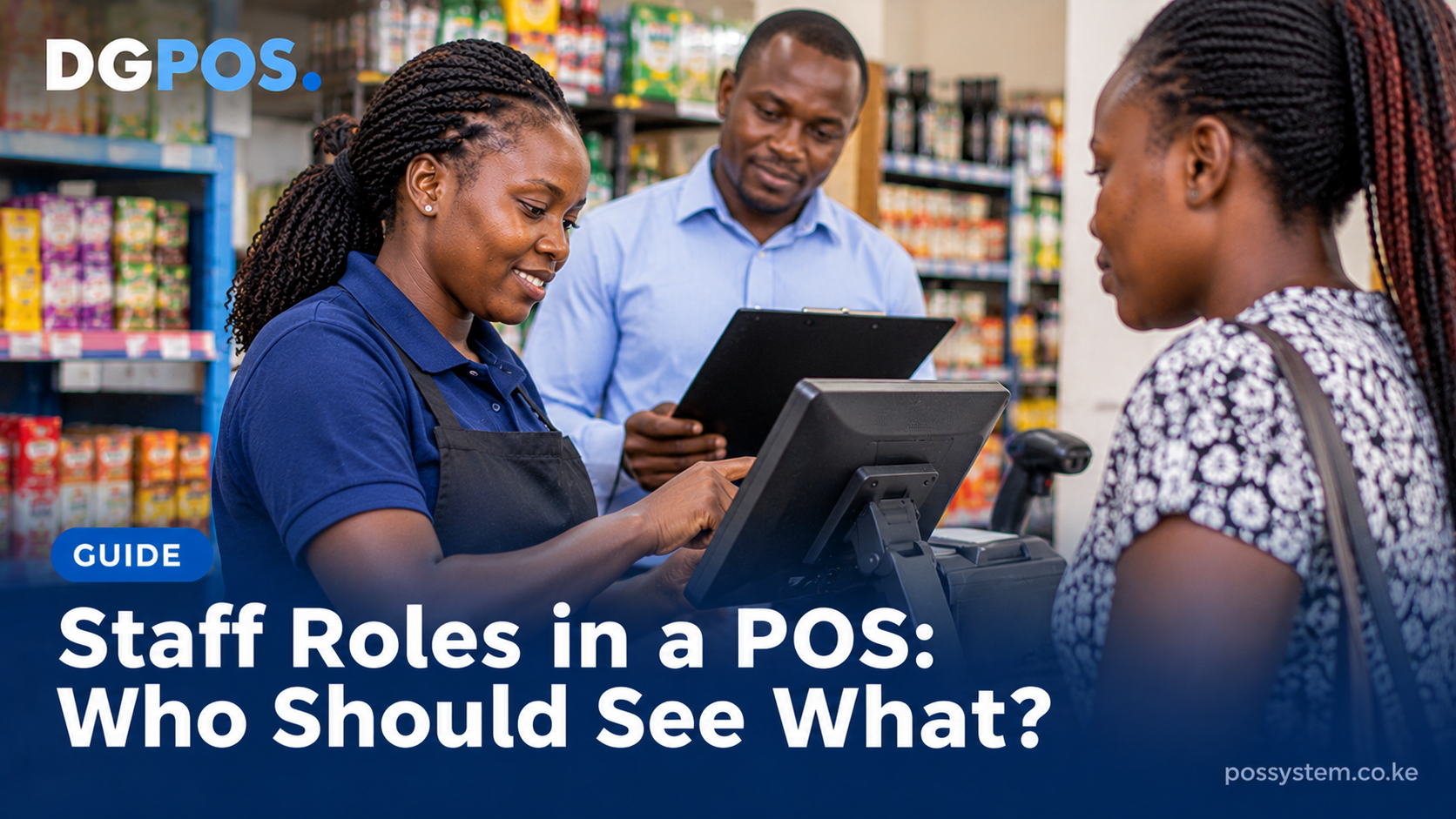
Managing a business successfully requires more than having employees who can serve customers, receive payments, manage stock and handle daily operations. Business owners must also ensure that every employee has access to the right business information and nothing beyond what is necessary for their responsibilities. This is where a POS (Point Of Sale) system becomes important. A modern POS SYSTEM allows businesses to assign different staff roles, control access to sensitive information, monitor employee activities and maintain better accountability. Whether you operate a supermarket, minimart, restaurant, pharmacy, hardware shop, wholesale business or retail store in Kenya, understanding staff roles in a Point Of Sale system can help protect your business from mistakes, unauthorized transactions and internal fraud. Many businesses make the mistake of allowing every employee to use the same login credentials or access all features within their POS software. This creates unnecessary risks because cashiers may see financial reports they do not need, stock attendants may access selling prices or supplier information unnecessarily, and junior employees may have permission to delete transactions or issue refunds without approval. A properly configured point of sale system solves this challenge by allowing business owners to decide who can view information, who can perform specific actions and who can approve important business transactions. With a reliable point of sales system, every employee can work efficiently while management maintains control over important business operations.
What Are Staff Roles in a POS System?
Staff roles refer to the different levels of access and responsibilities assigned to employees when using a POS SYSTEM. Instead of giving every employee complete access to the system, a business can create individual accounts with specific permissions based on each person’s job description. For example, a cashier may only need access to the sales screen, payment processing and receipt printing, while a manager may require access to sales reports, stock adjustments, discounts and transaction approvals. The business owner may have full access to all features, including financial reports, employee management, purchasing, inventory and system settings. These permissions are managed through the user management section of the POS software. A good Point Of Sale solution makes it possible to create different staff accounts, assign roles, restrict sensitive features and monitor activities performed by individual employees. This arrangement helps businesses maintain accountability because every transaction can be associated with the employee who performed it. When a business uses a properly configured point of sale system, employees understand their responsibilities, managers have better supervision and owners can make decisions using reliable business information.
Why Should Businesses Control Staff Access in a POS?
Giving every employee unrestricted access to a POS system can expose a business to unnecessary operational and financial risks. Employees have different responsibilities, and not everyone needs access to confidential information such as business profits, supplier costs, payroll details, purchasing records and financial reports. Controlling access through a POS SYSTEM helps businesses protect sensitive information while ensuring that employees have the tools they need to complete their daily duties.
One major reason to control access is preventing unauthorized transactions. If every cashier can issue refunds, cancel completed sales, change product prices and apply unlimited discounts, a business may experience financial losses without immediately identifying the cause. A properly configured POS software allows management to restrict these actions to authorized employees. Another important reason is protecting financial information. Employees who handle customer payments do not necessarily need to know the business’s total profits, expenses or supplier balances. Restricting access to these records helps maintain confidentiality. Staff access controls also improve accountability because management can identify which employee completed a sale, changed a price, adjusted inventory or processed a refund. In addition, a secure point of sale system reduces accidental changes to important business records. Employees are less likely to modify settings or delete information they are not authorized to handle. For businesses that want better financial control, improved employee supervision and accurate reporting, assigning appropriate roles within a point of sales system is an important management practice.
1. Business Owner or Administrator: Who Should Have Full Access?
The business owner or system administrator should normally have the highest level of access within the POS SYSTEM. This role is responsible for controlling the overall operations of the business and ensuring that the Point Of Sale system is configured correctly. Business owners need access to important information because they are responsible for financial decisions, business growth, employee supervision and operational performance.
A business owner or administrator may need permission to view daily, weekly and monthly sales reports, monitor profits, review expenses, manage employees, create user accounts, assign permissions, view inventory, manage suppliers, approve important adjustments and configure system settings. They may also need access to purchasing records, payment summaries, customer information and business performance reports. However, even when an administrator has full access, the business should protect the administrator account with a strong password and avoid sharing its login details.
In a business using reliable POS software, the administrator should also review staff activity logs regularly. These records help identify unusual activities, repeated cancellations, excessive discounts, unauthorized stock adjustments and suspicious refunds. A business owner who understands how to use a point of sale system can maintain better control without needing to supervise every employee physically. For companies operating multiple branches, administrator access can also help management compare performance, monitor inventory and maintain consistency across different business locations.
2. Manager: Who Should Approve Important Transactions?
A manager plays an important role in supervising employees and ensuring that daily business operations run smoothly. In a POS SYSTEM, managers should have more permissions than ordinary employees but should not automatically have unrestricted access to every administrative feature.
A manager may be allowed to view sales reports, monitor cashier activities, approve discounts, authorize refunds, review stock levels, supervise inventory adjustments and handle customer complaints. Depending on the business structure, managers may also be allowed to open and close shifts, review cash drawer balances and approve transaction cancellations.
For example, imagine a customer purchases products worth KSh 8,000 from a hardware shop but later requests a refund because some items are incorrect. The cashier should not necessarily have permission to refund the entire transaction independently. Instead, the cashier can request approval from the manager. The manager reviews the original sale, confirms the reason for the refund and authorizes the transaction where appropriate.
This process creates an additional layer of accountability. A well-configured point of sale system can require manager approval before certain actions are completed. Managers can also use POS software to review employee performance, identify slow-moving products, monitor daily sales and ensure that cashiers follow the correct procedures. In restaurants, managers may oversee order cancellations, complimentary meals, table adjustments and bill corrections. In supermarkets and retail shops, they may supervise discounts, returns and stock corrections.
The most important responsibility of a manager is to ensure that employees use the POS SYSTEM correctly while maintaining control over business operations.
3. Cashier: What Should a Cashier Be Allowed to See?
Cashiers are among the most frequent users of a POS (Point Of Sale) system because they handle customer transactions throughout the day. Their access should focus on completing sales accurately, receiving payments and issuing receipts. A cashier does not normally require access to confidential financial reports, supplier costs, payroll information or administrative settings.
A cashier’s permissions may include:
- Searching for products and checking selling prices.
- Scanning product barcodes.
- Adding items to customer transactions.
- Applying approved payment methods.
- Processing cash, card and mobile money payments.
- Printing or sending customer receipts.
- Viewing their own sales transactions.
- Opening and closing their assigned cash drawer.
- Checking their own shift totals, where appropriate.
However, sensitive actions should be restricted. For example, cashiers should not automatically have permission to delete completed transactions, change product selling prices, modify inventory quantities, access business profit reports or create new employee accounts.
Consider a minimart in Kenya where several cashiers work different shifts. Each cashier should have an individual account within the POS software. When a cashier sells groceries and receives payment through M-Pesa, the transaction should be recorded under that cashier’s login. If a payment dispute occurs later, management can review the transaction history and identify the employee who handled the sale.
A reliable Point Of Sale system makes cashier supervision easier because transactions are recorded digitally. Business owners can compare cashier performance, review payment records and investigate discrepancies. By giving cashiers the right permissions, businesses can make customer service faster while reducing the risk of unauthorized changes.
4. Stock Attendant or Inventory Clerk: Who Should Manage Stock?
Stock attendants and inventory clerks are responsible for maintaining accurate stock records and ensuring that products are available when customers need them. In a business using a POS SYSTEM, these employees require access to inventory-related features, but they do not necessarily need access to financial reports or sensitive business settings.
Their responsibilities may include receiving new stock, recording delivered products, checking quantities, conducting stock counts, identifying damaged items and reporting low-stock products. Depending on the business, they may also assist with product categorization, barcode management and stock transfers between branches.
For example, a hardware shop may receive a delivery of cement, nails, timber and plumbing materials from different suppliers. The stock attendant can use the POS software to record the quantities received and update inventory records. When products are sold through the point of sale system, stock quantities should be updated accordingly, allowing the business to maintain more accurate inventory records.
However, stock attendants should not automatically have permission to change selling prices, approve supplier payments, view complete profit reports or delete sales transactions. These responsibilities should remain with authorized management employees.
A good point of sales system helps stock attendants identify products that are running low, monitor inventory movement and report stock discrepancies. Business owners can also use stock reports to understand which products sell quickly and which items remain in storage for long periods.
Separating inventory permissions from financial permissions improves accountability and reduces the chances of unauthorized stock changes.
5. Accountant or Finance Officer: Who Should See Financial Reports?
Accountants and finance officers handle financial information that is essential for understanding business performance. Their access within a POS SYSTEM should focus on financial records, transaction summaries and reports needed for bookkeeping and financial analysis.
Depending on the business structure, an accountant may need permission to view daily sales summaries, payment records, tax-related sales information, expense records, refunds, cash summaries and financial reports. They may also need access to information that supports reconciliation between the POS software, bank statements, card payments and mobile money transactions.
For example, a retail business may receive payments through cash, M-Pesa and card transactions. The accountant needs to compare the payment records generated by the Point Of Sale system with the actual amounts received through different payment channels. This helps identify missing payments, transaction discrepancies and recording errors.
However, accountants do not necessarily need permission to change product prices, delete inventory records, modify employee accounts or approve every cashier refund. Their access should be based on the financial tasks they are expected to perform.
A well-organized point of sale system allows businesses to separate financial reporting from operational management. This is particularly useful for businesses that employ external accountants or work with bookkeeping professionals who require access to financial records without controlling daily sales operations.
6. Purchasing Officer: Who Should Manage Suppliers and Purchases?
A purchasing officer is responsible for sourcing products, communicating with suppliers, comparing prices and ensuring that the business maintains adequate stock levels. In a POS SYSTEM, this employee may require access to purchasing and supplier management features.
Their responsibilities can include creating purchase orders, reviewing supplier information, recording supplier deliveries, monitoring outstanding orders and checking product costs. In some businesses, purchasing officers may also recommend reorder quantities based on inventory reports generated by the POS software.
For example, a supermarket may use its point of sale system to identify products that are selling quickly. The purchasing officer can review low-stock reports and prepare purchase orders for suppliers. When new products arrive, the delivery information can be recorded in the system to update inventory.
However, purchasing officers should not automatically have access to all business financial information or unrestricted payment approval permissions. A business may allow them to create purchase orders while requiring the owner or manager to approve large purchases and supplier payments.
This separation is important because the employee responsible for requesting a purchase should not always be the same person responsible for approving payment. Using a point of sales system with separate purchasing and approval permissions creates better internal controls and helps reduce purchasing irregularities.
7. Waiters and Restaurant Service Staff: What Should They Access?
Restaurants, hotels, cafés and other food businesses have different operational requirements compared to ordinary retail shops. Employees may need to access table management, order taking, kitchen communication and customer billing features within the POS SYSTEM.
Waiters and service staff should generally have permission to create customer orders, select menu items, assign tables, send orders to the kitchen and view the status of their assigned orders. They may also need permission to transfer orders between tables when authorized.
However, waiters do not necessarily need access to food cost calculations, supplier records, payroll information, business profit reports or administrative settings. Actions such as deleting orders, applying large discounts, issuing refunds and changing menu prices should normally require manager approval.
For example, when a customer visits a restaurant in Nakuru, a waiter can use the Point Of Sale system to enter the customer’s food and drink order. The order is sent to the kitchen, where kitchen staff can prepare the requested items. Once the customer is ready to pay, the bill can be processed through the system.
A suitable POS software solution helps restaurant owners track orders, monitor employee activity, manage table operations and reduce mistakes during busy periods. By assigning different permissions to waiters, cashiers, kitchen staff and managers, restaurants can improve service delivery while maintaining control over their operations.
8. Kitchen Staff: Should They See Sales and Financial Information?
Kitchen staff are responsible for preparing food and ensuring that customer orders are completed correctly. In a restaurant using a POS SYSTEM, kitchen employees may need access to kitchen display screens or printed order tickets.
Their primary responsibility is to view incoming orders, check item quantities, follow preparation instructions and update order statuses. They may also need to communicate with waiters about unavailable menu items or delayed orders.
Kitchen staff generally do not need access to cashier functions, business sales reports, customer payment information, supplier payments or administrative settings. Restricting these features allows them to concentrate on food preparation.
For example, when a waiter enters an order through the restaurant’s point of sale system, the kitchen team can receive the order immediately. The kitchen staff can mark items as being prepared or completed, depending on the features supported by the POS software.
This arrangement improves communication between the service team and kitchen employees. It also reduces the possibility of incorrect orders, duplicated tickets and unnecessary delays. A restaurant can therefore use its point of sale system to create a more organized working environment where every employee accesses only the information needed for their responsibilities.
9. Branch Supervisor: What Should Multi-Branch Employees See?
Businesses operating multiple branches need additional control over employee permissions. A branch supervisor should normally have access to information relating to the branch they manage rather than unrestricted access to every business location.
Their responsibilities may include monitoring branch sales, supervising employees, reviewing inventory, checking daily cash balances, approving selected transactions and reporting operational challenges to head office.
For example, a business with branches in Nakuru, Nairobi and Eldoret may use one centralized POS SYSTEM to monitor sales and inventory across all locations. Each branch supervisor can access relevant branch information while the business owner or head office administrator maintains broader control.
A suitable POS software solution should support user permissions based on branches, where available. This prevents employees from unnecessarily viewing or modifying records belonging to other locations.
With a centralized Point Of Sale system, management can compare branch performance, monitor stock movement, identify differences in sales and make better decisions about business expansion. Branch-level permissions also help maintain consistency because employees work within clearly defined operational boundaries.
10. IT Administrator: Who Should Manage Technical Settings?
Some businesses employ IT personnel or system administrators to maintain their computer systems, network connections, printers, barcode scanners and other technical equipment. These employees may require certain administrative permissions within the POS software, but their technical responsibilities should not automatically give them unrestricted access to confidential business information.
An IT administrator may be responsible for configuring devices, managing system integrations, troubleshooting errors, maintaining user accounts and assisting employees who experience technical problems.
However, access to financial reports, supplier payments, payroll records and sensitive customer information should be limited to what is genuinely necessary for technical support. Where possible, businesses should separate technical administration from financial and operational approval responsibilities.
For example, if a receipt printer stops working, an IT administrator should be able to troubleshoot the printer without needing permission to change product prices or issue customer refunds.
A properly managed POS SYSTEM helps businesses maintain a balance between technical support and data protection. This ensures that technical employees can maintain the system without unnecessarily accessing sensitive business operations.
Understanding POS User Permissions: Who Should See What?
Different businesses have different staffing structures, but the following table provides a practical example of how permissions can be distributed within a Point Of Sale system.
| POS Feature | Owner | Manager | Cashier | Stock Attendant | Accountant |
|---|---|---|---|---|---|
| Process sales | Yes | Yes | Yes | No | No |
| View sales reports | Yes | Yes | Own sales | No | Yes |
| View profit reports | Yes | Limited | No | No | Yes |
| Manage inventory | Yes | Yes | Limited | Yes | View only |
| Change product prices | Yes | Approved | No | No | No |
| Process refunds | Yes | Approve | Restricted | No | No |
| Manage suppliers | Yes | Yes | No | Limited | View |
| View expenses | Yes | Limited | No | No | Yes |
| Manage employees | Yes | Limited | No | No | No |
| Configure system settings | Yes | Limited | No | No | No |
Note: These are suggested permissions, not fixed rules. Actual access should depend on the employee’s responsibilities and the features available in your POS software.
The Difference Between Viewing Information and Performing Actions
One important aspect of managing a POS SYSTEM is understanding that viewing information and performing actions are two different permissions.
An employee may need to see product information without having permission to change it. Similarly, a manager may need to view sales reports without being allowed to modify historical transactions.
For example, a cashier may need to view product selling prices to process customer purchases. However, the cashier should not necessarily have permission to edit those prices. A stock attendant may need to view inventory quantities but should not automatically have permission to delete stock records. An accountant may need to review sales transactions but should not have permission to cancel completed sales.
A reliable point of sale system should provide different permission levels where supported, such as:
- View: Employees can see specific information without changing it.
- Create: Employees can add new records, such as sales or purchase orders.
- Edit: Employees can modify existing records where authorized.
- Delete: Employees can remove records, subject to appropriate restrictions.
- Approve: Employees can authorize transactions or changes requested by other staff.
- Manage: Employees can control specific sections of the system.
Using these permissions correctly makes a Point Of Sale solution more secure and practical. It allows employees to perform their duties without giving them unnecessary control over business information.
Common POS Access Control Mistakes Businesses Should Avoid
Even businesses using advanced POS software can experience problems when staff permissions are poorly managed. The following mistakes can expose businesses to financial losses, operational errors and unnecessary security risks.
1. Sharing One Login Account Among All Employees
Using one username and password for every cashier makes it difficult to identify who completed a particular transaction. If money goes missing or an unauthorized refund occurs, management may struggle to identify the responsible employee.
Every employee should have an individual account within the POS SYSTEM. This improves accountability and makes transaction monitoring easier.
2. Giving Every Employee Administrator Access
Not every employee needs full access to a point of sale system. Giving cashiers, waiters and stock attendants administrator permissions creates unnecessary risks. Businesses should assign permissions based on actual job responsibilities.
3. Allowing Unauthorized Discounts
Unlimited discounts can reduce business profits and create opportunities for misuse. Businesses should set discount limits and require manager approval for discounts beyond the permitted amount.
4. Allowing Cashiers to Delete Completed Transactions
Completed sales should have appropriate audit records. Allowing employees to delete transactions without approval can make financial monitoring difficult. A good POS software solution should support controlled cancellations and maintain relevant activity records.
5. Failing to Remove Former Employees
When an employee leaves a business, their POS SYSTEM account should be disabled or access revoked promptly. Former employees should not retain the ability to access business information or process transactions.
6. Ignoring Employee Activity Reports
Businesses should regularly review available activity logs and transaction histories. These records can help identify unusual refunds, repeated cancellations, unauthorized discounts and unexpected inventory adjustments.
7. Using Weak Passwords
Simple passwords make employee accounts easier to compromise. Each employee should use a strong, unique password, and businesses should enable additional security measures where supported.
How to Set Up Staff Roles in Your POS Software
Setting up employee permissions does not have to be complicated. Business owners can follow a structured approach to ensure that every employee receives the correct level of access.
Step 1: Identify Every Employee’s Responsibilities
Start by listing all employees and their daily duties. Identify who handles sales, stock, purchasing, accounting, customer service and management. This makes it easier to determine which system features each employee requires.
Step 2: Create Individual User Accounts
Create separate accounts for every employee who needs to use the POS SYSTEM. Avoid shared usernames because individual accounts make it easier to monitor employee activities.
Step 3: Create Staff Roles
Organize employees into roles such as administrator, manager, cashier, stock attendant, accountant, waiter and purchasing officer. A suitable point of sale system should allow businesses to create roles based on operational requirements.
Step 4: Assign Appropriate Permissions
Decide which features each employee can view, create, edit, delete or approve. For example, a cashier may process payments but require manager approval for refunds.
Step 5: Test Every Role
Before employees begin using their accounts, test the permissions to confirm that they can perform their assigned tasks without accessing restricted information.
Step 6: Train Employees
Explain how employees should use the POS software, protect their passwords, process transactions and request approval for restricted actions.
Step 7: Review Permissions Regularly
Employee responsibilities can change as a business grows. Review user permissions periodically and update access whenever employees change positions or leave the organization.
Following these steps helps businesses establish a secure working environment and get more value from their Point Of Sale system.
How POS Staff Roles Help Prevent Internal Fraud
Internal fraud is a concern for businesses of all sizes. Employees who have unrestricted access to financial and operational information may misuse system permissions, intentionally or unintentionally.
A well-configured POS SYSTEM helps reduce these risks by separating responsibilities and ensuring that sensitive actions require appropriate authorization.
For example, a cashier should not necessarily be able to process a refund, approve the refund and remove the original transaction without supervision. Instead, the system can require a manager to approve the refund while maintaining the transaction history.
Similarly, a stock attendant may record delivered products, but management should review significant inventory adjustments. Purchasing officers may prepare purchase orders, while owners or managers approve major purchases.
These controls introduce checks and balances into everyday business operations. A reliable point of sale system also helps management review employee activity, investigate discrepancies and identify unusual transaction patterns.
Although no POS software can completely eliminate internal fraud, proper access controls can make unauthorized activities more difficult and easier to investigate.
Why Small Businesses in Kenya Need Proper POS Staff Permissions
Many small businesses in Kenya operate with a limited number of employees. A minimart may have two cashiers, one stock attendant and a supervisor, while a restaurant may have waiters, kitchen staff, a cashier and a manager. Even with a small team, every employee should have clearly defined access within the POS SYSTEM.
Small businesses sometimes assume that staff permissions are only necessary for large supermarkets and established companies. However, a small retail shop can experience the same problems associated with unauthorized discounts, missing stock, incorrect refunds and inaccurate financial records.
A reliable POS software solution helps Kenyan businesses organize their operations by giving employees access to the features they need. Cashiers can process customer payments, stock attendants can monitor inventory, managers can approve important transactions and business owners can review overall performance.
Businesses that accept M-Pesa, cash, card payments and other payment methods can also benefit from clearly defined transaction responsibilities. This makes it easier to identify payment discrepancies and maintain accurate records.
For growing businesses, investing in a suitable Point Of Sale system is not just about recording sales. It is also about building an organized business structure where employees understand their responsibilities and management maintains control.
Features to Look for in a POS System with Staff Management
When selecting a POS SYSTEM, business owners should look beyond basic sales processing. Staff management and user permissions are important features that can improve security and operational efficiency.
Here are some important features to consider:
1. Role-Based Access Control: The POS software should allow business owners to assign different permissions to cashiers, managers, accountants and other employees.
2. Individual Employee Accounts: Every employee should have a separate login to improve accountability and transaction tracking.
3. Transaction Approval: The system should support authorization for sensitive activities such as refunds, discounts, cancellations and stock adjustments, where applicable.
4. Employee Activity Logs: Management should be able to review important activities performed by employees, including changes to transactions and inventory records.
5. Sales Reporting: A good point of sale system should provide sales reports that help business owners monitor employee performance and overall business operations.
6. Inventory Management: Employees responsible for stock should be able to access inventory features without automatically receiving access to confidential financial information.
7. Branch Management: Businesses with multiple locations should consider a point of sales system that supports branch-level permissions and centralized monitoring.
8. Secure Login: Strong password controls and additional security features can help protect employee accounts from unauthorized access.
Choosing a Point Of Sale solution with these capabilities can help businesses establish better internal controls and manage daily activities more efficiently.
How Digee Technologies Limited Company Helps Businesses Manage POS Operations
Digee Technologies Limited Company understands that running a successful business requires accurate records, organized operations and proper employee management. Businesses need more than a system that simply records customer purchases. They need reliable tools that help them manage sales, monitor inventory, maintain accountability and make informed decisions.
A suitable POS SYSTEM can support these business needs by bringing important operational activities together in one platform. With the right POS software, businesses can organize employee responsibilities, monitor transactions, manage stock and generate reports that support better decision-making.
Whether you operate a minimart, supermarket, pharmacy, restaurant, hardware shop, wholesale business or retail outlet, using a reliable Point Of Sale system can make daily operations easier to manage.
Digee Technologies Limited Company focuses on helping businesses embrace digital solutions that improve efficiency and business organization. Through a suitable point of sale system, business owners can reduce manual recordkeeping, improve transaction visibility and establish clearer responsibilities among employees.
A properly managed point of sales system also gives business owners better visibility into daily activities, making it easier to identify operational challenges and plan for business growth.
Frequently Asked Questions (FAQs)
1. What are staff roles in a POS system?
Staff roles are different levels of access assigned to employees according to their job responsibilities. A POS SYSTEM can provide separate permissions for owners, managers, cashiers, accountants, stock attendants and other employees.
2. Should cashiers have access to business profit reports?
Generally, cashiers only need access to sales processing and payment features. Profit reports and sensitive financial information should normally be restricted to owners, authorized managers and accountants.
3. Can a POS system restrict employees from giving discounts?
Yes. Many modern POS software solutions allow business owners to restrict discount permissions or require manager approval before certain discounts are applied.
4. Why should every cashier have an individual POS account?
Individual accounts make it easier to identify who processed a transaction. They improve accountability and help management investigate payment discrepancies, refunds and suspicious activities.
5. Should stock attendants access sales information?
Stock attendants may need limited sales and inventory information to understand product movement and stock requirements. However, they do not necessarily need access to sensitive financial reports or transaction approval features.
6. Can managers access all information in a POS system?
This depends on the business’s internal policies. Managers generally require broader access than cashiers, but full administrative permissions should normally remain with authorized owners or administrators.
7. What happens when an employee leaves the business?
The employee’s account should be disabled or access revoked immediately. This prevents former employees from accessing business records or processing unauthorized transactions.
8. Is POS user management important for small businesses?
Yes. Even businesses with a few employees benefit from role-based access because it improves accountability, protects sensitive information and reduces operational mistakes.
9. Can one POS system support different employee roles?
Yes. A suitable Point Of Sale system can support different user accounts and permission levels, depending on its available features. This allows employees to access the tools required for their responsibilities.
10. What is the difference between POS and POS software?
POS stands for Point Of Sale, referring to the place or process where a customer completes a purchase. POS software is the application used to manage sales transactions and related business operations, while a POS SYSTEM may include the software, hardware and supporting components.
Conclusion
Managing employee access is an important part of running a secure and organized business. Every employee should have access to the information and features required to complete their responsibilities, but sensitive business information should remain restricted to authorized individuals. Owners should maintain overall control, managers should supervise daily operations, cashiers should process customer transactions, stock attendants should manage inventory, and accountants should handle financial records according to their responsibilities. By assigning the correct roles and permissions, businesses can reduce unauthorized activities, improve accountability, protect confidential information and maintain more accurate records. A reliable POS SYSTEM makes this process easier by providing tools for employee management, transaction monitoring, inventory control and business reporting. For businesses looking to improve efficiency and establish better internal controls, investing in suitable POS software is a valuable step. Digee Technologies Limited Company encourages businesses to embrace modern digital solutions and use a reliable Point Of Sale system to simplify operations, improve management and support long-term growth. With the right point of sale system, your employees can focus on their responsibilities while you maintain better control over your business.