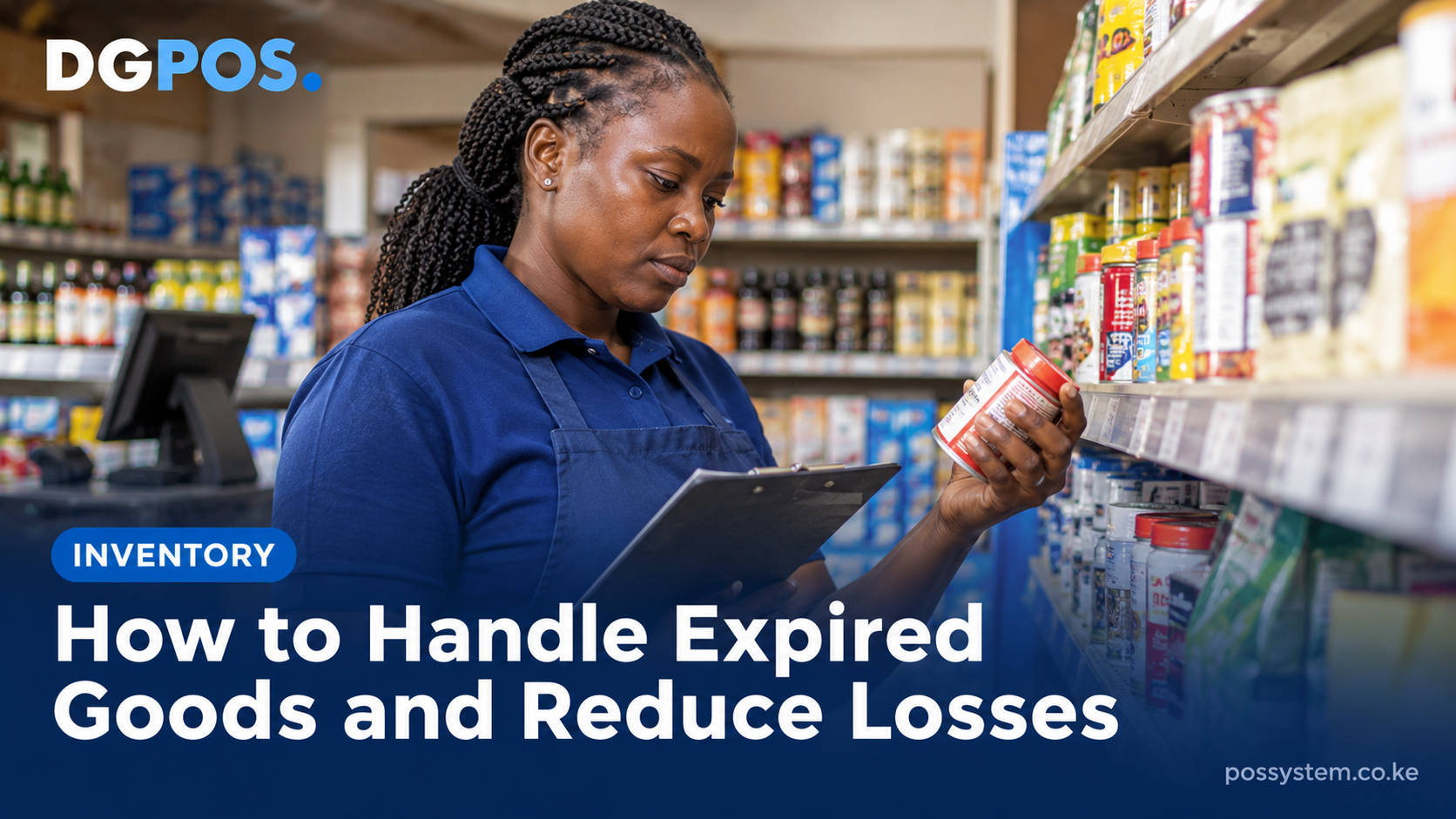
Managing expired goods is one of the biggest challenges facing supermarkets, minimarts, pharmacies, restaurants, wholesalers and other businesses that deal with products that have limited shelf lives. Every business wants to sell its products before they expire, but poor stock management, overstocking, slow sales, incorrect storage and inadequate monitoring can result in goods reaching their expiry dates while still sitting on shelves or inside storage rooms. Expired products do not just take up valuable storage space; they also represent money that a business may never recover. In addition, selling expired goods can damage customer trust, affect business reputation and create health and safety risks. For businesses operating in Kenya, managing expiry dates should be an important part of daily inventory management. A reliable POS (Point Of Sale) system can help businesses monitor stock movement, identify products that need attention and maintain more organized inventory records. Modern POS software can also support stock tracking, sales reporting and inventory management, making it easier for business owners to identify slow-moving products before they become losses. Whether you operate a supermarket in Nakuru, a pharmacy in Nairobi, a minimart in Eldoret, a wholesale shop or a restaurant, having a proper stock management strategy can help reduce wastage and protect your business finances. A well-configured POS SYSTEM gives business owners better visibility into product quantities and stock movement, while a suitable Point Of Sale system helps connect daily sales with inventory records. In this SEO guide, Digee Technologies Limited Company explains how to handle expired goods, prevent stock wastage and use technology to improve inventory control. Understanding how to manage expiry dates effectively can help your business save money, improve customer safety and maintain better stock management practices.
What Are Expired Goods?
Expired goods are products that have passed their stated expiry date or have become unsuitable for sale or use because their quality, safety or condition can no longer be guaranteed.
Different businesses deal with different types of products that require expiry monitoring.
Examples include:
- Milk, yoghurt and other dairy products.
- Bread and bakery products.
- Packaged foods and beverages.
- Meat, fish and frozen products.
- Medicines and pharmaceutical products.
- Cosmetics and personal care products.
- Food ingredients used in restaurants.
- Certain cleaning and chemical products.
Not every product has the same shelf life. Some products expire within a few days, while others may remain suitable for use for several months or years when stored according to the manufacturer’s instructions.
Businesses should understand the difference between expiry dates, best-before dates and other date markings. A best-before date generally relates to product quality, while an expiry or use-by date may indicate a safety-related limit, depending on the product and applicable regulations. Businesses should follow the manufacturer’s instructions and relevant Kenyan requirements rather than assuming that every date marking has the same meaning.
A reliable POS SYSTEM can help organize product records, but employees must still inspect goods physically and follow appropriate safety procedures.
Why Do Businesses Lose Money Through Expired Goods?
Expired goods can create significant financial losses, especially when businesses do not have proper inventory management procedures.
Understanding why products expire before being sold is the first step towards preventing unnecessary losses.
1. Overstocking Products
One of the most common reasons products expire is purchasing more stock than customers can realistically buy before the products reach their expiry dates.
For example, a minimart may purchase 100 packets of yoghurt because a supplier offers a bulk discount. However, if customers only purchase 40 packets before the expiry date, the remaining products may become unsellable.
A good POS software solution can help business owners review historical sales and understand how quickly different products move.
2. Poor Stock Rotation
When new products are placed in front of older products, employees may accidentally sell newer stock first.
This leaves older products behind, increasing the chances that they will expire before being sold.
Businesses should use proper stock rotation methods to ensure that products with earlier expiry dates are handled first.
3. Lack of Expiry Date Monitoring
Some businesses only discover expired products during stocktaking or when customers report a problem.
This happens when employees do not inspect product dates regularly.
A suitable point of sale system can help maintain inventory records and support expiry monitoring where the relevant features are available.
4. Slow-Moving Products
Some products have low customer demand and remain on shelves for long periods.
If business owners continue ordering these products without reviewing their sales performance, they may accumulate stock that cannot be sold before expiry.
5. Poor Storage Conditions
Certain products require specific storage temperatures, humidity levels and handling procedures.
When products are stored incorrectly, they may deteriorate before their stated expiry dates.
For example, dairy products that require refrigeration should not be left outside suitable temperature-controlled storage for extended periods.
6. Inaccurate Stock Records
If the physical quantity of products does not match the quantity recorded in the POS SYSTEM, management may make incorrect purchasing decisions.
This can lead to unnecessary orders and excess stock.
7. Poor Communication Between Employees
Stock attendants, purchasing officers and sales employees should communicate regularly about products approaching expiry.
When information is not shared, products may remain unnoticed until they become losses.
1. Use the FIFO Method to Manage Stock
FIFO stands for First In, First Out. It is an inventory management method where products received first are sold or used first.
This method helps businesses prevent older products from remaining in storage while newer products are sold.
For example, imagine a supermarket receives 30 packets of milk on Monday and another 30 packets on Wednesday. The Monday delivery should normally be positioned for sale before the Wednesday delivery, provided both batches are suitable for sale and have the same or earlier expiry dates.
FIFO is useful for supermarkets, minimarts, restaurants, bakeries and wholesalers.
To implement FIFO effectively:
- Arrange products according to their delivery dates.
- Place older stock in front of newer stock.
- Train employees to follow the correct rotation procedure.
- Check product dates whenever new deliveries arrive.
- Inspect shelves regularly to identify older stock.
A reliable POS SYSTEM can support stock tracking by recording product deliveries and sales. When properly configured, POS software can help employees understand stock movement and identify products that require attention.
However, FIFO should not replace checking actual expiry dates. When batches have different expiry dates, the batch with the earliest expiry should generally be prioritized, regardless of which one arrived first.
2. Implement FEFO to Prioritize Products Nearing Expiry
FEFO means First Expired, First Out. Unlike FIFO, which prioritizes the order in which products arrive, FEFO prioritizes the products with the earliest expiry dates.
This is particularly useful for businesses dealing with food, beverages, medicines and other products with limited shelf lives.
For example, a pharmacy may receive two batches of the same product:
- Batch A expires in February 2027.
- Batch B expires in December 2026.
Even if Batch A arrived first, Batch B should generally be prioritized because it expires earlier.
FEFO helps businesses reduce the risk of expired stock and maintain better product rotation.
To implement FEFO:
- Record expiry dates when receiving products.
- Separate batches with different expiry dates.
- Arrange products according to their expiry dates.
- Train employees to pick products with the earliest expiry first.
- Inspect products regularly.
- Remove expired goods from sale immediately.
A suitable point of sale system with batch and expiry tracking features can make FEFO easier to manage.
Businesses should confirm that their chosen POS software supports batch-level expiry information because not every basic sales system includes this functionality.
3. Record Expiry Dates When Receiving New Stock
Expiry management should begin when products enter your business, not when they are placed on shelves.
Every delivery should be inspected before being accepted into inventory.
Employees responsible for receiving stock should check:
- Product names.
- Delivered quantities.
- Manufacturing dates where relevant.
- Expiry or use-by dates.
- Batch numbers where applicable.
- Packaging condition.
- Storage requirements.
- Supplier delivery documents.
Recording expiry information during stock receiving helps management identify products that may need special attention.
For example, if a supplier delivers 50 packets of yoghurt with an expiry date that is only two weeks away, the business should evaluate whether the quantity can realistically be sold within that period.
A modern POS SYSTEM may allow employees to record product batches, expiry dates and received quantities, depending on its inventory features.
This information becomes useful when reviewing stock levels and planning future purchases.
4. Conduct Regular Stock Inspections
Regular stock inspections help businesses identify products approaching expiry before they become unsellable.
Waiting until the end of the month to inspect inventory may be too late, especially for products with short shelf lives.
Businesses should establish inspection schedules based on product categories and their expiry periods.
For example:
| Product Category | Suggested Inspection Frequency |
|---|---|
| Fresh dairy products | Daily |
| Bread and bakery products | Daily |
| Fresh meat and fish | Daily |
| Packaged foods | Weekly |
| Beverages | Weekly |
| Cosmetics | Monthly |
| Long-life household products | Monthly |
These are suggested internal inspection intervals, not regulatory requirements. Higher-risk or shorter-life products may need more frequent checks.
During inspections, employees should:
- Check expiry dates.
- Identify damaged packaging.
- Separate products approaching expiry.
- Remove expired goods from sale.
- Record damaged or expired quantities.
- Report unusual stock losses to management.
A POS SYSTEM can help management compare recorded stock quantities with physical stock counts.
When employees combine physical inspections with inventory reports from POS software, businesses can maintain better control over stock movement.
5. Create an Expiry Tracking System
Businesses should not depend entirely on employees remembering which products are approaching expiry.
An organized expiry tracking system makes it easier to identify products that need attention.
A basic expiry tracking record can contain the following information:
| Product | Quantity | Expiry Date | Action |
|---|---|---|---|
| Fresh milk | 20 | 25 Nov 2026 | Daily monitoring |
| Yoghurt | 15 | 27 Nov 2026 | Review sales |
| Bread | 12 | 24 Nov 2026 | Immediate review |
| Juice | 30 | 15 Dec 2026 | Weekly monitoring |
This is an illustrative example of how a business can organize expiry information.
Businesses can maintain these records through inventory management software, spreadsheets or a suitable POS SYSTEM with expiry tracking capabilities.
Where available, automated expiry alerts can notify employees when products are approaching their expiry dates.
For example, management may configure reminders for products approaching expiry within 30 days, 14 days or 7 days.
These alerts should be customized according to product shelf life and the business’s operating procedures.
6. Avoid Buying More Stock Than You Can Sell
Overstocking is one of the biggest causes of expired goods.
While bulk purchases may appear cheaper because suppliers offer discounts, buying too much stock can create unnecessary financial pressure.
Before placing a new order, business owners should consider:
- Current stock quantities.
- Average daily or weekly sales.
- Product shelf life.
- Supplier delivery frequency.
- Seasonal customer demand.
- Available storage capacity.
- Previous expiry-related losses.
For example, if a minimart sells approximately 10 packets of yoghurt per week, purchasing 100 packets at once may create unnecessary expiry risks.
A better approach is to order quantities that match expected customer demand and product shelf life.
A POS software solution can help businesses analyze historical sales and understand how quickly different products move.
Using sales reports from your Point Of Sale system allows purchasing officers to make better decisions instead of ordering products based only on assumptions.
7. Identify Slow-Moving Products Early
Slow-moving products are items that take a long time to sell compared with other products in the business.
These products can become a major source of expiry-related losses if management does not monitor them.
For example, a supermarket may discover that one brand of juice sells 50 bottles per month while another sells only five bottles.
If both products are ordered in large quantities, the slower-moving product may remain on shelves for too long.
Businesses should regularly review product performance to identify items that need attention.
A reliable POS SYSTEM can generate product sales reports showing:
- Products with high sales volumes.
- Products with low sales volumes.
- Products that have not sold recently.
- Product quantities currently in stock.
- Sales performance over selected periods.
This information helps business owners make better purchasing decisions.
If a product consistently sells slowly, consider reducing future order quantities, reviewing its pricing or evaluating whether customers still need it.
A point of sale system that connects sales and inventory information makes this analysis easier.
8. Use Discounts Carefully to Reduce Near-Expiry Stock
Discounts can help businesses sell eligible products before they reach their expiry dates.
For example, a supermarket may offer a promotional price on a packaged product that is approaching its best-before date, provided it remains suitable for sale and the discount complies with applicable requirements.
However, businesses must be careful when using discounts to manage near-expiry stock.
Important considerations include:
- Check the actual expiry or use-by date.
- Ensure the product remains safe and suitable for sale.
- Follow applicable food safety and consumer protection requirements.
- Clearly communicate relevant date information to customers.
- Avoid selling products that have already expired or are otherwise unsafe.
- Monitor promotional stock quantities.
Expired or unsafe products should never be discounted for sale.
A POS SYSTEM can help authorized employees apply approved promotional prices and track the number of discounted products sold.
With suitable POS software, management can also review discount performance and understand whether promotional activities are helping reduce eligible near-expiry stock.
9. Improve Communication Between Purchasing and Inventory Teams
Purchasing officers and stock attendants should work together to prevent unnecessary stock accumulation.
The stock team understands what is available, while the purchasing team is responsible for ordering additional products.
When these departments do not communicate, businesses may continue purchasing products that are already available in sufficient quantities.
For example, a stock attendant may discover that 80 packets of a particular product are still available, but the purchasing officer may place another order for 100 packets without checking the existing inventory.
This can create overstocking and increase expiry risks.
A centralized POS SYSTEM can help improve communication by providing shared inventory information to authorized employees.
Purchasing officers can review stock levels before placing orders, while stock attendants can update receiving and stock movement records.
A well-managed point of sale system helps businesses coordinate purchasing decisions and maintain better inventory control.
10. Store Products Under the Correct Conditions
Correct storage is essential for maintaining product quality and preventing premature deterioration.
Different products require different storage conditions.
For example:
- Dairy products require appropriate refrigeration.
- Frozen foods should remain within the manufacturer’s specified frozen storage conditions.
- Fresh produce requires suitable temperature and humidity management.
- Medicines should be stored according to product-specific instructions.
- Cosmetics should be protected from unsuitable heat, light and moisture.
Businesses should follow manufacturer instructions and applicable storage regulations.
Poor storage can cause products to deteriorate even before their expiry dates.
Supermarkets, pharmacies and restaurants should regularly inspect refrigerators, freezers, storage shelves and other equipment.
Employees should also avoid mixing products that require different storage conditions.
A POS SYSTEM helps monitor stock quantities and sales, but it does not replace proper temperature monitoring, physical inspections or safe storage procedures.
11. Remove Expired Goods Immediately
Once a product has expired, it should be removed from the selling area immediately.
Expired goods should never remain on shelves where customers may accidentally purchase them.
Businesses should establish clear procedures for handling expired products.
These procedures should include:
- Identify the expired product.
- Remove it from shelves immediately.
- Separate it from saleable inventory.
- Record the product name and quantity.
- Document the reason for removal.
- Update inventory records.
- Arrange appropriate disposal or return according to applicable requirements.
For medicines, food and other regulated products, disposal and handling must follow the relevant Kenyan requirements and manufacturer’s guidance.
Employees should not simply throw away expired products without recording the loss.
Recording expired stock helps management understand how much money is lost through expiry and identify products that require better purchasing controls.
A reliable POS software solution can help record stock adjustments or write-offs, depending on its available inventory features.
12. Maintain Accurate Inventory Records
Accurate inventory records are essential for reducing expired goods.
If your system shows 100 packets of a product but only 60 are physically available, management may make incorrect purchasing decisions.
Similarly, if expired products remain included in available stock quantities, employees may believe that enough saleable stock is available when the actual quantity is lower.
Businesses should conduct regular stock counts and compare physical quantities with system records.
A modern POS SYSTEM helps maintain inventory records by updating stock quantities as products are sold or received, where the relevant features are enabled.
Inventory adjustments should be recorded whenever products are damaged, expired, returned or otherwise removed from sale.
This creates a clearer picture of actual stock availability.
13. Train Employees on Expiry Management
Technology alone cannot prevent expired goods if employees do not understand how to handle stock correctly.
Every employee involved in receiving, storing, displaying and selling products should understand expiry management procedures.
Training should cover:
Checking Expiry Dates: Employees should know where to find expiry information and how to identify products approaching their dates.
Stock Rotation: Staff should understand FIFO and FEFO procedures.
Product Storage: Employees should know the correct storage conditions for different product categories.
Stock Recording: Employees should understand how to record received products, damaged items and expired stock.
Shelf Inspection: Staff should know how to inspect shelves and remove unsuitable products.
Reporting Problems: Employees should report damaged packaging, incorrect stock records and expiry-related concerns to management.
A suitable Point Of Sale system can help organize inventory responsibilities, but employee training remains essential.
14. Review Suppliers and Delivery Practices
Sometimes expired goods are caused by poor supplier delivery practices.
A supplier may deliver products with a short remaining shelf life, damaged packaging or insufficient time for the business to sell the products.
Businesses should inspect incoming deliveries and evaluate supplier performance.
Before accepting stock, employees should check:
- Product condition.
- Expiry dates.
- Remaining shelf life.
- Delivered quantities.
- Packaging quality.
- Storage requirements.
- Delivery documentation.
Businesses should communicate with suppliers about acceptable minimum remaining shelf life for different product categories.
Where agreements permit, negotiate appropriate returns or replacements for products delivered with unacceptable shelf life or other quality issues.
A POS SYSTEM can help maintain supplier and purchasing records, making it easier to review delivery patterns and stock performance.
15. Use Sales Reports to Forecast Stock Requirements
Sales forecasting helps businesses estimate how much stock they are likely to need in the future.
Instead of purchasing products based on guesswork, business owners can review historical sales and customer demand.
For example, a supermarket may notice that beverage sales increase during December while certain products experience lower demand during other months.
This information can help management adjust purchasing quantities.
A modern POS software solution can generate reports that show product sales over different periods.
Business owners can use these reports to understand:
- Average daily product sales.
- Weekly and monthly demand.
- Seasonal sales patterns.
- Fast-moving products.
- Slow-moving products.
- Products requiring more frequent replenishment.
A point of sale system that provides reliable sales and inventory reports can help businesses make more informed purchasing decisions.
However, forecasts should also consider promotions, supplier lead times, seasonality and unexpected changes in customer demand.
Understanding the Financial Impact of Expired Goods
Many businesses underestimate how much money they lose through expired products because they do not calculate the value of discarded stock.
Understanding the financial impact can help management take expiry control more seriously.
Consider this example:
Example: Monthly Expired Stock Loss
Illustrative figures for a supermarket
Expired milk
KSh 4,000
Expired yoghurt
KSh 2,500
Expired bread
KSh 1,500
Other products
KSh 2,000
TOTAL MONTHLY STOCK LOSS
KSh 10,000
Potential annual loss if the same monthly loss continues
KSh 120,000
This example shows why businesses should monitor expired stock regularly.
If a supermarket loses KSh 10,000 every month through expired products, the annual loss can reach KSh 120,000.
That money could otherwise support stock purchases, employee training, equipment maintenance or business expansion.
Using a POS SYSTEM to improve stock visibility and record inventory losses can help business owners understand where money is being lost.
How POS Software Helps Businesses Reduce Expired Goods
Technology plays an important role in modern inventory management.
A reliable POS SYSTEM can help businesses organize stock records, monitor product sales and identify inventory that requires attention.
Here are some ways POS software can support expiry management.
1. Inventory Tracking
A Point Of Sale solution helps businesses maintain records of products received, sold and remaining in stock.
This makes it easier to understand available quantities and identify products that are accumulating.
2. Batch Management
Some advanced POS software solutions support batch-level inventory tracking.
This allows businesses to record products according to batch numbers, quantities and expiry dates.
It is particularly useful for pharmacies, supermarkets and businesses handling products with different expiry dates.
3. Expiry Date Alerts
Where supported, the POS SYSTEM can notify employees when specific products are approaching their expiry dates.
These alerts help management take action before products become unsellable.
4. Stock Movement Reports
A point of sale system can generate reports showing how quickly products are selling.
This helps businesses identify slow-moving products and adjust purchasing decisions.
5. Stock Adjustment Records
Businesses can record expired, damaged or missing stock through inventory adjustment features where available.
This improves accountability and helps management understand inventory losses.
6. Sales Analysis
A reliable POS software solution can show which products sell frequently and which remain in stock for long periods.
This information supports better purchasing and stock rotation decisions.
7. Better Purchasing Decisions
By reviewing historical sales and current stock levels, business owners can make more informed decisions about what to order and when to reorder.
It is important to remember that a basic POS SYSTEM may not include advanced batch tracking or automatic expiry alerts. Businesses should confirm these features before choosing a system.
How Different Businesses Can Manage Expired Goods
Expiry management practices may differ depending on the type of business.
Supermarkets and Minimarts
Supermarkets and minimarts handle many products with different shelf lives.
They should prioritize:
- Daily inspection of short-life products.
- FIFO and FEFO stock rotation.
- Accurate delivery records.
- Expiry monitoring.
- Proper refrigeration.
- Sales and stock reports.
A reliable POS SYSTEM helps supermarkets maintain better inventory visibility and monitor product movement.
Pharmacies
Pharmacies handle products that require strict expiry and storage controls.
They should maintain accurate batch records, monitor expiry dates, follow appropriate storage requirements and ensure expired medicines are removed from sale.
A POS software solution with batch-level expiry tracking can help authorized pharmacy employees manage stock more effectively.
Businesses must also comply with applicable Pharmacy and Poisons Board requirements and other relevant Kenyan regulations.
Restaurants and Hotels
Restaurants use ingredients with different shelf lives, including fresh vegetables, meat, dairy products and packaged ingredients.
They should inspect deliveries, label stored ingredients, follow FEFO procedures and monitor storage temperatures.
A point of sale system can help restaurants understand ingredient-related purchasing patterns through sales and inventory reports, although recipe-level ingredient tracking may require additional functionality.
Wholesale Businesses
Wholesalers often purchase products in large quantities, increasing the risk of expiry-related losses.
They should monitor batch numbers, expiry dates, supplier delivery conditions and customer demand.
A centralized POS SYSTEM with suitable inventory features can help wholesalers organize stock across different storage locations.
Common Mistakes to Avoid When Handling Expired Goods
Even businesses with good inventory systems can experience losses when employees ignore basic expiry management procedures.
Here are common mistakes to avoid.
1. Selling Expired Products
Never sell products that have passed their applicable expiry or use-by date or are otherwise unsafe or unsuitable for sale.
Remove them immediately and follow the correct handling procedures.
2. Ignoring Expiry Dates During Receiving
Accepting deliveries without checking expiry dates can introduce products that have insufficient remaining shelf life.
Inspect all deliveries before recording them as available stock.
3. Relying Only on FIFO
FIFO is useful, but it does not always prioritize the earliest-expiring products.
Use FEFO where expiry dates differ.
4. Overordering Products
Buying excessive quantities because of supplier discounts can increase expiry-related losses.
Use sales reports to guide purchasing decisions.
5. Failing to Record Expired Stock
If expired goods are discarded without recording the quantities and values, management cannot accurately measure stock losses.
Record all stock write-offs.
6. Ignoring Slow-Moving Products
Products that sell slowly require attention before their expiry dates approach.
Use inventory and sales reports to identify them early.
7. Poor Employee Training
Employees who do not understand stock rotation and expiry checks may unintentionally allow products to expire.
Provide regular training and supervision.
8. Assuming POS Automatically Tracks Every Expiry Date
Not every POS SYSTEM includes batch-level expiry tracking.
Confirm the available inventory features and ensure employees enter accurate product information.
Best Practices for Reducing Expired Goods in Your Business
Businesses that want to minimize expiry-related losses should establish clear and consistent inventory procedures.
The following checklist provides a practical starting point.
- Record expiry dates when receiving applicable products.
- Inspect all incoming deliveries.
- Use FIFO and FEFO stock rotation appropriately.
- Conduct regular physical stock inspections.
- Separate products approaching expiry.
- Remove expired goods immediately.
- Monitor slow-moving inventory.
- Avoid unnecessary bulk purchases.
- Maintain correct storage conditions.
- Train employees on expiry management.
- Review stock loss reports regularly.
- Use reliable POS software to improve inventory visibility.
- Review supplier delivery performance.
- Record all expired and damaged stock.
Following these practices can help businesses reduce wastage, protect their finances and maintain better customer confidence.
How Digee Technologies Limited Company Helps Businesses Improve Inventory Management
Digee Technologies Limited Company understands that effective inventory management is essential for businesses that want to reduce losses and improve operational efficiency.
Expired goods can affect business profitability, customer satisfaction and stock availability. Without proper inventory records, business owners may struggle to identify products that are moving slowly or approaching their expiry dates.
A modern POS SYSTEM helps businesses organize sales and inventory information, making it easier to monitor product movement and understand stock requirements.
With suitable POS software, businesses can manage product records, track sales, monitor inventory quantities and generate reports that support better purchasing decisions.
For businesses handling products with limited shelf lives, advanced inventory features such as batch tracking and expiry date monitoring can provide additional support where available.
Whether you operate a supermarket, minimart, pharmacy, restaurant, wholesale shop or retail business, a reliable Point Of Sale system can help improve stock visibility and reduce dependence on manual records.
Digee Technologies Limited Company focuses on providing digital solutions that help businesses organize daily operations, manage sales and improve business efficiency.
By adopting a suitable point of sale system, business owners can make better decisions using accurate sales and inventory information.
Technology, proper employee training and consistent stock inspection work together to help businesses reduce expired goods and protect their investments.
Frequently Asked Questions (FAQs)
1. How can I prevent goods from expiring in my shop?
You can prevent unnecessary expiry losses by using FIFO and FEFO, checking expiry dates regularly, avoiding overstocking, monitoring slow-moving products and maintaining correct storage conditions. A suitable POS SYSTEM can also help organize stock records.
2. What is the difference between FIFO and FEFO?
FIFO means First In, First Out, where products received first are prioritized. FEFO means First Expired, First Out, where products with the earliest expiry dates are prioritized.
3. Can POS software track expiry dates?
Some POS software solutions support expiry date and batch tracking. However, this feature is not available in every system. Businesses should confirm the functionality before purchasing.
4. What should I do with expired goods?
Remove expired goods from sale immediately, separate them from usable stock, record the quantities and follow appropriate disposal or return procedures according to applicable regulations.
5. How often should I check expiry dates?
Short-life products such as dairy, bread and fresh foods may require daily inspections. Other products can be inspected weekly or monthly depending on their shelf lives, storage conditions and applicable requirements.
6. How does a POS system reduce stock losses?
A POS SYSTEM can help monitor stock quantities, record sales, identify slow-moving products and generate inventory reports. Advanced systems may also support batch tracking and expiry alerts.
7. What does FEFO mean in inventory management?
FEFO stands for First Expired, First Out. It is an inventory management method that prioritizes products with the earliest expiry dates to reduce expiry-related losses.
8. Why do supermarkets experience expired stock losses?
Common causes include overstocking, poor stock rotation, inadequate expiry monitoring, slow-moving products, inaccurate inventory records and poor storage conditions.
9. Can I discount products that are approaching their expiry dates?
Eligible products that remain safe and suitable for sale may be discounted before their applicable expiry or use-by dates, subject to relevant regulations and proper disclosure. Products that have expired or are unsafe should never be sold.
10. Is a POS system useful for pharmacies?
Yes. A suitable point of sale system can help pharmacies manage sales, inventory and product records. Advanced batch and expiry tracking features are particularly useful for monitoring pharmaceutical stock, alongside the required professional and regulatory controls.
11. How can I identify slow-moving products?
Review product sales reports and compare quantities sold with current stock levels. A reliable POS software solution can help identify products that remain in inventory for extended periods.
12. Why should businesses record expired stock?
Recording expired stock helps management calculate losses, identify problem products, evaluate supplier performance and improve future purchasing decisions.
Conclusion
Handling expired goods effectively is an important part of running a profitable and organized business. Products that remain on shelves or in storage until they expire represent money that could have been used for other business activities. However, these losses can be reduced through proper stock rotation, regular expiry inspections, accurate inventory records, controlled purchasing and employee training. Businesses should prioritize FEFO for products with different expiry dates, maintain appropriate storage conditions and remove expired goods from sale immediately. A reliable POS SYSTEM makes inventory management easier by helping business owners monitor stock movement, review product performance and maintain accurate records. With modern POS software, supermarkets, pharmacies, restaurants, minimarts and wholesalers can make better purchasing decisions and identify slow-moving products before they become unnecessary losses. Digee Technologies Limited Company encourages businesses to embrace digital solutions that improve inventory management and support better operational control. A dependable Point Of Sale system is more than a tool for recording sales; it can also support smarter stock management and informed business decisions. Remember, reducing expired goods is not just about checking dates. It is about understanding customer demand, purchasing wisely, organizing inventory and taking action at the right time. With the right procedures and a suitable point of sale system, your business can reduce wastage, protect its investment and build a stronger foundation for long-term growth.