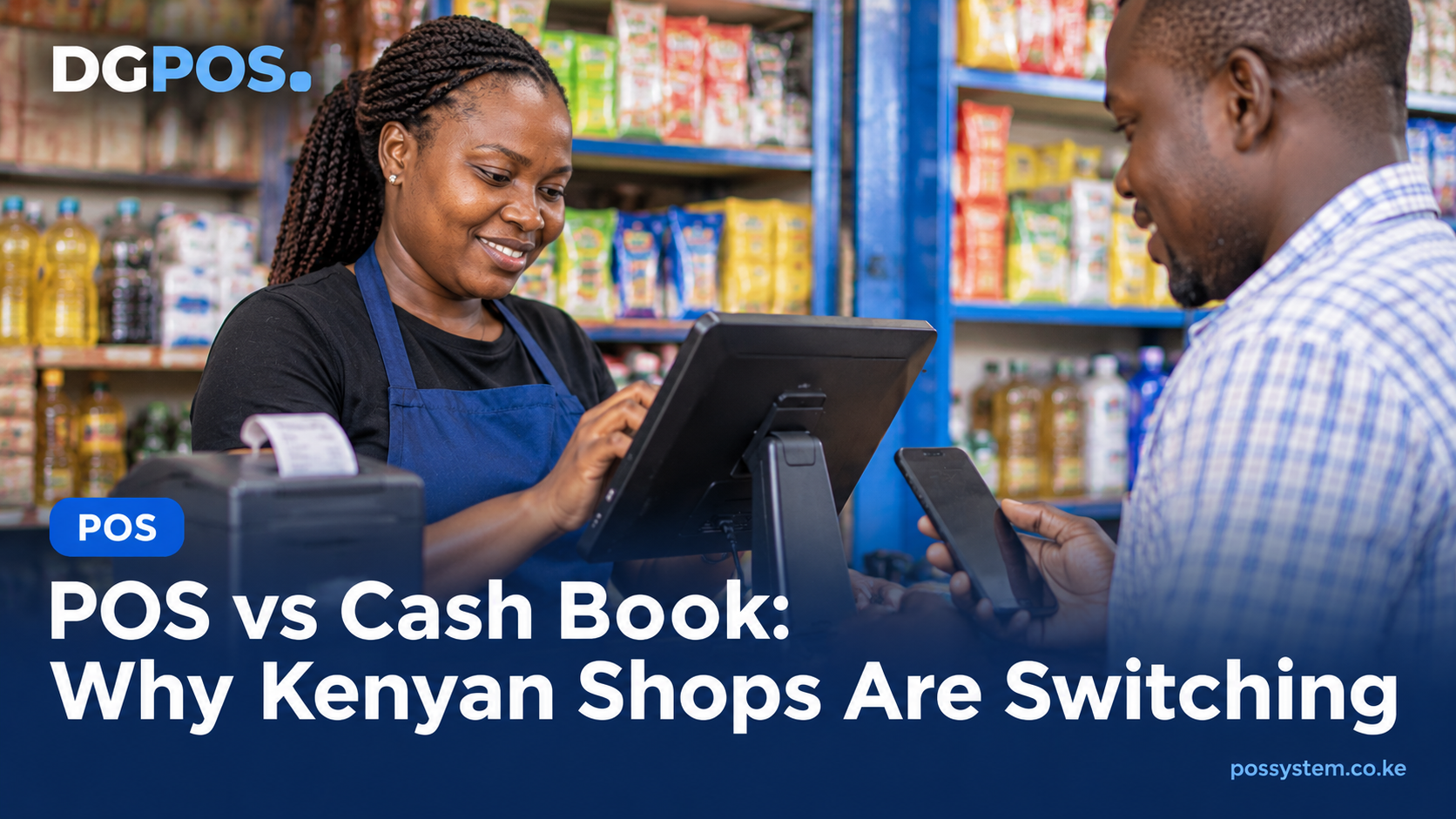
Managing daily sales accurately is one of the most important responsibilities of running a successful shop. Whether you operate a minimart, supermarket, pharmacy, hardware shop, clothing store, wholesale business, or general retail outlet in Kenya, keeping proper records helps you understand how much money your business earns, what products are selling, and where your money is going. For many years, Kenyan shop owners have relied on handwritten cash books to record daily sales, purchases, expenses, and payments. A cash book is familiar, affordable, and easy to start using. However, as businesses grow and transaction volumes increase, manual record keeping can become time-consuming, difficult to manage, and vulnerable to human error. This is why more businesses are considering digital solutions such as a POS SYSTEM.
Understanding POS vs Cash Book: Why Kenyan Shops Are Switching helps business owners recognise the differences between traditional record keeping and modern business technology. A cash book mainly records financial transactions manually, while a modern Point Of Sale solution can help manage sales, products, stock, receipts, and business reports from one system, depending on its features. With reliable pos software, shop owners can reduce paperwork, improve transaction accuracy, monitor business performance, and make more informed decisions.
The shift from handwritten records to digital systems is not simply about using computers. It is about making business operations more organised, improving accountability, saving time, and preparing shops for growth. A reliable point of sale system can help businesses manage daily transactions more efficiently while providing information that is difficult to obtain from a basic cash book. This guide explores the differences between a POS and a cash book, the challenges of manual records, why Kenyan shops are switching to digital solutions, and how Digee Technologies Limited Company supports smarter business management.
1. What Is a Cash Book?
A cash book is a manual or digital record used to document money received and money paid out by a business. Traditionally, many Kenyan shop owners use exercise books, ledgers, or printed accounting books to record daily financial activities.
A typical cash book may contain:
- Date of transaction.
- Description of the sale or expense.
- Amount received.
- Amount paid out.
- Payment method.
- Daily cash balance.
- Remarks or transaction details.
For example, a shopkeeper selling groceries may write down every cash sale made during the day. At the end of the day, the shopkeeper calculates the total amount received and compares it with the money available in the cash drawer.
Cash books can be useful for small businesses with a limited number of daily transactions. They are inexpensive and do not necessarily require electricity, internet access, or specialised equipment.
However, a cash book has limitations. It does not automatically calculate stock balances, generate detailed sales reports, or identify which products are selling fastest. The business owner or employee must perform these tasks manually.
As transaction volumes increase, maintaining accurate handwritten records becomes more challenging. This is one reason businesses are exploring a POS SYSTEM and modern pos software to improve how they manage daily operations.
2. What Is a POS System?
A POS SYSTEM is a business solution used to record sales transactions and manage other activities associated with selling goods or services. POS stands for Point Of Sale, referring to the place where a customer completes a purchase.
A modern Point Of Sale solution can include software, a computer or tablet, a receipt printer, a barcode scanner, and other equipment depending on the business requirements.
Unlike a basic cash book, a point of sale system can perform several business tasks from one platform.
Common features may include:
- Recording sales transactions.
- Calculating purchase totals.
- Printing or issuing receipts.
- Managing product information.
- Tracking stock movement.
- Recording different payment methods.
- Generating daily sales reports.
- Monitoring cashier transactions.
- Managing customer information where supported.
- Reviewing business performance.
For example, when a customer purchases five products from a minimart, the cashier can scan the products or select them from the system. The POS calculates the total amount, records the transaction, and updates stock quantities where inventory tracking is enabled.
This reduces the need to calculate every sale manually.
With suitable pos software, shop owners can also review sales information without going through pages of handwritten records. This makes a point of sales system useful for businesses that want to improve efficiency and maintain organised operations.
3. POS vs Cash Book: Understanding the Main Differences
The biggest difference between a POS and a cash book is how business information is recorded and managed.
A cash book relies mainly on manual entries, while a POS SYSTEM automates many routine sales and reporting activities.
| Business activity | Cash Book | POS SYSTEM |
|---|---|---|
| Recording sales | Written manually | Recorded digitally |
| Calculating totals | Manual calculations | Automatic calculations |
| Stock tracking | Requires separate records | Can update stock automatically |
| Receipt generation | Usually handwritten or separate | Can generate receipts |
| Sales reporting | Manual summaries | Digital reports |
| Identifying fast-selling products | Requires manual analysis | Reports may show product performance |
| Monitoring cashiers | Depends on manual records | User and transaction tracking where supported |
| Finding old transactions | Searching through pages | Searchable digital records where supported |
| Managing multiple payment methods | Recorded manually | Can record different payment methods |
| Business expansion | More paperwork as transactions grow | Can support higher transaction volumes |
A cash book can still be useful for certain basic accounting records, but a point of sale system provides more tools for managing daily retail operations.
This explains why many Kenyan shops are moving towards digital business management solutions.
4. Why Kenyan Shops Are Switching from Cash Books to POS Systems
Kenyan businesses are operating in an increasingly competitive environment. Customers expect faster service, accurate pricing, convenient payment options, and reliable receipts. At the same time, business owners need better control over stock, sales, expenses, and employees.
A handwritten cash book may work when a business handles only a few transactions every day. However, when the business starts serving more customers, managing several employees, or operating multiple branches, manual records can become difficult to maintain.
A reliable POS SYSTEM helps address these challenges by making transaction management more organised.
Here are some of the main reasons Kenyan shops are switching.
4.1 Faster Sales Processing
Speed is important in retail businesses. Customers do not want to spend unnecessary time waiting for employees to calculate prices manually.
With a traditional cash book, a cashier may need to check product prices, calculate the total, record the sale, and calculate change separately.
A Point Of Sale solution can simplify this process. Employees can select products or scan barcodes, allowing the system to calculate the total automatically.
This can make checkout faster, particularly in supermarkets, minimarts, pharmacies, and busy retail outlets.
A modern POS SYSTEM also helps standardise the checkout process, reducing dependence on manual calculations.
4.2 Better Stock Management
Stock management is one of the biggest challenges for retail businesses.
A shop owner needs to know:
- Which products are available.
- Which products are selling quickly.
- Which products are running low.
- Which products are not moving.
- How much stock has been purchased.
- How much stock has been sold.
A cash book mainly records financial transactions. It does not automatically provide a complete picture of stock movement.
A suitable point of sale system can connect sales transactions with inventory records. When a product is sold, its stock quantity can be reduced automatically if the inventory feature is enabled.
This helps shop owners monitor stock levels and plan purchases more effectively.
With reliable pos software, a business can reduce the risk of running out of popular products or ordering unnecessary stock.
4.3 Reduced Manual Calculation Errors
Manual calculations can lead to mistakes, especially when employees handle many transactions.
For example, a cashier may enter the wrong amount, calculate change incorrectly, or forget to record a sale. Such errors can create differences between recorded sales and the money available in the cash drawer.
A POS SYSTEM calculates transaction totals automatically based on the product prices entered into the system.
This reduces certain calculation errors and helps businesses maintain more consistent sales records.
However, businesses should still ensure that product prices are correct, employees follow proper procedures, and transactions are reviewed regularly.
4.4 Easier Daily Sales Reporting
At the end of every business day, shop owners need to know how much they have sold.
With a cash book, employees may need to add individual transactions and prepare summaries manually. This can take considerable time when the business handles many customers.
A modern Point Of Sale solution can generate daily sales reports automatically, depending on the available features.
These reports may help business owners review:
- Total sales.
- Number of transactions.
- Sales by product.
- Sales by cashier.
- Payment methods.
- Discounts and refunds.
- Sales trends.
This makes it easier to understand business performance without calculating everything manually.
4.5 Improved Employee Accountability
When several employees handle sales, business owners need to know who processed each transaction.
Manual cash books may not provide enough information to identify the person responsible for a particular sale or adjustment.
A point of sales system can support individual cashier accounts and transaction tracking where user management features are available.
Managers may be able to review which employee processed a sale, issued a refund, or made an authorised adjustment.
This improves accountability and helps businesses establish clearer procedures for handling money.
4.6 Better Customer Service
Customers expect convenient shopping experiences. They want accurate prices, quick service, and proper receipts.
A POS SYSTEM can help employees process transactions more efficiently and reduce the time spent calculating totals manually.
A business can also use its Point Of Sale solution to maintain consistent product prices and generate receipts for customers.
Better checkout organisation can improve customer satisfaction and encourage repeat visits.
5. Challenges of Using a Cash Book in a Growing Kenyan Shop
Cash books are useful, but they become increasingly difficult to manage as a business expands.
5.1 Time-Consuming Record Keeping
Every transaction may need to be written down manually. If a shop serves hundreds of customers each day, recording all transactions can become exhausting.
Employees may spend more time writing records than serving customers.
A POS SYSTEM helps reduce this workload by recording transactions digitally.
5.2 Missing or Incomplete Records
Handwritten records can be lost, damaged, or incorrectly completed.
An employee may forget to record a transaction or write down an incomplete description. This can make it difficult to understand what happened during a particular business day.
A properly maintained pos software solution stores transaction information digitally and can make previous records easier to retrieve.
5.3 Difficult Stock Monitoring
A cash book does not automatically tell the business owner how many units of each product remain in stock.
Shop owners may need separate stock books, spreadsheets, and manual stock counts.
A point of sale system with inventory management can connect recorded sales with stock quantities, reducing the need for multiple manual records.
5.4 Limited Business Analysis
A cash book may show how much money was received, but it does not easily explain which products generated the most sales or which periods were busiest.
To obtain this information, the owner may need to analyse several pages of records.
With a modern POS SYSTEM, managers can access reports that help them understand product performance and sales trends.
5.5 Difficulty Managing Multiple Employees
When different employees use the same cash book, it can be difficult to identify individual transactions and responsibilities.
A Point Of Sale solution with cashier accounts can help managers monitor employee activity and review transaction records.
5.6 Difficulty Managing Multiple Branches
A business with several outlets may need to collect records from each branch before calculating total sales.
This can delay reporting and create inconsistencies.
Depending on its configuration, a point of sales system can help businesses manage multiple outlets and review branch performance from a central platform.
6. How a POS System Helps Different Types of Kenyan Shops
Different businesses have different operational requirements. However, many can benefit from moving beyond manual sales recording.
6.1 Minimarts and Small Retail Shops
Minimarts sell groceries, household products, drinks, snacks, toiletries, and other everyday items.
A handwritten cash book can become difficult to manage when many products are sold throughout the day.
A POS SYSTEM can help minimarts record transactions, manage product prices, track stock, and generate sales reports.
A suitable pos software solution can also help the owner identify popular products and plan restocking.
6.2 Supermarkets
Supermarkets often handle high transaction volumes and employ several cashiers.
Manual sales recording is not practical for every transaction.
A modern Point Of Sale solution can help supermarkets process sales, scan barcodes, issue receipts, and monitor stock movement.
A point of sale system can also provide reports that help management review sales across different cashiers or departments, depending on the software.
6.3 Pharmacies and Chemists
Pharmacies need organised records because they manage many products with different prices, quantities, and expiry dates.
A suitable POS SYSTEM can support product management, sales recording, and inventory tracking.
Where supported, specialised pos software may also provide batch and expiry-date management to help pharmacy owners monitor products more effectively.
6.4 Hardware Shops
Hardware shops sell products such as cement, paint, nails, electrical supplies, plumbing materials, and construction tools.
Some products may have different units of measurement, packaging sizes, or pricing arrangements.
A point of sale system can help hardware businesses organise their product information and record transactions more accurately.
6.5 Clothing and Fashion Shops
Clothing shops often manage different sizes, colours, designs, and product categories.
A cash book cannot easily provide detailed stock information for every product variation.
A suitable Point Of Sale solution can help manage product variations and record sales according to the available inventory features.
6.6 Wholesale Businesses
Wholesale businesses may handle large orders, bulk purchases, and repeat customers.
A POS SYSTEM can help record transactions, monitor stock movement, and generate useful sales reports.
Depending on the software, additional features may support customer accounts and credit sales management.
7. How POS Software Helps You Understand Your Business Better
One of the biggest advantages of switching from a cash book to digital business management is access to organised information.
A business owner should not only know how much money entered the cash drawer. They should also understand what generated the sales and how the business is performing.
Modern pos software can provide reports that support better decision-making.
Product Performance Reports
These reports help business owners identify products that sell quickly and products that move slowly.
This information can help managers plan purchasing decisions and reduce unnecessary stock accumulation.
Daily Sales Reports
Daily reports show how much the business has sold during a particular period.
They help managers compare performance between different days and identify changes in sales activity.
Cashier Reports
Where supported, cashier reports show transactions processed by individual employees.
This can help managers review performance and investigate discrepancies.
Payment Reports
A modern POS SYSTEM can record sales paid through different methods, such as cash, M-Pesa, and cards, depending on the system’s configuration.
This helps businesses compare recorded sales with available payment records.
Stock Reports
Inventory reports help businesses understand available quantities, stock movement, and products that may need restocking.
A reliable point of sale system can make this information easier to access than separate handwritten stock books.
8. POS vs Cash Book: Which Is More Cost-Effective?
Some shop owners hesitate to adopt digital systems because they believe a cash book is cheaper.
It is true that a basic cash book has a low starting cost. However, business owners should also consider the time spent maintaining records and the cost of errors.
For example, a shop owner who spends several hours every week calculating sales, checking stock, and preparing reports is also spending valuable business time.
Manual errors may also lead to financial losses through incorrect pricing, missing transactions, or poor stock management.
A POS SYSTEM may require an initial investment in software, equipment, training, and maintenance. However, it can provide operational benefits that become more valuable as the business grows.
| Cost consideration | Cash Book | POS SYSTEM |
|---|---|---|
| Initial setup | Usually inexpensive | Depends on software and equipment |
| Daily record keeping | Requires manual work | Many activities are automated |
| Sales calculations | Manual | Automatic |
| Stock management | May require separate records | Can be integrated |
| Reporting | Manual preparation | Digital reports |
| Staff training | Basic record-keeping skills | Training on the system |
| Long-term efficiency | Can become difficult as sales grow | Can improve operational efficiency |
The most suitable choice depends on the business size, transaction volume, available budget, and operational requirements.
For shops that handle many daily transactions, investing in reliable pos software can be a practical way to improve business management.
9. Signs Your Shop Has Outgrown a Cash Book
How do you know when it is time to move from manual record keeping to a POS SYSTEM?
There are several signs that your current system may no longer meet your business needs.
You cannot calculate daily sales quickly: If preparing sales totals takes too much time, digital reporting may help.
Your stock records are often inaccurate: Regular stock differences may indicate that your manual tracking process needs improvement.
You have several employees handling sales: More employees create a greater need for clear transaction records and accountability.
You frequently run out of popular products: Better stock monitoring can help you identify products that need restocking.
You struggle to identify profitable products: Digital reports can help you understand which items contribute most to your sales.
You operate multiple branches: A suitable point of sales system may help centralise information from different locations.
You spend too much time preparing reports: Automated reporting can reduce repetitive calculations.
You frequently lose or misplace records: Digital transaction storage can make record retrieval easier when properly backed up and managed.
If several of these situations sound familiar, it may be time to consider a modern Point Of Sale solution.
10. How to Choose the Right POS System for Your Kenyan Shop
Not every business needs the same features. A small minimart may require a simple sales and stock management solution, while a supermarket may need barcode scanning, multiple cashiers, and more advanced reporting.
Before choosing a POS SYSTEM, consider the following factors.
Ease of Use
The system should be easy for employees to understand and operate. A complicated interface can slow down transactions and make staff training difficult.
Stock Management
Choose pos software that supports the inventory features your business requires. Consider whether it can track quantities, product categories, stock movement, and low-stock levels.
Sales Reporting
A good point of sale system should provide useful reports that help you understand sales performance.
Payment Recording
Your system should support the payment methods used by your customers, such as cash, M-Pesa, and cards, where applicable.
Receipt Management
Check whether the system can generate receipts and maintain transaction records.
eTIMS Compatibility
If your business needs electronic tax invoicing, ask whether the solution supports the required eTIMS integration and transmission process. Do not assume that every POS SYSTEM automatically complies with KRA invoicing requirements.
Technical Support
Choose a provider that can help with installation, training, troubleshooting, and system maintenance.
Scalability
Your business may grow in the future. Consider a Point Of Sale solution that can support additional products, employees, or branches as your operations expand.
11. Can a POS System Replace a Cash Book Completely?
A POS SYSTEM can replace many manual sales-recording activities, but it is important to understand that a POS and an accounting cash book do not always serve exactly the same purpose.
A POS is primarily designed to manage sales transactions and related business operations. A cash book is an accounting record used to track cash received and paid out.
Some POS solutions include cash management and expense-recording features, but not every system provides a complete accounting package.
For this reason, a business may use a point of sale system together with accounting software or other financial records.
For example, a supermarket can use a POS SYSTEM to record product sales, manage inventory, and generate daily reports. Its accountant may then use these records alongside bank statements, supplier invoices, payroll information, and other documents when preparing financial statements.
The goal is not necessarily to eliminate every accounting record. It is to reduce unnecessary manual work and improve the accuracy of business information.
12. How POS Systems Support Better eTIMS Record Keeping
Electronic invoicing has become an important part of business compliance in Kenya. Businesses need to understand their eTIMS obligations and maintain accurate sales records.
A POS SYSTEM can support the sales-recording process by maintaining information about products, quantities, prices, and transactions.
However, a POS does not automatically issue compliant eTIMS invoices unless it is properly integrated with an appropriate eTIMS solution.
Before choosing pos software, businesses that require electronic invoicing should confirm:
- Whether the solution supports eTIMS integration.
- Whether invoices are generated using the required process.
- Whether invoices are successfully transmitted to KRA.
- Whether transaction information can be reconciled.
- Whether the provider offers support for the integration.
A suitable Point Of Sale solution can help organise business sales information, while the eTIMS integration supports the required electronic tax invoicing process.
This combination can make it easier for businesses to maintain accurate records and prepare for tax reporting.
13. Common Mistakes to Avoid When Switching from a Cash Book to a POS
Moving from manual record keeping to a digital system is an important business decision. However, the transition should be planned carefully.
Failing to Enter Correct Product Prices
Incorrect product prices can lead to inaccurate sales transactions. Businesses should check their product information before beginning normal operations.
Ignoring Opening Stock Balances
When introducing a POS SYSTEM, the business should conduct a stock count and enter accurate opening quantities where inventory management is supported.
Failing to Train Employees
Employees need to understand how to process sales, record payments, issue receipts, and handle refunds or corrections.
Choosing Software Without Understanding Its Features
Do not select pos software based only on appearance or price. Consider the actual needs of your business.
Ignoring Data Backup
Digital records should be protected. Ask the provider how the system stores data and whether backups are available.
Failing to Review Reports
Installing a point of sale system is not enough. Business owners should regularly review sales, stock, and transaction reports to make informed decisions.
Expecting Technology to Replace Good Management
A POS can improve business processes, but employees still need proper supervision and business owners must maintain sound financial procedures.
14. The Future of Retail Business Management in Kenya
Retail businesses in Kenya are increasingly adopting digital solutions to improve how they operate. Customers expect faster service, businesses need accurate records, and competition requires shop owners to understand their sales performance.
Traditional cash books may continue to serve a purpose in basic record keeping, but they cannot provide all the tools available through modern business software.
A reliable POS SYSTEM can help shops manage transactions, monitor inventory, generate reports, and improve staff accountability.
As more businesses embrace digital management, the Point Of Sale system is becoming an important tool for retailers who want to organise their operations and prepare for growth.
The shift from handwritten books to digital systems is not only about replacing paper. It is about making business information easier to access and use.
For Kenyan shops that want to remain organised and competitive, adopting suitable pos software can be an important step towards more efficient business management.
15. Why Digee Technologies Limited Company Supports Smarter Retail Management
Digee Technologies Limited Company understands that running a retail business requires more than selling products. Business owners must manage stock, monitor sales, handle employees, maintain records, and make decisions that support growth.
Whether you operate a minimart, supermarket, pharmacy, restaurant, hardware shop, wholesale outlet, or clothing store, having organised business information can make daily operations easier.
A suitable POS SYSTEM helps businesses move beyond manual sales recording by providing digital tools for transaction management and reporting.
With reliable pos software, shop owners can improve visibility into their sales, monitor product movement, and access useful business information.
A modern Point Of Sale solution can also help employees process transactions more consistently, reducing dependence on handwritten calculations and manual sales books.
Digee Technologies Limited Company encourages businesses to embrace technology that supports better business management. Instead of spending valuable time calculating every sale manually, business owners can use a suitable point of sale system to organise important business activities.
For Kenyan shops planning to grow, adopting digital management tools can help create a stronger foundation for efficient operations.
Digee Technologies Limited Company supports smarter business management through technology designed to help businesses organise their daily operations.
Frequently Asked Questions (FAQs)
1. What is the difference between a POS and a cash book?
A cash book is used to record money received and money paid out manually or through a basic accounting record. A POS SYSTEM is a digital business solution that records sales and may also manage stock, receipts, payment methods, and reports.
2. Why are Kenyan shops switching from cash books to POS systems?
Many shops are switching because digital systems can speed up sales recording, reduce manual calculations, improve stock tracking, and generate reports more easily.
3. Is a POS system suitable for a small shop?
Yes. A point of sale system can be useful for small shops that want to organise sales and monitor stock. The business should choose software that matches its size, budget, and operational requirements.
4. Can POS software manage stock?
Yes. Many pos software solutions include inventory management features that help businesses record stock quantities, monitor stock movement, and identify products that need restocking.
5. Can a POS system record M-Pesa and cash payments?
Many POS solutions can record different payment methods, including cash and M-Pesa, depending on their configuration and available integrations.
6. Does a POS system automatically calculate daily sales?
A POS SYSTEM can automatically calculate sales totals based on the transactions recorded in the system. Business owners should still review reports and reconcile payments regularly.
7. Can a POS system replace handwritten stock books?
A point of sale system with inventory management can replace many manual stock-recording activities. However, regular physical stock counts are still important to identify differences.
8. Does a POS system help prevent employee theft?
A Point Of Sale solution can improve accountability through cashier accounts, transaction records, and activity reports where supported. However, technology should be combined with proper supervision and internal controls.
9. Can a POS system support eTIMS?
Some systems support eTIMS integration. Businesses should confirm that their chosen solution supports the required electronic invoicing process and transmission to KRA.
10. How do I choose the best POS system for my shop?
Consider ease of use, stock management, sales reporting, payment recording, eTIMS compatibility where required, technical support, and the ability to support future business growth.
Conclusion
The comparison between POS vs Cash Book: Why Kenyan Shops Are Switching highlights the importance of modernising business operations. Cash books remain useful for basic financial records, but they can become difficult to manage when a shop handles many daily transactions, several employees, or a growing range of products.
A reliable POS SYSTEM offers a more organised way to manage sales and business activities. With suitable pos software, shop owners can record transactions, monitor stock, generate sales reports, and improve accountability. A modern Point Of Sale solution can also reduce manual calculations and help business owners access important information when making decisions.
For Kenyan shops looking to improve efficiency, digital record keeping is becoming an important part of business growth. Moving to a suitable point of sale system can help reduce paperwork, improve transaction management, and provide better visibility into daily operations.
Digee Technologies Limited Company encourages businesses to embrace smarter business management through reliable technology. Whether you operate a small retail shop or a growing supermarket, investing in the right point of sales system can help you move beyond manual record keeping and manage your business more effectively.