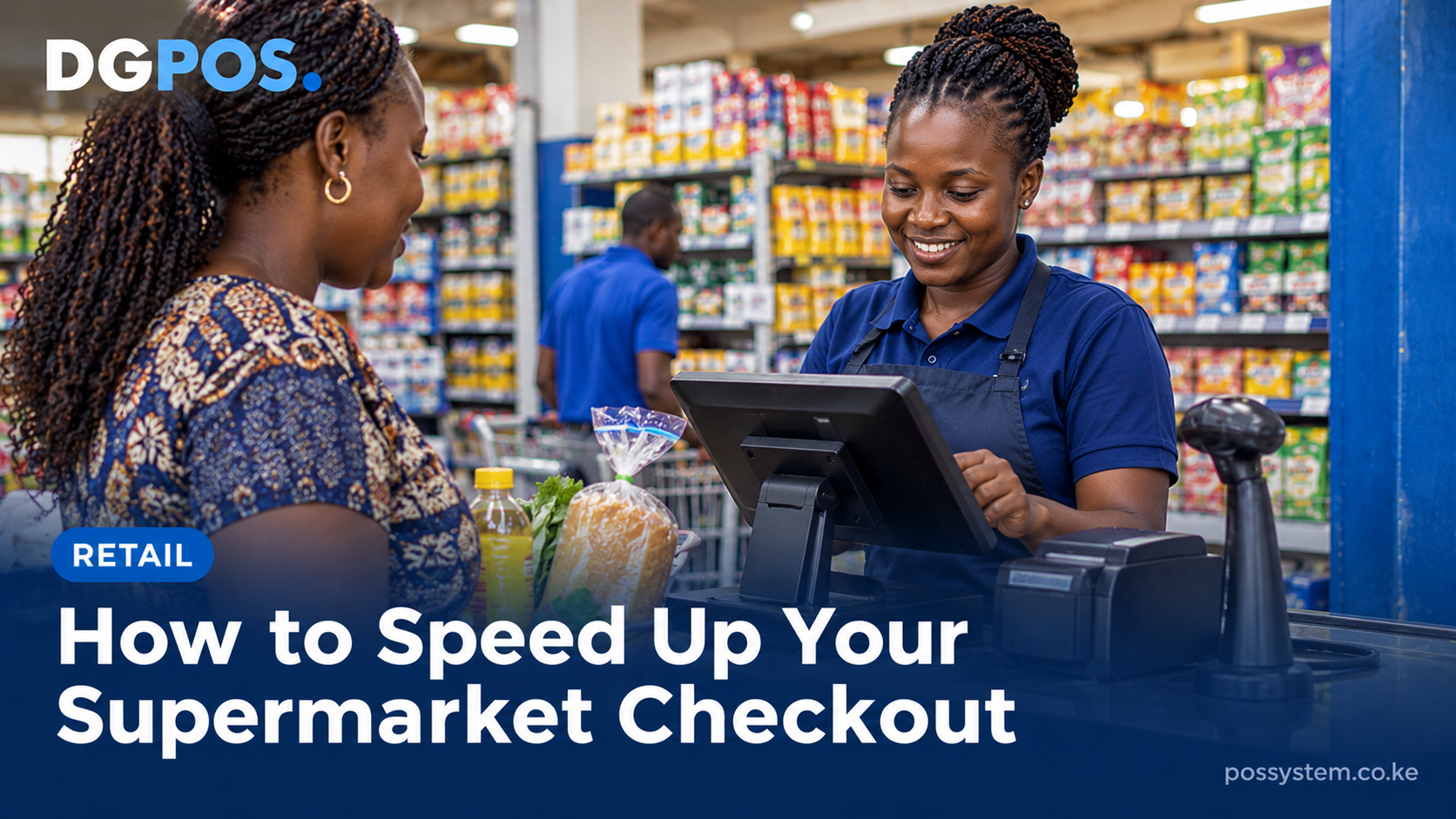
A fast and efficient checkout process is one of the most important factors in running a successful supermarket. Customers visit supermarkets expecting to find their preferred products, make their purchases and complete payments without spending too much time waiting in queues. However, slow checkout processes can frustrate customers, reduce customer satisfaction and affect the overall shopping experience. Long queues, manual price checking, payment delays, barcode scanning problems, poorly trained cashiers and outdated checkout equipment are some of the common challenges that slow down supermarket operations. In a competitive retail environment, supermarkets need reliable solutions that help them serve customers faster while maintaining accurate sales records. This is where a modern POS (Point Of Sale) system becomes essential. A reliable POS SYSTEM helps supermarkets automate sales transactions, scan products quickly, calculate bills accurately, process different payment methods and generate receipts within seconds. With the right POS software, supermarket employees can spend less time handling manual processes and more time serving customers. Whether you operate a small supermarket, minimart, medium-sized retail shop or a large supermarket in Kenya, improving checkout speed can make a significant difference in customer experience and business performance. A well-organized Point Of Sale system also helps management monitor cashier performance, identify checkout delays and improve daily operations. In this guide, Digee Technologies Limited Company explains practical ways to speed up your supermarket checkout, reduce customer waiting time and create a more efficient shopping experience using modern technology and better business practices.
Why Is Checkout Speed Important in a Supermarket?
Checkout speed directly affects how customers experience your supermarket. Even when customers find everything they need, a long queue at the payment counter can leave them dissatisfied.
A supermarket may have quality products, competitive prices and helpful employees, but slow checkout procedures can discourage customers from returning.
Improving checkout speed offers several benefits.
1. Improves Customer Satisfaction
Customers appreciate quick and convenient service. When shoppers can complete their purchases without unnecessary delays, they are more likely to have a positive shopping experience.
A modern POS SYSTEM helps cashiers process transactions efficiently by automatically calculating product prices, discounts and totals.
2. Reduces Long Queues
Long checkout queues are particularly common during weekends, holidays, lunchtime and evening shopping hours.
Using reliable POS software helps employees scan products, calculate bills and receive payments faster, reducing unnecessary delays.
3. Increases Daily Sales Opportunities
When checkout counters operate efficiently, cashiers can serve more customers within the same period.
This is especially important during busy shopping hours when many customers are waiting to make purchases.
A dependable Point Of Sale solution helps supermarkets handle higher transaction volumes without relying entirely on manual processes.
4. Reduces Human Errors
Manual calculations and handwritten price records can lead to incorrect bills and payment mistakes.
A good point of sale system automatically calculates transaction totals based on registered product prices, helping reduce common checkout errors.
5. Encourages Repeat Customers
Customers are more likely to return to supermarkets where shopping is convenient and efficient.
Fast checkout contributes to a positive customer experience and helps businesses build customer loyalty.
1. Invest in a Reliable POS System
One of the most effective ways to speed up supermarket checkout is to invest in a reliable POS SYSTEM.
Traditional checkout processes that depend on manual calculations and handwritten records can slow down transactions, especially when a supermarket handles many customers every day.
A modern POS (Point Of Sale) solution automates important checkout activities, allowing cashiers to process purchases more efficiently.
With suitable POS software, cashiers can:
- Scan products using barcode scanners.
- Retrieve product prices automatically.
- Calculate customer bills instantly.
- Apply authorized discounts.
- Process different payment methods.
- Print or send receipts.
- Record completed transactions.
- Update inventory automatically where supported.
For example, imagine a customer purchasing ten different products from your supermarket. Instead of manually entering each product price and calculating the total, the cashier scans the barcodes. The point of sale system retrieves the registered prices and calculates the final bill automatically.
This reduces unnecessary steps and helps the cashier complete the transaction faster.
When choosing a POS SYSTEM, supermarkets should consider transaction speed, ease of use, barcode support, payment integration, inventory management and reporting capabilities.
2. Use Barcode Scanners for Faster Product Identification
Manually searching for product names and entering prices can make checkout unnecessarily slow.
Barcode scanners help solve this problem by allowing cashiers to identify products quickly.
Most packaged supermarket products have barcodes that contain information used to identify individual items. When a cashier scans a barcode, the POS software retrieves the corresponding product information from the database.
This eliminates the need to search for every product manually.
Woman scanning goods at checkout counter
Biashara ERP | Official Site | POS, Accounts, eTIMS & Payroll Kenya
10
Barcode scanning offers several advantages:
- Faster product identification.
- Reduced manual price entry.
- More accurate billing.
- Consistent product pricing.
- Automatic inventory updates where supported.
For example, when a customer purchases sugar, cooking oil, rice and washing powder, the cashier can scan each item rather than searching through a long product list.
A reliable Point Of Sale system connects barcode scanning with product records, making checkout operations faster and more organized.
Supermarkets should also ensure that product barcodes are registered correctly in their POS SYSTEM and that scanners are properly maintained.
3. Organize Products Properly in the POS Database
A supermarket may stock thousands of products across different categories. If product information is poorly organized, cashiers may struggle to locate items that cannot be scanned.
This can create unnecessary delays at the checkout counter.
Organizing products within your POS software helps cashiers identify items quickly and process purchases more efficiently.
Products should be arranged into clear categories, such as:
- Groceries.
- Beverages.
- Dairy products.
- Household cleaning products.
- Personal care products.
- Fresh produce.
- Bakery products.
- Snacks and confectionery.
- Frozen foods.
Each product should have accurate information, including its name, barcode, selling price and applicable tax details.
For products without barcodes, such as certain fresh produce items, the supermarket can use product search, quick-selection buttons or configured product codes.
A well-organized point of sale system reduces the time cashiers spend searching for products and minimizes incorrect product selection.
4. Train Cashiers to Use the POS Software Efficiently
Even the best POS SYSTEM cannot deliver its full benefits if employees do not know how to use it properly.
Cashiers should receive adequate training on how to scan products, process payments, apply discounts, handle refunds and issue receipts.
Poorly trained employees may spend unnecessary time navigating menus, correcting mistakes or asking supervisors for assistance.
Supermarkets should train cashiers on the following areas:
Product Scanning: Employees should know how to scan barcodes correctly and handle products that cannot be scanned.
Payment Processing: Cashiers should understand how to accept cash, M-Pesa, card payments and other supported payment methods.
Discount Management: Employees should know how to apply authorized discounts without making unnecessary changes to product prices.
Receipt Printing: Cashiers should understand how to print or send receipts and resolve common printer problems.
Transaction Corrections: Employees should know how to handle incorrect entries, cancellations and other transaction issues according to supermarket procedures.
Cash Handling: Cashiers should understand how to receive payments, calculate change and reconcile their cash drawers.
Regular training helps employees become more confident when using the Point Of Sale system.
The faster and more accurately cashiers operate the system, the smoother the checkout experience becomes.
5. Open More Checkout Counters During Peak Hours
Sometimes, checkout delays are not caused by technology but by having too few active counters.
A supermarket may experience low customer traffic in the morning but receive a large number of shoppers in the evening.
Keeping only one or two counters open during busy periods can create long queues even when the POS software is working perfectly.
Management should monitor customer traffic and schedule additional cashiers during peak hours.
For example, a supermarket may experience increased customer traffic during:
- Early mornings.
- Lunch breaks.
- Evening hours.
- Weekends.
- Public holidays.
- End-of-month shopping periods.
A POS SYSTEM with transaction reporting can help management identify busy periods and understand how many transactions are processed at different times.
This information can guide employee scheduling and checkout counter allocation.
Opening additional counters when necessary helps distribute customers more evenly and reduces waiting time.
6. Support Multiple Payment Methods
Payment delays are another common cause of slow supermarket checkout.
Customers may prefer different payment options depending on convenience, available funds and personal preferences.
In Kenya, supermarkets commonly receive payments through cash, M-Pesa and bank cards.
A modern POS SYSTEM should support the payment methods relevant to the business.
Què és el “cashback”? La via per retirar efectiu pagant amb targeta a la botiga – 3CatInfo
Male customer paying for groceries in cash in local supermarket
8
Supporting multiple payment methods helps customers complete transactions conveniently.
For example, a customer who does not have enough cash can pay through M-Pesa if the supermarket supports that option.
An integrated Point Of Sale system can also help organize payment records and reduce manual entry, depending on the available payment integrations.
Supermarkets should train cashiers to understand payment confirmation procedures. For M-Pesa transactions, employees should verify the actual payment confirmation rather than relying only on customer screenshots or messages.
A well-configured point of sales system helps cashiers record different payment types accurately and makes payment reconciliation easier.
7. Keep Product Prices Updated
Incorrect product prices can create unnecessary delays at checkout.
Imagine a customer picks up cooking oil displayed at KSh 350, but the POS SYSTEM shows KSh 400. The cashier may need to stop the transaction and request assistance from a supervisor.
When this happens repeatedly, checkout queues become longer.
To avoid such problems, supermarkets should ensure that product prices are updated consistently across their shelves and POS software.
Management should:
- Update prices whenever changes are approved.
- Remove outdated price labels.
- Check promotional prices before campaigns begin.
- Ensure barcode records match the correct products.
- Review price changes before busy shopping periods.
A centralized Point Of Sale system can help supermarkets manage product prices more consistently, depending on how the system is configured.
Accurate pricing reduces disputes, prevents unnecessary interruptions and helps cashiers serve customers faster.
8. Use Quick Product Search for Items Without Barcodes
Not every supermarket product comes with a scannable barcode.
Fresh vegetables, fruits, bakery products and certain locally packaged items may require manual selection.
Searching for these products individually through a long database can slow down checkout.
A good POS software solution should make it easy to locate frequently sold products using categories, product codes, search tools or quick-access buttons.
For example, a cashier selling tomatoes by weight should be able to select the correct product quickly, enter the quantity and allow the POS SYSTEM to calculate the price.
Supermarkets can also create shortcut buttons for commonly sold products that do not have individual barcodes.
This helps cashiers process fresh produce and other unbarcoded items without wasting time.
9. Maintain Checkout Equipment Properly
Checkout equipment plays an important role in transaction speed.
Even a reliable POS SYSTEM can experience delays when scanners, receipt printers, computers or payment terminals are not functioning correctly.
Supermarkets should regularly inspect their checkout equipment to ensure everything works as expected.
Important equipment includes:
- POS computers or terminals.
- Barcode scanners.
- Receipt printers.
- Cash drawers.
- Customer displays.
- Payment terminals.
- Network equipment.
- Backup power solutions.
Punto de Venta POS – Facturación Electrónica – EAS
89CU – 80mm Inkless Thermal Billing Printer with Autocutter (USB) – Shreyanspos
Billing Machine for Supermarket – Efficient POS Solutions
8
For example, a faulty barcode scanner may force cashiers to enter product information manually. A receipt printer that frequently jams may delay customers who need printed receipts.
Regular maintenance helps reduce equipment-related interruptions.
Supermarkets should also ensure that their internet connection and network infrastructure are reliable, particularly when their POS software depends on online services.
10. Introduce Clear Checkout Procedures
Having clear checkout procedures helps employees understand what to do at every stage of a customer transaction.
Without proper procedures, cashiers may handle transactions differently, causing confusion and unnecessary delays.
A standard supermarket checkout process should include:
- Welcome the customer.
- Scan or select each product.
- Confirm quantities and applicable prices.
- Apply authorized discounts.
- Confirm the total amount payable.
- Receive and verify payment.
- Issue the receipt.
- Thank the customer.
A well-configured Point Of Sale system supports these steps by automating calculations, recording transactions and generating receipts.
Management should ensure that all cashiers follow consistent procedures.
This is particularly important for supermarkets with several checkout counters because customers should receive the same level of service regardless of which cashier serves them.
11. Use Self-Checkout Where Practical
Self-checkout allows customers to scan products and complete payments with limited assistance from supermarket employees.
This option can help reduce pressure on traditional checkout counters, particularly in supermarkets with high customer traffic.
Make your self-checkouts customer friendly – StrongPoint
A self-checkout solution may allow customers to:
- Scan product barcodes.
- Review selected products.
- Check transaction totals.
- Make supported payments.
- Receive digital or printed receipts.
However, self-checkout requires proper equipment, security measures, customer guidance and staff supervision.
It may not be necessary for every supermarket, especially smaller shops with limited customer traffic.
Businesses should evaluate customer demand, operating costs and available technology before introducing this option.
Where supported, integrating self-checkout with the main POS SYSTEM can help maintain consistent pricing and inventory records.
12. Monitor Cashier Performance
Not all checkout delays come from equipment or product database problems. Sometimes, individual employees may require additional training or support.
Monitoring cashier performance helps supermarket managers identify areas where checkout operations can improve.
A POS SYSTEM that supports employee reporting can help management review:
- Number of transactions completed.
- Total sales handled by each cashier.
- Transaction processing patterns.
- Refunds and cancellations.
- Cash drawer differences.
- Common transaction errors.
For example, if one cashier consistently takes longer to complete transactions than other employees, management can investigate whether the employee needs additional training or whether there is an equipment problem at that counter.
However, cashier performance should not be measured by speed alone. Accuracy, customer service, payment verification and proper procedures are equally important.
Using POS software to monitor employee activity can help supermarkets improve productivity while maintaining reliable service.
13. Reduce Unnecessary Transaction Interruptions
Small interruptions can significantly increase checkout time when they happen repeatedly.
Examples include:
- Cashiers leaving the counter to ask for product prices.
- Waiting for managers to approve routine actions.
- Searching for missing product information.
- Repeatedly restarting checkout devices.
- Handling unclear promotional offers.
- Correcting incorrect product entries.
Supermarket management should identify common interruptions and create solutions.
For example, commonly requested manager approvals should have clear rules and appropriate authorization limits.
Frequently sold products should be easy to locate in the POS software, and employees should know how to resolve basic checkout problems.
A properly configured point of sale system helps reduce unnecessary manual steps and keeps transactions moving.
14. Improve Inventory Management to Prevent Checkout Delays
Inventory management may seem unrelated to checkout speed, but the two are closely connected.
When products are not properly registered in the POS SYSTEM, cashiers may struggle to identify items, confirm prices or process customer purchases.
Incorrect stock records can also create confusion when customers purchase products that are unavailable or incorrectly listed.
A reliable POS software solution can connect sales transactions with inventory records, helping supermarkets maintain better control over products.
For example, when a cashier sells a packet of rice, the system can automatically reduce the recorded stock quantity.
This helps management monitor product availability and organize restocking before popular items run out.
Keeping inventory records accurate reduces product identification problems and improves the overall checkout process.
15. Use Sales Reports to Identify Checkout Problems
You cannot improve checkout speed effectively if you do not understand where delays occur.
Sales reports generated through a Point Of Sale system can provide useful information about transaction volumes and cashier activity.
Management can review sales by hour, day and cashier to understand when the supermarket experiences the highest workload.
For example, if transaction volumes increase significantly between 5 PM and 8 PM, management can schedule more employees during that period.
If one checkout counter consistently handles fewer transactions than others, management can investigate possible equipment or staffing problems.
A reliable point of sale system helps supermarket owners make decisions based on recorded business information rather than guesswork.
Common Supermarket Checkout Mistakes That Slow Down Service
Even supermarkets with modern checkout equipment can experience long queues because of poor procedures and management practices.
Here are common mistakes to avoid.
1. Using Manual Price Calculations
Manually calculating product totals increases the time required to complete transactions and creates opportunities for errors.
Use a reliable POS SYSTEM that automatically calculates product prices and transaction totals.
2. Sharing POS Login Credentials
When employees share login details, management may struggle to identify who handled a transaction or made a particular change.
Give every cashier an individual account within the POS software.
3. Failing to Update Product Information
Incorrect product prices, missing barcodes and duplicate product records can interrupt checkout operations.
Maintain an accurate product database.
4. Ignoring Equipment Problems
Faulty scanners, printers and payment terminals can slow down every transaction.
Inspect and maintain checkout equipment regularly.
5. Understaffing During Busy Hours
Keeping too few counters open during peak shopping periods creates long queues.
Use transaction reports to plan employee schedules.
6. Poor Employee Training
Cashiers who do not understand the Point Of Sale system may take longer to process transactions.
Provide regular practical training.
7. Ignoring Payment Verification
Failure to confirm payments can create financial discrepancies and unnecessary disputes.
Train employees to follow proper payment confirmation procedures.
How to Measure Supermarket Checkout Speed
Improving checkout operations requires supermarkets to measure performance and identify areas that need attention.
Here are useful indicators to monitor.
| Performance Indicator | What It Measures |
|---|---|
| Average transaction time | Time taken to complete one customer purchase |
| Customers served per hour | Number of completed customer transactions |
| Average queue waiting time | How long customers wait before checkout |
| Transaction error rate | Frequency of incorrect transaction entries |
| Payment processing time | Time taken to complete customer payments |
| Transactions per cashier | Number of sales handled by each cashier |
These indicators help supermarket managers understand whether checkout improvements are working.
For example, if the average transaction time decreases after introducing barcode scanners, management can determine whether the investment has improved efficiency.
A modern POS SYSTEM can provide some of the transaction information needed for this analysis, depending on its reporting features.
The goal is not simply to make cashiers work faster. It is to create a checkout process that is quick, accurate and convenient for customers.
Benefits of Using POS Software in Supermarket Checkout Operations
Technology has changed how supermarkets manage daily sales. Instead of relying entirely on manual processes, businesses can use a modern POS SYSTEM to automate important checkout activities.
Here are some of the major benefits.
1. Faster Transactions: A Point Of Sale solution helps cashiers scan products, calculate bills and complete sales efficiently.
2. Accurate Billing: Automated calculations reduce mistakes associated with manual price entry and addition.
3. Better Payment Management: A suitable POS software solution helps record different payment methods and organize transaction information.
4. Improved Inventory Control: Sales can automatically update stock quantities where inventory integration is supported.
5. Easier Employee Monitoring: Management can review cashier activity and transaction performance.
6. Better Customer Experience: Faster transactions and fewer checkout interruptions help improve customer satisfaction.
7. Organized Sales Records: A point of sale system keeps transaction information organized for reporting and business analysis.
8. Better Business Decisions: Sales reports help owners understand customer demand, product performance and operational challenges.
For supermarkets looking to improve efficiency, investing in the right point of sales system can support long-term operational improvements.
How to Choose the Right POS System for Your Supermarket
Not every POS SYSTEM is suitable for every supermarket. Before choosing a solution, business owners should consider their operational needs, number of checkout counters, inventory size and expected transaction volumes.
Here are important features to look for.
Barcode Scanning Support
Choose POS software that supports barcode scanning for faster product identification and billing.
Inventory Management
The system should help track stock quantities, product movement and low-stock levels.
Multiple Payment Methods
Look for a Point Of Sale system that supports the payment methods your customers commonly use.
Fast Transaction Processing
The checkout interface should be easy to navigate and capable of handling transactions efficiently.
Sales Reporting
Choose a system that provides useful reports on sales, products, payments and employee performance.
Employee Management
The system should support individual staff accounts and different access permissions.
Receipt Printing
A suitable POS SYSTEM should support reliable receipt printing or other receipt delivery options.
Technical Support
Choose a provider that offers assistance when the system experiences technical problems.
Scalability
If you plan to expand your supermarket, consider a point of sales system that can support additional employees, products and branches as your business grows.
How Digee Technologies Limited Company Helps Supermarkets Improve Checkout Efficiency
Digee Technologies Limited Company understands that supermarket owners need reliable digital solutions to manage sales, inventory, employees and customer transactions efficiently.
Running a supermarket involves handling hundreds or even thousands of products, serving different customers and processing multiple payments throughout the day. Without an organized system, these activities can become difficult to manage.
A reliable POS SYSTEM helps bring important business operations together by automating sales recording, product identification, billing and reporting.
With suitable POS software, supermarkets can improve transaction management, monitor inventory movement, maintain organized sales records and gain better visibility into daily operations.
Whether you operate a minimart, retail shop, medium-sized supermarket or large retail business, adopting a modern Point Of Sale system can help simplify daily activities.
Digee Technologies Limited Company focuses on helping businesses embrace digital solutions that improve efficiency and support better management.
A dependable point of sale system is an important tool for supermarkets that want to reduce manual processes, improve customer service and maintain accurate business records.
By combining the right technology with trained employees and organized checkout procedures, supermarkets can create a faster and more convenient shopping experience.
Frequently Asked Questions (FAQs)
1. How can I make my supermarket checkout faster?
You can improve checkout speed by using barcode scanners, investing in reliable POS software, training cashiers, opening additional counters during busy hours, updating product prices and supporting multiple payment methods.
2. What is the best POS system for a supermarket?
The best POS SYSTEM is one that supports fast transactions, barcode scanning, inventory management, multiple payment methods, employee management and detailed sales reporting. The right choice depends on the supermarket’s size and operational needs.
3. Does POS software reduce supermarket queues?
Yes. A suitable POS software solution can reduce transaction time through automatic product identification, billing and payment recording. However, staffing levels and checkout procedures also affect queue lengths.
4. Why are barcode scanners important in supermarkets?
Barcode scanners help cashiers identify products quickly and retrieve registered prices automatically. This reduces manual entry and helps improve checkout accuracy.
5. Can a POS system support M-Pesa payments?
A suitable Point Of Sale system can support M-Pesa payments through available payment integrations or configured payment recording features. The specific capabilities depend on the software and integration.
6. How does a POS system improve cashier performance?
A POS SYSTEM simplifies sales processing and can provide employee transaction reports. These reports help management monitor performance and identify training needs.
7. Can POS software manage supermarket inventory?
Yes. Many POS software solutions include inventory management features that track product quantities, record stock movement and provide low-stock information.
8. How many checkout counters should a supermarket have?
The number depends on customer traffic, transaction volumes, store size and average checkout time. Supermarkets should monitor peak shopping periods and open enough counters to manage demand.
9. What causes slow supermarket checkout?
Common causes include poorly trained cashiers, faulty barcode scanners, incorrect product prices, manual billing, payment delays, insufficient checkout counters and poorly organized product databases.
10. Why should supermarkets invest in a modern Point Of Sale system?
A modern Point Of Sale system helps automate transactions, improve inventory management, organize payment records and provide useful sales reports. These capabilities support efficient supermarket operations and better customer service.
Conclusion
Speeding up supermarket checkout requires a combination of reliable technology, well-trained employees and efficient business procedures. Long queues, manual price entry, incorrect product information, payment delays and faulty equipment can negatively affect the shopping experience. Supermarkets can overcome many of these challenges by investing in barcode scanners, organizing product databases, training cashiers, supporting multiple payment methods and opening additional checkout counters during peak hours. A modern POS SYSTEM makes these improvements easier by automating important sales activities and providing accurate transaction records. With reliable POS software, supermarket owners can improve checkout efficiency, monitor employee performance, manage inventory and understand daily sales activities. A dependable Point Of Sale system also helps businesses make better operational decisions using actual transaction information. Digee Technologies Limited Company encourages supermarkets and retail businesses to embrace modern digital solutions that simplify operations and improve customer experiences. Remember, a successful supermarket is not only about having the right products at the right prices. It is also about making every stage of the shopping journey convenient, efficient and enjoyable. Investing in the right point of sale system can help your supermarket serve customers faster, reduce unnecessary delays and build a stronger business.