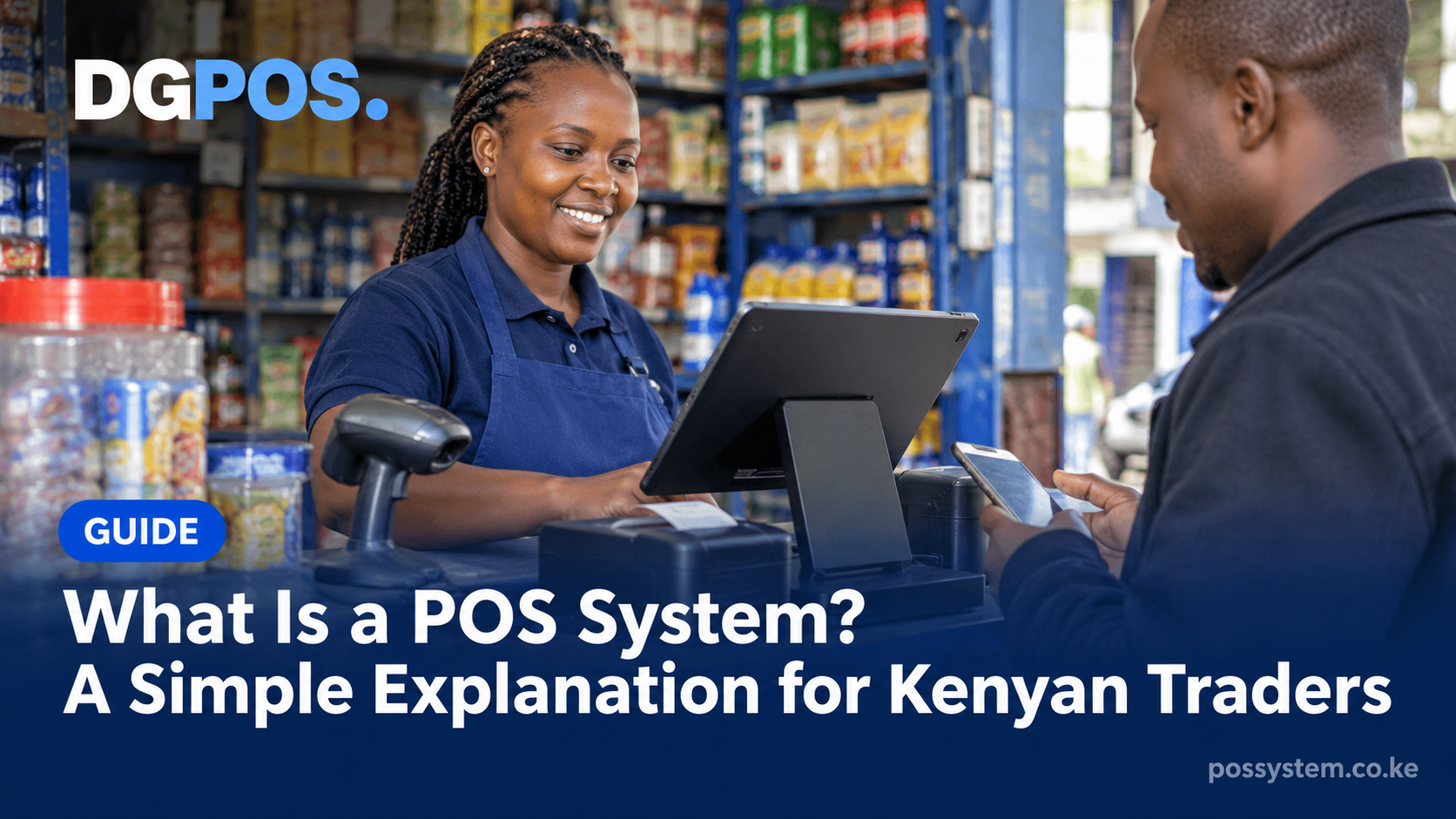
Running a business in Kenya involves handling customers, recording sales, managing stock, tracking payments and monitoring daily profits. Whether you operate a small retail shop, supermarket, minimart, pharmacy, boutique, hardware store or wholesale business, keeping accurate business records is essential for success.
As businesses grow, managing daily transactions manually can become time-consuming and difficult. Handwritten sales books, manual stock calculations and paper receipts can lead to errors, stock shortages and poor financial records.
This is where a POS SYSTEM becomes useful.
A POS (Point Of Sale) system is a technology solution that helps businesses process customer transactions, record sales, manage inventory and monitor business performance. It makes everyday business activities easier by bringing important operations together in one organised system.
For Kenyan traders looking to improve efficiency, investing in reliable pos software can make a significant difference.
In this guide, Digee Technologies Limited Company explains what a POS SYSTEM is, how it works, its benefits and why every modern Kenyan trader should consider using a reliable point of sale system.
1. What Is a POS System?
A POS SYSTEM is a combination of software and hardware used by businesses to process sales transactions and manage daily business activities.
POS stands for Point Of Sale. It refers to the place or process where a customer makes payment for goods or services.
For example, when a customer visits a supermarket, picks several products and pays at the checkout counter, the transaction is processed through a POS (Point Of Sale) system.
The system records the products purchased, calculates the total amount, processes the payment and updates the inventory according to the configured stock management process.
Modern pos software can do much more than process payments. It can help business owners:
- Record daily sales.
- Manage product inventory.
- Monitor stock levels.
- Track business expenses where supported.
- Generate sales reports.
- Manage employees.
- Monitor product performance.
- Record customer transactions.
- Manage multiple branches where supported.
A reliable point of sale system helps business owners maintain better control over their daily operations.
2. How Does a POS System Work?
A POS SYSTEM works by connecting sales activities with business records.
When a customer purchases products, the cashier uses the system to record the transaction.
Here is a simple explanation of how it works.
Step 1: Add Products to the System
The business owner or authorised employee enters product information into the pos software.
This may include:
- Product name.
- Product code or barcode.
- Selling price.
- Purchase cost.
- Product category.
- Available stock quantity.
Step 2: Select Products During a Sale
When a customer purchases an item, the cashier searches for the product or scans its barcode using a barcode scanner.
The point of sale system identifies the product and displays its price.
Step 3: Calculate the Total Amount
The POS automatically calculates the total cost of the selected products.
It can also apply authorised discounts or other configured adjustments.
Step 4: Receive Customer Payment
The cashier records the payment using the supported payment methods.
Depending on the system, these may include:
- Cash.
- M-Pesa.
- Card payments.
- Other supported electronic payment methods.
Step 5: Generate a Receipt
The POS SYSTEM records the transaction and can generate a receipt for the customer.
Step 6: Update Inventory
The system updates the available stock quantities based on the completed sale.
Step 7: Generate Sales Reports
Business owners can review sales information through reports generated by the pos software.
This makes it easier to understand daily business performance and monitor transactions.
3. What Are the Main Components of a POS System?
A modern Point Of Sale solution consists of different components that work together to support business operations.
POS Software
This is the main programme used to manage sales, inventory, products, employees and business reports.
Reliable pos software helps business owners organise their operations and access important business information.
Computer or POS Terminal
A computer, tablet or dedicated POS terminal provides the interface where employees process transactions.
Barcode Scanner
A barcode scanner reads product barcodes and helps cashiers identify products quickly.
Receipt Printer
A receipt printer produces printed transaction receipts for customers.
Cash Drawer
A cash drawer provides a secure place to store cash collected during transactions.
Internet Connection
Some POS SYSTEM solutions require internet connectivity for cloud-based functions, synchronisation and other online services. Others support selected offline operations.
Payment Devices
Depending on the business setup, payment devices can support card payments and other electronic payment methods.
Not every business requires all these components. The appropriate setup depends on the type and size of the business.
4. Why Do Kenyan Traders Need a POS System?
Kenyan traders operate in a competitive business environment where proper stock control, accurate sales records and excellent customer service are important.
Managing these activities manually can become difficult as the business grows.
A reliable POS (Point Of Sale) solution helps simplify daily operations.
Here are some reasons why Kenyan traders should consider investing in a POS SYSTEM.
Accurate Sales Recording
Every transaction can be recorded digitally, reducing dependence on handwritten sales books.
Better Stock Management
The point of sale system can update inventory as products are sold, helping business owners monitor available stock.
Faster Customer Service
Cashiers can identify products, calculate prices and process transactions more efficiently.
Improved Business Monitoring
Business owners can review sales reports and monitor performance without relying entirely on manual calculations.
Reduced Human Errors
Automated calculations help reduce common mistakes associated with manual pricing and sales calculations.
Better Financial Records
A reliable pos software solution helps maintain organised transaction records for business reviews and financial management.
Business Growth
A modern POS SYSTEM can provide a foundation for managing more products, employees and business locations.
5. Benefits of Using POS Software in a Retail Shop
A retail shop handles many daily activities, from receiving products to selling goods and managing customer payments.
Using reliable pos software can simplify these activities.
1. Easy Sales Management
A POS SYSTEM helps cashiers record customer purchases and process transactions efficiently.
2. Automatic Stock Updates
When products are sold, inventory quantities can be updated automatically.
3. Better Product Management
Business owners can organise products into categories and maintain accurate selling prices.
4. Improved Sales Tracking
The point of sale system provides transaction records that make it easier to monitor daily sales.
5. Easier Stock Replenishment
Stock reports help identify products that need restocking.
6. Better Employee Accountability
Individual employee accounts and permissions can help business owners monitor transactions and control access.
7. Useful Business Reports
A good POS solution provides information that helps business owners understand their operations.
8. Time Savings
Automating routine activities reduces time spent on manual recordkeeping.
6. Types of Businesses That Can Use a POS System in Kenya
A POS SYSTEM is useful for many types of businesses, not just supermarkets.
Different businesses can use pos software to manage their unique sales and inventory requirements.
Supermarkets
Supermarkets handle large numbers of products and customer transactions. A point of sale system helps manage barcode scanning, checkout operations, inventory and sales reports.
Minimarts
Minimarts can use a POS to record daily sales, monitor fast-moving products and manage stock replenishment.
Pharmacies
Pharmacies can use suitable POS SYSTEM solutions to manage medicine sales and inventory. Pharmacy-specific features may include batch tracking and expiry date monitoring.
Wholesale Shops
Wholesale businesses can use pos software to manage bulk purchases, product quantities, supplier records and sales transactions.
Boutiques and Clothing Shops
A point of sale system can help manage clothing products, sizes, colours, prices and sales records.
Hardware Stores
Hardware businesses can use a POS SYSTEM to manage different product categories, stock quantities and customer transactions.
Restaurants
Restaurant POS solutions can support order management, billing, menu management and sales reporting.
Electronics Shops
Electronics retailers can use pos software to organise product information, prices, stock and sales transactions.
Regardless of the industry, choosing the right Point Of Sale solution helps businesses improve organisation and efficiency.
7. Difference Between a POS System and a Cash Register
Some traders still use traditional cash registers to record customer payments.
Although both tools support sales transactions, a modern POS SYSTEM offers more business management features.
| Feature | Traditional Cash Register | Modern POS System |
|---|---|---|
| Sales recording | Yes | Yes |
| Product management | Limited | Yes |
| Inventory tracking | Usually limited | Yes |
| Sales reports | Basic | Detailed |
| Barcode scanning | Limited or unavailable | Supported |
| Employee accounts | Limited | Available in suitable systems |
| Supplier records | Usually unavailable | Available in suitable systems |
| Multi-branch management | Limited | Available in suitable systems |
| Business performance monitoring | Basic | More comprehensive |
A cash register mainly helps record payments, while modern pos software can support several business operations from one platform.
For traders looking to grow their businesses, a reliable point of sale system offers more flexibility and better business visibility.
8. How a POS System Helps You Manage Stock
Stock management is one of the biggest challenges facing retail businesses in Kenya.
Without proper inventory records, business owners may struggle to know which products are available, which items are selling quickly and which products need restocking.
A reliable POS SYSTEM makes inventory management easier.
Monitor Available Stock
The system helps you track the quantities of products available in your shop.
Identify Fast-Moving Products
Sales reports show which products customers purchase frequently.
Identify Slow-Moving Products
Business owners can identify products that remain in stock for long periods.
Reduce Stock Shortages
Low-stock alerts, where supported, help notify staff when products need replenishment.
Track Stock Movement
A point of sale system can help record incoming stock, sales, adjustments and transfers.
Improve Purchasing Decisions
With reliable pos software, business owners can use sales and inventory information to plan future purchases.
Good inventory management helps reduce unnecessary stock losses and improves business efficiency.
9. Can a POS System Help You Know Your Daily Profit?
Yes. A suitable POS SYSTEM can help business owners estimate gross profit by comparing product selling prices with their recorded purchase costs.
For example:
Imagine your shop purchases a product for KSh 100 and sells it for KSh 150.
The gross profit per unit is:
Selling Price – Purchase Cost = Gross Profit
KSh 150 – KSh 100 = KSh 50.
If you sell 20 units:
KSh 50 × 20 = KSh 1,000 gross profit.
A reliable point of sale system can help automate these calculations when product costs and sales information are accurately maintained.
However, gross profit is not the same as net profit. To calculate net profit, you must also account for operating expenses such as rent, salaries, electricity, transport and other business costs.
Using pos software helps you maintain organised sales and cost records that support better financial analysis.
10. Features to Look for When Choosing the Best POS System in Kenya
Not all POS SYSTEM solutions offer the same features.
Before choosing a system for your business, consider the following important capabilities.
Easy-to-Use Interface
Choose pos software that employees can learn and use without unnecessary complications.
Sales Management
The system should make it easy to record transactions, calculate totals and generate receipts.
Inventory Management
Look for a point of sale system that supports stock tracking, stock adjustments and stock reports.
Barcode Scanning
Barcode support helps speed up product identification and checkout operations.
M-Pesa and Payment Support
Consider whether the system supports the payment methods your customers commonly use.
Sales Reporting
A good POS should provide useful reports covering daily, weekly and monthly sales.
Employee Management
Look for user accounts and permissions that help control employee access.
Supplier Management
Supplier records and purchase management features help organise incoming stock.
Multi-Branch Support
If you plan to open additional shops, consider a POS SYSTEM that supports multiple locations.
Data Security
Choose a system with appropriate access controls, data protection and backup capabilities.
Technical Support
Reliable technical support helps resolve system issues and minimise business interruptions.
Choosing the right point of sale system is an important decision that can influence how efficiently your business operates.
11. How Much Does a POS System Cost in Kenya?
The cost of a POS SYSTEM in Kenya depends on several factors.
There is no single price that applies to every business because different traders have different operational requirements.
Some factors that influence the cost include:
- Type of business.
- Number of checkout terminals.
- Number of business branches.
- Features included in the pos software.
- Hardware requirements.
- Barcode scanners and receipt printers.
- Installation and setup.
- Staff training.
- Ongoing support and subscription fees, where applicable.
A small retail shop may require a basic setup, while a supermarket with multiple checkout counters may need a more advanced point of sale system.
Before purchasing, compare the available features against your actual business requirements.
Do not choose a POS solution based on price alone. Consider reliability, ease of use, reporting capabilities and long-term business value.
12. Is a POS System Suitable for Small Businesses?
Yes. A POS SYSTEM is not only designed for large supermarkets and established retail chains.
Small businesses can also benefit from using reliable pos software.
For example, a small shop owner can use a point of sale system to:
- Record daily transactions.
- Monitor product stock.
- Track selling prices.
- Generate sales reports.
- Identify fast-moving products.
- Monitor employee transactions.
- Maintain organised business records.
Starting with a suitable POS (Point Of Sale) solution can help a small business establish better management practices before expanding.
As the business grows, the owner can consider additional features and capabilities.
13. Common Mistakes to Avoid When Using a POS System
Although a POS SYSTEM makes business management easier, proper usage is important.
Some mistakes can affect the accuracy of your business records.
Avoid the following:
Failing to Update Product Prices
Always ensure that product prices are accurate and properly updated.
Not Recording Incoming Stock
All purchases and stock received should be recorded correctly.
Sharing Employee Login Details
Give employees individual accounts where supported to improve accountability.
Ignoring Sales Reports
Review your reports regularly to understand business performance.
Failing to Conduct Physical Stock Counts
Compare system inventory with actual stock periodically.
Ignoring Data Backups
Ensure that your business data is protected through appropriate backup procedures.
Choosing the Wrong POS Software
Select pos software that matches your business type, size and operational requirements.
Failing to Train Employees
Employees should understand how to use the point of sale system correctly.
Proper system usage helps businesses get maximum value from their investment.
14. POS System and Business Growth in Kenya
As your business grows, managing operations becomes more demanding.
You may start with one shop, expand to multiple branches, employ additional staff and introduce more products.
A reliable POS SYSTEM helps establish organised processes that support this growth.
With suitable pos software, business owners can monitor sales, track inventory and review business performance.
A centralised point of sale system with multi-branch capabilities can also help businesses maintain better control across different locations.
For Kenyan traders planning to expand, investing in the right Point Of Sale technology is an important step towards building a more organised and scalable business.
15. Why Choose Digee Technologies Limited Company for POS Solutions?
Choosing the right technology provider is just as important as choosing the right software.
Digee Technologies Limited Company provides technology solutions designed to help businesses improve their operations and manage daily activities more efficiently.
For Kenyan traders looking to modernise their businesses, a reliable POS SYSTEM can simplify sales processing, stock management and business reporting.
Whether you operate a supermarket, minimart, pharmacy, restaurant, boutique, hardware shop or wholesale business, the right pos software can help you manage your operations more effectively.
A suitable point of sale system should support your business requirements, simplify daily transactions and provide useful information for decision-making.
Digee Technologies Limited Company understands the importance of technology in modern business management.
If you are looking for a POS (Point Of Sale) solution for your business, explore the technology solutions offered by Digee Technologies Limited Company.
Visit our website: https://digeetechnologies.co.ke/
Conclusion
A POS SYSTEM is an important business tool that helps traders manage sales, inventory, payments and daily operations.
For Kenyan businesses, using reliable pos software can reduce manual work, improve stock management, maintain accurate transaction records and support better business decisions.
Whether you operate a small retail shop, supermarket, pharmacy, restaurant or wholesale business, a modern point of sale system can make everyday operations easier.
A good Point Of Sale solution does more than process customer payments. It helps business owners understand their operations, monitor performance and prepare for future growth.
At Digee Technologies Limited Company, we recognise the importance of technology in helping businesses become more efficient and competitive.